AUX GMC YUKON 2003 Owner's Manual
[x] Cancel search | Manufacturer: GMC, Model Year: 2003, Model line: YUKON, Model: GMC YUKON 2003Pages: 520, PDF Size: 2.92 MB
Page 171 of 520
When it begins to get dark, the automatic headlamp
system will switch from DRL to the headlamps or the last
chosen headlamp setting that was used.
When you turn the headlamp switch off, the headlamps
will go off, and your DRL lamps will illuminate,
provided it is not dark outside.
Shifting the transmission into PARK (P) will allow you to
idle the vehicle with the DRL off. The DRL will stay
off until you shift the transmission out of PARK (P).
This procedure applies only to vehiclesfirst sold in the
United States.
Fog Lamps
If your vehicle has fog lamps, use them for better vision
in foggy or misty conditions.
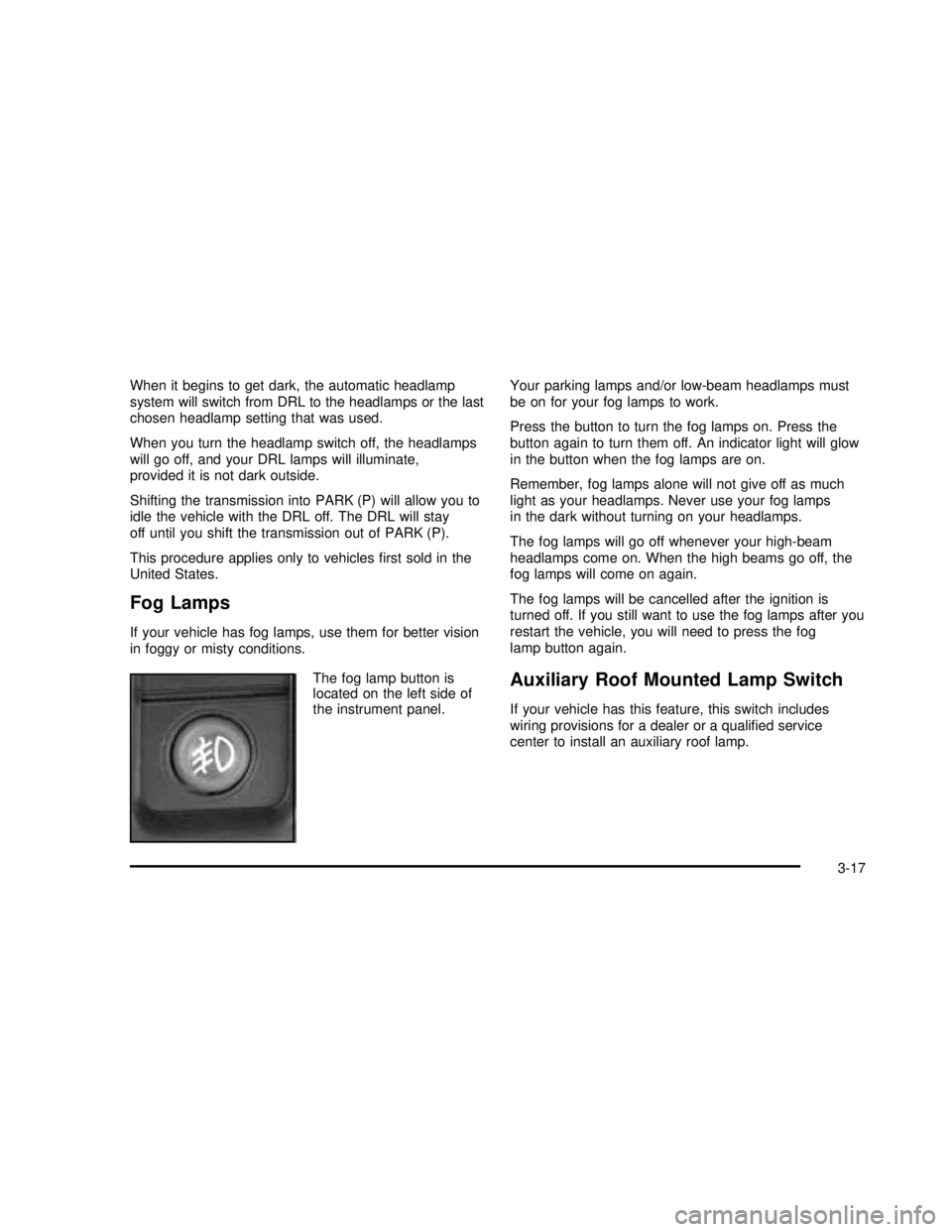
The fog lamp button is
located on the left side of
the instrument panel.Your parking lamps and/or low-beam headlamps must
be on for your fog lamps to work.
Press the button to turn the fog lamps on. Press the
button again to turn them off. An indicator light will glow
in the button when the fog lamps are on.
Remember, fog lamps alone will not give off as much
light as your headlamps. Never use your fog lamps
in the dark without turning on your headlamps.
The fog lamps will go off whenever your high-beam
headlamps come on. When the high beams go off, the
fog lamps will come on again.
The fog lamps will be cancelled after the ignition is
turned off. If you still want to use the fog lamps after you
restart the vehicle, you will need to press the fog
lamp button again.
Auxiliary Roof Mounted Lamp Switch
If your vehicle has this feature, this switch includes
wiring provisions for a dealer or a qualified service
center to install an auxiliary roof lamp.
3-17
2003 - Yukon/Yukon XL
Page 172 of 520

This switch is located on
the center of the
instrument panel near the
comfort controls.
When the switch wiring is connected to an auxiliary roof
mounted lamp, pressing the switch will activate the lamp
and illuminate an indicator light near the switch. Pressing
the switch again will turn off the roof mounted lamp.
Interior Lamps
Instrument Panel Brightness
D
:This feature controls the brightness of the
instrument panel lights.
The thumbwheel for this feature is located next to the
headlamp control.Turn the thumbwheel up to adjust the instrument panel
lights. Turn the thumbwheel up to return the radio
display to full brightness when the headlamps or parking
lamps are on. To turn on the dome lamps, turn the
thumbwheel all the way up.
Exit Lighting
With exit lighting, the interior lamps will come on when
you remove the key from the ignition. The lights will
not come on if the dome override button is pressed in.
Entry Lighting
Your vehicle is equipped with an illuminated entry
feature.
When the doors are opened, the dome lamps will come
on if the dome override button is in the out position.
If the dome override button is pressed in, the lamps will
not come on.
3-18
2003 - Yukon/Yukon XL
Page 174 of 520

Dome Lamps
The dome lamps will come on when you open a door.
You can also turn the dome lamps on by turning
the thumbwheel, located next to the exterior lamps
control, all the way up. In this position, the dome lamps
will remain on whether a door is opened or closed.
E:You can use the dome override button, located
below the exterior lamps control, to set the dome lamps
to come on automatically when a door is opened, or
to remain off. To turn the lamps off, press the button into
the in position. With the button in this position, the
dome lamps will remain off when the doors are open.
To return the lamps to automatic operation, press
the button again and return it to the out position. With
the button in this position, the dome lamps will come on
when you open a door.
Battery Run-Down Protection
This feature shuts off the dome, reading, glove box and
underhood lamps if they are left on for more than
10 minutes when the ignition is off. This will keep your
battery from running down.
Accessory Power Outlets
With accessory power outlets you can plug in auxiliary
electrical equipment such as a cellular telephone or
CB radio.Your vehicle may have two accessory power outlets, or
may have one accessory power outlet located near
the cigarette lighter, if equipped. The cigarette lighter is
designed tofit only in the receptacle to the right of
the accessory power outlet.
To use the outlet, lift the cover. When not using it,
always close the cover.
Certain power accessory plugs may not be compatible
to the accessory power outlet and could result in
blown vehicle or adapter fuses. If you experience a
problem, see your dealer for additional information on
the accessory power plugs.
Notice:Adding some electrical equipment to your
vehicle can damage it or keep other things from
working as they should. This wouldn’t be covered by
your warranty. Check with your dealer before
adding electrical equipment, and never use anything
that exceeds the amperage rating.
When adding electrical equipment, be sure to follow the
proper installation instructions included with the
equipment.
Notice:Power outlets are designed for accessory
plugs only. Do not hang any type of accessory
or accessory bracket from the plug. Improper use of
the power outlet can cause damage not covered
by your warranty.
3-20
2003 - Yukon/Yukon XL
Page 187 of 520

To operate the rear system using the front control, just
turn the knob to the fan position you want.
To use the rear control,first turn the front control to the
AUX position. Then, the rear control can be used to
increase and decrease the airflow.Rear Air Conditioning and Heating
System
If your vehicle is equipped with this system, there are
two rear heat and air conditioning controls. One control
is located in the overhead console and the other is
located in the headliner above the second row seats.
The system can be controlled from the front controls as
well as the rear controls.
The front control has three knobs that control airflow
speed, temperature and airflow location. Rear Control
Front Control
3-33
2003 - Yukon/Yukon XL
Page 188 of 520

Fan Knob
The fan knob on the left side of the control panel
adjusts the fan speed. To increase airflow, turn the knob
clockwise. To decrease airflow, turn it counterclockwise.
To turn the fan off, turn the knob to the off position.
9(Off):An off setting, located on the front climate
control panel also allows the driver to turn off the
rear seat passenger seat controls from the front seat.
Temperature Knob
The middle knob on the control panel lets you select the
temperature of the airflowing into the passenger
area. Turn the knob clockwise toward the red area for
warmer air. Turn the knob counterclockwise toward
the blue area for cooler air.
Mode Knob
The right knob on the control panel allows you to
choose the direction of air delivery.
H(Vent):This setting directs the air through the
headliner outlets.
)(Bi-Level):Air is delivered through thefloor outlets
as well as the headliner outlets. Theflow can be
divided between vent andfloor outlets depending upon
where the knob is placed between the settings.
6(Floor):This setting directs most of the air through
thefloor outlets.
To use the rear control,first turn the front control to the
AUX position. Then, the rear control can be used to
adjust the airflow speed, temperature, and airflow
location.Rear Controls
3-34
2003 - Yukon/Yukon XL
Page 201 of 520

When your ignition is on, the gage shows the
temperature of the transmissionfluid. The normal
operating range is from 100°F (38°C) to about
265°F (130°C).
At approximately 265°F (130°C), the message center
will display a TRANSMISSION HOT message and
the transmission will enter a transmission protection
mode. When the transmission enters the protection
mode, you may notice a change in the transmission
shifting patterns. The transmission will return to normal
shifting patterns when the transmissionfluid temperature
falls below 260°F (127°C).
SeeDriver Information Center (DIC) on page 3-53for
further information.
If the transmissionfluid reaches temperatures of
approximately 275°F (135°C) or greater, the Driver
Information Center will display a TRANS HOT IDLE
ENG warning message. Pull the vehicle off the roadway
when it is safe to do so. Set the parking brake, place
the transmission in PARK (P) and allow the engine
to idle until the transmission temperature falls below
260°F (127°C). If the transmission continues to operate
above 265°F (130°C), contact your nearest dealer or
the GM Roadside Assistance Center. SeeRoadside
Assistance Program on page 7-5.Notice:If you keep driving your vehicle with the
transmission temperature gage above the normal
operating range, you can damage the transmission.
This could lead to costly repairs that may not be
covered under your warranty.
The following situations can cause the transmission to
operate at higher temperatures:
•Towing a trailer
•Hot outside air temperatures
•Hauling a large or heavy load
•Low transmissionfluid level
•High transmissionfluid level
•Restricted airflow to the radiator and the auxiliary
transmission oil cooler (if equipped).
A temporary solution to hotter transmission operating
temperatures may be to let the transmission cool down.
If the transmission is operated at higher temperatures
on a frequent basis, seeScheduled Maintenance
on page 6-5for the proper transmission maintenance
intervals.
3-47
2003 - Yukon/Yukon XL
Page 222 of 520

CHECK OIL LEVEL
If the oil level in the vehicle is low, this message will
appear on the DIC. Check and oil level and correct it as
necessary. You may need to let the vehicle cool or
warm up and cycle the ignition to be sure this message
will clear. Once the problem is corrected, pressing
the select button will clear this message from the DIC
display.
CHECK WASHER FLUID
if the washerfluid level is low, this message will appear
on the DIC. Adding washerfluid will clear the message.
Pressing the select button will acknowledge this
message and clear it from the DIC display.
TRACTION ACTIVE
When the traction control system has detected that any
of the vehicle’s wheels are spinning, the traction
control system will activate and this message will appear
on the DIC. For more information seeTraction Assist
System (TAS) on page 4-10
TRANSMISSION HOT
If the transmissionfluid temperature becomes high, the
message center will display this message.
When the transmission enters the protection mode, you
may notice a change in the transmission shifting
patterns. When the transmissionfluid temperature
returns to normal, the display will turn off and the
transmission shifting patterns will return to normal.
Notice:If you keep driving your vehicle with the
transmission TRANS FLUID HOT message
displayed, you can damage the transmission. This
could lead to costly repairs that may not be covered
under your warranty.
The following situations can cause the transmission to
operate at higher temperatures:
•Towing a trailer
•Hot outside air temperatures
•Hauling a large or heavy load
•Low transmissionfluid level
•High transmissionfluid level
•Restricted airflow to the radiator and the auxiliary
transmission oil cooler.
3-68
2003 - Yukon/Yukon XL
Page 238 of 520

qSEEKr:Press the left arrow to go to the start of
the current or to the previous track. Press the right
arrow to go to the start of the next track. If either arrow
is held or pressed more than once, the player will
continue moving backward or forward through the CD.
qSCANr:To scan the disc, press and hold
either SCAN arrow for more than two seconds until
SCAN appears on the display and you hear a beep. Use
this feature to listen to 10 seconds of each track of
the disc. Press either SCAN arrow again, to stop
scanning.
DISP (Display):Press this knob to see how long the
current track has been playing. ET and the elapsed time
will appear on the display. To change the default on
the display (track or elapsed time), push the knob until
you see the display you want, then hold the knob
for two seconds. The radio will produce one beep and
selected display will now be the default.
BAND:Press this button to listen to the radio when a
CD is playing. The disc will stop but remain in the player.
CD AUX (Auxiliary):Press this button to play a CD
when listening to the radio.
Z(Eject):Press this button to stop a CD when it is
playing or to eject a CD when it is not playing. Eject
may be activated with either the ignition or radio off. CDs
may be loaded with the radio and ignition off if this
button is pressedfirst.
Compact Disc Messages
If the disc comes out, it could be for one of the following
reasons:
•You’re driving on a very rough road. When the road
becomes smoother, the disc should play.
•It’s very hot. When the temperature returns to
normal, the disc should play.
•The disc is dirty, scratched, wet or upside down.
•The air is very humid. If so, wait about an hour and
try again.
•There may have been a problem while burning
the CD.
•The label may be caught in the CD player.
If the CD is not playing correctly, for any other reason,
try a known good CD.
If any error occurs repeatedly or if an error can’tbe
corrected, contact your dealer.
3-84
2003 - Yukon/Yukon XL
Page 261 of 520

When a disc is inserted, the CD symbol will be
displayed. If more than one disc has been loaded, a
number for each disc will be displayed. If you select an
equalization setting for your disc, it will be activated
each time you play a disc.
If the radio is on or off, the last disc loaded will begin to
play automatically.
As each new track starts to play, the track number will
appear on the display.
Playing a Specic Loaded
Compact Disc
For every CD loaded, a number will appear on the radio
display. To play a specific CD,first press the CD AUX
button to start playing a CD. Then press the numbered
pushbutton that corresponds to the CD you want to
play. A small bar will appear under the CD number that
is playing, and the track number will appear.
If an error appears on the radio display, see“Compact
Disc Messages”later in this section.
LOAD CD
Z(Eject):Pressing the CD eject side of
this button will eject a single disc or multiple discs.
To eject the disc that is currently playing, press
and release this button. To eject multiple discs, press
and hold this button for two seconds. You will hear
a beep and the light willflash to let you know when a
disc is being ejected.REMOVE CD will be displayed. You can now remove
the disc. If the disc is not removed, after 25 seconds, the
disc will be automatically pulled back into the receiver.
If you try to push the disc back into the receiver,
before the 25 second time period is complete, the
receiver will sense an error and will try to eject the disc
several times before stopping.
Do not repeatedly press the CD eject side of the
LOAD CD eject button to eject a disc after you have
tried to push it in manually. The receivers 25-second
eject timer will reset at each press of eject, which
will cause the receiver to not eject the disc until the
25-second time period has elapsed.
Once the player stops and the disc is ejected, remove
the disc. After removing the disc, press the PWR
knob off and then on again. This will clear the
disc-sensing feature and enable discs to be loaded into
the player again.
{REV (Reverse):Press and hold this button to
reverse quickly within a track. You will hear sound at a
reduced volume. Release it to play the passage.
The display will show elapsed time.
FWD
|(Forward):Press and hold this button to
advance quickly within a track. You will hear sound at a
reduced volume. Release it to play the passage. The
display will show elapsed time.
3-107
2003 - Yukon/Yukon XL
Page 264 of 520

To delete the entire song list, perform the following
steps:
1. Turn the disc player on.
2. Press the SONG LIST button to turn song list on.
S-LIST will appear on the display.
3. Press and hold the SONG LIST button for more
than four seconds. A beep will be heard, followed
by two beeps after two seconds and afinal beep will
be heard after four seconds. S-LIST EMPTY will
appear on the display indicating that the song
list has been deleted.
If a disc is ejected, and the song list contains saved
tracks from that disc, those tracks are automatically
deleted from the song list. Any tracks saved to the song
list again are added to the bottom of the list.
To end song list mode, press the SONG LIST button.
One beep will be heard and S-LIST will be removed from
the display.
Compact Disc Messages
CHECK CD:If this message appears on the radio
display, it could be due to one of the following reasons:
•You’re driving on a very rough road. When the
road becomes smoother, the disc should play.
•The disc is dirty, scratched, wet or upside down.
•The air is very humid. If so, wait about an hour and
try again.
•There may have been a problem while burning
the CD.
•The label may be caught in the CD player.
If the CD is not playing correctly, for any other reason,
try a known good CD.
If any error occurs repeatedly or if an error can’tbe
corrected, contact your dealer. If your radio displays an
error message, write it down and provide it to your
dealer when reporting the problem.
Listening to a DVD
If your vehicle has Rear Seat Entertainment (RSE)
system and a DVD is playing, the DVD symbol
will appear on the radio display indicating that the DVD
is available and can be listened to through your
vehicles speakers. To listen to the DVD, press the CD
AUX button until RSE appears on the radio display. The
current radio source will stop and the DVD sound will
come through the speakers. To stop listening to
the DVD, press the CD AUX button, if a CD is loaded,
or press the BAND button to select a different source.
When the RSE system is turned off, the DVD symbol will
go off of the radio display and the radio will display
RSE OFF. The radio will return to the last radio source
that you were listening to.
3-110
2003 - Yukon/Yukon XL