front axle GMC YUKON 2003 Owner's Manual
[x] Cancel search | Manufacturer: GMC, Model Year: 2003, Model line: YUKON, Model: GMC YUKON 2003Pages: 520, PDF Size: 2.92 MB
Page 1 of 520

Seats and Restraint Systems........................... 1-3
Front Seats
............................................... 1-3
Rear Seats
............................................... 1-8
Safety Belts
.............................................1-22
Child Restraints
.......................................1-44
Air Bag Systems
......................................1-70
Restraint System Check
............................1-86
Features and Controls..................................... 2-1
Keys
........................................................ 2-3
Doors and Locks
....................................... 2-7
Windows
.................................................2-14
Theft-Deterrent Systems
............................2-16
Starting and Operating Your Vehicle
...........2-18
Mirrors
....................................................2-40
OnStar
®System
......................................2-48
HomeLink®Transmitter
.............................2-50
Storage Areas
.........................................2-54
Sunroof
..................................................2-57
Vehicle Personalization
.............................2-58
Instrument Panel............................................. 3-1
Instrument Panel Overview
.......................... 3-4
Climate Controls
......................................3-21
Warning Lights, Gages and Indicators
.........3-37
Driver Information Center (DIC)
..................3-53
Audio System(s)
.......................................3-71Driving Your Vehicle....................................... 4-1
Your Driving, the Road, and Your Vehicle
..... 4-2
Towing
...................................................4-54
Service and Appearance Care.......................... 5-1
Service
..................................................... 5-3
Fuel
......................................................... 5-4
Checking Things Under the Hood
...............5-10
All-Wheel Drive
........................................5-49
Rear Axle
...............................................5-50
Four-Wheel Drive
.....................................5-51
Front Axle
...............................................5-52
Bulb Replacement
....................................5-52
Windshield Wiper Blade Replacement
.........5-59
Tires
......................................................5-60
Appearance Care
.....................................5-88
Vehicle Identication
.................................5-96
Electrical System
......................................5-97
Capacities and Specications
...................5-106
Normal Maintenance Replacement Parts
....5-109
Maintenance Schedule..................................... 6-1
Maintenance Schedule
................................ 6-2
Customer Assistance Information.................... 7-1
Customer Assistance Information
.................. 7-2
Reporting Safety Defects
............................ 7-9
Index................................................................ 1
2003 GMC Yukon/Yukon XLM
2003 - Yukon/Yukon XL
Page 120 of 520
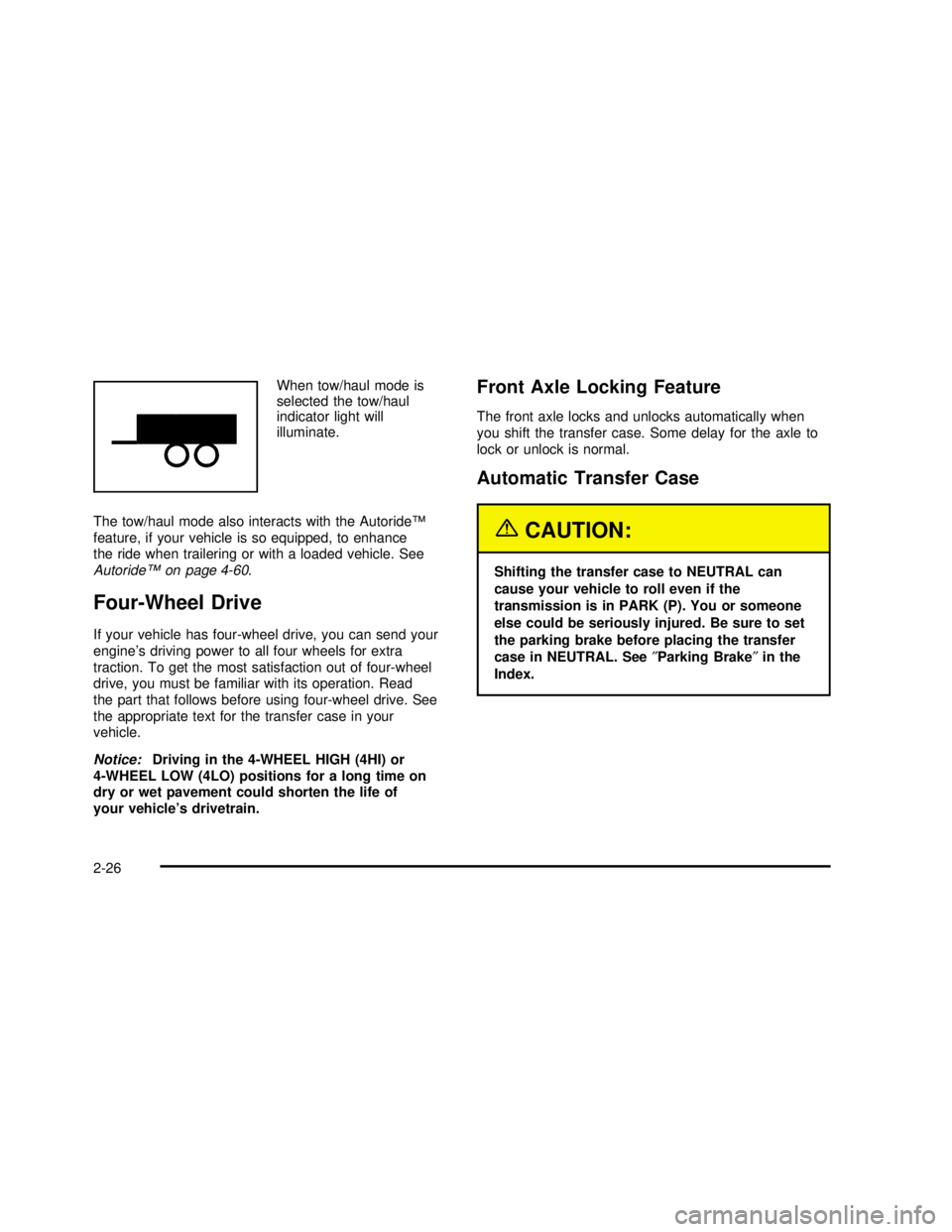
When tow/haul mode is
selected the tow/haul
indicator light will
illuminate.
The tow/haul mode also interacts with the Autoride™
feature, if your vehicle is so equipped, to enhance
the ride when trailering or with a loaded vehicle. See
Autoride™on page 4-60.
Four-Wheel Drive
If your vehicle has four-wheel drive, you can send your
engine’s driving power to all four wheels for extra
traction. To get the most satisfaction out of four-wheel
drive, you must be familiar with its operation. Read
the part that follows before using four-wheel drive. See
the appropriate text for the transfer case in your
vehicle.
Notice:Driving in the 4-WHEEL HIGH (4HI) or
4-WHEEL LOW (4LO) positions for a long time on
dry or wet pavement could shorten the life of
your vehicle’s drivetrain.
Front Axle Locking Feature
The front axle locks and unlocks automatically when
you shift the transfer case. Some delay for the axle to
lock or unlock is normal.
Automatic Transfer Case
{CAUTION:
Shifting the transfer case to NEUTRAL can
cause your vehicle to roll even if the
transmission is in PARK (P). You or someone
else could be seriously injured. Be sure to set
the parking brake before placing the transfer
case in NEUTRAL. See″Parking Brake″in the
Index.
2-26
2003 - Yukon/Yukon XL
Page 121 of 520

The transfer case buttons are located to the left of the
instrument panel cluster.
Use these switches to shift into and out of four-wheel
drive.You can choose among four driving settings:
h(2HI):This setting is used for driving in most street
and highway situations. Your front axle is not engaged
in two-wheel drive. This setting also provides the
best fuel economy.
AUTO 4WD:This setting is ideal for use when road
conditions are variable. When driving your vehicle
in AUTO 4WD, the front axle is engaged, but the
vehicle’s power is sent only to the rear wheels. When
the vehicle senses a loss of traction, the system
will automatically engage four-wheel drive. Driving in
this mode results in slightly lower fuel economy
than 2HI.
G(4HI):Use the 4HI position when you need extra
traction, such as on snowy or icy roads or in most
off-road situations. This setting also engages your front
axle to help drive your vehicle. This is the best setting
to use when plowing snow.
2-27
2003 - Yukon/Yukon XL
Page 122 of 520

g(4LO):This setting also engages your front axle
and delivers extra torque. You may never need
this setting. It sends maximum power to all four wheels.
You might choose 4LO if you are driving off-road in
deep sand, deep mud, deep snow and climbing
or descending steep hills.
{CAUTION:
Shifting the transfer case to NEUTRAL can
cause your vehicle to roll even if the
transmission is in PARK (P). You or someone
else could be seriously injured. Be sure to set
the parking brake before placing the transfer
case in NEUTRAL. See″Parking Brake″in the
Index.
NEUTRAL:Shift the vehicle’s transfer case to
NEUTRAL only when towing your vehicle. See
Recreational Vehicle Towing on page 4-55orTowing
Your Vehicle on page 4-54for more information.Indicator lights in the switches show which setting you
are in. The indicator lights will come on briey when you
turn on the ignition and one will stay on. If the lights
do not come on, you should take your vehicle to your
dealer for service. An indicator light willash while
shifting the transfer case. It will remain illuminated when
the shift is complete. If for some reason the transfer
case cannot make a requested shift, it will return to the
last chosen setting.
If the SERVICE 4WD message stays on, you should
take your vehicle to your dealer for service. See″Service
4WD message″underDriver Information Center (DIC)
on page 3-53.
Shifting into 4HI or AUTO 4WD
Press and release the 4 hi or AUTO 4WD switch. This
can be done at any speed (except when shifting
from 4LO), and the indicator light willash while shifting.
It will remain illuminated when the shift is completed.
Shifting into 2HI
Press and release the 2 hi switch. This can be done at
any speed (except when shifting from 4LO).
2-28
2003 - Yukon/Yukon XL
Page 125 of 520

All-Wheel Drive with Stabilitrak®
With this feature, engine power is sent to all four wheels
all the time.
This is like four-wheel drive, but there is no separate
lever or switch to engage or disengage the front axle. It
is fully automatic, and adjust itself as needed for
road conditions.
The transfer case buttons are located to the left of the
instrument panel cluster.
Use these switches to shift into and out of four-wheel
drive.You can choose among three driving settings:d(Stabilitrak®):This button is used with the
Stabilitrak®system and is also used to shift the transfer
case into Neutral. For more information on using
Stabilitrak
®seeStabilitrak®System on page 4-12.
f(All-Wheel Drive):This setting delivers power to
all four wheels as needed depending on road and driving
conditions.
g(4LO):This setting delivers extra torque. You may
never need this setting. It sends maximum power to
all four wheels. You might choose 4LO if you are driving
off-road in deep sand, deep mud, deep snow and
climbing or descending steep hills.
{CAUTION:
Shifting the transfer case to NEUTRAL can
cause your vehicle to roll even if the
transmission is in PARK (P). You or someone
else could be seriously injured. Be sure to set
the parking brake before placing the transfer
case in NEUTRAL. See″Parking Brake″in the
Index.
2-31
2003 - Yukon/Yukon XL
Page 294 of 520

If the brake-traction control system activates constantly
or if the brakes have heated up due to high speed
braking, the brake-traction control will be automatically
disabled. The system will come back on after the
brakes have cooled. This can take up to two minutes or
longer depending on brake usage.
Notice:Don’t allow the wheel(s) of one axle to spin
excessively when the traction off, ABS and brake
lights are on and the SERVICE STABILITY MESSAGE
is displayed. In this situation, damage to the
transfer case is possible. This could lead to costly
repairs not covered by your warranty. You should
immediately reduce engine power until the lights
and messages are no longer displayed.
The traction control system may activate on dry or
rough roads or under conditions such as heavy
acceleration while turning or abrupt upshifts/downshifts
of the transmission. When this happens you may
notice a reduction in acceleration, or may hear a noise
or vibration. This is normal.
If your vehicle is in cruise control when the system
activates, the STABILITY SYS ACTIVE message will
appear on the Driver Information Center and the cruise
control will automatically disengage. When road
conditions allow you to use cruise again, you may
re-engage the cruise control. See“Cruise Control”under
Turn Signal/Multifunction Lever on page 3-8Stabilitrak®may also turn off automatically if it
determines that a problem exists with the system. If the
problem does not clear itself after restarting the
vehicle, you should see your dealer for service.
Steering
Power Steering
If you lose power steering assist because the engine
stops or the system is not functioning, you can steer but
it will take much more effort.
Steering Tips
Driving on Curves
It’s important to take curves at a reasonable speed.
A lot of the“driver lost control”accidents mentioned on
the news happen on curves. Here’s why:
Experienced driver or beginner, each of us is subject to
the same laws of physics when driving on curves.
The traction of the tires against the road surface makes
it possible for the vehicle to change its path when
you turn the front wheels. If there’s no traction, inertia
will keep the vehicle going in the same direction. If
you’ve ever tried to steer a vehicle on wet ice, you’ll
understand this.
4-14
2003 - Yukon/Yukon XL
Page 338 of 520

Loading Your Vehicle
The Certication/Tire label is found on the rear edge of
the driver’s door or in the Incomplete Vehicle
Document in the cab.
The label shows the size of your original tires and the
ination pressures needed to obtain the gross weight
capacity of your vehicle. This is called the GVWR (Gross
Vehicle Weight Rating). The GVWR includes the
weight of the vehicle, all occupants, fuel and cargo.
The Certication/Tire label also tells you the maximum
weights for the front and rear axles, called Gross
Axle Weight Rating (GAWR). Tond out the actual loadson your front and rear axles, you need to go to a weigh
station and weigh your vehicle. Your dealer can help
you with this. Be sure to spread out your load equally on
both sides of the centerline.
Never exceed the GVWR for your vehicle, or the GAWR
for either the front or rear axle.
The Certication/Tire label also contains information
about your Front Axle Reserve Capacity. See“Front
Axle Reserve Capacity”later in this section.
And, if you do have a heavy load, you should spread
it out.
{CAUTION:
Do not load your vehicle any heavier than the
GVWR, or either the maximum front or rear
GAWR. If you do, parts on your vehicle can
break, and it can change the way your vehicle
handles. These could cause you to lose
control and crash. Also, overloading can
shorten the life of your vehicle.
Notice:Your warranty does not cover parts or
components that fail because of overloading.
The label will help you decide how much cargo and
installed equipment your truck can carry.
4-58
2003 - Yukon/Yukon XL
Page 355 of 520

Service............................................................5-3
Doing Your Own Service Work.........................5-3
Adding Equipment to the Outside of Your
Vehicle......................................................5-4
Fuel................................................................5-4
Gasoline Octane............................................5-4
Gasoline Specifications....................................5-4
California Fuel...............................................5-5
Additives.......................................................5-5
Fuel E-85 (85% Ethanol).................................5-6
Fuels in Foreign Countries...............................5-7
Filling Your Tank............................................5-7
Filling a Portable Fuel Container.....................5-10
Checking Things Under
the Hood....................................................5-10
Hood Release..............................................5-11
Engine Compartment Overview.......................5-12
Engine Oil...................................................5-16
Engine Air Cleaner/Filter................................5-21
Automatic Transmission Fluid.........................5-23
Engine Coolant.............................................5-26
Coolant Surge Tank Pressure Cap..................5-29Engine Overheating.......................................5-29
Cooling System............................................5-32
Engine Fan Noise.........................................5-37
Power Steering Fluid.....................................5-38
Windshield Washer Fluid................................5-39
Brakes........................................................5-40
Battery........................................................5-43
Jump Starting...............................................5-44
All-Wheel Drive..............................................5-49
Rear Axle.......................................................5-50
Four-Wheel Drive............................................5-51
Front Axle......................................................5-52
Bulb Replacement..........................................5-52
Halogen Bulbs..............................................5-53
Headlamps..................................................5-53
Front Turn Signal, Sidemarker and Daytime
Running Lamps.........................................5-54
Side Identification Marker Lamps.....................5-55
Roof Marker Lamps......................................5-55
Taillamps.....................................................5-57
Replacement Bulbs
.......................................5-59
Section 5 Service and Appearance Care
5-1
2003 - Yukon/Yukon XL
Page 397 of 520

Properly torqued wheel nuts are necessary to help
prevent brake pulsation. When tires are rotated, inspect
brake pads for wear and evenly tighten wheel nuts in
the proper sequence to GM torque specifications.
Brake linings should always be replaced as complete
axle sets.
SeeBrake System Inspection on page 6-16.
Brake Pedal Travel
See your dealer if the brake pedal does not return to
normal height, or if there is a rapid increase in
pedal travel. This could be a sign of brake trouble.
Brake Adjustment
Every time you make a brake stop, your disc brakes
adjust for wear.
Replacing Brake System Parts
The braking system on a vehicle is complex. Its many
parts have to be of top quality and work well together if
the vehicle is to have really good braking. Your
vehicle was designed and tested with top-quality GM
brake parts. When you replace parts of your brakingsystem–for example, when your brake linings wear
down and you need new ones put in–be sure you get
new approved GM replacement parts. If you don’t,
your brakes may no longer work properly. For example,
if someone puts in brake linings that are wrong for
your vehicle, the balance between your front and rear
brakes can change—for the worse. The braking
performance you’ve come to expect can change in many
other ways if someone puts in the wrong replacement
brake parts.
Battery
Your new vehicle comes with a maintenance free
ACDelco®battery. When it’s time for a new battery, get
one that has the replacement number shown on the
original battery’s label. We recommend an ACDelco
®
battery. SeeEngine Compartment Overview on
page 5-12for battery location.
Warning:Battery posts, terminals and related
accessories contain lead and lead compounds,
chemicals known to the State of California to cause
cancer and reproductive harm. Wash hands after
handling.
5-43
2003 - Yukon/Yukon XL
Page 406 of 520
Front Axle
When to Check Lubricant
Refer to the Maintenance Schedule to determine how
often to check the lubricant. See Part A:Part A:
Scheduled Maintenance Services on page 6-4.
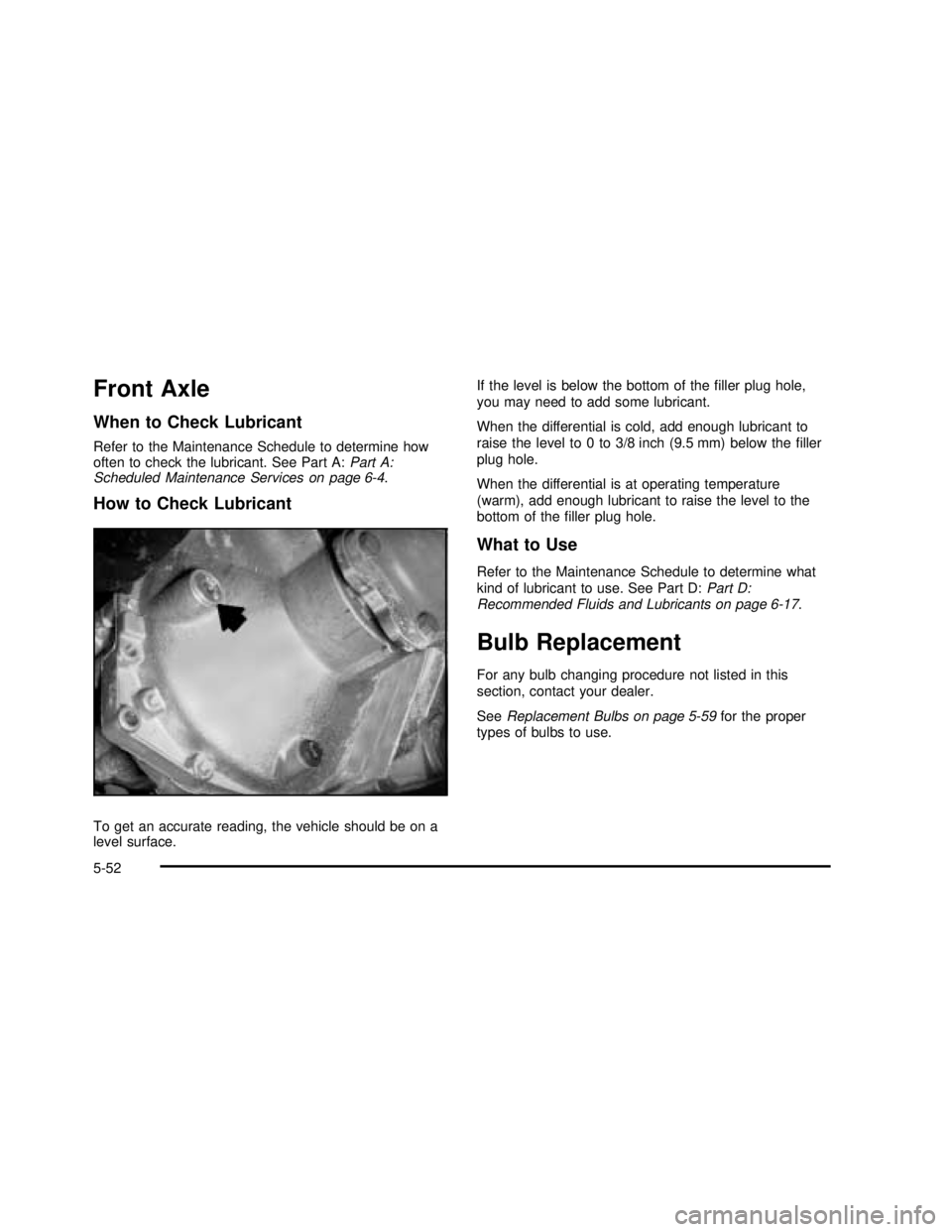
How to Check Lubricant
To get an accurate reading, the vehicle should be on a
level surface.If the level is below the bottom of thefiller plug hole,
you may need to add some lubricant.
When the differential is cold, add enough lubricant to
raise the level to 0 to 3/8 inch (9.5 mm) below thefiller
plug hole.
When the differential is at operating temperature
(warm), add enough lubricant to raise the level to the
bottom of thefiller plug hole.
What to Use
Refer to the Maintenance Schedule to determine what
kind of lubricant to use. See Part D:Part D:
Recommended Fluids and Lubricants on page 6-17.
Bulb Replacement
For any bulb changing procedure not listed in this
section, contact your dealer.
SeeReplacement Bulbs on page 5-59for the proper
types of bulbs to use.
5-52
2003 - Yukon/Yukon XL