Locks GMC YUKON 2004 User Guide
[x] Cancel search | Manufacturer: GMC, Model Year: 2004, Model line: YUKON, Model: GMC YUKON 2004Pages: 554, PDF Size: 5.21 MB
Page 104 of 554
Delayed Locking
When you lock the doors using the power lock switch or
the remote keyless entry transmitter with any door or
the liftgate open three chimes will signal that delayed
locking is being used.
Five seconds after the last door is closed, all the doors
will lock. All doors and liftgate can be re-opened for
up to ve seconds from the time the last door is closed.
You can lock the door immediately using the power
door lock switch or the optional remote keyless
entry transmitter a second time.
This feature will not lock the doors if the key is in the
ignition.
To enable or disable the delayed locking feature, do the
following:
1. Press and hold the power door lock switch on the
driver’s door in the lock position.
2. Press the remote keyless entry transmitter unlock
button twice.
If the feature is disabled, the doors will lock immediately
when a power door lock switch or remote keyless
entry transmitter button is pressed.
Programmable Automatic Door
Locks
Your vehicle is equipped with an automatic lock/unlock
feature which enables you to program your vehicle’s
power door locks. You can program this feature through
the Driver Information Center (DIC), or by the following
method.
Programmable Locking Feature
The following is the list of available programming
options:
Mode 1:All doors lock when the transmission is shifted
into gear.
Mode 2:All doors lock when the vehicle speed is
greater than 8 mph (13 km/h).
Mode 3:No automatic door locking.
The automatic door locks were pre-programmed at the
factory to lock all the doors when the transmission
is shifted into gear. The following instructions detail how
to program your door locks differently than the factory
setting. Choose one of the three programming
options listed above before entering the program mode.
2-10
Page 105 of 554
To enter the program mode, do the following:
1. Begin with the ignition off. Then pull the turn
signal/multifunction lever toward you and hold
it there while you perform the next step.
2. Turn the key to RUN and LOCK twice. Then, with
the key in LOCK, release the turn
signal/multifunction lever. Once you do this, you will
hear the lock switch lock and unlock, the horn
will chirp twice, and a 30 second program timer will
begin. You are now ready to program the
automatic door locks.
3. Select one of the three programming options listed
previously, and press the lock side of the power door
lock switch to cycle through the lock options. You will
have 30 seconds to begin programming. If you
exceed the 30 second limit, the locks will
automatically lock and unlock and the horn will chirp
twice to indicate that you have left the program
mode. If this occurs, repeat the procedure beginning
with Step 1 to re-enter the programming mode.
You can exit the program mode any time by turning the
ignition to RUN (the locks will automatically lock and
unlock and the horn will chirp twice to indicate that you
are leaving the program mode). If the lock/unlock
switches are not pressed while in the programming
mode, the current auto lock/unlock setting will not
be modied.
See your dealer for more information.Programmable Unlocking Feature
The following is the list of available programming
options:
Mode 1:Driver’s door unlocks when the transmission is
shifted into PARK (P).
Mode 2:All doors unlock when the transmission is
shifted into PARK (P).
Mode 3:All doors unlock when the key is removed
from the ignition.
Mode 4:No automatic door unlock.
The automatic door locks were pre-programmed at the
factory to unlock the driver’s door once the transmission
is shifted to PARK (P). The following instructions detail
how to program your door locks differently than the
factory setting. Choose one of the four programming
options listed above before entering the program mode.
To enter the program mode, do the following:
1. Begin with the ignition off. Then pull the turn
signal/multifunction lever toward you and hold
it there while you perform the next step.
2. Turn the key to RUN and LOCK twice. Then, with the
key in LOCK, release the turn signal/multifunction
lever. Once you do this, you will hear the lock switch
lock and unlock, the horn will chirp twice, and a
30-second program timer will begin.
2-11
Page 106 of 554
3. You are now ready to program the automatic door
locks. Select one of the four programming options
listed previously, and press the unlock side of
the power door lock switch to cycle through the
unlocking options. You will have 30 seconds
to begin programming. If you exceed the 30-second
limit, the locks will automatically lock and unlock
and the horn will chirp twice to indicate that
you have left the program mode. If this occurs,
repeat the procedure beginning with Step 1
to re-enter the programming mode.
You can exit the program mode any time by turning the
ignition to RUN. The locks will automatically lock and
unlock and the horn will chirp twice to indicate that you
are leaving the program mode. If the lock/unlock
switches are not pressed while in the programming
mode, the current auto lock/unlock setting will not be
modied.
See your dealer for more information.
Rear Door Security Locks
If your vehicle is equipped with this feature, you can
lock the rear side doors so they cannot be opened from
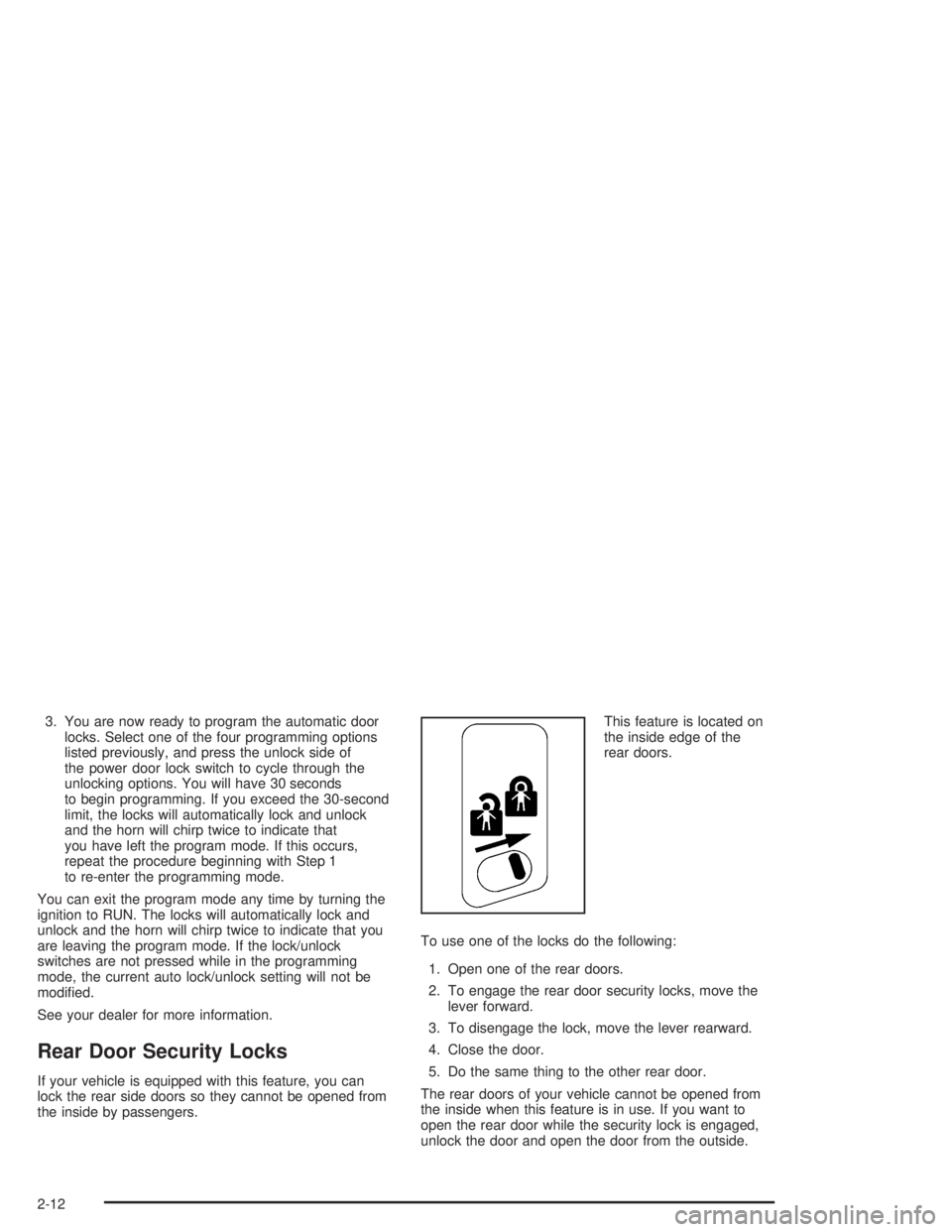
the inside by passengers.This feature is located on
the inside edge of the
rear doors.
To use one of the locks do the following:
1. Open one of the rear doors.
2. To engage the rear door security locks, move the
lever forward.
3. To disengage the lock, move the lever rearward.
4. Close the door.
5. Do the same thing to the other rear door.
The rear doors of your vehicle cannot be opened from
the inside when this feature is in use. If you want to
open the rear door while the security lock is engaged,
unlock the door and open the door from the outside.
2-12
Page 108 of 554

Liftgate Glass and Liftgate
To open a mechanical lock system from the outside,
insert the key into the lock and turn it counterclockwise
to unlock the glass and liftgate.
The liftgate glass can be opened using the button on
the liftgate after the doors have been unlocked. This can
be done by using either the power door locks or the
remote keyless entry system.
To open the entire liftgate, lift the handle located in the
center of the door.
To lock a power lock system from the outside, insert the
key into the lock button and turn clockwise. All doors will
lock. You may also use the keyless entry system or the
power door locks to lock the liftgate and liftgate glass.
Panel Doors
To open the rear panel doors, you must open the
passenger’s side panel door rst. If the door is locked,
insert your door key in the lock and turn it
counterclockwise to unlock it.
To open the passenger’s side panel door, pull on the
handle and pull the door open.
To open the driver’s side panel door, rst open the
passenger’s side door. Then, pull the handle on the left
door edge out and pull the door open.
To close the doors, close the driver’s side door rst.
After securely closing the door, close the passenger’s
side door. Make sure both doors are latched securely.
To lock the rear doors from outside the vehicle, put your
key in the lock and turn it clockwise. If you have
power door locks, you can lock the side doors as well
as the rear doors from inside the vehicle. For more
information, seePower Door Locks on page 2-9earlier
in this section.
2-14
Page 115 of 554
Ignition Positions
With the key in the ignition switch, you can turn the key
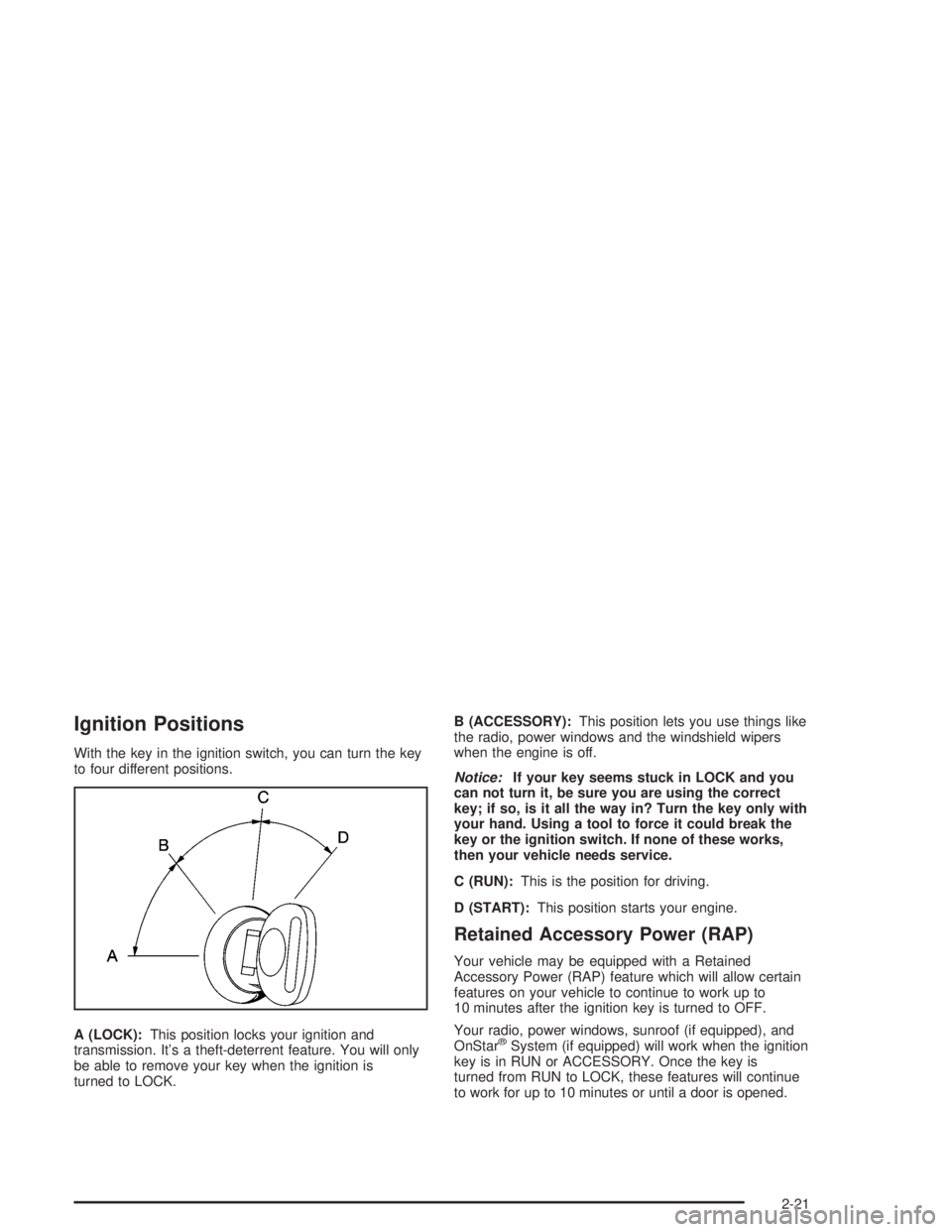
to four different positions.
A (LOCK):This position locks your ignition and
transmission. It’s a theft-deterrent feature. You will only
be able to remove your key when the ignition is
turned to LOCK.B (ACCESSORY):This position lets you use things like
the radio, power windows and the windshield wipers
when the engine is off.
Notice:If your key seems stuck in LOCK and you
can not turn it, be sure you are using the correct
key; if so, is it all the way in? Turn the key only with
your hand. Using a tool to force it could break the
key or the ignition switch. If none of these works,
then your vehicle needs service.
C (RUN):This is the position for driving.
D (START):This position starts your engine.
Retained Accessory Power (RAP)
Your vehicle may be equipped with a Retained
Accessory Power (RAP) feature which will allow certain
features on your vehicle to continue to work up to
10 minutes after the ignition key is turned to OFF.
Your radio, power windows, sunroof (if equipped), and
OnStar
®System (if equipped) will work when the ignition
key is in RUN or ACCESSORY. Once the key is
turned from RUN to LOCK, these features will continue
to work for up to 10 minutes or until a door is opened.
2-21
Page 118 of 554
To Use the Engine Coolant Heater
1. Turn off the engine.
2. Open the hood and unwrap the electrical cord. The
cord is located on the driver’s side of the engine
compartment, near the power steering uid
reservoir. If you have a diesel engine, refer to
diesel supplement for location.
3. Plug it into a normal, grounded 110-volt AC outlet.
{CAUTION:
Plugging the cord into an ungrounded outlet
could cause an electrical shock. Also, the
wrong kind of extension cord could overheat
and cause a re. You could be seriously
injured. Plug the cord into a properly grounded
three-prong 110-volt AC outlet. If the cord will
not reach, use a heavy-duty three-prong
extension cord rated for at least 15 amps.4. Before starting the engine, be sure to unplug and
store the cord as it was before to keep it away
from moving engine parts. If you don’t, it could be
damaged.
How long should you keep the coolant heater plugged
in? The answer depends on the outside temperature, the
kind of oil you have, and some other things. Instead
of trying to list everything here, we ask that you contact
your dealer in the area where you’ll be parking your
vehicle. The dealer can give you the best advice for that
particular area.
Automatic Transmission Operation
There are several different positions for your shift lever.
Your vehicle is equipped with an automatic transmission
and features an electronic shift position indicator
within the instrument panel cluster. This display must be
powered anytime the shift lever is capable of being
moved out of PARK (P).
PARK (P):This position locks your rear wheels. It’s the
best position to use when you start your engine
because your vehicle can’t move easily.
2-24
Page 123 of 554
Front Axle Locking Feature
The front axle locks and unlocks automatically when
you shift the transfer case. Some delay for the axle to
lock or unlock is normal.
Automatic Transfer Case
{CAUTION:
Shifting the transfer case to NEUTRAL can
cause your vehicle to roll even if the
transmission is in PARK (P). You or someone
else could be seriously injured. Be sure to set
the parking brake before placing the transfer
case in NEUTRAL. SeeParking Brake on
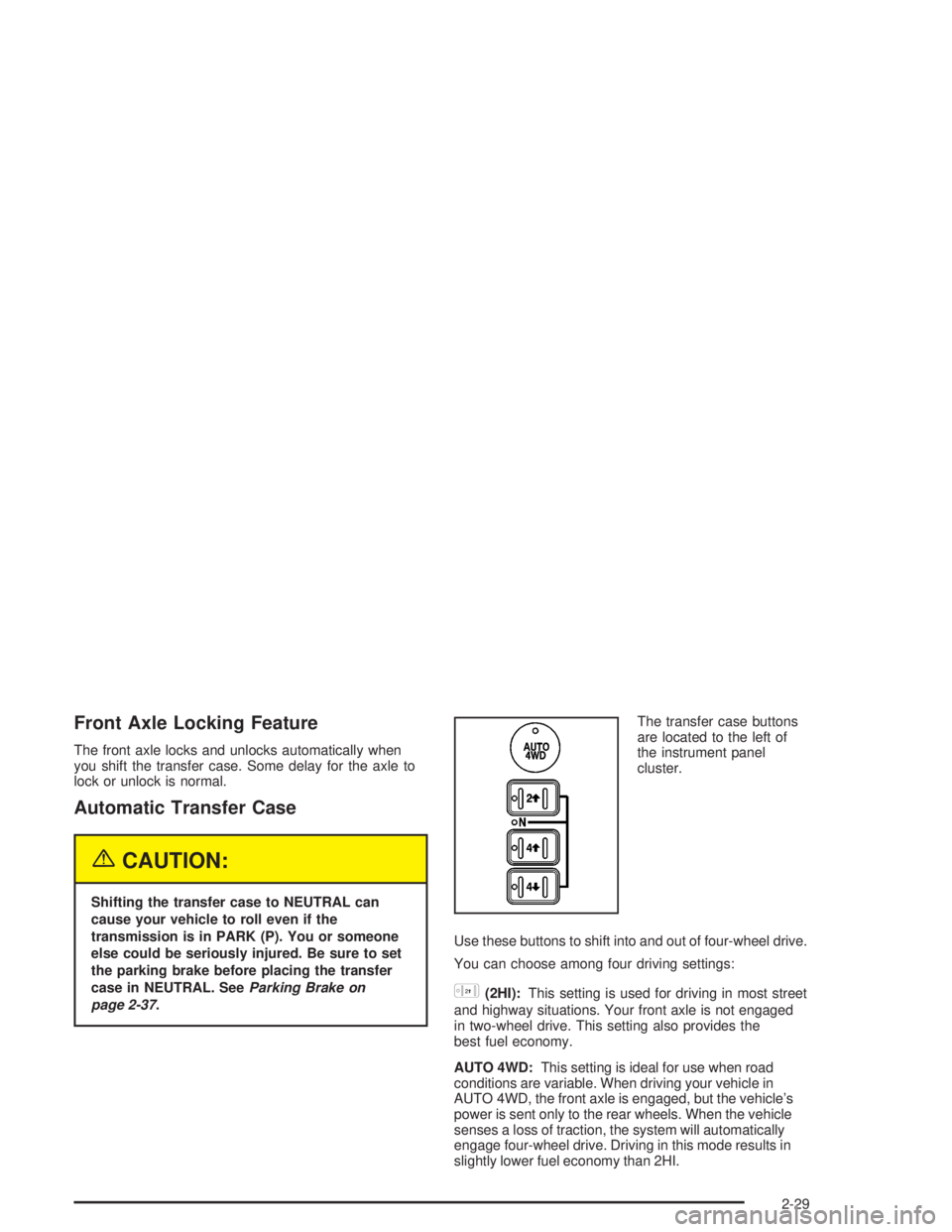
page 2-37.The transfer case buttons
are located to the left of
the instrument panel
cluster.
Use these buttons to shift into and out of four-wheel drive.
You can choose among four driving settings:
h(2HI):This setting is used for driving in most street
and highway situations. Your front axle is not engaged
in two-wheel drive. This setting also provides the
best fuel economy.
AUTO 4WD:This setting is ideal for use when road
conditions are variable. When driving your vehicle in
AUTO 4WD, the front axle is engaged, but the vehicle’s
power is sent only to the rear wheels. When the vehicle
senses a loss of traction, the system will automatically
engage four-wheel drive. Driving in this mode results in
slightly lower fuel economy than 2HI.
2-29
Page 135 of 554
Shifting Out of Park (P)
Your vehicle has an automatic transmission shift lock
control system which locks the shift lever in PARK when
the ignition is in the LOCK position. You have to fully
apply your regular brakes before you can shift from
PARK (P) when the ignition is in RUN. SeeAutomatic
Transmission Operation on page 2-24.
If you cannot shift out of PARK (P), ease pressure on
the shift lever and push the shift lever all the way up into
PARK (P) as you maintain brake application. Then,
move the shift lever into the gear you want.
If you ever hold the brake pedal down but still can’t shift
out of PARK (P), try this:
1. Turn the key to ACCESSORY. There is no shift
interlock in this key position.
2. Apply and hold the brake until the end of Step 4.
3. Shift the transmission to NEUTRAL (N).
4. Start the vehicle and then shift to the gear
you want.
5. Have the system xed as soon as you can.
Parking Over Things That Burn
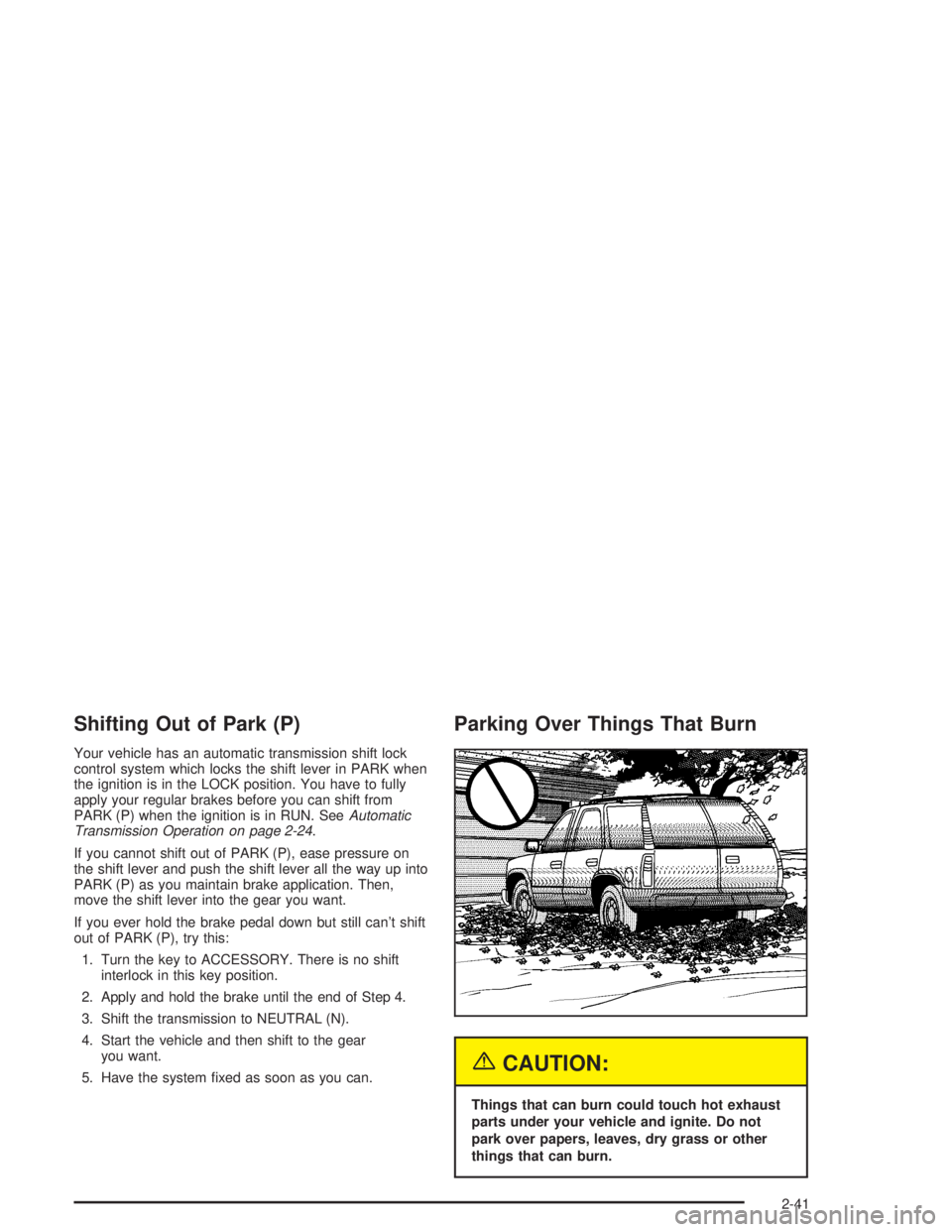
{CAUTION:
Things that can burn could touch hot exhaust
parts under your vehicle and ignite. Do not
park over papers, leaves, dry grass or other
things that can burn.
2-41
Page 149 of 554
HomeLink®Transmitter
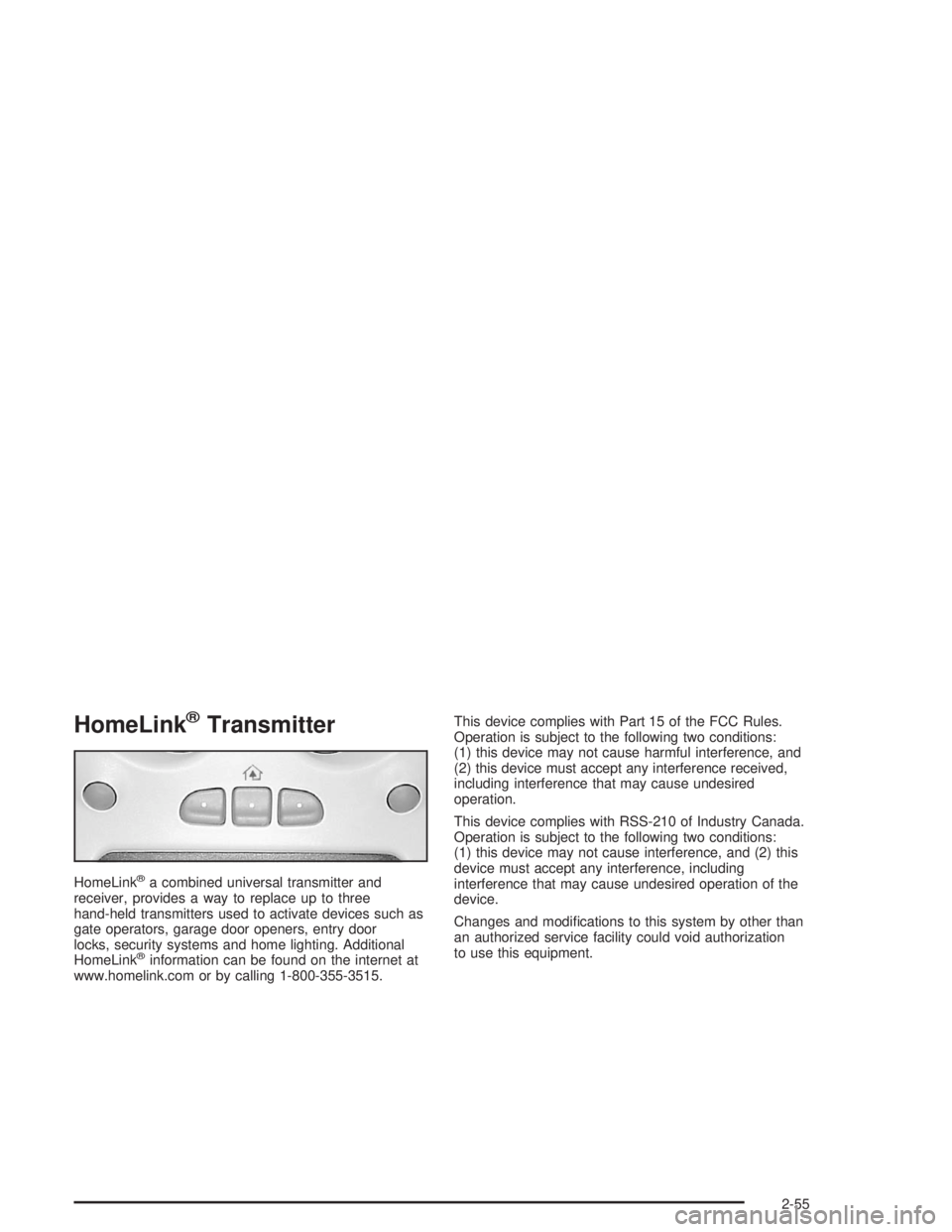
HomeLink®a combined universal transmitter and
receiver, provides a way to replace up to three
hand-held transmitters used to activate devices such as
gate operators, garage door openers, entry door
locks, security systems and home lighting. Additional
HomeLink
®information can be found on the internet at
www.homelink.com or by calling 1-800-355-3515.This device complies with Part 15 of the FCC Rules.
Operation is subject to the following two conditions:
(1) this device may not cause harmful interference, and
(2) this device must accept any interference received,
including interference that may cause undesired
operation.
This device complies with RSS-210 of Industry Canada.
Operation is subject to the following two conditions:
(1) this device may not cause interference, and (2) this
device must accept any interference, including
interference that may cause undesired operation of the
device.
Changes and modications to this system by other than
an authorized service facility could void authorization
to use this equipment.
2-55
Page 224 of 554
LOCK DOORS OUT OF PARK (default):The doors
will lock when the vehicle is shifted out of PARK (P).
Choose one of the three options and press the
personalization button while it is displayed on the DIC to
select it and move on to the next feature. For more
information on automatic door locks seeProgrammable
Automatic Door Locks on page 2-10.
Automatic Unlocking
Press the personalization button until AUTOMATIC
UNLOCKING appears in the display. To select
your personalization for automatic unlocking, press the
select button while AUTOMATIC UNLOCKING is
displayed on the DIC. Pressing the select button will
scroll through the following choices:
UNLOCK ALL IN PARK (default):All of the doors will
unlock when the vehicle is shifted into PARK (P).
UNLOCK ALL AT KEY OUT:All of the doors will
unlock when the key is taken out of the ignition.UNLOCK DOORS MANUALLY:The doors will not be
unlocked automatically.
UNLOCK DRIVER IN PARK:The driver’s door will be
unlocked when the vehicle is shifted into PARK (P).
Choose one of the four options and press the
personalization button while it is displayed on the DIC to
select it and move on to the next feature. For more
information on automatic door locks seeProgrammable
Automatic Door Locks on page 2-10.
Delayed Locking
If your DIC does not have this feature, you can still
program the delayed locking feature. SeeDelayed
Locking on page 2-10for more information.
When locking the doors with the power lock switch or
the keyless entry transmitter and a door or the liftgate is
open, the delayed locking feature will delay locking
the doors and tailgate until ve seconds after the last
door is closed.
3-64