service reset GMC YUKON 2004 User Guide
[x] Cancel search | Manufacturer: GMC, Model Year: 2004, Model line: YUKON, Model: GMC YUKON 2004Pages: 554, PDF Size: 5.21 MB
Page 298 of 554
For best results, use a scrubbing action, non-abrasive
cleaning cassette with pads which scrub the tape
head as the hubs of the cleaner cassette turn. The
recommended cleaning cassette is available through
your dealer.
When cleaning the cassette tape player with the
recommended non-abrasive cleaning cassette, it is
possible that the cassette may eject, because the cut
tape detection feature on your radio may recognize it as
a broken tape, in error. To prevent the cleaning
cassette from being ejected, use the following steps:
1. Turn the ignition on.
2. Turn the radio off.
3. Press and hold the TAPE DISC button for ve
seconds. READY will appear on the display and
the cassette symbol will ash for ve seconds.
4. Insert the scrubbing action cleaning cassette.
5. Eject the cleaning cassette after the manufacturer’s
recommended cleaning time.
When the cleaning cassette has been ejected, the cut
tape detection feature is active again.
You may also choose a non-scrubbing action, wet-type
cleaner which uses a cassette with a fabric belt to
clean the tape head. This type of cleaning cassette will
not eject on its own. A non-scrubbing action cleanermay not clean as thoroughly as the scrubbing type
cleaner. The use of a non-scrubbing action, dry-type
cleaning cassette is not recommended.
After you clean the player, press and hold the eject
button for ve seconds to reset the CLEAN indicator.
The radio will display --- or CLEANED to show the
indicator was reset.
Cassettes are subject to wear and the sound quality
may degrade over time. Always make sure the cassette
tape is in good condition before you have your tape
player serviced.
Care of Your CDs and DVDs
Handle discs carefully. Store them in their original cases
or other protective cases and away from direct sunlight
and dust. If the surface of a disc is soiled, dampen
a clean, soft cloth in a mild, neutral detergent solution
and clean it, wiping from the center to the edge.
Be sure never to touch the side without writing when
handling discs. Pick up discs by grasping the outer
edges or the edge of the hole and the outer edge.
3-138
Page 311 of 554
If desired, you can change the TAS automatic
engagement feature so that the system will not come on
automatically when the engine is started. To do so:
1. Park the vehicle with the ignition off and the
transmission in PARK (P).
2. Turn the ignition to RUN; do not start the engine.
3. Apply the brake pedal, shift into NEUTRAL (N),
press the accelerator pedal to the oor and then
press the TAS on/off button and hold it down for at
least six seconds.
4. Release the TAS button and both pedals.
5. Turn off the ignition and wait a few seconds.
The next time you start your vehicle, the TAS will not
automatically come on. You can restore the automatic
feature by using the same procedure. Whether the TAS is
set to come on automatically or not, you can always turn
the system on or off by pressing the TAS on/off button.
Locking Rear Axle
If your vehicle has this feature, your locking rear axle
can give you additional traction on snow, mud, ice, sand
or gravel. It works like a standard axle most of the
time, but when one of the rear wheels has no traction
and the other does, this feature will allow the wheel with
traction to move the vehicle.
Stabilitrak®System
Your vehicle may be equipped with the
Stabilitrak®system which combines antilock brake,
traction and stability control systems and helps the driver
maintain directional control of the vehicle in most
driving conditions.
When you rst start your vehicle and begin to drive
away, the system performs several diagnostic checks to
ensure there are no problems. You may hear or feel
the system working. This is normal and does not mean
there is a problem with your vehicle. The system
should initialize before the vehicle reaches 20 m.p.h.
(32 km/h). In some cases, it may take approximately two
miles of driving before the system initializes.
If the system fails to turn on or activate, the STABILITY
SYS DISABLED or SERVICE STABILITY message
will be displayed. If the vehicle has gone through heavy
acceleration or braking during the rst two miles after
starting your vehicle, the STABILITY SYS DISABLED
message may appear. If this is the case, your
vehicle does not need servicing. Turn your vehicle off
and back on again to reset the system. If either message
appears on the Driver Information Center (DIC), and
your vehicle hasn’t gone through hard acceleration
or braking in the rst two miles, your vehicle should be
taken in for service.
4-11
Page 399 of 554
Notice:Use only engine oil identied as meeting
GM Standard GM6094M and showing the American
Petroleum Institute Certied For Gasoline Engines
starburst symbol. Failure to use the recommended
oil can result in engine damage not covered by
your warranty.
GM Goodwrench
®oil meets all the requirements for
your vehicle.
If you are in an area of extreme cold, where the
temperature falls below−20°F (−29°C), it is
recommended that you use either an SAE 5W-30
synthetic oil or an SAE 0W-30 oil. Both will provide
easier cold starting and better protection for your engine
at extremely low temperatures.
Engine Oil Additives
Do not add anything to your oil. The recommended oils
with the starburst symbol that meet GM Standard
GM6094M are all you will need for good performance
and engine protection.
When to Change Engine Oil (GM Oil
Life System)
Your vehicle has a computer system that lets you know
when to change the engine oil and lter. This is based on
engine revolutions and engine temperature, and not on
mileage. Based on driving conditions, the mileage at
which an oil change will be indicated can vary
considerably. For the oil life system to work properly, you
must reset the system every time the oil is changed.
When the system has calculated that oil life has been
diminished, it will indicate that an oil change is necessary.
A CHANGE ENGINE OIL message will come on. Change
your oil as soon as possible within the next two times you
stop for fuel. It is possible that, if you are driving under the
best conditions, the oil life system may not indicate that
an oil change is necessary for over a year. However, your
engine oil and lter must be changed at least once a year
and at this time the system must be reset. Your dealer
has GM-trained service people who will perform this work
using genuine GM parts and reset the system. It is also
important to check your oil regularly and keep it at the
proper level.
If the system is ever reset accidentally, you must
change your oil at 3,000 miles (5 000 km) since your
last oil change. Remember to reset the oil life system
whenever the oil is changed.
5-19
Page 400 of 554
How to Reset the CHANGE ENGINE OIL
Message
The GM Oil Life System calculates when to change
your engine oil and lter based on vehicle use. Anytime
your oil is changed, reset the system so it can
calculate when the next oil change is required. If a
situation occurs where you change your oil prior to a
CHANGE ENGINE OIL message being turned on, reset
the system.
To reset the CHANGE ENGINE OIL message, see “GM
Oil Life System” underDIC Operation and Displays
on page 3-58for vehicles equipped with the DIC, or do
the following:
1. Turn the ignition key to RUN with the engine off.
2. Fully press and release the accelerator pedal slowly
three times within ve seconds.
If the OIL LIFE RESET message ashes for 10
seconds, the system is resetting.
3. Turn the key to LOCK.
If the CHANGE ENGINE OIL message comes back on
when you start your vehicle, the engine oil life system
has not reset. Repeat the procedure. If it still does
not reset, see your dealer for service.
What to Do with Used Oil
Used engine oil contains certain elements that may be
unhealthy for your skin and could even cause cancer.
Do not let used oil stay on your skin for very long. Clean
your skin and nails with soap and water, or a good
hand cleaner. Wash or properly dispose of clothing or
rags containing used engine oil. See the manufacturer’s
warnings about the use and disposal of oil products.
Used oil can be a threat to the environment. If you
change your own oil, be sure to drain all the oil from the
lter before disposal. Never dispose of oil by putting it in
the trash, pouring it on the ground, into sewers, or into
streams or bodies of water. Instead, recycle it by taking it
to a place that collects used oil. If you have a problem
properly disposing of your used oil, ask your dealer, a
service station or a local recycling center for help.
5-20
Page 508 of 554

If you want to get service information, seeService
Publications Ordering Information on page 7-12.
Owner Checks and Services on page 6-9tells you what
should be checked, when to check it and what you
can easily do to help keep your vehicle in good
condition.
The proper replacement parts, uids and lubricants to
use are listed inRecommended Fluids and Lubricants
on page 6-12andNormal Maintenance Replacement
Parts on page 6-14. When your vehicle is serviced,
make sure these are used. All parts should be replaced
and all necessary repairs done before you or anyone
else drives the vehicle. We recommend the use of
genuine GM parts.
Scheduled Maintenance
When the CHANGE ENGINE OIL message comes on, it
means that service is required for your vehicle. Have
your vehicle serviced as soon as possible within the next
600 miles (1 000 km). It is possible that, if you are
driving under the best conditions, the engine oil
life system may not indicate that vehicle service is
necessary for over a year. However, your engine oil and
lter must be changed at least once a year and at
this time the system must be reset. Your GM
Goodwrench dealer has GM-trained service technicians
who will perform this work using genuine GM parts
and reset the system.If the engine oil life system is ever reset accidentally,
you must service your vehicle within 3,000 miles
(5 000 km) since your last service. Remember to reset
the oil life system whenever the oil is changed. See
Engine Oil on page 5-16for information on the Engine
Oil Life System and resetting the system.
When the CHANGE ENGINE OIL message appears,
certain services, checks and inspections are required.
Required services are described in the following for
“MaintenanceI” and “MaintenanceII.” Generally,
it is recommended that your rst service be
MaintenanceI, your second service be MaintenanceII
and that you alternate MaintenanceIand MaintenanceII
thereafter. However, in some cases, MaintenanceII
may be required more often.
MaintenanceI— Use MaintenanceIif the CHANGE
ENGINE OIL message comes on within ten months
since vehicle was purchased or MaintenanceII
was performed.
MaintenanceII— Use MaintenanceIIif the previous
service performed was MaintenanceI. Always use
MaintenanceIIwhenever the message comes on ten
months or more since the last service or if the message
has not come on at all for one year.
6-4
Page 509 of 554
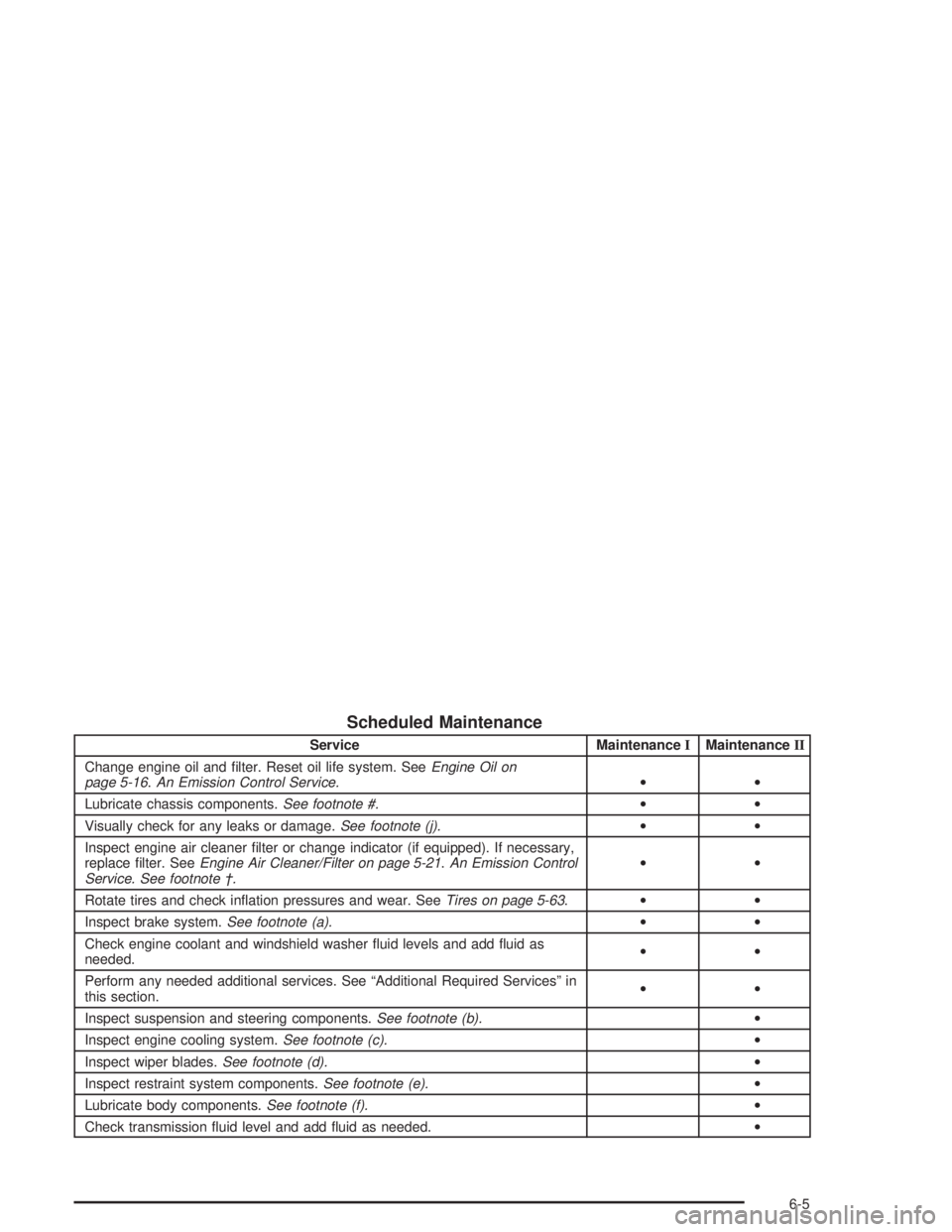
Scheduled Maintenance
Service MaintenanceIMaintenanceII
Change engine oil and lter. Reset oil life system. SeeEngine Oil on
page 5-16.An Emission Control Service.••
Lubricate chassis components.See footnote #.••
Visually check for any leaks or damage.See footnote (j).••
Inspect engine air cleaner lter or change indicator (if equipped). If necessary,
replace lter. SeeEngine Air Cleaner/Filter on page 5-21.An Emission Control
Service. See footnote †.••
Rotate tires and check ination pressures and wear. SeeTires on page 5-63.••
Inspect brake system.See footnote (a).••
Check engine coolant and windshield washer uid levels and add uid as
needed.••
Perform any needed additional services. See “Additional Required Services” in
this section.••
Inspect suspension and steering components.See footnote (b).•
Inspect engine cooling system.See footnote (c).•
Inspect wiper blades.See footnote (d).•
Inspect restraint system components.See footnote (e).•
Lubricate body components.See footnote (f).•
Check transmission uid level and add uid as needed.•
6-5
Page 547 of 554
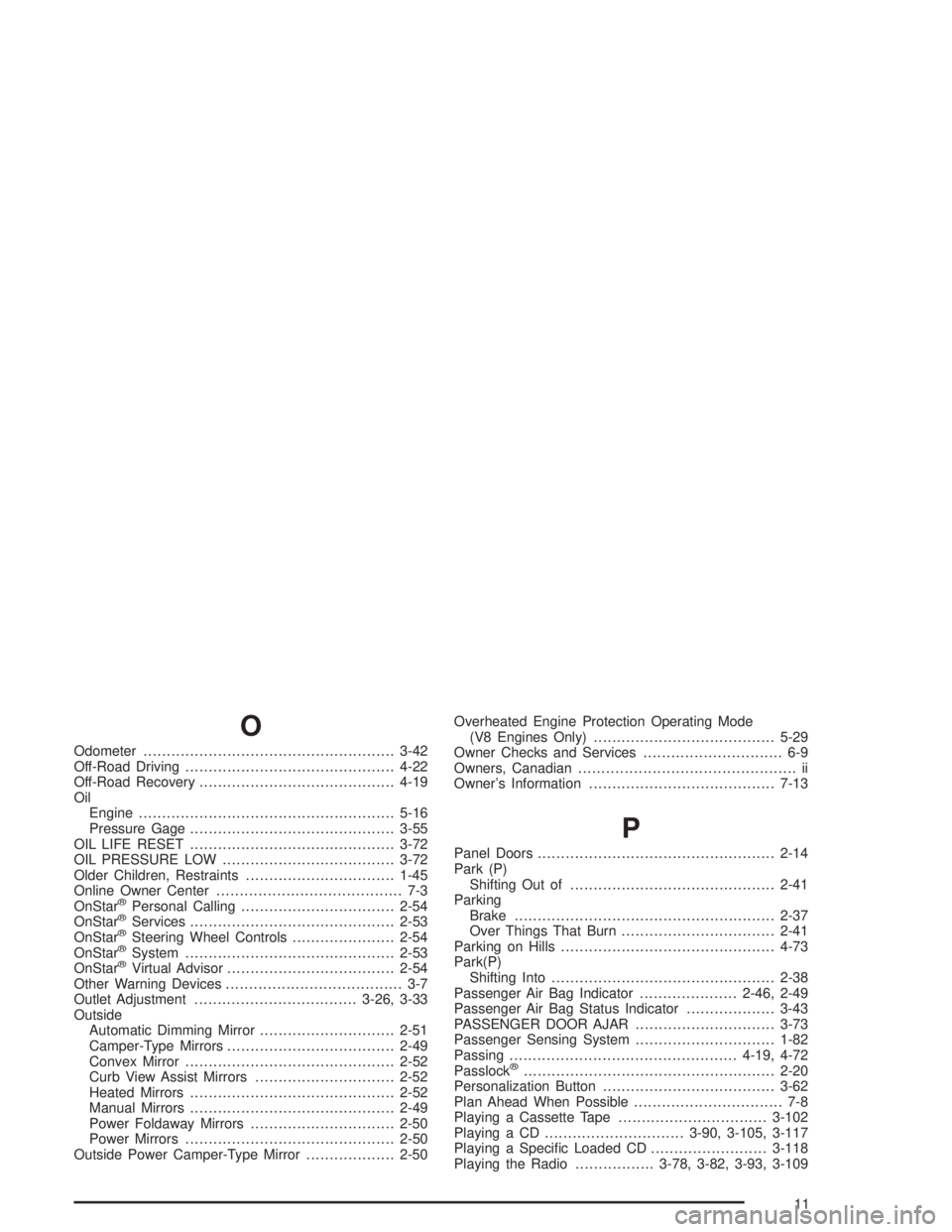
O
Odometer......................................................3-42
Off-Road Driving.............................................4-22
Off-Road Recovery..........................................4-19
Oil
Engine.......................................................5-16
Pressure Gage............................................3-55
OIL LIFE RESET............................................3-72
OIL PRESSURE LOW.....................................3-72
Older Children, Restraints................................1-45
Online Owner Center........................................ 7-3
OnStar
®Personal Calling.................................2-54
OnStar®Services............................................2-53
OnStar®Steering Wheel Controls......................2-54
OnStar®System.............................................2-53
OnStar®Virtual Advisor....................................2-54
Other Warning Devices...................................... 3-7
Outlet Adjustment...................................3-26, 3-33
Outside
Automatic Dimming Mirror.............................2-51
Camper-Type Mirrors....................................2-49
Convex Mirror.............................................2-52
Curb View Assist Mirrors..............................2-52
Heated Mirrors............................................2-52
Manual Mirrors............................................2-49
Power Foldaway Mirrors...............................2-50
Power Mirrors.............................................2-50
Outside Power Camper-Type Mirror...................2-50Overheated Engine Protection Operating Mode
(V8 Engines Only).......................................5-29
Owner Checks and Services.............................. 6-9
Owners, Canadian............................................... ii
Owner’s Information........................................7-13
P
Panel Doors...................................................2-14
Park (P)
Shifting Out of............................................2-41
Parking
Brake........................................................2-37
Over Things That Burn.................................2-41
Parking on Hills..............................................4-73
Park(P)
Shifting Into................................................2-38
Passenger Air Bag Indicator.....................2-46, 2-49
Passenger Air Bag Status Indicator...................3-43
PASSENGER DOOR AJAR..............................3-73
Passenger Sensing System..............................1-82
Passing.................................................4-19, 4-72
Passlock
®......................................................2-20
Personalization Button.....................................3-62
Plan Ahead When Possible................................ 7-8
Playing a Cassette Tape................................3-102
Playing a CD..............................3-90, 3-105, 3-117
Playing a Specic Loaded CD.........................3-118
Playing the Radio.................3-78, 3-82, 3-93, 3-109
11
Page 550 of 554
Safety Belts (cont.)
Right Front Passenger Position......................1-37
Safety Belt Extender....................................1-44
Safety Belt Use During Pregnancy.................1-36
Safety Belts Are for Everyone.......................1-23
Safety Chains.................................................4-70
Safety Warnings and Symbols.............................. iii
Scanning the Terrain.......................................4-27
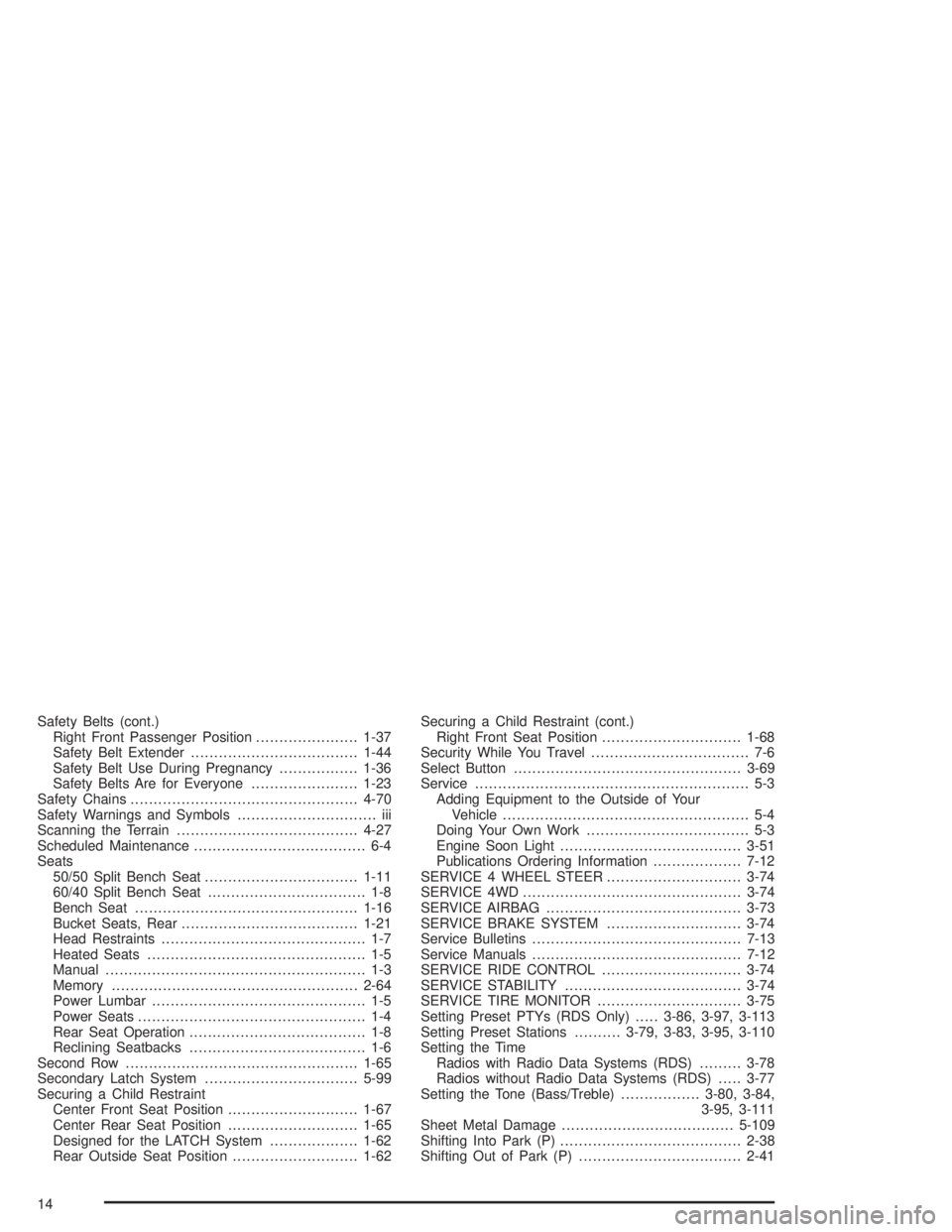
Scheduled Maintenance..................................... 6-4
Seats
50/50 Split Bench Seat.................................1-11
60/40 Split Bench Seat.................................. 1-8
Bench Seat................................................1-16
Bucket Seats, Rear......................................1-21
Head Restraints............................................ 1-7
Heated Seats............................................... 1-5
Manual........................................................ 1-3
Memory.....................................................2-64
Power Lumbar.............................................. 1-5
Power Seats................................................. 1-4
Rear Seat Operation...................................... 1-8
Reclining Seatbacks...................................... 1-6
Second Row..................................................1-65
Secondary Latch System.................................5-99
Securing a Child Restraint
Center Front Seat Position............................1-67
Center Rear Seat Position............................1-65
Designed for the LATCH System...................1-62
Rear Outside Seat Position...........................1-62Securing a Child Restraint (cont.)
Right Front Seat Position..............................1-68
Security While You Travel.................................. 7-6
Select Button.................................................3-69
Service........................................................... 5-3
Adding Equipment to the Outside of Your
Vehicle..................................................... 5-4
Doing Your Own Work................................... 5-3
Engine Soon Light.......................................3-51
Publications Ordering Information...................7-12
SERVICE 4 WHEEL STEER.............................3-74
SERVICE 4WD...............................................3-74
SERVICE AIRBAG..........................................3-73
SERVICE BRAKE SYSTEM.............................3-74
Service Bulletins.............................................7-13
Service Manuals.............................................7-12
SERVICE RIDE CONTROL..............................3-74
SERVICE STABILITY......................................3-74
SERVICE TIRE MONITOR...............................3-75
Setting Preset PTYs (RDS Only).....3-86, 3-97, 3-113
Setting Preset Stations..........3-79, 3-83, 3-95, 3-110
Setting the Time
Radios with Radio Data Systems (RDS).........3-78
Radios without Radio Data Systems (RDS).....3-77
Setting the Tone (Bass/Treble).................3-80, 3-84,
3-95, 3-111
Sheet Metal Damage.....................................5-109
Shifting Into Park (P).......................................2-38
Shifting Out of Park (P)...................................2-41
14