instrument panel GMC YUKON 2004 Service Manual
[x] Cancel search | Manufacturer: GMC, Model Year: 2004, Model line: YUKON, Model: GMC YUKON 2004Pages: 554, PDF Size: 5.21 MB
Page 310 of 554
The traction off light will come on under the following
conditions:
The Traction Assist System is turned off, either by
pressing the TAS on/off button or turning off the
automatic engagement feature of the TAS.
The transmission is in FIRST (1); TAS will not
operate in this gear. This is normal.
The vehicle is driven on an extremely rough road.
When the vehicle leaves the rough surface, slows
down or stops, the light will go off and TAS will
be on again. This is normal.
A Traction Assist System, Anti-Lock Brake System
or engine-related problem has been detected and
the vehicle needs service.
If the vehicle has been driven with the TAS system
on for long periods of time, or if the vehicle has
gone through many high speed braking maneuvers
the system may be automatically disabled. The
system will automatically re-enable after
approximately two minutes of not using the brakes.
SeeTraction Off Light on page 3-48.The Traction Assist System, as delivered from the
factory, will automatically come on whenever you start
your vehicle. To limit wheel spin, especially in
slippery road conditions, you should always leave the
system on. But you can turn the TAS off if you ever need
to. You should turn the TAS off if your vehicle ever
gets stuck in sand, mud or snow and rocking the vehicle
is required. See “Rocking Your Vehicle” underIf You
Are Stuck: In Sand, Mud, Ice or Snow on page 4-50.
To turn the system on or
off, press the TAS on/off
button located on the
instrument panel.
If you used the button to turn the system off, the traction
off light will come on and stay on. You can turn the
system back on at any time by pressing the button
again. The traction off light should go off.
4-10
Page 312 of 554
The STABILITY SYS ACTIVE message will appear on
the Driver Information Center (DIC) only when the
system is both on and activated. You may also feel or
hear the system working; this is normal. For more
information on the stability messages, seeDriver
Information Center (DIC) on page 3-58.
The Stabilitrak
®mode
button is located on the
instrument panel.
Stabilitrak
®and part of the traction control system can
be turned off or back on by pressing the
Stabilitrak
®button. All-wheel drive vehicles must be in
all-wheel drive mode to turn the system on or off.
When the system is turned off, the traction off light will
illuminate, and the STABILITY SYS DISABLED
message will appear on the DIC to warn the driver that
both the stability system and part of the traction
control system are disabled. Your vehicle will still have
brake-traction control when Stabilitrak
®is off, but
will not be able to use the engine speed management
system. See “Traction Control Operation” next for
more information.When the Stabilitrak
®system has been turned off you
may still hear system noises as a result of the
brake-traction control coming on.
It is recommended to leave the system on for normal
driving conditions, but it may be necessary to turn
the system off if your vehicle is stuck in sand, mud, ice
or snow, and you want to “rock” your vehicle to
attempt to free it. It may also be necessary to turn off
the system when driving in extreme off-road conditions
where high wheel spin is required. SeeIf You Are
Stuck: In Sand, Mud, Ice or Snow on page 4-50.
When the transfer case is in 4 low, the stability system
is automatically disabled, and the STABILITY SYS
DISABLED message will appear on the DIC. In 4LO,
the Stabilitrak
®button only turns the traction control
system on and off.
Traction Control Operation
The traction control system is part of the
Stabilitrak®system. Traction control limits wheel spin by
reducing engine power to the wheels (engine speed
management) and by applying brakes to each individual
wheel (brake-traction control) as necessary.
4-12
Page 316 of 554
QUADRASTEER™
The QUADRASTEER™ System has a control and
diagnostic module that monitors and records current
system status and operational information.
If your vehicle is equipped with the 4 Wheel Steer
system it has the ability to steer the vehicle with all four
wheels.
Once the 4 Wheel Steer mode is selected, it is
recommended to leave the vehicle in this mode at all
times, and during all driving and weather conditions.
You can select this mode at any speed, however, if you
are turning the system will not engage until the turn
is complete.
The 4 Wheel Steer system is equipped with three
different driving modes:
Two wheel steering (2)
Four wheel steering (4)
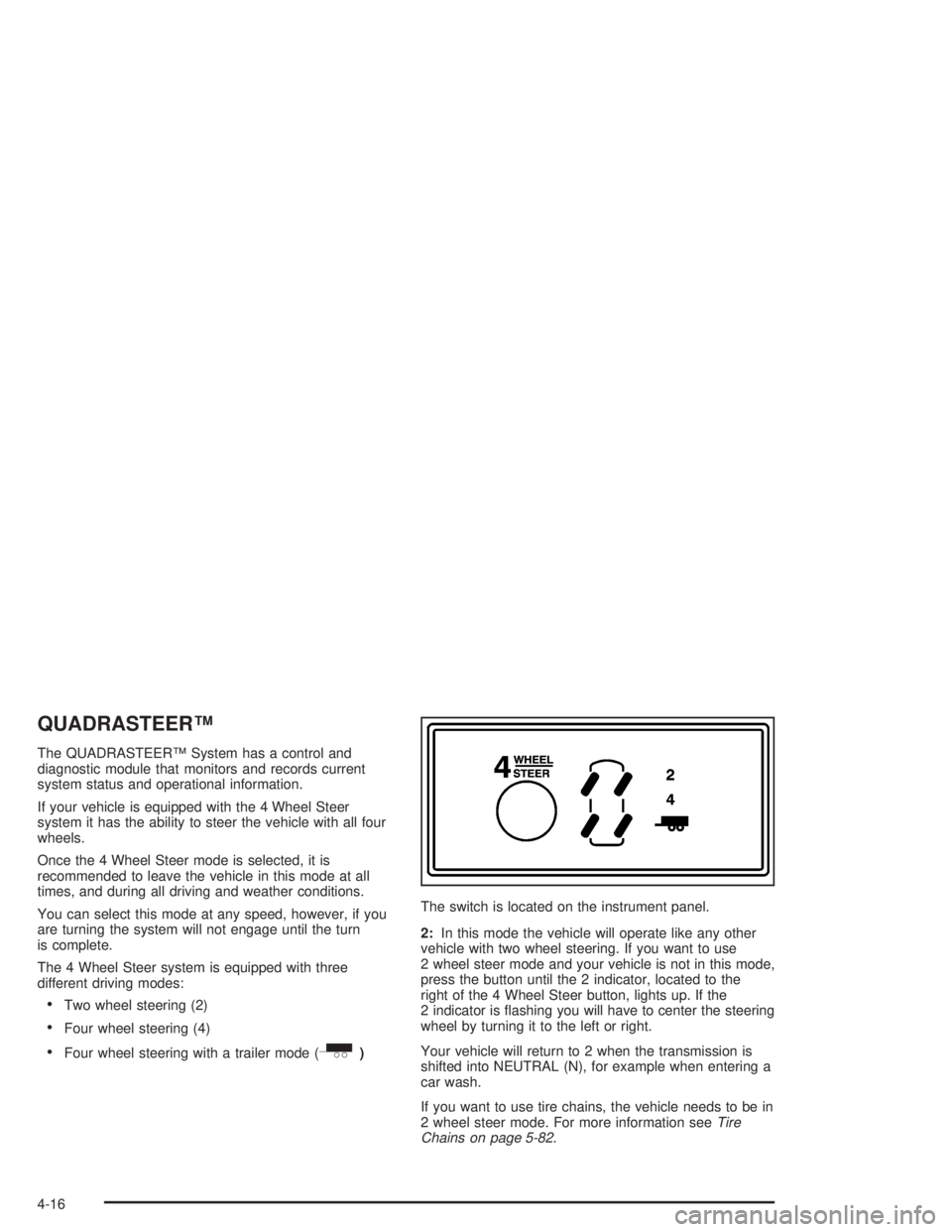
Four wheel steering with a trailer mode (_)The switch is located on the instrument panel.
2:In this mode the vehicle will operate like any other
vehicle with two wheel steering. If you want to use
2 wheel steer mode and your vehicle is not in this mode,
press the button until the 2 indicator, located to the
right of the 4 Wheel Steer button, lights up. If the
2 indicator is ashing you will have to center the steering
wheel by turning it to the left or right.
Your vehicle will return to 2 when the transmission is
shifted into NEUTRAL (N), for example when entering a
car wash.
If you want to use tire chains, the vehicle needs to be in
2 wheel steer mode. For more information seeTire
Chains on page 5-82.
4-16
Page 318 of 554
_(4 Wheel Steer tow mode):When towing a
trailer the 4 wheel steer tow mode provides enhanced
stability allowing the trailer to follow the path of the
tow vehicle more closely, especially during lane
changes.
In this mode the system operates much like the 4 mode,
but is enhanced for trailer towing. It is recommended
for all types and weights of trailers.
To engage the 4 Wheel Steer tow mode, press the
button until the 4 and tow mode indicators light up on
the instrument panel. If the tow indicator is ashing you
will have to center the steering wheel by turning it to
the left or right. While in the 4 wheel steer tow mode, it
is possible the steering wheel may be slightly off
center. For more information, seeTowing a Trailer on
page 4-63.Car Washes for QUADRASTEER™
Equipped Vehicles
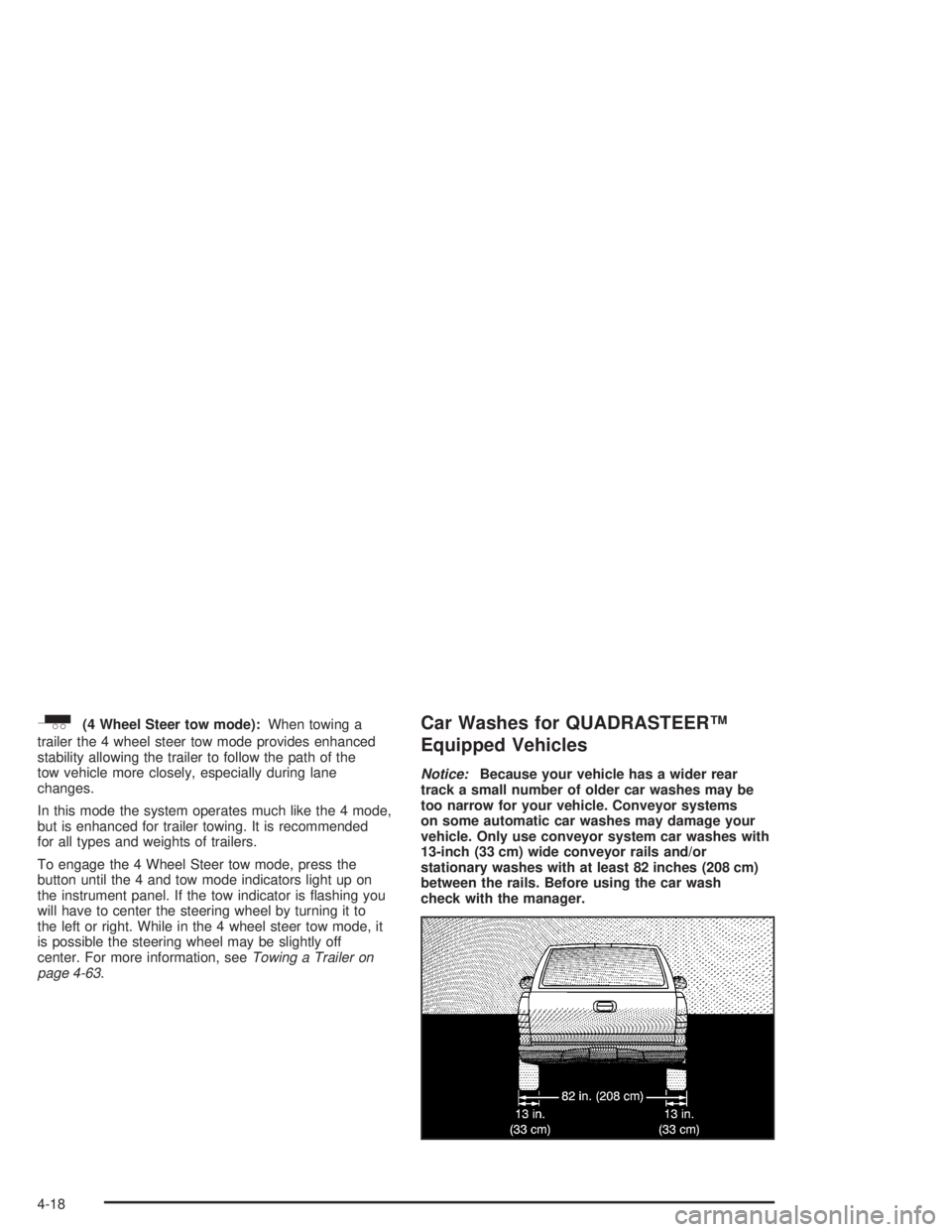
Notice:Because your vehicle has a wider rear
track a small number of older car washes may be
too narrow for your vehicle. Conveyor systems
on some automatic car washes may damage your
vehicle. Only use conveyor system car washes with
13-inch (33 cm) wide conveyor rails and/or
stationary washes with at least 82 inches (208 cm)
between the rails. Before using the car wash
check with the manager.
4-18
Page 351 of 554
Rocking Your Vehicle To Get It Out
First, turn your steering wheel left and right. That will
clear the area around your front wheels. If you have a
four-wheel-drive vehicle, shift into 4HI or 4LO. If
your vehicle has the Traction Assist System, you should
turn it off by pressing the TAS on/off button. If your
vehicle has the Stabilitrak
®System, turn the
Stabilitrak®System off by pressing the
Stabilitrak®button so that the STABILITY SYSTEM
DISABLED and TRACTION OFF lights are illuminated
on the instrument panel cluster. Then shift back and
forth between REVERSE (R) and a forward gear,
spinning the wheels as little as possible. Release the
accelerator pedal while you shift, and press lightly on the
accelerator pedal when the transmission is in gear.
By slowly spinning your wheels in the forward and
reverse directions, you will cause a rocking motion that
may free your vehicle. If that does not get you out
after a few tries, you may need to be towed out. Or, you
can use your recovery hooks if your vehicle has
them. If you do need to be towed out, seeTowing Your
Vehicle on page 4-53.
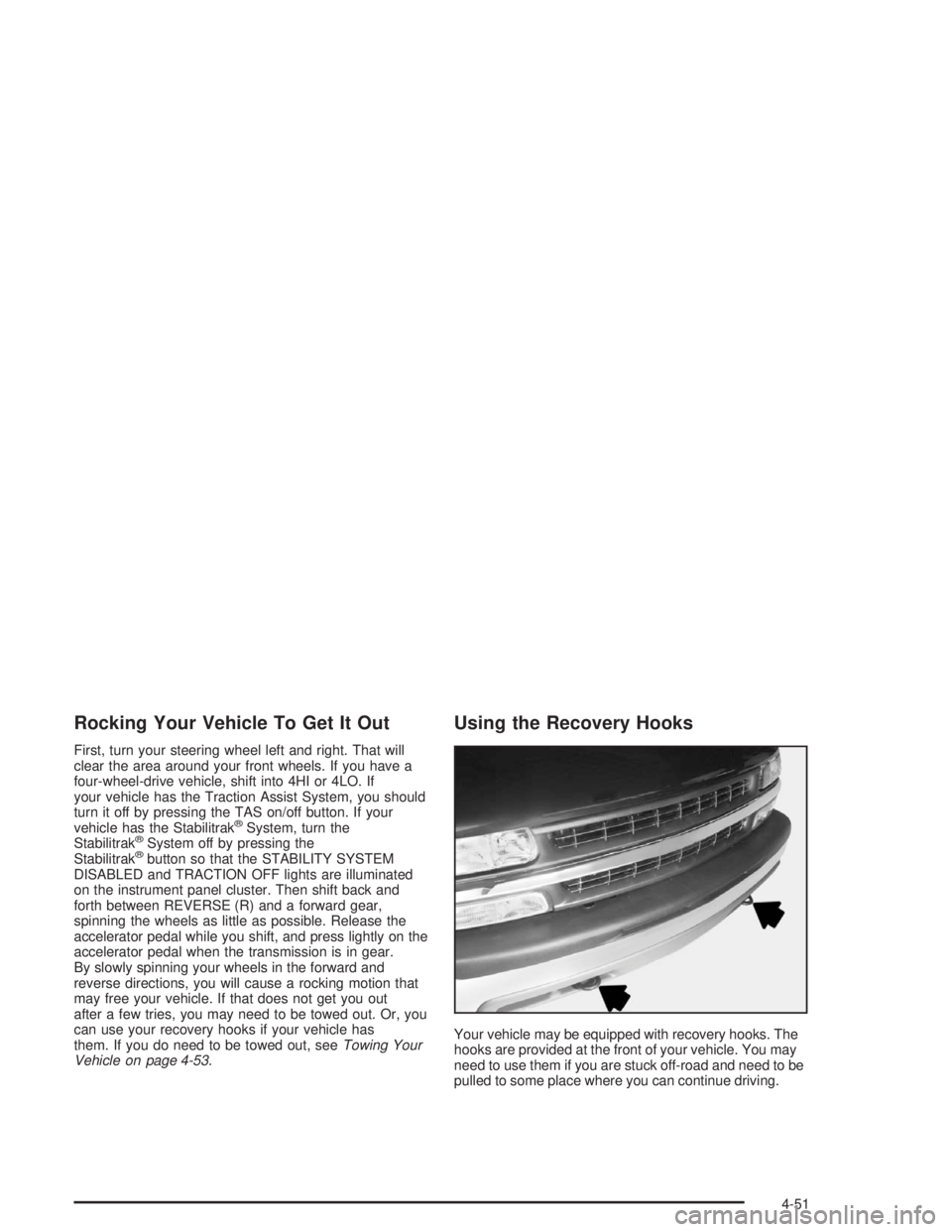
Using the Recovery Hooks
Your vehicle may be equipped with recovery hooks. The
hooks are provided at the front of your vehicle. You may
need to use them if you are stuck off-road and need to be
pulled to some place where you can continue driving.
4-51
Page 364 of 554
Then, during the rst 500 miles (800 km) that you
tow a trailer, don’t drive over 50 mph (80 km/h)
and don’t make starts at full throttle. This helps your
engine and other parts of your vehicle wear in at
the heavier loads.
You can tow in DRIVE (D). You may want to shift
the transmission to THIRD (3) or, if necessary, a
lower gear selection if the transmission shifts
too often (e.g., under heavy loads and/or hilly
conditions). See “Tow/Haul Mode” later in
this section.
Three important considerations have to do with weight:
The weight of the trailer
The weight of the trailer tongue
The weight on your vehicle’s tires
Tow/Haul Mode
Tow/Haul is a feature that assists when pulling a heavy
trailer or a large or heavy load. The purpose of the
Tow/Haul mode is to:
Reduce the frequency and improve the predictability
of transmission shifts when pulling a heavy trailer or
a large or heavy load.
Provide the same solid shift feel when pulling a
heavy trailer or a large or heavy load as when
the vehicle is unloaded.
Improve control of vehicle speed while requiring
less throttle pedal activity when pulling a heavy
trailer or a large or heavy load.
Your vehicle may be equipped with a button at the end of
the shift lever which, when pressed, enables tow/haul.
Your vehicle may be equipped with Autoride™
®which
further improves your vehicle’s ride while towing. See
Autoride™ on page 4-62for more information. When the
button is pressed, a light on the instrument panel will
illuminate to indicate that Tow/Haul has been selected.
Tow/Haul may be turned off by pressing the button again,
at which time the indicator light on the instrument panel
will turn off. The vehicle will automatically turn off Tow/
Haul every time it is started.
4-64
Page 372 of 554
Following Distance
Stay at least twice as far behind the vehicle ahead as
you would when driving your vehicle without a trailer.
This can help you avoid situations that require
heavy braking and sudden turns.
Passing
You’ll need more passing distance up ahead when
you’re towing a trailer. And, because you’re a good deal
longer, you’ll need to go much farther beyond the
passed vehicle before you can return to your lane.
Backing Up
Hold the bottom of the steering wheel with one hand.
Then, to move the trailer to the left, just move that hand
to the left. To move the trailer to the right, move your
hand to the right. Always back up slowly and, if possible,
have someone guide you.
If your vehicle is equipped with four-wheel steering and
if you use it while backing your trailer the same rules
apply. However, with four-wheel steering your rig
will respond more quickly and it may take additional
practice to get used to backing up with four-wheel
steering.
Making Turns
Notice:Making very sharp turns while trailering
could cause the trailer to come in contact with the
vehicle. Your vehicle could be damaged. Avoid
making very sharp turns while trailering.
When you’re turning with a trailer, make wider turns
than normal. Do this so your trailer won’t strike
soft shoulders, curbs, road signs, trees or other objects.
Avoid jerky or sudden maneuvers. Signal well in
advance.
Turn Signals When Towing a Trailer
The arrows on your instrument panel will ash whenever
you signal a turn or lane change. Properly hooked up,
the trailer lamps will also ash, telling other drivers
you’re about to turn, change lanes or stop.
When towing a trailer, the arrows on your instrument
panel will ash for turns even if the bulbs on the trailer
are burned out. Thus, you may think drivers behind
you are seeing your signal when they are not. It’s
important to check occasionally to be sure the trailer
bulbs are still working.
4-72
Page 377 of 554
Instrument Panel Jumper Wiring Harness
{CAUTION:
Be sure to use only the correct trailer brake
harness, the one intended for use on your
vehicle. If you use some other trailer brake
harness, even if it seems to t, your trailer
brakes may not work at all. You could have a
crash in which you or others could be injured.
Use only the trailer brake harness intended for
your vehicle. If it is no longer available to you,
be sure to get a proper replacement from your
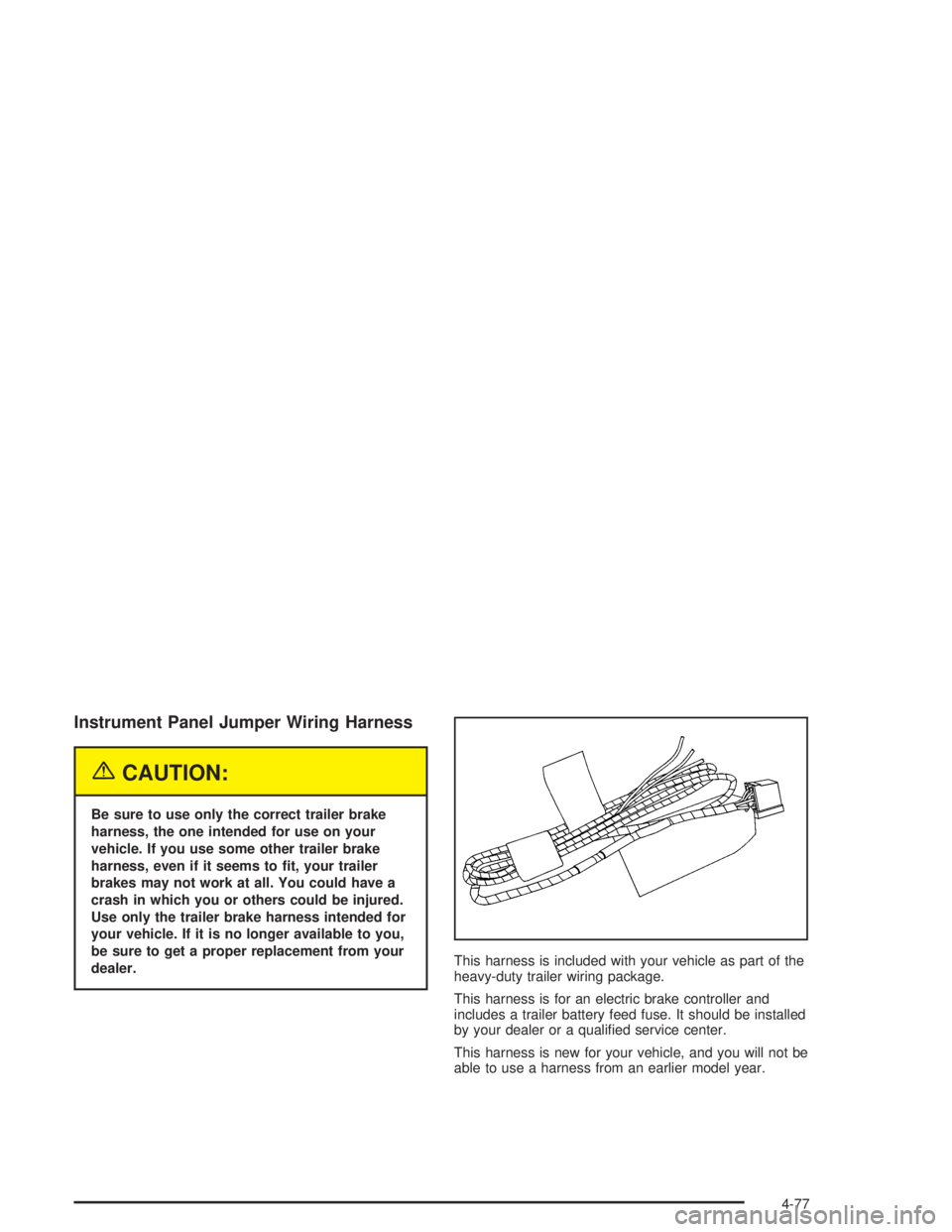
dealer.This harness is included with your vehicle as part of the
heavy-duty trailer wiring package.
This harness is for an electric brake controller and
includes a trailer battery feed fuse. It should be installed
by your dealer or a qualied service center.
This harness is new for your vehicle, and you will not be
able to use a harness from an earlier model year.
4-77
Page 384 of 554
CAUTION: (Continued)
Be sure to use the proper nuts, bolts and
other fasteners. “English” and “metric”
fasteners can be easily confused. If you
use the wrong fasteners, parts can later
break or fall off. You could be hurt.
Adding Equipment to the Outside of
Your Vehicle
Things you might add to the outside of your vehicle can
affect the airow around it. This may cause wind
noise and affect windshield washer performance. Check
with your dealer before adding equipment to the
outside of your vehicle.
Fuel
Gasoline
The 8th digit of your vehicle identication number (VIN)
shows the code letter or number that identies your
engine. You will nd the VIN at the top left of the
instrument panel. SeeVehicle Identication
Number (VIN) on page 5-112.
If your vehicle has the 5.3L V8 engine (VIN Code Z only),
you may use either regular unleaded gasoline or ethanol
fuel containing up to 85% ethanol (E-85); also seeFuel
E-85 (85% Ethanol) on page 5-6. In all other engines,
including the 5.3L V8 (VIN Code T), use only regular
unleaded gasoline.
Gasoline Octane
Use regular unleaded gasoline with a posted octane of 87
or higher. If the octane is less than 87, you may get a
heavy knocking noise when you drive. If this occurs, use
a gasoline rated at 87 octane or higher as soon as
possible. Otherwise, you might damage your engine. A
little pinging noise when you accelerate or drive uphill is
considered normal. This does not indicate a problem
exists or that a higher-octane fuel is necessary. If you are
using 87 octane or higher-octane fuel and hear heavy
knocking, your engine needs service.
5-4
Page 386 of 554
Additives
To provide cleaner air, all gasolines in the United States
are now required to contain additives that will help
prevent engine and fuel system deposits from forming,
allowing your emission control system to work properly.
You should not have to add anything to your fuel.
However, some gasolines contain only the minimum
amount of additive required to meet U.S. Environmental
Protection Agency regulations. General Motors
recommends that you buy gasolines that are advertised
to help keep fuel injectors and intake valves clean. If your
vehicle experiences problems due to dirty injectors or
valves, try a different brand of gasoline.
Gasolines containing oxygenates, such as ethers and
ethanol, and reformulated gasolines may be available in
your area to contribute to clean air. General Motors
recommends that you use these gasolines, particularly if
they comply with the specications described earlier.
Notice:Your vehicle was not designed for fuel that
contains methanol. Do not use fuel containing
methanol. It can corrode metal parts in your fuel
system and also damage the plastic and rubber
parts. That damage would not be covered under
your warranty.Some gasolines that are not reformulated for low
emissions may contain an octane-enhancing additive
called methylcyclopentadienyl manganese tricarbonyl
(MMT); ask the attendant where you buy gasoline
whether the fuel contains MMT. General Motors does
not recommend the use of such gasolines. Fuels
containing MMT can reduce the life of spark plugs and
the performance of the emission control system may
be affected. The malfunction indicator lamp may turn on.
If this occurs, return to your authorized GM dealer for
service.
Fuel E-85 (85% Ethanol)
The 8th digit of your vehicle identication number (VIN)
shows the code letter or number that identies your
engine. You will nd the VIN at the top left of the
instrument panel. SeeVehicle Identication
Number (VIN) on page 5-112.
If your vehicle has the 5.3L V8 engine (VIN Code Z only),
you may use either regular unleaded gasoline or ethanol
fuel containing up to 85% ethanol (E-85); also seeFuel
on page 5-4. In all other engines, including the 5.3L V8
(VIN Code T), use only regular unleaded gasoline.
5-6