ignition GMC YUKON 2006 Owner's Guide
[x] Cancel search | Manufacturer: GMC, Model Year: 2006, Model line: YUKON, Model: GMC YUKON 2006Pages: 540, PDF Size: 3.14 MB
Page 174 of 540

Ending Cruise Control
There are four ways to turn off the cruise control:
Step lightly on the brake pedal,
move the cruise control switch to off, or
shift the transmission to NEUTRAL (N).
If your vehicle has the StabiliTrak®feature, cruise
control will turn off if road conditions cause
StabiliTrak
®to activate.
If the accelerator pedal is held for 60 seconds or
longer, cruise control will turn off.
Erasing Speed Memory
When you turn off the cruise control or the ignition,
your cruise control set speed memory is erased.
Headlamps
The control on the driver’s side of your instrument panel
operates the headlamps.
Turn the control clockwise to operate the lamps.
3-14
Page 175 of 540
The headlamp control has four positions:
9(Off):Turning the control to this position turns off
the Daytime Running Lamps (DRL) and the automatic
headlamps.
AUTO (Automatic):Turning the control to this position
puts the system into automatic headlamp mode.
;(Parking Lamps):Turning the control to this
position turns on the parking lamps, together with the
following:
Sidemarker Lamps
Taillamps
License Plate Lamps
Instrument Panel Lights
Roof Marker Lamps (If Equipped)
5(Headlamps):Turning the control to this position
turns on the headlamps, together with the previously
listed lamps and lights.
You can switch your headlamps from high to low-beam
by pushing the turn signal/high-beam lever towards
the instrument panel.
A circuit breaker protects your headlamps. If you have
an electrical overload, your headlamps will icker on
and off. Have your headlamp wiring checked right away
if this happens.
Headlamps on Reminder
A reminder chime will sound when your headlamps or
parking lamps are manually turned on and your ignition is
off, in LOCK, ACCESSORY, or a door is open. To disable
the chime, turn the light off then back on.
3-15
Page 176 of 540
Daytime Running Lamps (DRL)
Daytime Running Lamps (DRL) can make it easier for
others to see the front of your vehicle during the
day. DRL can be helpful in many different driving
conditions, but they can be especially helpful in the short
periods after dawn and before sunset. Fully functional
daytime running lamps are required on all vehicles
rst sold in Canada.
The DRL system will come on when the following
conditions are met:
The ignition is on
The exterior lamps control is in AUTO
The automatic transmission is not in PARK (P)
The light sensor determines it is daytime
When the DRL are on, only your DRL lamps will be on.
The taillamps, sidemarker and other lamps won’t be
on. The instrument panel won’t be lit up either.
When it begins to get dark, the automatic headlamp
system will switch from DRL to the headlamps.
When you turn the headlamp switch off, the headlamps
will go off, and your DRL lamps will illuminate,
provided it is not dark outside.Shifting the transmission into PARK (P) will allow you to
idle the vehicle with the DRL off. The DRL will stay
off until you shift the transmission out of PARK (P).
This procedure applies only to vehicles rst sold in the
United States.
Automatic Headlamp System
When it is dark enough outside, your automatic
headlamp system will turn on your headlamps at the
normal brightness along with other lamps such as
the taillamps, sidemarker, parking lamps and the
instrument panel lights. The radio lights will also be dim.
To turn off the automatic headlamp system, turn the
exterior lamps switch to the off position and then
release. Turning off the automatic headlamp system
with the headlamp switch is not available for vehicles
rst sold in Canada. For vehicles rst sold in Canada,
you can turn off the automatic headlamp system
when parked at night by applying the parking brake
before starting your vehicle. The headlamps will remain
off once the vehicle is started for as long as you are
parked. If you release the parking brake, the lights will
turn on. If the parking brake is not released before
you begin to drive, the exterior lamps will turn on above
2 mph (3.2 km/h).
3-16
Page 177 of 540

Your vehicle is equipped with a light sensor located on
the top of the instrument panel in the defroster grille.
Be sure it is not covered, or the system will be on
whenever the ignition is on.
The system may also turn on your headlamps when
driving through a parking garage, heavy overcast
weather or a tunnel. This is normal.
There is a delay in the transition between the daytime
and nighttime operation of the Daytime Running
Lamps (DRL) and the automatic headlamp systems so
that driving under bridges or bright overhead street
lights does not affect the system. The DRL and
automatic headlamp system will only be affected when
the light sensor sees a change in lighting lasting
longer than the delay.If you start your vehicle in a dark garage, the automatic
headlamp system will come on immediately. Once you
leave the garage, it will take approximately one minute for
the automatic headlamp system to change to DRL if it is
bright enough outside. During that delay, your instrument
panel cluster may not be as bright as usual. Make sure
your instrument panel brightness control is in the full
bright position. SeeInstrument Panel Brightness on
page 3-19.
To idle your vehicle with the automatic headlamp
system off, turn the control to the off position.
You may be able to turn off your Automatic Headlamp
System. SeeDaytime Running Lamps (DRL) on
page 3-16for more information.
Your headlamps will also stay on after you exit the
vehicle. You can program this feature using the Driver
Information Center (DIC). SeeDIC Vehicle Customization
on page 3-67.
As with any vehicle, you should turn on the regular
headlamp system when you need them.
3-17
Page 178 of 540

Fog Lamps
If your vehicle has fog lamps, use them for better vision
in foggy or misty conditions.
The fog lamp button is
located on the left side of
the instrument panel.
Your parking lamps and/or low-beam headlamps must
be on for your fog lamps to work.Press the button to turn the fog lamps on. Press the
button again to turn them off. An indicator light will glow
in the button when the fog lamps are on.
Remember, fog lamps alone will not give off as much
light as your headlamps. Never use your fog lamps
in the dark without turning on your headlamps.
The fog lamps will go off whenever your high-beam
headlamps come on. When the high beams go off, the
fog lamps will come on again.
The fog lamps will be cancelled after the ignition is
turned off. If you still want to use the fog lamps after
you restart the vehicle, you will need to press the
fog lamp button again.
Some localities have laws that require the headlamps to
be on along with the fog lamps.
3-18
Page 180 of 540
Dome Lamp Override
E(Dome Lamp Override):You can use the dome
override button, located below the exterior lamps control,
to set the dome lamps to come on automatically when
a door is opened, or to remain off. To turn the lamps off,
press the button into the in position. With the button
in this position, the dome lamps will remain off when the
doors are open. To return the lamps to automatic
operation, press the button again and return it to the out
position. With the button in this position, the dome
lamps will come on when you open a door.
Entry Lighting
Your vehicle is equipped with an illuminated entry feature.
When the doors are opened, the dome lamps will come
on if the dome override button is in the out position.
If the dome override button is pressed in, the lamps will
not come on.
Exit Lighting
With exit lighting, the interior lamps will come on when
you remove the key from the ignition. The lights will
not come on if the dome override button is pressed in.
Front Reading Lamps
The reading lamps are located on the overhead console.
To turn on the reading lamps, press the button located next
to each lamp. To turn them off, press the button again.
The lamps can be adjusted to point in the direction
you want.
Your vehicle may also have reading lamps in other
locations. To turn the lamps on or off, press the button
located next to the lamp. The lamps are xed and
cannot be adjusted.
Battery Run-Down Protection
This feature shuts off the dome, and reading lamps
if they are left on for more than 10 minutes when
the ignition is off. This will keep the battery from
running down.
Accessory Power Outlet(s)
With accessory power outlets you can plug in
auxiliary electrical equipment such as a cellular
telephone or CB radio.
Your vehicle may have two accessory power
outlets, or may have one accessory power outlet
located near the cigarette lighter, if equipped.
3-20
Page 197 of 540

Speedometer and Odometer
Your speedometer lets you see your speed in both
miles per hour (mph) and kilometers per hour (km/h).
Your odometer shows how far your vehicle has
been driven, in either miles (used in the United States)
or kilometers (used in Canada).
Engine Hour Meter Display
The Driver Information Center (DIC) can also display
the number of hours the engine has run. To display the
engine hours, turn the ignition off, press and hold the
reset button for at least four seconds. The hour meter
will be displayed for up to 30 seconds, or until the
ignition is turned on. SeeDIC Operation and Displays
on page 3-53for more information.
Trip Odometer
The trip odometer can tell you how far your vehicle has
been driven since you last set the trip odometer
to zero.
Press the reset button, located on the instrument panel
cluster next to the trip odometer display, to toggle
between the trip odometer and the regular odometer.
Holding the reset button for approximately one second
while the trip odometer is displayed will reset it.
To display the odometer reading with the ignition off,
press the reset button.
Tachometer
Your tachometer displays the engine speed in
revolutions per minute (rpm).
Safety Belt Reminder Light
When the key is turned to RUN or START, a chime will
be provided for several seconds to remind people to
buckle their safety belts. The driver safety belt light will
also be provided and stay on for several seconds,
then it will ash for several more. You should buckle
your seat belt.
This chime and light will be
repeated if the driver
remains unbuckled and the
vehicle is in motion.
SeeDIC Warnings and Messages on page 3-56for
more information on driver and passenger safety
belt reminders.
If the driver’s belt is buckled, neither the chime nor the
light will come on.
SeePassenger Sensing System on page 1-82for more
information.
3-37
Page 198 of 540
Airbag Readiness Light
There is an airbag readiness light on the instrument
panel cluster, which shows the airbag symbol. The
system checks the airbag’s electrical system for
malfunctions. The light tells you if there is an electrical
problem. The system check includes the airbag
sensors, the airbag modules, the passenger sensing
system (if equipped), the wiring and the crash sensing
and diagnostic module. For more information on the
airbag system, seeAirbag System on page 1-74.
This light will come on
when you start your
vehicle, and it will ash for
a few seconds. This means
the system is ready.
If the airbag readiness light stays on after you start the
vehicle or comes on when you are driving, your airbag
system may not work properly. Have your vehicle
serviced right away.
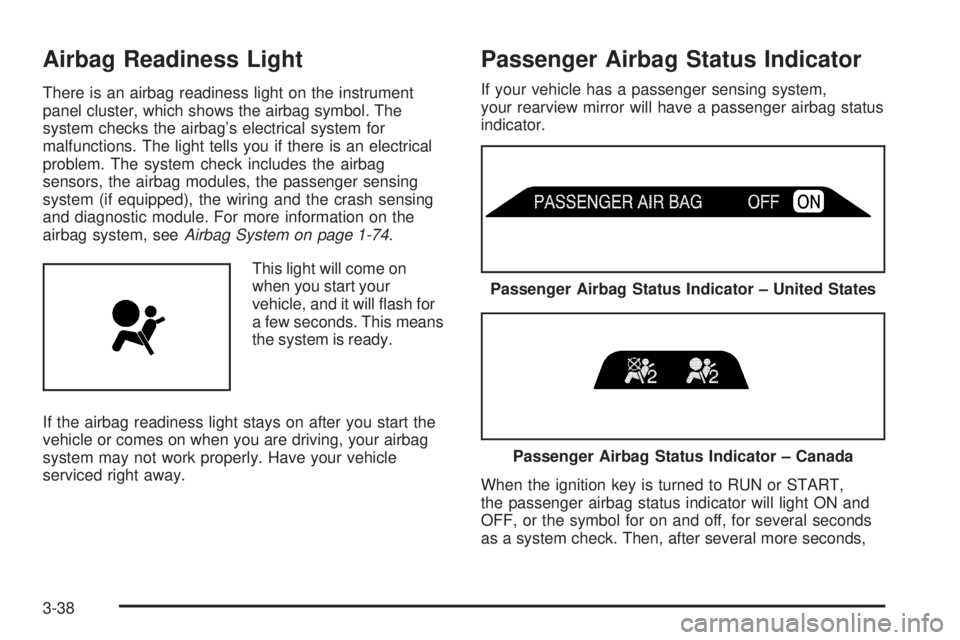
Passenger Airbag Status Indicator
If your vehicle has a passenger sensing system,
your rearview mirror will have a passenger airbag status
indicator.
When the ignition key is turned to RUN or START,
the passenger airbag status indicator will light ON and
OFF, or the symbol for on and off, for several seconds
as a system check. Then, after several more seconds,
Passenger Airbag Status Indicator – United States
Passenger Airbag Status Indicator – Canada
3-38
Page 201 of 540

Voltmeter Gage
When your engine is not
running, but the ignition
is in RUN, this gage shows
your battery’s state of
charge in DC volts.
When the engine is running, the gage shows the
condition of the charging system. The gage may
transition from a higher to lower or a lower to higher
reading, this is normal. Readings between the low
and high warning zones indicate the normal
operating range.Readings in the low warning zone may occur when a
large number of electrical accessories are operating in
the vehicle and the engine is left at an idle for an
extended period. This condition is normal since the
charging system is not able to provide full power
at engine idle. As engine speeds are increased, this
condition should correct itself as higher engine speeds
allow the charging system to create maximum power.
You can only drive for a short time with the reading
in either warning zone. If you must drive, turn off
all unnecessary accessories.
Readings in either warning zone indicate a possible
problem in the electrical system. Have the vehicle
serviced as soon as possible.
3-41
Page 202 of 540
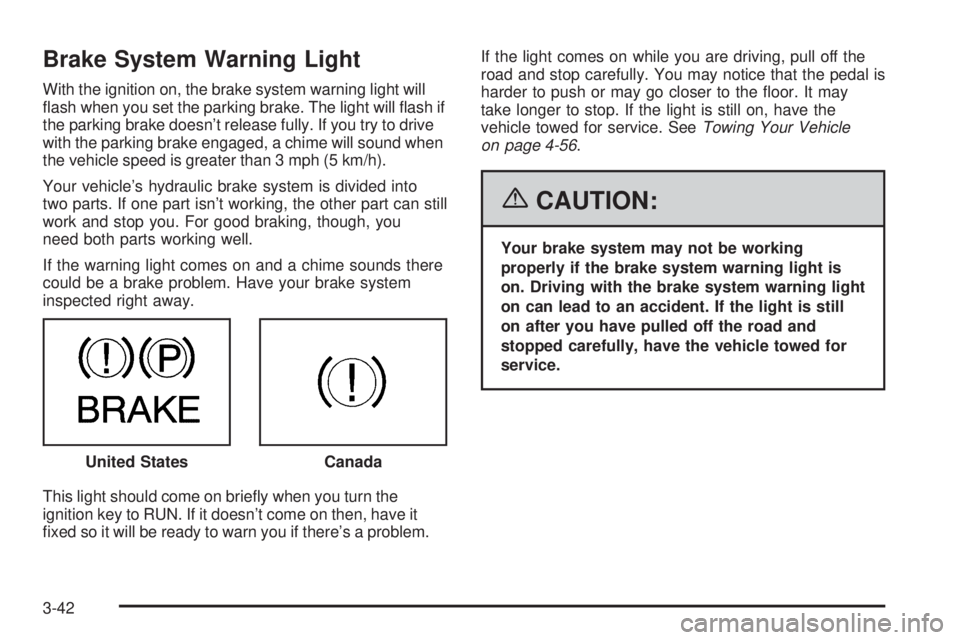
Brake System Warning Light
With the ignition on, the brake system warning light will
ash when you set the parking brake. The light will ash if
the parking brake doesn’t release fully. If you try to drive
with the parking brake engaged, a chime will sound when
the vehicle speed is greater than 3 mph (5 km/h).
Your vehicle’s hydraulic brake system is divided into
two parts. If one part isn’t working, the other part can still
work and stop you. For good braking, though, you
need both parts working well.
If the warning light comes on and a chime sounds there
could be a brake problem. Have your brake system
inspected right away.
This light should come on briey when you turn the
ignition key to RUN. If it doesn’t come on then, have it
xed so it will be ready to warn you if there’s a problem.If the light comes on while you are driving, pull off the
road and stop carefully. You may notice that the pedal is
harder to push or may go closer to the oor. It may
take longer to stop. If the light is still on, have the
vehicle towed for service. SeeTowing Your Vehicle
on page 4-56.
{CAUTION:
Your brake system may not be working
properly if the brake system warning light is
on. Driving with the brake system warning light
on can lead to an accident. If the light is still
on after you have pulled off the road and
stopped carefully, have the vehicle towed for
service.
United States
Canada
3-42