brake GMC YUKON 2008 Owner's Guide
[x] Cancel search | Manufacturer: GMC, Model Year: 2008, Model line: YUKON, Model: GMC YUKON 2008Pages: 546, PDF Size: 6.4 MB
Page 187 of 546
Cruise Control
{CAUTION:
Cruise control can be dangerous where you
cannot drive safely at a steady speed. So, do
not use your cruise control on winding roads
or in heavy traffic.
Cruise control can be dangerous on slippery
roads. On such roads, fast changes in tire
traction can cause excessive wheel slip, and
you could lose control. Do not use cruise
control on slippery roads.With cruise control, you can maintain a speed of about
25 mph (40 km/h) or more without keeping your foot
on the accelerator. This can really help on long
trips. Cruise control does not work at speeds below
about 25 mph (40 km/h).
When you apply your brakes, cruise control is
turned off.
If your vehicle has the StabiliTrak
®system and begins
to limit wheel spin while you are using cruise control, the
cruise control will automatically disengage. See
StabiliTrak
®System on page 4-6. When road conditions
allow you to safely use it again, you may turn the
cruise control back on.
3-13
Page 188 of 546
The cruise control buttons
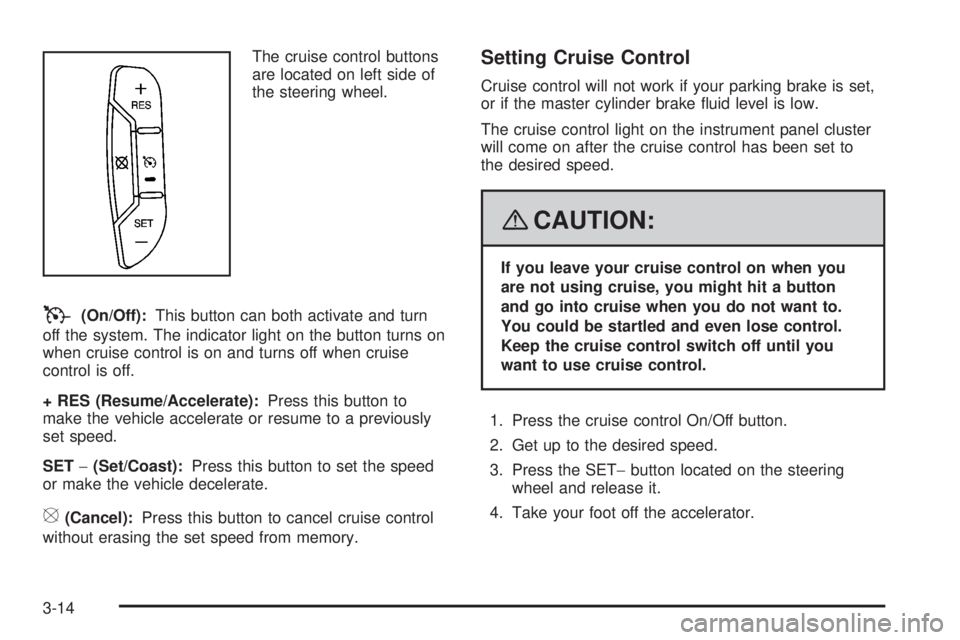
are located on left side of
the steering wheel.
T(On/Off):This button can both activate and turn
off the system. The indicator light on the button turns on
when cruise control is on and turns off when cruise
control is off.
+ RES (Resume/Accelerate):Press this button to
make the vehicle accelerate or resume to a previously
set speed.
SET−(Set/Coast):Press this button to set the speed
or make the vehicle decelerate.
[(Cancel):Press this button to cancel cruise control
without erasing the set speed from memory.
Setting Cruise Control
Cruise control will not work if your parking brake is set,
or if the master cylinder brake uid level is low.
The cruise control light on the instrument panel cluster
will come on after the cruise control has been set to
the desired speed.
{CAUTION:
If you leave your cruise control on when you
are not using cruise, you might hit a button
and go into cruise when you do not want to.
You could be startled and even lose control.
Keep the cruise control switch off until you
want to use cruise control.
1. Press the cruise control On/Off button.
2. Get up to the desired speed.
3. Press the SET−button located on the steering
wheel and release it.
4. Take your foot off the accelerator.
3-14
Page 189 of 546
Resuming a Set Speed
Suppose you set your cruise control at a desired speed
and then you apply the brake. This shuts off the
cruise control. But you do not need to reset it.
Once you are driving about 25 mph (40 km/h) or more,
press the +RES button on your steering wheel. The
vehicle will go back to the previous set speed and stay
there.
Increasing Speed While Using Cruise
Control
To increase the cruise speed while using cruise control:
Press and hold the +RES button on the steering
wheel until you reach your new desired speed,
then release it.
To increase vehicle speed in small increments,
press the +RES button. Each time you do this,
you will go about 1 mph (1.6 km/h) faster.
Reducing Speed While Using Cruise
Control
To reduce your speed while using cruise control:
Press and hold the SET– button on the steering
wheel until the desired lower speed is reached,
then release it.
To slow down in very small amounts, press the SET–
button on the steering wheel briey. Each time you
do this, the vehicle will go about 1 mph (1.6 km/h)
slower.
Passing Another Vehicle While Using
Cruise Control
Use the accelerator pedal to increase your speed.
When you take your foot off the pedal, your vehicle will
slow down to the previous set cruise speed.
Using Cruise Control on Hills
How well your cruise control will work on hills depends
upon your speed, load, and the steepness of the
hills. When going up steep hills, you may have to step
on the accelerator pedal to maintain the vehicle’s speed.
When going downhill, you may have to brake or shift
to a lower gear to keep the vehicle’s speed down.
Of course, applying the brake takes you out of cruise
control. Many drivers nd this to be too much trouble
and do not use cruise control on steep hills.
3-15
Page 190 of 546
Ending Cruise Control
There are three ways to end cruise control:
Step lightly on the brake pedal.
Press the cancel button on the steering wheel.
Press the On/Off button on the steering wheel.
Erasing Speed Memory
When you turn off the cruise control or the ignition, the
cruise control set speed memory is erased.
Exterior Lamps
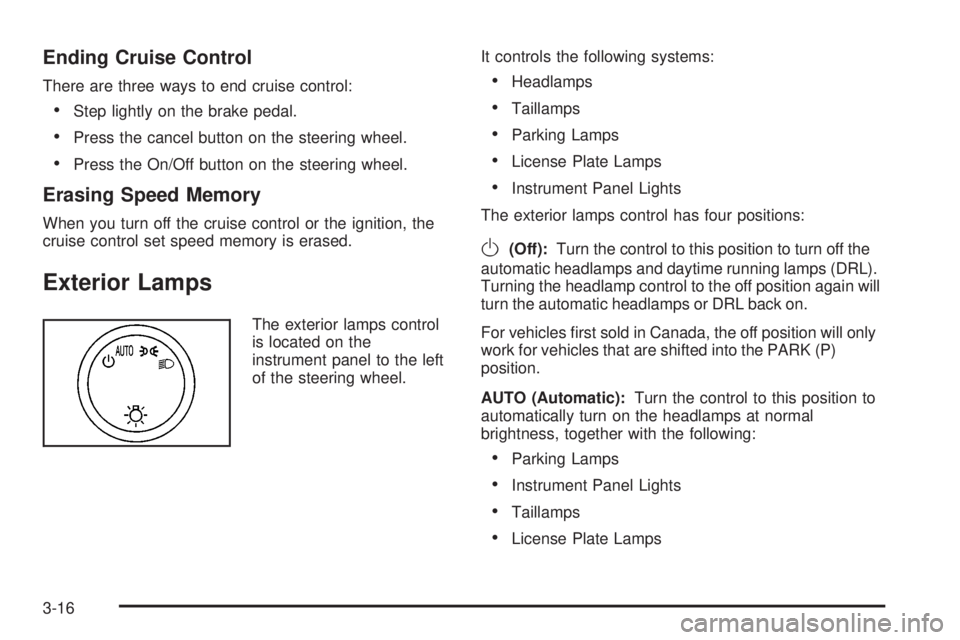
The exterior lamps control
is located on the
instrument panel to the left
of the steering wheel.It controls the following systems:
Headlamps
Taillamps
Parking Lamps
License Plate Lamps
Instrument Panel Lights
The exterior lamps control has four positions:
O(Off):Turn the control to this position to turn off the
automatic headlamps and daytime running lamps (DRL).
Turning the headlamp control to the off position again will
turn the automatic headlamps or DRL back on.
For vehicles rst sold in Canada, the off position will only
work for vehicles that are shifted into the PARK (P)
position.
AUTO (Automatic):Turn the control to this position to
automatically turn on the headlamps at normal
brightness, together with the following:
Parking Lamps
Instrument Panel Lights
Taillamps
License Plate Lamps
3-16
Page 218 of 546
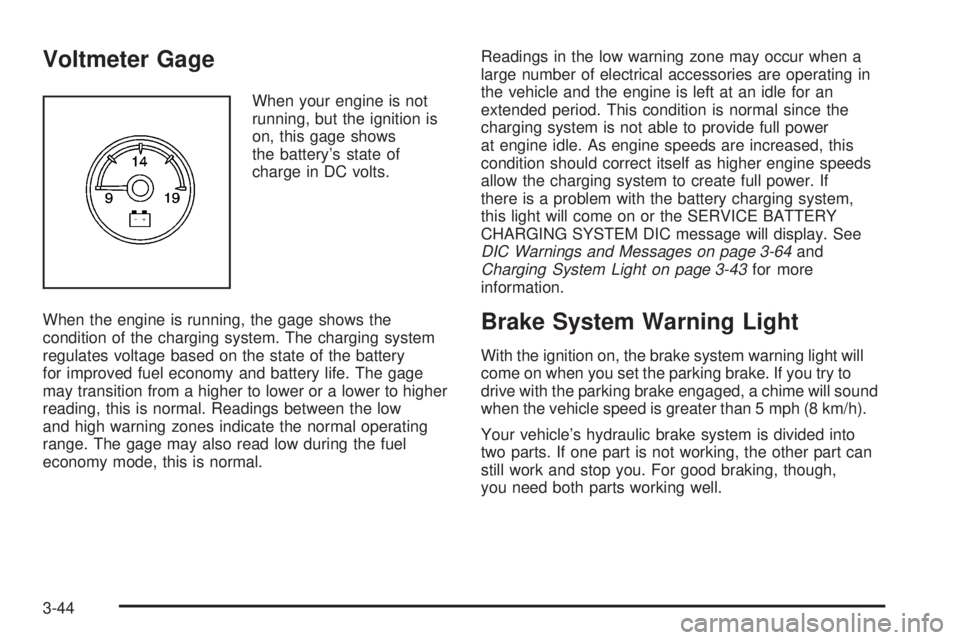
Voltmeter Gage
When your engine is not
running, but the ignition is
on, this gage shows
the battery’s state of
charge in DC volts.
When the engine is running, the gage shows the
condition of the charging system. The charging system
regulates voltage based on the state of the battery
for improved fuel economy and battery life. The gage
may transition from a higher to lower or a lower to higher
reading, this is normal. Readings between the low
and high warning zones indicate the normal operating
range. The gage may also read low during the fuel
economy mode, this is normal.Readings in the low warning zone may occur when a
large number of electrical accessories are operating in
the vehicle and the engine is left at an idle for an
extended period. This condition is normal since the
charging system is not able to provide full power
at engine idle. As engine speeds are increased, this
condition should correct itself as higher engine speeds
allow the charging system to create full power. If
there is a problem with the battery charging system,
this light will come on or the SERVICE BATTERY
CHARGING SYSTEM DIC message will display. See
DIC Warnings and Messages on page 3-64and
Charging System Light on page 3-43for more
information.
Brake System Warning Light
With the ignition on, the brake system warning light will
come on when you set the parking brake. If you try to
drive with the parking brake engaged, a chime will sound
when the vehicle speed is greater than 5 mph (8 km/h).
Your vehicle’s hydraulic brake system is divided into
two parts. If one part is not working, the other part can
still work and stop you. For good braking, though,
you need both parts working well.
3-44
Page 219 of 546
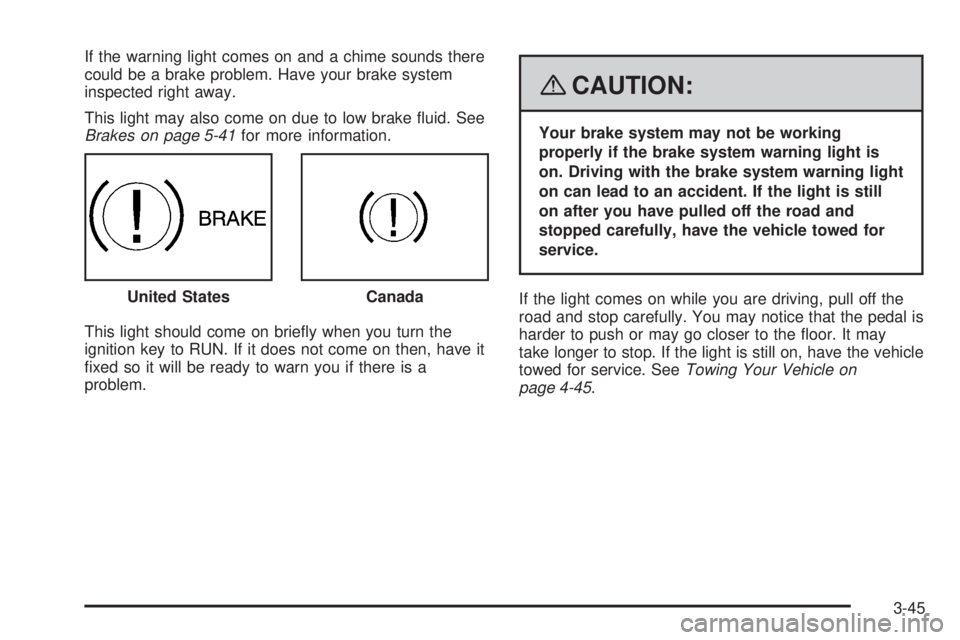
If the warning light comes on and a chime sounds there
could be a brake problem. Have your brake system
inspected right away.
This light may also come on due to low brake uid. See
Brakes on page 5-41for more information.
This light should come on briey when you turn the
ignition key to RUN. If it does not come on then, have it
xed so it will be ready to warn you if there is a
problem.
{CAUTION:
Your brake system may not be working
properly if the brake system warning light is
on. Driving with the brake system warning light
on can lead to an accident. If the light is still
on after you have pulled off the road and
stopped carefully, have the vehicle towed for
service.
If the light comes on while you are driving, pull off the
road and stop carefully. You may notice that the pedal is
harder to push or may go closer to the oor. It may
take longer to stop. If the light is still on, have the vehicle
towed for service. SeeTowing Your Vehicle on
page 4-45. United States
Canada
3-45
Page 220 of 546

Antilock Brake System
Warning Light
For vehicles with the
Antilock Brake System
(ABS), this light will come
on briey when you
start the engine.
That is normal. If the light does not come on then, have it
xed so it will be ready to warn you if there is a problem.
If the ABS light stays on, turn the ignition off, if the light
comes on when you are driving, stop as soon as it
is safely possible and turn the ignition off. Then start the
engine again to reset the system. If the ABS light still
stays on, or comes on again while you are driving, your
vehicle needs service. If the regular brake system
warning light is not on, you still have brakes, but you do
not have antilock brakes. If the regular brake system
warning light is also on, you do not have antilock brakes
and there is a problem with your regular brakes. See
Brake System Warning Light on page 3-44
For vehicles with a Driver Information Center (DIC), see
DIC Warnings and Messages on page 3-64for all
brake related DIC messages.
StabiliTrak®Indicator Light
If equipped, this warning
light should come on
briey when the engine is
started.
If the warning light does not come on then, have it xed
so it will be ready to warn you if there is a problem. If
it stays on, or comes on when you are driving, there may
be a problem with your StabiliTrak
®system and your
vehicle may need service. When this warning light is on,
the system is off and will not limit wheel spin. Adjust
your driving accordingly.
This light will also ash when the StabiliTrak
®system is
active.
If the StabiliTrak
®system warning light comes on and
stays on for an extended period of time when the system
is turned on, your vehicle needs service. See
StabiliTrak
®System on page 4-6for more information.
3-46
Page 243 of 546
SERVICE AIR BAG
This message displays if there is a problem with the
airbag system. Have your dealer/retailer inspect
the system for problems. SeeAirbag Readiness Light
on page 3-40andAirbag System on page 1-76for more
information.
SERVICE BATTERY CHARGING
SYSTEM
On some vehicles, this message displays if there is a
problem with the battery charging system. Under certain
conditions, the charging system light may also turn
on in the instrument panel cluster. SeeCharging System
Light on page 3-43. Driving with this problem could
drain the battery. Turn off all unnecessary accessories.
Have the electrical system checked as soon as
possible. See your dealer/retailer.
SERVICE BRAKE SYSTEM
This message displays along with the brake system
warning light if there is a problem with the brake system.
SeeBrake System Warning Light on page 3-44. If this
message appears, stop as soon as possible and turn off
the vehicle. Restart the vehicle and check for the
message on the DIC display. If the message is still
displayed or appears again when you begin driving, the
brake system needs service as soon as possible.
See your dealer/retailer.
SERVICE BRAKES SOON
This message displays if there is a problem with the
brake system. If this message appears, stop as soon as
possible and turn off the vehicle. Restart the vehicle
and check for the message on the DIC display. If
the message is still displayed or appears again when
you begin driving, the brake system needs service. See
your dealer/retailer.
SERVICE PARK ASSIST
If your vehicle has the Ultrasonic Rear Parking Assist
(URPA) system, this message displays if there is a
problem with the URPA system. Do not use this system
to help you park. SeeUltrasonic Rear Parking Assist
(URPA) on page 2-58for more information. See
your dealer/retailer for service.
SERVICE STABILITRAK
If your vehicle has StabiliTrak®and this message
displays, it means there may be a problem with the
StabiliTrak
®system. If you see this message, try to reset
the system. Stop; turn off the engine for at least
15 seconds; then start the engine again. If this message
still comes on, it means there is a problem. You
should see your dealer/retailer for service. The vehicle
is safe to drive, however, you do not have the benet
of StabiliTrak
®, so reduce your speed and drive
accordingly.
3-69
Page 245 of 546
There are several conditions that can cause this
message to appear.
One condition is overheating, which could occur if
StabiliTrak®activates continuously for an extended
period of time.
The message also displays if the brake system
warning light is on. SeeBrake System Warning
Light on page 3-44.
The message could display if the stability system
takes longer than usual to complete its diagnostic
checks due to driving conditions.
The message displays if an engine or vehicle
related problem has been detected and the vehicle
needs service. See your dealer/retailer.
The message also displays if the vehicle is shifted
into 4LO.
The message turns off as soon as the conditions that
caused the message to be displayed are no longer
present.
TIGHTEN GAS CAP
This message may display along with the check engine
light on the instrument panel cluster if the vehicle’s
fuel cap is not tightened properly. SeeMalfunction
Indicator Lamp on page 3-48. Reinstall the fuel cap fully.
SeeFilling the Tank on page 5-9. The diagnostic
system can determine if the fuel cap has been left off or
improperly installed. A loose or missing fuel cap
allows fuel to evaporate into the atmosphere. A few
driving trips with the cap properly installed should turn
this light and message off.
TIRE LEARNING ACTIVE
This message displays when the Tire Pressure Monitor
System (TPMS) is re-learning the tire positions on your
vehicle. The tire positions must be re-learned after
rotating the tires or after replacing a tire or sensor. See
Tire Inspection and Rotation on page 5-78,Tire Pressure
Monitor System on page 5-73, andInflation - Tire
Pressure on page 5-72for more information.
TRACTION CONTROL OFF
If your vehicle has StabiliTrak®, this message displays
when the Traction Control System (TCS) is turned
off. Adjust your driving accordingly. SeeStabiliTrak
®
System on page 4-6for more information.
3-71
Page 253 of 546
EASY EXIT SEAT
If your vehicle has this feature, it allows you to select
your preference for the automatic easy exit seat feature.
SeeMemory Seat, Mirrors, and Pedals on page 1-6
for more information.
Press the customization button until EASY EXIT SEAT
appears on the DIC display. Press the set/reset
button once to access the settings for this feature. Then
press the customization button to scroll through the
following settings:
OFF (default):No automatic seat exit recall will occur.
ON:The driver’s seat will move back when the key
is removed from the ignition.
The automatic easy exit seat movement will only occur
one time after the key is removed from the ignition.
If the automatic movement has already occurred, and
you put the key back in the ignition and remove it again,
the seat will stay in the original exit position, unless a
memory recall took place prior to removing the key
again.
NO CHANGE:No change will be made to this feature.
The current setting will remain.
To select a setting, press the set/reset button while the
desired setting is displayed on the DIC.
MEMORY SEAT RECALL
If your vehicle has this feature, it allows you to select
your preference for the remote memory seat recall
feature. SeeMemory Seat, Mirrors, and Pedals
on page 1-6for more information.
Press the customization button until MEMORY SEAT
RECALL appears on the DIC display. Press the set/reset
button once to access the settings for this feature.
Then press the customization button to scroll through
the following settings:
OFF (default):No remote memory seat recall will occur.
ON:The driver’s seat and, on some vehicles, the
outside mirrors will automatically move to the stored
driving position when the unlock button on the Remote
Keyless Entry (RKE) transmitter is pressed. On
some vehicles with the adjustable throttle and brake
pedal feature, the pedals will also automatically move.
See “Relearn Remote Key” underDIC Operation
and Displays (With DIC Buttons) on page 3-56orDIC
Operation and Displays (Without DIC Buttons) on
page 3-61for more information on matching transmitters
to driver ID numbers.
NO CHANGE:No change will be made to this feature.
The current setting will remain.
To select a setting, press the set/reset button while the
desired setting is displayed on the DIC.
3-79