lights GMC YUKON 2011 Owner's Manual
[x] Cancel search | Manufacturer: GMC, Model Year: 2011, Model line: YUKON, Model: GMC YUKON 2011Pages: 528, PDF Size: 6.36 MB
Page 1 of 528
Black plate (1,1)GMC Yukon/Yukon XL Owner Manual - 2011
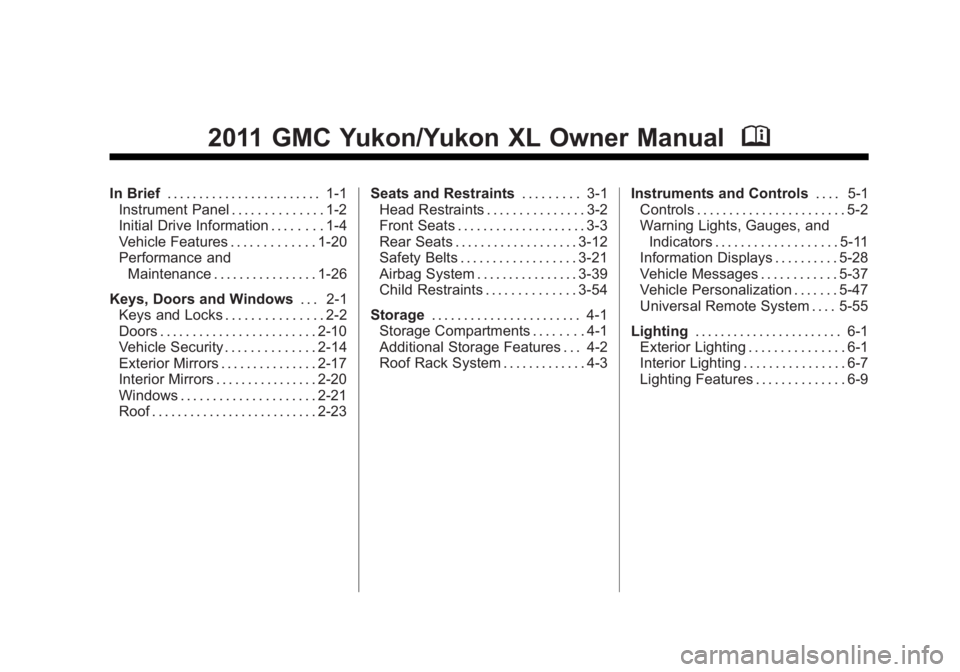
2011 GMC Yukon/Yukon XL Owner ManualM
In Brief. . . . . . . . . . . . . . . . . . . . . . . . 1-1
Instrument Panel . . . . . . . . . . . . . . 1-2
Initial Drive Information . . . . . . . . 1-4
Vehicle Features . . . . . . . . . . . . . 1-20
Performance and Maintenance . . . . . . . . . . . . . . . . 1-26
Keys, Doors and Windows . . . 2-1
Keys and Locks . . . . . . . . . . . . . . . 2-2
Doors . . . . . . . . . . . . . . . . . . . . . . . . 2-10
Vehicle Security . . . . . . . . . . . . . . 2-14
Exterior Mirrors . . . . . . . . . . . . . . . 2-17
Interior Mirrors . . . . . . . . . . . . . . . . 2-20
Windows . . . . . . . . . . . . . . . . . . . . . 2-21
Roof . . . . . . . . . . . . . . . . . . . . . . . . . . 2-23 Seats and Restraints
. . . . . . . . . 3-1
Head Restraints . . . . . . . . . . . . . . . 3-2
Front Seats . . . . . . . . . . . . . . . . . . . . 3-3
Rear Seats . . . . . . . . . . . . . . . . . . . 3-12
Safety Belts . . . . . . . . . . . . . . . . . . 3-21
Airbag System . . . . . . . . . . . . . . . . 3-39
Child Restraints . . . . . . . . . . . . . . 3-54
Storage . . . . . . . . . . . . . . . . . . . . . . . 4-1
Storage Compartments . . . . . . . . 4-1
Additional Storage Features . . . 4-2
Roof Rack System . . . . . . . . . . . . . 4-3 Instruments and Controls
. . . . 5-1
Controls . . . . . . . . . . . . . . . . . . . . . . . 5-2
Warning Lights, Gauges, and Indicators . . . . . . . . . . . . . . . . . . . 5-11
Information Displays . . . . . . . . . . 5-28
Vehicle Messages . . . . . . . . . . . . 5-37
Vehicle Personalization . . . . . . . 5-47
Universal Remote System . . . . 5-55
Lighting . . . . . . . . . . . . . . . . . . . . . . . 6-1
Exterior Lighting . . . . . . . . . . . . . . . 6-1
Interior Lighting . . . . . . . . . . . . . . . . 6-7
Lighting Features . . . . . . . . . . . . . . 6-9
Page 17 of 528
Black plate (11,1)GMC Yukon/Yukon XL Owner Manual - 2011
In Brief 1-11
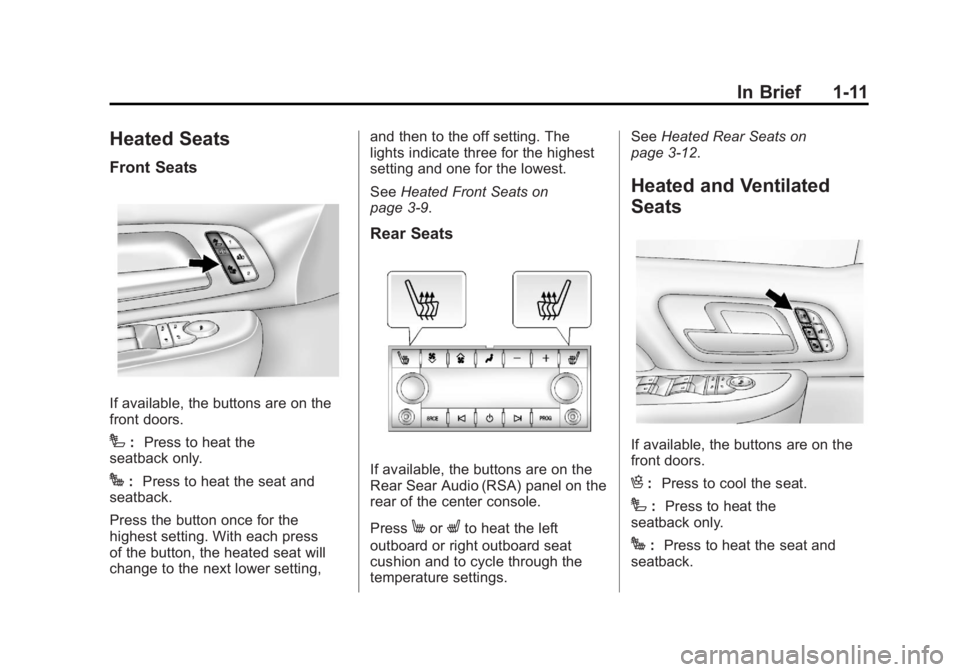
Heated Seats
Front Seats
If available, the buttons are on the
front doors.
I:Press to heat the
seatback only.
J: Press to heat the seat and
seatback.
Press the button once for the
highest setting. With each press
of the button, the heated seat will
change to the next lower setting, and then to the off setting. The
lights indicate three for the highest
setting and one for the lowest.
See
Heated Front Seats on
page 3‑9.
Rear Seats
If available, the buttons are on the
Rear Sear Audio (RSA) panel on the
rear of the center console.
Press
MorLto heat the left
outboard or right outboard seat
cushion and to cycle through the
temperature settings. See
Heated Rear Seats on
page 3‑12.
Heated and Ventilated
Seats
If available, the buttons are on the
front doors.
H: Press to cool the seat.
I:Press to heat the
seatback only.
J: Press to heat the seat and
seatback.
Page 18 of 528
Black plate (12,1)GMC Yukon/Yukon XL Owner Manual - 2011
1-12 In Brief
Press the button once for the
highest setting. With each press of
the button, the seat will change to
the next lower setting, and then to
the off setting. The lights indicate
three for the highest setting and one
for the lowest.
SeeHeated and Ventilated Front
Seats on page 3‑10.
Head Restraint
Adjustment
Do not drive until the head restraints
for all occupants are installed and
adjusted properly.
To achieve a comfortable seating
position, change the seatback
recline angle as little as necessary
while keeping the seat and the
head restraint height in the proper
position.
For more information see Head
Restraints on page 3‑2 andSeat
Adjustment on page 3‑3.
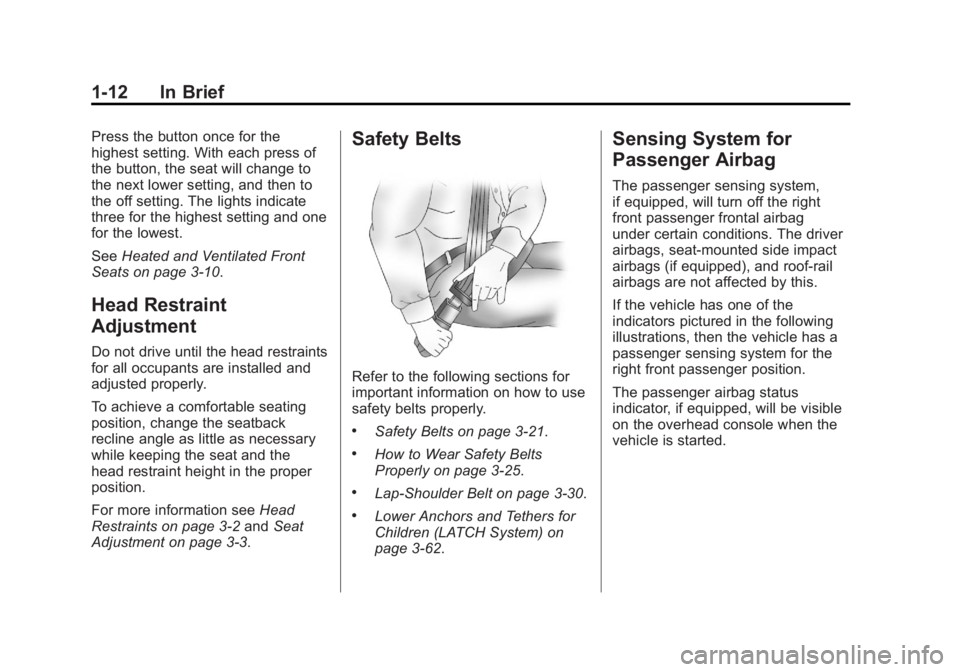
Safety Belts
Refer to the following sections for
important information on how to use
safety belts properly.
.Safety Belts on page 3‑21.
.How to Wear Safety Belts
Properly on page 3‑25.
.Lap-Shoulder Belt on page 3‑30.
.Lower Anchors and Tethers for
Children (LATCH System) on
page 3‑62.
Sensing System for
Passenger Airbag
The passenger sensing system,
if equipped, will turn off the right
front passenger frontal airbag
under certain conditions. The driver
airbags, seat‐mounted side impact
airbags (if equipped), and roof‐rail
airbags are not affected by this.
If the vehicle has one of the
indicators pictured in the following
illustrations, then the vehicle has a
passenger sensing system for the
right front passenger position.
The passenger airbag status
indicator, if equipped, will be visible
on the overhead console when the
vehicle is started.
Page 22 of 528
Black plate (16,1)GMC Yukon/Yukon XL Owner Manual - 2011
1-16 In Brief
Exterior Lighting
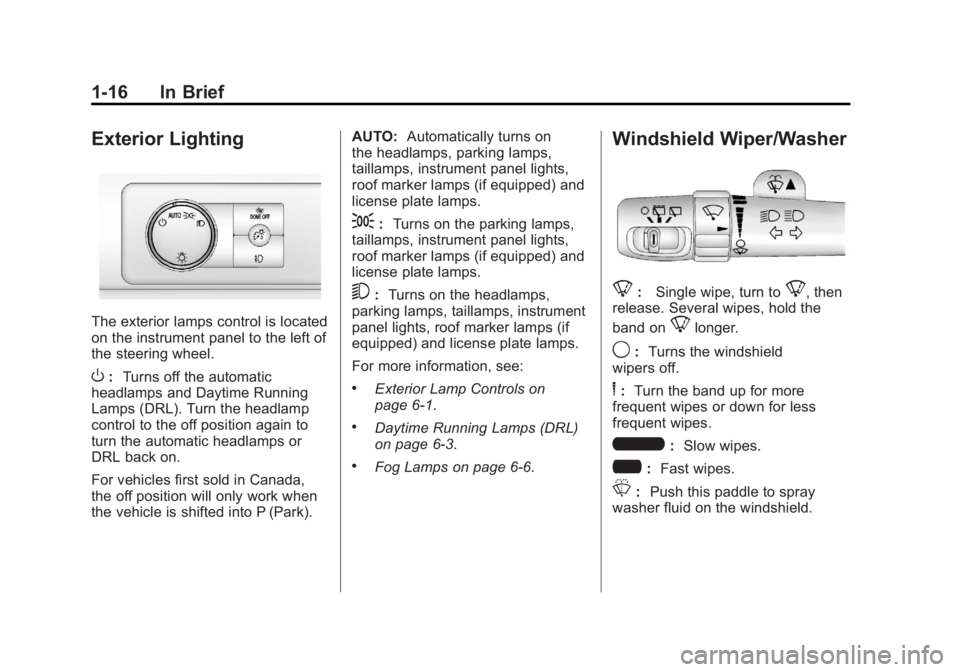
The exterior lamps control is located
on the instrument panel to the left of
the steering wheel.
O:Turns off the automatic
headlamps and Daytime Running
Lamps (DRL). Turn the headlamp
control to the off position again to
turn the automatic headlamps or
DRL back on.
For vehicles first sold in Canada,
the off position will only work when
the vehicle is shifted into P (Park). AUTO:
Automatically turns on
the headlamps, parking lamps,
taillamps, instrument panel lights,
roof marker lamps (if equipped) and
license plate lamps.
;: Turns on the parking lamps,
taillamps, instrument panel lights,
roof marker lamps (if equipped) and
license plate lamps.
5: Turns on the headlamps,
parking lamps, taillamps, instrument
panel lights, roof marker lamps (if
equipped) and license plate lamps.
For more information, see:
.Exterior Lamp Controls on
page 6‑1.
.Daytime Running Lamps (DRL)
on page 6‑3.
.Fog Lamps on page 6‑6.
Windshield Wiper/Washer
8: Single wipe, turn to8, then
release. Several wipes, hold the
band on
8longer.
9: Turns the windshield
wipers off.
6: Turn the band up for more
frequent wipes or down for less
frequent wipes.
6: Slow wipes.
?: Fast wipes.
L:Push this paddle to spray
washer fluid on the windshield.
Page 40 of 528
Black plate (4,1)GMC Yukon/Yukon XL Owner Manual - 2011
2-4 Keys, Doors and Windows
K(Unlock):Press once to unlock
only the driver door. If
Kis pressed
again within three seconds, all
remaining doors unlock. The interior
lamps may come on and stay on for
20 seconds or until the ignition is
turned on.
If enabled through the DIC, the turn
signal lamps flash twice to indicate
unlocking has occurred. See Vehicle
Personalization (With DIC Buttons)
on page 5‑47. If enabled through
the DIC, the exterior lights turn on
briefly if it is dark enough outside.
See “Approach Lighting” under
Vehicle Personalization (With DIC
Buttons) on page 5‑47.
Pressing
Kon the RKE transmitter
disarms the content theft‐deterrent
system. See Anti-Theft Alarm
System on page 2‑14.
m(Liftglass): Press and hold to
unlock the liftglass.
&(Power Liftgate): Press and
hold to open and close the liftgate.
The taillamps flash and a chime
sounds to indicate when the liftgate
is opening and closing.
L(Vehicle Locator/Panic
Alarm): Press and release to
locate the vehicle. The turn signal
lamps flash and the horn sounds
three times.
Press and hold
Lfor more than
two seconds to activate the panic
alarm. The turn signal lamps flash
and the horn sounds repeatedly for
30 seconds. The alarm turns off
when the ignition is moved to
ON/RUN or
Lis pressed again.
The ignition must be in LOCK/OFF
for the panic alarm to work.
The vehicle comes with two
transmitters. Each transmitter will
have a number on it, “1”or“2”.
These numbers correspond to
the driver of the vehicle. For
example, the memory seat position for driver 1 will be recalled when
using the transmitter labeled
“1”,
if enabled through the DIC.
See “Memory Seat, Mirrors,
and Pedals” underPower Seat
Adjustment on page 3‑4 andVehicle
Personalization (With DIC Buttons)
on page 5‑47 for more information.
Programming Transmitters to
the Vehicle
Only RKE transmitters programmed
to this vehicle will work. If a
transmitter is lost or stolen, a
replacement can be purchased and
programmed through your dealer.
When the replacement transmitter
is programmed to this vehicle, all
remaining transmitters must also
be reprogrammed. Any lost or
stolen transmitters will no longer
work once the new transmitter is
programmed. The vehicle can have
a maximum of eight transmitters
programmed to it. See your dealer
to program transmitters to the
vehicle.
Page 50 of 528

Black plate (14,1)GMC Yukon/Yukon XL Owner Manual - 2011
2-14 Keys, Doors and Windows
Power Assist Steps
The vehicle may have power assist
steps.
The switch used to disable the
power assist steps is located on the
center console below the climate
control system.
The power assist steps
automatically extend from beneath
the vehicle on the side in which the
door has been opened. Once the
door is closed, the assist steps
automatically move back under
the vehicle after a brief delay. The
vehicle must not be moving for the
assist steps to extend or retract.
The assist steps cannot be disabled
in the extended position.
Vehicle Security
This vehicle has theft-deterrent
features; however, they do not make
it impossible to steal.
Anti-Theft Alarm System
Your vehicle has a content
theft-deterrent alarm system.
This is the security light.
To arm the theft-deterrent system:
1. Open the door.
2. Lock the door with the RemoteKeyless Entry (RKE) transmitter
or the power door lock switch.
The security light will come on to
inform the driver the system is arming. If a door is open when
the doors are locked, the
security light will flash.
If the delayed locking feature is
turned on, the theft‐deterrent
system will not start the arming
process until the last door is
closed and the delay timer has
expired. See
Delayed Locking
on page 2‑9.
3. Close all doors. The security light should go off after about
30 seconds. The alarm is not
armed until the security light
goes off.
If a locked driver door is opened
without using the RKE transmitter,
a 10-second pre-alarm will occur.
The horn will chirp and the lights
will flash. If the key is not placed in
the ignition and turned to START or
the door is not unlocked by pressing
the unlock button on the RKE
transmitter during the 10-second
pre-alarm, the alarm will go off.
Page 70 of 528
Black plate (10,1)GMC Yukon/Yukon XL Owner Manual - 2011
3-10 Seats and Restraints
Press the button once for the
highest setting. With each press
of the button, the heated seat will
change to the next lower setting,
and then to the off setting. The
lights indicate three for the highest
setting and one for the lowest.
The passenger seat may take
longer to heat up.
The heated seats will be canceled
10 seconds after the ignition is
turned off.Remote Start Heated Seats
When it is cold outside, the heated
seats may turn on automatically
during a remote vehicle start. The
heated seats will be canceled when
the ignition is turned on. Press the
desired button to use the heated
seats after the vehicle is started.
The lights on the heated seat
buttons do not turn on during a
remote start.
The temperature performance of an
unoccupied seat may be reduced.
This is normal.
See
Remote Vehicle Start on
page 2‑5 for more information.Heated and Ventilated
Front Seats
{WARNING
If you cannot feel temperature
change or pain to the skin, the
seat heater may cause burns
even at low temperatures. See
the Warning under Heated Front
Seats on page 3‑9.
Page 71 of 528
Black plate (11,1)GMC Yukon/Yukon XL Owner Manual - 2011
Seats and Restraints 3-11
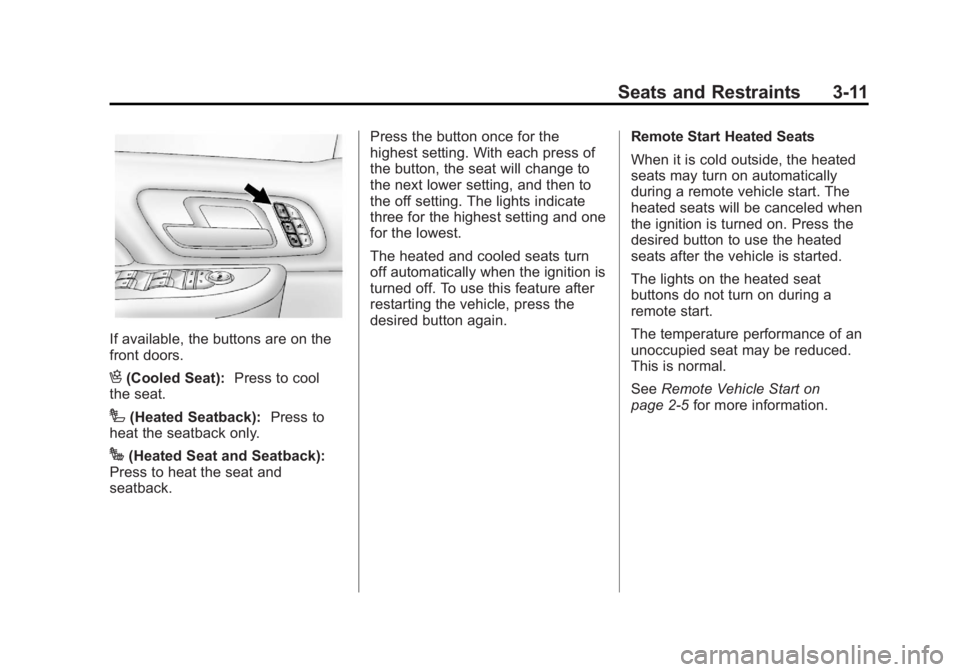
If available, the buttons are on the
front doors.
H(Cooled Seat):Press to cool
the seat.
I(Heated Seatback): Press to
heat the seatback only.
J(Heated Seat and Seatback):
Press to heat the seat and
seatback. Press the button once for the
highest setting. With each press of
the button, the seat will change to
the next lower setting, and then to
the off setting. The lights indicate
three for the highest setting and one
for the lowest.
The heated and cooled seats turn
off automatically when the ignition is
turned off. To use this feature after
restarting the vehicle, press the
desired button again.
Remote Start Heated Seats
When it is cold outside, the heated
seats may turn on automatically
during a remote vehicle start. The
heated seats will be canceled when
the ignition is turned on. Press the
desired button to use the heated
seats after the vehicle is started.
The lights on the heated seat
buttons do not turn on during a
remote start.
The temperature performance of an
unoccupied seat may be reduced.
This is normal.
See
Remote Vehicle Start on
page 2‑5 for more information.
Page 141 of 528
Black plate (1,1)GMC Yukon/Yukon XL Owner Manual - 2011
Instruments and Controls 5-1
Instruments and
Controls
Controls
Steering Wheel Adjustment . . . 5-2
Steering Wheel Controls . . . . . . 5-2
Horn . . . . . . . . . . . . . . . . . . . . . . . . . . 5-4
Windshield Wiper/Washer . . . . . 5-5
Rear Window Wiper/Washer . . . . . . . . . . . . . . . . . . . . . . 5-5
Compass . . . . . . . . . . . . . . . . . . . . . 5-6
Clock . . . . . . . . . . . . . . . . . . . . . . . . . 5-8
Power Outlets . . . . . . . . . . . . . . . . . 5-9
Cigarette Lighter . . . . . . . . . . . . . 5-10
Ashtrays . . . . . . . . . . . . . . . . . . . . . 5-11
Warning Lights, Gauges, and
Indicators
Warning Lights, Gauges, and Indicators . . . . . . . . . . . . . . . . . . . 5-11
Instrument Cluster . . . . . . . . . . . 5-12
Speedometer . . . . . . . . . . . . . . . . 5-13
Odometer . . . . . . . . . . . . . . . . . . . . 5-13
Trip Odometer . . . . . . . . . . . . . . . 5-13
Tachometer . . . . . . . . . . . . . . . . . . 5-13 Fuel Gauge . . . . . . . . . . . . . . . . . . 5-14
Engine Oil Pressure
Gauge . . . . . . . . . . . . . . . . . . . . . . 5-15
Engine Coolant Temperature Gauge . . . . . . . . . . . . . . . . . . . . . . 5-16
Voltmeter Gauge . . . . . . . . . . . . . 5-17
Safety Belt Reminders . . . . . . . 5-17
Airbag Readiness Light . . . . . . 5-18
Passenger Airbag Status Indicator . . . . . . . . . . . . . . . . . . . . 5-19
Charging System Light . . . . . . 5-20
Malfunction Indicator Lamp . . . . . . . . . . . . . 5-21
Brake System Warning Light . . . . . . . . . . . . . . . . . . . . . . . 5-23
Antilock Brake System (ABS) Warning Light . . . . . . . . . . . . . . 5-24
Tow/Haul Mode Light . . . . . . . . 5-25
StabiliTrak
®Indicator Light . . . 5-25
Tire Pressure Light . . . . . . . . . . 5-26
Engine Oil Pressure Light . . . . 5-26
Low Fuel Warning Light . . . . . . 5-27
Security Light . . . . . . . . . . . . . . . . 5-27
High-Beam On Light . . . . . . . . . 5-27
Front Fog Lamp Light . . . . . . . . 5-28
Cruise Control Light . . . . . . . . . 5-28
Information Displays
Driver Information Center (DIC) . . . . . . . . . . . . . . . 5-28
Vehicle Messages
Vehicle Messages . . . . . . . . . . . 5-37
Battery Voltage and ChargingMessages . . . . . . . . . . . . . . . . . . 5-38
Brake System Messages . . . . 5-38
Door Ajar Messages . . . . . . . . . 5-39
Engine Cooling System Messages . . . . . . . . . . . . . . . . . . 5-40
Engine Oil Messages . . . . . . . . 5-41
Engine Power Messages . . . . 5-41
Fuel System Messages . . . . . . 5-42
Key and Lock Messages . . . . . 5-42
Lamp Messages . . . . . . . . . . . . . 5-42
Object Detection System Messages . . . . . . . . . . . . . . . . . . 5-42
Ride Control System Messages . . . . . . . . . . . . . . . . . . 5-43
Airbag System Messages . . . . 5-45
Anti-Theft Alarm System Messages . . . . . . . . . . . . . . . . . . 5-45
Tire Messages . . . . . . . . . . . . . . . 5-45
Page 151 of 528

Black plate (11,1)GMC Yukon/Yukon XL Owner Manual - 2011
Instruments and Controls 5-11
Ashtrays
The front ashtray is located near the
center of the instrument panel or on
the front console, if equipped. Pull
on the ashtray door to open it.
Notice:If papers, pins, or other
flammable items are put in the
ashtray, hot cigarettes or other
smoking materials could ignite
them and possibly damage the
vehicle. Never put flammable
items in the ashtray.
To remove the front ashtray pull the
ashtray up.
Warning Lights,
Gauges, and
Indicators
Warning lights and gauges can
signal that something is wrong
before it becomes serious enough
to cause an expensive repair or
replacement. Paying attention to the
warning lights and gauges could
prevent injury.
Warning lights come on when there
could be a problem with a vehicle
function. Some warning lights come
on briefly when the engine is started
to indicate they are working. Gauges can indicate when there
could be a problem with a vehicle
function. Often gauges and warning
lights work together to indicate a
problem with the vehicle.
When one of the warning lights
comes on and stays on while
driving, or when one of the gauges
shows there may be a problem,
check the section that explains what
to do. Follow this manual's advice.
Waiting to do repairs can be costly
and even dangerous.