door lock GMC YUKON 2015 Owner's Guide
[x] Cancel search | Manufacturer: GMC, Model Year: 2015, Model line: YUKON, Model: GMC YUKON 2015Pages: 455, PDF Size: 4.72 MB
Page 73 of 455
Black plate (6,1)GMC Yukon/Yukon XL Owner Manual (GMNA-Localizing-U.S./Canada/
Mexico-7063682) - 2015 - crc - 6/5/14
3-6 Seats and Restraints
Storing Memory Positions
To save positions to the“1”and “2”
buttons:
1. Adjust the driver seat, outside mirrors, power tilt and
telescoping steering column (if
equipped), and adjustable
pedals (if equipped) to the
desired driving positions.
2. Press and release SET, then immediately press and hold “1”
until a beep sounds.
3. Repeat Steps 1 and 2 for a second driver using “2.”
To save positions to the
B(Exit)
button and easy exit features:
1. Adjust the driver seat, power tilt and telescoping steering column
(if equipped), adjustable pedals,
and the outside mirrors on some
vehicles to the desired positions
for getting out of the vehicle.
2. Press and release SET, then immediately press and hold
B
until a beep sounds. Manually Recalling Memory
Positions
If the vehicle is OFF or not in
P (Park), press and hold "1," "2," or
Bto manually recall the previously
stored memory positions. Releasing
"1,” "2," or
Bbefore the stored
positions are reached stops the
recall.
If the vehicle is ON and in P (Park),
press and release “1,” “2,”or
Bto
manually recall the previously
stored memory positions. Placing
the ignition in OFF/LOCK before the
stored positions are reached stops
the recall.
If something has blocked the driver
seat, power tilt and telescoping
steering column, and/or adjustable
pedals while recalling a memory
position, the recall may stop.
Remove the obstruction; then press
and hold the appropriate manual
control for the memory item that is
not recalling for two seconds. Try
recalling the memory position again
by pressing the appropriate memory button. If the memory position is still
not recalling, see your dealer for
service.
Automatically Recalling Memory
Positions (Auto Memory Recall)
The Auto (Automatic) Memory
Recall feature automatically recalls
the current driver
’s previously stored
“1” or“2” position when entering the
vehicle.
If the Auto Memory Recall feature is
enabled in the vehicle
personalization menu, memory “1”
or “2” positions are recalled in the
following ways:
.PressKon the RKE transmitter
and open the driver door.
.PressKon the RKE transmitter
when the driver door is open.
.If equipped with Keyless Access,
press the lock/unlock button on
the outside driver door handle
and open the driver door. The
RKE transmitter must be present
for the recall to activate.
Page 74 of 455
Black plate (7,1)GMC Yukon/Yukon XL Owner Manual (GMNA-Localizing-U.S./Canada/
Mexico-7063682) - 2015 - crc - 6/5/14
Seats and Restraints 3-7
SeeVehicle Personalization on
page 5-43.
To stop recall movement, press one
of the memory, power mirror,
or power seat controls; press the
power tilt and telescoping steering
column control (if equipped); or
press the adjustable pedal control (if
equipped).
If something has blocked the driver
seat, power tilt and telescoping
steering column, and/or the
adjustable pedals while recalling a
memory position, the recall may
stop. Remove the obstruction; then
press and hold the appropriate
manual control for the memory item
that is not recalling for two seconds.
Try recalling the memory position
again by opening the driver door
and pressing
Kon the RKE
transmitter. If the memory position is
still not recalling, see your dealer for
service. Easy Exit Recall
If programmed on in the vehicle
personalization menu, the easy exit
feature automatically moves the
driver seat, power tilt and
telescoping steering column (if
equipped), adjustable pedals (if
equipped), and outside mirrors on
some vehicles to the memory
positions saved to the
B(Exit)
button. See “Storing Memory
Positions” listed previously. See
also Vehicle Personalization on
page 5-43.
Easy exit recall automatically
activates when one of the following
occurs:
.The vehicle is turned off and the
driver door is opened within a
short time.
.The vehicle is turned off with the
driver door open.
If something has blocked the driver
seat, power tilt and telescoping
steering column, and/or adjustable
pedals (if equipped) while recalling the exit position, the recall may
stop. Remove the obstruction; then
press and hold the appropriate
manual control for the exit feature
not recalling for two seconds. Try
recalling the exit position again.
If the exit position is still not
recalling, see your dealer for
service.
Heated and Cooled Front
Seats
If equipped, the vehicle may have
heated or heated and cooled seats.
{Warning
If you cannot feel temperature
change or pain to the skin, the
seat heater may cause burns. To
reduce the risk of burns, people
with such a condition should use
care when using the seat heater,
especially for long periods of
time. Do not place anything on
(Continued)
Page 80 of 455
Black plate (13,1)GMC Yukon/Yukon XL Owner Manual (GMNA-Localizing-U.S./Canada/
Mexico-7063682) - 2015 - crc - 6/5/14
Seats and Restraints 3-13
Warning (Continued)
when the vehicle is in motion.
People in the vehicle could be
injured in a sudden stop or crash.
Be sure to return the seat to the
passenger seating position before
driving the vehicle. Push and pull
on the seat to make sure it is
locked into place.
{Warning
Automatically folding and
tumbling the seat when someone
is sitting in the seat, could cause
injury to the person sitting there.
Always make sure there is no one
sitting in the seat before pressing
the automatic seat release button.
{Caution
Folding a rear seat with the safety
belts still fastened may cause
damage to the seat or the safety
belts. Always unbuckle the safety
belts and return them to their
normal stowed position before
folding a rear seat.
The transmission must be in
P (Park) for this feature to work.
Fold the seat to load cargo. Fold
and tumble the seat to gain entry to
the third row.
Folding and Tumbling the Seat
To fold and tumble the seat:
1. Make sure that there is nothing under, in front of, or on the seat.
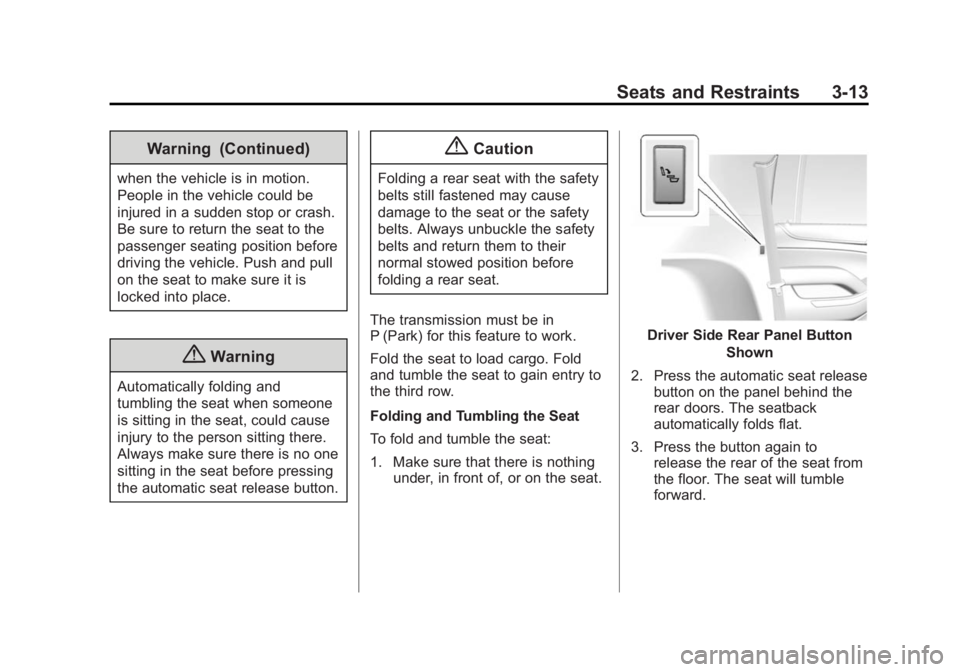
Driver Side Rear Panel Button
Shown
2. Press the automatic seat release button on the panel behind the
rear doors. The seatback
automatically folds flat.
3. Press the button again to release the rear of the seat from
the floor. The seat will tumble
forward.
Page 90 of 455

Black plate (23,1)GMC Yukon/Yukon XL Owner Manual (GMNA-Localizing-U.S./Canada/
Mexico-7063682) - 2015 - crc - 6/5/14
Seats and Restraints 3-23
To unlatch the belt, push the button
on the buckle. The belt should
return to its stowed position.
For third row seats, slide the latch
plate up the safety webbing when
the safety belt is not in use. The
latch plate should rest on the
stitching on the safety belt, near the
guide loop on the side wall.
Before a door is closed, be sure the
safety belt is out of the way. If a
door is slammed against a safety
belt, damage can occur to both the
belt and the vehicle.
Shoulder Belt Height Adjuster
The vehicle has a shoulder belt
height adjuster for the driver and
front outboard passenger positions.
Adjust the height so the shoulder
portion of the belt is on the shoulder
and not falling off of it. The belt
should be close to, but not
contacting, the neck. Improper
shoulder belt height adjustment
could reduce the effectiveness of
the safety belt in a crash. SeeHow
to Wear Safety Belts Properly on
page 3-20.
Push down on the release button to
move the height adjuster to the
desired position.
Move the adjuster up by pushing up
on the shoulder belt guide.
After the adjuster is set to the
desired position, try to move it down
without pushing the release button
to make sure it has locked into
position.
Safety Belt Pretensioners
This vehicle has safety belt
pretensioners for front outboard
occupants. Although the safety belt
pretensioners cannot be seen, they
are part of the safety belt assembly.
They can help tighten the safety
belts during the early stages of a
moderate to severe frontal, near
frontal, or rear crash if the threshold
conditions for pretensioner
activation are met. Safety belt
pretensioners can also help tighten
the safety belts in a side crash or a
rollover event.
Page 99 of 455
Black plate (32,1)GMC Yukon/Yukon XL Owner Manual (GMNA-Localizing-U.S./Canada/
Mexico-7063682) - 2015 - crc - 6/5/14
3-32 Seats and Restraints
Warning (Continued)
that person causing severe injury
or even death. The path of an
inflating airbag must be kept
clear. Do not put anything
between an occupant and an
airbag, and do not attach or put
anything on the steering wheel
hub or on or near any other
airbag covering.
Do not use seat or console
accessories that block the
inflation path of a seat-mounted
side impact airbag or the front
center airbag, if equipped.
Never secure anything to the roof
of a vehicle with roof-rail airbags
by routing a rope or tie-down
through any door or window
opening. If you do, the path of an
inflating roof-rail airbag will be
blocked.
When Should an Airbag
Inflate?
This vehicle is equipped with
airbags. SeeAirbag System on
page 3-28. Airbags are designed to
inflate if the impact exceeds the
specific airbag system's deployment
threshold. Deployment thresholds
are used to predict how severe a
crash is likely to be in time for the
airbags to inflate and help restrain
the occupants. The vehicle has
electronic sensors that help the
airbag system determine the
severity of the impact. Deployment
thresholds can vary with specific
vehicle design.
Frontal airbags are designed to
inflate in moderate to severe frontal
or near frontal crashes to help
reduce the potential for severe
injuries, mainly to the driver's or
front outboard passenger's head
and chest.
Whether the frontal airbags will or
should inflate is not based primarily
on how fast the vehicle is traveling. It depends on what is hit, the
direction of the impact, and how
quickly the vehicle slows down.
Frontal airbags may inflate at
different crash speeds depending on
whether the vehicle hits an object
straight on or at an angle, and
whether the object is fixed or
moving, rigid or deformable, narrow
or wide.
Frontal airbags are not intended to
inflate during vehicle rollovers, rear
impacts, or many side impacts.
In addition, the vehicle has
advanced technology frontal
airbags. Advanced technology
frontal airbags adjust the restraint
according to crash severity.
The vehicle also has a seat position
sensor that enables the sensing
system to monitor the position of the
driver seat. The seat position sensor
provides information that is used to
adjust the deployment of the driver
frontal airbag.
Page 101 of 455
Black plate (34,1)GMC Yukon/Yukon XL Owner Manual (GMNA-Localizing-U.S./Canada/
Mexico-7063682) - 2015 - crc - 6/5/14
3-34 Seats and Restraints
But airbags would not help in many
types of collisions, primarily
because the occupant's motion is
not toward those airbags. SeeWhen
Should an Airbag Inflate? on
page 3-32 for more information.
Airbags should never be regarded
as anything more than a supplement
to safety belts.
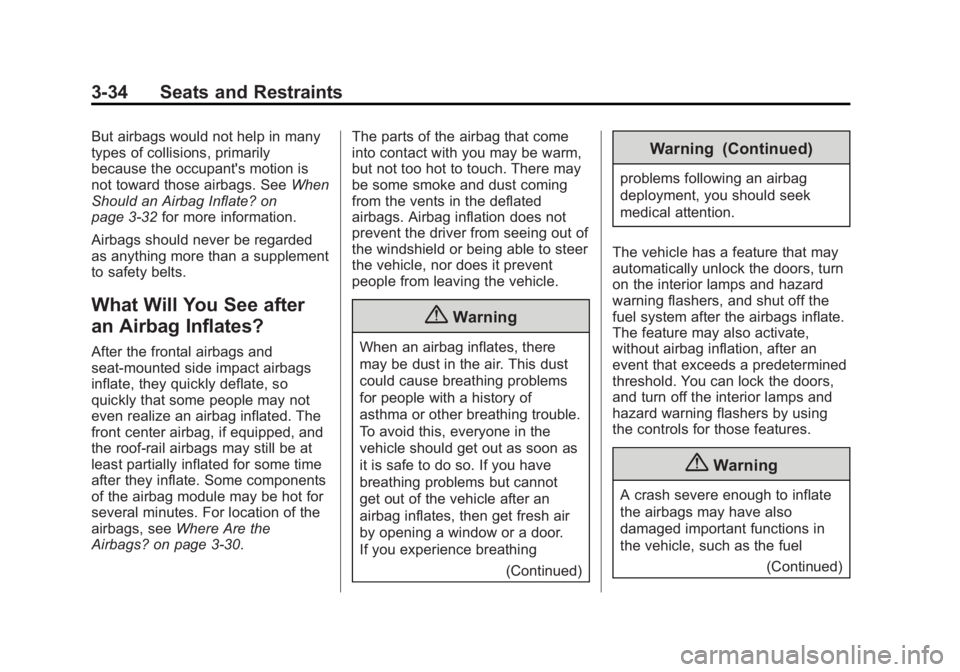
What Will You See after
an Airbag Inflates?
After the frontal airbags and
seat-mounted side impact airbags
inflate, they quickly deflate, so
quickly that some people may not
even realize an airbag inflated. The
front center airbag, if equipped, and
the roof-rail airbags may still be at
least partially inflated for some time
after they inflate. Some components
of the airbag module may be hot for
several minutes. For location of the
airbags, see Where Are the
Airbags? on page 3-30. The parts of the airbag that come
into contact with you may be warm,
but not too hot to touch. There may
be some smoke and dust coming
from the vents in the deflated
airbags. Airbag inflation does not
prevent the driver from seeing out of
the windshield or being able to steer
the vehicle, nor does it prevent
people from leaving the vehicle.
{Warning
When an airbag inflates, there
may be dust in the air. This dust
could cause breathing problems
for people with a history of
asthma or other breathing trouble.
To avoid this, everyone in the
vehicle should get out as soon as
it is safe to do so. If you have
breathing problems but cannot
get out of the vehicle after an
airbag inflates, then get fresh air
by opening a window or a door.
If you experience breathing
(Continued)
Warning (Continued)
problems following an airbag
deployment, you should seek
medical attention.
The vehicle has a feature that may
automatically unlock the doors, turn
on the interior lamps and hazard
warning flashers, and shut off the
fuel system after the airbags inflate.
The feature may also activate,
without airbag inflation, after an
event that exceeds a predetermined
threshold. You can lock the doors,
and turn off the interior lamps and
hazard warning flashers by using
the controls for those features.
{Warning
A crash severe enough to inflate
the airbags may have also
damaged important functions in
the vehicle, such as the fuel (Continued)
Page 138 of 455
Black plate (1,1)GMC Yukon/Yukon XL Owner Manual (GMNA-Localizing-U.S./Canada/
Mexico-7063682) - 2015 - crc - 6/5/14
Instruments and Controls 5-1
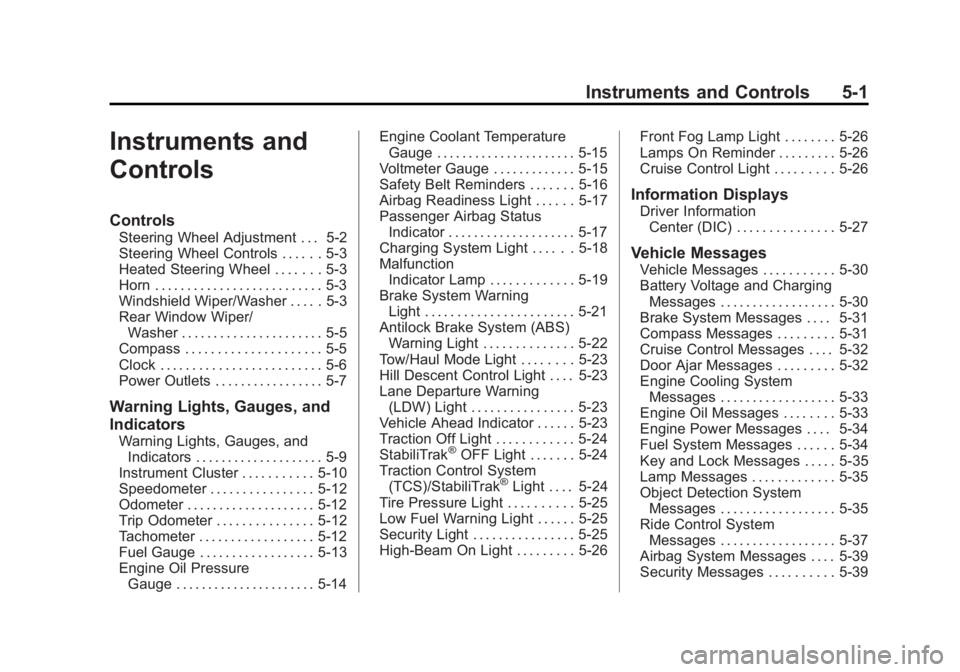
Instruments and
Controls
Controls
Steering Wheel Adjustment . . . 5-2
Steering Wheel Controls . . . . . . 5-3
Heated Steering Wheel . . . . . . . 5-3
Horn . . . . . . . . . . . . . . . . . . . . . . . . . . 5-3
Windshield Wiper/Washer . . . . . 5-3
Rear Window Wiper/Washer . . . . . . . . . . . . . . . . . . . . . . 5-5
Compass . . . . . . . . . . . . . . . . . . . . . 5-5
Clock . . . . . . . . . . . . . . . . . . . . . . . . . 5-6
Power Outlets . . . . . . . . . . . . . . . . . 5-7
Warning Lights, Gauges, and
Indicators
Warning Lights, Gauges, and Indicators . . . . . . . . . . . . . . . . . . . . 5-9
Instrument Cluster . . . . . . . . . . . 5-10
Speedometer . . . . . . . . . . . . . . . . 5-12
Odometer . . . . . . . . . . . . . . . . . . . . 5-12
Trip Odometer . . . . . . . . . . . . . . . 5-12
Tachometer . . . . . . . . . . . . . . . . . . 5-12
Fuel Gauge . . . . . . . . . . . . . . . . . . 5-13
Engine Oil Pressure Gauge . . . . . . . . . . . . . . . . . . . . . . 5-14 Engine Coolant Temperature
Gauge . . . . . . . . . . . . . . . . . . . . . . 5-15
Voltmeter Gauge . . . . . . . . . . . . . 5-15
Safety Belt Reminders . . . . . . . 5-16
Airbag Readiness Light . . . . . . 5-17
Passenger Airbag Status Indicator . . . . . . . . . . . . . . . . . . . . 5-17
Charging System Light . . . . . . 5-18
Malfunction Indicator Lamp . . . . . . . . . . . . . 5-19
Brake System Warning Light . . . . . . . . . . . . . . . . . . . . . . . 5-21
Antilock Brake System (ABS) Warning Light . . . . . . . . . . . . . . 5-22
Tow/Haul Mode Light . . . . . . . . 5-23
Hill Descent Control Light . . . . 5-23
Lane Departure Warning (LDW) Light . . . . . . . . . . . . . . . . 5-23
Vehicle Ahead Indicator . . . . . . 5-23
Traction Off Light . . . . . . . . . . . . 5-24
StabiliTrak®OFF Light . . . . . . . 5-24
Traction Control System (TCS)/StabiliTrak
®Light . . . . 5-24
Tire Pressure Light . . . . . . . . . . 5-25
Low Fuel Warning Light . . . . . . 5-25
Security Light . . . . . . . . . . . . . . . . 5-25
High-Beam On Light . . . . . . . . . 5-26 Front Fog Lamp Light . . . . . . . . 5-26
Lamps On Reminder . . . . . . . . . 5-26
Cruise Control Light . . . . . . . . . 5-26
Information Displays
Driver Information
Center (DIC) . . . . . . . . . . . . . . . 5-27
Vehicle Messages
Vehicle Messages . . . . . . . . . . . 5-30
Battery Voltage and ChargingMessages . . . . . . . . . . . . . . . . . . 5-30
Brake System Messages . . . . 5-31
Compass Messages . . . . . . . . . 5-31
Cruise Control Messages . . . . 5-32
Door Ajar Messages . . . . . . . . . 5-32
Engine Cooling System Messages . . . . . . . . . . . . . . . . . . 5-33
Engine Oil Messages . . . . . . . . 5-33
Engine Power Messages . . . . 5-34
Fuel System Messages . . . . . . 5-34
Key and Lock Messages . . . . . 5-35
Lamp Messages . . . . . . . . . . . . . 5-35
Object Detection System Messages . . . . . . . . . . . . . . . . . . 5-35
Ride Control System Messages . . . . . . . . . . . . . . . . . . 5-37
Airbag System Messages . . . . 5-39
Security Messages . . . . . . . . . . 5-39
Page 141 of 455
Black plate (4,1)GMC Yukon/Yukon XL Owner Manual (GMNA-Localizing-U.S./Canada/
Mexico-7063682) - 2015 - crc - 6/5/14
5-4 Instruments and Controls
IfzFRONT is then moved to
OFF before the driver door is
opened or within 10 minutes, the
wipers will restart and move to the
base of the windshield.
If the ignition is put in OFF while the
wipers are performing wipes due to
windshield washing or Rainsense,
the wipers continue to run until they
reach the base of the windshield.
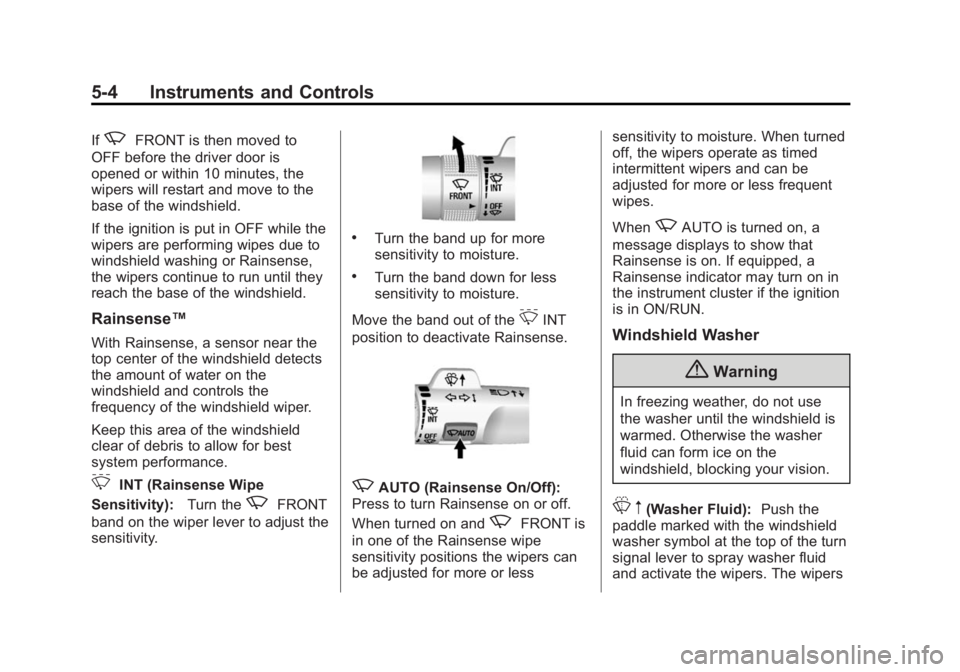
Rainsense™
With Rainsense, a sensor near the
top center of the windshield detects
the amount of water on the
windshield and controls the
frequency of the windshield wiper.
Keep this area of the windshield
clear of debris to allow for best
system performance.
3INT (Rainsense Wipe
Sensitivity): Turn the
zFRONT
band on the wiper lever to adjust the
sensitivity.
.Turn the band up for more
sensitivity to moisture.
.Turn the band down for less
sensitivity to moisture.
Move the band out of the
3INT
position to deactivate Rainsense.
zAUTO (Rainsense On/Off):
Press to turn Rainsense on or off.
When turned on and
zFRONT is
in one of the Rainsense wipe
sensitivity positions the wipers can
be adjusted for more or less sensitivity to moisture. When turned
off, the wipers operate as timed
intermittent wipers and can be
adjusted for more or less frequent
wipes.
When
zAUTO is turned on, a
message displays to show that
Rainsense is on. If equipped, a
Rainsense indicator may turn on in
the instrument cluster if the ignition
is in ON/RUN.
Windshield Washer
{Warning
In freezing weather, do not use
the washer until the windshield is
warmed. Otherwise the washer
fluid can form ice on the
windshield, blocking your vision.
L m(Washer Fluid): Push the
paddle marked with the windshield
washer symbol at the top of the turn
signal lever to spray washer fluid
and activate the wipers. The wipers
Page 182 of 455
Black plate (45,1)GMC Yukon/Yukon XL Owner Manual (GMNA-Localizing-U.S./Canada/
Mexico-7063682) - 2015 - crc - 6/5/14
Instruments and Controls 5-45
Audio Cue Volume
This feature sets the volume of
audio files played at system startup
and shutdown.
Select On, then press + or−to
increase or decrease the volume.
Vehicle
Select and the following may
display:
.Climate and Air Quality
.Collision/Detection Systems
.Comfort and Convenience
.Lighting
.Power Door Locks
.Remote Lock, Unlock, Start
Climate and Air Quality
Select the Climate and Air Quality
menu and the following may display:
.Auto Fan Max Speed
.Auto Compartment Zone Temp
.Auto Defog
.Auto Rear Defog
Auto Fan Max Speed
This feature will set the maximum
auto fan speed.
Select Low, Medium, or High.
Auto Compartment Zone Temp
This feature allows for selection of
the compartment zone temperature
setting when the vehicle is
restarted.
Select Single Zone, Dual Zone,
or Last Setting.
Auto Defog
When set to on, the front defog will
automatically come on when the
vehicle is started.
Select Off or On.
Auto Rear Defog
If equipped, this feature will
automatically turn on the rear
window defogger when it is cold
outside.
Select Off or On.Collision/Detection Systems
Select the Collision/Detection
Systems menu and the following
may display:
.Alert Type
.Auto Collision Preparation
.Park Assist
.Side Blind Zone Alert
.Rear Cross Traffic Alert
Alert Type
This feature will set crash alerts to
beeps or seat vibrations. This
setting affects all crash alerts
including Forward Collision Alert,
Lane Departure Warning, and Park
Assist alerts.
Select Beeps or Safety Alert Seat.
Auto Collision Preparation
This feature will turn on or off the
Forward Collision Alert feature as
well as the automatic braking
capability of the Auto Collision
Preparation feature. With the Alert
and Brake setting, both Forward
Page 184 of 455
Black plate (47,1)GMC Yukon/Yukon XL Owner Manual (GMNA-Localizing-U.S./Canada/
Mexico-7063682) - 2015 - crc - 6/5/14
Instruments and Controls 5-47
Auto Mirror Folding
When on, the outside rearview
mirrors will automatically fold or
unfold when the Remote Keyless
Entry (RKE) transmitter
QorK
button is pressed and held.
Select Off or On.
Auto Wipe in Reverse Gear
When on, the rear wiper will
automatically activate when the
vehicle is shifted to R (Reverse).
Select Off or On.
Lighting
Select the Lighting menu and the
following may display:
.Vehicle Locator Lights
.Exit Lighting
Vehicle Locator Lights
This feature will flash the exterior
lights when
Kon the Remote
Keyless Entry (RKE) transmitter is
pressed to locate the vehicle. Select On or Off.
Exit Lighting
This allows the selection of how
long the exterior lamps stay on
when leaving the vehicle when it is
dark outside.
Select Off, 30 Seconds, 60
Seconds, or 120 Seconds.
Power Door Locks
Select Power Door Locks and the
following may display:
.Unlocked Door Anti-Lockout
.Auto Door Unlock
.Delayed Door Lock
Unlocked Door Anti-Lockout
When on, this feature will keep the
driver door from locking when the
door is open and the key is in the
ignition. If Off is selected, the
Delayed Door Lock menu will be
available.
Select On or Off. Auto Door Unlock
This allows selection of which of the
doors will automatically unlock when
the vehicle is shifted into P (Park).
Select Off, All Doors, or Driver Door.
Delayed Door Lock
When on, this feature will delay the
locking of the doors. To override the
delay, press the power door lock
switch on the door.
Select On or Off.
Remote Lock, Unlock, Start
Select Remote Lock, Unlock, Start
and the following may display:
.Remote Unlock Light Feedback
.Remote Lock Feedback
.Remote Door Unlock
.Remote Start Auto Cool Seats
.Remote Start Auto Heat Seats
.Passive Door Unlock
.Passive Door Lock
.Remote Left in Vehicle Alert