ECU GMC YUKON 2015 Owner's Manual
[x] Cancel search | Manufacturer: GMC, Model Year: 2015, Model line: YUKON, Model: GMC YUKON 2015Pages: 455, PDF Size: 4.72 MB
Page 2 of 455
Black plate (1,1)GMC Yukon/Yukon XL Owner Manual (GMNA-Localizing-U.S./Canada/
Mexico-7063682) - 2015 - crc - 6/5/14
2015 GMC Yukon/Yukon XL Owner ManualM
In Brief. . . . . . . . . . . . . . . . . . . . . . . . 1-1
Instrument Panel . . . . . . . . . . . . . . 1-2
Initial Drive Information . . . . . . . . 1-4
Vehicle Features . . . . . . . . . . . . . 1-18
Performance and Maintenance . . . . . . . . . . . . . . . . 1-22
Keys, Doors, and Windows . . . . . . . . . . . . . . . . . . . . 2-1
Keys and Locks . . . . . . . . . . . . . . . 2-2
Doors . . . . . . . . . . . . . . . . . . . . . . . . 2-17
Vehicle Security . . . . . . . . . . . . . . 2-22
Exterior Mirrors . . . . . . . . . . . . . . . 2-26
Interior Mirrors . . . . . . . . . . . . . . . . 2-29
Windows . . . . . . . . . . . . . . . . . . . . . 2-30
Roof . . . . . . . . . . . . . . . . . . . . . . . . . . 2-33
Seats and Restraints . . . . . . . . . 3-1
Head Restraints . . . . . . . . . . . . . . . 3-2
Front Seats . . . . . . . . . . . . . . . . . . . . 3-3
Rear Seats . . . . . . . . . . . . . . . . . . . . 3-9
Safety Belts . . . . . . . . . . . . . . . . . . 3-18
Airbag System . . . . . . . . . . . . . . . . 3-28
Child Restraints . . . . . . . . . . . . . . 3-42 Storage
. . . . . . . . . . . . . . . . . . . . . . . 4-1
Storage Compartments . . . . . . . . 4-1
Additional Storage Features . . . 4-3
Roof Rack System . . . . . . . . . . . . . 4-4
Instruments and Controls . . . . 5-1
Controls . . . . . . . . . . . . . . . . . . . . . . . 5-2
Warning Lights, Gauges, and
Indicators . . . . . . . . . . . . . . . . . . . . 5-9
Information Displays . . . . . . . . . . 5-27
Vehicle Messages . . . . . . . . . . . . 5-30
Vehicle Personalization . . . . . . . 5-43
Universal Remote System . . . . 5-50
Lighting . . . . . . . . . . . . . . . . . . . . . . . 6-1
Exterior Lighting . . . . . . . . . . . . . . . 6-1
Interior Lighting . . . . . . . . . . . . . . . . 6-6
Lighting Features . . . . . . . . . . . . . . 6-7
Infotainment System . . . . . . . . . 7-1
Introduction . . . . . . . . . . . . . . . . . . . . 7-1 Climate Controls
. . . . . . . . . . . . . 8-1
Climate Control Systems . . . . . . 8-1
Air Vents . . . . . . . . . . . . . . . . . . . . . . . 8-6
Maintenance . . . . . . . . . . . . . . . . . . . 8-7
Driving and Operating . . . . . . . . 9-1
Driving Information . . . . . . . . . . . . . 9-2
Starting and Operating . . . . . . . 9-19
Engine Exhaust . . . . . . . . . . . . . . 9-30
Automatic Transmission . . . . . . 9-31
Drive Systems . . . . . . . . . . . . . . . . 9-36
Brakes . . . . . . . . . . . . . . . . . . . . . . . 9-41
Ride Control Systems . . . . . . . . 9-44
Cruise Control . . . . . . . . . . . . . . . . 9-48
Driver Assistance Systems . . . 9-58
Fuel . . . . . . . . . . . . . . . . . . . . . . . . . . 9-70
Trailer Towing . . . . . . . . . . . . . . . . 9-74
Conversions and Add-Ons . . . 9-89
Vehicle Care . . . . . . . . . . . . . . . . . 10-1
General Information . . . . . . . . . . 10-2
Vehicle Checks . . . . . . . . . . . . . . . 10-3
Headlamp Aiming . . . . . . . . . . . 10-29
Bulb Replacement . . . . . . . . . . 10-30
Electrical System . . . . . . . . . . . . 10-33
Wheels and Tires . . . . . . . . . . . 10-44
Page 28 of 455
Black plate (21,1)GMC Yukon/Yukon XL Owner Manual (GMNA-Localizing-U.S./Canada/
Mexico-7063682) - 2015 - crc - 6/5/14
In Brief 1-21
The vehicle may have up to five
accessory power outlets:
Vehicles with a Center Console
.One in front of the cupholders on
the center console.
.One inside the center storage
console.
.One on the rear of the center
storage console.
.One in the third row seat on the
driver side.
.One in the rear cargo area on
the passenger side.
Vehicles with Bench Seats
.One on the center stack below
the climate control system.
.One or two in the storage area
on the bench seat.
.One in the third row seat area on
the driver side.
.One in the rear cargo area on
the passenger side. Lift the cover to access and replace
when not in use.
See
Power Outlets on page 5-7.
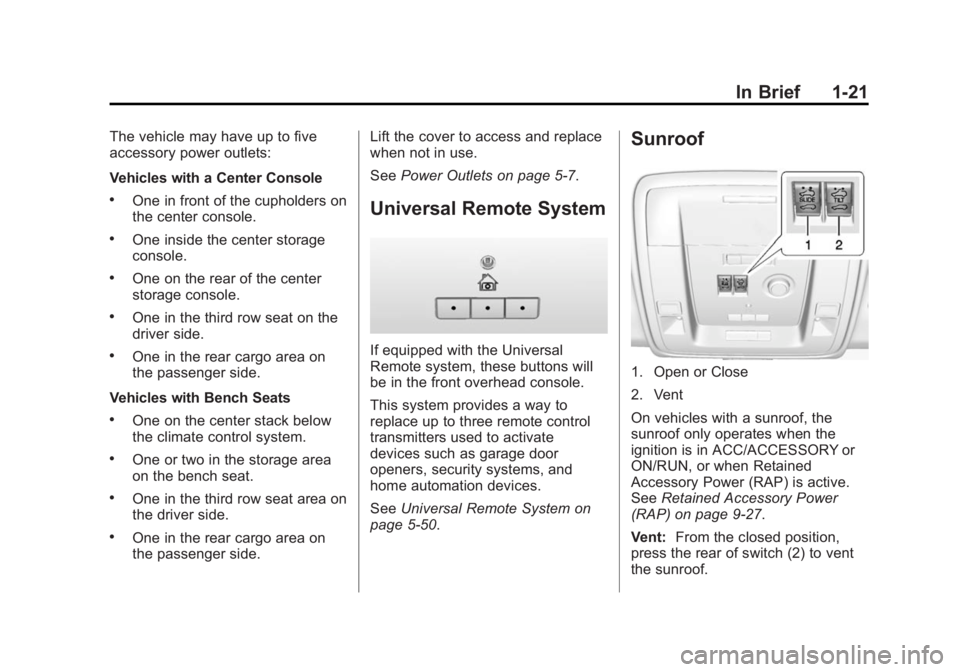
Universal Remote System
If equipped with the Universal
Remote system, these buttons will
be in the front overhead console.
This system provides a way to
replace up to three remote control
transmitters used to activate
devices such as garage door
openers, security systems, and
home automation devices.
SeeUniversal Remote System on
page 5-50.
Sunroof
1. Open or Close
2. Vent
On vehicles with a sunroof, the
sunroof only operates when the
ignition is in ACC/ACCESSORY or
ON/RUN, or when Retained
Accessory Power (RAP) is active.
See Retained Accessory Power
(RAP) on page 9-27.
Vent: From the closed position,
press the rear of switch (2) to vent
the sunroof.
Page 32 of 455
Black plate (25,1)GMC Yukon/Yukon XL Owner Manual (GMNA-Localizing-U.S./Canada/
Mexico-7063682) - 2015 - crc - 6/5/14
In Brief 1-25
OnStar®
This vehicle may be equipped with a
comprehensive, in-vehicle system
that can connect to a live OnStar
Advisor for Emergency, Security,
Navigation, Connection, and
Diagnostic Services. OnStar
services may require a paid
subscription. SeeOnStar Overview
on page 14-1.
Page 34 of 455
Black plate (1,1)GMC Yukon/Yukon XL Owner Manual (GMNA-Localizing-U.S./Canada/
Mexico-7063682) - 2015 - crc - 6/5/14
Keys, Doors, and Windows 2-1
Keys, Doors, and
Windows
Keys and Locks
Keys . . . . . . . . . . . . . . . . . . . . . . . . . . 2-2
Remote Keyless Entry (RKE)System . . . . . . . . . . . . . . . . . . . . . . 2-4
Remote Keyless Entry (RKE) System Operation (Key
Access) . . . . . . . . . . . . . . . . . . . . . 2-5
Remote Keyless Entry (RKE) System Operation (Keyless
Access) . . . . . . . . . . . . . . . . . . . . . 2-7
Remote Vehicle Start . . . . . . . . 2-14
Door Locks . . . . . . . . . . . . . . . . . . 2-15
Power Door Locks . . . . . . . . . . . 2-16
Delayed Locking . . . . . . . . . . . . . 2-16 Automatic Door Locks . . . . . . . 2-17
Lockout Protection . . . . . . . . . . . 2-17
Safety Locks . . . . . . . . . . . . . . . . . 2-17
Doors
Liftgate . . . . . . . . . . . . . . . . . . . . . . 2-17
Power Assist Steps . . . . . . . . . . 2-22
Vehicle Security
Vehicle Security . . . . . . . . . . . . . . 2-22
Vehicle Alarm System . . . . . . . 2-22
Immobilizer . . . . . . . . . . . . . . . . . . 2-24
Immobilizer Operation (Key
Access) . . . . . . . . . . . . . . . . . . . . 2-24
Immobilizer Operation (Keyless Access) . . . . . . . . . . . 2-25
Exterior Mirrors
Convex Mirrors . . . . . . . . . . . . . . 2-26
Power Mirrors . . . . . . . . . . . . . . . . 2-27 Folding Mirrors . . . . . . . . . . . . . . . 2-27
Heated Mirrors . . . . . . . . . . . . . . . 2-28
Automatic Dimming Mirror . . . 2-28
Blind Spot Mirrors . . . . . . . . . . . 2-28
Reverse Tilt Mirrors . . . . . . . . . . 2-29
Interior Mirrors
Interior Rearview Mirrors . . . . . 2-29
Manual Rearview Mirror . . . . . . 2-29
Automatic Dimming Rearview
Mirror . . . . . . . . . . . . . . . . . . . . . . . 2-30
Child-View Mirror . . . . . . . . . . . . 2-30
Windows
Windows . . . . . . . . . . . . . . . . . . . . . 2-30
Power Windows . . . . . . . . . . . . . 2-31
Sun Visors . . . . . . . . . . . . . . . . . . . 2-33
Roof
Sunroof . . . . . . . . . . . . . . . . . . . . . . 2-33
Page 36 of 455
Black plate (3,1)GMC Yukon/Yukon XL Owner Manual (GMNA-Localizing-U.S./Canada/
Mexico-7063682) - 2015 - crc - 6/5/14
Keys, Doors, and Windows 2-3
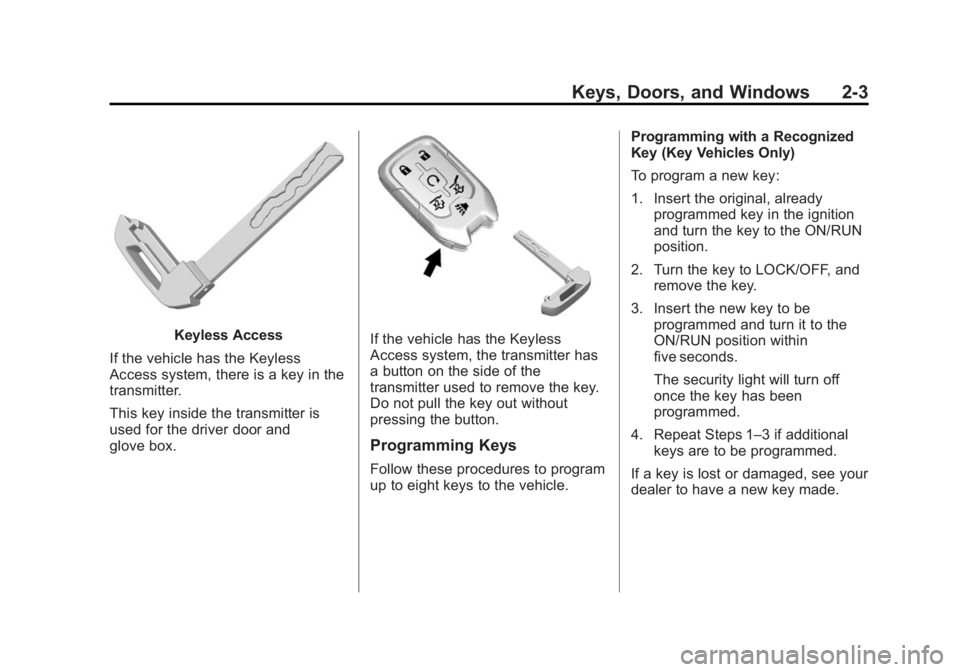
Keyless Access
If the vehicle has the Keyless
Access system, there is a key in the
transmitter.
This key inside the transmitter is
used for the driver door and
glove box.If the vehicle has the Keyless
Access system, the transmitter has
a button on the side of the
transmitter used to remove the key.
Do not pull the key out without
pressing the button.
Programming Keys
Follow these procedures to program
up to eight keys to the vehicle. Programming with a Recognized
Key (Key Vehicles Only)
To program a new key:
1. Insert the original, already
programmed key in the ignition
and turn the key to the ON/RUN
position.
2. Turn the key to LOCK/OFF, and remove the key.
3. Insert the new key to be programmed and turn it to the
ON/RUN position within
five seconds.
The security light will turn off
once the key has been
programmed.
4. Repeat Steps 1–3 if additional keys are to be programmed.
If a key is lost or damaged, see your
dealer to have a new key made.
Page 37 of 455
Black plate (4,1)GMC Yukon/Yukon XL Owner Manual (GMNA-Localizing-U.S./Canada/
Mexico-7063682) - 2015 - crc - 6/5/14
2-4 Keys, Doors, and Windows
Programming without a
Recognized Key (Key
Vehicles Only)
Program a new key to the vehicle
when a recognized key is not
available. Canadian regulations
require that Canadian owners see
their dealer.
If there are no currently recognized
keys available, follow this procedure
to program the first key.
This procedure will take
approximately 30 minutes to
complete for the first key. The
vehicle must be off and all of the
keys must be with you.
1. Insert the new vehicle key intothe ignition.
2. Turn to ON/RUN. The security light will come on.
3. Wait 10 minutes until the security light turns off.
4. Turn the ignition to LOCK/OFF. 5. Repeat Steps 2–4 two more
times. After the third time, turn to
ON/RUN; the key is learned and
all previously known keys will no
longer work with the vehicle.
Remaining keys can be learned by
following the procedure in
“Programming with a Recognized
Key (Key Vehicles Only).”
The key has a bar-coded key tag
that the dealer or qualified locksmith
can use to make new keys. Store
this information in a safe place, not
in the vehicle.
See your dealer if a replacement
key or additional key is needed.
If it becomes difficult to turn a key,
inspect the key blade for debris.
Periodically clean with a brush
or pick.
With an active OnStar subscription,
an OnStar Advisor may remotely
unlock the vehicle. See OnStar
Overview on page 14-1.Remote Keyless Entry
(RKE) System
See Radio Frequency Statement on
page 13-12.
If there is a decrease in the RKE
operating range:
.Check the distance. The
transmitter may be too far from
the vehicle.
.Check the location. Other
vehicles or objects may be
blocking the signal.
.Check the transmitter's battery.
See “Battery Replacement” later
in this section.
.If the transmitter is still not
working correctly, see your
dealer or a qualified technician
for service.
Page 55 of 455
Black plate (22,1)GMC Yukon/Yukon XL Owner Manual (GMNA-Localizing-U.S./Canada/
Mexico-7063682) - 2015 - crc - 6/5/14
2-22 Keys, Doors, and Windows
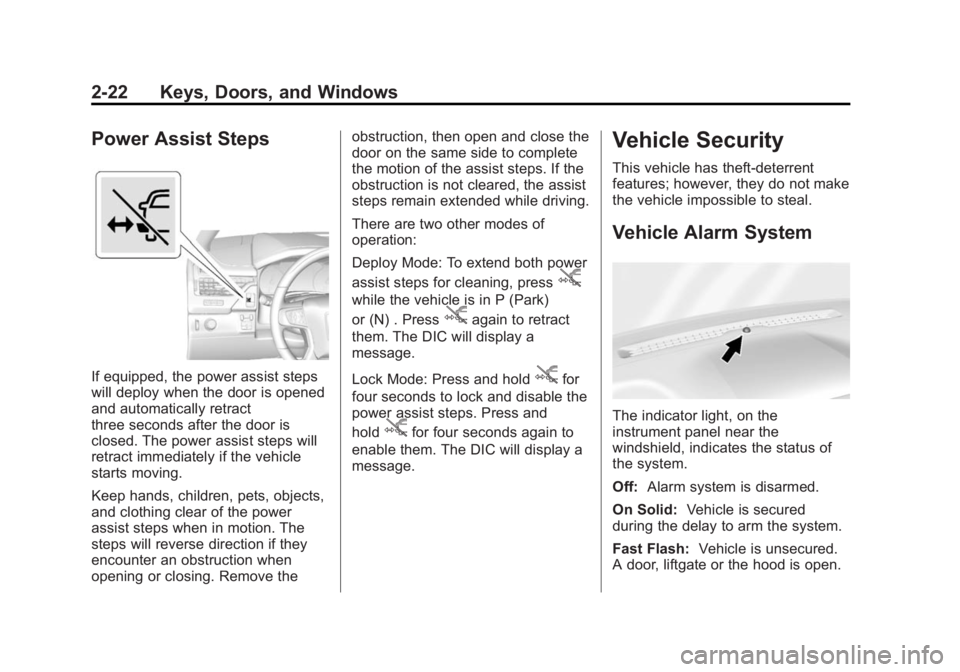
Power Assist Steps
If equipped, the power assist steps
will deploy when the door is opened
and automatically retract
three seconds after the door is
closed. The power assist steps will
retract immediately if the vehicle
starts moving.
Keep hands, children, pets, objects,
and clothing clear of the power
assist steps when in motion. The
steps will reverse direction if they
encounter an obstruction when
opening or closing. Remove theobstruction, then open and close the
door on the same side to complete
the motion of the assist steps. If the
obstruction is not cleared, the assist
steps remain extended while driving.
There are two other modes of
operation:
Deploy Mode: To extend both power
assist steps for cleaning, press
j
while the vehicle is in P (Park)
or (N) . Press
jagain to retract
them. The DIC will display a
message.
Lock Mode: Press and hold
jfor
four seconds to lock and disable the
power assist steps. Press and
hold
jfor four seconds again to
enable them. The DIC will display a
message.
Vehicle Security
This vehicle has theft-deterrent
features; however, they do not make
the vehicle impossible to steal.
Vehicle Alarm System
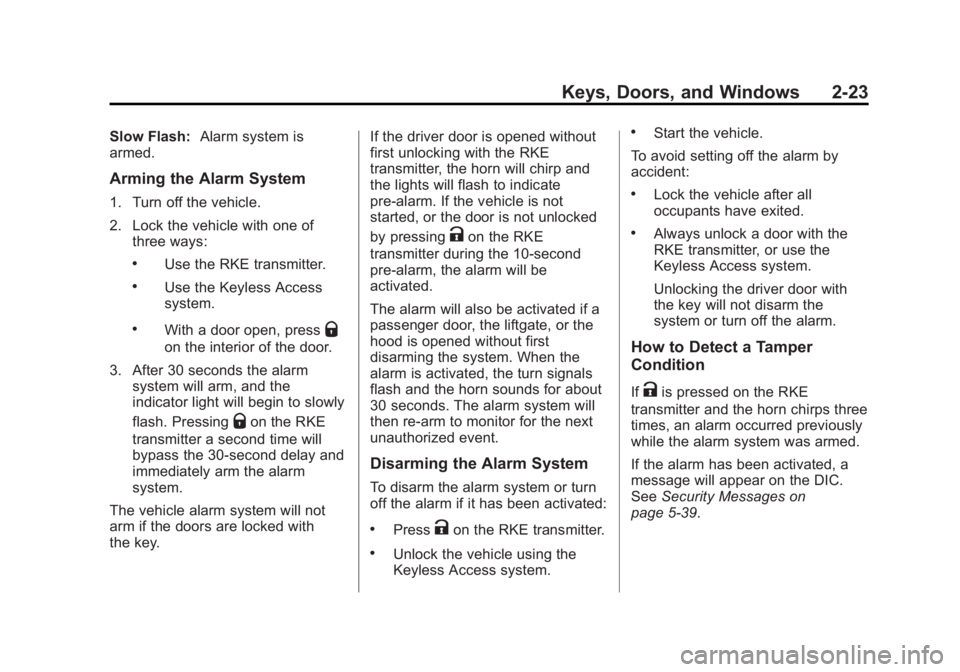
The indicator light, on the
instrument panel near the
windshield, indicates the status of
the system.
Off: Alarm system is disarmed.
On Solid: Vehicle is secured
during the delay to arm the system.
Fast Flash: Vehicle is unsecured.
A door, liftgate or the hood is open.
Page 56 of 455
Black plate (23,1)GMC Yukon/Yukon XL Owner Manual (GMNA-Localizing-U.S./Canada/
Mexico-7063682) - 2015 - crc - 6/5/14
Keys, Doors, and Windows 2-23
Slow Flash:Alarm system is
armed.
Arming the Alarm System
1. Turn off the vehicle.
2. Lock the vehicle with one of
three ways:
.Use the RKE transmitter.
.Use the Keyless Access
system.
.With a door open, pressQ
on the interior of the door.
3. After 30 seconds the alarm system will arm, and the
indicator light will begin to slowly
flash. Pressing
Qon the RKE
transmitter a second time will
bypass the 30-second delay and
immediately arm the alarm
system.
The vehicle alarm system will not
arm if the doors are locked with
the key. If the driver door is opened without
first unlocking with the RKE
transmitter, the horn will chirp and
the lights will flash to indicate
pre-alarm. If the vehicle is not
started, or the door is not unlocked
by pressing
Kon the RKE
transmitter during the 10-second
pre-alarm, the alarm will be
activated.
The alarm will also be activated if a
passenger door, the liftgate, or the
hood is opened without first
disarming the system. When the
alarm is activated, the turn signals
flash and the horn sounds for about
30 seconds. The alarm system will
then re-arm to monitor for the next
unauthorized event.
Disarming the Alarm System
To disarm the alarm system or turn
off the alarm if it has been activated:
.PressKon the RKE transmitter.
.Unlock the vehicle using the
Keyless Access system.
.Start the vehicle.
To avoid setting off the alarm by
accident:
.Lock the vehicle after all
occupants have exited.
.Always unlock a door with the
RKE transmitter, or use the
Keyless Access system.
Unlocking the driver door with
the key will not disarm the
system or turn off the alarm.
How to Detect a Tamper
Condition
IfKis pressed on the RKE
transmitter and the horn chirps three
times, an alarm occurred previously
while the alarm system was armed.
If the alarm has been activated, a
message will appear on the DIC.
See Security Messages on
page 5-39.
Page 57 of 455
Black plate (24,1)GMC Yukon/Yukon XL Owner Manual (GMNA-Localizing-U.S./Canada/
Mexico-7063682) - 2015 - crc - 6/5/14
2-24 Keys, Doors, and Windows
Intrusion Sensor and
Inclination Sensor
In addition to the standard
theft-deterrent system features, this
system may also have an inclination
sensor and intrusion sensor.
The inclination sensor can set off
the alarm if it senses movement of
the vehicle, such as a change in
vehicle orientation.
The intrusion sensor monitors the
vehicle interior, and can activate the
alarm if it senses unauthorized entry
into the vehicle’s interior. Do not
allow passengers or pets to remain
in the vehicle when the intrusion
sensor is activated.
Before arming the theft-deterrent
system and activating the intrusion
sensor:
.Make sure all doors and
windows are completely closed.
.Secure any loose items such as
a sunshades.
.Make sure there are no
obstructions blocking the
sensors in the front overhead
console.
.Close DVD screens before
leaving the vehicle.
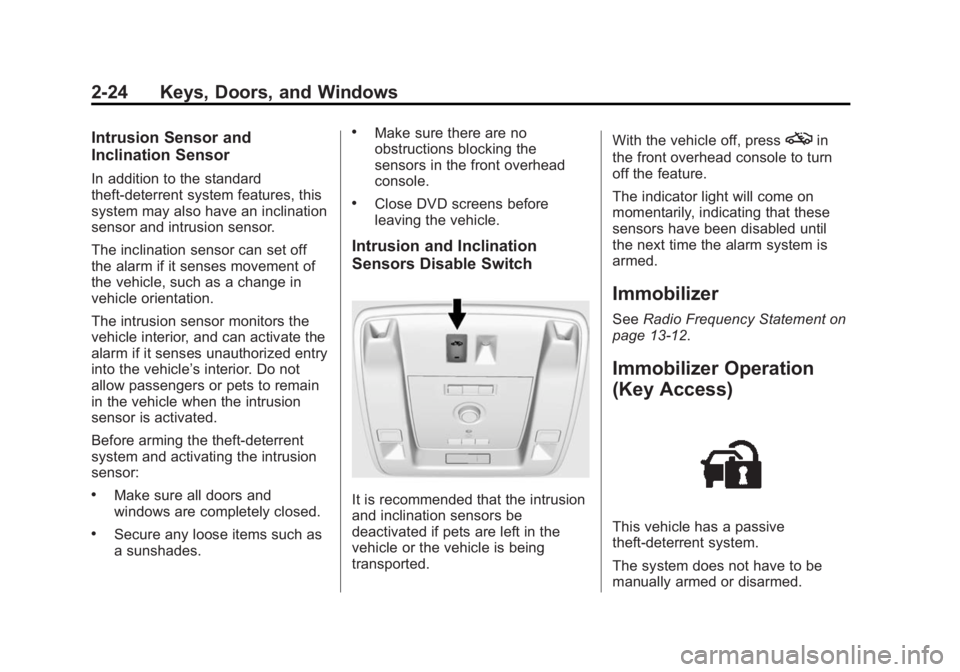
Intrusion and Inclination
Sensors Disable Switch
It is recommended that the intrusion
and inclination sensors be
deactivated if pets are left in the
vehicle or the vehicle is being
transported.With the vehicle off, press
oin
the front overhead console to turn
off the feature.
The indicator light will come on
momentarily, indicating that these
sensors have been disabled until
the next time the alarm system is
armed.
Immobilizer
See Radio Frequency Statement on
page 13-12.
Immobilizer Operation
(Key Access)
This vehicle has a passive
theft-deterrent system.
The system does not have to be
manually armed or disarmed.
Page 58 of 455
Black plate (25,1)GMC Yukon/Yukon XL Owner Manual (GMNA-Localizing-U.S./Canada/
Mexico-7063682) - 2015 - crc - 6/5/14
Keys, Doors, and Windows 2-25
The vehicle is automatically
immobilized when the vehicle is
turned off.
The system is automatically
disarmed when the key is turned to
ON/RUN, ACC/ACCESSORY,
or START from the LOCK/OFF
position.
The security light, in the instrument
cluster, comes on if there is a
problem with arming or disarming
the theft-deterrent system.
When trying to start the vehicle, the
security light comes on briefly when
the ignition is turned on.
If the engine does not start and the
security light stays on, there is a
problem with the system. Turn the
ignition off and try again.
If the engine still does not start, and
the key appears to be undamaged,
try another ignition key. It may be
necessary to check the fuse. See
Fuses on page 10-34. If the engine
still does not start with the other key,the vehicle needs service. If the
vehicle does start, the first key may
be faulty. See your dealer.
It is possible for the immobilizer
system to learn new or replacement
keys. Up to eight keys can be
programmed for the vehicle. To
program additional keys, see
Keys
on page 2-2. To program additional
transmitters, see Remote Keyless
Entry (RKE) System Operation
(Keyless Access) on page 2-7 or
Remote Keyless Entry (RKE)
System Operation (Key Access) on
page 2-5.
Do not leave the key or device that
disarms or deactivates the vehicle
theft system in the vehicle.
See your dealer to get a new key
blank cut exactly as the ignition key
that operates the system.Immobilizer Operation
(Keyless Access)
This vehicle has a passive
theft-deterrent system.
The system does not have to be
manually armed or disarmed.
The vehicle is automatically
immobilized when the transmitter
leaves the vehicle.
The immobilization system is
disarmed when the ignition button is
pressed in and a valid transmitter is
found in the vehicle.
The security light in the instrument
cluster comes on if there is a
problem with arming or disarming
the theft-deterrent system.