seat memory GMC YUKON 2018 Owner's Manual
[x] Cancel search | Manufacturer: GMC, Model Year: 2018, Model line: YUKON, Model: GMC YUKON 2018Pages: 431, PDF Size: 6.08 MB
Page 6 of 431
GMC Yukon/Yukon XL/Denali Owner Manual (GMNA-Localizing-U.S./
Canada/Mexico-11349262) - 2018 - CRC - 11/3/17
In Brief 5
In Brief
Instrument Panel
Instrument Panel . . . . . . . . . . . . . . . . 6
Initial Drive Information
Initial Drive Information . . . . . . . . . . 8
Remote Keyless Entry (RKE)System . . . . . . . . . . . . . . . . . . . . . . . . 8
Remote Vehicle Start . . . . . . . . . . . 9
Door Locks . . . . . . . . . . . . . . . . . . . . . 9
Liftgate . . . . . . . . . . . . . . . . . . . . . . . . 10
Windows . . . . . . . . . . . . . . . . . . . . . . . 11
Seat Adjustment . . . . . . . . . . . . . . . 11
Memory Features . . . . . . . . . . . . . . 12
Second Row Seats . . . . . . . . . . . . 13
Third Row Seats . . . . . . . . . . . . . . . 13
Heated and Ventilated Seats . . . 13
Head Restraint Adjustment . . . . 13
Seat Belts . . . . . . . . . . . . . . . . . . . . . 14
Passenger Sensing System . . . 14
Mirror Adjustment . . . . . . . . . . . . . . 14
Steering Wheel Adjustment . . . . 15
Throttle and Brake Pedal Adjustment . . . . . . . . . . . . . . . . . . . 16
Interior Lighting . . . . . . . . . . . . . . . . 16
Exterior Lighting . . . . . . . . . . . . . . . 17
Windshield Wiper/Washer . . . . . . 18
Climate Controls . . . . . . . . . . . . . . . 18 Transmission . . . . . . . . . . . . . . . . . . 19
Four-Wheel Drive . . . . . . . . . . . . . . 19
Vehicle Features
Infotainment System . . . . . . . . . . . 20
Steering Wheel Controls . . . . . . . 20
Cruise Control . . . . . . . . . . . . . . . . . 21
Driver Information
Center (DIC) . . . . . . . . . . . . . . . . . 21
Forward Collision Alert (FCA) System . . . . . . . . . . . . . . . . . . . . . . . 21
Forward Automatic Braking (FAB) . . . . . . . . . . . . . . . . 22
Lane Keep Assist (LKA) . . . . . . . 22
Lane Change Alert (LCA) . . . . . . 22
Rear Vision Camera (RVC) . . . . 22
Rear Cross Traffic Alert (RCTA) System . . . . . . . . . . . . . . . . . . . . . . . 22
Parking Assist . . . . . . . . . . . . . . . . . 23
Power Outlets . . . . . . . . . . . . . . . . . 23
Universal Remote System . . . . . 23
Sunroof . . . . . . . . . . . . . . . . . . . . . . . . 24
Performance and Maintenance
Traction Control/Electronic Stability Control . . . . . . . . . . . . . . 25
Tire Pressure Monitor . . . . . . . . . . 25
Fuel (L83 5.3L V8 Engine) . . . . . 26
Fuel (L86 6.2L V8 Engine) . . . . . 26
E85 or FlexFuel . . . . . . . . . . . . . . . . 26
Engine Oil Life System . . . . . . . . 26 Driving for Better Fuel
Economy . . . . . . . . . . . . . . . . . . . . . 27
Roadside Assistance Program . . . . . . . . . . . . . . . . . . . . . . 27
Page 13 of 431
GMC Yukon/Yukon XL/Denali Owner Manual (GMNA-Localizing-U.S./
Canada/Mexico-11349262) - 2018 - CRC - 11/3/17
12 In Brief
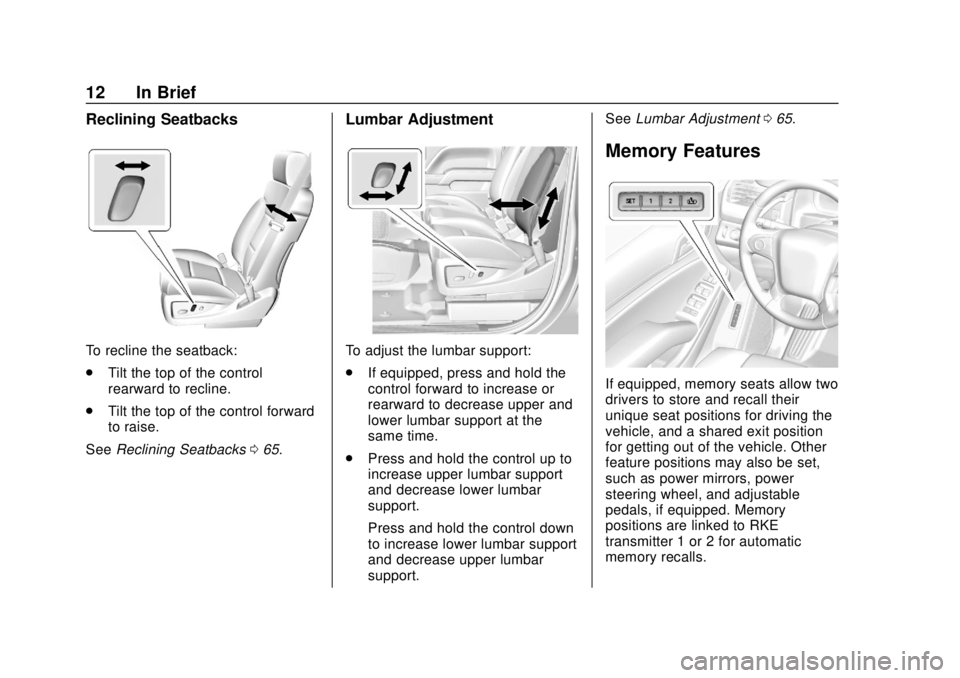
Reclining Seatbacks
To recline the seatback:
.Tilt the top of the control
rearward to recline.
. Tilt the top of the control forward
to raise.
See Reclining Seatbacks 065.
Lumbar Adjustment
To adjust the lumbar support:
.
If equipped, press and hold the
control forward to increase or
rearward to decrease upper and
lower lumbar support at the
same time.
. Press and hold the control up to
increase upper lumbar support
and decrease lower lumbar
support.
Press and hold the control down
to increase lower lumbar support
and decrease upper lumbar
support. See
Lumbar Adjustment 065.
Memory Features
If equipped, memory seats allow two
drivers to store and recall their
unique seat positions for driving the
vehicle, and a shared exit position
for getting out of the vehicle. Other
feature positions may also be set,
such as power mirrors, power
steering wheel, and adjustable
pedals, if equipped. Memory
positions are linked to RKE
transmitter 1 or 2 for automatic
memory recalls.
Page 14 of 431
GMC Yukon/Yukon XL/Denali Owner Manual (GMNA-Localizing-U.S./
Canada/Mexico-11349262) - 2018 - CRC - 11/3/17
In Brief 13
Before storing, adjust all available
memory feature positions. Turn the
ignition on and then press and
release SET; a beep will sound.
Then immediately press and hold 1,
2, or
B(Exit) on the driver door
until two beeps sound. To manually
recall these positions, press and
hold 1, 2, or
Buntil the saved
position is reached.
When Auto Memory Recall is
enabled in vehicle personalization,
positions previously stored to
memory buttons 1 and 2 are
recalled when the ignition is
changed from off to on or ACC/
ACCESSORY.
When Easy Exit Options is enabled
in vehicle personalization, the
feature automatically recalls the
previously stored exit position when
exiting the vehicle. See Memory
Seats 066.
Second Row Seats
The second row seatbacks can be
folded for additional cargo space,
or the seats can be folded and tumbled for easy entry/exit to the
third row seats. The seatbacks also
recline.
See
Second Row Seats 071.
Third Row Seats
Third row seatbacks can be folded.
See Third Row Seats 076.
Heated and Ventilated
Seats
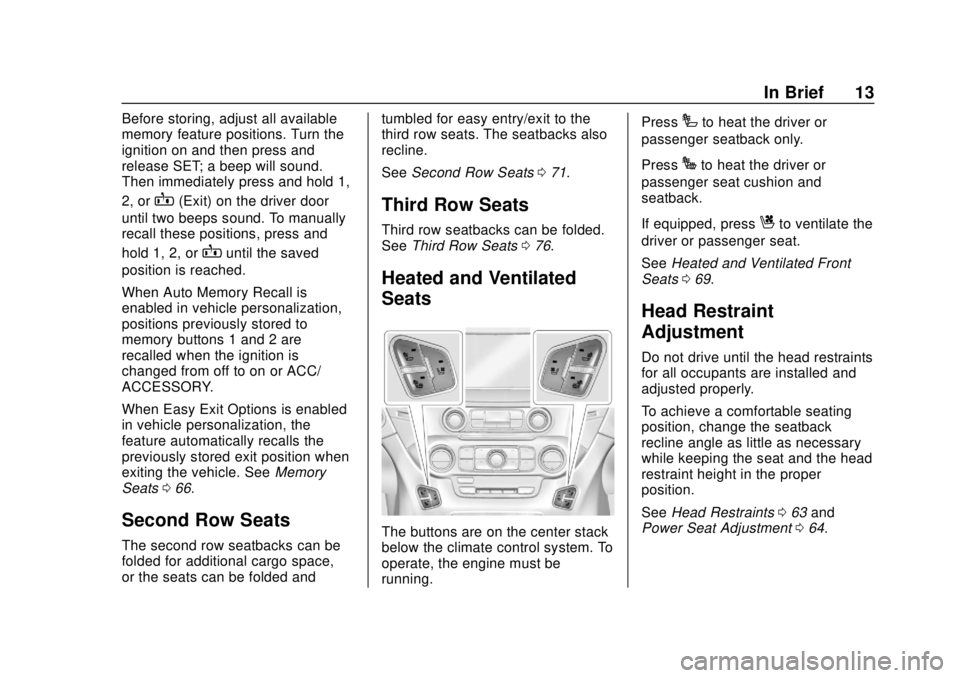
The buttons are on the center stack
below the climate control system. To
operate, the engine must be
running. Press
Ito heat the driver or
passenger seatback only.
Press
Jto heat the driver or
passenger seat cushion and
seatback.
If equipped, press
Cto ventilate the
driver or passenger seat.
See Heated and Ventilated Front
Seats 069.
Head Restraint
Adjustment
Do not drive until the head restraints
for all occupants are installed and
adjusted properly.
To achieve a comfortable seating
position, change the seatback
recline angle as little as necessary
while keeping the seat and the head
restraint height in the proper
position.
See Head Restraints 063 and
Power Seat Adjustment 064.
Page 17 of 431
GMC Yukon/Yukon XL/Denali Owner Manual (GMNA-Localizing-U.S./
Canada/Mexico-11349262) - 2018 - CRC - 11/3/17
16 In Brief
Throttle and Brake Pedal
Adjustment
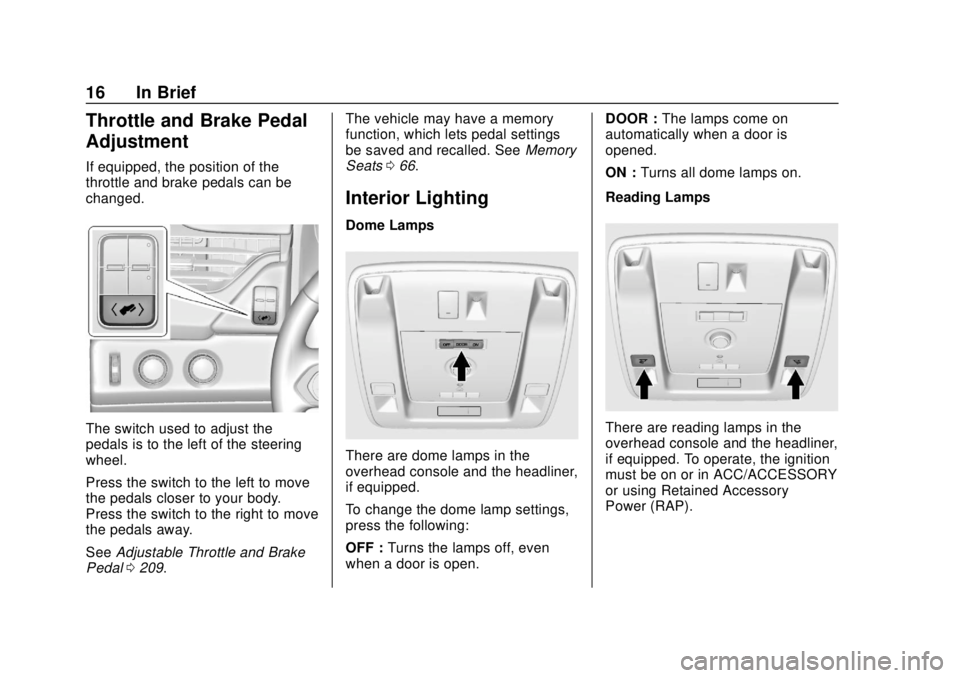
If equipped, the position of the
throttle and brake pedals can be
changed.
The switch used to adjust the
pedals is to the left of the steering
wheel.
Press the switch to the left to move
the pedals closer to your body.
Press the switch to the right to move
the pedals away.
SeeAdjustable Throttle and Brake
Pedal 0209. The vehicle may have a memory
function, which lets pedal settings
be saved and recalled. See
Memory
Seats 066.
Interior Lighting
Dome Lamps
There are dome lamps in the
overhead console and the headliner,
if equipped.
To change the dome lamp settings,
press the following:
OFF : Turns the lamps off, even
when a door is open. DOOR :
The lamps come on
automatically when a door is
opened.
ON : Turns all dome lamps on.
Reading Lamps
There are reading lamps in the
overhead console and the headliner,
if equipped. To operate, the ignition
must be on or in ACC/ACCESSORY
or using Retained Accessory
Power (RAP).
Page 22 of 431
GMC Yukon/Yukon XL/Denali Owner Manual (GMNA-Localizing-U.S./
Canada/Mexico-11349262) - 2018 - CRC - 11/3/17
In Brief 21
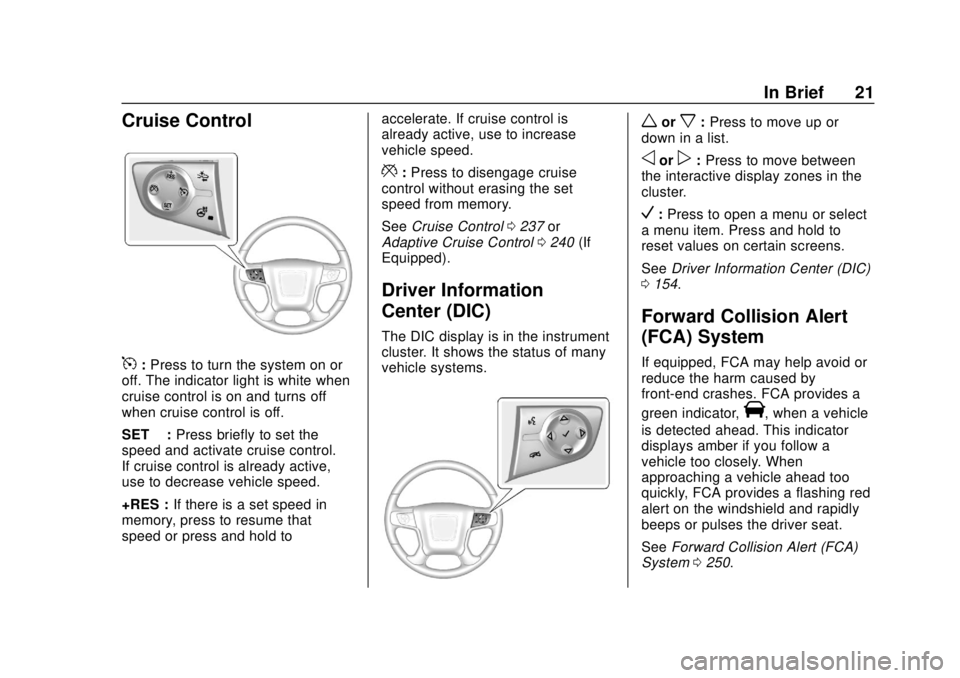
Cruise Control
5:Press to turn the system on or
off. The indicator light is white when
cruise control is on and turns off
when cruise control is off.
SET −:Press briefly to set the
speed and activate cruise control.
If cruise control is already active,
use to decrease vehicle speed.
+RES : If there is a set speed in
memory, press to resume that
speed or press and hold to accelerate. If cruise control is
already active, use to increase
vehicle speed.
*:
Press to disengage cruise
control without erasing the set
speed from memory.
See Cruise Control 0237 or
Adaptive Cruise Control 0240 (If
Equipped).
Driver Information
Center (DIC)
The DIC display is in the instrument
cluster. It shows the status of many
vehicle systems.
worx: Press to move up or
down in a list.
oorp: Press to move between
the interactive display zones in the
cluster.
V: Press to open a menu or select
a menu item. Press and hold to
reset values on certain screens.
See Driver Information Center (DIC)
0 154.
Forward Collision Alert
(FCA) System
If equipped, FCA may help avoid or
reduce the harm caused by
front-end crashes. FCA provides a
green indicator,
V, when a vehicle
is detected ahead. This indicator
displays amber if you follow a
vehicle too closely. When
approaching a vehicle ahead too
quickly, FCA provides a flashing red
alert on the windshield and rapidly
beeps or pulses the driver seat.
See Forward Collision Alert (FCA)
System 0250.
Page 30 of 431
GMC Yukon/Yukon XL/Denali Owner Manual (GMNA-Localizing-U.S./
Canada/Mexico-11349262) - 2018 - CRC - 11/3/17
Keys, Doors, and Windows 29
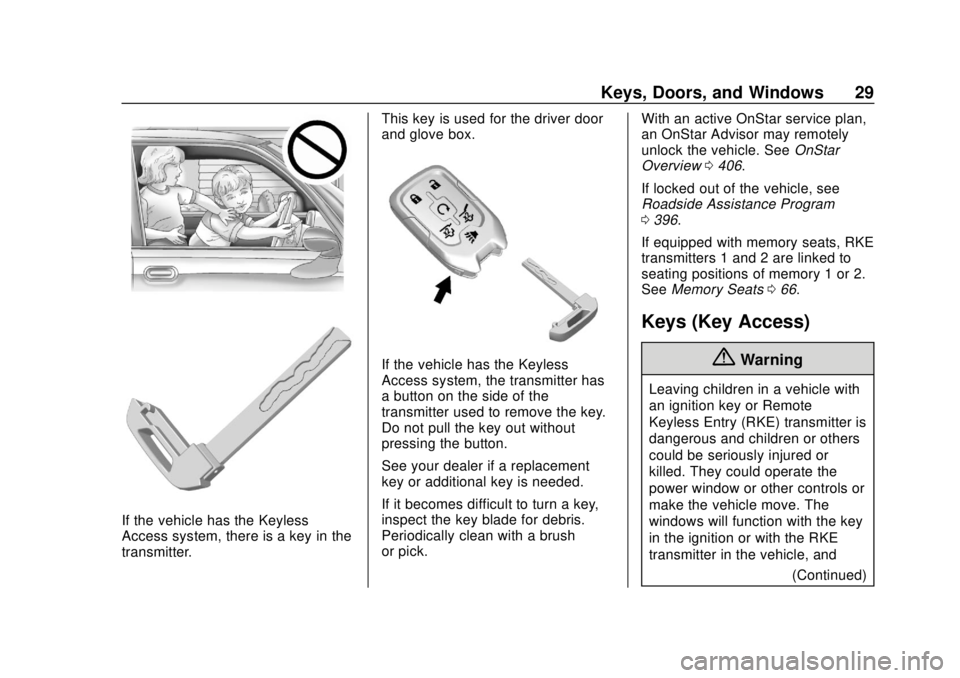
If the vehicle has the Keyless
Access system, there is a key in the
transmitter.This key is used for the driver door
and glove box.
If the vehicle has the Keyless
Access system, the transmitter has
a button on the side of the
transmitter used to remove the key.
Do not pull the key out without
pressing the button.
See your dealer if a replacement
key or additional key is needed.
If it becomes difficult to turn a key,
inspect the key blade for debris.
Periodically clean with a brush
or pick.
With an active OnStar service plan,
an OnStar Advisor may remotely
unlock the vehicle. See
OnStar
Overview 0406.
If locked out of the vehicle, see
Roadside Assistance Program
0 396.
If equipped with memory seats, RKE
transmitters 1 and 2 are linked to
seating positions of memory 1 or 2.
See Memory Seats 066.
Keys (Key Access)
{Warning
Leaving children in a vehicle with
an ignition key or Remote
Keyless Entry (RKE) transmitter is
dangerous and children or others
could be seriously injured or
killed. They could operate the
power window or other controls or
make the vehicle move. The
windows will function with the key
in the ignition or with the RKE
transmitter in the vehicle, and
(Continued)
Page 32 of 431
GMC Yukon/Yukon XL/Denali Owner Manual (GMNA-Localizing-U.S./
Canada/Mexico-11349262) - 2018 - CRC - 11/3/17
Keys, Doors, and Windows 31
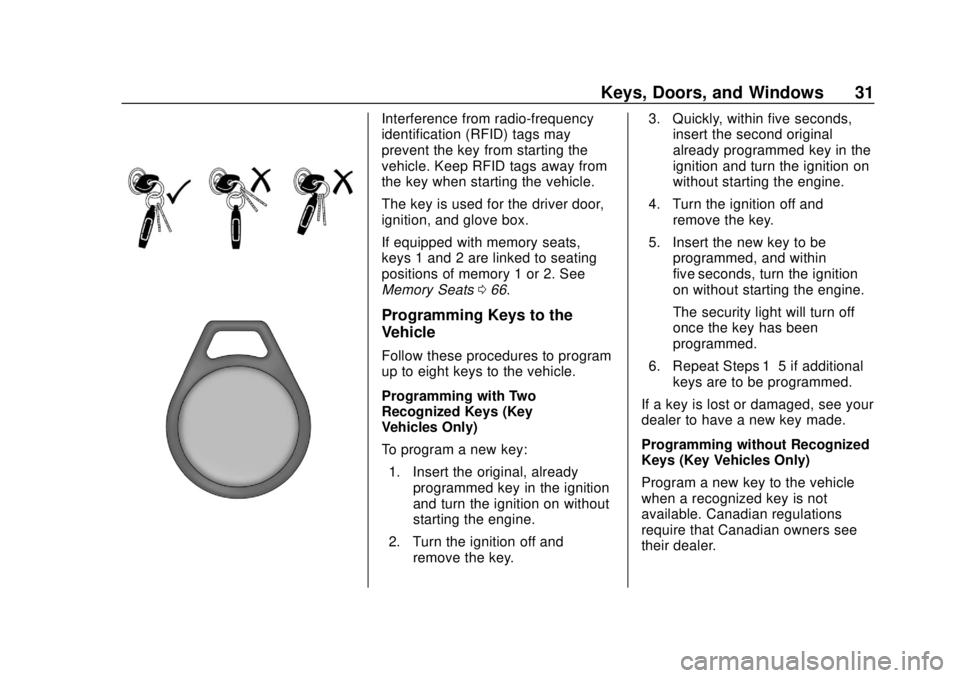
Interference from radio-frequency
identification (RFID) tags may
prevent the key from starting the
vehicle. Keep RFID tags away from
the key when starting the vehicle.
The key is used for the driver door,
ignition, and glove box.
If equipped with memory seats,
keys 1 and 2 are linked to seating
positions of memory 1 or 2. See
Memory Seats066.
Programming Keys to the
Vehicle
Follow these procedures to program
up to eight keys to the vehicle.
Programming with Two
Recognized Keys (Key
Vehicles Only)
To program a new key:
1. Insert the original, already programmed key in the ignition
and turn the ignition on without
starting the engine.
2. Turn the ignition off and remove the key. 3. Quickly, within five seconds,
insert the second original
already programmed key in the
ignition and turn the ignition on
without starting the engine.
4. Turn the ignition off and remove the key.
5. Insert the new key to be programmed, and within
five seconds, turn the ignition
on without starting the engine.
The security light will turn off
once the key has been
programmed.
6. Repeat Steps 1–5 if additional keys are to be programmed.
If a key is lost or damaged, see your
dealer to have a new key made.
Programming without Recognized
Keys (Key Vehicles Only)
Program a new key to the vehicle
when a recognized key is not
available. Canadian regulations
require that Canadian owners see
their dealer.
Page 37 of 431
GMC Yukon/Yukon XL/Denali Owner Manual (GMNA-Localizing-U.S./
Canada/Mexico-11349262) - 2018 - CRC - 11/3/17
36 Keys, Doors, and Windows
PressingKon the RKE transmitter
disarms the alarm system. See
Vehicle Alarm System 051.
If equipped with auto mirror folding,
pressing and holding
Kfor
one second will unfold the mirrors,
if enabled. See Vehicle
Personalization 0162.
Press and hold
Kuntil the windows
fully open, if remote window
operation is enabled. See Vehicle
Personalization 0162.
b:Press twice to open or close
the liftgate. Press once to stop the
liftgate from moving.
c: Press twice to open the
liftglass.
7: Press and release to initiate
vehicle locate. The turn signal
lamps flash and the horn sounds
three times.
Press and hold
7for more than
three seconds to activate the panic
alarm. The turn signal lamps flash
and the horn sounds repeatedly for
30 seconds. The alarm turns off when the ignition is turned on or
7
is pressed again. The ignition must
be off for the panic alarm to work.
Keyless Access Operation
The Keyless Access system allows
for doors and the liftgate to be
accessed without pressing the RKE
transmitter button. The RKE
transmitter must be within 1 m (3 ft)
of the liftgate or door being opened.
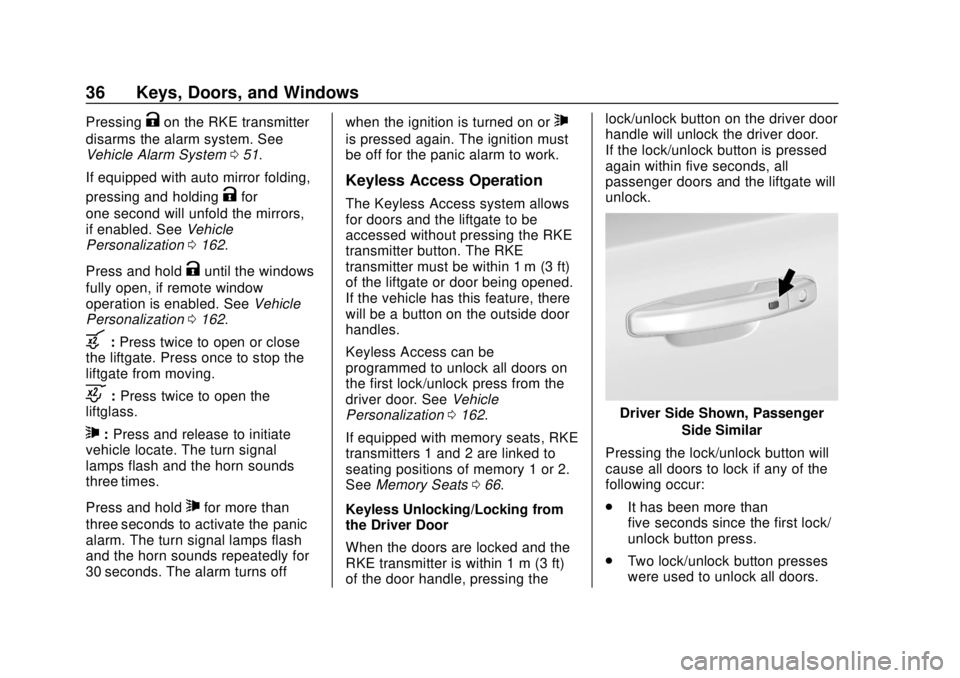
If the vehicle has this feature, there
will be a button on the outside door
handles.
Keyless Access can be
programmed to unlock all doors on
the first lock/unlock press from the
driver door. See
Vehicle
Personalization 0162.
If equipped with memory seats, RKE
transmitters 1 and 2 are linked to
seating positions of memory 1 or 2.
See Memory Seats 066.
Keyless Unlocking/Locking from
the Driver Door
When the doors are locked and the
RKE transmitter is within 1 m (3 ft)
of the door handle, pressing the lock/unlock button on the driver door
handle will unlock the driver door.
If the lock/unlock button is pressed
again within five seconds, all
passenger doors and the liftgate will
unlock.
Driver Side Shown, Passenger
Side Similar
Pressing the lock/unlock button will
cause all doors to lock if any of the
following occur:
. It has been more than
five seconds since the first lock/
unlock button press.
. Two lock/unlock button presses
were used to unlock all doors.
Page 58 of 431
GMC Yukon/Yukon XL/Denali Owner Manual (GMNA-Localizing-U.S./
Canada/Mexico-11349262) - 2018 - CRC - 11/3/17
Keys, Doors, and Windows 57
mirror for a vehicle in the blind
zone. Then, glance over your
shoulder to double check
before moving slowly into the
adjacent lane.
Reverse Tilt Mirrors
If equipped with memory seats, the
passenger and/or driver mirror tilts
to a preselected position when the
vehicle is in R (Reverse). This
allows the curb to be seen when
parallel parking.
The mirror(s) return to the original
position when:
.The vehicle is shifted out of
R (Reverse), or remains in
R (Reverse) for about
30 seconds.
. The ignition is turned off.
. The vehicle is driven in
R (Reverse) above a set speed.
To turn this feature on or off, see
Vehicle Personalization 0162.
Interior Mirrors
Interior Rearview Mirrors
Adjust the rearview mirror for a clear
view of the area behind your
vehicle.
If equipped with OnStar, the vehicle
may have three control buttons at
the bottom of the mirror. See your
dealer for more information about
OnStar and how to subscribe to it.
See OnStar Overview 0406.
Do not spray glass cleaner directly
on the mirror. Use a soft towel
dampened with water.
Manual Rearview Mirror
If equipped with a manual rearview
mirror, push the tab forward for
daytime use and pull it for nighttime
use to avoid glare from the
headlamps from behind.
Automatic Dimming
Rearview Mirror
If equipped, automatic dimming
reduces the glare of headlamps
from behind. The dimming feature
comes on when the vehicle is
started.
Child-View Mirror
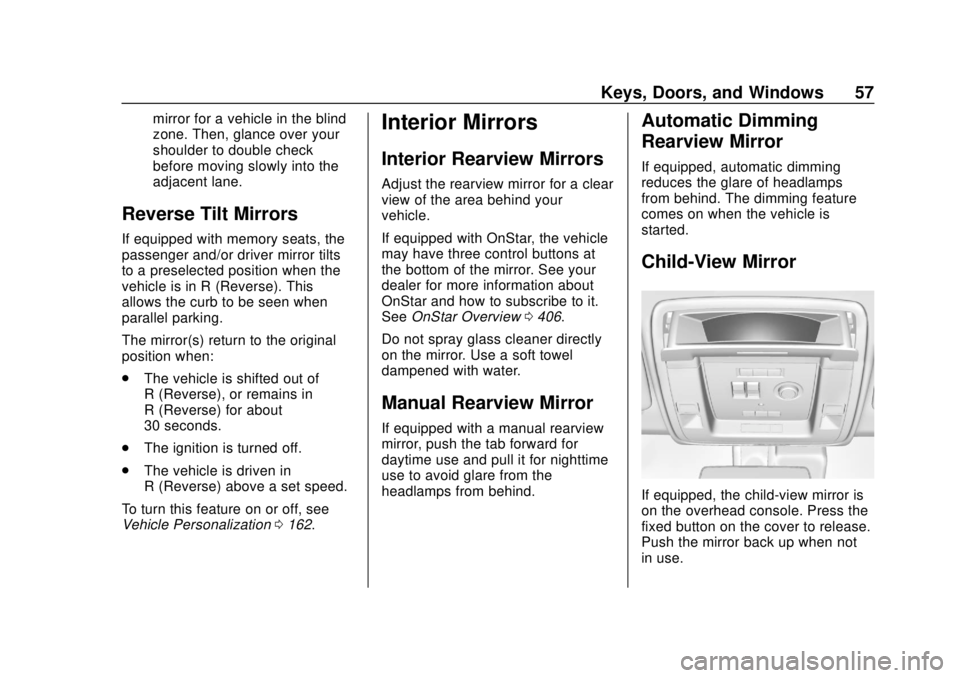
If equipped, the child-view mirror is
on the overhead console. Press the
fixed button on the cover to release.
Push the mirror back up when not
in use.
Page 63 of 431
GMC Yukon/Yukon XL/Denali Owner Manual (GMNA-Localizing-U.S./
Canada/Mexico-11349262) - 2018 - CRC - 11/3/17
62 Seats and Restraints
Seats and
Restraints
Head Restraints
Head Restraints . . . . . . . . . . . . . . . 63
Front Seats
Power Seat Adjustment . . . . . . . . 64
Lumbar Adjustment . . . . . . . . . . . . 65
Reclining Seatbacks . . . . . . . . . . . 65
Memory Seats . . . . . . . . . . . . . . . . . 66
Heated and Ventilated FrontSeats . . . . . . . . . . . . . . . . . . . . . . . . . 69
Rear Seats
Rear Seats . . . . . . . . . . . . . . . . . . . . 70
Heated Rear Seats (IfEquipped) . . . . . . . . . . . . . . . . . . . . 71
Second Row Seats . . . . . . . . . . . . 71
Third Row Seats . . . . . . . . . . . . . . . 76
Seat Belts
Seat Belts . . . . . . . . . . . . . . . . . . . . . 78
How to Wear Seat Belts Properly . . . . . . . . . . . . . . . . . . . . . . 79
Lap-Shoulder Belt . . . . . . . . . . . . . 80
Seat Belt Use During Pregnancy . . . . . . . . . . . . . . . . . . . . 84
Lap Belt . . . . . . . . . . . . . . . . . . . . . . . 85 Seat Belt Extender . . . . . . . . . . . . . 85
Safety System Check . . . . . . . . . . 85
Seat Belt Care . . . . . . . . . . . . . . . . . 86
Replacing Seat Belt System
Parts after a Crash . . . . . . . . . . . 86
Airbag System
Airbag System . . . . . . . . . . . . . . . . . 87
Where Are the Airbags? . . . . . . . 89
When Should an Airbag
Inflate? . . . . . . . . . . . . . . . . . . . . . . . 90
What Makes an Airbag Inflate? . . . . . . . . . . . . . . . . . . . . . . . 91
How Does an Airbag Restrain? . . . . . . . . . . . . . . . . . . . . . 92
What Will You See after an Airbag Inflates? . . . . . . . . . . . . . . 92
Passenger Sensing System . . . 93
Servicing the Airbag-Equipped Vehicle . . . . . . . . . . . . . . . . . . . . . . . 98
Adding Equipment to the Airbag-Equipped Vehicle . . . . . 98
Airbag System Check . . . . . . . . . . 99
Replacing Airbag System Parts after a Crash . . . . . . . . . . . . . . . . . 99
Child Restraints
Older Children . . . . . . . . . . . . . . . . 100
Infants and Young Children . . . 101
Child Restraint Systems . . . . . . 104
Where to Put the Restraint . . . 105 Lower Anchors and Tethers for
Children (LATCH System) . . . 107
Replacing LATCH System Parts After a Crash . . . . . . . . . . 115
Securing Child Restraints (With
the Seat Belt in the
Rear Seat) . . . . . . . . . . . . . . . . . . 115
Securing Child Restraints (With the Seat Belt in the Center
Front Seat) . . . . . . . . . . . . . . . . . . 117
Securing Child Restraints (With the Seat Belt in the Front
Passenger Seat) . . . . . . . . . . . . 118