warning light GMC YUKON DENALI 2003 User Guide
[x] Cancel search | Manufacturer: GMC, Model Year: 2003, Model line: YUKON DENALI, Model: GMC YUKON DENALI 2003Pages: 447, PDF Size: 21.97 MB
Page 185 of 447
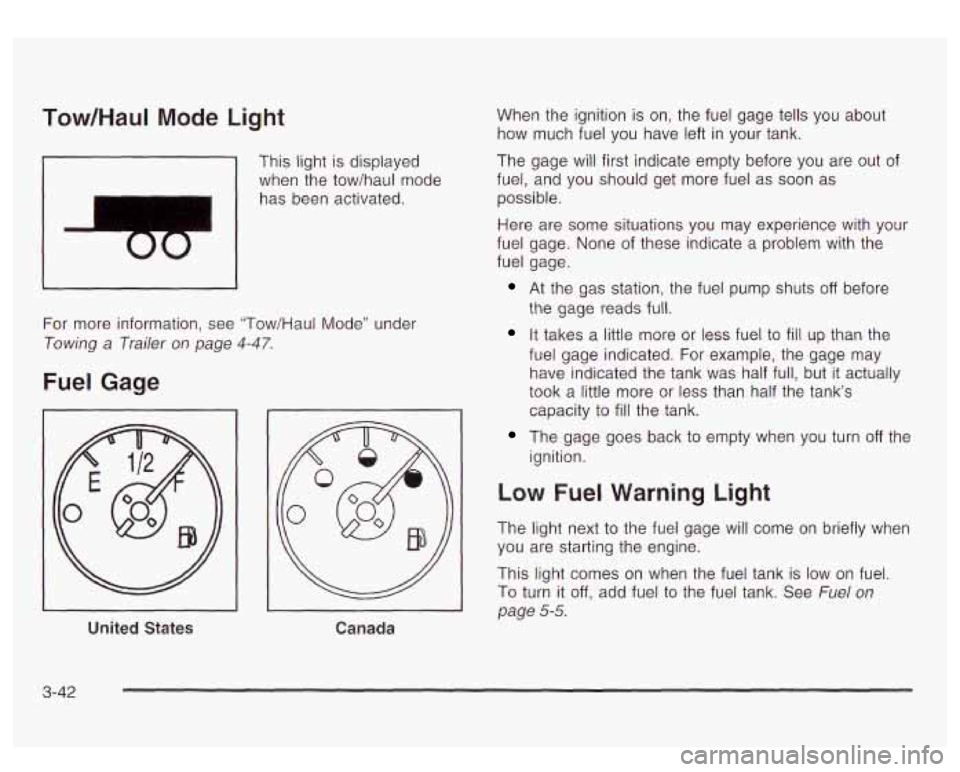
Tow/HauI Mode Light
I
This light is displayed
when the tow/haul mode
has been activated.
For more information, see "Tow/Haul Mode" under
Towing a Trailer on page 4-47.
Fuel Gage
United States
Canada
When the ignition is on, the fuel gage tells you about
how much fuel you have left in your tank.
The gage will first indicate empty before you are out of
fuel, and you should get more fuel as
soon as
possible.
Here are some situations you may experience with your
fuel gage. None of these indicate a problem with the
fuel gage.
At the gas station, the fuel pump shuts off before
the gage reads full.
It takes a little more or less fuel to fill up than the
fuel gage indicated. For example, the gage may
have indicated the tank was half full, but
it actually
took a little more or less than half the tank's
capacity to
fill the tank.
The gage goes back to empty when you turn off the
ignition.
Low Fuel Warning Light
The light next to the fuel gage will come on briefly when
you are starting the engine.
This light comes on when the fuel tank is
low on fuel.
To turn it off, add fuel to the fuel tank. See Fuel on
page 5-5.
3-42
Page 190 of 447
Personalization Button
You can program certain features to a preferred setting
for up to two people. Press the personalization button
to scroll through the following personalization features.
All of the personalization options may not be available
on your vehicle. Only the options available will be
displayed on your DIC.
ALARM WARNING TYPE
AUTOMATIC LOCKING
AUTOMATIC UNLOCKING SEAT POSITION RECALL
PERIMETER LIGHTING
REMOTE LOCK FEEDBACK
REMOTE UNLOCK FEEDBACK
HEADLAMPS ON AT EXIT
CURB VIEW ASSIST EASY EXIT SEAT
DISPLAY UNITS (E/M)
DISPLAY LANGUAGE
The default options for the above features were set
when your vehicle left the factory. The default options
are noted in the text following, but may have been
changed from their default state since then. The driver’s preferences can
be recalled by pressing the
unlock button on the remote keyless entry transmitter
labeled
1 or 2 or by pressing the appropriate memory
button
1 or 2 located on the driver’s door.
Alarm Warning Type
Press the personalization button until ALARM
WARNING TYPE appears in the display. To select your
personalization for alarm warning type, press the
select button while ALARM WARNING TYPE is
displayed
on the DIC. Pressing the select button will
scroll through the following choices:
ALARM WARNING: BOTH (default): The headlamps
will flash and the horn will chirp when the alarm is
active.
ALARM WARNING: OFF: There will be no alarm
warning on activation.
ALARM WARNING: HORN: The horn will chirp when
the alarm is active.
ALARM WARNING: LAMPS: The headlamps will flash
when the alarm is active.
Choose one of the four options and press the
personalization button while your choice is displayed on
the DIC to select
it and move on to the next feature.
For more information on alarm warning type see
Content
Theft-Deterrent on page 2- 16.
3-4i
Page 200 of 447
When the system activates, you may hear a noise or
feel a vibration in the brake pedal. This is normal. When
the STABILITY SYS ACTIVE message is on, you
should continue
to steer in the direction you want to go.
The system is designed
to help you in bad weather
or other difficult driving situations by making the most of
whatever road conditions will permit.
SERVICE STABILITY
If you ever see the SERVICE STABILITY message, it
means there may be a problem with your
StabiIitrak@system. If you see this message
try to reset
the system (stop; turn
off the engine; then start the
engine again). If the SERVICE STABILITY message still
comes on, it means there is a problem. You should
see your dealer for service. The vehicle is safe to drive,
however, you do not have the benefit of Stabilitrak@,
so reduce your speed and drive accordingly.
STABILITY SYS DISABLED
The STABILITY SYS DISABLED message will turn on
when you press the Stabilitrak@button, or when the
stability control has been automatically disabled. To limit
wheel spin and realize the full benefits of the stability
enhancement system, you should normally leave
Stabilitrak@on. However, you should turn Stabilitrak@off
if your vehicle gets stuck in sand, mud, ice or snow and you want to “rock”
your vehicle
to attempt to free it,
or if you are driving in extreme off-road conditions
and require more wheel spin. See If
You Are Stuck: In
Sand, Mud, Ice or
Snow on page 4-41. To turn the
Stabilitrak@system back on press the Stabilitrak@button
again. There are four conditions that can cause this
message
to appear. One condition is overheating, which
could occur
if Stabilitrak@activates continuously for an
extended period of time. The message will
also be
displayed
if the brake system warning light is on. See
Brake System Warning Light
on page 3-34. The
message could be displayed
if the stability system takes
longer than usual to complete its diagnostic checks
due to driving conditions. Also,
if an engine or vehicle
related problem has been detected, and the vehicle
needs service, the message will appear.
The message will turn off as soon as the conditions that
caused the message to be displayed are no longer
present.
TRACTION ACTIVE
When the traction control system has detected that any
of the vehicle’s wheels are slipping, the traction
control system will activate and this message will appear
on the DIC. See StabiIitrakO System
on page 4-9 for
more information.
3-57
Page 240 of 447
Anti-lock Brake System
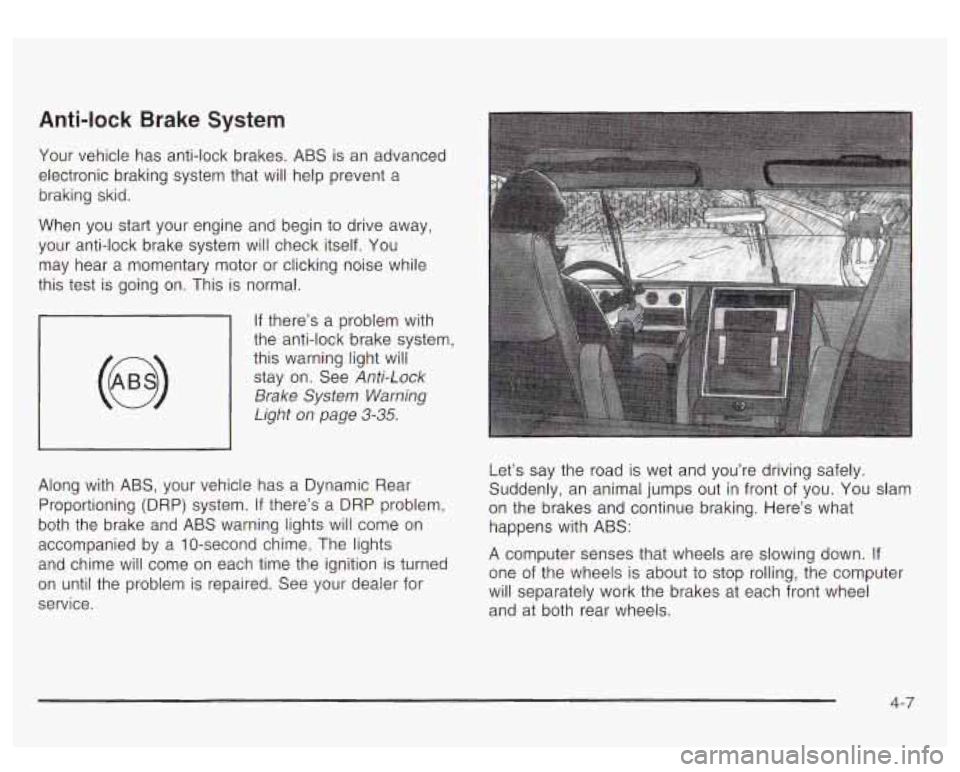
Your vehicle has anti-lock brakes. ABS is an advanced
electronic braking system that will help prevent a
braking skid.
When you start your engine and begin to drive away,
your anti-lock brake system will check itself. You
may hear a momentary motor or clicking noise while
this test is going on. This is normal.
If there’s a problem with
the anti-lock brake system, this warning light
will
stay on. See Anti-Lock
Brake System Warning
Light
on page 3-35.
Along with ABS, your vehicle has a Dynamic Rear
Proportioning (DRP) system.
If there’s a DRP problem,
both the brake and ABS warning lights will come
on
accompanied by a IO-second chime. The lights
and chime will come
on each time the ignition is turned
on until the problem is repaired. See your dealer for
service. Let’s say
the road is wet and you’re driving safely.
Suddenly, an animal jumps out in front of you. You slam
on the brakes and continue braking. Here’s what
happens with ABS:
A computer senses that wheels are slowing down. If
one of the wheels is about to stop rolling, the computer
will separately work the brakes at each front wheel
and at both rear wheels.
4-7
Page 264 of 447
Hydroplaning
Hydroplaning is dangerous. So much water can build up
under your tires that they can actually ride on the
water. This can happen
if the road is wet enough and
you’re going fast enough. When your vehicle is
hydroplaning, it has little or no contact with the road.
Hydroplaning doesn’t happen often. But it can
if
your tires do not have much tread or if the pressure in
one or more is low. It can happen
if a lot of water is
standing on the road. If you can see reflections
from trees, telephone poles or other vehicles, and
raindrops “dimple” the water’s surface, there could be
hydroplaning.
Hydroplaning usually happens at higher speeds. There
just isn’t a hard and fast rule about hydroplaning.
The best advice is to slow down when
it is raining.
Driving Through Deep Standing Water
Notice: If you drive too quickly through deep
puddles or standing water, water can come
in
through your engine’s air intake and badly damage
your engine. Never drive through water that
is
slightly lower than the underbody of your vehicle. If
you can’t avoid deep puddles or standing water,
drive through them very slowly.
Drivhg Through Flowing Water
~~
I
Flowing or rushing water creates strong forces.
If you try to drive through flowing water, as you
might at a low water crossing, your vehicle can
be carried away.
As little as six inches of
flowing water can carry away a smaller vehicle.
If this happens, you and other vehicle
occupants could drown. Don’t ignore police
warning signs, and otherwise be very cautious
about trying to drive through flowing water.
Some Other Rainy Weather Tips
Turn on your low-beam headlamps - not just your
parking lamps
- to help make you more visible to
others.
* Besides slowing down, allow some extra following
distance. And be especially careful when you
pass another vehicle. Allow yourself more clear
room ahead, and be prepared to have your
view restricted by road spray.
* Have good tires with proper tread depth. See Tires
on page 5-55.
4-31
Page 265 of 447
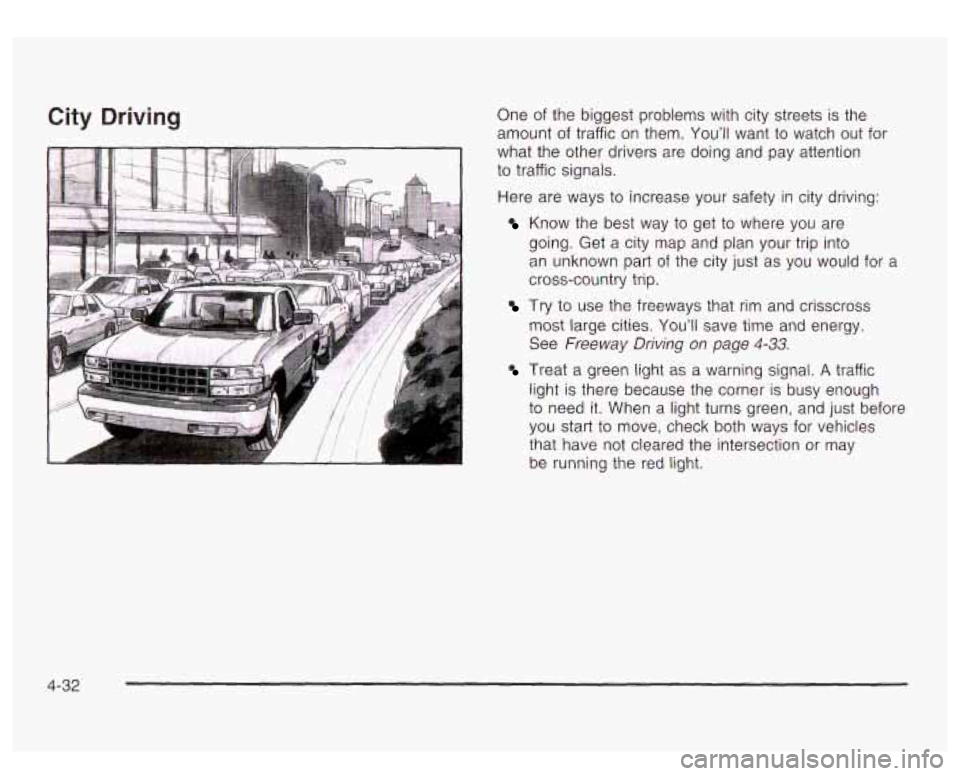
City Driving One of the biggest problems with city streets is the
amount of traffic on them. You’ll want
to watch out for
what the other drivers are doing and pay attention
to traffic signals.
Here are ways to increase your safety in city driving:
Know the best way to get to where you are
going. Get a city map and plan your trip into
an unknown part of the city just as you would for a
cross-country trip.
most large cities.
You’ll save time and energy.
See Freeway Driving on page
4-33.
Treat a green light as a warning signal. A traffic
light is there because the corner is busy enough
to need it. When a light turns green, and just before
you start
to move, check both ways for vehicles
that have
not cleared the intersection or may
be running the red light.
Try to use the freeways that rim and crisscross
4-32
Page 270 of 447
You may see highway signs on mountains that
warn of special problems. Examples are long
grades, passing or no-passing zones, a falling rocks
area or winding roads. Be alert
to these and take
appropriate action.
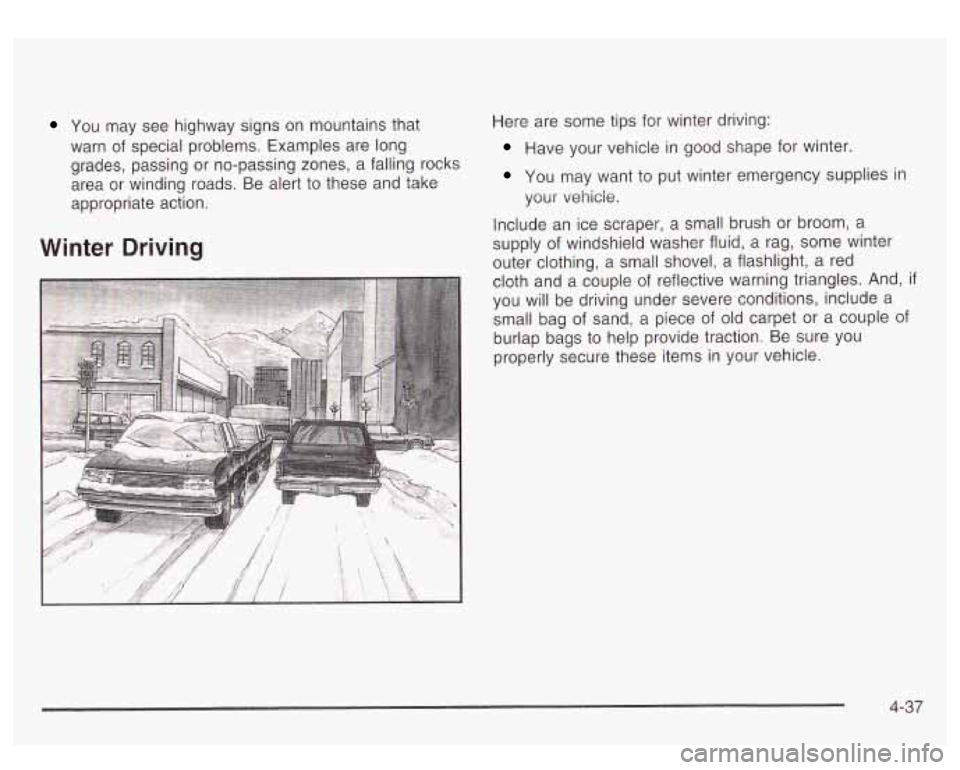
Winter Driving
Here are some tips for winter driving:
Have your vehicle in good shape for winter.
You may want to put winter emergency supplies in
your
vehicle.
Include an ice scraper, a small brush or broom, a
supply of windshield washer fluid, a rag, some winter
outer clothing, a small shovel, a flashlight, a red
cloth and a couple of reflective warning triangles. And,
if
you will be driving under severe conditions, include a
small bag of sand, a piece of old carpet or a couple of
burlap bags
to help provide traction. Be sure you
properly secure these items in your vehicle.
4-37
Page 312 of 447
The following explains your cooling system and how to
add coolant when it is low. If you have a problem
with engine overheating, see Engine Overheating
on
page 5-25.
A 50/50 mixture of clean, drinkable water and
DEX-COOL@ coolant will:
Give freezing protection down to -34°F (-37°C).
Give boiling protection up to 265°F (129°C).
Protect against rust and corrosion.
Help keep the proper engine temperature.
e Let the warning lights and gages work as they
should.
Notice: When adding coolant, it is important that
you use only
DEX-COOL@ (silicate-free) coolant.
If coolant other than DEX-COOL@ is added to the
system, premature engine, heater core or radiator
corrosion may result. In addition, the engine coolant
will require change sooner
-- at 30,000 miles
(50,000 km) or 24 months, whichever occurs first.
Damage caused by the use of coolant other than
DEX-COQL.@ is not covered by your new vehicle
warranty.
What to Use
Use a mixture of one-half clean, drinkable water and
one-half DEX-COOL@ coolant which won’t damage
aluminum parts.
!f YOU uss this coolant mixture,
you don’t need
to add anything else.
Adding c..ly
c water to your cooling
system can be dangerous. Plain water, or
some other liquid such as alcohol, can boil before the proper coolant mixture will. Your
vehicle’s coolant warning system
is set for the
proper coolant mixture. With plain water or the
wrong mixture, your engine could get too hot
but you wouldn’t get the overheat warning.
Your engine could catch fire and you or others
could be burned. Use a
50/50 mixture of clean,
drinkable water and DEX-COQL@ coolant.
Notice: If you use an improper coolant mixture,
your engine could overheat and be badly damaged.
The repair cost wouldn’t be covered by your
warranty. Too much water
in the mixture can freeze
and crack the engine, radiator, heater core and
other parts.
5-23
Page 327 of 447
Notice;
Using the wrong fluid can badly damage brake
system parts. For example, just a few drops of mineral-based oil, such as engine oil, in your
brake system can damage brake system
parts
so badly that they’ll have to be replaced.
Don’t let someone put
in the wrong kind of fluid.
If you spill brake fluid on your vehicle’s painted
surfaces,
the paint finish can be damaged. Be
careful not to spill brake fluid on your vehicle. If
you do, wash
it off immediately. See
“Appearance Care’’ in the Index.
Brake Wear
Your vehicle has four-wheel disc brakes.
Disc brake pads have built-in wear indicators that make
a high-pitched warning sound when the brake pads
are worn and new pads are needed. The sound
may come and go or be heard all the time your vehicle
is moving (except when you are pushing on the
brake pedal firmly).
~ The brake wea rarl -g sou.-_. ... eans that
soon your brakes won’t work well. That could
lead to an accident. When you hear the brake
wear warning sound, have your vehicle
serviced.
Notice: Continuing to drive with worn-out brake
pads could result in costly brake repair.
Some driving conditions or climates may cause a brake
squeal when the brakes are first applied or lightly
applied. This does not mean something is wrong with
your brakes.
Properly torqued wheel nuts are necessary
to help
prevent brake pulsation. When tires are rotated, inspect
brake pads for wear and evenly tighten wheel nuts in
the proper sequence to
GM torque specifications.
Brake linings should always be replaced as complete
axle sets.
See
Brake System Inspection on page 6-14.
5-38
Page 349 of 447
While the tires available on General Motors passenger
cars and light trucks may vary with respect
to these
grades, they must also conform
to federal safety
requirements and additional General Motors Tire
Performance Criteria (TPC) standards.
Treadwear
The treadwear grade is a comparative rating based on
the wear rate of the tire when tested under controlled
conditions on a specified government test course.
For example, a tire graded
150 would wear one and
a half
(1.5) times as well on the government course as
a tire graded
100. The relative performance of tires
depends upon the actual conditions of their use,
however, and may depart significantly from the norm
due
to variations in driving habits, service practices and
differences
in road characteristics and climate.
Traction - AA, A, 6, C
The traction grades, from highest to lowest, are AA, A,
B, and C. Those grades represent the tire’s ability
to stop on wet pavement as measured under controlled
conditions on specified government test surfaces of
asphalt and concrete.
A tire marked C may have poor
traction performance. Warning: The traction grade assigned
to this tire is based
on straight-ahead braking
traction tests, and does not include acceleration,
cornering, hydroplaning, or peak traction characteristics.
Temperature - A, B, C
The temperature grades are A (the highest), B, and C,
representing the tire’s resistance
to the generation
of heat and its ability
to dissipate heat when tested
under controlled conditions on a specified indoor
laboratory test wheel. Sustained high temperature can
cause the material
of the tire to degenerate and
reduce tire life, and excessive temperature can lead
to
sudden tire failure. The grade C corresponds to a
level of performance which all passenger car tires must
meet under the Federal Motor Vehicle Safety Standard
No. 109. Grades B and A represent higher levels of
performance on the laboratory test wheel than the
minimum required
by law.
Warning: The temperature grade for this tire is
established for a tire that is properly inflated and not
overloaded. Excessive speed, underinflation, or
excessive loading, either separately or in combination,
can cause heat buildup and possible tire failure.
5-60