instrument cluster GMC YUKON DENALI 2004 User Guide
[x] Cancel search | Manufacturer: GMC, Model Year: 2004, Model line: YUKON DENALI, Model: GMC YUKON DENALI 2004Pages: 468, PDF Size: 3.18 MB
Page 176 of 468
Speedometer and Odometer
Your speedometer lets you see your speed in both
miles per hour (mph) and kilometers per hour (km/h).
Your vehicle's odometer works together with the
driver information center. You can set a personal trip
and business trip odometer. See ªTrip Informationº under
DIC Operation and Displays on page 3-46.
The odometer mileage can be checked without the
vehicle running. Simply press the trip stem on the
instrument panel cluster.
If your vehicle ever needs a new odometer installed, the
new one will be set to the correct mileage total of the
old odometer.
Tachometer
Your tachometer displays the engine speed in
revolutions per minute (rpm).
Notice:If you operate the engine with the
tachometer in the shaded warning area, your vehicle
could be damaged, and the damages would not
be covered by your warranty. Do not operate
the engine with the tachometer in the shaded
warning area.
Safety Belt Reminder Light
When the key is turned to RUN or START, a chime will
come on for several seconds to remind people to
fasten their safety belts, unless the driver's safety belt is
already buckled.
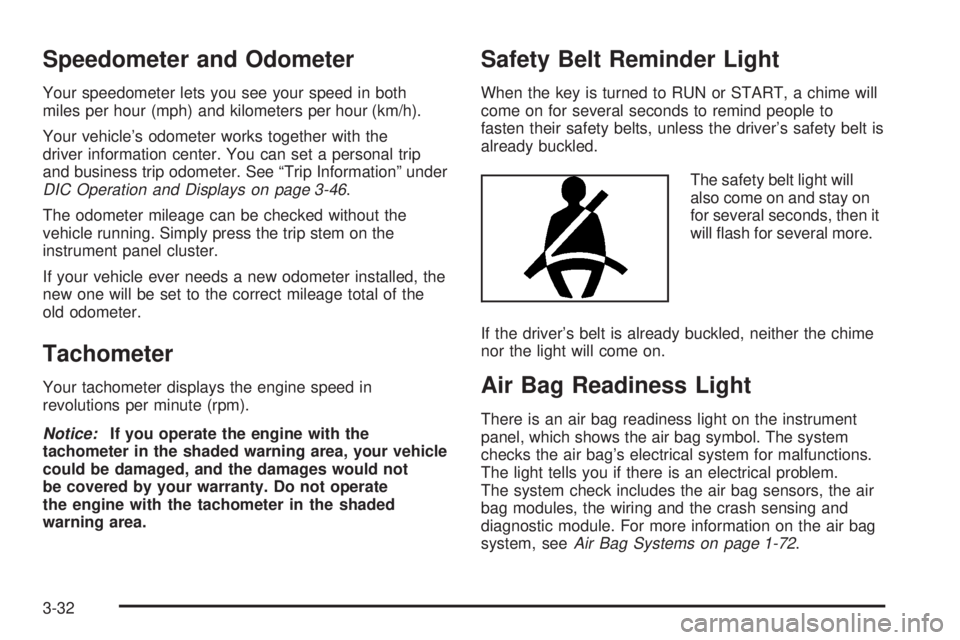
The safety belt light will
also come on and stay on
for several seconds, then it
will ¯ash for several more.
If the driver's belt is already buckled, neither the chime
nor the light will come on.
Air Bag Readiness Light
There is an air bag readiness light on the instrument
panel, which shows the air bag symbol. The system
checks the air bag's electrical system for malfunctions.
The light tells you if there is an electrical problem.
The system check includes the air bag sensors, the air
bag modules, the wiring and the crash sensing and
diagnostic module. For more information on the air bag
system, see
Air Bag Systems on page 1-72.
3-32
Page 190 of 468
Driver Information Center (DIC)
The DIC display is located on the instrument panel
cluster above the steering wheel. The DIC can display
information such as the trip odometer, fuel economy and
personalization features. Vehicles without the DIC
buttons will not have all the features as the regular DIC.
See
Speedometer and Odometer on page 3-32for
information on features for vehicles without a full DIC.
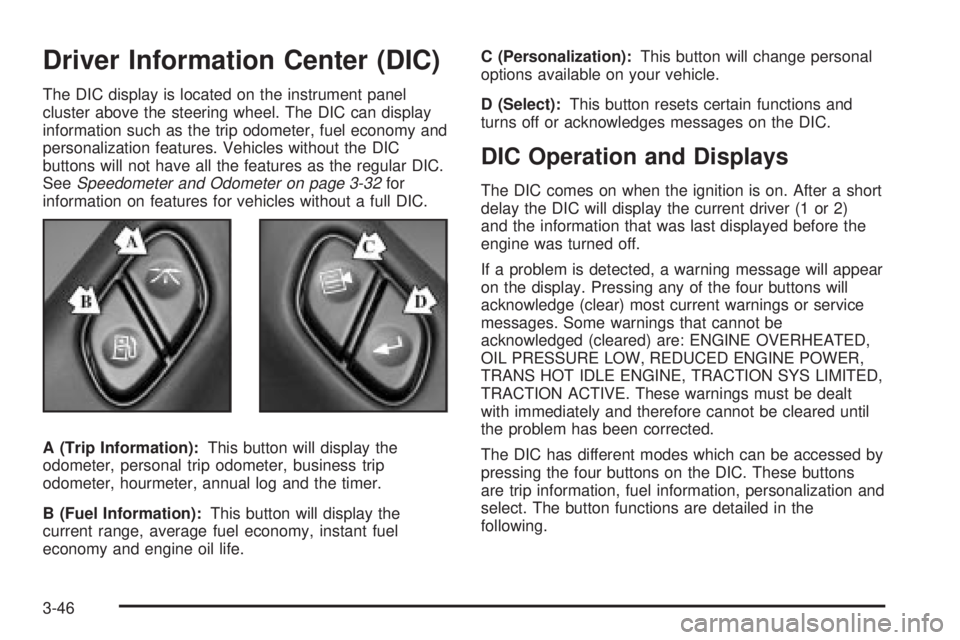
A (Trip Information):This button will display the
odometer, personal trip odometer, business trip
odometer, hourmeter, annual log and the timer.
B (Fuel Information):This button will display the
current range, average fuel economy, instant fuel
economy and engine oil life.C (Personalization):This button will change personal
options available on your vehicle.
D (Select):This button resets certain functions and
turns off or acknowledges messages on the DIC.
DIC Operation and Displays
The DIC comes on when the ignition is on. After a short
delay the DIC will display the current driver (1 or 2)
and the information that was last displayed before the
engine was turned off.
If a problem is detected, a warning message will appear
on the display. Pressing any of the four buttons will
acknowledge (clear) most current warnings or service
messages. Some warnings that cannot be
acknowledged (cleared) are: ENGINE OVERHEATED,
OIL PRESSURE LOW, REDUCED ENGINE POWER,
TRANS HOT IDLE ENGINE, TRACTION SYS LIMITED,
TRACTION ACTIVE. These warnings must be dealt
with immediately and therefore cannot be cleared until
the problem has been corrected.
The DIC has different modes which can be accessed by
pressing the four buttons on the DIC. These buttons
are trip information, fuel information, personalization and
select. The button functions are detailed in the
following.
3-46
Page 191 of 468
Trip Information Button
Press the trip information button to scroll through the
ODOMETER, PERSONAL TRIP ON/OFF, BUSINESS
TRIP ON/OFF, HOURMETER, ANNUAL LOG and
TIMER. If the personal trip and/or the business trip are
set to ON, you will also be able to scroll through
more messages. See ªPersonal Tripº and ªBusiness
Tripº next for more information.
If your vehicle is not equipped with the DIC steering
wheel buttons you can select the trip information
by pressing the trip odometer reset stem on the
instrument panel cluster.
Personal Trip
Turn PERSONAL TRIP on or off by pressing the select
button. When it is on, you will also be able to scroll
through the following by pressing the trip information
button:
·PERSONAL: XXXXXX.X MI Ð This shows the
current distance traveled since the last reset for the
personal trip odometer in either miles or kilometers.
·PERSONAL: XXXX.X GAL Ð This shows the
amount of fuel used for the personal trip.
·PERSONAL: XX.X MPGÐ This shows how many
miles per gallon of fuel your vehicle is getting for
the personal trip based on current and past driving
conditions.
·PERSONAL: XXX.X AVG MPH Ð This shows the
vehicle's average speed for the personal trip.
·PERSONAL: % ANNUAL Ð This shows the ratio of
personal trip miles to annual miles as a percent.
You can reset the personal trip odometer by pressing
and holding the trip odometer reset stem.
Business Trip
Turn BUSINESS TRIP on or off by pressing the select
button. When it is on, you will also be able to scroll
through the following by pressing the trip information
button:
·BUSINESS: XXXXXX.X MI Ð This shows the
current distance traveled since the last reset for the
business trip odometer in either miles or kilometers.
·BUSINESS: XXXX.X GAL Ð This shows the
amount of fuel used for the business trip.
·BUSINESS: XX.X MPG Ð This shows the amount
of fuel used for the business trip.
·BUSINESS: XXXX.X AVG MPH Ð This shows the
vehicle's average speed for the business trip.
·BUSINESS: % ANNUAL Ð This shows the ratio of
business trip miles to annual miles as a percent.
3-47
Page 192 of 468
To reset the personal or business trip information, do
the following: press and hold the select button for
approximately one second while in one of the personal
or business trip modes. This will reset all of the
information for the personal or business trip.
You can also reset the PERSONAL: XX MI, or
BUSINESS: XX MI while they are displayed by pressing
the reset stem on the cluster. If you press and hold
the reset stem or select button for approximately one
second, the display will show the distance traveled since
the last ignition cycle for the personal or business trip.
Odometer
Press the trip information button until ODOMETER
appears on the display. This shows the total distance
the vehicle has been driven in either miles or kilometers.
Pressing the reset stem located on the instrument
cluster with the vehicle off will also display the odometer.
Hourmeter
Press the trip information button to scroll to the
hourmeter. The hourmeter shows the total number of
hours the engine has run. Pressing and holding the reset
stem for about 4 seconds on the instrument cluster
will also display the hourmeter after the odometer
is displayed when the vehicle is off.
Annual Log
Press the trip information button to scroll to the annual
log. The annual log shows the mileage accumulated
since it was last reset. To reset the annual log,
press and hold the select button, or the trip odometer
reset stem, for approximately one second.
Timer
The DIC can be used as a stopwatch. Press the select
button while TIMER is displayed to start the timer.
The display will show the amount of time that has
passed since the timer was last reset (not including time
the ignition is off). Time will continue to be counted as
long as the ignition is on, even if another display is being
shown on the DIC. The timer will record up to 99 hours,
59 minutes and 59 seconds (99:59:59) after which
the display will roll back to zero.
To stop the counting of time, press the select button
brie¯y while TIMER is displayed.
To reset the timer to zero, press and hold the select
button, or the trip odometer reset stem, while TIMER is
displayed.
3-48
Page 207 of 468
TRACTION SYS LIMITED
If the brake traction±control system activates constantly,
or if the brakes have heated up due to high speed
braking, brake traction±control will be disabled and the
TRACTION SYS LIMITED message will be displayed.
The system will return to normal operation after the
brakes have cooled.
TRANS HOT IDLE ENGINE
If the transmission ¯uid in the vehicle gets hot, this
message will appear on the DIC along with a continuous
chime. Driving with the transmission ¯uid temperature
high can cause damage to the vehicle. Stop the vehicle
and let it idle to allow the transmission to cool. This
message will clear and the chime will stop when the ¯uid
temperature reaches a safe level.
TRANSMISSION HOT
If the transmission ¯uid temperature becomes high, the
message center will display this message.
When the transmission enters the protection mode, you
may notice a change in the transmission shifting
patterns. When the transmission ¯uid temperature
returns to normal, the display will turn off and the
transmission shifting patterns will return to normal.
Notice:If you drive your vehicle while the
transmission ¯uid is overheating and the
transmission temperature warning is displayed on
the instrument panel cluster and/or DIC, you
can damage the transmission. This could lead to
costly repairs that would not be covered by
your warranty. Do not drive your vehicle with
overheated transmission ¯uid or while transmission
temperature warning is displayed.
The following situations can cause the transmission to
operate at higher temperatures:
·Towing a trailer
·Hot outside air temperatures
·Hauling a large or heavy load
·Low transmission ¯uid level
·High transmission ¯uid level
·Restricted air ¯ow to the radiator.
A temporary solution to hotter transmission operating
temperatures may be to let the transmission cool down.
If the transmission is operated at higher temperatures
on a frequent basis, see
Scheduled Maintenance
on page 6-4for the proper transmission maintenance
intervals.
3-63
Page 286 of 468
Rocking Your Vehicle To Get It Out
First, turn your steering wheel left and right. That will
clear the area around your front wheels. If your vehicle
has the Stabilitrak
žSystem, turn the system off by
pressing the Stabilitrakžbutton so that the STABILITY
SYS DISABLED message and the traction off light
are illuminated on the instrument panel cluster. Then
shift back and forth between REVERSE (R) and a
forward gear, spinning the wheels as little as possible.
Release the accelerator pedal while you shift, and press
lightly on the accelerator pedal when the transmission
is in gear. By slowly spinning your wheels in the forward
and reverse directions, you will cause a rocking
motion that may free your vehicle. If that does not get
you out after a few tries, you may need to be towed out.
Or, you can use your recovery hooks if your vehicle
has them. If you do need to be towed out, see
Towing
Your Vehicle on page 4-44.
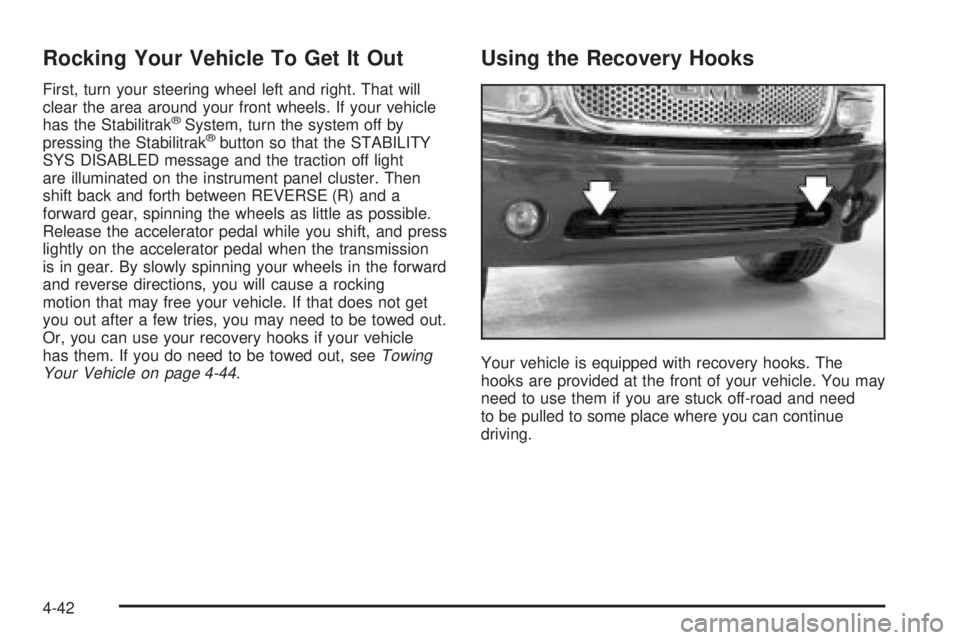
Using the Recovery Hooks
Your vehicle is equipped with recovery hooks. The
hooks are provided at the front of your vehicle. You may
need to use them if you are stuck off-road and need
to be pulled to some place where you can continue
driving.
4-42
Page 321 of 468
A. Engine Air Cleaner/Filter. SeeEngine Air
Cleaner/Filter on page 5-18.
B. Coolant Surge Tank. See
Engine Coolant on
page 5-23.
C. Air Filter Restriction Indicator. See
Engine Air
Cleaner/Filter on page 5-18.
D. Engine Oil Dipstick. See
Engine Oil on page 5-13.
E. Engine Oil Fill. See
Engine Oil on page 5-13.
F. Automatic Transmission Dipstick. See
Automatic
Transmission Fluid on page 5-20.
G. Fan. See
Cooling System on page 5-28.
H. Remote Negative (-) Terminal (GND). See
Jump
Starting on page 5-40.
I. Remote Positive (+) Terminal. See
Jump Starting on
page 5-40.
J. Power Steering Fluid Reservoir (Out of View). See
Power Steering Fluid on page 5-34.
K. Brake Master Cylinder Reservoir. See
Brakes on
page 5-36.
L. Underhood Fuse Block. See
Fuses and Circuit
Breakers on page 5-103.
M. Battery. See
Battery on page 5-39.
N. Windshield Washer Fluid Reservoir. See
Windshield
Washer Fluid on page 5-35.
Before closing the hood, be sure all ®ller caps are on
properly. Pull down the hood and close it ®rmly.
Engine Oil
If the CHECK OIL LEVEL message appears on the
instrument cluster, it means you need to check
your engine oil level right away.
For more information, see ªCHECK OIL LEVELº under
DIC Warnings and Messages on page 3-57.
You should check your engine oil level regularly; this is
an added reminder.
Checking Engine Oil
It is a good idea to check your engine oil every time you
get fuel. In order to get an accurate reading, the oil
must be warm and the vehicle must be on level ground.
The engine oil dipstick handle is a yellow loop. See
Engine Compartment Overview on page 5-12for
the location of the engine oil dipstick.
Turn off the engine and give the oil several minutes to
drain back into the oil pan. If you don't, the oil
dipstick might not show the actual level.
Pull out the dipstick and clean it with a paper towel or
cloth, then push it back in all the way. Remove it again,
keeping the tip down, and check the level.
5-13
Page 418 of 468
Fuses Usage
RR HVAC Rear Climate Control
AUX PWRAuxiliary Power
Outlet Ð Console
IGN 1 Ignition Relay
PCM 1 Powertrain Control Module
ETC/ECMElectronic Throttle Control,
Electronic Brake Controller
IGN EInstrument Panel Cluster, Air
Conditioning Relay, Turn
Signal/Hazard Switch, Starter
Relay
RTD Ride Control
TRL B/U Backup Lamps Trailer Wiring
PCM BPowertrain Control Module,
Fuel Pump
F/PMP Fuel Pump (Relay)
B/U LPBack-up Lamps, Automatic
Transmission Shift Lock
Control System
RR DEFOG Rear Window Defogger
HDLP-HI Headlamp High Beam Relay
PRIME Not UsedFuses Usage
SIRSupplemental In¯atable
Restraint System
FRT PARKFront Parking Lamps,
Sidemarker Lamps
DRLDaytime Running Lamps
(Relay)
SEO IGN Rear Defog Relay
TBC IGN1 Truck Body Controller Ignition
HI HDLP-LT High Beam Headlamp-Left
LH HID Not Used
DRL Daytime Running Lamps
IPC/DICInstrument Panel
Cluster/Driver Information
Center
HVAC/ECAS Climate Control Controller
CIG LTR Cigarette Lighter
HI HDLP-RT High Beam Headlamp-Right
HDLP-LOW Headlamp Low Beam Relay
A/C COMP Air Conditioning Compressor
A/C COMPAir Conditioning Compressor
Relay
5-110
Page 460 of 468
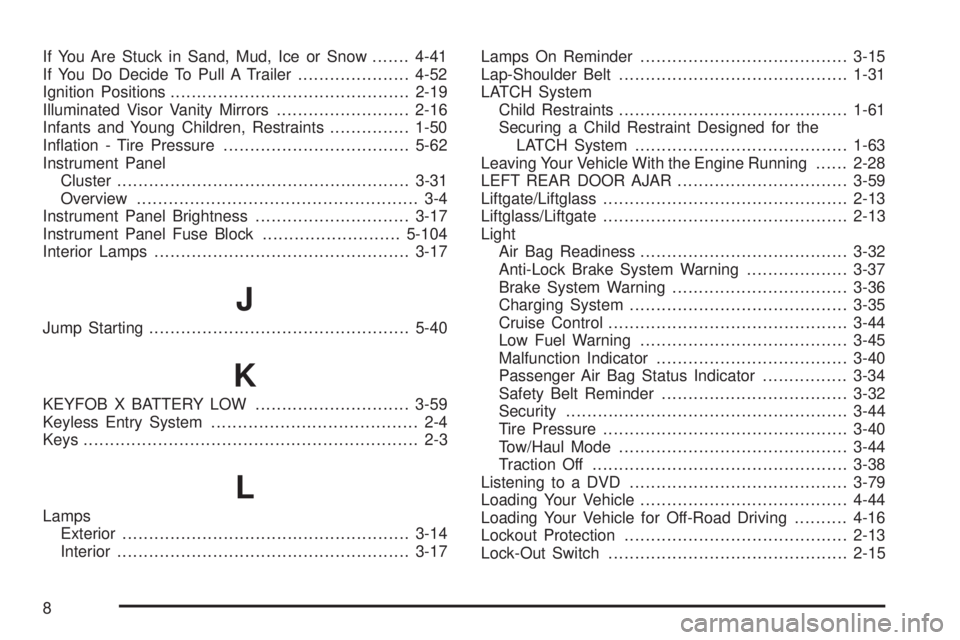
If You Are Stuck in Sand, Mud, Ice or Snow.......4-41
If You Do Decide To Pull A Trailer.....................4-52
Ignition Positions.............................................2-19
Illuminated Visor Vanity Mirrors.........................2-16
Infants and Young Children, Restraints...............1-50
In¯ation - Tire Pressure...................................5-62
Instrument Panel
Cluster.......................................................3-31
Overview..................................................... 3-4
Instrument Panel Brightness.............................3-17
Instrument Panel Fuse Block..........................5-104
Interior Lamps................................................3-17
J
Jump Starting.................................................5-40
K
KEYFOB X BATTERY LOW.............................3-59
Keyless Entry System....................................... 2-4
Keys............................................................... 2-3
L
Lamps
Exterior......................................................3-14
Interior.......................................................3-17Lamps On Reminder.......................................3-15
Lap-Shoulder Belt...........................................1-31
LATCH System
Child Restraints...........................................1-61
Securing a Child Restraint Designed for the
LATCH System........................................1-63
Leaving Your Vehicle With the Engine Running......2-28
LEFT REAR DOOR AJAR................................3-59
Liftgate/Liftglass..............................................2-13
Liftglass/Liftgate..............................................2-13
Light
Air Bag Readiness.......................................3-32
Anti-Lock Brake System Warning...................3-37
Brake System Warning.................................3-36
Charging System.........................................3-35
Cruise Control.............................................3-44
Low Fuel Warning.......................................3-45
Malfunction Indicator....................................3-40
Passenger Air Bag Status Indicator................3-34
Safety Belt Reminder...................................3-32
Security.....................................................3-44
Tire Pressure..............................................3-40
Tow/Haul Mode...........................................3-44
Traction Off................................................3-38
Listening to a DVD.........................................3-79
Loading Your Vehicle.......................................4-44
Loading Your Vehicle for Off-Road Driving..........4-16
Lockout Protection..........................................2-13
Lock-Out Switch.............................................2-15
8