light GMC YUKON DENALI 2004 User Guide
[x] Cancel search | Manufacturer: GMC, Model Year: 2004, Model line: YUKON DENALI, Model: GMC YUKON DENALI 2004Pages: 468, PDF Size: 3.18 MB
Page 89 of 468
When the passenger sensing system has turned off the
passenger's frontal air bag, the off indicator will light
and stay lit to remind you that the air bag is off.
If a child restraint has been installed and the on indicator
is lit, turn the vehicle off. Remove the child restraint
from the vehicle and reinstall the child restraint following
the child restraint manufacturer's directions and refer
to
Securing a Child Restraint in the Right Front
Seat Position on page 1-68.
If after reinstalling the child restraint and restarting the
vehicle, the on indicator is still lit, check to make
sure that the vehicle's seatback is not pressing the child
restraint into the seat cushion. If this happens, slightly
recline the vehicle's seatback and adjust the seat
cushion if possible. Also make sure the child restraint is
not trapped under the vehicle head restraint. If this
happens, adjust the head restraint.
If the on indicator is still lit, secure the child in the child
restraint in a rear seat position in the vehicle and
check with your dealer.
The passenger sensing system is designed to enable
(may in¯ate) the right front passenger's frontal air
bag anytime the system senses that a person of adult
size is sitting properly in the right front passenger's seat.
When the passenger sensing system has allowed the
air bag to be enabled, the on indicator will light and stay
lit to remind you that the air bag is active.For some children who have outgrown child restraints
and for very small adults, the passenger sensing system
may or may not turn off the right front passenger's
frontal air bag, depending upon the person's seating
posture and body build. Everyone in your vehicle
who has outgrown child restraints should wear a safety
belt properly Ð whether or not there is an air bag
for that person.
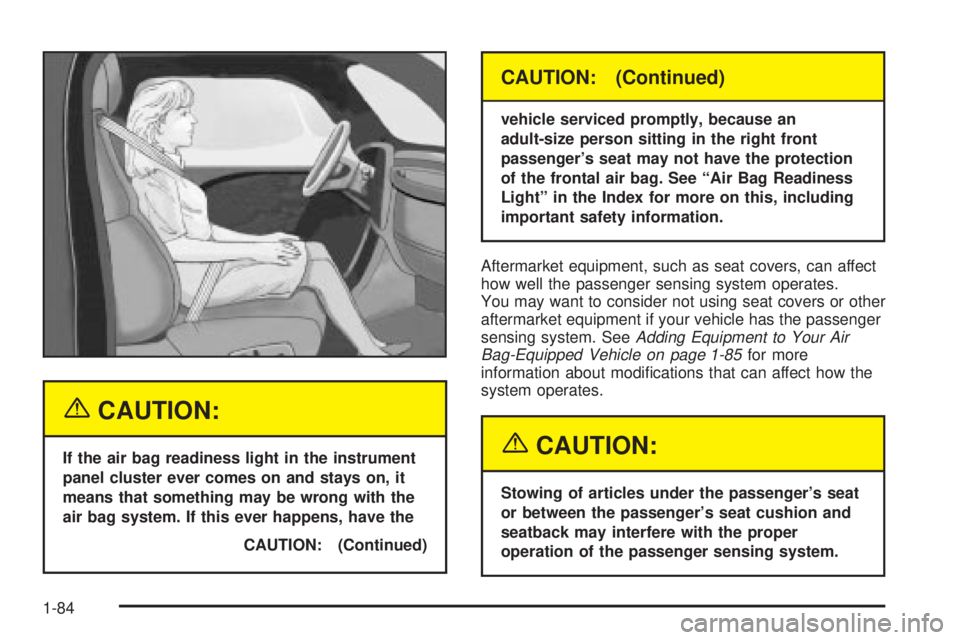
If a person of adult-size is sitting in the right front
passenger's seat, but the off indicator is lit, it could be
because that person is not sitting properly in the seat. If
this happens, turn the vehicle off and ask the person to
place the seatback in the fully upright position, then sit
upright in the seat, centered on the seat cushion, with the
person's legs comfortably extended. Restart the vehicle
and have the person remain in this position for about two
minutes. This will allow the system to detect that person
and then enable the passenger's air bag.
1-83
Page 90 of 468
{CAUTION:
If the air bag readiness light in the instrument
panel cluster ever comes on and stays on, it
means that something may be wrong with the
air bag system. If this ever happens, have the
CAUTION: (Continued)
CAUTION: (Continued)
vehicle serviced promptly, because an
adult-size person sitting in the right front
passenger's seat may not have the protection
of the frontal air bag. See ªAir Bag Readiness
Lightº in the Index for more on this, including
important safety information.
Aftermarket equipment, such as seat covers, can affect
how well the passenger sensing system operates.
You may want to consider not using seat covers or other
aftermarket equipment if your vehicle has the passenger
sensing system. See
Adding Equipment to Your Air
Bag-Equipped Vehicle on page 1-85for more
information about modi®cations that can affect how the
system operates.
{CAUTION:
Stowing of articles under the passenger's seat
or between the passenger's seat cushion and
seatback may interfere with the proper
operation of the passenger sensing system.
1-84
Page 92 of 468
Q:Because I have a disability, I have to get my
vehicle modi®ed. How can I ®nd out whether
this will affect my advanced air bag system?
A:Changing or moving any parts of the front seats,
safety belts, the air bag sensing and diagnostic
module (located under the driver's seat), or
the inside rearview mirror can affect the operation
of the advanced air bag system. If you have
questions, call Customer Assistance. The phone
numbers and addresses for Customer Assistance
are in Step Two of the Customer Satisfaction
Procedure in this manual. See
Customer
Satisfaction Procedure on page 7-2
.
Restraint System Check
Checking Your Restraint Systems
Now and then, make sure the safety belt reminder light
and all your belts, buckles, latch plates, retractors
and anchorages are working properly. Look for any other
loose or damaged safety belt system parts. If you see
anything that might keep a safety belt system from doing
its job, have it repaired.
Torn or frayed safety belts may not protect you in a
crash. They can rip apart under impact forces. If a belt
is torn or frayed, get a new one right away.
Also look for any opened or broken air bag covers, and
have them repaired or replaced. (The air bag system
does not need regular maintenance.)
1-86
Page 109 of 468
Power Windows
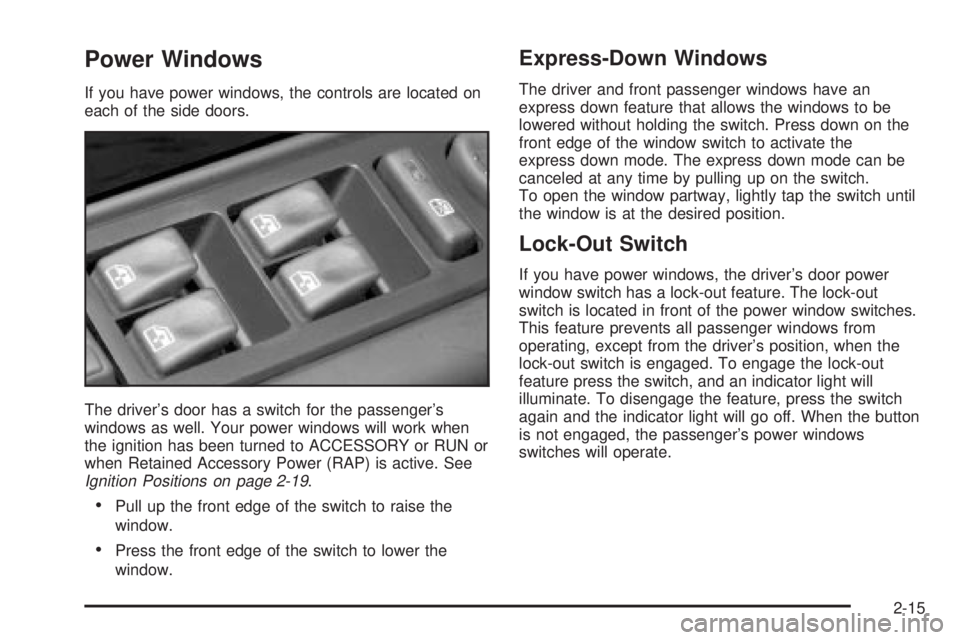
If you have power windows, the controls are located on
each of the side doors.
The driver's door has a switch for the passenger's
windows as well. Your power windows will work when
the ignition has been turned to ACCESSORY or RUN or
when Retained Accessory Power (RAP) is active. See
Ignition Positions on page 2-19.
·Pull up the front edge of the switch to raise the
window.
·Press the front edge of the switch to lower the
window.
Express-Down Windows
The driver and front passenger windows have an
express down feature that allows the windows to be
lowered without holding the switch. Press down on the
front edge of the window switch to activate the
express down mode. The express down mode can be
canceled at any time by pulling up on the switch.
To open the window partway, lightly tap the switch until
the window is at the desired position.
Lock-Out Switch
If you have power windows, the driver's door power
window switch has a lock-out feature. The lock-out
switch is located in front of the power window switches.
This feature prevents all passenger windows from
operating, except from the driver's position, when the
lock-out switch is engaged. To engage the lock-out
feature press the switch, and an indicator light will
illuminate. To disengage the feature, press the switch
again and the indicator light will go off. When the button
is not engaged, the passenger's power windows
switches will operate.
2-15
Page 110 of 468
Sun Visors
To block out glare, you can swing down the visors.
You can also swing them out to help block glare at the
front and side windows.
Illuminated Visor Vanity Mirrors
Pull the sunvisor down and lift the mirror cover to turn
on the lamps.
Theft-Deterrent Systems
Vehicle theft is big business, especially in some cities.
Although your vehicle has a number of theft-deterrent
features, we know that nothing we put on it can make it
impossible to steal.
Content Theft-Deterrent
Your vehicle is equipped with a content theft-deterrent
alarm system.
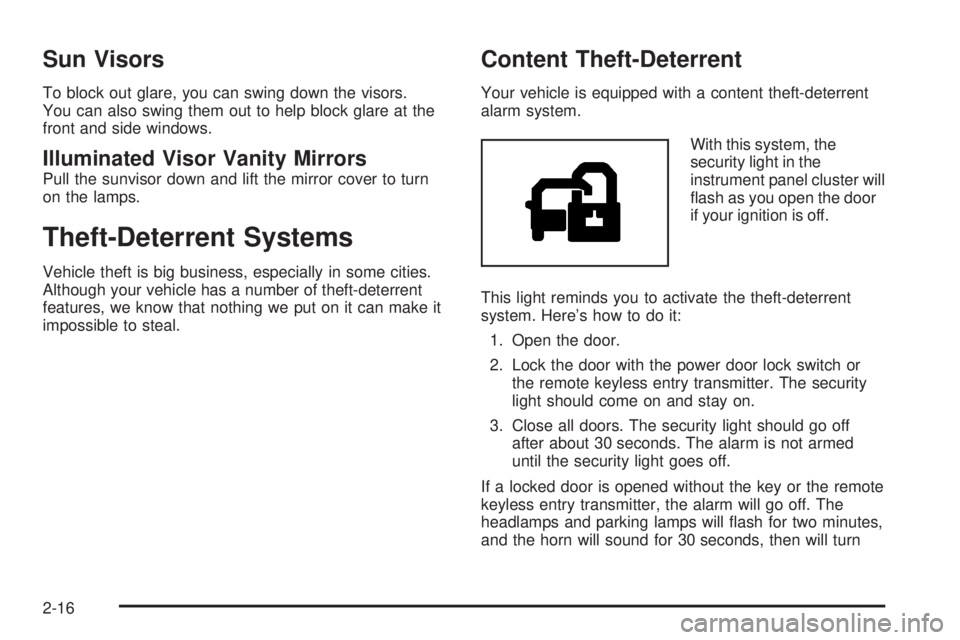
With this system, the
security light in the
instrument panel cluster will
¯ash as you open the door
if your ignition is off.
This light reminds you to activate the theft-deterrent
system. Here's how to do it:
1. Open the door.
2. Lock the door with the power door lock switch or
the remote keyless entry transmitter. The security
light should come on and stay on.
3. Close all doors. The security light should go off
after about 30 seconds. The alarm is not armed
until the security light goes off.
If a locked door is opened without the key or the remote
keyless entry transmitter, the alarm will go off. The
headlamps and parking lamps will ¯ash for two minutes,
and the horn will sound for 30 seconds, then will turn
2-16
Page 111 of 468
off to save the battery power. You can choose different
feedback options for the alarm. SeeDriver Information
Center (DIC) on page 3-46.
Remember, the theft-deterrent system won't activate if
you lock the doors with a key or use the manual
door lock. It activates only if you use a power door lock
switch with the door open, or with the remote keyless
entry transmitter. You should also remember that
you can start your vehicle with the correct ignition key if
the alarm has been set off.
Here's how to avoid setting off the alarm by accident:
·If you don't want to activate the theft-deterrent
system, the vehicle should be locked with the door
key
afterthe doors are closed.
·Always unlock a door with a key, or use the remote
keyless entry transmitter. Unlocking a door any
other way will set off the alarm.
If you set off the alarm by accident, unlock any door with
the key. You can also turn off the alarm by pressing
unlock on the remote keyless entry transmitter. The alarm
won't stop if you try to unlock a door any other way.
Testing the Alarm
The alarm can be tested by following these steps:
1. From inside the vehicle, lower the driver's window
and open the driver's door.
2. Activate the system by locking the doors with the
power door lock switch while the door is open, or
with the remote keyless entry transmitter.
3. Get out of the vehicle, close the door and wait for
the security light to go out.
4. Then reach in through the window, unlock the door
with the manual door lock and open the door. This
should set off the alarm.
While the alarm is set, the power door unlock switch is
not operational.
If the alarm does not sound when it should but the
headlamps ¯ash, check to see if the horn works. The
horn fuse may be blown. To replace the fuse, see
Fuses
and Circuit Breakers on page 5-103.
If the alarm does not sound or the headlamps do not
¯ash, the vehicle should be serviced by your dealer.
2-17
Page 112 of 468
Passlockž
Your vehicle is equipped with the Passlockž
theft-deterrent system.
Passlockžis a passive theft-deterrent system. Passlockž
enables fuel if the ignition lock cylinder is turned with
a valid key. If a correct key is not used or the ignition
lock cylinder is tampered with, the fuel system is
disabled and the vehicle will not start.
During normal operation, the security light will turn off
approximately ®ve seconds after the key is turned
to RUN.
If the engine stalls and the security light ¯ashes, wait
about 10 minutes until the light stops ¯ashing before
trying to restart the engine. Remember to release
the key from START as soon as the engine starts.
If the engine does not start after three tries, the vehicle
needs service.
If the engine is running and the security light comes on,
you will be able to restart the engine if you turn the
engine off. However, your Passlock
žsystem is
not working properly and must be serviced by your
dealer. Your vehicle is not protected by Passlock
žat this
time. You may also want to check the fuse. See
Fuses and Circuit Breakers on page 5-103. See your
dealer for service.
In an emergency, call the Roadside Assistance Center.
See
Roadside Assistance Program on page 7-5.
Starting and Operating Your
Vehicle
New Vehicle Break-In
Notice:Your vehicle does not need an elaborate
ªbreak-in.º But it will perform better in the long run
if you follow these guidelines:
·Keep your speed at 55 mph (88 km/h) or less for
the ®rst 500 miles (805 km).
·Do not drive at any one speed Ð fast or
slow Ð for the ®rst 500 miles (805 km). Do not
make full-throttle starts.
·Avoid making hard stops for the ®rst 200 miles
(322 km) or so. During this time your new
brake linings are not yet broken in. Hard stops
with new linings can mean premature wear
and earlier replacement. Follow this breaking-in
guideline every time you get new brake
linings.
·Do not tow a trailer during break-in. SeeTowing
a Trailer on page 4-51
for more information.
2-18
Page 120 of 468
Parking Brake
To set the parking brake, hold the regular brake pedal
down with your right foot. Push down the parking
brake pedal with your left foot.
A chime will activate and the warning light will ¯ash
when the parking brake is applied and the vehicle
is moving at least 3 mph (5 km/h) for at least three
seconds.To release the parking brake, hold the regular brake
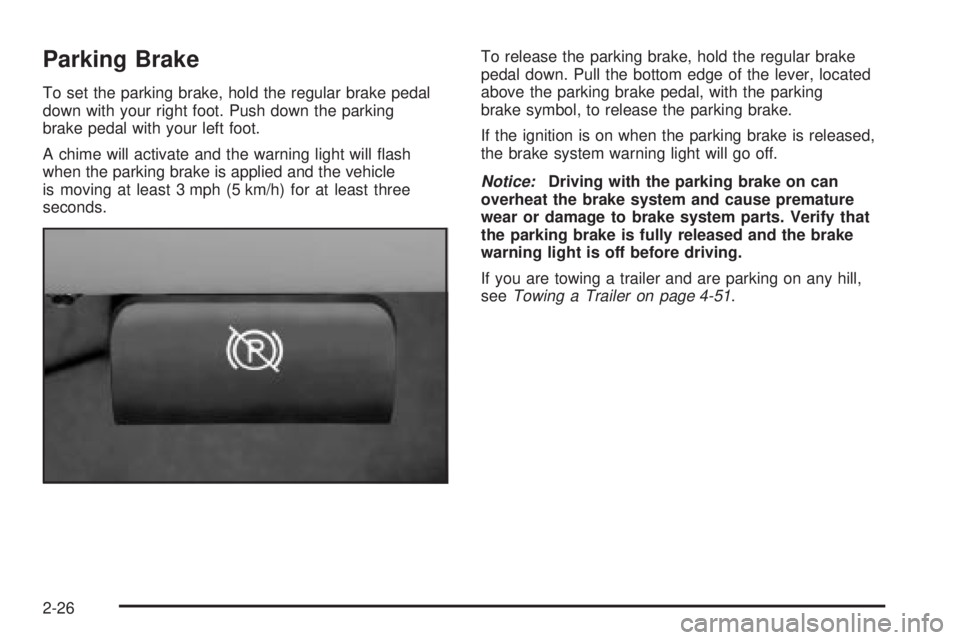
pedal down. Pull the bottom edge of the lever, located
above the parking brake pedal, with the parking
brake symbol, to release the parking brake.
If the ignition is on when the parking brake is released,
the brake system warning light will go off.
Notice:Driving with the parking brake on can
overheat the brake system and cause premature
wear or damage to brake system parts. Verify that
the parking brake is fully released and the brake
warning light is off before driving.
If you are towing a trailer and are parking on any hill,
see
Towing a Trailer on page 4-51.
2-26
Page 126 of 468
Mirrors
Automatic Dimming Rearview Mirror
with OnStar
ž, Compass and
Temperature Display
Your vehicle may have this feature. When on, an
automatic dimming mirror automatically dims to the
proper level to minimize glare from lights behind
you after dark.
The mirror also includes a dual display in the upper
right corner of the mirror face. The compass reading and
the outside temperature will both appear in the display
at the same time.
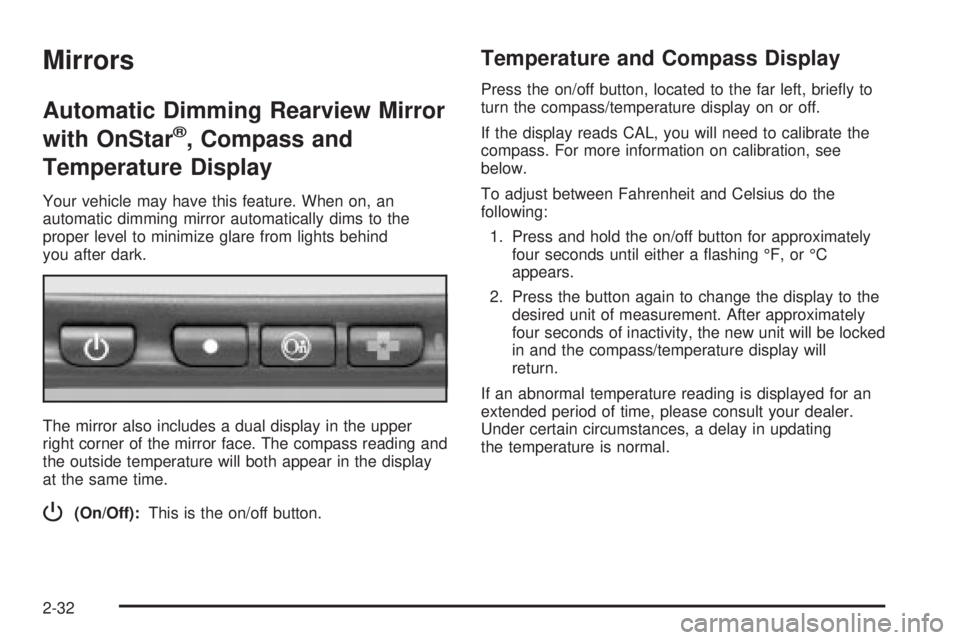
P(On/Off):This is the on/off button.
Temperature and Compass Display
Press the on/off button, located to the far left, brie¯y to
turn the compass/temperature display on or off.
If the display reads CAL, you will need to calibrate the
compass. For more information on calibration, see
below.
To adjust between Fahrenheit and Celsius do the
following:
1. Press and hold the on/off button for approximately
four seconds until either a ¯ashing ÉF, or ÉC
appears.
2. Press the button again to change the display to the
desired unit of measurement. After approximately
four seconds of inactivity, the new unit will be locked
in and the compass/temperature display will
return.
If an abnormal temperature reading is displayed for an
extended period of time, please consult your dealer.
Under certain circumstances, a delay in updating
the temperature is normal.
2-32
Page 127 of 468
Automatic Dimming Mirror Operation
The automatic dimming mirror function is turned
on automatically each time the ignition is started. To
operate the automatic dimming mirror, do the following:
1. Make sure the green indicator light, located to
the left of the on/off button, is lit. If it's not, press
and hold the on/off button for approximately
six seconds until the green light comes on,
indicating that the mirror is in automatic
dimming mode.
2. Turn off the automatic dimming mirror function by
pressing and holding the on/off button for
approximately six seconds, until the green indicator
light turns off.
Compass Variance
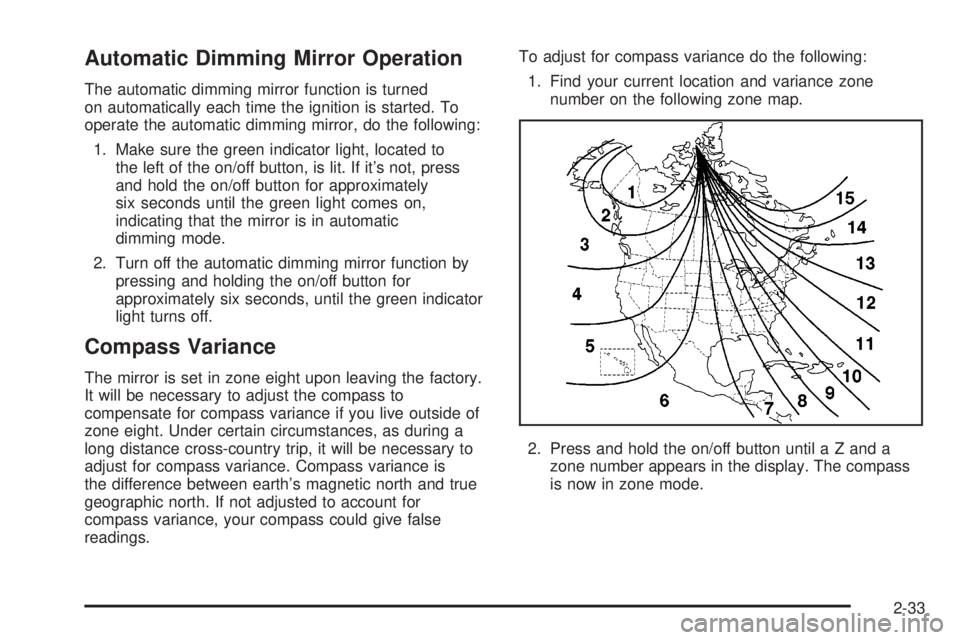
The mirror is set in zone eight upon leaving the factory.
It will be necessary to adjust the compass to
compensate for compass variance if you live outside of
zone eight. Under certain circumstances, as during a
long distance cross-country trip, it will be necessary to
adjust for compass variance. Compass variance is
the difference between earth's magnetic north and true
geographic north. If not adjusted to account for
compass variance, your compass could give false
readings.To adjust for compass variance do the following:
1. Find your current location and variance zone
number on the following zone map.
2. Press and hold the on/off button until a Z and a
zone number appears in the display. The compass
is now in zone mode.
2-33