lights GMC YUKON DENALI 2004 User Guide
[x] Cancel search | Manufacturer: GMC, Model Year: 2004, Model line: YUKON DENALI, Model: GMC YUKON DENALI 2004Pages: 468, PDF Size: 3.18 MB
Page 179 of 468
If the word OFF or the off symbol is lit on the air bag
status indicator, it means that the passenger sensing
system has turned off the right front passenger's frontal
air bag. See
Passenger Sensing System on page 1-81for more on this, including important safety information.
If, after several seconds, all status indicator lights
remain on, or if there are no lights at all, there may be a
problem with the lights or the passenger sensing
system. See your dealer for service.
{CAUTION:
If the off indicator and the air bag readiness
light ever come on together, it means that
something may be wrong with the air bag
system. If this ever happens, have the vehicle
serviced promptly, because an adult-size
person sitting in the right front passenger seat
may not have the protection of the frontal air
bag. See ªAir Bag Readiness Lightº in the
Index.
Charging System Light
The charging system light
will come on brie¯y when
you turn on the ignition,
but the engine is not
running, as a check to
show you it is working.
It should go out once the engine is running. If it stays
on, or comes on while you are driving, you may have a
problem with the charging system. It could indicate
that you have problems with a generator drive belt, or
another electrical problem. Have it checked right
away. Driving while this light is on could drain your
battery.
When this light comes on the DIC will also display the
battery not charging message. See
DIC Warnings
and Messages on page 3-57.
If you must drive a short distance with the light on, be
certain to turn off all your accessories, such as the radio
and air conditioner.
3-35
Page 182 of 468
If the light stays on, or comes on when you're driving,
your vehicle needs service. You will also hear a chime
sound when the light is on steady. If the regular brake
system warning light isn't on, you still have brakes, but
you don't have anti-lock brakes. If the regular brake
system warning light is also on you don't have anti-lock
brakes and there's a problem with your regular brakes. In
addition to both lights, you will also hear a chime sound
on the ®rst occurrence of a problem and each time the
vehicle is shut off and then restarted. See
Brake System
Warning Light on page 3-36.
Traction Off Light
If you have the
Stabilitrakžsystem, this
light should come on brie¯y
when you turn the
ignition to RUN.
If the light doesn't come on then, the system may
require service; have it ®xed so it will be there to warn
you if the system is turned off.
For more information on the traction off light, see
StabilitrakžSystem on page 4-9.
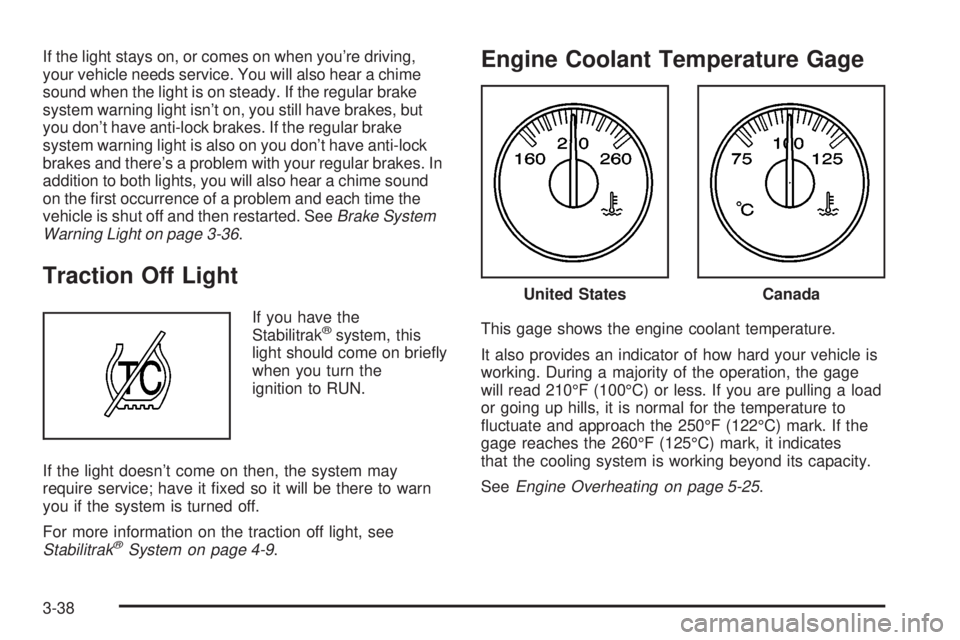
Engine Coolant Temperature Gage
This gage shows the engine coolant temperature.
It also provides an indicator of how hard your vehicle is
working. During a majority of the operation, the gage
will read 210ÉF (100ÉC) or less. If you are pulling a load
or going up hills, it is normal for the temperature to
¯uctuate and approach the 250ÉF (122ÉC) mark. If the
gage reaches the 260ÉF (125ÉC) mark, it indicates
that the cooling system is working beyond its capacity.
See
Engine Overheating on page 5-25.
United StatesCanada
3-38
Page 197 of 468
DELAYED LOCKING OFF:The doors will lock
immediately when pressing the power lock switch or the
lock button on the keyless entry transmitter.
Choose one of the two options and press the
personalization button while it is displayed on the DIC to
select it and move on to the next feature. For more
information on automatic door locks see
Programmable
Automatic Door Locks on page 2-10.
This feature will not operate if the key is in the ignition.
Seat Position Recall
Press the personalization button until SEAT POSITION
RECALL appears in the display. To select your
personalization for seat position recall, press the select
button while SEAT POSITION RECALL is displayed
on the DIC. Pressing the select button will scroll through
the following choices:
SEAT POSITION RECALL OFF (default):The memory
seat position you saved will only be recalled when the
memory button 1 or 2 is pressed.
SEAT POSITION RECALL AT KEY IN:The memory
seat position you saved will be recalled when you
put the key in the ignition.SEAT POSITION RECALL ON REMOTE:The memory
seat position you saved will be recalled when you
unlock the vehicle with the remote keyless entry
transmitter.
Choose one of the three options and press the
personalization button while it is displayed on the DIC to
select it and move on to the next feature. For more
information on seat position recall see
Memory Seat on
page 2-48.
Perimeter Lighting
Press the personalization button until PERIMETER
LIGHTING appears in the display. To select your
personalization for perimeter lighting, press the select
button while PERIMETER LIGHTING is displayed on the
DIC. Pressing the select button will scroll through the
following choices:
PERIMETER LIGHTING ON (default):The headlamps
and back-up lamps will come on for 40 seconds, if it
is dark enough outside, when you unlock the vehicle
with the remote keyless entry transmitter.
PERIMETER LIGHTING OFF:The perimeter lights will
not come on when you unlock the vehicle with the
remote keyless entry transmitter.
Choose one of the two options and press the
personalization button while it is displayed on the DIC to
select it and move on to the next feature.
3-53
Page 251 of 468
Anti-lock Brake System
Your vehicle has anti-lock brakes. ABS is an advanced
electronic braking system that will help prevent a
braking skid.
When you start your engine and begin to drive away,
your anti-lock brake system will check itself. You
may hear a momentary motor or clicking noise while
this test is going on. This is normal.
If there is a problem with
the anti-lock brake system,
this warning light will
stay on. See
Anti-Lock
Brake System Warning
Light on page 3-37
.
Along with ABS, your vehicle has a Dynamic Rear
Proportioning (DRP) system. If there is a DRP problem,
both the brake and ABS warning lights will come on
accompanied by a 10-second chime. The lights
and chime will come on each time the ignition is turned
on until the problem is repaired. See your dealer for
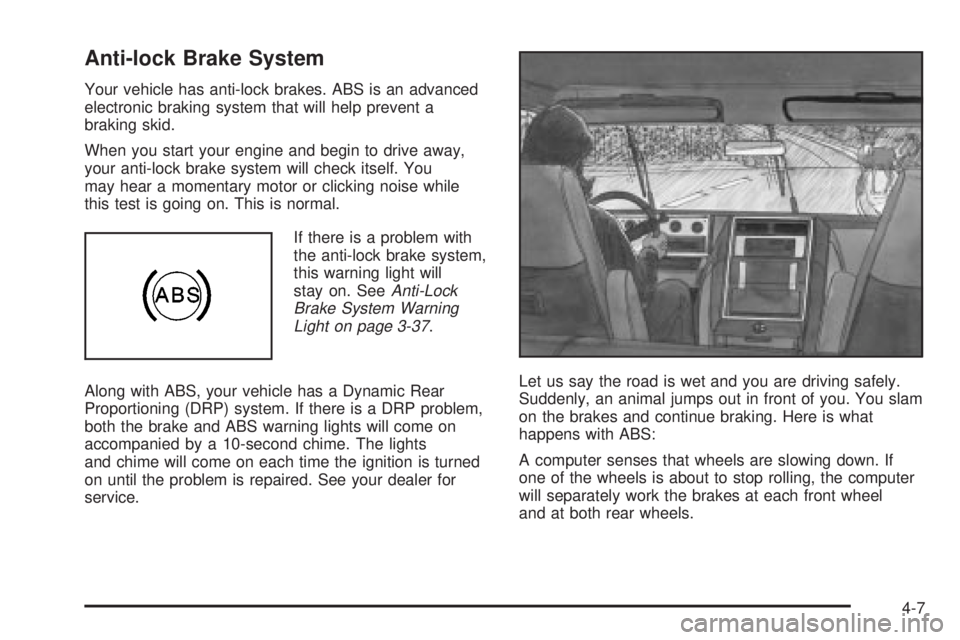
service.Let us say the road is wet and you are driving safely.
Suddenly, an animal jumps out in front of you. You slam
on the brakes and continue braking. Here is what
happens with ABS:
A computer senses that wheels are slowing down. If
one of the wheels is about to stop rolling, the computer
will separately work the brakes at each front wheel
and at both rear wheels.
4-7
Page 254 of 468
When the Stabilitrakžsystem has been turned off you
may still hear system noises as a result of the
brake-traction control coming on.
It is recommended to leave the system on for normal
driving conditions, but it may be necessary to turn
the system off if your vehicle is stuck in sand, mud, ice
or snow, and you want to ªrockº your vehicle to
attempt to free it. It may also be necessary to turn off
the system when driving in extreme off-road conditions
where high wheel spin is required. See
If You Are
Stuck: In Sand, Mud, Ice or Snow on page 4-41.
Traction Control Operation
The traction control system is part of the
Stabilitrakžsystem. Traction control limits wheel spin by
reducing engine power to the wheels (engine speed
management) and by applying brakes to each individual
wheel (brake-traction control) as necessary.
The traction control system is enabled automatically
when you start your vehicle, and it will activate
and display the TRACTION ACTIVE message in the
Driver Information Center (DIC) if it senses that any of
the wheels are spinning or beginning to lose traction
while driving. If you turn off Stabilitrak
ž, only the
brake-traction control portion of traction control will
work. The engine speed management will be disabled.
In this state, engine power is not reduced automatically
and the driven wheels can spin more freely. This
can cause the brake-traction control to activateconstantly. For more information on the traction active
message, see
Driver Information Center (DIC) on
page 3-46.
Notice:If the traction off light comes on due to
heavy braking and/or because the traction control
system has been continuously active, do not
allow the wheel(s) of one axle to spin excessively. If
you do, you may be causing damage to the
transfer case. This could lead to costly repairs not
covered by your warranty.
If the brake-traction control system activates constantly
or if the brakes have heated up due to high speed
braking, the brake-traction control will be disabled and
the TRACTION SYS LIMITED message will be
displayed. In the limited mode, the traction control
system will only use engine traction-control and is limited
in its ability to provide optimal performance since the
system will not utilize brake traction-control to control
slip on the drive wheels. The system will return to normal
after the brakes have cooled. This can take up to two
minutes or longer depending on brake usage.
Notice:If you allow the wheel(s) of one axle to spin
excessively while the traction off, ABS and brake
warning lights and the SERVICE STABILITY
MESSAGE are displayed, you could damage the
transfer case. The repairs would not be covered by
your warranty. Reduce engine power and do not
spin the wheel(s) excessively while these lights and
this message are displayed.
4-10
Page 263 of 468
Scanning the Terrain
Off-road driving can take you over many different kinds
of terrain. You need to be familiar with the terrain
and its many different features. Here are some things to
consider.
Surface Conditions:Off-roading can take you over
hard-packed dirt, gravel, rocks, grass, sand, mud, snow
or ice. Each of these surfaces affects the steering,
acceleration and braking of your vehicle in different
ways. Depending upon the kind of surface you are on,
you may experience slipping, sliding, wheel spinning,
delayed acceleration, poor traction and longer braking
distances.
Surface Obstacles:Unseen or hidden obstacles can
be hazardous. A rock, log, hole, rut or bump can startle
you if you are not prepared for them. Often these
obstacles are hidden by grass, bushes, snow or even
the rise and fall of the terrain itself. Here are some
things to consider:
·Is the path ahead clear?
·Will the surface texture change abruptly up ahead?
·Does the travel take you uphill or downhill?
(There is more discussion of these subjects later.)
·Will you have to stop suddenly or change direction
quickly?When you drive over obstacles or rough terrain, keep a
®rm grip on the steering wheel. Ruts, troughs or
other surface features can jerk the wheel out of your
hands if you are not prepared.
When you drive over bumps, rocks, or other obstacles,
your wheels can leave the ground. If this happens,
even with one or two wheels, you can not control the
vehicle as well or at all.
Because you will be on an unpaved surface, it is
especially important to avoid sudden acceleration,
sudden turns or sudden braking.
In a way, off-road driving requires a different kind of
alertness from driving on paved roads and highways.
There are no road signs, posted speed limits or
signal lights. You have to use your own good judgment
about what is safe and what is not.
Drinking and driving can be very dangerous on any
road. And this is certainly true for off-road driving. At the
very time you need special alertness and driving
skills, your re¯exes, perceptions and judgment can be
affected by even a small amount of alcohol. You
could have a serious Ð or even fatal Ð accident if you
drink and drive or ride with a driver who has been
drinking. See
Drunken Driving on page 4-2.
4-19
Page 273 of 468
You can be temporarily blinded by approaching
headlamps. It can take a second or two, or even several
seconds, for your eyes to readjust to the dark. When
you are faced with severe glare (as from a driver
who does not lower the high beams, or a vehicle with
misaimed headlamps), slow down a little. Avoid
staring directly into the approaching headlamps.
Keep your windshield and all the glass on your vehicle
clean Ð inside and out. Glare at night is made much
worse by dirt on the glass. Even the inside of the glass
can build up a ®lm caused by dust. Dirty glass makes
lights dazzle and ¯ash more than clean glass would,
making the pupils of your eyes contract repeatedly.
Remember that your headlamps light up far less of a
roadway when you are in a turn or curve. Keep
your eyes moving; that way, it is easier to pick out dimly
lighted objects. Just as your headlamps should be
checked regularly for proper aim, so should your eyes
be examined regularly. Some drivers suffer from
night blindness Ð the inability to see in dim light Ð and
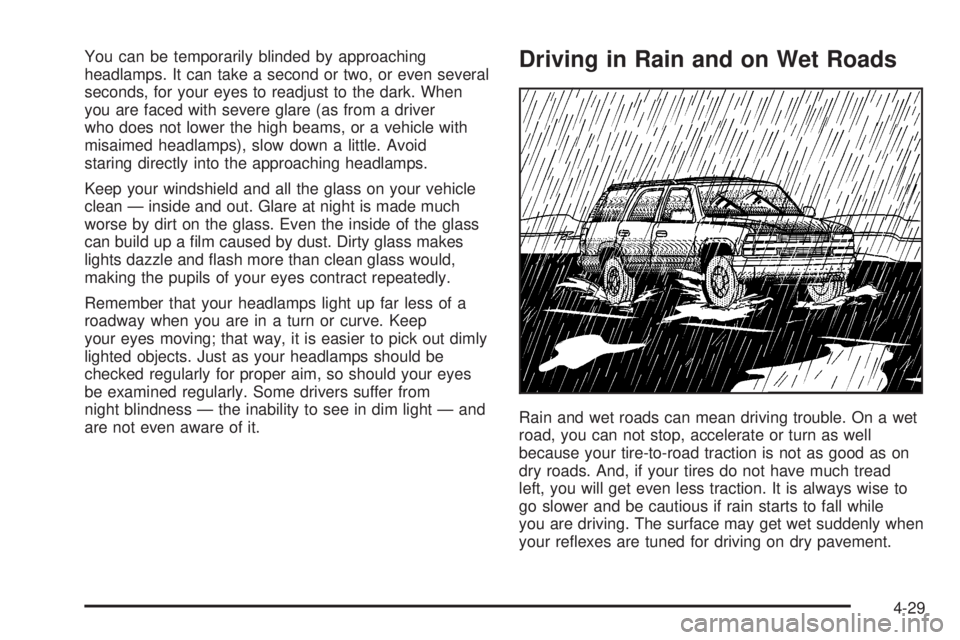
are not even aware of it.Driving in Rain and on Wet Roads
Rain and wet roads can mean driving trouble. On a wet
road, you can not stop, accelerate or turn as well
because your tire-to-road traction is not as good as on
dry roads. And, if your tires do not have much tread
left, you will get even less traction. It is always wise to
go slower and be cautious if rain starts to fall while
you are driving. The surface may get wet suddenly when
your re¯exes are tuned for driving on dry pavement.
4-29
Page 331 of 468
Engine Coolant
The cooling system in your vehicle is ®lled with
DEX-COOLžengine coolant. This coolant is designed
to remain in your vehicle for 5 years or 150,000 miles
(240 000 km), whichever occurs ®rst, if you add
only DEX-COOL
žextended life coolant.
The following explains your cooling system and how to
add coolant when it is low. If you have a problem
with engine overheating, see
Engine Overheating on
page 5-25.
A 50/50 mixture of clean, drinkable water and
DEX-COOL
žcoolant will:
·Give freezing protection down to-34ÉF (-37ÉC).
·Give boiling protection up to 265ÉF (129ÉC).
·Protect against rust and corrosion.
·Help keep the proper engine temperature.
·Let the warning lights and gages work as they
should.
Notice:Using coolant other than DEX-COOLžmay
cause premature engine, heater core or radiator
corrosion. In addition, the engine coolant may
require changing sooner, at 30,000 miles (50 000 km)
or 24 months, whichever occurs ®rst. Any repairs
would not be covered by your warranty. Always use
DEX-COOL
ž(silicate-free) coolant in your vehicle.
What to Use
Use a mixture of one-halfclean, drinkable waterand
one-half DEX-COOLžcoolant which won't damage
aluminum parts. If you use this coolant mixture,
you don't need to add anything else.
{CAUTION:
Adding only plain water to your cooling
system can be dangerous. Plain water, or
some other liquid such as alcohol, can boil
before the proper coolant mixture will. Your
vehicle's coolant warning system is set for the
proper coolant mixture. With plain water or the
wrong mixture, your engine could get too hot
but you would not get the overheat warning.
Your engine could catch ®re and you or others
could be burned. Use a 50/50 mixture of clean,
drinkable water and DEX-COOL
žcoolant.
Notice:If you use an improper coolant mixture,
your engine could overheat and be badly damaged.
The repair cost would not be covered by your
warranty. Too much water in the mixture can freeze
and crack the engine, radiator, heater core and
other parts.
5-23
Page 467 of 468
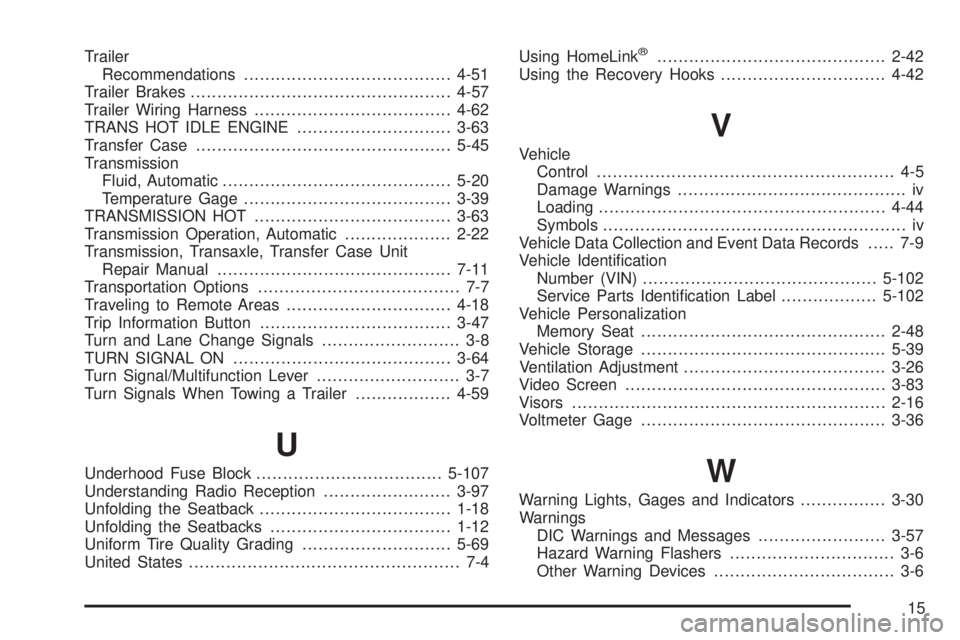
Trailer
Recommendations.......................................4-51
Trailer Brakes.................................................4-57
Trailer Wiring Harness.....................................4-62
TRANS HOT IDLE ENGINE.............................3-63
Transfer Case................................................5-45
Transmission
Fluid, Automatic...........................................5-20
Temperature Gage.......................................3-39
TRANSMISSION HOT.....................................3-63
Transmission Operation, Automatic....................2-22
Transmission, Transaxle, Transfer Case Unit
Repair Manual............................................7-11
Transportation Options...................................... 7-7
Traveling to Remote Areas...............................4-18
Trip Information Button....................................3-47
Turn and Lane Change Signals.......................... 3-8
TURN SIGNAL ON.........................................3-64
Turn Signal/Multifunction Lever........................... 3-7
Turn Signals When Towing a Trailer..................4-59
U
Underhood Fuse Block...................................5-107
Understanding Radio Reception........................3-97
Unfolding the Seatback....................................1-18
Unfolding the Seatbacks..................................1-12
Uniform Tire Quality Grading............................5-69
United States................................................... 7-4Using HomeLink
ž...........................................2-42
Using the Recovery Hooks...............................4-42
V
Vehicle
Control........................................................ 4-5
Damage Warnings........................................... iv
Loading......................................................4-44
Symbols......................................................... iv
Vehicle Data Collection and Event Data Records..... 7-9
Vehicle Identi®cation
Number (VIN)............................................5-102
Service Parts Identi®cation Label..................5-102
Vehicle Personalization
Memory Seat..............................................2-48
Vehicle Storage..............................................5-39
Ventilation Adjustment......................................3-26
Video Screen.................................................3-83
Visors...........................................................2-16
Voltmeter Gage..............................................3-36
W
Warning Lights, Gages and Indicators................3-30
Warnings
DIC Warnings and Messages........................3-57
Hazard Warning Flashers............................... 3-6
Other Warning Devices.................................. 3-6
15