odometer GMC YUKON DENALI 2008 User Guide
[x] Cancel search | Manufacturer: GMC, Model Year: 2008, Model line: YUKON DENALI, Model: GMC YUKON DENALI 2008Pages: 502, PDF Size: 6.18 MB
Page 221 of 502
OIL PRESSURE LOW STOP ENGINE
Notice:If you drive your vehicle while the engine
oil pressure is low, severe engine damage may
occur. If a low oil pressure warning appears on the
Driver Information Center (DIC), stop the vehicle
as soon as possible. Do not drive the vehicle until
the cause of the low oil pressure is corrected.
SeeEngine Oil on page 5-13for more information.
This message displays if low oil pressure levels
occur. Stop the vehicle as soon as safely possible and
do not operate it until the cause of the low oil pressure
has been corrected. Check the oil as soon as possible
and have your vehicle serviced by your dealer/retailer.
SeeEngine Oil on page 5-13.
PARK ASSIST OFF
After the vehicle has been started, this message
displays to remind the driver that the Ultrasonic Rear
Parking Assist (URPA) system has been turned
off. Press the set/reset button or the trip odometer reset
stem to acknowledge this message and clear it from
the DIC display. To turn the URPA system back on, see
Ultrasonic Rear Parking Assist (URPA) on page 2-44.
PASSENGER DOOR OPEN
This message displays and a chime sounds if the
passenger door is not fully closed and the vehicle is in a
drive gear. Stop and turn off the vehicle, check the
door for obstructions, and close the door again. Check
to see if the message still appears on the DIC.
REAR ACCESS OPEN
This message displays and a chime sounds if the
liftgate or liftglass is open while the ignition is in
ON/RUN. Turn off the vehicle and check the liftgate and
liftglass. Restart the vehicle and check for the message
on the DIC display.
REMOTE KEY LEARNING ACTIVE
This message displays while you are matching a
Remote Keyless Entry (RKE) transmitter to your vehicle.
See “Matching Transmitter(s) to Your Vehicle” under
Remote Keyless Entry (RKE) System Operation
on page 2-5and “DIC Operation and Displays (Using
DIC Buttons)” earlier in this section for more information.
3-59
Page 227 of 502
DISPLAY LANGUAGE
This feature allows you to select the language in which
the DIC messages will appear.
Press the customization button until the DISPLAY
LANGUAGE screen appears on the DIC display. Press
the set/reset button once to access the settings for
this feature. Then press the customization button
to scroll through the following settings:
ENGLISH (default):All messages will appear in
English.
FRANCAIS:All messages will appear in French.
ESPANOL:All messages will appear in Spanish.
NO CHANGE:No change will be made to this feature.
The current setting will remain.
To select a setting, press the set/reset button while the
desired setting is displayed on the DIC.
You can also change the language by pressing the trip
odometer reset stem. See “Language” under DIC
Operation and Displays (Without DIC Buttons) earlier in
this section for more information.
AUTO DOOR LOCK
This feature allows you to select when the vehicle’s
doors will automatically lock. SeeProgrammable
Automatic Door Locks on page 2-11for more
information.
Press the customization button until AUTO DOOR
LOCK appears on the DIC display. Press the set/reset
button once to access the settings for this feature.
Then press the customization button to scroll through
the following settings:
SHIFT OUT OF PARK (default):The doors will
automatically lock when the vehicle is shifted out of
PARK (P).
AT VEHICLE SPEED:The doors will automatically lock
when the vehicle speed is above 8 mph (13 km/h) for
three seconds.
NO CHANGE:No change will be made to this feature.
The current setting will remain.
To select a setting, press the set/reset button while the
desired setting is displayed on the DIC.
3-65
Page 233 of 502
ON:The driver’s seat and, on some vehicles, the
outside mirrors will automatically move to the stored
driving position when the unlock button on the Remote
Keyless Entry (RKE) transmitter is pressed. On
some vehicles with the adjustable throttle and brake
pedal feature, the pedals will also automatically move.
See “Relearn Remote Key” underDIC Operation
and Displays (Using DIC Buttons) on page 3-49orDIC
Operation and Displays (Using Trip Odometer Reset
Stem) on page 3-54for more information on matching
transmitters to driver ID numbers.
NO CHANGE:No change will be made to this feature.
The current setting will remain.
To select a setting, press the set/reset button while the
desired setting is displayed on the DIC.REMOTE START
If your vehicle has this feature, it allows you to turn the
remote start off or on. The remote start feature allows
you to start the engine from outside of the vehicle using
the Remote Keyless Entry (RKE) transmitter. See
Remote Vehicle Start on page 2-8for more information.
Press the customization button until REMOTE START
appears on the DIC display. Press the set/reset
button once to access the settings for this feature. Then
press the customization button to scroll through the
following settings:
OFF:The remote start feature will be disabled.
ON (default):The remote start feature will be enabled.
3-71
Page 358 of 502
Automatic Transmission Fluid
When to Check and Change Automatic
Transmission Fluid
It is usually not necessary to check the transmission
uid level. The only reason for uid loss is a
transmission leak or overheating the transmission. If you
suspect a small leak, then use the following checking
procedures to check the uid level. However, if there is a
large leak, then it may be necessary to have the vehicle
towed to a dealer/retailer service department and have it
repaired before driving the vehicle further.
Notice:Use of the incorrect automatic transmission
uid may damage your vehicle, and the damages
may not be covered by your warranty. Always use
the automatic transmission uid listed in
Recommended Fluids and Lubricants on page 6-12.
Change the uid and lter at the intervals listed in the
Maintenance Schedule. SeeScheduled Maintenance
on page 6-4. Be sure to use the transmission uid listed
inRecommended Fluids and Lubricants on page 6-12.
How to Check Automatic
Transmission Fluid
Notice:Too much or too little uid can damage
your transmission. Too much can mean that some
of the uid could come out and fall on hot engine
parts or exhaust system parts, starting a re.
Too little uid could cause the transmission to
overheat. Be sure to get an accurate reading if you
check your transmission uid.
Before checking the uid level, prepare your vehicle as
follows:
1. Start the engine and park your vehicle on a level
surface. Keep the engine running.
2. Apply the parking brake and place the shift lever in
PARK (P).
3. With your foot on the brake pedal, move the shift
lever through each gear range, pausing for about
three seconds in each range. Then, move the shift
lever back to PARK (P).
4. Allow the engine to idle (500 – 800 rpm) for at least
one minute. Slowly release the brake pedal.
5. Keep the engine running and press the Trip/Fuel
button or trip odometer reset stem until TRANS
TEMP (Transmission Temperature) displays on the
Driver Information Center (DIC).
5-20
Page 402 of 502
Tire Pressure Monitor Operation
The Tire Pressure Monitor System (TPMS) is designed
to warn the driver when a low tire pressure condition
exists. TPMS sensors are mounted onto each tire and
wheel assembly, excluding the spare tire and wheel
assembly. The TPMS sensors monitor the air pressure in
the vehicle’s tires and transmits the tire pressure readings
to a receiver located in the vehicle.
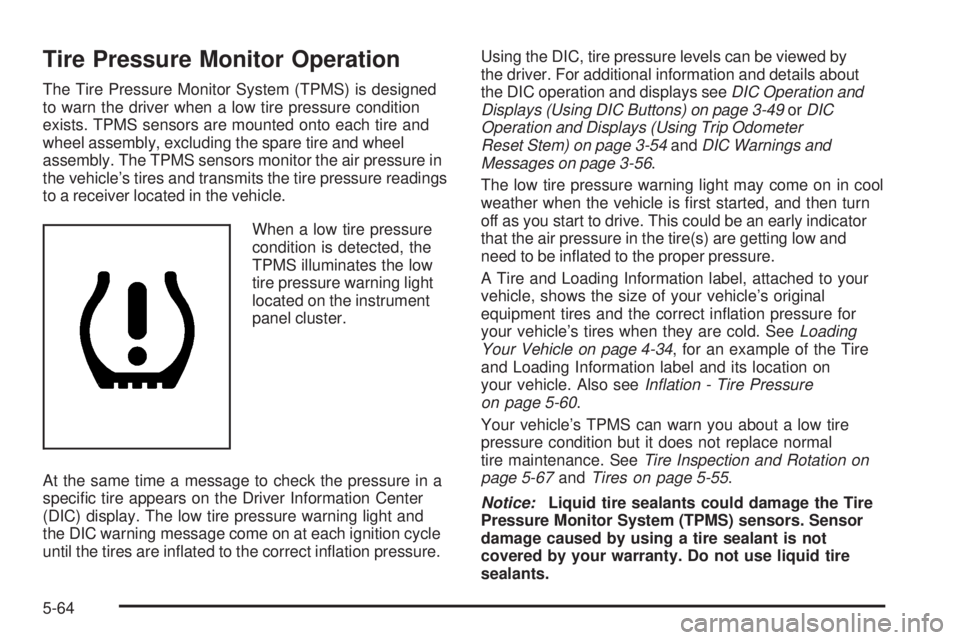
When a low tire pressure
condition is detected, the
TPMS illuminates the low
tire pressure warning light
located on the instrument
panel cluster.
At the same time a message to check the pressure in a
specic tire appears on the Driver Information Center
(DIC) display. The low tire pressure warning light and
the DIC warning message come on at each ignition cycle
until the tires are inated to the correct ination pressure.Using the DIC, tire pressure levels can be viewed by
the driver. For additional information and details about
the DIC operation and displays seeDIC Operation and
Displays (Using DIC Buttons) on page 3-49orDIC
Operation and Displays (Using Trip Odometer
Reset Stem) on page 3-54andDIC Warnings and
Messages on page 3-56.
The low tire pressure warning light may come on in cool
weather when the vehicle is rst started, and then turn
off as you start to drive. This could be an early indicator
that the air pressure in the tire(s) are getting low and
need to be inated to the proper pressure.
A Tire and Loading Information label, attached to your
vehicle, shows the size of your vehicle’s original
equipment tires and the correct ination pressure for
your vehicle’s tires when they are cold. SeeLoading
Your Vehicle on page 4-34, for an example of the Tire
and Loading Information label and its location on
your vehicle. Also seeInflation - Tire Pressure
on page 5-60.
Your vehicle’s TPMS can warn you about a low tire
pressure condition but it does not replace normal
tire maintenance. SeeTire Inspection and Rotation on
page 5-67andTires on page 5-55.
Notice:Liquid tire sealants could damage the Tire
Pressure Monitor System (TPMS) sensors. Sensor
damage caused by using a tire sealant is not
covered by your warranty. Do not use liquid tire
sealants.
5-64
Page 413 of 502
{CAUTION:
Using the wrong replacement wheels, wheel
bolts, or wheel nuts on your vehicle can be
dangerous. It could affect the braking and
handling of your vehicle, make your tires lose
air and make you lose control. You could have
a collision in which you or others could be
injured. Always use the correct wheel, wheel
bolts, and wheel nuts for replacement.
Notice:The wrong wheel can also cause problems
with bearing life, brake cooling, speedometer or
odometer calibration, headlamp aim, bumper height,
vehicle ground clearance, and tire or tire chain
clearance to the body and chassis.
SeeChanging a Flat Tire on page 5-78for more
information.
Used Replacement Wheels
{CAUTION:
Putting a used wheel on your vehicle is
dangerous. You cannot know how it has been
used or how far it has been driven. It could fail
suddenly and cause a crash. If you have to
replace a wheel, use a new GM original
equipment wheel.
5-75
Page 468 of 502
Maintenance Record
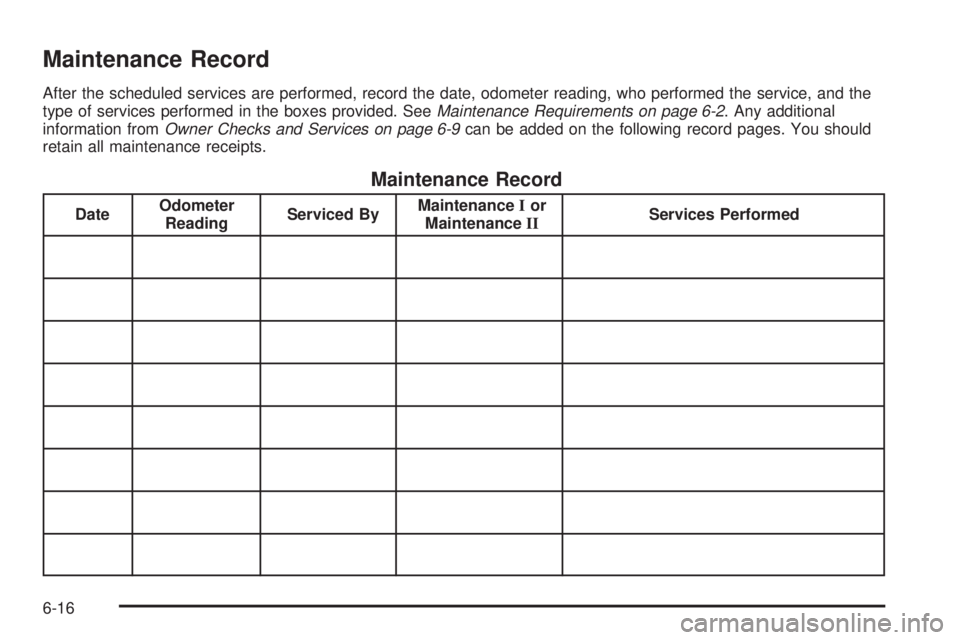
After the scheduled services are performed, record the date, odometer reading, who performed the service, and the
type of services performed in the boxes provided. SeeMaintenance Requirements on page 6-2. Any additional
information fromOwner Checks and Services on page 6-9can be added on the following record pages. You should
retain all maintenance receipts.
Maintenance Record
DateOdometer
ReadingServiced ByMaintenanceIor
MaintenanceIIServices Performed
6-16
Page 469 of 502
Maintenance Record (cont’d)
DateOdometer
ReadingServiced ByMaintenanceIor
MaintenanceIIServices Performed
6-17
Page 470 of 502
Maintenance Record (cont’d)
DateOdometer
ReadingServiced ByMaintenanceIor
MaintenanceIIServices Performed
6-18
Page 478 of 502
In many instances, mechanical failures may be covered.
However, when other services are utilized, our
Roadside Assistance Representatives will explain any
payment obligations you might incur.
GMC and General Motors of Canada Limited reserve
the right to limit services or reimbursement to an owner
or driver when, in their sole discretion, the claims
become excessive in frequency or type of occurrence.
Calling For Assistance
For prompt and efficient assistance when calling, please
provide the following to the Roadside Assistance
Representative:
Your name, home address, and home telephone
number
Telephone number of your location
Location of the vehicle.
Model, year, color, and license plate number of the
vehicle
Odometer reading, Vehicle Identication Number
(VIN), and delivery date of the vehicle
Description of the problem
Towing and Road Service Exclusions
Specically excluded from Roadside Assistance
coverage are towing or services for vehicles operated
on a non-public roadway or highway, nes, impound
towing caused by a violation of local, Municipal, State,
Provincial, or Federal law, and mounting, dismounting or
changing of snow tires, chains, or other traction devices.
Roadside Assistance is not part of or included in the
coverage provided by the New Vehicle Limited Warranty.
GMC and General Motors of Canada Limited reserve
the right to make any changes or discontinue the
Roadside Assistance program at any time without
notication.
Scheduling Service Appointments
When your vehicle requires warranty service, contact
your dealer/retailer and request an appointment.
By scheduling a service appointment and advising your
service consultant of your transportation needs, your
dealer/retailer can help minimize your inconvenience.
If your vehicle cannot be scheduled into the service
department immediately, keep driving it until it can be
scheduled for service, unless, of course, the problem is
safety-related. If it is, please call your dealership/retailer,
let them know this, and ask for instructions.
If the dealer/retailer requests that you simply drop the
vehicle off for service, you are urged to do so as early
in the work day as possible to allow for the same
day repair.
7-8