ignition GMC YUKON DENALI 2008 Owner's Manual
[x] Cancel search | Manufacturer: GMC, Model Year: 2008, Model line: YUKON DENALI, Model: GMC YUKON DENALI 2008Pages: 502, PDF Size: 6.18 MB
Page 135 of 502
Torque Lock
If you are parking on a hill and you do not shift your
transmission into PARK (P) properly, the weight of the
vehicle can put too much force on the parking pawl in the
transmission. It might be difficult to pull the shift lever out
of PARK (P). This is called torque lock. To prevent torque
lock, set the parking brake and then shift into PARK (P)
properly before you leave the driver’s seat. To nd out
how, seeShifting Into PARK (P) on page 2-36.
When you are ready to drive, move the shift lever out of
PARK (P) before releasing the parking brake.
If torque lock does occur, you might need to have another
vehicle push yours a little uphill to take some of the
pressure from the parking pawl in the transmission. Then
you should be able to pull the shift lever out of PARK (P).
Shifting Out of PARK (P)
This vehicle is equipped with an electronic shift lock
release system. The shift lock release is designed to:
Prevent ignition key removal unless the shift
lever is in PARK (P) with the shift lever button fully
released, and
Prevent movement of the shift lever out of
PARK (P), unless the ignition is in ON/RUN or
ACC/ACCESSORY and the regular brake pedal is
applied.The shift lock release is always functional except in the
case of an uncharged or low voltage (less than 9 volt)
battery.
If your vehicle has an uncharged battery or a battery
with low voltage, try charging or jump starting the
battery. SeeJump Starting on page 5-40for more
information.
To shift out of PARK (P) use the following:
1. Apply the brake pedal.
2. Move the shift lever to the desired position.
If you still are unable to shift out of PARK (P):
1. Ease the pressure on the shift lever.
2. While holding down the brake pedal, press the shift
lever all the way into PARK (P).
3. Move the shift lever to the desired position.
If you are still having a problem shifting, then have your
vehicle serviced soon.
2-37
Page 138 of 502
Mirrors
Automatic Dimming Rearview Mirror
with OnStar
®, Compass and
Temperature Display
When on, an automatic dimming mirror automatically
dims to the proper level to minimize glare from
lights behind you after dark.
The mirror also includes a dual display in the upper
right corner of the mirror face. The compass reading and
the outside temperature will both appear in the display
at the same time.
P(On/Off):This is the on/off button.
Temperature and Compass Display
Press the on/off button, located to the far left, briey to
turn the compass/temperature display on or off.
If the display reads CAL, you will need to calibrate the
compass. For more information on calibration, see
below.To adjust between Fahrenheit and Celsius do the
following:
1. Press and hold the on/off button for approximately
four seconds until either a ashing F or C appears.
2. Press the button again to change the display to the
desired unit of measurement. After approximately
four seconds of inactivity, the new unit will be locked
in and the compass/temperature display will return.
If an abnormal temperature reading is displayed for an
extended period of time, please consult your dealer.
Under certain circumstances, a delay in updating
the temperature is normal.
Automatic Dimming Mirror Operation
The automatic dimming mirror function is turned on
automatically each time the ignition is started. To
operate the automatic dimming mirror, do the following:
1. Make sure the green indicator light, located to the left
of the on/off button, is lit. If it’s not, press and hold the
on/off button for approximately six seconds until the
green light comes on, indicating that the mirror is in
automatic dimming mode.
2. Turn off the automatic dimming mirror function by
pressing and holding the on/off button for
approximately six seconds, until the green indicator
light turns off.
2-40
Page 141 of 502
If the mirrors are accidentally folded/unfolded manually,
they may shake or utter at normal driving speeds
and may not stay in the unfolded position. If this
happens, you will need to reset the mirrors. See
“Resetting the Power Foldaway Mirrors” next.
Resetting the Power Foldaway Mirrors
You will need to reset the power foldaway mirrors if the
following occurs:
The mirrors are accidentally obstructed while
folding.
They are accidentally manually folded/unfolded.
The mirrors will not stay in the unfolded position.
The mirrors shake and utter at normal driving
speeds.
To reset the power foldaway mirrors, fold and unfold
them one time using the mirror controls. This will reset
them to their normal position.
This mirror has the following features.
Automatic Dimming
The driver’s outside mirror will adjust for the glare of the
headlamps behind you. SeeAutomatic Dimming
Rearview Mirror with OnStar
®, Compass and
Temperature Display on page 2-40.
Curb View Assist
If your vehicle has the memory package, the outside
mirrors are able to perform the park tilt function. This
feature may be useful in allowing the driver to view the
curb when parallel parking. This feature will cause the
passenger’s and/or driver’s mirror to tilt to a preselected
position when the vehicle is in REVERSE (R).
The passenger’s and/or driver’s mirror will return to its
original position when the vehicle is shifted out of
REVERSE (R), or the ignition is turned off or to
OFF/LOCK.
This feature can be turned on or off through the Driver
Information Center (DIC). SeeDIC Vehicle
Customization (With DIC Buttons) on page 3-64.
Heated Mirrors
The button to turn the heated mirrors on or off is located
on the climate control panel. Press this button to
warm the driver’s and passenger’s outside rearview
mirrors to help clear them of ice, snow, and
condensation.
See “Rear Window Defogger” underDual Automatic
Climate Control System on page 3-23for more
information.
2-43
Page 160 of 502
Cargo Tie Downs
Your vehicle may have cargo tie downs in the rear
cargo area that allow you to strap cargo in and keep it
from moving inside the vehicle.
Sunroof
Your vehicle may be equipped with a power sliding
sunroof. To open or close the sunroof, the ignition needs
to be turned to ON, or Retained Accessory Power
(RAP) must be active. When RAP is active, the sunroof
will work for 10 minutes after the ignition is turned
off, or until a front door is opened. SeeRetained
Accessory Power (RAP) on page 2-27for more
information.
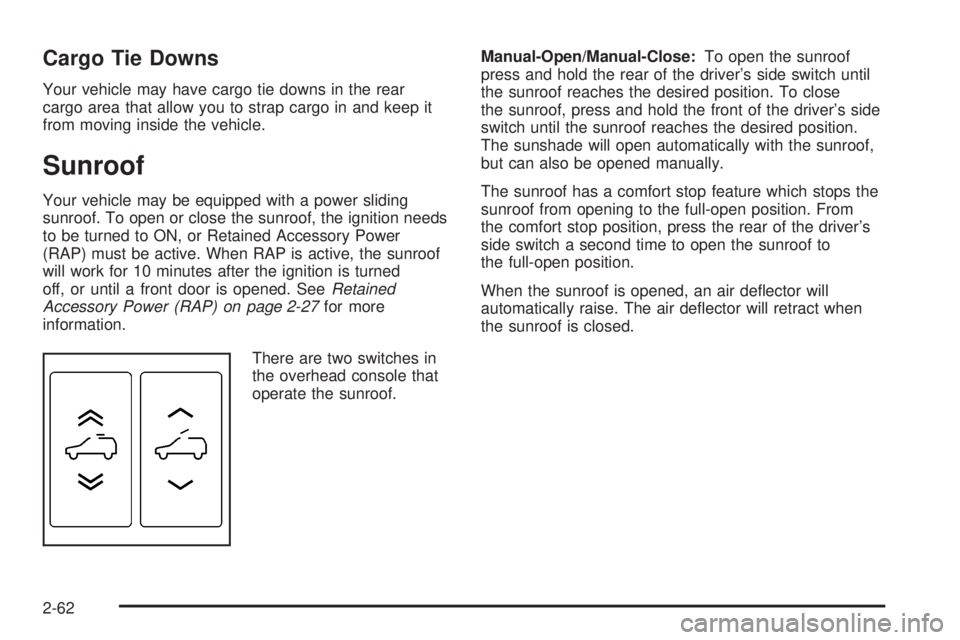
There are two switches in
the overhead console that
operate the sunroof.Manual-Open/Manual-Close:To open the sunroof
press and hold the rear of the driver’s side switch until
the sunroof reaches the desired position. To close
the sunroof, press and hold the front of the driver’s side
switch until the sunroof reaches the desired position.
The sunshade will open automatically with the sunroof,
but can also be opened manually.
The sunroof has a comfort stop feature which stops the
sunroof from opening to the full-open position. From
the comfort stop position, press the rear of the driver’s
side switch a second time to open the sunroof to
the full-open position.
When the sunroof is opened, an air deector will
automatically raise. The air deector will retract when
the sunroof is closed.
2-62
Page 168 of 502
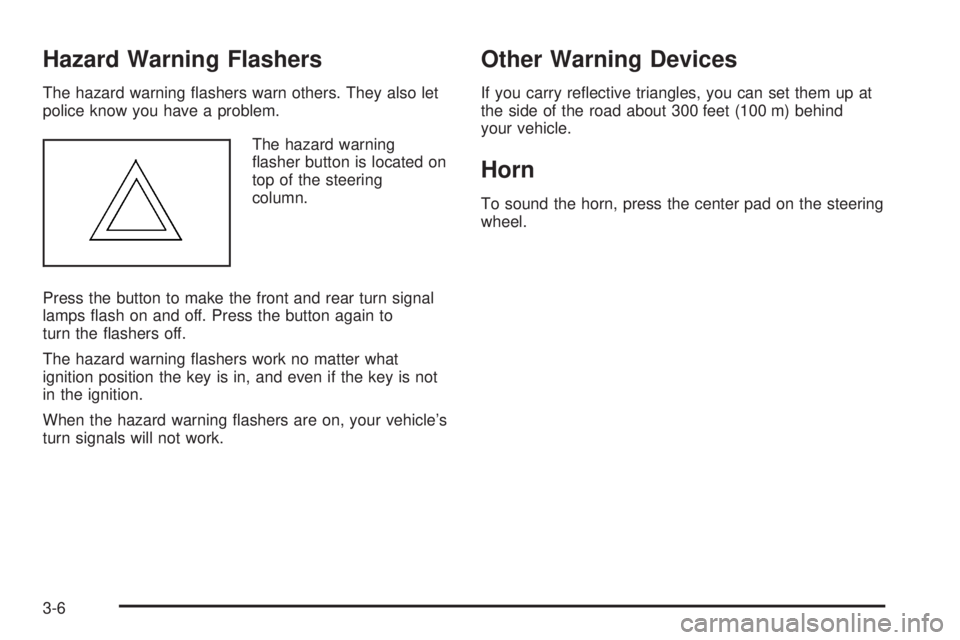
Hazard Warning Flashers
The hazard warning ashers warn others. They also let
police know you have a problem.
The hazard warning
asher button is located on
top of the steering
column.
Press the button to make the front and rear turn signal
lamps ash on and off. Press the button again to
turn the ashers off.
The hazard warning ashers work no matter what
ignition position the key is in, and even if the key is not
in the ignition.
When the hazard warning ashers are on, your vehicle’s
turn signals will not work.
Other Warning Devices
If you carry reective triangles, you can set them up at
the side of the road about 300 feet (100 m) behind
your vehicle.
Horn
To sound the horn, press the center pad on the steering
wheel.
3-6
Page 178 of 502
Ending Cruise Control
There are three ways to end cruise control:
Step lightly on the brake pedal.
Press the cancel button on the steering wheel.
Press the On/Off button on the steering wheel.
Erasing Speed Memory
The cruise control set speed memory is erased when
the cruise control or the ignition is turned off.
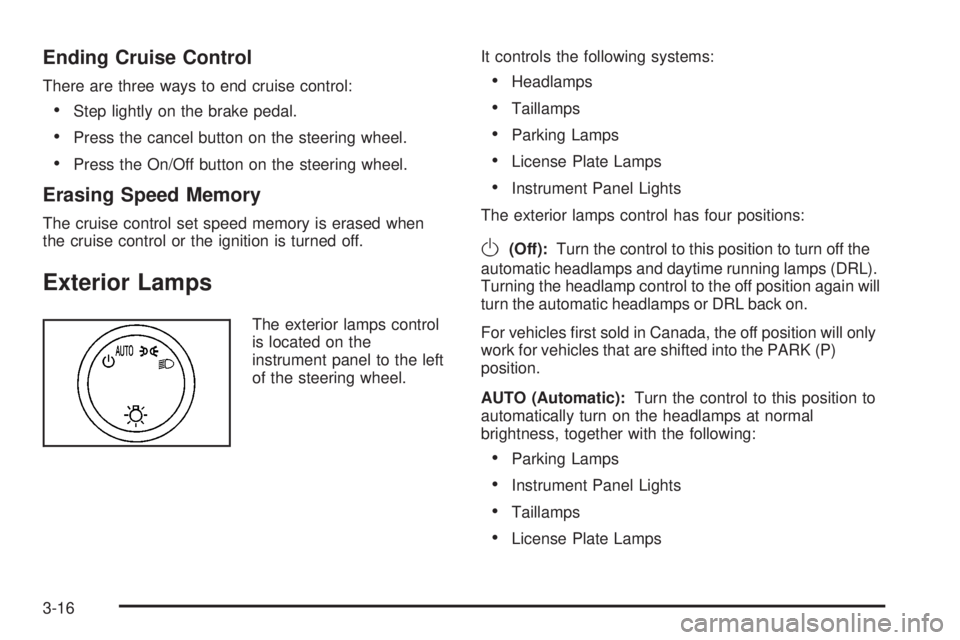
Exterior Lamps
The exterior lamps control
is located on the
instrument panel to the left
of the steering wheel.It controls the following systems:
Headlamps
Taillamps
Parking Lamps
License Plate Lamps
Instrument Panel Lights
The exterior lamps control has four positions:
O(Off):Turn the control to this position to turn off the
automatic headlamps and daytime running lamps (DRL).
Turning the headlamp control to the off position again will
turn the automatic headlamps or DRL back on.
For vehicles rst sold in Canada, the off position will only
work for vehicles that are shifted into the PARK (P)
position.
AUTO (Automatic):Turn the control to this position to
automatically turn on the headlamps at normal
brightness, together with the following:
Parking Lamps
Instrument Panel Lights
Taillamps
License Plate Lamps
3-16
Page 179 of 502
;(Parking Lamps):Turn the control to this position
to turn on the parking lamps together with the
following:
Instrument Panel Lights
Taillamps
License Plate Lamps
2(Headlamps):Turn the control to this position to
turn on the headlamps together with the following lamps
listed below.
Parking Lamps
Instrument Panel Lights
Taillamps
License Plate Lamps
When the headlamps are turned on while the vehicle is
on, the headlamps turn off automatically 10 minutes
after the ignition is turned off. When the headlamps are
turned on while the vehicle is off, the headlamps will
stay on for 10 minutes before automatically turning off to
prevent the battery from being drained. Turn the
headlamp control to off and then back to the headlamp
on position to make the headlamps stay on for an
additional 10 minutes.
Headlamps on Reminder
A reminder chime will sound when the headlamps or
parking lamps are manually turned on and your ignition
is off and a door is open. To disable the chime, turn
the light off.
Daytime Running Lamps (DRL)
Daytime Running Lamps (DRL) can make it easier for
others to see the front of your vehicle during the
day. DRL can be helpful in many different driving
conditions, but they can be especially helpful in the short
periods after dawn and before sunset. Fully functional
daytime running lamps are required on all vehicles
rst sold in Canada.
The DRL system will come on when the following
conditions are met:
The ignition is on.
The exterior lamps control is in AUTO.
The transmission is not in PARK (P).
The light sensor determines it is daytime.
When the DRL are on, only the DRL lamps will be on.
The taillamps, sidemarker, and other lamps will not
be on. The instrument panel will not be lit up either.
3-17
Page 180 of 502
When it begins to get dark, the automatic headlamp
system will switch from DRL to the headlamps.
To turn off the DRL lamps, turn the exterior lamps
control to the OFF position and then release. For
vehicles rst sold in Canada, the transmission must be
in the PARK (P) position, before the DRL lamps can
be turned off.
Automatic Headlamp System
When it is dark enough outside, the automatic headlamp
system will turn on the headlamps at the normal
brightness, along with the taillamps, sidemarker, parking
lamps, and the instrument panel lights. The radio
lights will also be dim.
To turn off the automatic headlamp system, turn the
exterior lamps switch to the off position and then release
it. For vehicles rst sold in Canada, the transmission
must be in the PARK (P) position, before the automatic
headlamp system can be turned off.
The vehicle has a light sensor located on the top of the
instrument panel in the defroster grille that regulates
when the automatic headlamps turn on. Be sure it is not
covered, or the headlamps will come on whenever
the ignition is on.
The system may also turn on the headlamps when
driving through a parking garage, heavy overcast
weather, or a tunnel. This is normal.There is a delay in the transition between the daytime
and nighttime operation of the Daytime Running
Lamps (DRL) and the automatic headlamp systems so
that driving under bridges or bright overhead street
lights does not affect the system. The DRL and
automatic headlamp system will only be affected when
the light sensor detects a change in lighting lasting
longer than the delay.
If the vehicle is started in a dark garage, the automatic
headlamp system will come on immediately. Once
the vehicle leaves the garage, it takes approximately
one minute for the automatic headlamp system to
change to DRL if it is bright enough outside. During that
delay, the instrument panel cluster may not be as
bright as usual. Make sure the instrument panel
brightness control is in the full bright position. See
Instrument Panel Brightness on page 3-19.
To idle the vehicle with the automatic headlamp system
off, turn the control to the off position.
The headlamps will also stay on after you exit the
vehicle. This feature can be programmed using the
Driver Information Center (DIC). SeeDIC Vehicle
Customization (With DIC Buttons) on page 3-64.
The regular headlamp system can be turned on when
needed.
3-18
Page 181 of 502

Fog Lamps
-(Fog Lamps):If your vehicle has fog lamps, the
control is located next to the exterior lamps control
on the instrument panel to the left of the steering
column.
The ignition must be in the ON/RUN position for the fog
lamps to come on.
Press the button to turn the fog lamps on or off. A light
will come on in the instrument panel cluster.
When the fog lamps are turned on, the headlamps
automatically turn on.
When the headlamps are changed to high-beam, the
fog lamps also go off. When the high-beam headlamps
go off, the fog lamps will come on again.
Some localities have laws that require the headlamps to
be on along with the fog lamps.
Instrument Panel Brightness
D(Instrument Panel Brightness):This feature
controls the brightness of the instrument panel lights and
is located next to the exterior lamp control.
Push the knob to extend out and then it can be turned.
Turn the knob clockwise or counterclockwise to
brighten or dim the instrument panel lights. Turning the
knob to the farthest clockwise position turns on the
dome lamps.
Dome Lamps
The dome lamps come on when any door is opened.
They turn off after all the doors are closed.
The dome lamps can also be turned on by turning the
instrument panel brightness knob, located next to
the exterior lamps control, clockwise to the farthest
position. In this position, the dome lamps remain
on whether a door is opened or closed.
3-19
Page 182 of 502
Dome Lamp Override
The dome lamp override button is located next to the
exterior lamps control.
k(Dome Off):Press the button in and the dome
lamps remain off when a door is opened. Press
the button again to return it to the extended position so
that the dome lamps come on when a door is opened.
Entry Lighting
Your vehicle has an illuminated entry feature.
When the doors are opened, the dome lamps will come
on if the dome override button is in the extended
position. If the dome override button is pressed in, the
lamps will not come on.
Exit Lighting
The interior lamps come on when the key is removed
from the ignition. They turn off automatically in
20 seconds. The lights do not come on if the dome
override button is pressed in.
Front Reading Lamps
The reading lamps are located on the overhead console.
To turn the reading lamps on or off, press the button
located next to each lamp.
The lamps can be adjusted to a desired direction.
Your vehicle may also have reading lamps in other
locations. To turn the lamps on or off, press the button
located next to the lamp. These lamps are xed and
cannot be adjusted.
Electric Power Management
The vehicle has Electric Power Management (EPM) that
estimates the battery’s temperature and state of
charge. It then adjusts the voltage for best performance
and extended life of the battery.
When the battery’s state of charge is low, the voltage is
raised slightly to quickly put the charge back in. When
the state of charge is high, the voltage is lowered slightly
to prevent overcharging. If the vehicle has a voltmeter
gage or a voltage display on the Driver Information
Center (DIC), you may see the voltage move up
or down. This is normal. If there is a problem, an alert
will be displayed.
3-20