service GMC YUKON DENALI 2008 Service Manual
[x] Cancel search | Manufacturer: GMC, Model Year: 2008, Model line: YUKON DENALI, Model: GMC YUKON DENALI 2008Pages: 502, PDF Size: 6.18 MB
Page 266 of 502
BAND:Press this button to listen to the radio when a
CD or a DVD is playing. The CD or DVD remains inside
the radio for future listening or viewing entertainment.
DVD/CD AUX (Auxiliary):Press this button to
cycle through DVD, CD, or Auxiliary when listening to
the radio. The DVD/CD text label and a message
showing track or chapter number displays when a disc
is in either slot. Press this button again and the
system automatically searches for an auxiliary input
device, such as a portable audio player. If a portable
audio player is not connected, “No Aux Input Device”
displays. If a disc is in both the DVD slot and the CD slot
the DVD/CD AUX button cycles between the two
sources and not indicate “No Aux Input Device”. If a
front auxiliary device is connected, the DVD/CD AUX
button cycles through all available options, such
as: DVD slot, CD slot, Front Auxiliary, and Rear Auxiliary
(if available). See “Using the Auxiliary Input Jack(s)”
later in this section, or “Audio/Video (A/V) Jacks” under,
Rear Seat Entertainment (RSE) System on page 3-105
for more information.
If a MP3/WMA is inserted into top DVD slot, the rear
seat operator can turn on the video screen and use the
remote control to navigate the CD (tracks only)
through the remote control.XM Radio Messages
XL (Explicit Language Channels):These channels, or
any others, can be blocked at a customer’s request,
by calling 1-800-852-XMXM (9696).
XM Updating:The encryption code in the receiver is
being updated, and no action is required. This process
should take no longer than 30 seconds.
No XM Signal:The system is functioning correctly, but
the vehicle is in a location that is blocking the XM™
signal. When you move into an open area, the signal
should return.
Loading XM:The audio system is acquiring and
processing audio and text data. No action is needed.
This message should disappear shortly.
Channel Off Air:This channel is not currently in
service. Tune to another channel.
Channel Unavail:This previously assigned channel is
no longer assigned. Tune to another station. If this
station was one of the presets, choose another station
for that preset button.
3-104
Page 267 of 502
No Artist Info:No artist information is available at this
time on this channel. The system is working properly.
No Title Info:No song title information is available
at this time on this channel. The system is working
properly.
No CAT Info:No category information is available at
this time on this channel. The system is working
properly.
No Information:No text or informational messages are
available at this time on this channel. The system is
working properly.
CAT Not Found:There are no channels available for
the selected category. The system is working properly.
XM TheftLocked:The XM receiver in the vehicle
could have previously been in another vehicle. For
security purposes, XM™ receivers cannot be swapped
between vehicles. If this message appears after
having your vehicle serviced, check with your
dealer/retailer.
XM Radio ID:If tuned to channel 0, this message
alternates with the XM Radio eight digit radio ID label.
This label is needed to activate the service.
Unknown:If this message is received when tuned to
channel 0, there could be a receiver fault. Consult
with your dealer/retailer.Check XM Receivr:If this message does not clear
within a short period of time, the receiver could have a
fault. Consult with your dealer/retailer.
XM Not Available:If this message does not clear
within a short period of time, the receiver could have a
fault. Consult with your dealer/retailer.
Navigation/Radio System
Your vehicle may have a navigation radio system.
The navigation system has built-in features intended to
minimize driver distraction. Technology alone, no
matter how advanced, can never replace your own
judgment. See the Navigation System manual for some
tips to help you reduce distractions while driving.
Rear Seat Entertainment (RSE)
System
Your vehicle may have a DVD Rear Seat Entertainment
(RSE) system. The RSE system works with the vehicle’s
audio system. The DVD player is part of the front radio.
The RSE system includes a radio with a DVD player, a
video display screen, audio/video jacks, two wireless
headphones, and a remote control. SeeRadio(s) (MP3)
on page 3-76for more information on the vehicle’s
audio/DVD system.
3-105
Page 280 of 502
Radio Reception
Frequency interference and static can occur during
normal radio reception if items such as cell phone
chargers, vehicle convenience accessories, and external
electronic devices are plugged into the accessory
power outlet. If there is interference or static, unplug the
item from the accessory power outlet.
AM
The range for most AM stations is greater than for FM,
especially at night. The longer range can cause
station frequencies to interfere with each other. For
better radio reception, most AM radio stations boost the
power levels during the day, and then reduce these
levels during the night. Static can also occur when things
like storms and power lines interfere with radio
reception. When this happens, try reducing the treble on
your radio.
FM Stereo
FM stereo gives the best sound, but FM signals only
reach about 10 to 40 miles (16 to 65 km). Tall buildings
or hills can interfere with FM signals, causing the
sound to fade in and out.
XM™ Satellite Radio Service
XM™ Satellite Radio Service gives digital radio
reception from coast-to-coast in the 48 contiguous
United States, and in Canada. Just as with FM,
tall buildings or hills can interfere with satellite radio
signals, causing the sound to fade in and out. In
addition, traveling or standing under heavy foliage,
bridges, garages, or through tunnels could cause loss of
the XM signal for a period of time. The radio may
display NO XM SIGNAL to indicate interference.
3-118
Page 286 of 502
And, of course, actual stopping distances vary greatly
with the surface of the road, whether it is pavement
or gravel; the condition of the road, whether it is
wet, dry, or icy; tire tread; the condition of the brakes;
the weight of the vehicle; and the amount of brake force
applied.
Avoid needless heavy braking. Some people drive
in spurts — heavy acceleration followed by heavy
braking — rather than keeping pace with traffic. This is
a mistake. The brakes might not have time to cool
between hard stops. The brakes will wear out much
faster if you do a lot of heavy braking. If you keep pace
with the traffic and allow realistic following distances,
you will eliminate a lot of unnecessary braking.
That means better braking and longer brake life.
If your vehicle’s engine ever stops while you are driving,
brake normally but do not pump the brakes. If you do,
the pedal could get harder to push down. If the
engine stops, you will still have some power brake
assist. But you will use it when you brake. Once the
power assist is used up, it can take longer to stop and
the brake pedal will be harder to push.
Adding non-dealer/non-retailer accessories can affect
your vehicle’s performance. SeeAccessories and
Modifications on page 5-3.Antilock Brake System (ABS)
Your vehicle has the Antilock Brake System (ABS), an
advanced electronic braking system that will help
prevent a braking skid.
When you start the engine and begin to drive away,
ABS will check itself. You might hear a momentary
motor or clicking noise while this test is going on. This
is normal.
If there is a problem with
ABS, this warning light will
stay on. SeeAntilock
Brake System Warning
Light on page 3-40.
Along with ABS, your vehicle has a Dynamic Rear
Proportioning (DRP) system. If there is a DRP problem,
both the brake and ABS warning lights come on
accompanied by a 10-second chime. The lights and
chime will come on each time the ignition is turned on
until the problem is repaired. See your dealer/retailer
for service.
4-4
Page 288 of 502
StabiliTrak®System
Your vehicle may be equipped with the StabiliTrak®
system which combines antilock brake, traction
and stability control systems and helps the driver
maintain directional control of the vehicle in most driving
conditions.
When you rst start your vehicle and begin to drive away,
the system performs several diagnostic checks to ensure
there are no problems. You may hear or feel the system
working. This is normal and does not mean there is a
problem with your vehicle. The system should initialize
before the vehicle reaches 20 mph (32 km/h). In some
cases, it may take approximately two miles of driving
before the system initializes.
If the system fails to turn on or activate, the StabiliTrak
®
light along with one of the following messages will be
displayed on the Driver Information Center (DIC):
TRACTION CONTROL OFF, SERVICE TRACTION
CONTROL, STABILITRAK OFF, SERVICE
STABILITRAK. If these DIC messages appear, make
sure the StabiliTrak
®system has not been turned
off using the StabiliTrak®on/off button.Then turn the steering wheel clockwise from the nine
o’clock position to the three o’clock position. If this clears
the message(s), your vehicle does not need servicing.
If this does not clear the message(s), then turn the
vehicle off, wait 15 seconds, and then turn it back on
again to reset the system. If any of these messages still
appear on the Driver Information Center (DIC), your
vehicle should be taken in for service. For more
information on the DIC messages, seeDriver
Information Center (DIC) on page 3-49.
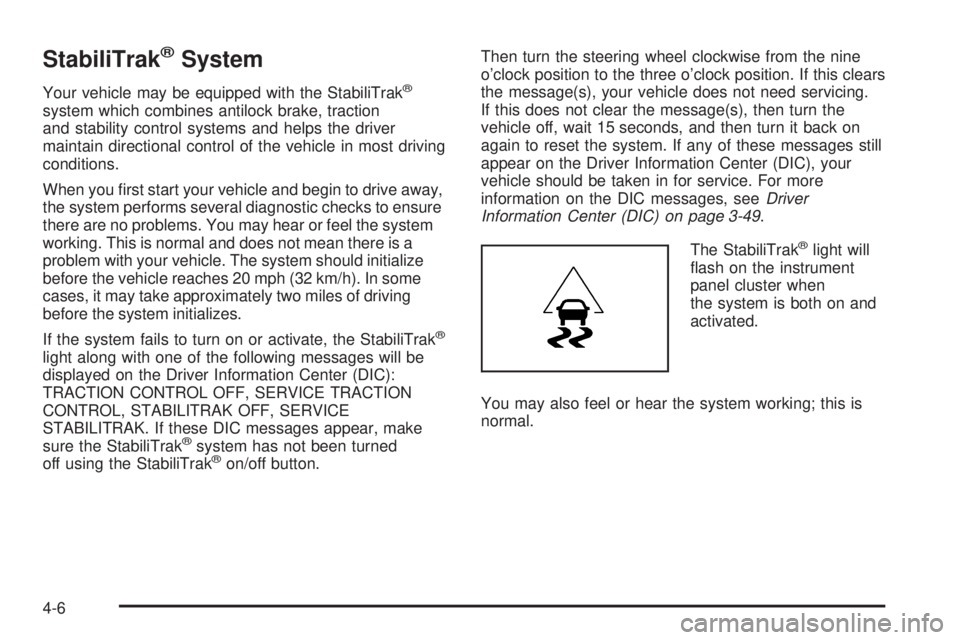
The StabiliTrak
®light will
ash on the instrument
panel cluster when
the system is both on and
activated.
You may also feel or hear the system working; this is
normal.
4-6
Page 290 of 502
The engine speed management will be disabled. In this
mode, engine power is not reduced automatically and the
driven wheels can spin more freely. This can cause the
brake-traction control to activate constantly.
Notice:If you allow the wheel(s) of one axle to spin
excessively while the StabiliTrak
®, ABS and brake
warning lights and the SERVICE STABILITRAK
message are displayed, you could damage the
transfer case. The repairs would not be covered by
your warranty. Reduce engine power and do not
spin the wheel(s) excessively while these lights and
this message are displayed.
The traction control system may activate on dry or
rough roads or under conditions such as heavy
acceleration while turning or abrupt upshifts/downshifts
of the transmission. When this happens, you may
notice a reduction in acceleration, or may hear a noise
or vibration. This is normal.
If your vehicle is in cruise control when the system
activates, the StabiliTrak
®light will ash and the cruise
control will automatically disengage. When road
conditions allow you to use cruise again, you may
re-engage the cruise control. SeeCruise Control on
page 3-13.StabiliTrak
®may also turn off automatically if it
determines that a problem exists with the system. If the
problem does not clear itself after restarting the
vehicle, you should see your dealer for service.
All-Wheel Drive (AWD) System
With this feature, engine power is sent to all four wheels
all the time.
This is like four-wheel drive, but there is no separate
lever or switch to engage or disengage the front axle. It
is fully automatic, and adjusts itself as needed for
road conditions.
Steering
Power Steering
If you lose power steering assist because the engine
stops or the system is not functioning, you can steer but
it will take much more effort.
4-8
Page 295 of 502
Off-Road Driving
If your vehicle has 20-inch tire/wheel assemblies, you
should not drive off-road unless you are on a level, solid
surface. SeeTires on page 5-55.
Many of the same design features that help make your
vehicle responsive on paved roads during poor weather
conditions — features like all-wheel drive — help make it
much better suited for off-road use than a conventional
passenger car. Its higher ground clearance also helps
your vehicle step over some off-road obstacles. But your
vehicle does not have features like special underbody
shielding and a transfer case low gear range, things that
are usually thought necessary for extended or severe
off-road service. This guide is for operating your vehicle
off paved roads.
Also, seeBraking on page 4-3.
The airbag system is designed to work properly under a
wide range of conditions, including off-road usage.
Observe safe driving speeds, especially on rough
terrain. As always, wear your safety belt.Off-road driving can be great fun. But it does have
some denite hazards. The greatest of these is
the terrain itself.
“Off-roading” means you have left the great North
American road system behind. Traffic lanes are not
marked. Curves are not banked. There are no
road signs. Surfaces can be slippery, rough, uphill, or
downhill. In short, you have gone right back to nature.
Off-road driving involves some new skills. And that
is why it is very important that you read this guide. You
will nd many driving tips and suggestions. These
will help make your off-road driving safer and more
enjoyable.
If you think you will need some more ground clearance
at the front of your vehicle, you can remove the front
fascia lower air dam.
The front fascia lower air dam is held in place by
two bolts and 10 snap features. The bolts and snap
features are accessible from underneath the front fascia.
4-13
Page 296 of 502
The following steps must be performed on the bolts and
snap features to remove the air dam:
1. Remove the two outboard air dam bolts.
2. With a at-blade screwdriver, push down on the
snap features and disengage the snaps.
3. After the bolts are removed and the snaps are
disengaged, push forward on the air dam until it
is free.
When you are back on roads, though, be sure to
replace the air dam.
Notice:Operating your vehicle for extended
periods without the front fascia lower air dam
installed can cause improper air ow to the engine.
Always be sure to replace the front fascia air
dam when you are nished off-road driving.
To reinstall the lower air dam do the following:
1. Line up the snap features and push the air dam
rearward to engage the snaps.
2. Install the two outboard bolts.Before You Go Off-Roading
There are some things to do before you go out. For
example, be sure to have all necessary maintenance
and service work done. Check to make sure all
underbody shields, if the vehicle has them, are properly
attached. Is there enough fuel? Is the spare tire fully
inated? Are the uid levels up where they should be?
What are the local laws that apply to off-roading
where you will be driving? If you do not know, you
should check with law enforcement people in the area.
Will you be on someone’s private land? If so, be
sure to get the necessary permission.
4-14
Page 307 of 502
If the water is not too deep, drive slowly through it. At
faster speeds, water splashes on the ignition system and
your vehicle can stall. Stalling can also occur if you
get the tailpipe under water. And, as long as the tailpipe
is under water, you will never be able to start the
engine. When you go through water, remember that
when the brakes get wet, it may take you longer to stop.
{CAUTION:
Driving through rushing water can be
dangerous. Deep water can sweep your vehicle
downstream and you and your passengers
could drown. If it is only shallow water, it can
still wash away the ground from under your
tires, and you could lose traction and roll the
vehicle over. Do not drive through rushing
water.
SeeDriving in Rain and on Wet Roads on page 4-26for
more information on driving through water.
After Off-Road Driving
Remove any brush or debris that has collected on the
underbody, chassis, or under the hood. These
accumulations can be a re hazard.
After operation in mud or sand, have the brake linings
cleaned and checked. These substances can cause
glazing and uneven braking. Check the body structure,
steering, suspension, wheels, tires, and exhaust
system for damage. Also, check the fuel lines and
cooling system for any leakage.
Your vehicle will require more frequent service due to
off-road use. Refer to the Maintenance Schedule
for additional information.
Driving at Night
Night driving is more dangerous than day driving because
some drivers are likely to be impaired — by alcohol or
drugs, with night vision problems, or by fatigue.
4-25
Page 309 of 502
Hydroplaning
Hydroplaning is dangerous. Water can build up under
your vehicle’s tires so they actually ride on the
water. This can happen if the road is wet enough and
you are going fast enough. When your vehicle is
hydroplaning, it has little or no contact with the road.
There is no hard and fast rule about hydroplaning. The
best advice is to slow down when the road is wet.
Other Rainy Weather Tips
Besides slowing down, other wet weather driving tips
include:
Allow extra following distance.
Pass with caution.
Keep windshield wiping equipment in good shape.
Keep the windshield washer uid reservoir lled.
Have good tires with proper tread depth. SeeTires
on page 5-55.
Before Leaving on a Long Trip
To prepare your vehicle for a long trip, consider having
it serviced by your dealer/retailer before departing.Things to check on your own include:
Windshield Washer Fluid:Reservoir full? Windows
clean — inside and outside?
Wiper Blades:In good shape?
Fuel, Engine Oil, Other Fluids:All levels checked?
Lamps:Do they all work and are lenses clean?
Tires:Are treads good? Are tires inated to
recommended pressure?
Weather and Maps:Safe to travel? Have up-to-date
maps?
Highway Hypnosis
Always be alert and pay attention to your surroundings
while driving. If you become tired or sleepy, nd a
safe place to park your vehicle and rest.
Other driving tips include:
Keep the vehicle well ventilated.
Keep interior temperature cool.
Keep your eyes moving — scan the road ahead
and to the sides.
Check the rearview mirror and vehicle instruments
often.
4-27