buttons GMC YUKON DENALI 2009 User Guide
[x] Cancel search | Manufacturer: GMC, Model Year: 2009, Model line: YUKON DENALI, Model: GMC YUKON DENALI 2009Pages: 100, PDF Size: 1.41 MB
Page 45 of 100
Adding or Changing Preset
Destinations
This feature allows you to add or change one of
ve preset destinations. When a destination has been
added as a preset destination, it will be available to
select from the Destination Entry screen. See “Preset
Destination” previously for information on how to select
a preset destination as a nal destination.
To store the current nal destination as a preset
destination:
1. Select the Mark screen button from the map screen
to add the current nal destination. The Address
Book screen will appear.
2. Select the Name screen button. An alpha-keyboard
will display. Enter the name.
3. Press and hold one of the buttons at the bottom of
the screen until a pop-up conrmation displays.
The name will appear in that preset destination
screen button and is now available to select from
the Destination Entry screen.To store an address book entry as a preset destination:
1. Select the MENU hard key.
2. Select the Nav screen button or press the
MENU key until the Nav screen button is selected
or touch the Nav screen button.
3. Select the Edit/View screen button.
4. Select the address book entry that you would like to
store as the preset destination. Select the Name
screen button to add a name, if needed.
5. Press and hold one of the buttons at the bottom of
the screen until a pop-up conrmation displays.
The name will appear in the that preset destination
screen button and is now available to select
from the Destination Entry screen.
2-29
Page 47 of 100
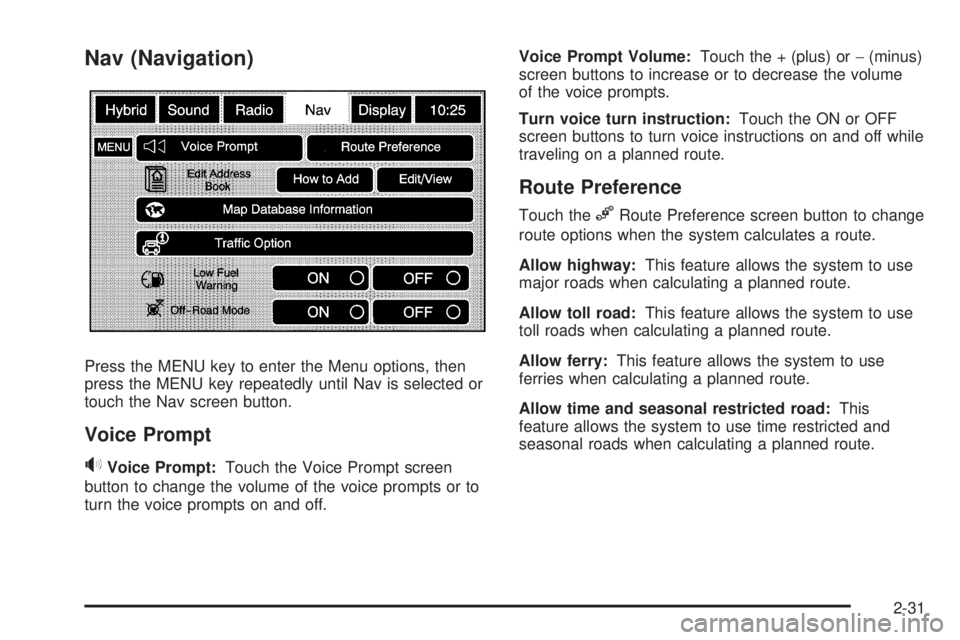
Nav (Navigation)
Press the MENU key to enter the Menu options, then
press the MENU key repeatedly until Nav is selected or
touch the Nav screen button.
Voice Prompt
>Voice Prompt:Touch the Voice Prompt screen
button to change the volume of the voice prompts or to
turn the voice prompts on and off.Voice Prompt Volume:Touch the + (plus) or−(minus)
screen buttons to increase or to decrease the volume
of the voice prompts.
Turn voice turn instruction:Touch the ON or OFF
screen buttons to turn voice instructions on and off while
traveling on a planned route.
Route Preference
Touch the%Route Preference screen button to change
route options when the system calculates a route.
Allow highway:This feature allows the system to use
major roads when calculating a planned route.
Allow toll road:This feature allows the system to use
toll roads when calculating a planned route.
Allow ferry:This feature allows the system to use
ferries when calculating a planned route.
Allow time and seasonal restricted road:This
feature allows the system to use time restricted and
seasonal roads when calculating a planned route.
2-31
Page 51 of 100
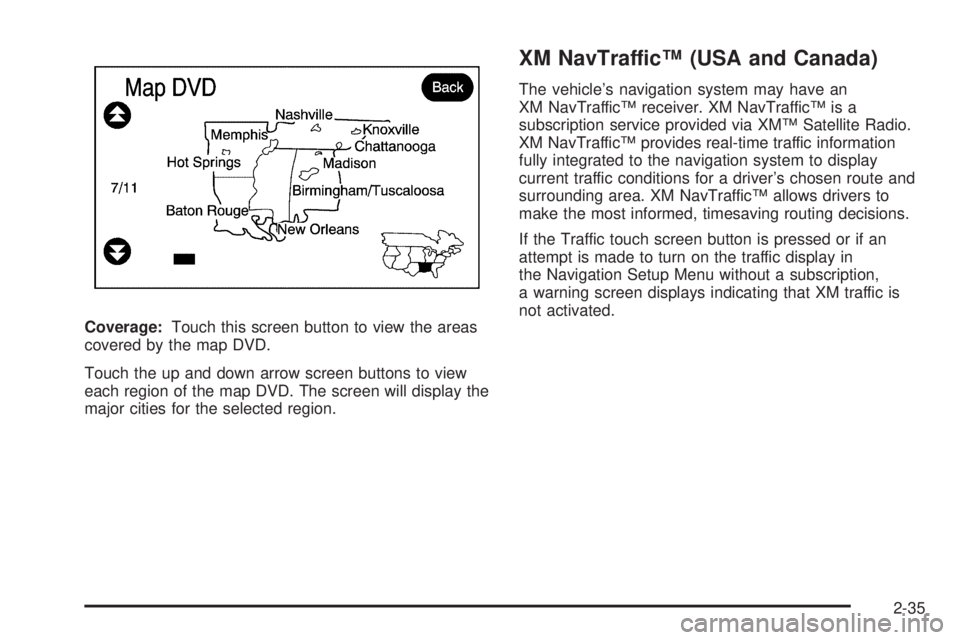
Coverage:Touch this screen button to view the areas
covered by the map DVD.
Touch the up and down arrow screen buttons to view
each region of the map DVD. The screen will display the
major cities for the selected region.
XM NavTraffic™ (USA and Canada)
The vehicle’s navigation system may have an
XM NavTraffic™ receiver. XM NavTraffic™ is a
subscription service provided via XM™ Satellite Radio.
XM NavTraffic™ provides real-time traffic information
fully integrated to the navigation system to display
current traffic conditions for a driver’s chosen route and
surrounding area. XM NavTraffic™ allows drivers to
make the most informed, timesaving routing decisions.
If the Traffic touch screen button is pressed or if an
attempt is made to turn on the traffic display in
the Navigation Setup Menu without a subscription,
a warning screen displays indicating that XM traffic is
not activated.
2-35
Page 56 of 100
Traffic ow data arrows display on the map when scaled
up to eight miles.
Closed Road, Traffic Delays, Incidents, and
Advisories — These four touch screen buttons are
used to turn on and to show traffic event ICONS that
appear on the map screens.
Traffic Event Display Categories
The following are traffic condition categories and
symbols that can appear on the display:
Category 1, Road Closure:
q(Road Closed):Road and/or ramps closed.
Category 2, Traffic Delayed:
o/n(Stopped/Slow Traffic):Traffic stopped, stop
and go traffic, delayed and congested traffic.
Category 3, Incidents:
p(Alert):Object in the roadway, disabled vehicle, or
dangerous road conditions.
t(Accident):Roadway obstructed due to accident.
s(Road Works):Delayed traffic due to construction.Category 4, Advisories:
j(Road Condition):Delayed or stopped traffic, lane
blocked or closed due to a road condition.
k(Weather):Heavy rain, snow, or fog weather
condition.
m(Parking):Available parking area.
l(Information):Special event, general information, or
warning.
Alert for Approaching Traffic Events:When On,
if an approaching traffic event is within the alert range,
one of two traffic alert pop-up screens display:
With no route planned, while on expressways,
Approaching Traffic Event without Avoid screen
displays.
With route planned, Traffic Event on Route screen
displays.
If the Alert for Approaching Traffic Events is Off,
the alert pop-up screen does not display and no voice
announcement when approaching traffic.
2-40
Page 59 of 100
Back, Map, More, and Avoid
These buttons have common functions across all three
Detailed Traffic Event screens.
Back:Press to return to the previous screen.
Map:Press to show the related traffic event on the
map. If selected, the Map Traffic Event Icon screen
displays.
More:Press to display more of the traffic event
description.
Avoid:This button is used to avoid the location of an
event on the route. If selected, a new route is calculated
and the related traffic event is avoided. After the new
route has been calculated, the navigation system
goes to the full map screen and shows the new route.
The Avoid button is only available if the route ahead and
in the Traffic On Route List.
Traffic Voice Prompts
If the voice prompts are on, whenever an Alert for
Approaching Traffic is displayed, the system gives
the related voice prompt. The content of the voice
prompt depends on actual traffic event data.
The RPT (Repeat) hard key is for navigation traffic
maneuvers only. It is not used to repeat traffic prompts.
During a traffic voice prompt, if RPT is pressed, the
current prompt playback cancels.
Anything that cancels the Alert for Approaching Traffic,
also cancels the related voice prompt.
Traffic prompts are disabled during OnStar
®or Voice
Recognition activity.
2-43
Page 60 of 100
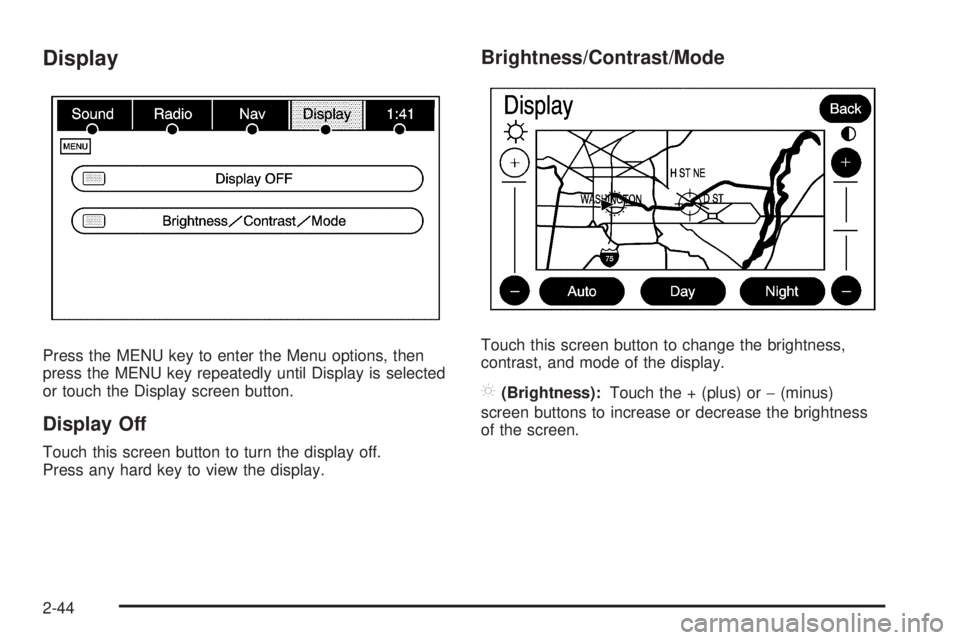
Display
Press the MENU key to enter the Menu options, then
press the MENU key repeatedly until Display is selected
or touch the Display screen button.
Display Off
Touch this screen button to turn the display off.
Press any hard key to view the display.
Brightness/Contrast/Mode
Touch this screen button to change the brightness,
contrast, and mode of the display.
](Brightness):Touch the + (plus) or−(minus)
screen buttons to increase or decrease the brightness
of the screen.
2-44
Page 61 of 100
_(Contrast):Touch the + (plus) or−(minus) screen
buttons to increase or decrease the contrast of the
screen.
Auto (Automatic):Touch this screen button for the
system to automatically adjust the screen background
depending on exterior lighting conditions.
At night, the brightness can be adjusted with the vehicle
dimming knob near the headlamp switch.
Night:Touch this screen button and the system will
make the map background darker.
Day:Touch this screen button and the system will
make the map background brighter.Setting the Clock
Press the MENU key to enter the menu options,
then press the MENU key repeatedly until the time is
selected or touch the time screen button, then press
the Set screen button.
Hours:Press the−(minus) or + (plus) signs to
decrease or increase the hours.
Minutes:Press the−(minus) or + (plus) signs to
decrease or increase the minutes.
12/24 Format:Select the 12 screen button for standard
time; select the 24 screen button for military time.
2-45
Page 70 of 100
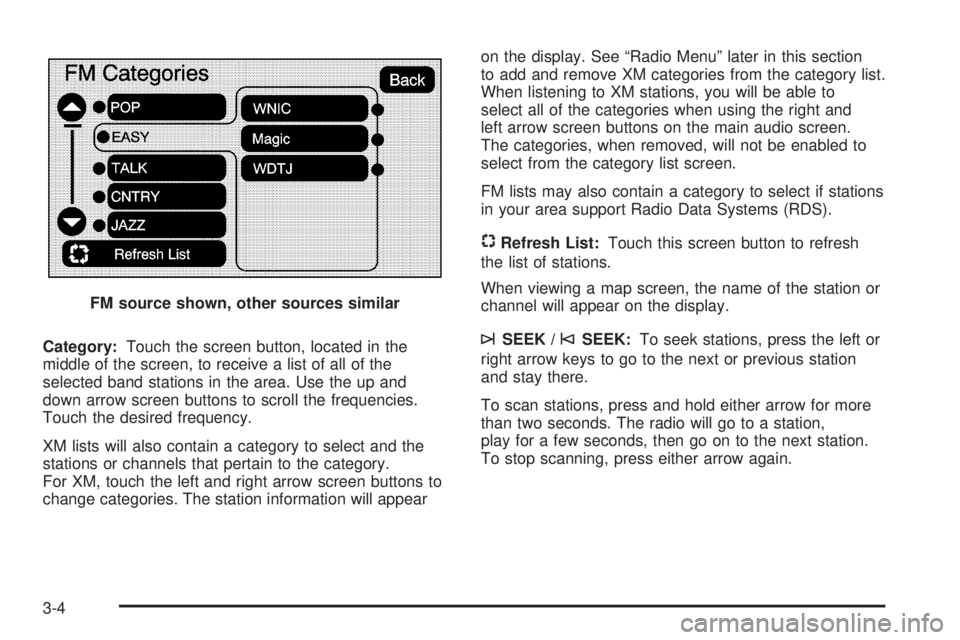
Category:Touch the screen button, located in the
middle of the screen, to receive a list of all of the
selected band stations in the area. Use the up and
down arrow screen buttons to scroll the frequencies.
Touch the desired frequency.
XM lists will also contain a category to select and the
stations or channels that pertain to the category.
For XM, touch the left and right arrow screen buttons to
change categories. The station information will appearon the display. See “Radio Menu” later in this section
to add and remove XM categories from the category list.
When listening to XM stations, you will be able to
select all of the categories when using the right and
left arrow screen buttons on the main audio screen.
The categories, when removed, will not be enabled to
select from the category list screen.
FM lists may also contain a category to select if stations
in your area support Radio Data Systems (RDS).
$Refresh List:Touch this screen button to refresh
the list of stations.
When viewing a map screen, the name of the station or
channel will appear on the display.
¨SEEK /©SEEK:To seek stations, press the left or
right arrow keys to go to the next or previous station
and stay there.
To scan stations, press and hold either arrow for more
than two seconds. The radio will go to a station,
play for a few seconds, then go on to the next station.
To stop scanning, press either arrow again. FM source shown, other sources similar
3-4
Page 71 of 100
Storing Radio Station Presets
This feature allows you to store up to 30 preset stations.
See “Number of Preset Pages” under “Radio Menu”
later in this section for more information. You can mix
AM, FM, and XM (if equipped). To store presets, do the
following:
1. Press the
O(power) knob to turn the system on.
2. If viewing a map screen, touch the source
screen button, press the AUDIO key, or press the
FAV (favorite) key.
3. Select the band.
4. Seek, scan, or tune to the desired station, to select
the station.
5. Press and hold one of the preset screen buttons for
more than two seconds or until you hear a beep.
6. Repeat the steps for each preset.
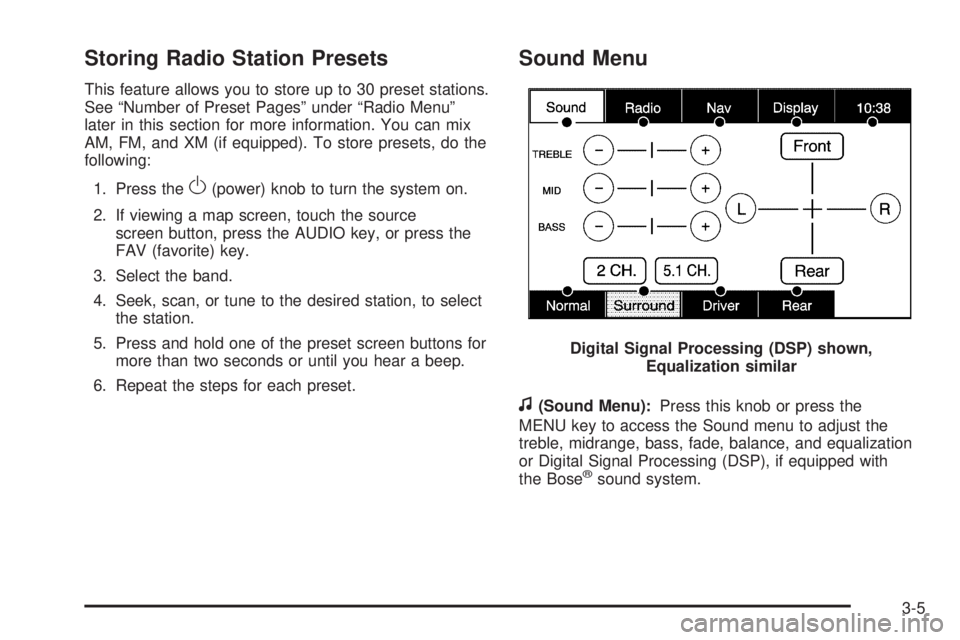
Sound Menu
f
(Sound Menu):Press this knob or press the
MENU key to access the Sound menu to adjust the
treble, midrange, bass, fade, balance, and equalization
or Digital Signal Processing (DSP), if equipped with
the Bose
®sound system. Digital Signal Processing (DSP) shown,
Equalization similar
3-5
Page 72 of 100
Setting the Tone
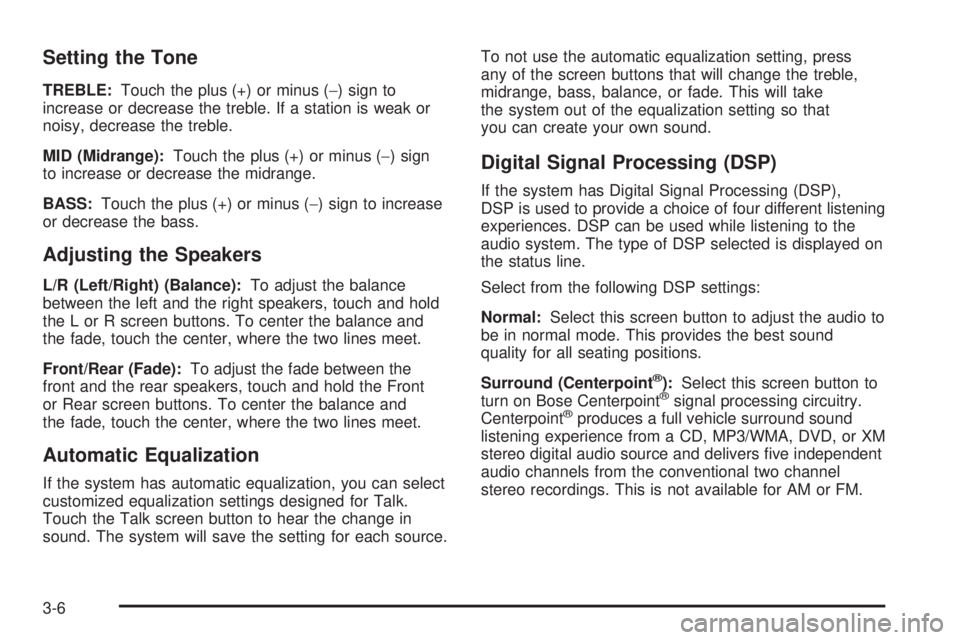
TREBLE:Touch the plus (+) or minus (−) sign to
increase or decrease the treble. If a station is weak or
noisy, decrease the treble.
MID (Midrange):Touch the plus (+) or minus (−) sign
to increase or decrease the midrange.
BASS:Touch the plus (+) or minus (−) sign to increase
or decrease the bass.
Adjusting the Speakers
L/R (Left/Right) (Balance):To adjust the balance
between the left and the right speakers, touch and hold
the L or R screen buttons. To center the balance and
the fade, touch the center, where the two lines meet.
Front/Rear (Fade):To adjust the fade between the
front and the rear speakers, touch and hold the Front
or Rear screen buttons. To center the balance and
the fade, touch the center, where the two lines meet.
Automatic Equalization
If the system has automatic equalization, you can select
customized equalization settings designed for Talk.
Touch the Talk screen button to hear the change in
sound. The system will save the setting for each source.To not use the automatic equalization setting, press
any of the screen buttons that will change the treble,
midrange, bass, balance, or fade. This will take
the system out of the equalization setting so that
you can create your own sound.
Digital Signal Processing (DSP)
If the system has Digital Signal Processing (DSP),
DSP is used to provide a choice of four different listening
experiences. DSP can be used while listening to the
audio system. The type of DSP selected is displayed on
the status line.
Select from the following DSP settings:
Normal:Select this screen button to adjust the audio to
be in normal mode. This provides the best sound
quality for all seating positions.
Surround (Centerpoint
®):Select this screen button to
turn on Bose Centerpoint®signal processing circuitry.
Centerpoint®produces a full vehicle surround sound
listening experience from a CD, MP3/WMA, DVD, or XM
stereo digital audio source and delivers ve independent
audio channels from the conventional two channel
stereo recordings. This is not available for AM or FM.
3-6