ECU GMC YUKON DENALI 2015 Workshop Manual
[x] Cancel search | Manufacturer: GMC, Model Year: 2015, Model line: YUKON DENALI, Model: GMC YUKON DENALI 2015Pages: 439, PDF Size: 6.22 MB
Page 363 of 439
Black plate (72,1)GMC 2015i Yukon Denali/Yukon XL Denali Owner Manual (GMNA-
Localizing-U.S./Canada/Mexico-8431504) - 2015 - CRC - 7/30/14
10-72 Vehicle Care
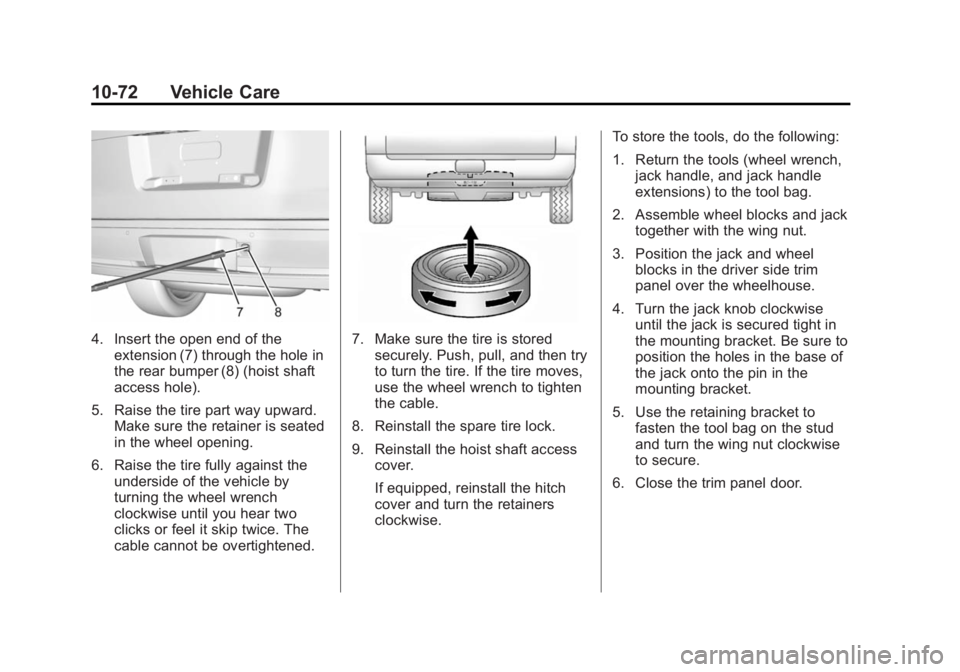
4. Insert the open end of theextension (7) through the hole in
the rear bumper (8) (hoist shaft
access hole).
5. Raise the tire part way upward. Make sure the retainer is seated
in the wheel opening.
6. Raise the tire fully against the underside of the vehicle by
turning the wheel wrench
clockwise until you hear two
clicks or feel it skip twice. The
cable cannot be overtightened.7. Make sure the tire is storedsecurely. Push, pull, and then try
to turn the tire. If the tire moves,
use the wheel wrench to tighten
the cable.
8. Reinstall the spare tire lock.
9. Reinstall the hoist shaft access cover.
If equipped, reinstall the hitch
cover and turn the retainers
clockwise. To store the tools, do the following:
1. Return the tools (wheel wrench,
jack handle, and jack handle
extensions) to the tool bag.
2. Assemble wheel blocks and jack together with the wing nut.
3. Position the jack and wheel blocks in the driver side trim
panel over the wheelhouse.
4. Turn the jack knob clockwise until the jack is secured tight in
the mounting bracket. Be sure to
position the holes in the base of
the jack onto the pin in the
mounting bracket.
5. Use the retaining bracket to fasten the tool bag on the stud
and turn the wing nut clockwise
to secure.
6. Close the trim panel door.
Page 369 of 439
Black plate (78,1)GMC 2015i Yukon Denali/Yukon XL Denali Owner Manual (GMNA-
Localizing-U.S./Canada/Mexico-8431504) - 2015 - CRC - 7/30/14
10-78 Vehicle Care
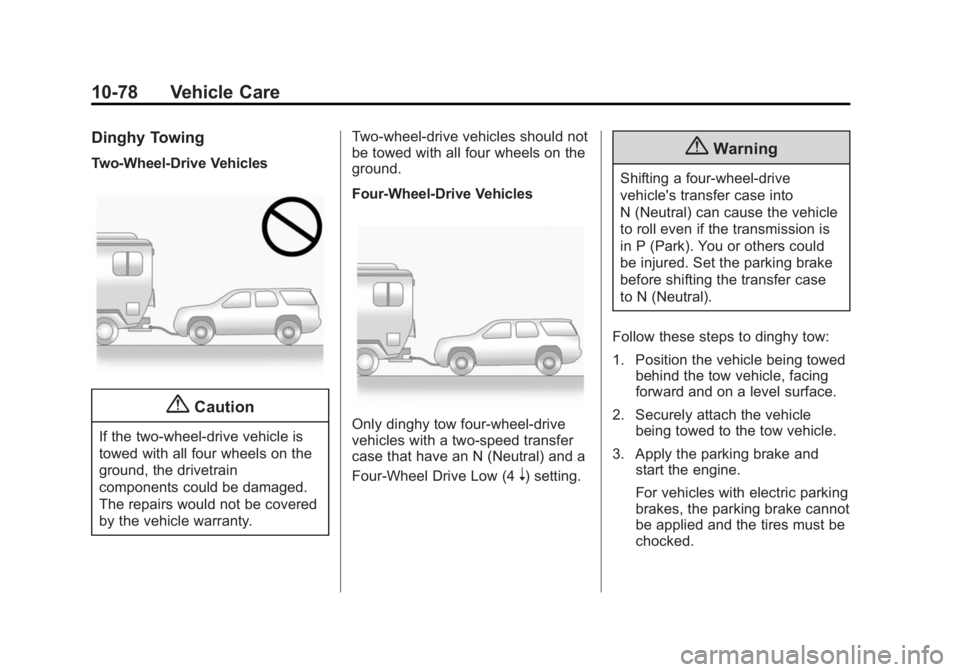
Dinghy Towing
Two-Wheel-Drive Vehicles
{Caution
If the two-wheel-drive vehicle is
towed with all four wheels on the
ground, the drivetrain
components could be damaged.
The repairs would not be covered
by the vehicle warranty.Two-wheel-drive vehicles should not
be towed with all four wheels on the
ground.
Four-Wheel-Drive VehiclesOnly dinghy tow four-wheel-drive
vehicles with a two-speed transfer
case that have an N (Neutral) and a
Four-Wheel Drive Low (4
n) setting.
{Warning
Shifting a four-wheel-drive
vehicle's transfer case into
N (Neutral) can cause the vehicle
to roll even if the transmission is
in P (Park). You or others could
be injured. Set the parking brake
before shifting the transfer case
to N (Neutral).
Follow these steps to dinghy tow:
1. Position the vehicle being towed behind the tow vehicle, facing
forward and on a level surface.
2. Securely attach the vehicle being towed to the tow vehicle.
3. Apply the parking brake and start the engine.
For vehicles with electric parking
brakes, the parking brake cannot
be applied and the tires must be
chocked.
Page 370 of 439
Black plate (79,1)GMC 2015i Yukon Denali/Yukon XL Denali Owner Manual (GMNA-
Localizing-U.S./Canada/Mexico-8431504) - 2015 - CRC - 7/30/14
Vehicle Care 10-79
4. Shift the transfer case toN (Neutral). See “Shifting into
N (Neutral)” underFour-Wheel
Drive on page 9-35 for the
proper procedure. Check that
the vehicle is in N (Neutral) by
shifting the transmission to
R (Reverse) and then to D
(Drive). There should be no
movement of the vehicle while
shifting.
5. With the transmission in D (Drive), turn the engine off.
{Caution
Failure to disconnect the negative
battery cable or to have it contact
the terminals can cause damage
to the vehicle.
6. Disconnect the negative battery cable at the battery and secure
the nut and bolt. Cover the
negative battery post with a non-conductive material to
prevent any contact with the
negative battery terminal.
7. Shift the transmission to P (Park).
{Caution
If the steering column is locked,
vehicle damage may occur.
8. Move the steering wheel to make sure the steering column
is unlocked.
9. Release the parking brake.
10. Keep the RKA fob outside of the vehicle, and manually lock
doors. Access vehicle same as
dead vehicle/fob process (back
up key in door lock).
Disconnecting the Towed Vehicle
Before disconnecting the towed
vehicle:
1. Park on a level surface. 2. Set the parking brake, shift the
transmission to P (Park).
3. Connect the battery.
4. Apply the brake pedal.
5. Start the engine, then shift the transfer case out of N (Neutral)
to Two-Wheel Drive High. See
Four-Wheel Drive on page 9-35
for directions on shifting out of
N (Neutral).
6. Check that the vehicle is in Two-Wheel Drive High by
shifting the transmission to
R (Reverse) and then to D
(Drive). There should be
movement of the vehicle while
shifting.
7. Shift the transmission to P (Park) and turn off the ignition.
8. Disconnect the vehicle from the tow vehicle.
9. Release the parking brake.
Page 372 of 439
Black plate (81,1)GMC 2015i Yukon Denali/Yukon XL Denali Owner Manual (GMNA-
Localizing-U.S./Canada/Mexico-8431504) - 2015 - CRC - 7/30/14
Vehicle Care 10-81
This vehicle should not be towed
with any wheels on the ground.
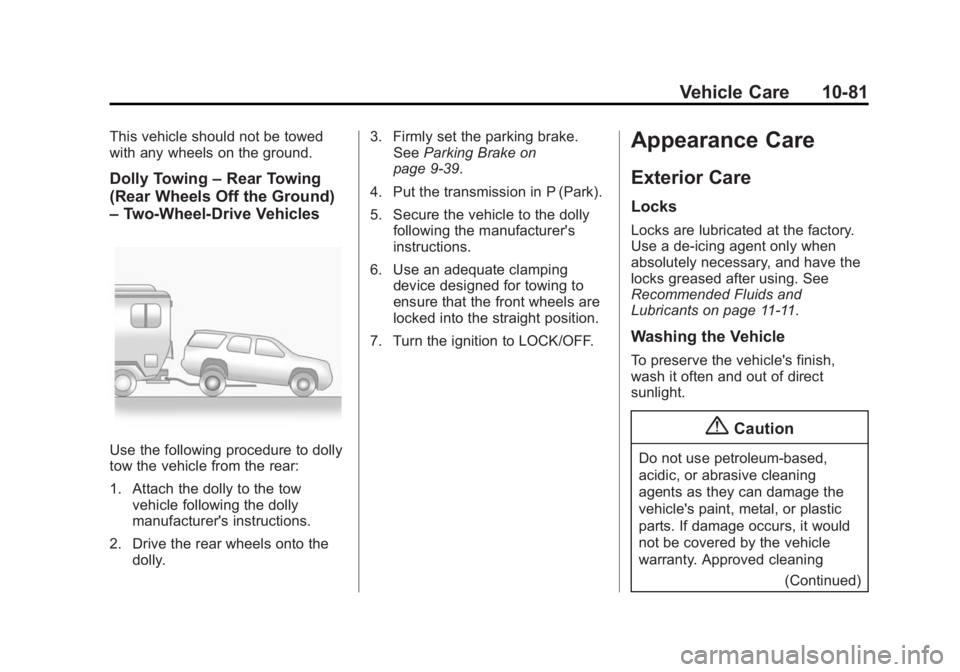
Dolly Towing–Rear Towing
(Rear Wheels Off the Ground)
– Two-Wheel-Drive Vehicles
Use the following procedure to dolly
tow the vehicle from the rear:
1. Attach the dolly to the tow
vehicle following the dolly
manufacturer's instructions.
2. Drive the rear wheels onto the dolly. 3. Firmly set the parking brake.
See Parking Brake on
page 9-39.
4. Put the transmission in P (Park).
5. Secure the vehicle to the dolly following the manufacturer's
instructions.
6. Use an adequate clamping device designed for towing to
ensure that the front wheels are
locked into the straight position.
7. Turn the ignition to LOCK/OFF.
Appearance Care
Exterior Care
Locks
Locks are lubricated at the factory.
Use a de-icing agent only when
absolutely necessary, and have the
locks greased after using. See
Recommended Fluids and
Lubricants on page 11-11.
Washing the Vehicle
To preserve the vehicle's finish,
wash it often and out of direct
sunlight.
{Caution
Do not use petroleum-based,
acidic, or abrasive cleaning
agents as they can damage the
vehicle's paint, metal, or plastic
parts. If damage occurs, it would
not be covered by the vehicle
warranty. Approved cleaning (Continued)
Page 381 of 439
Black plate (90,1)GMC 2015i Yukon Denali/Yukon XL Denali Owner Manual (GMNA-
Localizing-U.S./Canada/Mexico-8431504) - 2015 - CRC - 7/30/14
10-90 Vehicle Care
.Do not use a floor mat if the
vehicle is not equipped with a
floor mat retainer on the driver
side floor.
.Use the floor mat with the
correct side up. Do not turn
it over.
.Do not place anything on top of
the driver side floor mat.
.Use only a single floor mat on
the driver side.
.Do not place one floor mat on
top of another.
Removing and Replacing the
Floor Mats
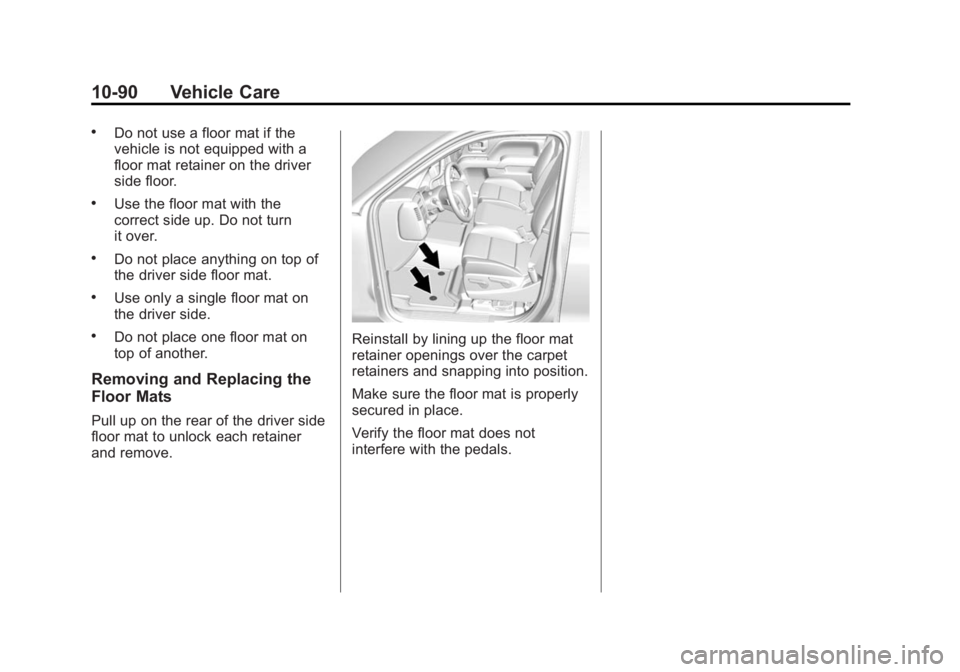
Pull up on the rear of the driver side
floor mat to unlock each retainer
and remove.
Reinstall by lining up the floor mat
retainer openings over the carpet
retainers and snapping into position.
Make sure the floor mat is properly
secured in place.
Verify the floor mat does not
interfere with the pedals.
Page 405 of 439
Black plate (6,1)GMC 2015i Yukon Denali/Yukon XL Denali Owner Manual (GMNA-
Localizing-U.S./Canada/Mexico-8431504) - 2015 - CRC - 7/30/14
13-6 Customer Information
.Model, year, color, and license
plate number of the vehicle.
.Odometer reading, Vehicle
Identification Number (VIN), and
delivery date of the vehicle.
.Description of the problem.
Coverage
Services are provided up to 5 years/
160 000 km (100,000 mi), whichever
comes first.
In the U.S., anyone driving the
vehicle is covered. In Canada, a
person driving the vehicle without
permission from the owner is not
covered.
Roadside Assistance is not a part of
the New Vehicle Limited Warranty.
General Motors North America and
GMC reserve the right to make any
changes or discontinue the
Roadside Assistance program at
any time without notification.
General Motors North America and
GMC reserve the right to limit
services or payment to an owner ordriver if they decide the claims are
made too often, or the same type of
claim is made many times.
Services Provided
.Emergency Fuel Delivery:
Delivery of enough fuel for the
vehicle to get to the nearest
service station.
.Lock-Out Service:
Service to
unlock the vehicle if you are
locked out. A remote unlock may
be available if you have
OnStar
®. For security reasons,
the driver must present
identification before this service
is given.
.Emergency Tow from a Public
Road or Highway: Tow to the
nearest GMC dealer for warranty
service, or if the vehicle was in a
crash and cannot be driven.
Assistance is not given when the
vehicle is stuck in the sand,
mud, or snow.
.Flat Tire Change: Service to
change a flat tire with the spare
tire. The spare tire, if equipped,
must be in good condition and
properly inflated. It is the owner's
responsibility for the repair or
replacement of the tire if it is not
covered by the warranty.
.Battery Jump Start: Service to
jump start a dead battery.
.Trip Interruption Benefits and
Assistance: If your trip is
interrupted due to a warranty
failure, incidental expenses may
be reimbursed during the
5 years/(160 000 km) 100,000 mi
Powertrain warranty period.
Items considered are hotel,
meals, and rental car.
Services Not Included in
Roadside Assistance
.Impound towing caused by
violation of any laws.
.Legal fines.
Page 411 of 439
Black plate (12,1)GMC 2015i Yukon Denali/Yukon XL Denali Owner Manual (GMNA-
Localizing-U.S./Canada/Mexico-8431504) - 2015 - CRC - 7/30/14
13-12 Customer Information
Current and Past Models
Technical Service Bulletins and
Manuals are available for current
and past model GM vehicles.
ORDER TOLL FREE:
1-800-551-4123 Monday–Friday
8:00 AM –6:00 PM Eastern Time
For Credit Card Orders Only
(VISA-MasterCard-Discover), see
Helm, Inc. at: www.helminc.com.
Or write to:
Helm, Incorporated
Attention: Customer Service
47911 Halyard Drive
Plymouth, MI 48170
Prices are subject to change without
notice and without incurring
obligation. Allow ample time for
delivery.
All listed prices are quoted in U.S.
funds. Make checks payable in U.S.
funds.
Radio Frequency
Identification (RFID)
RFID technology is used in some
vehicles for functions such as tire
pressure monitoring and ignition
system security, as well as in
connection with conveniences such
as Remote Keyless Entry (RKE)
transmitters for remote door locking/
unlocking and starting, and
in-vehicle transmitters for garage
door openers. RFID technology in
GM vehicles does not use or record
personal information or link with any
other GM system containing
personal information.
Radio Frequency
Statement
This vehicle has systems that
operate on a radio frequency that
complies with Part 15/Part 18 of the
Federal Communications
Commission (FCC) rules and with
Industry Canada Standards
RSS-GEN/210/220/310. Operation is subject to the following
two conditions:
1. The device may not cause
harmful interference.
2. The device must accept any interference received, including
interference that may cause
undesired operation of the
device.
Changes or modifications to any of
these systems by other than an
authorized service facility could void
authorization to use this equipment.
Page 416 of 439
Black plate (1,1)GMC 2015i Yukon Denali/Yukon XL Denali Owner Manual (GMNA-
Localizing-U.S./Canada/Mexico-8431504) - 2015 - CRC - 7/30/14
OnStar 14-1
OnStar
OnStar Overview
OnStar Overview . . . . . . . . . . . . 14-1
OnStar Services
Emergency . . . . . . . . . . . . . . . . . . 14-2
Security . . . . . . . . . . . . . . . . . . . . . . 14-3
Navigation . . . . . . . . . . . . . . . . . . . 14-3
Connections . . . . . . . . . . . . . . . . . 14-4
Vehicle Diagnostics . . . . . . . . . . 14-6
OnStar Additional Information
OnStar AdditionalInformation . . . . . . . . . . . . . . . . . 14-6
OnStar Overview
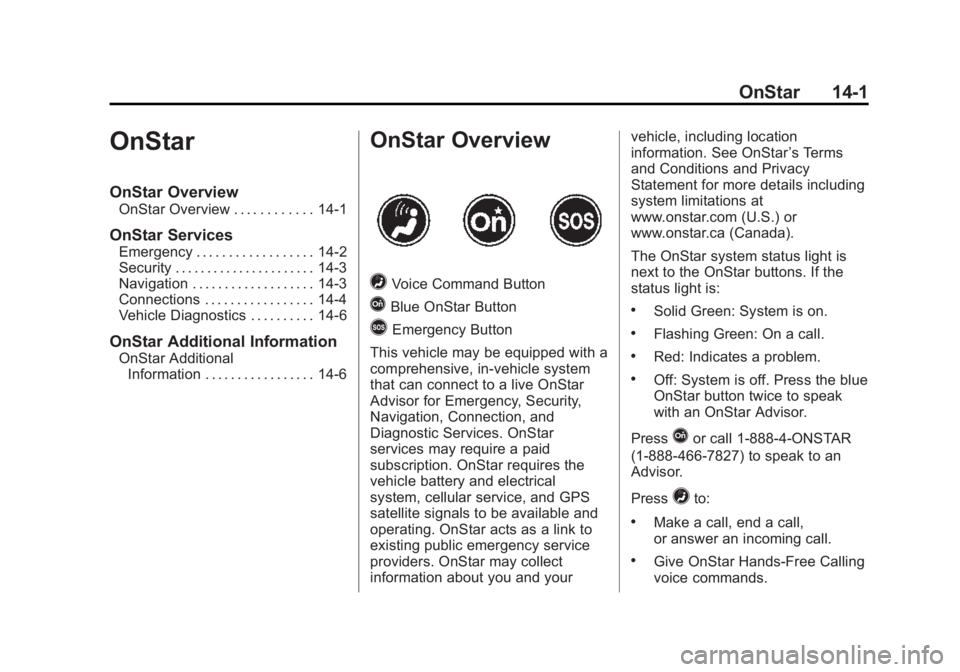
=Voice Command Button
QBlue OnStar Button
>Emergency Button
This vehicle may be equipped with a
comprehensive, in-vehicle system
that can connect to a live OnStar
Advisor for Emergency, Security,
Navigation, Connection, and
Diagnostic Services. OnStar
services may require a paid
subscription. OnStar requires the
vehicle battery and electrical
system, cellular service, and GPS
satellite signals to be available and
operating. OnStar acts as a link to
existing public emergency service
providers. OnStar may collect
information about you and your vehicle, including location
information. See OnStar
’s Terms
and Conditions and Privacy
Statement for more details including
system limitations at
www.onstar.com (U.S.) or
www.onstar.ca (Canada).
The OnStar system status light is
next to the OnStar buttons. If the
status light is:
.Solid Green: System is on.
.Flashing Green: On a call.
.Red: Indicates a problem.
.Off: System is off. Press the blue
OnStar button twice to speak
with an OnStar Advisor.
Press
Qor call 1-888-4-ONSTAR
(1-888-466-7827) to speak to an
Advisor.
Press
=to:
.Make a call, end a call,
or answer an incoming call.
.Give OnStar Hands-Free Calling
voice commands.
Page 418 of 439
Black plate (3,1)GMC 2015i Yukon Denali/Yukon XL Denali Owner Manual (GMNA-
Localizing-U.S./Canada/Mexico-8431504) - 2015 - CRC - 7/30/14
OnStar 14-3
Security
OnStar provides services including
Stolen Vehicle Assistance, Remote
Ignition Block, and Roadside
Assistance, if equipped. OnStar can
unlock the vehicle doors remotely,
if equipped with automatic door
locks, and can help police locate the
vehicle if it is stolen.
Navigation
OnStar navigation requires a
specific OnStar subscription plan.
Press
Qto receive directions or
have them sent to the vehicle
navigation screen, if equipped.
Destinations can also be forwarded
to the vehicle from MapQuest.com.
Turn-by-Turn Navigation
1. PressQto connect to a live
Advisor.
2. Request directions.
3. Directions are downloaded to the vehicle. 4. Follow the voice-guided
commands.
Using Voice Commands
During a Planned Route
Cancel Route
1. Press
=. System responds:
“OnStar ready,” then a tone. Say
“Cancel route.” System
responds: “Do you want to
cancel directions?”
2. Say “Yes.”System responds:
“OK, request completed, thank
you, goodbye.”
Route Preview
1. Press
=. System responds:
“OnStar ready,” then a tone.
2. Say “Route preview.” System
responds with the next three
maneuvers.
Repeat
1. Press
=. System responds:
“OnStar ready,” then a tone. 2. Say
“Repeat.” System responds
with the last direction given, then
responds with “OnStar ready,”
then a tone.
Get My Destination
1. Press
=. System responds:
“OnStar ready,” then a tone.
2. Say “Get my destination.”
System responds with the
address and the distance to the
destination, then responds with
“OnStar ready,” then a tone.
Other Navigation Services
Available from OnStar
OnStar eNav:Subscribers can
send destinations from
MapQuest.com to the vehicle
Turn-by-Turn Navigation or
screen-based navigation system (if
equipped). When ready, the
directions will be downloaded to the
vehicle.
Page 425 of 439
Black plate (10,1)GMC 2015i Yukon Denali/Yukon XL Denali Owner Manual (GMNA-
Localizing-U.S./Canada/Mexico-8431504) - 2015 - CRC - 7/30/14
14-10 OnStar
Kai Uwe Rommel, Steve Salisbury,
Dave Smith, Steven M. Schweda,
Christian Spieler, Cosmin Truta,
Antoine Verheijen, Paul von Behren,
Rich Wales, Mike White.
This software is provided“as is,”
without warranty of any kind,
express or implied. In no event shall
Info-ZIP or its contributors be held
liable for any direct, indirect,
incidental, special or consequential
damages arising out of the use of or
inability to use this software.
Permission is granted to anyone to
use this software for any purpose,
including commercial applications,
and to alter it and redistribute it
freely, subject to the following
restrictions:
1. Redistributions of source code must retain the above copyright
notice, definition, disclaimer, and
this list of conditions.
2. Redistributions in binary form (compiled executables) must
reproduce the above copyright
notice, definition, disclaimer, and this list of conditions in
documentation and/or other
materials provided with the
distribution. The sole exception
to this condition is redistribution
of a standard UnZipSFX binary
(including SFXWiz) as part of a
self-extracting archive; that is
permitted without inclusion of
this license, as long as the
normal SFX banner has not
been removed from the binary or
disabled.
3. Altered versions–including, but not limited to, ports to new
operating systems, existing ports
with new graphical interfaces,
and dynamic, shared, or static
library versions–must be plainly
marked as such and must not be
misrepresented as being the
original source. Such altered
versions also must not be
misrepresented as being
Info-ZIP releases–including, but
not limited to, labeling of the
altered versions with the names
“Info-ZIP” (or any variation thereof, including, but not limited
to, different capitalizations),
“Pocket UnZip,” “WiZ”
or
“MacZip” without the explicit
permission of Info-ZIP. Such
altered versions are further
prohibited from
misrepresentative use of the
Zip-Bugs or Info-ZIP e-mail
addresses or of the
Info-ZIP URL(s).
4. Info-ZIP retains the right to use the names “Info-ZIP,” “Zip,”
“UnZip,” “UnZipSFX,” “WiZ,”
“Pocket UnZip,” “Pocket Zip,”
and “MacZip” for its own source
and binary releases.