display GMC YUKON DENALI 2016 Owners Manual
[x] Cancel search | Manufacturer: GMC, Model Year: 2016, Model line: YUKON DENALI, Model: GMC YUKON DENALI 2016Pages: 396, PDF Size: 5.5 MB
Page 8 of 396

GMC Yukon Denali/Yukon XL Denali Owner Manual (GMNA-Localizing-U.S./
Canada/Mexico-9159308) - 2016 - crc - 6/2/15
In Brief 7
1.Air Vents 0179.
2. Head-Up Display (HUD) 0140.
3.
gTraction Control/Electronic
Stability Control 0218.
jPower Assist Steps 040 (If
Equipped).
XParking Assist Button (If
Equipped). See Assistance
Systems for Parking or Backing
0 231.
ALane Departure Warning
(LDW) 0240 (If Equipped).
0Pedal Adjust Switch (If
Equipped). See Adjustable
Throttle and Brake Pedal
0 198.
4. Turn Signal Lever. See Turn
and Lane-Change Signals
0 168.
Windshield Wiper/Washer
0 112.
5. Favorite Switches (Out of View). See “Steering Wheel
Controls” in the infotainment
manual. Volume Switches (Out of View).
See
“Steering Wheel Controls”
in the infotainment manual.
6. Hazard Warning Flashers
0168.
7. Instrument Cluster 0120.
8. Shift Lever. See Automatic
Transmission 0207.
Tow/Haul Selector Button. See
Tow/Haul Mode 0212.
Range Selection Mode (If
Equipped). See Manual Mode
0 209.
9. Light Sensor. See Automatic
Headlamp System 0167.
10. Infotainment 0173.
11. Dual Automatic Climate Control
System 0174
12. Driver and Passenger Heated and Cooled Front Seat
Buttons. See Heated and
Cooled Front Seats 057.
13. Rear Climate Control Buttons. SeeRear Climate Control
System 0178.
14. Ignition Positions 0199. 15. Steering Wheel Controls. See
the infotainment manual.
16. Horn 0112.
17. Steering Wheel Adjustment
0111.
18. Hood Release. See Hood
0 263.
19. Cruise Control 0221.
Adaptive Cruise Control 0224
(If Equipped).
Forward Collision Alert (FCA)
System 0234 (If Equipped).
20. Trailer Brake Control Panel (If Equipped). See Towing
Equipment 0251.
21. Data Link Connector (DLC) (Out of View). See Malfunction
Indicator Lamp (Check Engine
Light) 0129.
22. Automatic Transfer Case Knob (If Equipped). See Four-Wheel
Drive 0213.
23. Parking Brake 0217.
24. Exterior Lamp Controls 0165.
Page 20 of 396
GMC Yukon Denali/Yukon XL Denali Owner Manual (GMNA-Localizing-U.S./
Canada/Mexico-9159308) - 2016 - crc - 6/2/15
In Brief 19
Vehicle Features
Infotainment System
See the infotainment manual for
information on the radio, audio
players, phone, navigation system,
and voice or speech recognition.
It also includes information on
settings.
Steering Wheel Controls
The infotainment system can be
operated by using the steering
wheel controls. See "Steering
Wheel Controls" in the infotainment
manual.
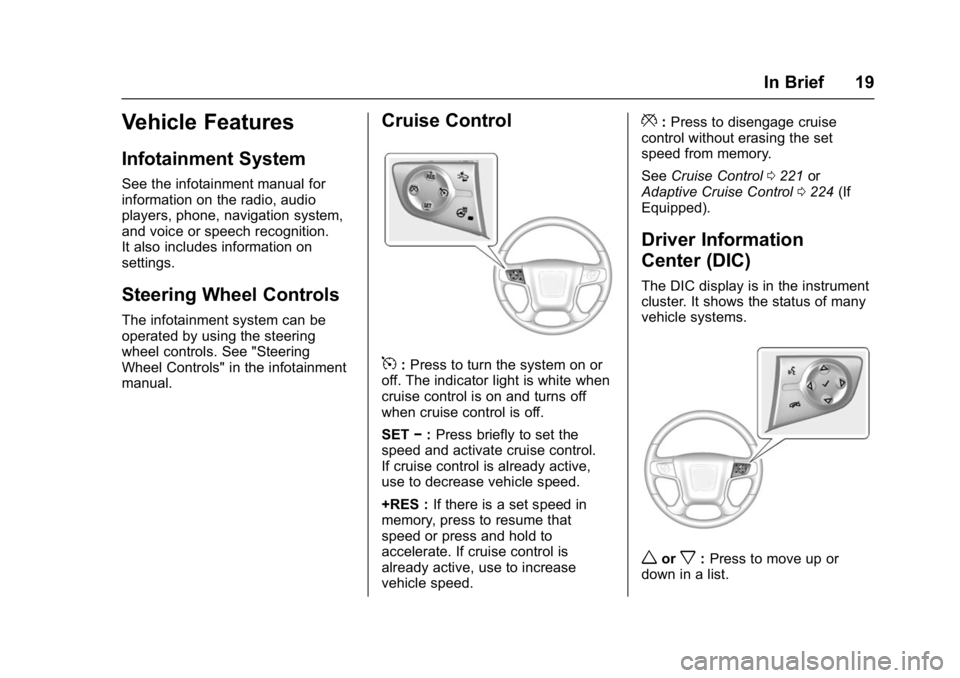
Cruise Control
5:Press to turn the system on or
off. The indicator light is white when
cruise control is on and turns off
when cruise control is off.
SET −:Press briefly to set the
speed and activate cruise control.
If cruise control is already active,
use to decrease vehicle speed.
+RES : If there is a set speed in
memory, press to resume that
speed or press and hold to
accelerate. If cruise control is
already active, use to increase
vehicle speed.
*: Press to disengage cruise
control without erasing the set
speed from memory.
See Cruise Control 0221 or
Adaptive Cruise Control 0224 (If
Equipped).
Driver Information
Center (DIC)
The DIC display is in the instrument
cluster. It shows the status of many
vehicle systems.
worx: Press to move up or
down in a list.
Page 21 of 396
GMC Yukon Denali/Yukon XL Denali Owner Manual (GMNA-Localizing-U.S./
Canada/Mexico-9159308) - 2016 - crc - 6/2/15
20 In Brief
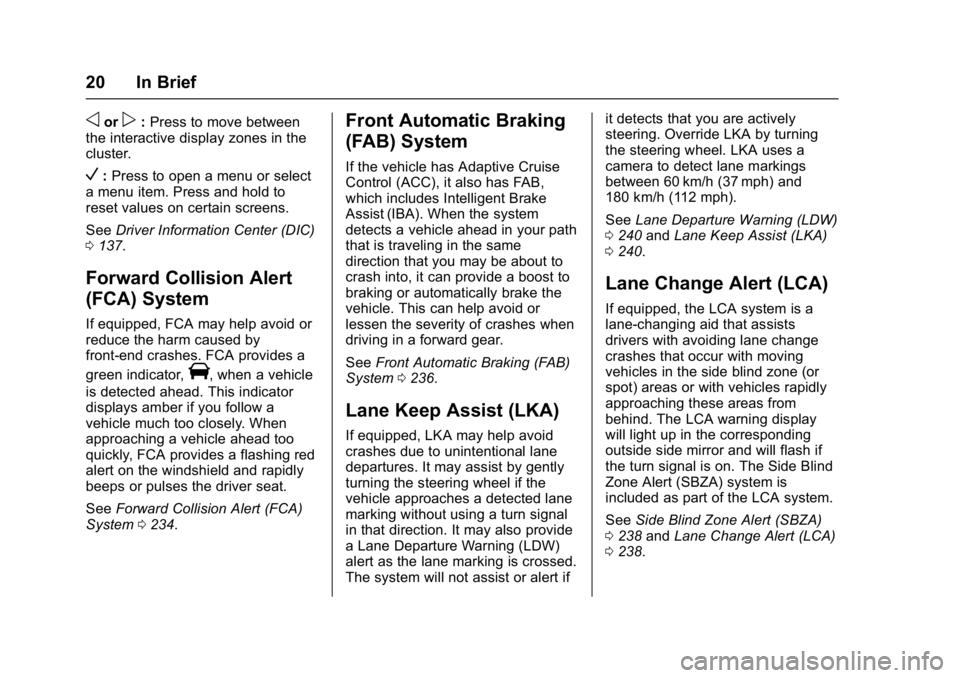
oorp:Press to move between
the interactive display zones in the
cluster.
V: Press to open a menu or select
a menu item. Press and hold to
reset values on certain screens.
See Driver Information Center (DIC)
0 137.
Forward Collision Alert
(FCA) System
If equipped, FCA may help avoid or
reduce the harm caused by
front-end crashes. FCA provides a
green indicator,
V, when a vehicle
is detected ahead. This indicator
displays amber if you follow a
vehicle much too closely. When
approaching a vehicle ahead too
quickly, FCA provides a flashing red
alert on the windshield and rapidly
beeps or pulses the driver seat.
See Forward Collision Alert (FCA)
System 0234.
Front Automatic Braking
(FAB) System
If the vehicle has Adaptive Cruise
Control (ACC), it also has FAB,
which includes Intelligent Brake
Assist (IBA). When the system
detects a vehicle ahead in your path
that is traveling in the same
direction that you may be about to
crash into, it can provide a boost to
braking or automatically brake the
vehicle. This can help avoid or
lessen the severity of crashes when
driving in a forward gear.
See Front Automatic Braking (FAB)
System 0236.
Lane Keep Assist (LKA)
If equipped, LKA may help avoid
crashes due to unintentional lane
departures. It may assist by gently
turning the steering wheel if the
vehicle approaches a detected lane
marking without using a turn signal
in that direction. It may also provide
a Lane Departure Warning (LDW)
alert as the lane marking is crossed.
The system will not assist or alert if it detects that you are actively
steering. Override LKA by turning
the steering wheel. LKA uses a
camera to detect lane markings
between 60 km/h (37 mph) and
180 km/h (112 mph).
See
Lane Departure Warning (LDW)
0 240 andLane Keep Assist (LKA)
0 240.
Lane Change Alert (LCA)
If equipped, the LCA system is a
lane-changing aid that assists
drivers with avoiding lane change
crashes that occur with moving
vehicles in the side blind zone (or
spot) areas or with vehicles rapidly
approaching these areas from
behind. The LCA warning display
will light up in the corresponding
outside side mirror and will flash if
the turn signal is on. The Side Blind
Zone Alert (SBZA) system is
included as part of the LCA system.
See Side Blind Zone Alert (SBZA)
0 238 andLane Change Alert (LCA)
0 238.
Page 22 of 396

GMC Yukon Denali/Yukon XL Denali Owner Manual (GMNA-Localizing-U.S./
Canada/Mexico-9159308) - 2016 - crc - 6/2/15
In Brief 21
Rear Vision
Camera (RVC)
If equipped, RVC displays a view of
the area behind the vehicle on the
center stack display when the
vehicle is shifted into R (Reverse) to
aid with parking and low-speed
backing maneuvers.
SeeAssistance Systems for Parking
or Backing 0231.
Rear Cross Traffic Alert
(RCTA) System
If equipped, the RCTA system uses
a triangle with an arrow displayed
on the RVC screen to warn of traffic
behind your vehicle that may cross
your vehicle's path while in
R (Reverse). In addition, beeps will
sound, or the driver seat will pulse.
See Assistance Systems for Parking
or Backing 0231.
Parking Assist
If equipped, Rear Parking Assist
(RPA) uses sensors on the rear
bumper to assist with parking and avoiding objects while in
R (Reverse). It operates at speeds
less than 8 km/h (5 mph). RPA may
display a warning triangle on the
Rear Vision Camera screen and a
graphic on the instrument cluster to
provide the object distance. In
addition, multiple beeps or seat
pulses may occur if very close to an
object.
The vehicle may also have the Front
Parking Assist system.
See
Assistance Systems for Parking
or Backing 0231.
Power Outlets
Power Outlets 12 Volt Direct
Current
Accessory power outlets can be
used to plug in electrical equipment,
such as a cell phone, MP3
player, etc.
The vehicle may have up to five
accessory power outlets:
Vehicles with a Center Console
.
One in front of the cupholders on
the center console. .
One inside the center storage
console.
. One on the rear of the center
storage console.
. One in the third row seat on the
driver side.
. One in the rear cargo area on
the passenger side.
Vehicles with Bench Seats
. One on the center stack below
the climate control system.
. One in the storage area on the
bench seat.
. One on the rear of the center
armrest storage.
. One in the third row seat area on
the driver side.
. One in the rear cargo area on
the passenger side.
Lift the cover to access and replace
when not in use.
See Power Outlets 0116.
Page 24 of 396
GMC Yukon Denali/Yukon XL Denali Owner Manual (GMNA-Localizing-U.S./
Canada/Mexico-9159308) - 2016 - crc - 6/2/15
In Brief 23
Performance and
Maintenance
Traction Control/
Electronic Stability
Control
The vehicle has a traction control
system that limits wheel spin and
the StabiliTrak system that assists
with directional control of the vehicle
in difficult driving conditions. Both
systems come on automatically
when the vehicle is started and
begins to move.
.To turn off traction control, press
and release
gon the instrument
panel to the left of the steering
wheel. The traction off light
i
displays in the instrument
cluster. The appropriate DIC
message displays. See Ride
Control System Messages
0 150.
. To turn off both traction control
and StabiliTrak, press and
hold
guntiliandgilluminate in the instrument cluster and the
appropriate DIC message
displays. See
Ride Control
System Messages 0150.
. Press and release
gagain to
turn on both systems.
StabiliTrak will automatically turn on
if the vehicle exceeds 56 km/h
(35 mph). Traction control will
remain off.
See Traction Control/Electronic
Stability Control 0218.
Tire Pressure Monitor
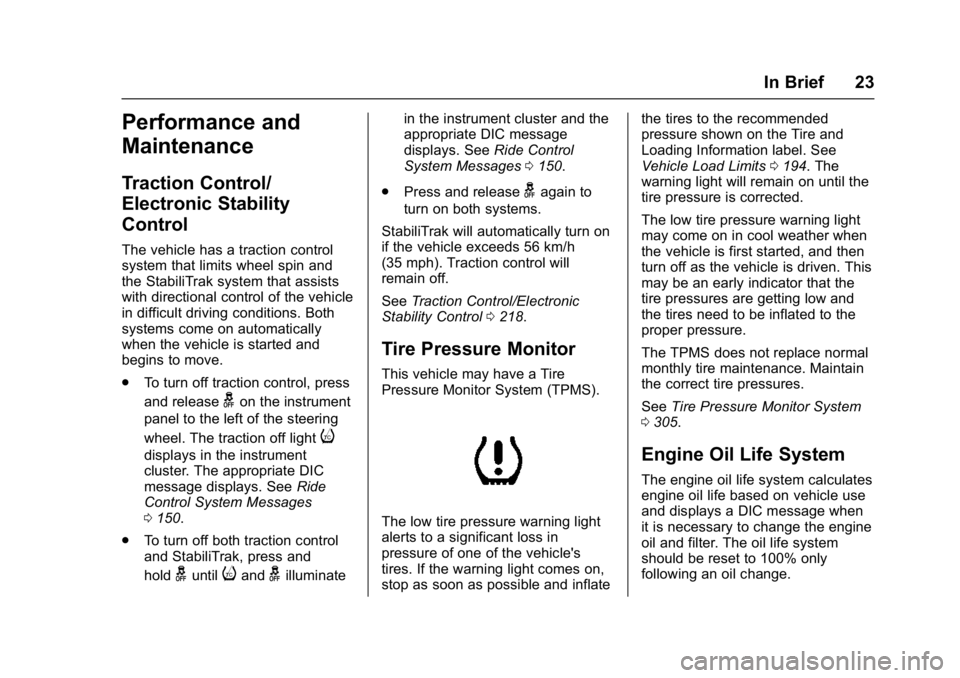
This vehicle may have a Tire
Pressure Monitor System (TPMS).
The low tire pressure warning light
alerts to a significant loss in
pressure of one of the vehicle's
tires. If the warning light comes on,
stop as soon as possible and inflate the tires to the recommended
pressure shown on the Tire and
Loading Information label. See
Vehicle Load Limits
0194. The
warning light will remain on until the
tire pressure is corrected.
The low tire pressure warning light
may come on in cool weather when
the vehicle is first started, and then
turn off as the vehicle is driven. This
may be an early indicator that the
tire pressures are getting low and
the tires need to be inflated to the
proper pressure.
The TPMS does not replace normal
monthly tire maintenance. Maintain
the correct tire pressures.
See Tire Pressure Monitor System
0 305.
Engine Oil Life System
The engine oil life system calculates
engine oil life based on vehicle use
and displays a DIC message when
it is necessary to change the engine
oil and filter. The oil life system
should be reset to 100% only
following an oil change.
Page 25 of 396
GMC Yukon Denali/Yukon XL Denali Owner Manual (GMNA-Localizing-U.S./
Canada/Mexico-9159308) - 2016 - crc - 6/2/15
24 In Brief
Resetting the Oil Life System
To reset the engine oil life system:1. Display REMAINING OIL LIFE on the DIC. See Driver
Information Center (DIC) 0137.
2. Press and hold the
Vbutton on
the DIC. The oil life will change
to 100%.
The oil life system can also be reset
as follows: 1. Turn the ignition to ON/RUN with the engine off.
2. Fully press the accelerator pedal slowly three times within
five seconds.
3. Display REMAINING OIL LIFE on the DIC. If the display
shows 100%, the system is
reset.
See Engine Oil Life System 0267.
Driving for Better Fuel
Economy
Driving habits can affect fuel
mileage. Here are some driving tips
to get the best fuel economy
possible.
.
Avoid fast starts and accelerate
smoothly.
. Brake gradually and avoid
abrupt stops.
. Avoid idling the engine for long
periods of time.
. When road and weather
conditions are appropriate, use
cruise control.
. Always follow posted speed
limits or drive more slowly when
conditions require.
. Keep vehicle tires properly
inflated.
. Combine several trips into a
single trip.
. Replace the vehicle's tires with
the same TPC Spec number
molded into the tire's sidewall
near the size. .
Follow recommended scheduled
maintenance.Roadside Assistance
Program
U.S.: 1-888-881-3302
TTY Users (U.S. Only):
1-888-889-2438
Canada: 1-800-268-6800
New GMC owners are automatically
enrolled in the Roadside Assistance
Program.
See Roadside Assistance Program
0 364.
Page 31 of 396
GMC Yukon Denali/Yukon XL Denali Owner Manual (GMNA-Localizing-U.S./
Canada/Mexico-9159308) - 2016 - crc - 6/2/15
30 Keys, Doors, and Windows
longer work. Each vehicle can have
up to eight transmitters matched
to it.
Programming with a Recognized
Transmitter (Keyless Access
Vehicles Only)
A new transmitter can be
programmed to the vehicle when
there is one recognized transmitter.
To program, the vehicle must be off
and all transmitters, both currently
recognized and new, must be
with you.1. Remove the key from the recognized transmitter.
2. Place the recognized transmitter(s) in the cupholder
or on the passenger seat.
3. Insert the vehicle key into the key lock cylinder on the driver
door handle. Then turn the key
counterclockwise, to the unlock
position, five times within
10 seconds.
The Driver Information Center
(DIC) displays READY FOR
REMOTE#2, 3, 4, ETC.
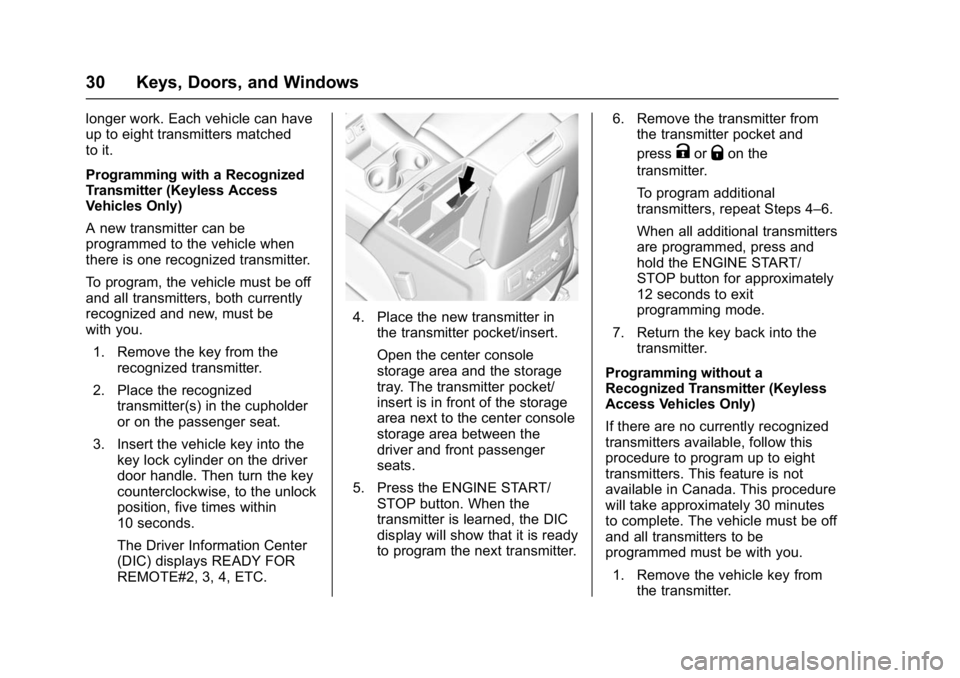
4. Place the new transmitter inthe transmitter pocket/insert.
Open the center console
storage area and the storage
tray. The transmitter pocket/
insert is in front of the storage
area next to the center console
storage area between the
driver and front passenger
seats.
5. Press the ENGINE START/ STOP button. When the
transmitter is learned, the DIC
display will show that it is ready
to program the next transmitter. 6. Remove the transmitter from
the transmitter pocket and
press
KorQon the
transmitter.
To program additional
transmitters, repeat Steps 4–6.
When all additional transmitters
are programmed, press and
hold the ENGINE START/
STOP button for approximately
12 seconds to exit
programming mode.
7. Return the key back into the transmitter.
Programming without a
Recognized Transmitter (Keyless
Access Vehicles Only)
If there are no currently recognized
transmitters available, follow this
procedure to program up to eight
transmitters. This feature is not
available in Canada. This procedure
will take approximately 30 minutes
to complete. The vehicle must be off
and all transmitters to be
programmed must be with you. 1. Remove the vehicle key from the transmitter.
Page 32 of 396
GMC Yukon Denali/Yukon XL Denali Owner Manual (GMNA-Localizing-U.S./
Canada/Mexico-9159308) - 2016 - crc - 6/2/15
Keys, Doors, and Windows 31
2. Insert the vehicle key into thekey lock cylinder on the driver
door handle; then turn the key
counterclockwise, to the unlock
position, five times within
10 seconds.
The Driver Information Center
(DIC) displays REMOTE
LEARN PENDING,
PLEASE WAIT.
3. Wait for 10 minutes until the DIC displays PRESS ENGINE
START BUTTON TO LEARN,
then press the ENGINE
START/STOP button.
The DIC display will again
show REMOTE LEARN
PENDING, PLEASE WAIT.
4. Repeat Step 3 two additional times. After the third time all
previously known transmitters
will no longer work with the
vehicle. Remaining transmitters
can be relearned during the
next steps.
The DIC display should now
show READY FOR REMOTE
# 1.
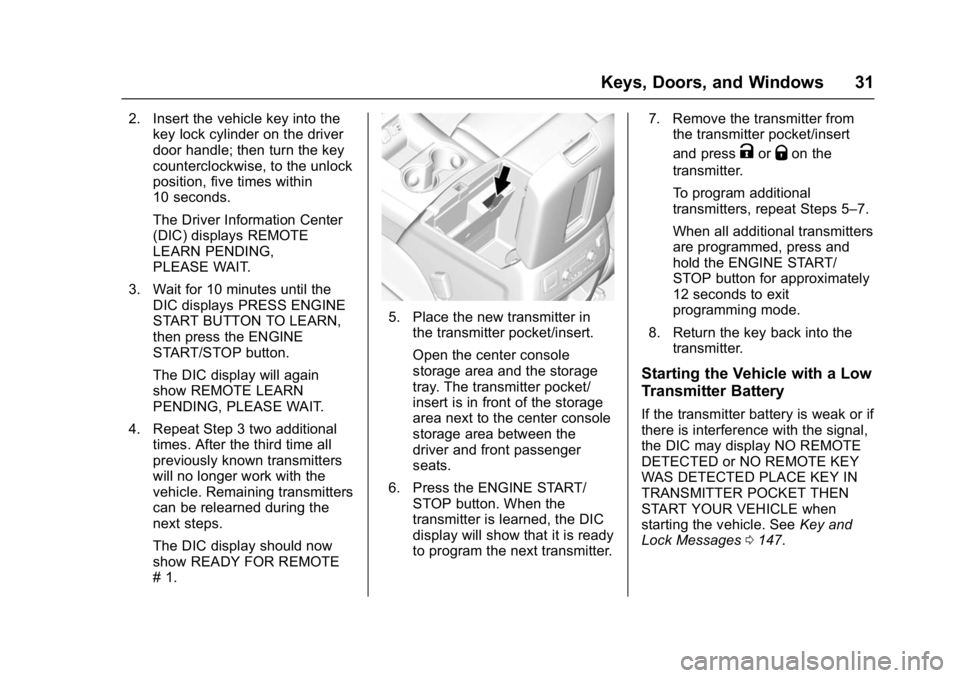
5. Place the new transmitter in
the transmitter pocket/insert.
Open the center console
storage area and the storage
tray. The transmitter pocket/
insert is in front of the storage
area next to the center console
storage area between the
driver and front passenger
seats.
6. Press the ENGINE START/ STOP button. When the
transmitter is learned, the DIC
display will show that it is ready
to program the next transmitter. 7. Remove the transmitter from
the transmitter pocket/insert
and press
KorQon the
transmitter.
To program additional
transmitters, repeat Steps 5–7.
When all additional transmitters
are programmed, press and
hold the ENGINE START/
STOP button for approximately
12 seconds to exit
programming mode.
8. Return the key back into the transmitter.
Starting the Vehicle with a Low
Transmitter Battery
If the transmitter battery is weak or if
there is interference with the signal,
the DIC may display NO REMOTE
DETECTED or NO REMOTE KEY
WAS DETECTED PLACE KEY IN
TRANSMITTER POCKET THEN
START YOUR VEHICLE when
starting the vehicle. See Key and
Lock Messages 0147.
Page 33 of 396
GMC Yukon Denali/Yukon XL Denali Owner Manual (GMNA-Localizing-U.S./
Canada/Mexico-9159308) - 2016 - crc - 6/2/15
32 Keys, Doors, and Windows
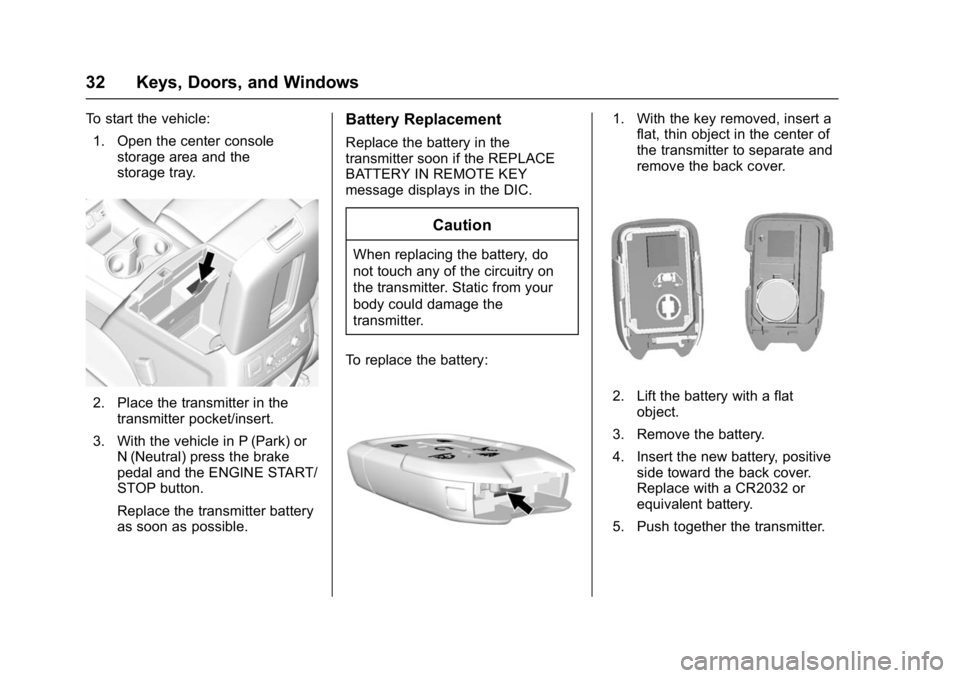
To start the vehicle:1. Open the center console storage area and the
storage tray.
2. Place the transmitter in thetransmitter pocket/insert.
3. With the vehicle in P (Park) or N (Neutral) press the brake
pedal and the ENGINE START/
STOP button.
Replace the transmitter battery
as soon as possible.
Battery Replacement
Replace the battery in the
transmitter soon if the REPLACE
BATTERY IN REMOTE KEY
message displays in the DIC.
Caution
When replacing the battery, do
not touch any of the circuitry on
the transmitter. Static from your
body could damage the
transmitter.
To replace the battery:
1. With the key removed, insert a flat, thin object in the center of
the transmitter to separate and
remove the back cover.
2. Lift the battery with a flat
object.
3. Remove the battery.
4. Insert the new battery, positive side toward the back cover.
Replace with a CR2032 or
equivalent battery.
5. Push together the transmitter.
Page 42 of 396
GMC Yukon Denali/Yukon XL Denali Owner Manual (GMNA-Localizing-U.S./
Canada/Mexico-9159308) - 2016 - crc - 6/2/15
Keys, Doors, and Windows 41
Keep hands, children, pets, objects,
and clothing clear of the power
assist steps when in motion. The
steps will reverse direction if they
encounter an obstruction when
opening or closing. Remove the
obstruction, then open and close the
door on the same side to complete
the motion of the assist steps. If the
obstruction is not cleared, the assist
steps remain extended while driving.
There are two other modes of
operation:
Deploy Mode: To extend both power
assist steps for cleaning, press
j
while the vehicle is in P (Park) or
N (Neutral). Press
jagain to
retract them. The DIC will display a
message.
Lock Mode: Press and hold
jfor
four seconds to lock and disable the
power assist steps. Press and
hold
jfor four seconds again to
enable them. The DIC will display a
message.
Vehicle Security
This vehicle has theft-deterrent
features; however, they do not make
the vehicle impossible to steal.
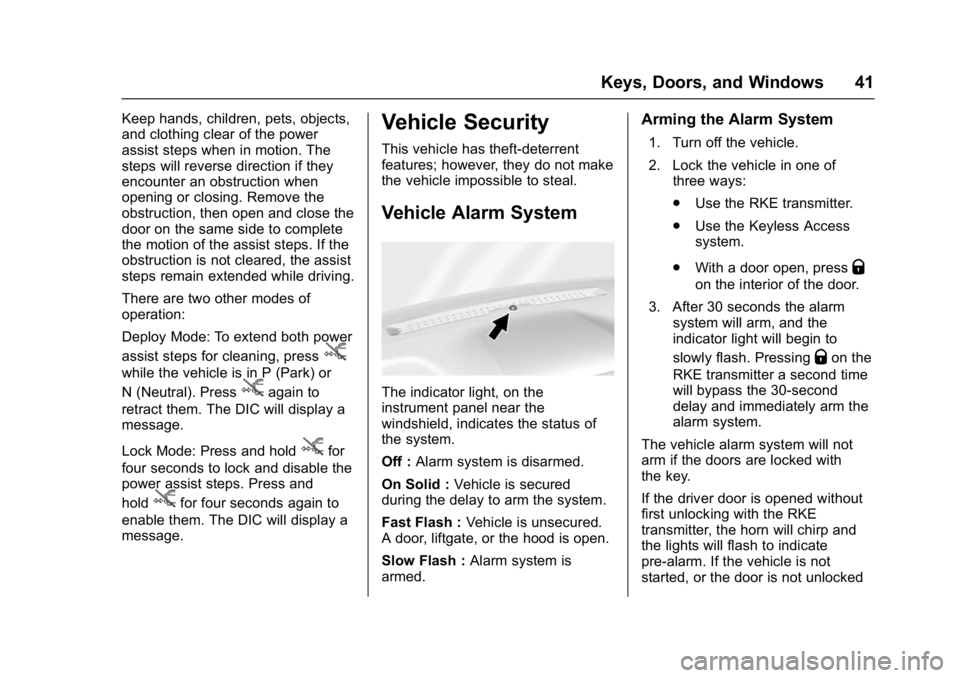
Vehicle Alarm System
The indicator light, on the
instrument panel near the
windshield, indicates the status of
the system.
Off : Alarm system is disarmed.
On Solid : Vehicle is secured
during the delay to arm the system.
Fast Flash : Vehicle is unsecured.
A door, liftgate, or the hood is open.
Slow Flash : Alarm system is
armed.
Arming the Alarm System
1. Turn off the vehicle.
2. Lock the vehicle in one of three ways:
.Use the RKE transmitter.
. Use the Keyless Access
system.
. With a door open, press
Q
on the interior of the door.
3. After 30 seconds the alarm system will arm, and the
indicator light will begin to
slowly flash. Pressing
Qon the
RKE transmitter a second time
will bypass the 30-second
delay and immediately arm the
alarm system.
The vehicle alarm system will not
arm if the doors are locked with
the key.
If the driver door is opened without
first unlocking with the RKE
transmitter, the horn will chirp and
the lights will flash to indicate
pre-alarm. If the vehicle is not
started, or the door is not unlocked