Auto door lock disable GMC YUKON DENALI 2023 Owners Manual
[x] Cancel search | Manufacturer: GMC, Model Year: 2023, Model line: YUKON DENALI, Model: GMC YUKON DENALI 2023Pages: 432, PDF Size: 9.3 MB
Page 18 of 432

GMC Yukon/Yukon XL/Denali Owner Manual (GMNA-Localizing-U.S./
Canada/Mexico-16417394) - 2023 - CRC - 4/26/22
Keys, Doors, and Windows 17
If a vehicle door is unlocked, and then
opened and closed, the doors will lock either
when your foot is removed from the brake
or the vehicle speed becomes faster than
13 km/h (8 mph).
To unlock the doors:
.PressKon the power door lock switch.
.Shift the transmission into P (Park).
Automatic door locking cannot be disabled.
Automatic door unlocking can be
programmed. To view available settings for
this feature, touch the Settings icon on the
infotainment home page. Select “Vehicle”to
display the list of available options and
select “Power Door Locks”.
Lockout Protection
When locking is requested with the driver
door open and the vehicle is on or in
accessory mode, all the doors will lock and
then the driver door will unlock.
If the vehicle is off and locking is requested
while a door is open, when all doors are
closed the vehicle will check for remote keys
inside. If a remote key is detected and the
number of remote keys inside has not
reduced, the driver door will unlock and the
horn will sound three times. This can be manually overridden by pressing
and holding
Qon the power door lock
switch.
Safety Locks
The rear door safety locks prevent
passengers from opening the rear doors
from inside the vehicle.
The safety lock is on the inside edge of the
rear doors. To use the safety lock:
1. Move the lever down to the lock position.
2. Close the door.
3. Do the same for the other rear door. To open a rear door when the safety lock
is on:
1. Unlock the door by activating the inside handle, by pressing the power door
unlock switch, or by using the
remote key.
2. Open the door from the outside.
When the safety lock is enabled, adults and
older children will not be able to open the
rear door from the inside. Cancel the safety
locks to enable the doors to open from the
inside.
To cancel the safety lock: 1. Unlock the door and open it from the outside.
2. Move the lever up to unlock. Do the same for the other door.
Page 21 of 432
GMC Yukon/Yukon XL/Denali Owner Manual (GMNA-Localizing-U.S./
Canada/Mexico-16417394) - 2023 - CRC - 4/26/22
20 Keys, Doors, and Windows
When stopping the gate at low heights it
may partially reopen.
The power liftgate may be temporarily
disabled in extremely low temperatures,
or after repeated power cycling over a short
period of time. If this occurs, the liftgate can
still be operated manually. Select OFF on the
liftgate switch.
If the vehicle is shifted out of P (Park) while
the power function is in progress, the
liftgate will continue to completion. If the
vehicle is accelerated before the liftgate has
completed moving, the liftgate may stop or
reverse direction. Check for Driver
Information Center (DIC) messages and make
sure the liftgate is closed and latched before
driving.
Falling Liftgate Detection
If the power liftgate automatically closes
after a power opening cycle, it indicates that
the system is reacting to excess weight on
the liftgate or a possible support strut
failure. Remove any excess weight.
A repetitive chime will sound while the
falling liftgate detection feature is operating.
If the liftgate continues to automatically
close after opening, see your dealer for
service before using the power liftgate.Interfering with the power liftgate motion
or manually closing the liftgate too quickly
after power opening may resemble a
support strut failure. This could also activate
the falling liftgate detection feature. Allow
the liftgate to complete its operation and
wait a few seconds before manually closing
the liftgate.
Obstacle Detection Features
If the liftgate encounters an obstacle during
a power open or close cycle, the liftgate will
automatically reverse direction and move a
short distance away from the obstacle. After
removing the obstruction, the power liftgate
operation can be used again. If the liftgate
encounters multiple obstacles on the same
power cycle, the power function will
deactivate. After removing the obstructions,
manually close the liftgate. This will allow
normal power operation functions to
resume.
If the vehicle is locked while the liftgate is
closing, and an obstacle is encountered that
prevents the liftgate from completely
closing, the horn will sound as an alert that
the liftgate did not close.
Setting the 3/4 Mode
To change the position the liftgate stops at
when opening:
1. Select MAX or 3/4 mode and power open the liftgate.
2. Stop the liftgate movement at the desired height by pressing any liftgate
button. Manually adjust the liftgate
position if needed.
3. Press and hold
lon the bottom edge
of the liftgate next to the latch on the
outside of the liftgate until the turn
signals flash and a beep sounds. This
indicates the setting has been recorded.
The liftgate cannot be set below a minimum
programmable height. If there is no light
flash or sound, then the height adjustment
may be too low.
Manual Operation
Select OFF to manually operate the liftgate.
See “Manual Liftgate” at the beginning of
this section.
Page 25 of 432
GMC Yukon/Yukon XL/Denali Owner Manual (GMNA-Localizing-U.S./
Canada/Mexico-16417394) - 2023 - CRC - 4/26/22
24 Keys, Doors, and Windows
Power Assist Steps
{Warning
To avoid personal injury or property
damage, before entering or exiting the
vehicle, be sure the power assist step is
fully extended. Do not step on the power
assist step while it is moving. Never place
hands or other body parts between the
extended power assist step and the
vehicle.
If equipped, the power assist steps will
deploy when the door is opened and
automatically retract three seconds after the
door is closed. The power assist steps will
retract immediately if the vehicle starts
moving.
Disable the power assist steps before jacking
or placing any object under the vehicle. Too
much ice buildup may prevent deployment
of the power assist steps. Check the step
position before exiting the vehicle. If this
happens, disable the power assist steps,
clear the ice, then enable the assist steps
and confirm normal function prior to use. Keep hands, children, pets, objects, and
clothing clear of the power assist steps
when in motion. The steps will reverse
direction if they encounter an obstruction
when opening or closing. Remove the
obstruction, then open and close the door
on the same side to complete the motion of
the assist steps. If the obstruction is not
cleared, the assist steps remain extended
while driving.
Both power assist steps can extend or
retract for cleaning. To view available
settings from the infotainment screen, touch
Settings > Vehicle > Remote Lock, Unlock,
Start.
Enable/Disable
To view available settings from the
infotainment screen, touch Settings >
Vehicle > Remote Lock, Unlock, Start.
Vehicle Security
This vehicle has theft-deterrent features;
however, they do not make the vehicle
impossible to steal.
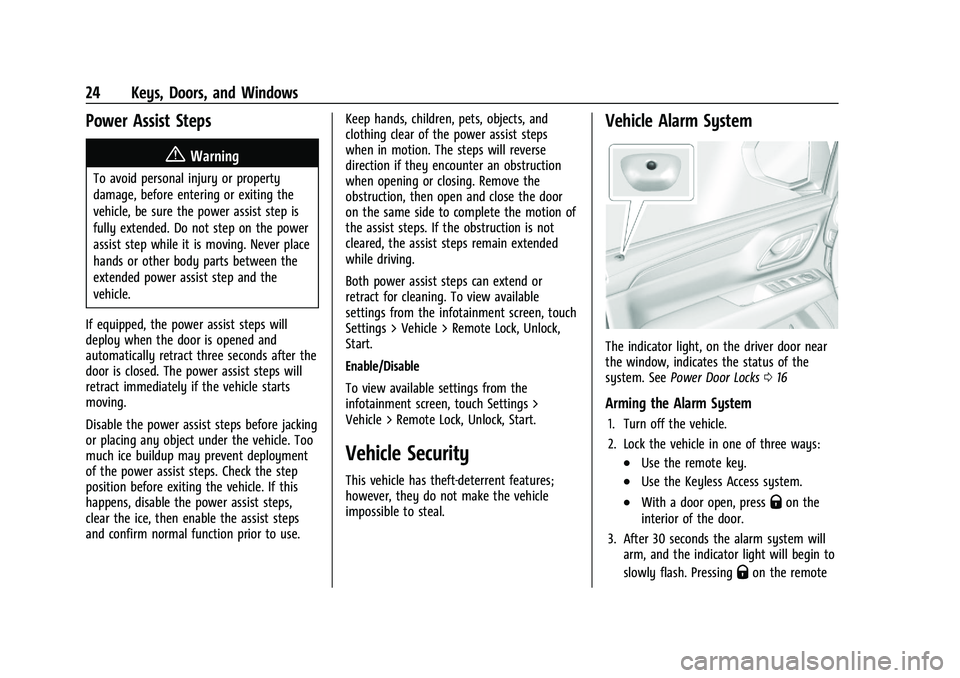
Vehicle Alarm System
The indicator light, on the driver door near
the window, indicates the status of the
system. See
Power Door Locks 016
Arming the Alarm System
1. Turn off the vehicle.
2. Lock the vehicle in one of three ways:
.Use the remote key.
.Use the Keyless Access system.
.With a door open, pressQon the
interior of the door.
3. After 30 seconds the alarm system will arm, and the indicator light will begin to
slowly flash. Pressing
Qon the remote
Page 27 of 432
GMC Yukon/Yukon XL/Denali Owner Manual (GMNA-Localizing-U.S./
Canada/Mexico-16417394) - 2023 - CRC - 4/26/22
26 Keys, Doors, and Windows
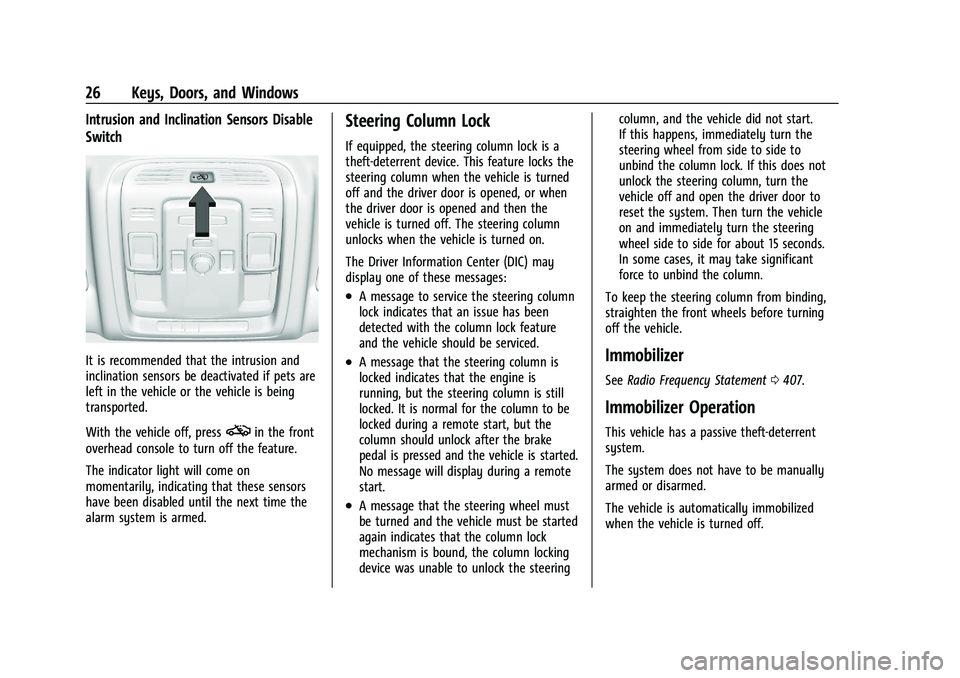
Intrusion and Inclination Sensors Disable
Switch
It is recommended that the intrusion and
inclination sensors be deactivated if pets are
left in the vehicle or the vehicle is being
transported.
With the vehicle off, press
oin the front
overhead console to turn off the feature.
The indicator light will come on
momentarily, indicating that these sensors
have been disabled until the next time the
alarm system is armed.
Steering Column Lock
If equipped, the steering column lock is a
theft-deterrent device. This feature locks the
steering column when the vehicle is turned
off and the driver door is opened, or when
the driver door is opened and then the
vehicle is turned off. The steering column
unlocks when the vehicle is turned on.
The Driver Information Center (DIC) may
display one of these messages:
.A message to service the steering column
lock indicates that an issue has been
detected with the column lock feature
and the vehicle should be serviced.
.A message that the steering column is
locked indicates that the engine is
running, but the steering column is still
locked. It is normal for the column to be
locked during a remote start, but the
column should unlock after the brake
pedal is pressed and the vehicle is started.
No message will display during a remote
start.
.A message that the steering wheel must
be turned and the vehicle must be started
again indicates that the column lock
mechanism is bound, the column locking
device was unable to unlock the steering column, and the vehicle did not start.
If this happens, immediately turn the
steering wheel from side to side to
unbind the column lock. If this does not
unlock the steering column, turn the
vehicle off and open the driver door to
reset the system. Then turn the vehicle
on and immediately turn the steering
wheel side to side for about 15 seconds.
In some cases, it may take significant
force to unbind the column.
To keep the steering column from binding,
straighten the front wheels before turning
off the vehicle.
Immobilizer
See Radio Frequency Statement 0407.
Immobilizer Operation
This vehicle has a passive theft-deterrent
system.
The system does not have to be manually
armed or disarmed.
The vehicle is automatically immobilized
when the vehicle is turned off.
Page 46 of 432
GMC Yukon/Yukon XL/Denali Owner Manual (GMNA-Localizing-U.S./
Canada/Mexico-16417394) - 2023 - CRC - 4/26/22
Seats and Restraints 45
When this feature is off, the heated and
ventilated seat symbols on the buttons are
white. When a heated seat is turned on, the
symbol turns red. When a ventilated seat is
turned on, the symbol turns blue.
Press the button once for the highest
setting. With each press of the button, the
seat will change to the next lower setting,
and then to the off setting. The indicator
lights next to the buttons indicate three for
the highest setting and one for the lowest.
If the heated seats are on high, the level
may automatically be lowered after
approximately 30 minutes.
The passenger seat may take longer to
heat up.
Auto Heated and Ventilated Seats
When the vehicle is on, this feature,
if enabled, will automatically activate the
heated or ventilated seats at the level
required by the vehicle’s interior
temperature.
The active high, medium, low, or off heated
or ventilated seat level will be indicated by
the manual heated or ventilated seat
buttons on the center stack. Use the manual
heated or ventilated seat buttons on the
center stack to turn auto heated orventilated seats off. If the passenger seat is
unoccupied, the auto heated or ventilated
seats feature will not activate that seat. To
enable or disable auto heated or ventilated
seats, select Settings > Vehicle > Climate
and Air Quality > Auto Cooled or Auto
Heated Seats > ON or OFF.
Remote Start Heated and Ventilated Seats
During a remote start, the heated or
ventilated seats, if equipped, can be turned
on automatically. When it is cold outside,
the heated seats turn on, and when it is hot
outside the ventilated seats turn on. If the
auto heated or ventilated seats feature,
if equipped, is not turned on, the heated or
ventilated seats may be canceled when the
vehicle is turned on. If necessary, press the
heated or ventilated seat button to use the
heated or ventilated seats after the vehicle
is started.
The heated or ventilated seat indicator lights
may turn on during a remote start.
The temperature performance of an
unoccupied seat may be reduced. This is
normal.
To enable or disable remote start heated or
ventilated seats, select Settings > Vehicle >
Remote Lock, Unlock, and Start > RemoteStart Auto Heat Seats or Remote Start Auto
Cool Seats > ON or OFF. See
Remote Vehicle
Start 014.
Rear Seats
Rear Seat Reminder
If equipped, the message REAR SEAT
REMINDER LOOK IN REAR SEAT displays
under certain conditions indicating there
may be an item or passenger in the rear
seat. Check before exiting the vehicle.
This feature will activate when a second row
door is opened while the vehicle is on or up
to 10 minutes before the vehicle is turned
on. There will be an alert when the vehicle
is turned off. The alert does not directly
detect objects in the rear seat; instead,
under certain conditions, it detects when a
rear door is opened and closed, indicating
that there may be something in the
rear seat.
The feature is active only once each time
the vehicle is turned on and off, and will
require reactivation by opening and closing
the second row doors. There may be an
alert even when there is nothing in the rear
Page 97 of 432
GMC Yukon/Yukon XL/Denali Owner Manual (GMNA-Localizing-U.S./
Canada/Mexico-16417394) - 2023 - CRC - 4/26/22
96 Instruments and Controls
Instruments and Controls
Controls
Steering Wheel Adjustment . . . . . . . . . . . . 97
Heated Steering Wheel . . . . . . . . . . . . . . . . . 97
Horn . . . . . . . . . . . . . . . . . . . . . . . . . . . . . . . . . . . 98
Windshield Wiper/Washer . . . . . . . . . . . . . 98
Rear Window Wiper/Washer . . . . . . . . . . . 99
Compass . . . . . . . . . . . . . . . . . . . . . . . . . . . . . . 100
Clock . . . . . . . . . . . . . . . . . . . . . . . . . . . . . . . . . . 100
Power Outlets . . . . . . . . . . . . . . . . . . . . . . . . . 101
Wireless Charging . . . . . . . . . . . . . . . . . . . . . 102
Warning Lights, Gauges, and Indicators
Warning Lights, Gauges, andIndicators . . . . . . . . . . . . . . . . . . . . . . . . . . . . 104
Instrument Cluster . . . . . . . . . . . . . . . . . . . . . 105
Speedometer . . . . . . . . . . . . . . . . . . . . . . . . . . 108
Odometer . . . . . . . . . . . . . . . . . . . . . . . . . . . . . 108
Trip Odometer . . . . . . . . . . . . . . . . . . . . . . . . 108
Tachometer . . . . . . . . . . . . . . . . . . . . . . . . . . . 108
Fuel Gauge . . . . . . . . . . . . . . . . . . . . . . . . . . . . 108
Engine Oil Pressure Gauge . . . . . . . . . . . . 109
Engine Coolant Temperature Gauge . . . 109
Transmission Temperature Gauge . . . . . . 110
Voltmeter Gauge . . . . . . . . . . . . . . . . . . . . . . 110
Seat Belt Reminders . . . . . . . . . . . . . . . . . . . . 111
Airbag Readiness Light . . . . . . . . . . . . . . . . . 112 Passenger Airbag Status Indicator . . . . . . 112
Charging System Light . . . . . . . . . . . . . . . . . 113
Malfunction Indicator Lamp (Check
Engine Light) . . . . . . . . . . . . . . . . . . . . . . . . . 113
Brake System Warning Light . . . . . . . . . . . 115
Electric Parking Brake Light . . . . . . . . . . . . 115
Service Electric Parking Brake Light . . . . . 115
Antilock Brake System (ABS) Warning
Light . . . . . . . . . . . . . . . . . . . . . . . . . . . . . . . . . 116
Four-Wheel-Drive Light . . . . . . . . . . . . . . . . . 116
Hill Descent Control Light . . . . . . . . . . . . . . 116
Lane Keep Assist (LKA) Light . . . . . . . . . . . 116
Automatic Emergency Braking (AEB) Disabled Light . . . . . . . . . . . . . . . . . . . . . . . . 117
Vehicle Ahead Indicator . . . . . . . . . . . . . . . . 117
Pedestrian Ahead Indicator . . . . . . . . . . . . . 117
Traction Off Light . . . . . . . . . . . . . . . . . . . . . . 117
StabiliTrak OFF Light . . . . . . . . . . . . . . . . . . . 118
Traction Control System (TCS)/ StabiliTrak Light . . . . . . . . . . . . . . . . . . . . . . 118
Engine Coolant Temperature Warning Light . . . . . . . . . . . . . . . . . . . . . . . . . . . . . . . . . 118
Driver Mode Control Light . . . . . . . . . . . . . 119
Four Corner Air Suspension Light . . . . . . 119
Tire Pressure Light . . . . . . . . . . . . . . . . . . . . . 120
Engine Oil Pressure Light . . . . . . . . . . . . . . . 121
Low Fuel Warning Light . . . . . . . . . . . . . . . . 121
Security Light . . . . . . . . . . . . . . . . . . . . . . . . . . 121
High-Beam On Light . . . . . . . . . . . . . . . . . . . 122 Front Fog Lamp Light . . . . . . . . . . . . . . . . . . 122
Lamps On Reminder . . . . . . . . . . . . . . . . . . . 122
Cruise Control Light . . . . . . . . . . . . . . . . . . . . 122
Door Ajar Light . . . . . . . . . . . . . . . . . . . . . . . . 123
Information Displays
Driver Information Center (DIC) . . . . . . . . 123
Head-Up Display (HUD) . . . . . . . . . . . . . . . . 125
Vehicle Messages
Vehicle Messages . . . . . . . . . . . . . . . . . . . . . . 129
Engine Power Messages . . . . . . . . . . . . . . . 129
Vehicle Speed Messages . . . . . . . . . . . . . . . 130
Universal Remote System
Universal Remote System . . . . . . . . . . . . . 130
Universal Remote System
Programming . . . . . . . . . . . . . . . . . . . . . . . . 130
Universal Remote System Operation . . . 132
Page 99 of 432
GMC Yukon/Yukon XL/Denali Owner Manual (GMNA-Localizing-U.S./
Canada/Mexico-16417394) - 2023 - CRC - 4/26/22
98 Instruments and Controls
If equipped with auto heated seats, the
heated steering wheel will turn on when the
auto heated seat is activated. The heated
steering wheel indicator will display the
state of the steering wheel heat.
SeeHeated and Ventilated Front Seats 044.
Horn
To sound the horn, pressaon the
steering wheel.
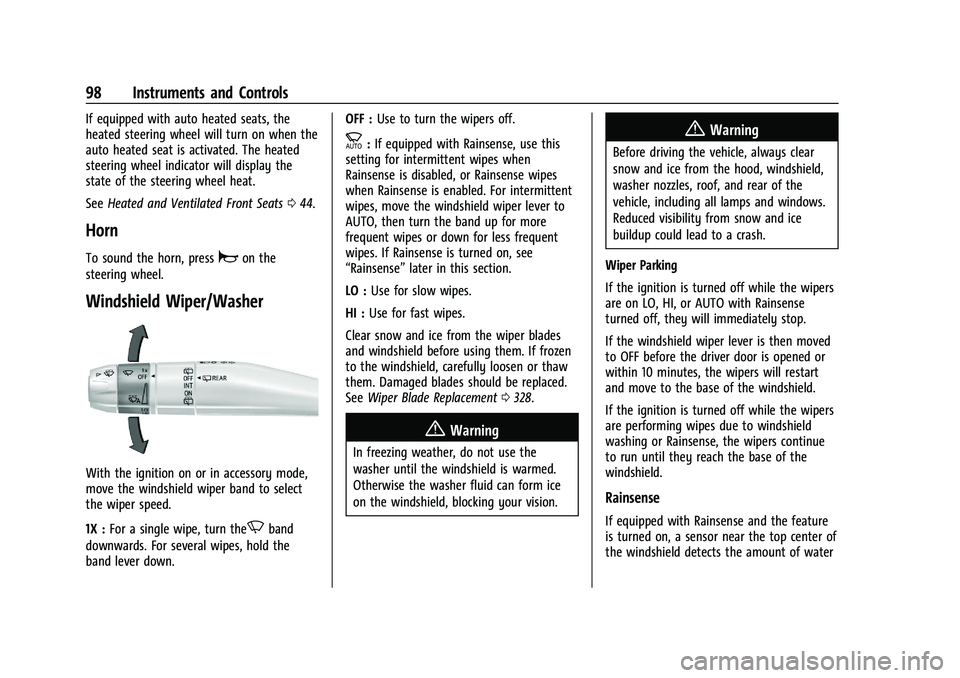
Windshield Wiper/Washer
With the ignition on or in accessory mode,
move the windshield wiper band to select
the wiper speed.
1X : For a single wipe, turn the
Nband
downwards. For several wipes, hold the
band lever down. OFF :
Use to turn the wipers off.
c:If equipped with Rainsense, use this
setting for intermittent wipes when
Rainsense is disabled, or Rainsense wipes
when Rainsense is enabled. For intermittent
wipes, move the windshield wiper lever to
AUTO, then turn the band up for more
frequent wipes or down for less frequent
wipes. If Rainsense is turned on, see
“Rainsense” later in this section.
LO : Use for slow wipes.
HI : Use for fast wipes.
Clear snow and ice from the wiper blades
and windshield before using them. If frozen
to the windshield, carefully loosen or thaw
them. Damaged blades should be replaced.
See Wiper Blade Replacement 0328.
{Warning
In freezing weather, do not use the
washer until the windshield is warmed.
Otherwise the washer fluid can form ice
on the windshield, blocking your vision.
{Warning
Before driving the vehicle, always clear
snow and ice from the hood, windshield,
washer nozzles, roof, and rear of the
vehicle, including all lamps and windows.
Reduced visibility from snow and ice
buildup could lead to a crash.
Wiper Parking
If the ignition is turned off while the wipers
are on LO, HI, or AUTO with Rainsense
turned off, they will immediately stop.
If the windshield wiper lever is then moved
to OFF before the driver door is opened or
within 10 minutes, the wipers will restart
and move to the base of the windshield.
If the ignition is turned off while the wipers
are performing wipes due to windshield
washing or Rainsense, the wipers continue
to run until they reach the base of the
windshield.
Rainsense
If equipped with Rainsense and the feature
is turned on, a sensor near the top center of
the windshield detects the amount of water
Page 135 of 432
GMC Yukon/Yukon XL/Denali Owner Manual (GMNA-Localizing-U.S./
Canada/Mexico-16417394) - 2023 - CRC - 4/26/22
134 Lighting
The system turns the high-beam headlamps
on when it is dark enough and there is no
other traffic present.
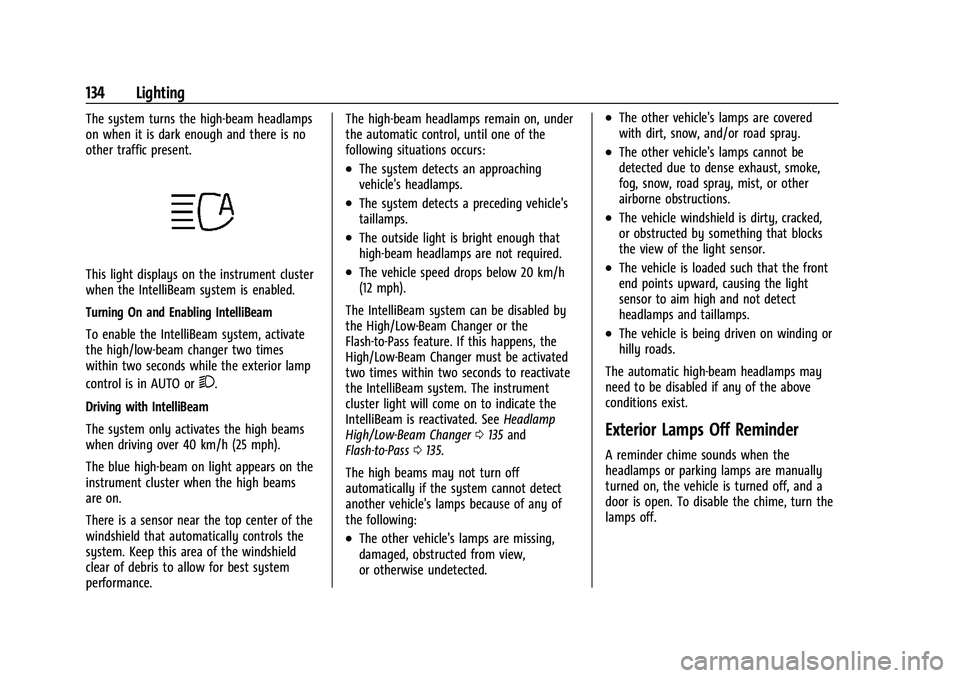
This light displays on the instrument cluster
when the IntelliBeam system is enabled.
Turning On and Enabling IntelliBeam
To enable the IntelliBeam system, activate
the high/low-beam changer two times
within two seconds while the exterior lamp
control is in AUTO or
2.
Driving with IntelliBeam
The system only activates the high beams
when driving over 40 km/h (25 mph).
The blue high-beam on light appears on the
instrument cluster when the high beams
are on.
There is a sensor near the top center of the
windshield that automatically controls the
system. Keep this area of the windshield
clear of debris to allow for best system
performance. The high-beam headlamps remain on, under
the automatic control, until one of the
following situations occurs:
.The system detects an approaching
vehicle's headlamps.
.The system detects a preceding vehicle's
taillamps.
.The outside light is bright enough that
high-beam headlamps are not required.
.The vehicle speed drops below 20 km/h
(12 mph).
The IntelliBeam system can be disabled by
the High/Low-Beam Changer or the
Flash-to-Pass feature. If this happens, the
High/Low-Beam Changer must be activated
two times within two seconds to reactivate
the IntelliBeam system. The instrument
cluster light will come on to indicate the
IntelliBeam is reactivated. See Headlamp
High/Low-Beam Changer 0135 and
Flash-to-Pass 0135.
The high beams may not turn off
automatically if the system cannot detect
another vehicle's lamps because of any of
the following:
.The other vehicle's lamps are missing,
damaged, obstructed from view,
or otherwise undetected.
.The other vehicle's lamps are covered
with dirt, snow, and/or road spray.
.The other vehicle's lamps cannot be
detected due to dense exhaust, smoke,
fog, snow, road spray, mist, or other
airborne obstructions.
.The vehicle windshield is dirty, cracked,
or obstructed by something that blocks
the view of the light sensor.
.The vehicle is loaded such that the front
end points upward, causing the light
sensor to aim high and not detect
headlamps and taillamps.
.The vehicle is being driven on winding or
hilly roads.
The automatic high-beam headlamps may
need to be disabled if any of the above
conditions exist.
Exterior Lamps Off Reminder
A reminder chime sounds when the
headlamps or parking lamps are manually
turned on, the vehicle is turned off, and a
door is open. To disable the chime, turn the
lamps off.
Page 233 of 432
GMC Yukon/Yukon XL/Denali Owner Manual (GMNA-Localizing-U.S./
Canada/Mexico-16417394) - 2023 - CRC - 5/16/22
232 Driving and Operating
.The Traction Control System (TCS) or
StabiliTrak/ESC system has activated or
been disabled.
.There is a fault in the system.
.The radar falsely reports blockage when
driving in a desert or remote area with
no other vehicles or roadside objects.
A DIC message may display to indicate
that ACC is temporarily unavailable.
The ACC indicator will turn white when ACC
is no longer active.
In some cases, when ACC is temporarily
unavailable, regular cruise control may be
used. See “Switching Between ACC and
Regular Cruise Control” previously in this
section. Always consider driving conditions
before using either cruise control system.
Notification to Resume ACC
ACC will maintain a follow gap behind a
detected vehicle and slow your vehicle to a
stop behind that vehicle.
If the stopped vehicle ahead has driven
away and ACC has not resumed, the vehicle
ahead indicator will flash as a reminder to
check traffic ahead before proceeding. In
addition, the left and right sides of the
Safety Alert Seat (if equipped) will pulse
three times, or three beeps will sound. Touch the Settings icon on the infotainment
home page. Select
“Vehicle”to display the
list of available options and select ”Alert
Type” and“Adaptive Cruise Go Notifier” in
“Collision/Detection Systems”.
If equipped with Driver Attention System
(DAS) located on top of the steering column,
when the vehicle ahead drives away, and
DAS determines if the driver's attention is
on the road ahead, ACC resumes
automatically. See “Attention to the Road"
in the Super Cruise 0235 section.
If necessary, press RES+ or the accelerator
pedal to resume ACC. If stopped for more
than two minutes or if the driver door is
opened and the driver seat belt is
unbuckled, the ACC automatically applies the
Electric Parking Brake (EPB) to hold the
vehicle. The EPB status light will turn on.
See Electric Parking Brake 0212. To release
the EPB, press the accelerator pedal.
A DIC warning message may display
indicating to shift to P (Park) before exiting
the vehicle. See Vehicle Messages 0129.
{Warning
If ACC has stopped the vehicle, and if ACC
is disengaged, turned off, or canceled, the
vehicle will no longer be held at a stop.
The vehicle can move. When ACC is
holding the vehicle at a stop, always be
prepared to manually apply the brakes.
{Warning
Leaving the vehicle without placing it in
P (Park) can be dangerous. Do not leave
the vehicle while it is being held at a
stop by ACC. Always place the vehicle in
P (Park) and turn off the ignition before
leaving the vehicle.
ACC Override
If using the accelerator pedal while ACC is
active, the ACC indicator turns blue on the
instrument cluster indicating ACC braking
will not occur. ACC will resume operation
when the accelerator pedal is not being
pressed.
Page 421 of 432
GMC Yukon/Yukon XL/Denali Owner Manual (GMNA-Localizing-U.S./Cana-
da/Mexico-16417394) - 2023 - CRC - 5/11/22
420 Index
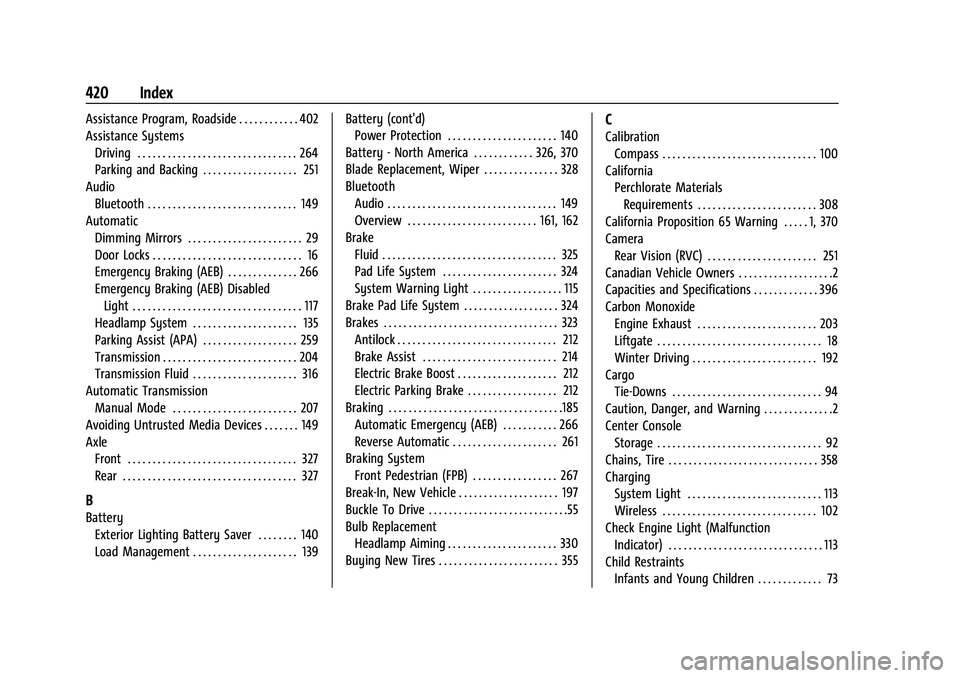
Assistance Program, Roadside . . . . . . . . . . . . 402
Assistance SystemsDriving . . . . . . . . . . . . . . . . . . . . . . . . . . . . . . . . 264
Parking and Backing . . . . . . . . . . . . . . . . . . . 251
Audio Bluetooth . . . . . . . . . . . . . . . . . . . . . . . . . . . . . . 149
Automatic
Dimming Mirrors . . . . . . . . . . . . . . . . . . . . . . . 29
Door Locks . . . . . . . . . . . . . . . . . . . . . . . . . . . . . . 16
Emergency Braking (AEB) . . . . . . . . . . . . . . 266
Emergency Braking (AEB) DisabledLight . . . . . . . . . . . . . . . . . . . . . . . . . . . . . . . . . . 117
Headlamp System . . . . . . . . . . . . . . . . . . . . . 135
Parking Assist (APA) . . . . . . . . . . . . . . . . . . . 259
Transmission . . . . . . . . . . . . . . . . . . . . . . . . . . . 204
Transmission Fluid . . . . . . . . . . . . . . . . . . . . . 316
Automatic Transmission Manual Mode . . . . . . . . . . . . . . . . . . . . . . . . . 207
Avoiding Untrusted Media Devices . . . . . . . 149
Axle Front . . . . . . . . . . . . . . . . . . . . . . . . . . . . . . . . . . 327
Rear . . . . . . . . . . . . . . . . . . . . . . . . . . . . . . . . . . . 327
B
BatteryExterior Lighting Battery Saver . . . . . . . . 140
Load Management . . . . . . . . . . . . . . . . . . . . . 139 Battery (cont'd)
Power Protection . . . . . . . . . . . . . . . . . . . . . . 140
Battery - North America . . . . . . . . . . . . 326, 370
Blade Replacement, Wiper . . . . . . . . . . . . . . . 328
Bluetooth Audio . . . . . . . . . . . . . . . . . . . . . . . . . . . . . . . . . . 149
Overview . . . . . . . . . . . . . . . . . . . . . . . . . . 161, 162
Brake Fluid . . . . . . . . . . . . . . . . . . . . . . . . . . . . . . . . . . . 325
Pad Life System . . . . . . . . . . . . . . . . . . . . . . . 324
System Warning Light . . . . . . . . . . . . . . . . . . 115
Brake Pad Life System . . . . . . . . . . . . . . . . . . . 324
Brakes . . . . . . . . . . . . . . . . . . . . . . . . . . . . . . . . . . . 323
Antilock . . . . . . . . . . . . . . . . . . . . . . . . . . . . . . . . 212
Brake Assist . . . . . . . . . . . . . . . . . . . . . . . . . . . 214
Electric Brake Boost . . . . . . . . . . . . . . . . . . . . 212
Electric Parking Brake . . . . . . . . . . . . . . . . . . 212
Braking . . . . . . . . . . . . . . . . . . . . . . . . . . . . . . . . . . .185 Automatic Emergency (AEB) . . . . . . . . . . . 266
Reverse Automatic . . . . . . . . . . . . . . . . . . . . . 261
Braking System
Front Pedestrian (FPB) . . . . . . . . . . . . . . . . . 267
Break-In, New Vehicle . . . . . . . . . . . . . . . . . . . . 197
Buckle To Drive . . . . . . . . . . . . . . . . . . . . . . . . . . . .55
Bulb Replacement Headlamp Aiming . . . . . . . . . . . . . . . . . . . . . . 330
Buying New Tires . . . . . . . . . . . . . . . . . . . . . . . . 355
C
Calibration Compass . . . . . . . . . . . . . . . . . . . . . . . . . . . . . . . 100
California Perchlorate Materials
Requirements . . . . . . . . . . . . . . . . . . . . . . . . 308
California Proposition 65 Warning . . . . . 1, 370
Camera Rear Vision (RVC) . . . . . . . . . . . . . . . . . . . . . . 251
Canadian Vehicle Owners . . . . . . . . . . . . . . . . . . .2
Capacities and Specifications . . . . . . . . . . . . . 396
Carbon Monoxide
Engine Exhaust . . . . . . . . . . . . . . . . . . . . . . . . 203
Liftgate . . . . . . . . . . . . . . . . . . . . . . . . . . . . . . . . . 18
Winter Driving . . . . . . . . . . . . . . . . . . . . . . . . . 192
Cargo Tie-Downs . . . . . . . . . . . . . . . . . . . . . . . . . . . . . . 94
Caution, Danger, and Warning . . . . . . . . . . . . . .2
Center Console Storage . . . . . . . . . . . . . . . . . . . . . . . . . . . . . . . . . 92
Chains, Tire . . . . . . . . . . . . . . . . . . . . . . . . . . . . . . 358
Charging System Light . . . . . . . . . . . . . . . . . . . . . . . . . . . 113
Wireless . . . . . . . . . . . . . . . . . . . . . . . . . . . . . . . 102
Check Engine Light (Malfunction Indicator) . . . . . . . . . . . . . . . . . . . . . . . . . . . . . . . 113
Child Restraints Infants and Young Children . . . . . . . . . . . . . 73