Security GMC YUKON DENALI 2023 Owners Manual
[x] Cancel search | Manufacturer: GMC, Model Year: 2023, Model line: YUKON DENALI, Model: GMC YUKON DENALI 2023Pages: 432, PDF Size: 9.3 MB
Page 8 of 432
GMC Yukon/Yukon XL/Denali Owner Manual (GMNA-Localizing-U.S./
Canada/Mexico-16417394) - 2023 - CRC - 4/26/22
Keys, Doors, and Windows 7
Keys, Doors, and
Windows
Keys and Locks
Keys . . . . . . . . . . . . . . . . . . . . . . . . . . . . . . . . . . . . . 7
Remote Key . . . . . . . . . . . . . . . . . . . . . . . . . . . . . 8
Remote Key Operation . . . . . . . . . . . . . . . . . . 8
Remote Vehicle Start . . . . . . . . . . . . . . . . . . . 14
Door Locks . . . . . . . . . . . . . . . . . . . . . . . . . . . . . . 15
Power Door Locks . . . . . . . . . . . . . . . . . . . . . . . 16
Delayed Locking . . . . . . . . . . . . . . . . . . . . . . . . 16
Automatic Door Locks . . . . . . . . . . . . . . . . . . 16
Lockout Protection . . . . . . . . . . . . . . . . . . . . . . 17
Safety Locks . . . . . . . . . . . . . . . . . . . . . . . . . . . . 17
Doors
Liftgate . . . . . . . . . . . . . . . . . . . . . . . . . . . . . . . . . 18
Power Assist Steps . . . . . . . . . . . . . . . . . . . . . 24
Vehicle Security
Vehicle Security . . . . . . . . . . . . . . . . . . . . . . . . 24
Vehicle Alarm System . . . . . . . . . . . . . . . . . . 24
Steering Column Lock . . . . . . . . . . . . . . . . . . 26
Immobilizer . . . . . . . . . . . . . . . . . . . . . . . . . . . . 26
Immobilizer Operation . . . . . . . . . . . . . . . . . . 26
Exterior Mirrors
Convex Mirrors . . . . . . . . . . . . . . . . . . . . . . . . . 27
Power Mirrors . . . . . . . . . . . . . . . . . . . . . . . . . . 27
Folding Mirrors . . . . . . . . . . . . . . . . . . . . . . . . . 28
Heated Mirrors . . . . . . . . . . . . . . . . . . . . . . . . . 29
Automatic Dimming Mirror . . . . . . . . . . . . . 29
Reverse Tilt Mirrors . . . . . . . . . . . . . . . . . . . . 29
Interior Mirrors
Interior Rearview Mirrors . . . . . . . . . . . . . . . 29
Manual Rearview Mirror . . . . . . . . . . . . . . . . 29
Automatic Dimming Rearview Mirror . . . 29
Rear Camera Mirror . . . . . . . . . . . . . . . . . . . . 30
Windows
Windows . . . . . . . . . . . . . . . . . . . . . . . . . . . . . . . 32
Power Windows . . . . . . . . . . . . . . . . . . . . . . . . 32
Sun Visors . . . . . . . . . . . . . . . . . . . . . . . . . . . . . . 34
Roof
Sunroof . . . . . . . . . . . . . . . . . . . . . . . . . . . . . . . . . 34
Keys and Locks
Keys
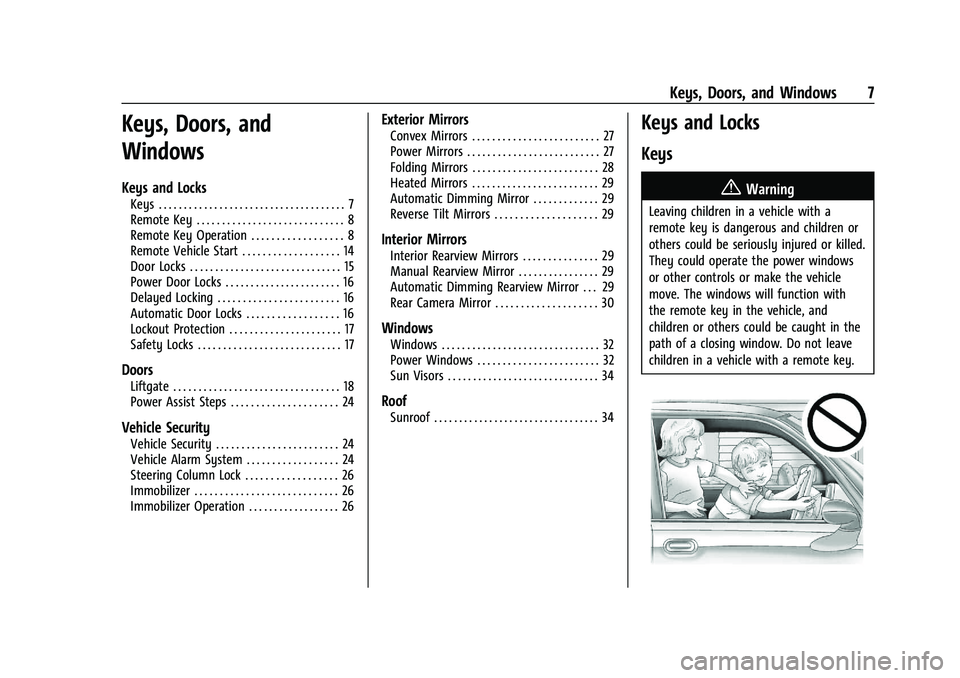
{Warning
Leaving children in a vehicle with a
remote key is dangerous and children or
others could be seriously injured or killed.
They could operate the power windows
or other controls or make the vehicle
move. The windows will function with
the remote key in the vehicle, and
children or others could be caught in the
path of a closing window. Do not leave
children in a vehicle with a remote key.
Page 12 of 432

GMC Yukon/Yukon XL/Denali Owner Manual (GMNA-Localizing-U.S./
Canada/Mexico-16417394) - 2023 - CRC - 4/26/22
Keys, Doors, and Windows 11
Passive Locking
The Keyless Access system will lock the
vehicle several seconds after all doors are
closed, if the vehicle is off and at least one
remote key has been removed from the
interior, or none remain in the interior.
If other electronic devices interfere with the
remote key signal, the vehicle may not
detect the remote key inside the vehicle.
If passive locking is enabled, the doors may
lock with the remote key inside the vehicle.
Do not leave the remote key in an
unattended vehicle.
To view available settings for this feature,
touch the Settings icon on the infotainment
home page. Select“Vehicle”to display the
list of available options and select “Remote
Lock, Unlock, Start”.
Temporary Disable of Passive Locking
Temporarily disable passive locking by
pressing and holding
Kon the interior door
switch with a door open for at least
four seconds, or until three chimes are
heard. Passive locking will then remain
disabled until
Qon the interior door is
pressed, or until the vehicle is turned on. Remote Left In Vehicle Alert
When the vehicle is turned off and a remote
key is left in the vehicle, the horn will chirp
three times after all doors are closed. To
view available settings for this feature,
touch the Settings icon on the infotainment
home page. Select
“Vehicle”to display the
list of available options and select “Remote
Lock, Unlock, Start”.
Remote Removed From Vehicle Alert
If the vehicle is on with a door open, and
then all doors are closed, the vehicle will
check for remote keys inside. If a remote
key is not detected, the Driver Information
Center (DIC) will display NO KEY FOUND and
the horn will chirp three times. This occurs
only once each time the vehicle is driven. To
view available settings for this feature,
touch the Settings icon on the infotainment
home page. Select “Vehicle”to display the
list of available options and select “Remote
Lock, Unlock, Start”.
Keyless Liftgate Opening
Press the touch pad on the underside of the
liftgate handle to open the liftgate when all
doors are unlocked, or when the remote key
is within 1 m (3 ft). Keyless Liftglass Opening
Press the exterior liftglass button to open
the liftglass when all doors are unlocked,
or when the remote key is within 1 m (3 ft).
See
Liftgate 018.
Key Access
To access a vehicle with a weak remote key
battery, see Door Locks015.
Programming Remote Keys to the
Vehicle
Only remote keys programmed to the
vehicle will work. If a remote key is lost or
stolen, a replacement can be purchased and
programmed through your dealer. The
vehicle can be reprogrammed so that lost or
stolen remote keys no longer work. Each
vehicle can have up to eight remote keys
programmed to it.
Starting the Vehicle with a Low Remote
Key Battery
For improved vehicle security, the remote
key is equipped with a motion sensor. When
starting the vehicle, if the remote key has
been idle for an extended period of time,
Page 17 of 432
GMC Yukon/Yukon XL/Denali Owner Manual (GMNA-Localizing-U.S./
Canada/Mexico-16417394) - 2023 - CRC - 4/26/22
16 Keys, Doors, and Windows
back into place. Remove the key and
reinsert fully, rotate the key to unlock the
vehicle.
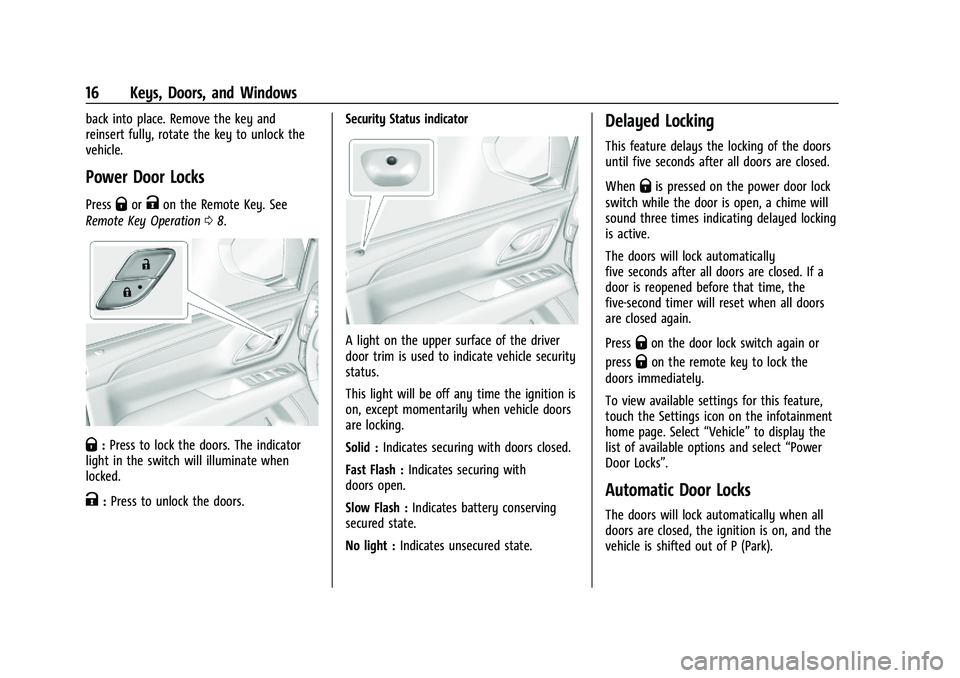
Power Door Locks
PressQorKon the Remote Key. See
Remote Key Operation 08.
Q:Press to lock the doors. The indicator
light in the switch will illuminate when
locked.
K: Press to unlock the doors. Security Status indicator
A light on the upper surface of the driver
door trim is used to indicate vehicle security
status.
This light will be off any time the ignition is
on, except momentarily when vehicle doors
are locking.
Solid :
Indicates securing with doors closed.
Fast Flash : Indicates securing with
doors open.
Slow Flash : Indicates battery conserving
secured state.
No light : Indicates unsecured state.
Delayed Locking
This feature delays the locking of the doors
until five seconds after all doors are closed.
When
Qis pressed on the power door lock
switch while the door is open, a chime will
sound three times indicating delayed locking
is active.
The doors will lock automatically
five seconds after all doors are closed. If a
door is reopened before that time, the
five-second timer will reset when all doors
are closed again.
Press
Qon the door lock switch again or
press
Qon the remote key to lock the
doors immediately.
To view available settings for this feature,
touch the Settings icon on the infotainment
home page. Select “Vehicle”to display the
list of available options and select “Power
Door Locks”.
Automatic Door Locks
The doors will lock automatically when all
doors are closed, the ignition is on, and the
vehicle is shifted out of P (Park).
Page 20 of 432
GMC Yukon/Yukon XL/Denali Owner Manual (GMNA-Localizing-U.S./
Canada/Mexico-16417394) - 2023 - CRC - 4/26/22
Keys, Doors, and Windows 19
Power Liftgate Operation
{Warning
You or others could be injured if caught
in the path of the power liftgate. Make
sure there is no one in the way of the
liftgate as it is opening and closing.
Caution
Driving with an open and unsecured
liftgate may result in damage to the
power liftgate components.
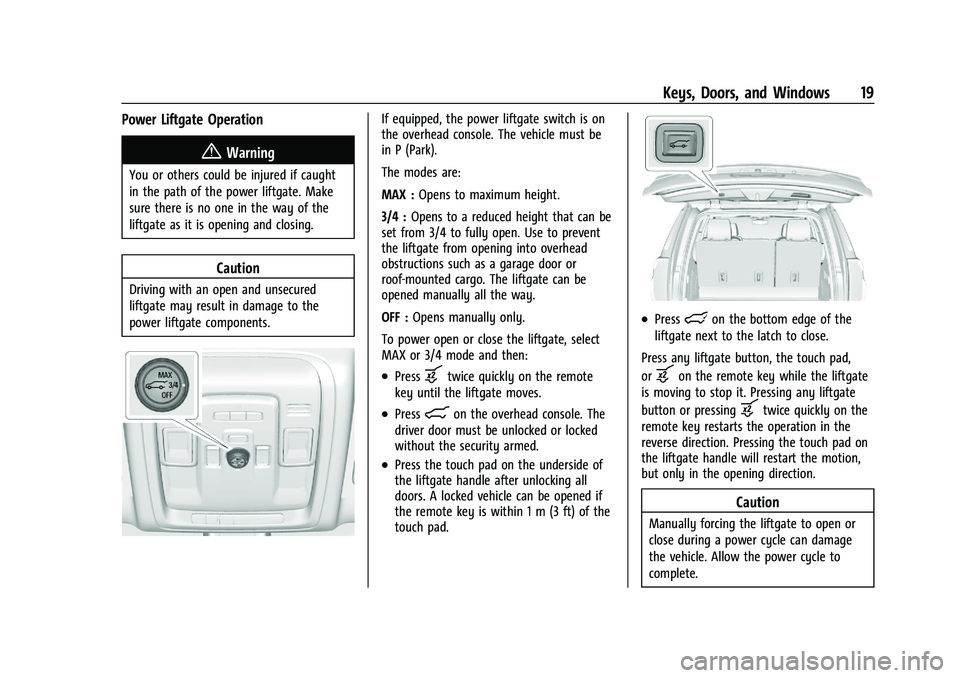
If equipped, the power liftgate switch is on
the overhead console. The vehicle must be
in P (Park).
The modes are:
MAX :Opens to maximum height.
3/4 : Opens to a reduced height that can be
set from 3/4 to fully open. Use to prevent
the liftgate from opening into overhead
obstructions such as a garage door or
roof-mounted cargo. The liftgate can be
opened manually all the way.
OFF : Opens manually only.
To power open or close the liftgate, select
MAX or 3/4 mode and then:
.Pressbtwice quickly on the remote
key until the liftgate moves.
.Press8on the overhead console. The
driver door must be unlocked or locked
without the security armed.
.Press the touch pad on the underside of
the liftgate handle after unlocking all
doors. A locked vehicle can be opened if
the remote key is within 1 m (3 ft) of the
touch pad.
.Presslon the bottom edge of the
liftgate next to the latch to close.
Press any liftgate button, the touch pad,
or
bon the remote key while the liftgate
is moving to stop it. Pressing any liftgate
button or pressing
btwice quickly on the
remote key restarts the operation in the
reverse direction. Pressing the touch pad on
the liftgate handle will restart the motion,
but only in the opening direction.
Caution
Manually forcing the liftgate to open or
close during a power cycle can damage
the vehicle. Allow the power cycle to
complete.
Page 25 of 432
GMC Yukon/Yukon XL/Denali Owner Manual (GMNA-Localizing-U.S./
Canada/Mexico-16417394) - 2023 - CRC - 4/26/22
24 Keys, Doors, and Windows
Power Assist Steps
{Warning
To avoid personal injury or property
damage, before entering or exiting the
vehicle, be sure the power assist step is
fully extended. Do not step on the power
assist step while it is moving. Never place
hands or other body parts between the
extended power assist step and the
vehicle.
If equipped, the power assist steps will
deploy when the door is opened and
automatically retract three seconds after the
door is closed. The power assist steps will
retract immediately if the vehicle starts
moving.
Disable the power assist steps before jacking
or placing any object under the vehicle. Too
much ice buildup may prevent deployment
of the power assist steps. Check the step
position before exiting the vehicle. If this
happens, disable the power assist steps,
clear the ice, then enable the assist steps
and confirm normal function prior to use. Keep hands, children, pets, objects, and
clothing clear of the power assist steps
when in motion. The steps will reverse
direction if they encounter an obstruction
when opening or closing. Remove the
obstruction, then open and close the door
on the same side to complete the motion of
the assist steps. If the obstruction is not
cleared, the assist steps remain extended
while driving.
Both power assist steps can extend or
retract for cleaning. To view available
settings from the infotainment screen, touch
Settings > Vehicle > Remote Lock, Unlock,
Start.
Enable/Disable
To view available settings from the
infotainment screen, touch Settings >
Vehicle > Remote Lock, Unlock, Start.
Vehicle Security
This vehicle has theft-deterrent features;
however, they do not make the vehicle
impossible to steal.
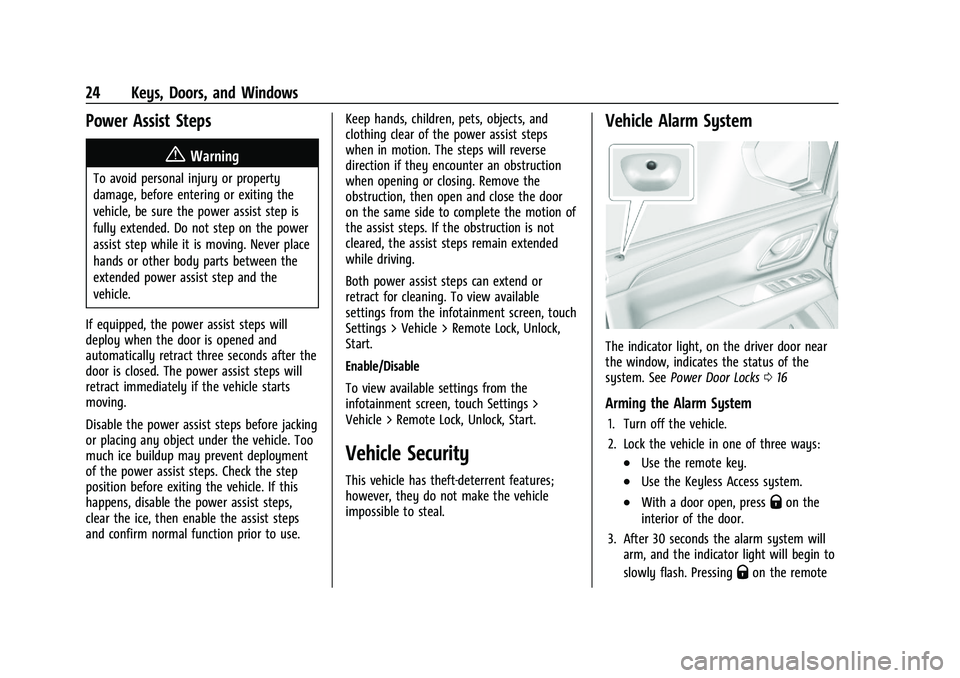
Vehicle Alarm System
The indicator light, on the driver door near
the window, indicates the status of the
system. See
Power Door Locks 016
Arming the Alarm System
1. Turn off the vehicle.
2. Lock the vehicle in one of three ways:
.Use the remote key.
.Use the Keyless Access system.
.With a door open, pressQon the
interior of the door.
3. After 30 seconds the alarm system will arm, and the indicator light will begin to
slowly flash. Pressing
Qon the remote
Page 28 of 432
GMC Yukon/Yukon XL/Denali Owner Manual (GMNA-Localizing-U.S./
Canada/Mexico-16417394) - 2023 - CRC - 4/26/22
Keys, Doors, and Windows 27
The immobilization system is disarmed
when the ignition is turned on or to
accessory mode and a valid remote key is
present in the vehicle.
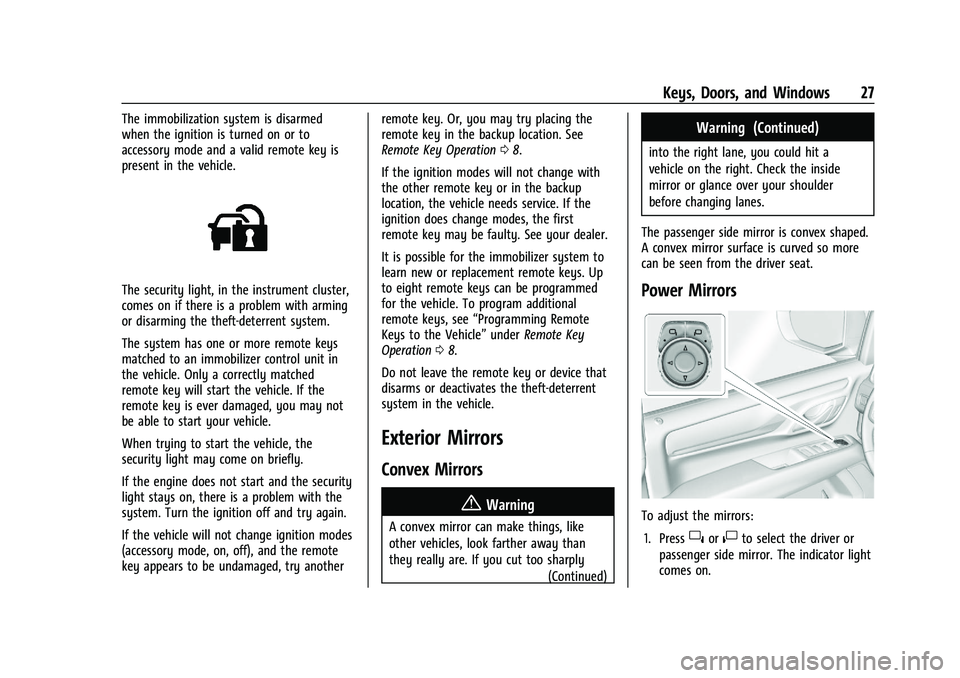
The security light, in the instrument cluster,
comes on if there is a problem with arming
or disarming the theft-deterrent system.
The system has one or more remote keys
matched to an immobilizer control unit in
the vehicle. Only a correctly matched
remote key will start the vehicle. If the
remote key is ever damaged, you may not
be able to start your vehicle.
When trying to start the vehicle, the
security light may come on briefly.
If the engine does not start and the security
light stays on, there is a problem with the
system. Turn the ignition off and try again.
If the vehicle will not change ignition modes
(accessory mode, on, off), and the remote
key appears to be undamaged, try anotherremote key. Or, you may try placing the
remote key in the backup location. See
Remote Key Operation
08.
If the ignition modes will not change with
the other remote key or in the backup
location, the vehicle needs service. If the
ignition does change modes, the first
remote key may be faulty. See your dealer.
It is possible for the immobilizer system to
learn new or replacement remote keys. Up
to eight remote keys can be programmed
for the vehicle. To program additional
remote keys, see “Programming Remote
Keys to the Vehicle” underRemote Key
Operation 08.
Do not leave the remote key or device that
disarms or deactivates the theft-deterrent
system in the vehicle.
Exterior Mirrors
Convex Mirrors
{Warning
A convex mirror can make things, like
other vehicles, look farther away than
they really are. If you cut too sharply (Continued)
Warning (Continued)
into the right lane, you could hit a
vehicle on the right. Check the inside
mirror or glance over your shoulder
before changing lanes.
The passenger side mirror is convex shaped.
A convex mirror surface is curved so more
can be seen from the driver seat.
Power Mirrors
To adjust the mirrors: 1. Press
}or|to select the driver or
passenger side mirror. The indicator light
comes on.
Page 97 of 432
GMC Yukon/Yukon XL/Denali Owner Manual (GMNA-Localizing-U.S./
Canada/Mexico-16417394) - 2023 - CRC - 4/26/22
96 Instruments and Controls
Instruments and Controls
Controls
Steering Wheel Adjustment . . . . . . . . . . . . 97
Heated Steering Wheel . . . . . . . . . . . . . . . . . 97
Horn . . . . . . . . . . . . . . . . . . . . . . . . . . . . . . . . . . . 98
Windshield Wiper/Washer . . . . . . . . . . . . . 98
Rear Window Wiper/Washer . . . . . . . . . . . 99
Compass . . . . . . . . . . . . . . . . . . . . . . . . . . . . . . 100
Clock . . . . . . . . . . . . . . . . . . . . . . . . . . . . . . . . . . 100
Power Outlets . . . . . . . . . . . . . . . . . . . . . . . . . 101
Wireless Charging . . . . . . . . . . . . . . . . . . . . . 102
Warning Lights, Gauges, and Indicators
Warning Lights, Gauges, andIndicators . . . . . . . . . . . . . . . . . . . . . . . . . . . . 104
Instrument Cluster . . . . . . . . . . . . . . . . . . . . . 105
Speedometer . . . . . . . . . . . . . . . . . . . . . . . . . . 108
Odometer . . . . . . . . . . . . . . . . . . . . . . . . . . . . . 108
Trip Odometer . . . . . . . . . . . . . . . . . . . . . . . . 108
Tachometer . . . . . . . . . . . . . . . . . . . . . . . . . . . 108
Fuel Gauge . . . . . . . . . . . . . . . . . . . . . . . . . . . . 108
Engine Oil Pressure Gauge . . . . . . . . . . . . 109
Engine Coolant Temperature Gauge . . . 109
Transmission Temperature Gauge . . . . . . 110
Voltmeter Gauge . . . . . . . . . . . . . . . . . . . . . . 110
Seat Belt Reminders . . . . . . . . . . . . . . . . . . . . 111
Airbag Readiness Light . . . . . . . . . . . . . . . . . 112 Passenger Airbag Status Indicator . . . . . . 112
Charging System Light . . . . . . . . . . . . . . . . . 113
Malfunction Indicator Lamp (Check
Engine Light) . . . . . . . . . . . . . . . . . . . . . . . . . 113
Brake System Warning Light . . . . . . . . . . . 115
Electric Parking Brake Light . . . . . . . . . . . . 115
Service Electric Parking Brake Light . . . . . 115
Antilock Brake System (ABS) Warning
Light . . . . . . . . . . . . . . . . . . . . . . . . . . . . . . . . . 116
Four-Wheel-Drive Light . . . . . . . . . . . . . . . . . 116
Hill Descent Control Light . . . . . . . . . . . . . . 116
Lane Keep Assist (LKA) Light . . . . . . . . . . . 116
Automatic Emergency Braking (AEB) Disabled Light . . . . . . . . . . . . . . . . . . . . . . . . 117
Vehicle Ahead Indicator . . . . . . . . . . . . . . . . 117
Pedestrian Ahead Indicator . . . . . . . . . . . . . 117
Traction Off Light . . . . . . . . . . . . . . . . . . . . . . 117
StabiliTrak OFF Light . . . . . . . . . . . . . . . . . . . 118
Traction Control System (TCS)/ StabiliTrak Light . . . . . . . . . . . . . . . . . . . . . . 118
Engine Coolant Temperature Warning Light . . . . . . . . . . . . . . . . . . . . . . . . . . . . . . . . . 118
Driver Mode Control Light . . . . . . . . . . . . . 119
Four Corner Air Suspension Light . . . . . . 119
Tire Pressure Light . . . . . . . . . . . . . . . . . . . . . 120
Engine Oil Pressure Light . . . . . . . . . . . . . . . 121
Low Fuel Warning Light . . . . . . . . . . . . . . . . 121
Security Light . . . . . . . . . . . . . . . . . . . . . . . . . . 121
High-Beam On Light . . . . . . . . . . . . . . . . . . . 122 Front Fog Lamp Light . . . . . . . . . . . . . . . . . . 122
Lamps On Reminder . . . . . . . . . . . . . . . . . . . 122
Cruise Control Light . . . . . . . . . . . . . . . . . . . . 122
Door Ajar Light . . . . . . . . . . . . . . . . . . . . . . . . 123
Information Displays
Driver Information Center (DIC) . . . . . . . . 123
Head-Up Display (HUD) . . . . . . . . . . . . . . . . 125
Vehicle Messages
Vehicle Messages . . . . . . . . . . . . . . . . . . . . . . 129
Engine Power Messages . . . . . . . . . . . . . . . 129
Vehicle Speed Messages . . . . . . . . . . . . . . . 130
Universal Remote System
Universal Remote System . . . . . . . . . . . . . 130
Universal Remote System
Programming . . . . . . . . . . . . . . . . . . . . . . . . 130
Universal Remote System Operation . . . 132
Page 122 of 432
GMC Yukon/Yukon XL/Denali Owner Manual (GMNA-Localizing-U.S./
Canada/Mexico-16417394) - 2023 - CRC - 4/26/22
Instruments and Controls 121
the light will come on every time the
vehicle is started. SeeTire Pressure Monitor
Operation 0349.
Engine Oil Pressure Light
Caution
Driving the vehicle with low engine oil
pressure can damage the engine and the
repairs would not be covered by the
vehicle warranty.
If the engine oil pressure light comes on
while driving:
1. Stop in a safe location and turn off the engine.
2. Check the oil level. See Engine Oil
0 314.
3. Add oil if the oil level is below the normal operating range.
4. Restart the vehicle. If the engine oil pressure light stays on for more
than 10 seconds, turn the vehicle
back off. Do not restart the vehicle.
See your dealer for service.This light should come on briefly when the
engine starts. When the engine is off and
the vehicle is on, the light should remain
illuminated. If it does not come on under
either condition, contact your dealer.
If the light comes on and stays on when the
engine is running, it may not have adequate
oil pressure. The oil level may be low or
there may be some other oil system
problem. Turn the engine off when it is safe
to do so and contact your dealer.
Low Fuel Warning Light
A Low Fuel Warning Light near the fuel
gauge comes on briefly when the ignition is
turned on as a check to show it is working. For vehicles with a reconfigurable cluster,
this light is in the display area and may not
come on when the ignition is turned on.
It also comes on when the fuel gauge
indicator nears empty. The light turns off
when fuel is added. If it does not, have the
vehicle serviced.
Security Light
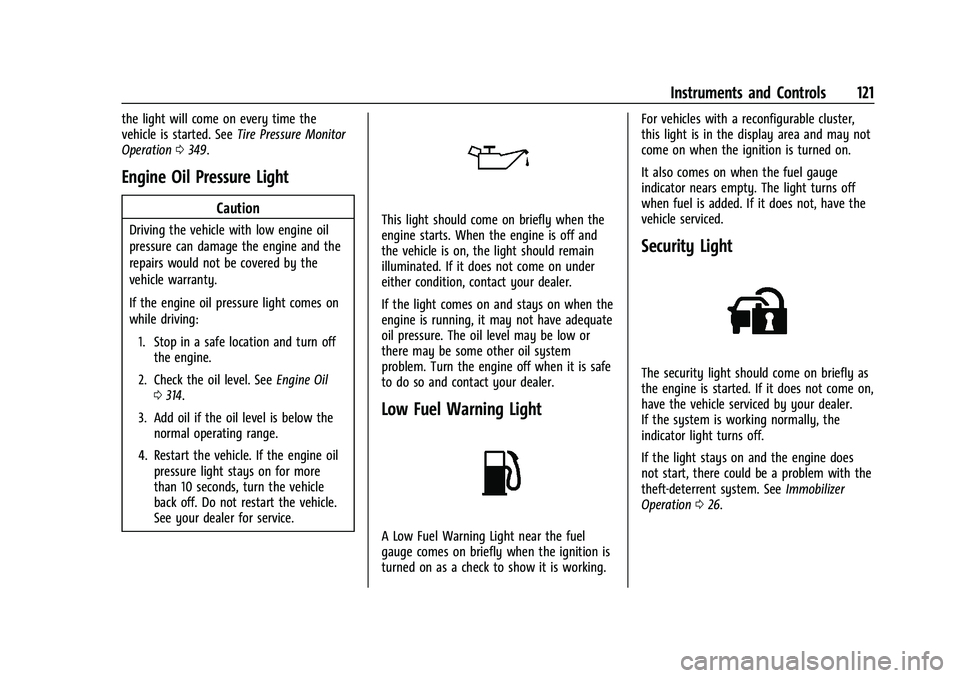
The security light should come on briefly as
the engine is started. If it does not come on,
have the vehicle serviced by your dealer.
If the system is working normally, the
indicator light turns off.
If the light stays on and the engine does
not start, there could be a problem with the
theft-deterrent system. See
Immobilizer
Operation 026.
Page 130 of 432
GMC Yukon/Yukon XL/Denali Owner Manual (GMNA-Localizing-U.S./
Canada/Mexico-16417394) - 2023 - CRC - 4/26/22
Instruments and Controls 129
Audio overlays display when the audio app
is selected on the instrument cluster. All
HUD views may briefly display audio
information when the driver uses the
steering wheel controls to adjust the audio
settings appearing in the instrument cluster.
Incoming phone calls appearing in the
instrument cluster, may also display in any
HUD view.
Care of the HUD
Clean the inside of the windshield to remove
any dirt or film that could reduce the
sharpness or clarity of the HUD image.
Clean the HUD lens with a soft cloth
sprayed with glass cleaner. Wipe the lens
gently, then dry it.
HUD Troubleshooting
Check that:
.Nothing is covering the HUD lens.
.The HUD brightness setting is not too
dim or too bright.
.The HUD is adjusted to the proper height.
.Polarized sunglasses are not worn.
.The windshield and HUD lens are clean.
If the HUD image is not correct, contact
your dealer. The windshield is part of the HUD system.
See
Windshield Replacement 0329.
Vehicle Messages
Messages displayed on the DIC indicate the
status of the vehicle or some action that
may be needed to correct a condition.
Multiple messages may appear one after
another.
The messages that do not require
immediate action can be acknowledged and
cleared by pressing
V. The messages that
require immediate action cannot be cleared
until that action is performed.
All messages should be taken seriously;
clearing the message does not correct the
problem.
If a SERVICE message appears, see your
dealer.
Follow the instructions given in the
messages. The system displays messages
regarding the following topics:
.Service Messages
.Fluid Levels
.Vehicle Security
.Brakes
.Steering
.Ride Control Systems
.Driver Assistance Systems
.Cruise Control
.Lighting and Bulb Replacement
.Wiper/Washer Systems
.Doors and Windows
.Seat Belts
.Airbag Systems
.Engine and Transmission
.Tire Pressure
.Battery
.Four Corner Air Suspension System
Engine Power Messages
REDUCED ACCELERATION DRIVE
WITH CARE
This message displays when the vehicle's
propulsion power is reduced. A reduction in
propulsion power can affect the vehicle's
ability to accelerate. If this message is on,
but there is no observed reduction in
performance, proceed to your destination.
Under certain conditions the performance
may be reduced the next time the vehicle is
driven. The vehicle may be driven while this
message is on, but maximum acceleration
and speed may be reduced. Anytime this
Page 131 of 432
GMC Yukon/Yukon XL/Denali Owner Manual (GMNA-Localizing-U.S./
Canada/Mexico-16417394) - 2023 - CRC - 4/26/22
130 Instruments and Controls
message stays on, or displays repeatedly,
the vehicle should be taken to your dealer
for service as soon as possible.
Under certain operating conditions,
propulsion will be disabled. Try restarting
after the ignition has been off for
two minutes.
Vehicle Speed Messages
SPEED LIMITED TO XXX KM/H (MPH)
This message shows that the vehicle speed
has been limited to the speed displayed. The
limited speed is a protection for various
propulsion and vehicle systems, such as
lubrication, thermal, brakes, suspension,
Teen Driver if equipped, or tires.
(If equipped with a diesel engine, see the
Duramax Diesel supplement.)–For Diesel
Universal Remote System
See Radio Frequency Statement 0407.
Universal Remote System
Programming
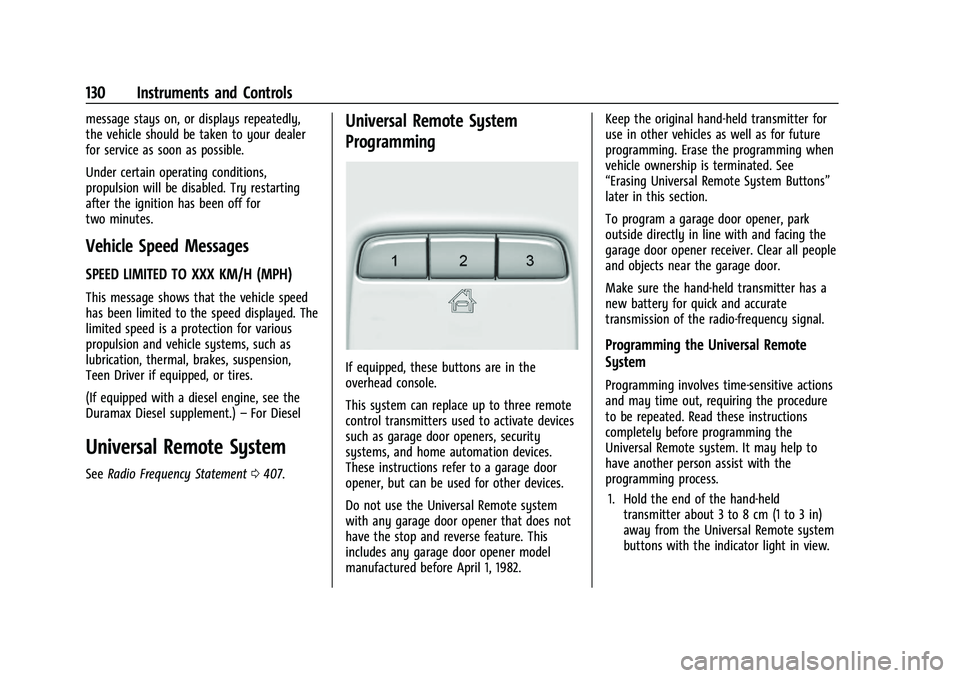
If equipped, these buttons are in the
overhead console.
This system can replace up to three remote
control transmitters used to activate devices
such as garage door openers, security
systems, and home automation devices.
These instructions refer to a garage door
opener, but can be used for other devices.
Do not use the Universal Remote system
with any garage door opener that does not
have the stop and reverse feature. This
includes any garage door opener model
manufactured before April 1, 1982. Keep the original hand-held transmitter for
use in other vehicles as well as for future
programming. Erase the programming when
vehicle ownership is terminated. See
“Erasing Universal Remote System Buttons”
later in this section.
To program a garage door opener, park
outside directly in line with and facing the
garage door opener receiver. Clear all people
and objects near the garage door.
Make sure the hand-held transmitter has a
new battery for quick and accurate
transmission of the radio-frequency signal.
Programming the Universal Remote
System
Programming involves time-sensitive actions
and may time out, requiring the procedure
to be repeated. Read these instructions
completely before programming the
Universal Remote system. It may help to
have another person assist with the
programming process.
1. Hold the end of the hand-held transmitter about 3 to 8 cm (1 to 3 in)
away from the Universal Remote system
buttons with the indicator light in view.