key GMC YUKON HYBRID 2009 Owners Manual
[x] Cancel search | Manufacturer: GMC, Model Year: 2009, Model line: YUKON HYBRID, Model: GMC YUKON HYBRID 2009Pages: 94, PDF Size: 0.53 MB
Page 12 of 94
Auto Stop
The vehicle has an Auto Stop feature. After a successful
engine start, the engine may turn off and operate in the
Auto Stop mode. Some of the vehicle conditions that
allow the engine to stop running and enter the Auto Stop
mode are:
•Ignition switch is in the ON/RUN position.
•The hood is closed.
•The gear selector is in P (Park), N (Neutral) or
D (Drive).
•The hybrid battery is at an acceptable state of
charge.
•The hybrid battery voltage, temperature or power
limits are not exceeded. In very hot conditions,
Auto Stop may be unavailable until the hybrid battery
has cooled.
•The engine is at operating temperature.
If you are on an incline, the hybrid drive motor can help
keep the vehicle from rolling backwards, even if the
engine is in Auto Stop.With your foot off the brake and the vehicle on level
ground, the hybrid drive motor may cause the vehicle
to roll slowly forward, even when the engine is in
Auto Stop.
Keep your foot firmly on the brake pedal until you are
ready for the vehicle to move.
Engine OFF and AUTO STOP modes are indicated on
the tachometer display. When the tachometer needle
indicates OFF, the engine is not running and will remain
off until the ignition key is placed in the START position
or a remote vehicle start is performed. When the
tachometer needle indicates AUTO STOP, the hybrid
system is on, the engine is not running, but may
Auto Start at any time without notice. SeeTachometer
on page 3-4for more information.
A chime will sound if the driver door is opened while
in Auto Stop as a reminder that the ignition switch is
not in the LOCK/OFF position. Always turn the ignition
switch to LOCK/OFF and remove the key from the
ignition switch when exiting the vehicle.
2-4
Page 22 of 94
Tachometer
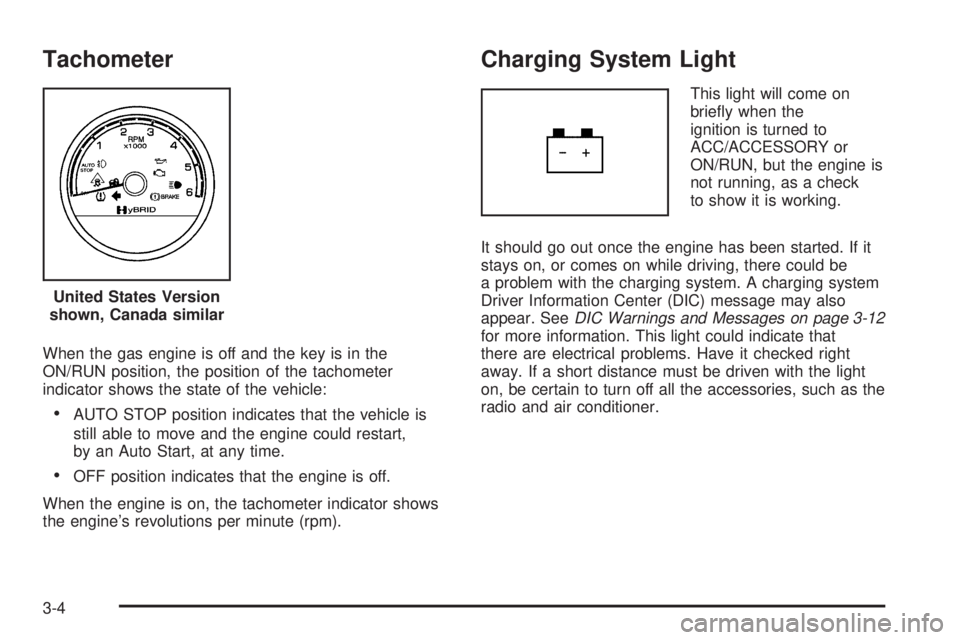
When the gas engine is off and the key is in the
ON/RUN position, the position of the tachometer
indicator shows the state of the vehicle:
•AUTO STOP position indicates that the vehicle is
still able to move and the engine could restart,
by an Auto Start, at any time.
•OFF position indicates that the engine is off.
When the engine is on, the tachometer indicator shows
the engine’s revolutions per minute (rpm).
Charging System Light
This light will come on
briefly when the
ignition is turned to
ACC/ACCESSORY or
ON/RUN, but the engine is
not running, as a check
to show it is working.
It should go out once the engine has been started. If it
stays on, or comes on while driving, there could be
a problem with the charging system. A charging system
Driver Information Center (DIC) message may also
appear. SeeDIC Warnings and Messages on page 3-12
for more information. This light could indicate that
there are electrical problems. Have it checked right
away. If a short distance must be driven with the light
on, be certain to turn off all the accessories, such as the
radio and air conditioner. United States Version
shown, Canada similar
3-4
Page 24 of 94
Brake System Warning Light
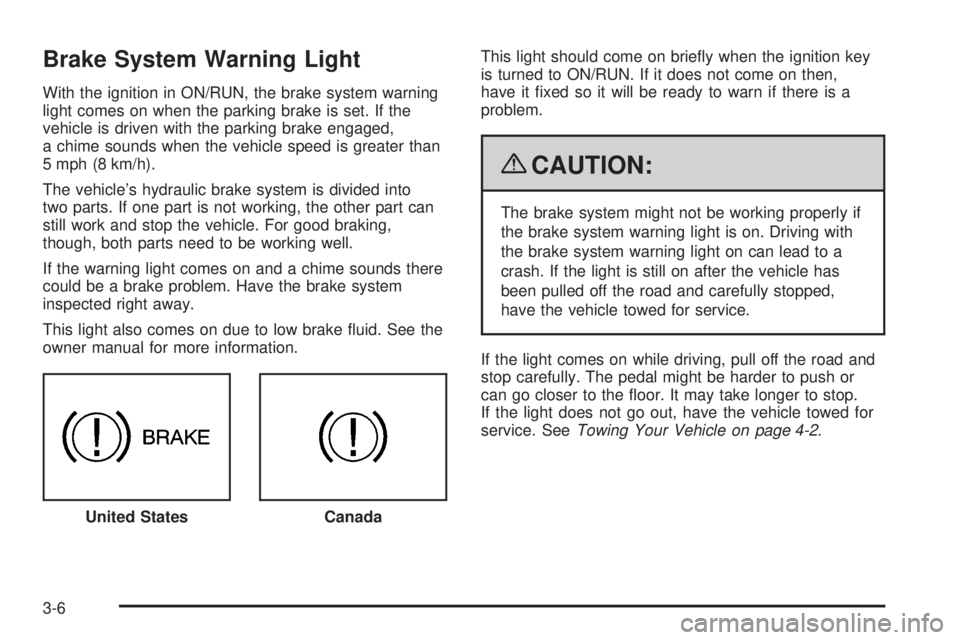
With the ignition in ON/RUN, the brake system warning
light comes on when the parking brake is set. If the
vehicle is driven with the parking brake engaged,
a chime sounds when the vehicle speed is greater than
5 mph (8 km/h).
The vehicle’s hydraulic brake system is divided into
two parts. If one part is not working, the other part can
still work and stop the vehicle. For good braking,
though, both parts need to be working well.
If the warning light comes on and a chime sounds there
could be a brake problem. Have the brake system
inspected right away.
This light also comes on due to low brake fluid. See the
owner manual for more information.This light should come on briefly when the ignition key
is turned to ON/RUN. If it does not come on then,
have it fixed so it will be ready to warn if there is a
problem.
{CAUTION:
The brake system might not be working properly if
the brake system warning light is on. Driving with
the brake system warning light on can lead to a
crash. If the light is still on after the vehicle has
been pulled off the road and carefully stopped,
have the vehicle towed for service.
If the light comes on while driving, pull off the road and
stop carefully. The pedal might be harder to push or
can go closer to the floor. It may take longer to stop.
If the light does not go out, have the vehicle towed for
service. SeeTowing Your Vehicle on page 4-2.
United States
Canada
3-6
Page 63 of 94
•One or more TPMS sensors are missing or
damaged. The DIC message and the TPMS
malfunction light should go off when the TPMS
sensors are installed and the sensor matching
process is performed successfully. See your
dealer/retailer for service.
•Replacement tires or wheels do not match your
vehicle’s original equipment tires or wheels.
Tires and wheels other than those recommended
for your vehicle could prevent the TPMS from
functioning properly. See “Buying New Tires” in
the Index of the owner manual.
•Operating electronic devices or being near facilities
using radio wave frequencies similar to the TPMS
could cause the TPMS sensors to malfunction.
If the TPMS is not functioning it cannot detect or
signal a low tire condition. See your dealer/retailer for
service if the TPMS malfunction light and DIC message
comes on and stays on.
TPMS Sensor Matching Process
Each TPMS sensor has a unique identification code.
Any time you rotate your vehicle’s tires or replace one or
more of the TPMS sensors, the identification codes
will need to be matched to the new tire/wheel position.
The sensors are matched to the tire/wheel positions
in the following order: driver side front tire, passenger
side front tire, passenger side rear tire, and driver
side rear tire using a TPMS diagnostic tool. See your
dealer/retailer for service.
The TPMS sensors can also be matched to each
tire/wheel position by increasing or decreasing the tire’s
air pressure. If increasing the tire’s air pressure, do
not exceed the maximum inflation pressure indicated on
the tire’s sidewall.
To decrease air-pressure out of a tire you can use the
pointed end of the valve cap, a pencil-style air pressure
gage, or a key.
5-27
Page 64 of 94
You have two minutes to match the first tire/wheel
position, and five minutes overall to match all four
tire/wheel positions. If it takes longer than two minutes,
to match the first tire and wheel, or more than
five minutes to match all four tire and wheel positions
the matching process stops and you need to start over.
The TPMS sensor matching process is outlined below:
1. Set the parking brake.
2. Turn the ignition switch to ON/RUN with the
engine off.
3. Press the Remote Keyless Entry (RKE) transmitter’s
LOCK and UNLOCK buttons at the same time for
approximately five seconds. The horn sounds twice
to signal the receiver is in relearn mode and TIRE
LEARNING ACTIVE message displays on the
DIC screen.
4. Start with the driver side front tire.
5. Remove the valve cap from the valve cap stem.
Activate the TPMS sensor by increasing or
decreasing the tire’s air pressure for five seconds,
or until a horn chirp sounds. The horn chirp,
which may take up to 30 seconds to sound,
confirms that the sensor identification code has
been matched to this tire and wheel position.6. Proceed to the passenger side front tire, and repeat
the procedure in Step 5.
7. Proceed to the passenger side rear tire, and repeat
the procedure in Step 5.
8. Proceed to the driver side rear tire, and repeat the
procedure in Step 5. The horn sounds two times to
indicate the sensor identification code has been
matched to the driver side rear tire, and the TPMS
sensor matching process is no longer active.
The TIRE LEARNING ACTIVE message on the
DIC display screen goes off.
9. Turn the ignition switch to LOCK/OFF.
10. Set all four tires to the recommended air pressure
level as indicated on the Tire and Loading
Information label.
11. Put the valve caps back on the valve stems.
5-28