towing GMC YUKON XL 2010 User Guide
[x] Cancel search | Manufacturer: GMC, Model Year: 2010, Model line: YUKON XL, Model: GMC YUKON XL 2010Pages: 614, PDF Size: 4.64 MB
Page 179 of 614
2 (Second):This position reduces vehicle speed even
more than 3 (Third) without using the brakes. You can
use 2 (Second) on hills. It can help control vehicle
speed as you go down steep mountain roads, but then
you would also want to use the brakes off and on.
If you manually select 2 (Second) in an automatic
transmission, the transmission will start in second gear.
You can use this feature for reducing the speed of the
rear wheels when you are trying to start the vehicle
from a stop on slippery road surfaces.
1 (First): For the Hydra-Matic
®4-Speed transmission
this position reduces vehicle speed even more than
2 (Second) without using the brakes. You can use it
on very steep hills, or in deep snow or mud. If the shift
lever is put in 1 (First) while the vehicle is moving
forward, the transmission does not shift into first gear
until the vehicle is going slowly enough.
For a Hydra-Matic
®6-Speed transmission, this position
reduces vehicle speed without using the brakes. You
can use it for major/severe downgrades and off-road
driving where the vehicle would otherwise accelerate
due to steepness of grade. When you shift to 1 (First) it
provides the lowest gear appropriate to the vehicle's
current road speed and continues to downshift as the
vehicle slows, eventually downshifting to 1 (First) gear.
Notice: Spinning the tires or holding the vehicle in
one place on a hill using only the accelerator pedal
may damage the transmission. The repair will not be covered by the vehicle warranty. If you are stuck, do
not spin the tires. When stopping on a hill, use the
brakes to hold the vehicle in place.
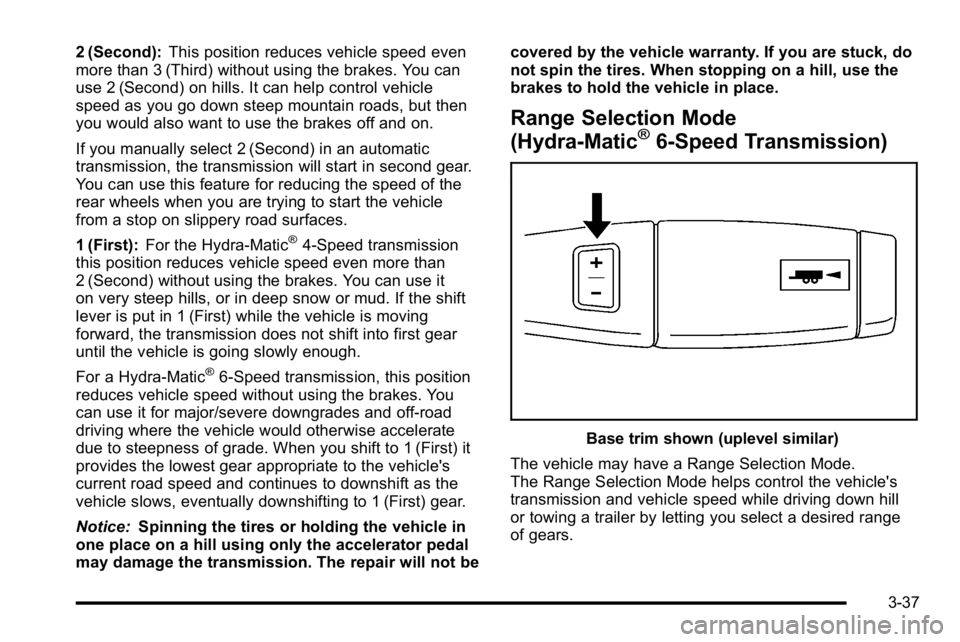
Range Selection Mode
(Hydra-Matic®6-Speed Transmission)
Base trim shown (uplevel similar)
The vehicle may have a Range Selection Mode.
The Range Selection Mode helps control the vehicle's
transmission and vehicle speed while driving down hill
or towing a trailer by letting you select a desired range
of gears.
3-37
Page 181 of 614
Tow/Haul Mode
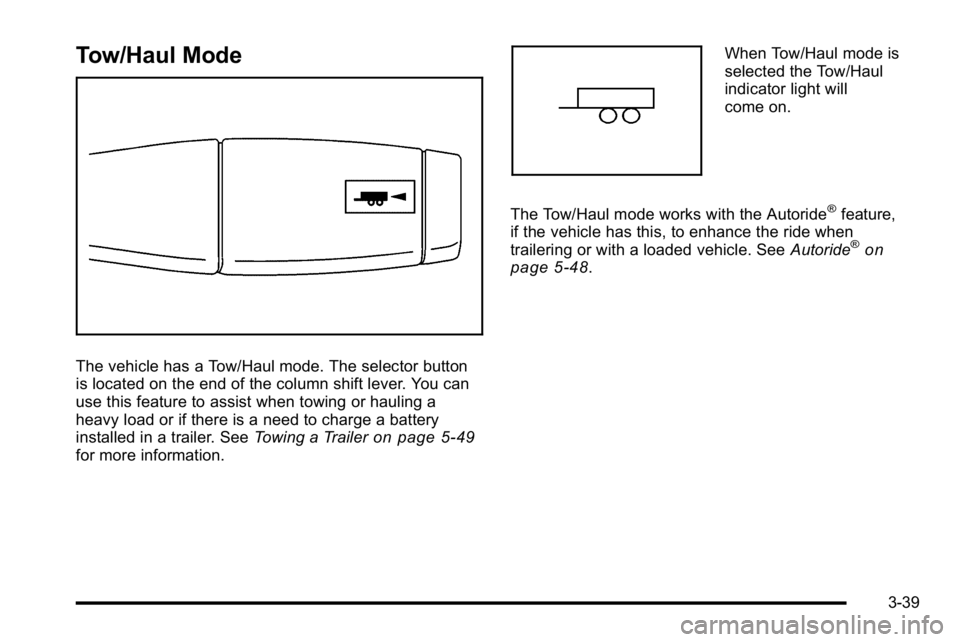
The vehicle has a Tow/Haul mode. The selector button
is located on the end of the column shift lever. You can
use this feature to assist when towing or hauling a
heavy load or if there is a need to charge a battery
installed in a trailer. SeeTowing a Trailer
on page 5‑49for more information.
When Tow/Haul mode is
selected the Tow/Haul
indicator light will
come on.
The Tow/Haul mode works with the Autoride
®feature,
if the vehicle has this, to enhance the ride when
trailering or with a loaded vehicle. See Autoride
®on
page 5‑48.
3-39
Page 182 of 614
Grade Braking (Hydra-Matic®6-Speed
Automatic Transmission)
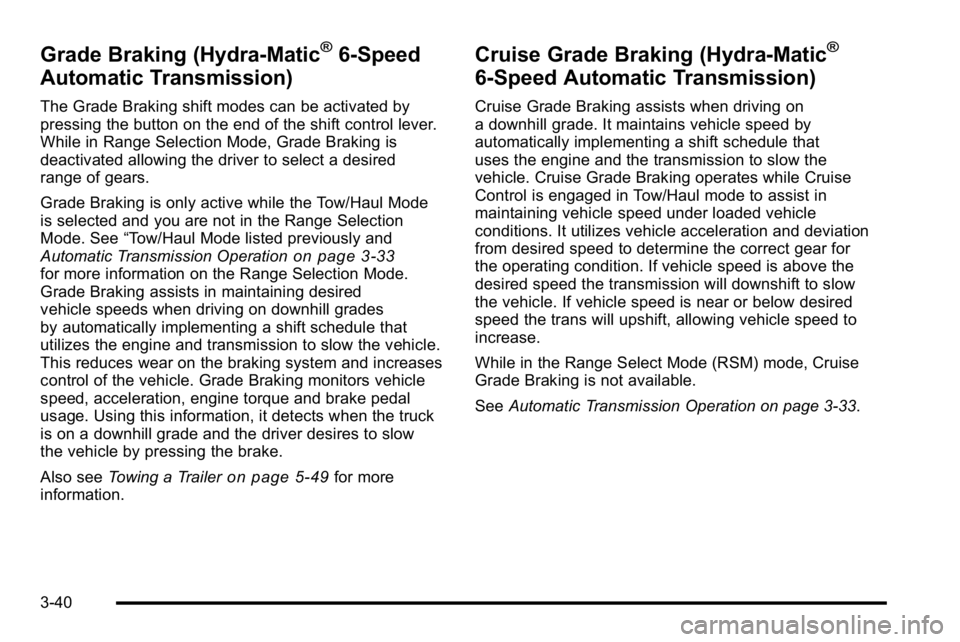
The Grade Braking shift modes can be activated by
pressing the button on the end of the shift control lever.
While in Range Selection Mode, Grade Braking is
deactivated allowing the driver to select a desired
range of gears.
Grade Braking is only active while the Tow/Haul Mode
is selected and you are not in the Range Selection
Mode. See “Tow/Haul Mode listed previously and
Automatic Transmission Operation
on page 3‑33for more information on the Range Selection Mode.
Grade Braking assists in maintaining desired
vehicle speeds when driving on downhill grades
by automatically implementing a shift schedule that
utilizes the engine and transmission to slow the vehicle.
This reduces wear on the braking system and increases
control of the vehicle. Grade Braking monitors vehicle
speed, acceleration, engine torque and brake pedal
usage. Using this information, it detects when the truck
is on a downhill grade and the driver desires to slow
the vehicle by pressing the brake.
Also see Towing a Trailer
on page 5‑49for more
information.
Cruise Grade Braking (Hydra-Matic®
6-Speed Automatic Transmission)
Cruise Grade Braking assists when driving on
a downhill grade. It maintains vehicle speed by
automatically implementing a shift schedule that
uses the engine and the transmission to slow the
vehicle. Cruise Grade Braking operates while Cruise
Control is engaged in Tow/Haul mode to assist in
maintaining vehicle speed under loaded vehicle
conditions. It utilizes vehicle acceleration and deviation
from desired speed to determine the correct gear for
the operating condition. If vehicle speed is above the
desired speed the transmission will downshift to slow
the vehicle. If vehicle speed is near or below desired
speed the trans will upshift, allowing vehicle speed to
increase.
While in the Range Select Mode (RSM) mode, Cruise
Grade Braking is not available.
See Automatic Transmission Operation on page 3‑33.
3-40
Page 184 of 614
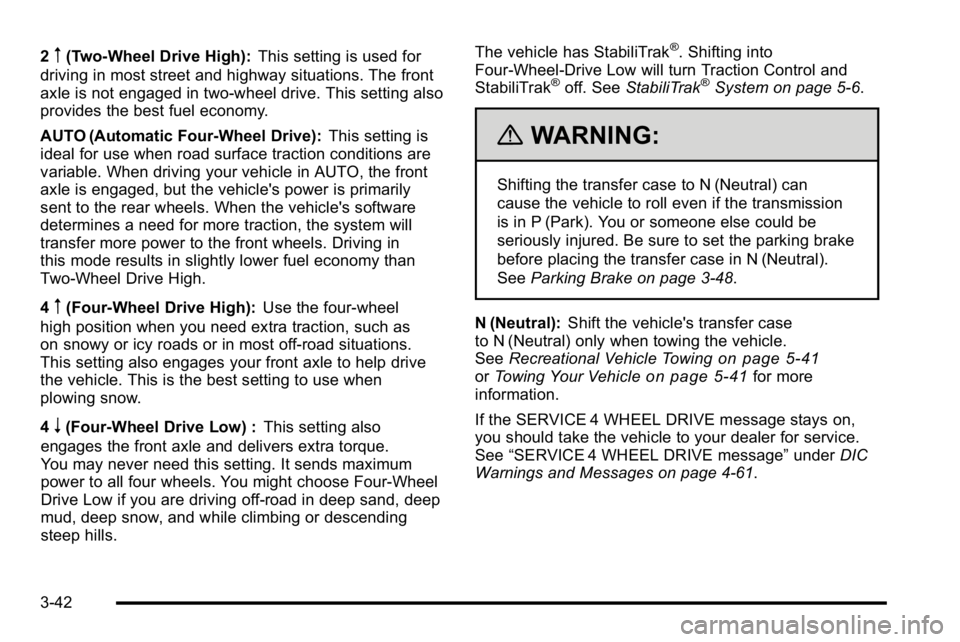
2m(Two-Wheel Drive High):This setting is used for
driving in most street and highway situations. The front
axle is not engaged in two-wheel drive. This setting also
provides the best fuel economy.
AUTO (Automatic Four-Wheel Drive): This setting is
ideal for use when road surface traction conditions are
variable. When driving your vehicle in AUTO, the front
axle is engaged, but the vehicle's power is primarily
sent to the rear wheels. When the vehicle's software
determines a need for more traction, the system will
transfer more power to the front wheels. Driving in
this mode results in slightly lower fuel economy than
Two-Wheel Drive High.
4
m(Four-Wheel Drive High): Use the four-wheel
high position when you need extra traction, such as
on snowy or icy roads or in most off-road situations.
This setting also engages your front axle to help drive
the vehicle. This is the best setting to use when
plowing snow.
4
n(Four-Wheel Drive Low) : This setting also
engages the front axle and delivers extra torque.
You may never need this setting. It sends maximum
power to all four wheels. You might choose Four-Wheel
Drive Low if you are driving off-road in deep sand, deep
mud, deep snow, and while climbing or descending
steep hills. The vehicle has StabiliTrak
®. Shifting into
Four-Wheel-Drive Low will turn Traction Control and
StabiliTrak
®off. See StabiliTrak®System on page 5‑6.
{WARNING:
Shifting the transfer case to N (Neutral) can
cause the vehicle to roll even if the transmission
is in P (Park). You or someone else could be
seriously injured. Be sure to set the parking brake
before placing the transfer case in N (Neutral).
SeeParking Brake on page 3‑48.
N (Neutral): Shift the vehicle's transfer case
to N (Neutral) only when towing the vehicle.
See Recreational Vehicle Towing
on page 5‑41orTowing Your Vehicleon page 5‑41for more
information.
If the SERVICE 4 WHEEL DRIVE message stays on,
you should take the vehicle to your dealer for service.
See “SERVICE 4 WHEEL DRIVE message” underDIC
Warnings and Messages on page 4‑61.
3-42
Page 191 of 614
To release the parking brake, hold the regular brake
pedal down, then push down momentarily on the
parking brake pedal until you feel the pedal release.
Slowly pull your foot up off the park brake pedal. If the
parking brake is not released when you begin to drive,
the brake system warning light will flash and a chime
will sound warning you that the parking brake is still on.
If you are towing a trailer and are parking on a hill, see
Towing a Trailer on page 5‑49.
Shifting Into Park
{WARNING:
It can be dangerous to get out of the vehicle if the
shift lever is not fully in P (Park) with the parking
brake firmly set. The vehicle can roll. If you have
left the engine running, the vehicle can move
suddenly. You or others could be injured. To be
sure the vehicle will not move, even when you are
on fairly level ground, use the steps that follow.
If you have a four-wheel drive transfer case with
a N (Neutral) position, and the transfer case is in(Continued)
WARNING: (Continued)
N (Neutral), the vehicle will be free to roll, even
if the shift lever is in P (Park). So, be sure the
transfer case is in a drive gear—not in
N (Neutral). If you are pulling a trailer, see Towing
a Trailer
on page 5‑49. Always set the parking
brake.
1. Hold the brake pedal down, then set the parking brake.
See Parking Brake
on page 3‑48for more
information.
2. Move the shift lever into the P (Park) position by pulling the shift lever toward you and moving it up
as far as it will go.
3. Be sure the transfer case is in a drive gear —not
in N (Neutral).
4. Turn the ignition key to LOCK/OFF.
5. Remove the key and take it with you. If you can leave the vehicle with the ignition key in your hand,
the vehicle is in P (Park).
3-49
Page 195 of 614
Running the Vehicle While Parked
It is better not to park with the engine running. But if you
ever have to, here are some things to know.
{WARNING:
Idling a vehicle in an enclosed area with poor
ventilation is dangerous. Engine exhaust may
enter the vehicle. Engine exhaust contains
Carbon Monoxide (CO) which cannot be seen
or smelled. It can cause unconsciousness and
even death. Never run the engine in an enclosed
area that has no fresh air ventilation. For more
information, seeEngine Exhaust on page 3‑52.
{WARNING:
It can be dangerous to get out of the vehicle
if the automatic transmission shift lever is not
fully in P (Park) with the parking brake firmly set.
The vehicle can roll. Do not leave the vehicle
when the engine is running unless you have to.
(Continued)
WARNING: (Continued)
If you have left the engine running, the vehicle
can move suddenly. You or others could be
injured. To be sure the vehicle will not move, even
when you are on fairly level ground, always set
the parking brake and move the shift lever to
P (Park).
{WARNING:
If the vehicle has a four-wheel drive transfer case
with a N (Neutral) position, and the transfer case
is in N (Neutral), the vehicle may roll, even if the
automatic transmission shift lever is in P (Park).
So, be sure the transfer case is in a drive
gear—not in N (Neutral). Always set the
parking brake.
Follow the proper steps to be sure the vehicle will not
move. See Shifting Into Park on page 3‑49.
If pulling a trailer, see Towing a Trailer on page 5‑49.
3-53
Page 197 of 614
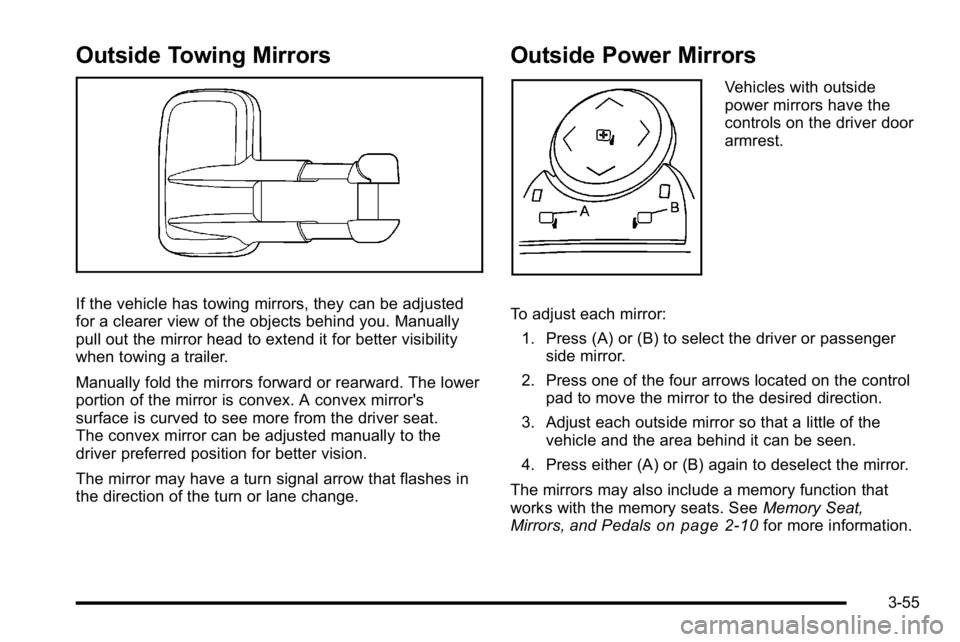
Outside Towing Mirrors
If the vehicle has towing mirrors, they can be adjusted
for a clearer view of the objects behind you. Manually
pull out the mirror head to extend it for better visibility
when towing a trailer.
Manually fold the mirrors forward or rearward. The lower
portion of the mirror is convex. A convex mirror's
surface is curved to see more from the driver seat.
The convex mirror can be adjusted manually to the
driver preferred position for better vision.
The mirror may have a turn signal arrow that flashes in
the direction of the turn or lane change.
Outside Power Mirrors
Vehicles with outside
power mirrors have the
controls on the driver door
armrest.
To adjust each mirror: 1. Press (A) or (B) to select the driver or passenger side mirror.
2. Press one of the four arrows located on the control pad to move the mirror to the desired direction.
3. Adjust each outside mirror so that a little of the vehicle and the area behind it can be seen.
4. Press either (A) or (B) again to deselect the mirror.
The mirrors may also include a memory function that
works with the memory seats. See Memory Seat,
Mirrors, and Pedals
on page 2‑10for more information.
3-55
Page 203 of 614
Before making a lane change, always check the SBZA
display, check the outside and rearview mirrors, look
over your shoulder for vehicles and hazards, and use
the turn signal.
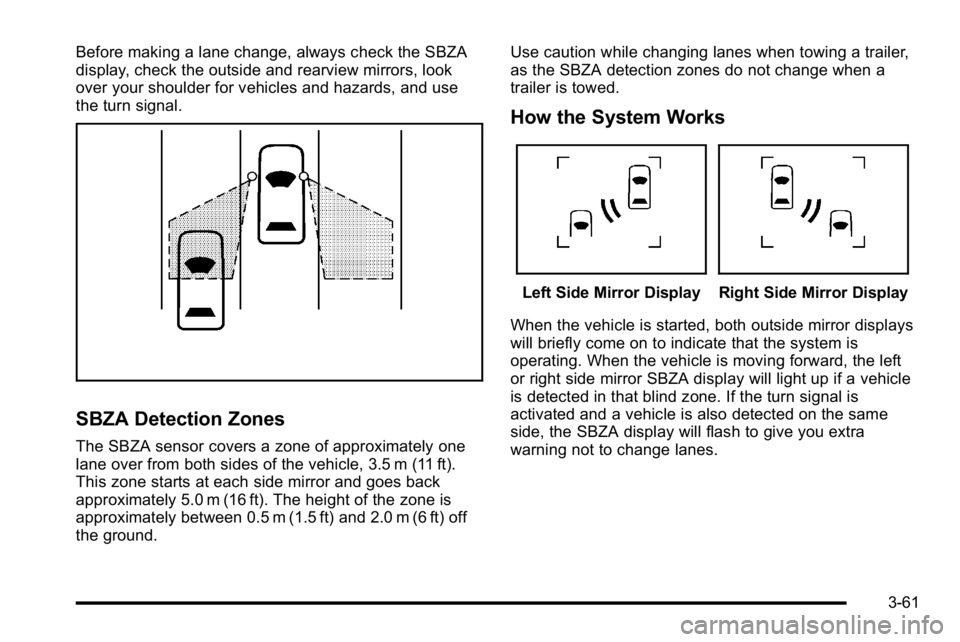
SBZA Detection Zones
The SBZA sensor covers a zone of approximately one
lane over from both sides of the vehicle, 3.5 m (11 ft).
This zone starts at each side mirror and goes back
approximately 5.0 m (16 ft). The height of the zone is
approximately between 0.5 m (1.5 ft) and 2.0 m (6 ft) off
the ground.Use caution while changing lanes when towing a trailer,
as the SBZA detection zones do not change when a
trailer is towed.
How the System Works
Left Side Mirror DisplayRight Side Mirror Display
When the vehicle is started, both outside mirror displays
will briefly come on to indicate that the system is
operating. When the vehicle is moving forward, the left
or right side mirror SBZA display will light up if a vehicle
is detected in that blind zone. If the turn signal is
activated and a vehicle is also detected on the same
side, the SBZA display will flash to give you extra
warning not to change lanes.
3-61
Page 259 of 614
If the light comes on while driving, pull off the road and
stop carefully. The pedal might be harder to push or
might go closer to the floor. It can take longer to stop.
If the light is still on, have the vehicle towed for service.
SeeTowing Your Vehicle on page 5‑41.
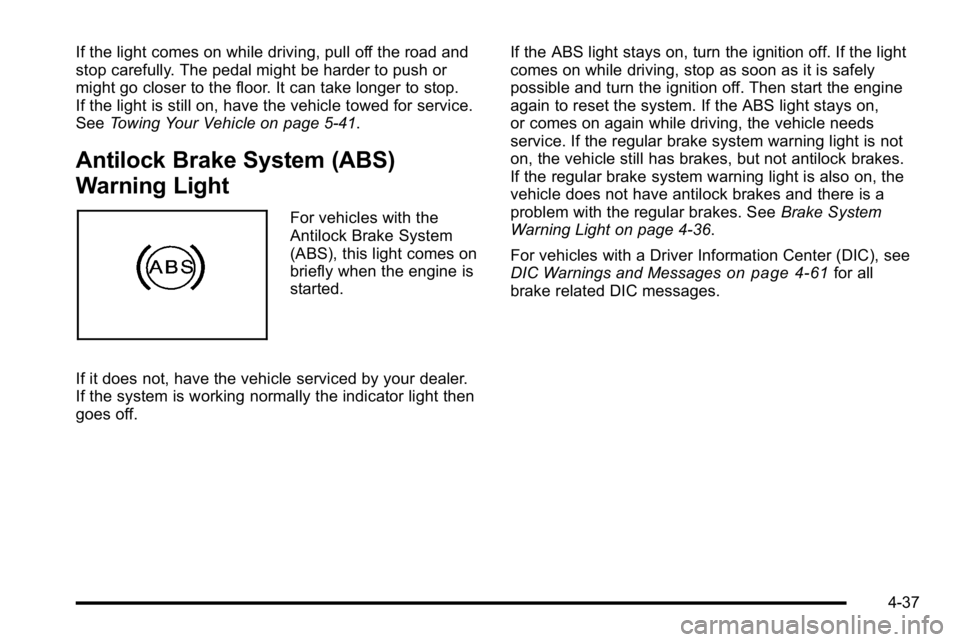
Antilock Brake System (ABS)
Warning Light
For vehicles with the
Antilock Brake System
(ABS), this light comes on
briefly when the engine is
started.
If it does not, have the vehicle serviced by your dealer.
If the system is working normally the indicator light then
goes off. If the ABS light stays on, turn the ignition off. If the light
comes on while driving, stop as soon as it is safely
possible and turn the ignition off. Then start the engine
again to reset the system. If the ABS light stays on,
or comes on again while driving, the vehicle needs
service. If the regular brake system warning light is not
on, the vehicle still has brakes, but not antilock brakes.
If the regular brake system warning light is also on, the
vehicle does not have antilock brakes and there is a
problem with the regular brakes. See
Brake System
Warning Light on page 4‑36.
For vehicles with a Driver Information Center (DIC), see
DIC Warnings and Messages
on page 4‑61for all
brake related DIC messages.
4-37
Page 262 of 614
If the check engine light comes on and stays on, while
the engine is running, this indicates that there is an
OBD II problem and service is required.
Malfunctions often are indicated by the system before
any problem is apparent. Being aware of the light
can prevent more serious damage to the vehicle.
This system assists the service technician in correctly
diagnosing any malfunction.
Notice:If the vehicle is continually driven with this
light on, after a while, the emission controls might
not work as well, the vehicle's fuel economy might
not be as good, and the engine might not run as
smoothly. This could lead to costly repairs that
might not be covered by the vehicle warranty.
Notice: Modifications made to the engine,
transmission, exhaust, intake, or fuel system
of the vehicle or the replacement of the original
tires with other than those of the same Tire
Performance Criteria (TPC) can affect the vehicle's
emission controls and can cause this light to come
on. Modifications to these systems could lead to
costly repairs not covered by the vehicle warranty.
This could also result in a failure to pass a required
Emission Inspection/Maintenance test. See
Accessories and Modifications on page 6‑4. This light comes on during a malfunction in one of
two ways:
Light Flashing:
A misfire condition has been detected.
A misfire increases vehicle emissions and could
damage the emission control system on the vehicle.
Diagnosis and service might be required.
To prevent more serious damage to the vehicle:
.Reduce vehicle speed.
.Avoid hard accelerations.
.Avoid steep uphill grades.
.If towing a trailer, reduce the amount of cargo
being hauled as soon as it is possible.
If the light continues to flash, when it is safe to do so,
stop the vehicle. Find a safe place to park the vehicle.
Turn the vehicle off, wait at least 10 seconds, and
restart the engine. If the light is still flashing, follow the
previous steps and see your dealer for service as soon
as possible.
4-40