trailer GMC YUKON XL 2013 Owner's Manual
[x] Cancel search | Manufacturer: GMC, Model Year: 2013, Model line: YUKON XL, Model: GMC YUKON XL 2013Pages: 510, PDF Size: 7.71 MB
Page 296 of 510
Black plate (32,1)GMC Yukon/Yukon XL Owner Manual - 2013 - CRC 2nd edition - 8/15/12
9-32 Driving and Operating
vehicle is being used, such as with
a heavy load or when the
temperature changes. During this
adaptive shift control process,
shifting might feel different as the
transmission determines the best
settings.
When temperatures are very cold,
shifting could be delayed providing
more stable shifts until the engine
warms up. Shifts could be more
noticeable with a cold transmission.
This difference in shifting is normal.
M (Manual Mode):This position
lets drivers select the range of gears
appropriate for current driving
conditions. If the vehicle has this
feature, see “Range Selection
Mode” underManual Mode on
page 9‑32.
Notice: Spinning the tires or
holding the vehicle in one place
on a hill using only the
accelerator pedal may damage
the transmission. The repair will
not be covered by the vehicle
warranty. If you are stuck, do not spin the tires. When stopping on
a hill, use the brakes to hold the
vehicle in place.
Normal Mode Grade Braking
Normal Mode Grade Braking is
enabled when the vehicle is started,
but is not enabled in Range
Selection Mode. It assists in
maintaining desired vehicle speeds
when driving on downhill grades by
using the engine and transmission
to slow the vehicle. The first time
the system engages for each
ignition key cycle, a DIC message
will be displayed. See
Transmission
Messages on page 5‑42.
To disable or enable Normal Mode
Grade Braking within the current
ignition key cycle, press and hold
the Tow/Haul button for
three seconds. A DIC message
displays. See Transmission
Messages on page 5‑42.
For other forms of grade braking,
see Tow/Haul Mode on page 9‑33
and Cruise Control on page 9‑47.
Manual Mode
Range Selection Mode
(Hydra-Matic®6-Speed
Transmission)
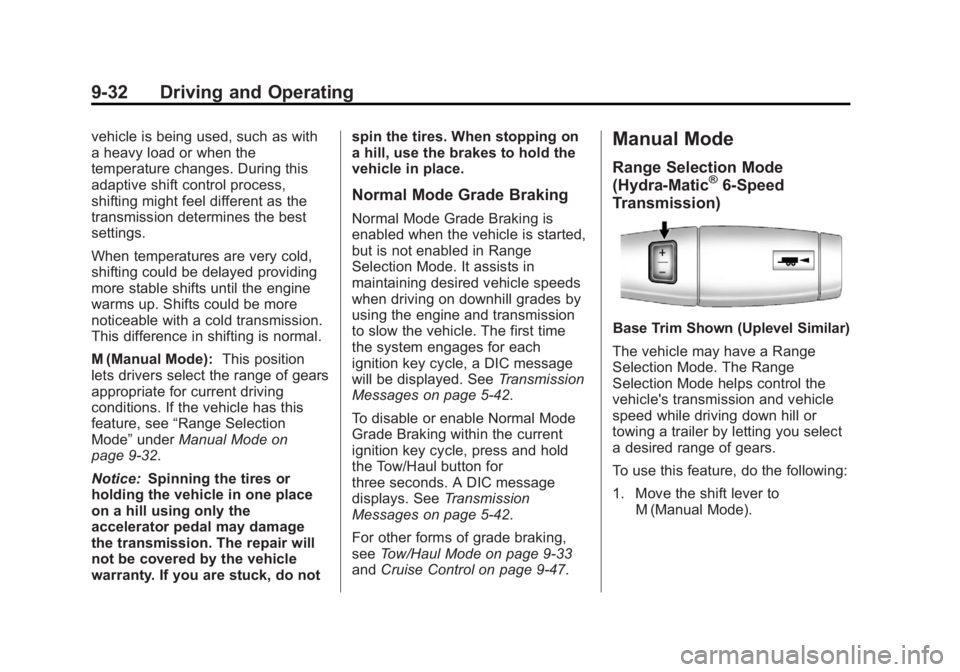
Base Trim Shown (Uplevel Similar)
The vehicle may have a Range
Selection Mode. The Range
Selection Mode helps control the
vehicle's transmission and vehicle
speed while driving down hill or
towing a trailer by letting you select
a desired range of gears.
To use this feature, do the following:
1. Move the shift lever to M (Manual Mode).
Page 297 of 510
Black plate (33,1)GMC Yukon/Yukon XL Owner Manual - 2013 - CRC 2nd edition - 8/15/12
Driving and Operating 9-33
2. Press the plus/minus buttons,located on the steering column
shift lever, to select the desired
range of gears for the current
driving conditions.
When M (Manual Mode) is selected
a number displays next to the M,
indicating the current gear.
This number is the highest gear that
can be used. However, the vehicle
can automatically shift to lower
gears as it adjusts to driving
conditions. This means that all
gears below that number are
available. When 5 (Fifth) is selected,
1 (First) through 5 (Fifth) gears are
automatically shifted by the vehicle,
but 6 (Sixth) cannot be used until
the plus/minus button located on the
steering column lever is used to
change to the gear.
Grade Braking is not available when
Range Selection Mode is active.
See Tow/Haul Mode on page 9‑33.
While using Range Selection Mode,
Cruise Control and the Tow/Haul
Mode can be used. Notice:
Spinning the tires or
holding the vehicle in one place
on a hill using only the
accelerator pedal may damage
the transmission. The repair will
not be covered by the vehicle
warranty. If you are stuck, do not
spin the tires. When stopping on
a hill, use the brakes to hold the
vehicle in place.
Low Traction Mode
If the vehicle has the Hydra-Matic®
6-Speed Automatic Transmission
with the 6.0L engine, it has a Low
Traction Mode that assists in vehicle
acceleration when road conditions
are slippery, such as with ice or
snow. While the vehicle is at a stop,
select the second gear range using
Range Selection Mode. This will
limit torque to the wheels helping to
prevent the tires from spinning.
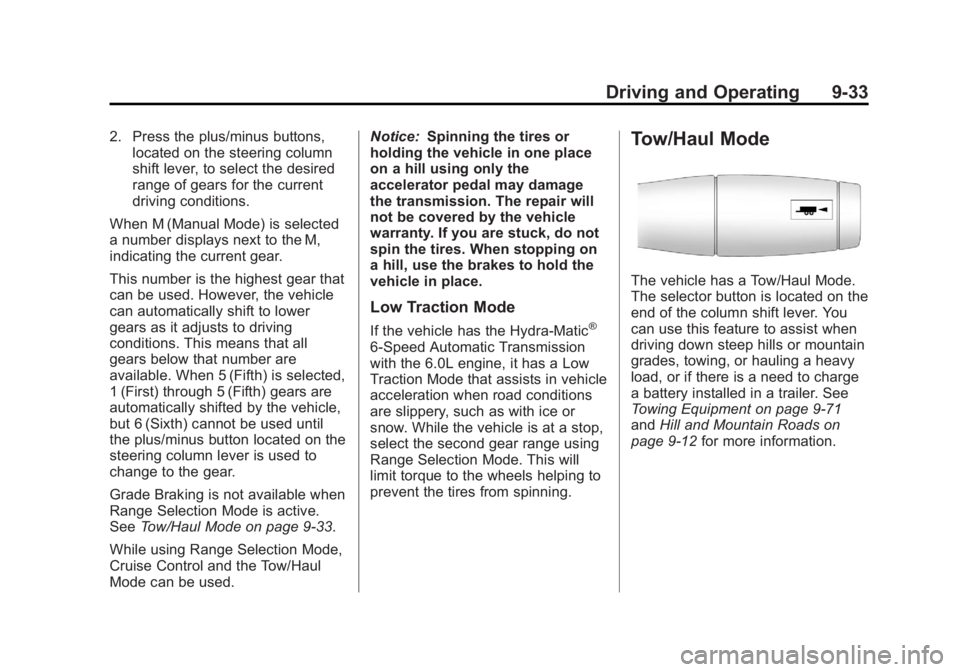
Tow/Haul Mode
The vehicle has a Tow/Haul Mode.
The selector button is located on the
end of the column shift lever. You
can use this feature to assist when
driving down steep hills or mountain
grades, towing, or hauling a heavy
load, or if there is a need to charge
a battery installed in a trailer. See
Towing Equipment on page 9‑71
and Hill and Mountain Roads on
page 9‑12 for more information.
Page 298 of 510
Black plate (34,1)GMC Yukon/Yukon XL Owner Manual - 2013 - CRC 2nd edition - 8/15/12
9-34 Driving and Operating
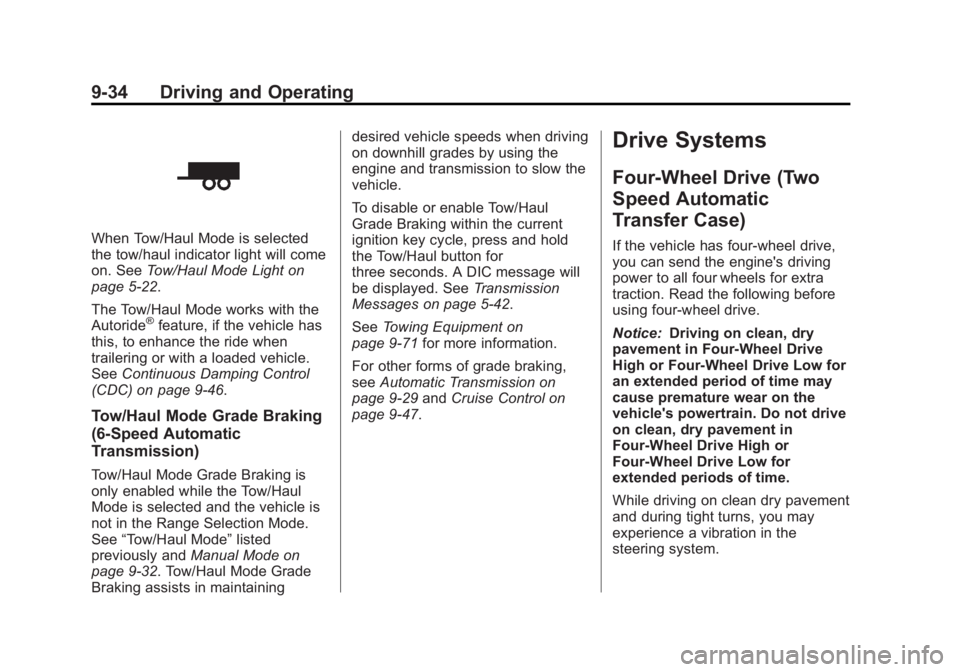
When Tow/Haul Mode is selected
the tow/haul indicator light will come
on. SeeTow/Haul Mode Light on
page 5‑22.
The Tow/Haul Mode works with the
Autoride
®feature, if the vehicle has
this, to enhance the ride when
trailering or with a loaded vehicle.
See Continuous Damping Control
(CDC) on page 9‑46.
Tow/Haul Mode Grade Braking
(6-Speed Automatic
Transmission)
Tow/Haul Mode Grade Braking is
only enabled while the Tow/Haul
Mode is selected and the vehicle is
not in the Range Selection Mode.
See “Tow/Haul Mode” listed
previously and Manual Mode on
page 9‑32. Tow/Haul Mode Grade
Braking assists in maintaining desired vehicle speeds when driving
on downhill grades by using the
engine and transmission to slow the
vehicle.
To disable or enable Tow/Haul
Grade Braking within the current
ignition key cycle, press and hold
the Tow/Haul button for
three seconds. A DIC message will
be displayed. See
Transmission
Messages on page 5‑42.
See Towing Equipment on
page 9‑71 for more information.
For other forms of grade braking,
see Automatic Transmission on
page 9‑29 andCruise Control on
page 9‑47.
Drive Systems
Four-Wheel Drive (Two
Speed Automatic
Transfer Case)
If the vehicle has four-wheel drive,
you can send the engine's driving
power to all four wheels for extra
traction. Read the following before
using four-wheel drive.
Notice: Driving on clean, dry
pavement in Four-Wheel Drive
High or Four-Wheel Drive Low for
an extended period of time may
cause premature wear on the
vehicle's powertrain. Do not drive
on clean, dry pavement in
Four-Wheel Drive High or
Four-Wheel Drive Low for
extended periods of time.
While driving on clean dry pavement
and during tight turns, you may
experience a vibration in the
steering system.
Page 306 of 510
Black plate (42,1)GMC Yukon/Yukon XL Owner Manual - 2013 - CRC 2nd edition - 8/15/12
9-42 Driving and Operating
suddenly slows or stops. Always
leave enough room up ahead to
stop, even with ABS.
Using ABS
Do not pump the brakes. Just hold
the brake pedal down firmly and let
ABS work. You might hear the ABS
pump or motor operating and feel
the brake pedal pulsate, but this is
normal.
Braking in Emergencies
ABS allows the driver to steer and
brake at the same time. In many
emergencies, steering can help
more than even the very best
braking.
Parking Brake
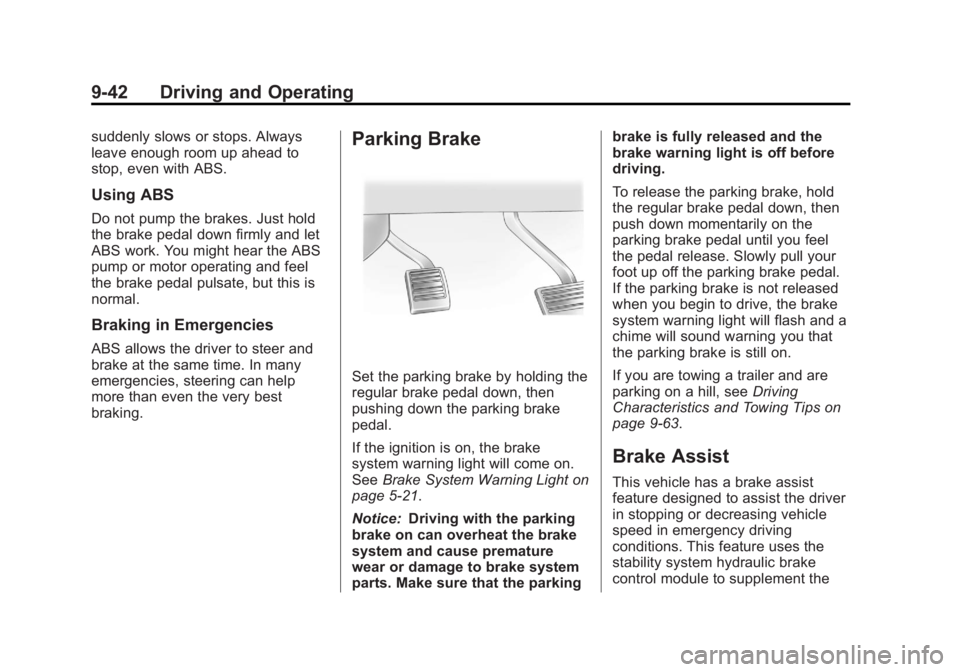
Set the parking brake by holding the
regular brake pedal down, then
pushing down the parking brake
pedal.
If the ignition is on, the brake
system warning light will come on.
SeeBrake System Warning Light on
page 5‑21.
Notice: Driving with the parking
brake on can overheat the brake
system and cause premature
wear or damage to brake system
parts. Make sure that the parking brake is fully released and the
brake warning light is off before
driving.
To release the parking brake, hold
the regular brake pedal down, then
push down momentarily on the
parking brake pedal until you feel
the pedal release. Slowly pull your
foot up off the parking brake pedal.
If the parking brake is not released
when you begin to drive, the brake
system warning light will flash and a
chime will sound warning you that
the parking brake is still on.
If you are towing a trailer and are
parking on a hill, see
Driving
Characteristics and Towing Tips on
page 9‑63.
Brake Assist
This vehicle has a brake assist
feature designed to assist the driver
in stopping or decreasing vehicle
speed in emergency driving
conditions. This feature uses the
stability system hydraulic brake
control module to supplement the
Page 307 of 510
Black plate (43,1)GMC Yukon/Yukon XL Owner Manual - 2013 - CRC 2nd edition - 8/15/12
Driving and Operating 9-43
power brake system under
conditions where the driver has
quickly and forcefully applied the
brake pedal in an attempt to quickly
stop or slow down the vehicle. The
stability system hydraulic brake
control module increases brake
pressure at each corner of the
vehicle until the ABS activates.
Minor brake pedal pulsation or
pedal movement during this time is
normal and the driver should
continue to apply the brake pedal as
the driving situation dictates. The
brake assist feature will
automatically disengage when the
brake pedal is released or brake
pedal pressure is quickly
decreased.
Hill Start Assist (HSA)
Non‐hybrid vehicles with StabiliTrak
have a Hill Start Assist (HSA)
feature, which may be useful when
the vehicle is stopped on a grade.
This feature is designed to prevent
the vehicle from rolling, either
forward or rearward, during vehicledrive off. After the driver completely
stops and holds the vehicle in a
complete standstill on a grade, HSA
will be automatically activated.
During the transition period between
when the driver releases the brake
pedal and starts to accelerate to
drive off on a grade, HSA holds the
braking pressure for a maximum of
two seconds to ensure that there is
no rolling. The brakes will
automatically release when the
accelerator pedal is applied within
the two‐second window. If the
vehicle is equipped with the
Integrated Trailer Brake Control
(ITBC) system, HSA may also apply
the trailer brakes. It will not activate
if the vehicle is in a drive gear and
facing downhill or if the vehicle is
facing uphill and in R (Reverse).
There may be situations on minor
hills (less than 5% grade) with a
loaded vehicle or while pulling a
trailer where HSA will not activate.
Ride Control Systems
StabiliTrak®System
The vehicle has a vehicle stability
enhancement system called
StabiliTrak. It is an advanced
computer-controlled system that
assists the driver with directional
control of the vehicle in difficult
driving conditions.
StabiliTrak activates when the
computer senses a discrepancy
between the intended path and the
direction the vehicle is actually
traveling. StabiliTrak selectively
applies braking pressure at any one
of the vehicle's brakes to assist the
driver with keeping the vehicle on
the intended path.
StabiliTrak is on automatically
whenever the vehicle is started. To
assist with directional control of the
vehicle, the system should always
be left on. Trailer Sway Control
(TSC) is also on automatically when
Page 308 of 510
Black plate (44,1)GMC Yukon/Yukon XL Owner Manual - 2013 - CRC 2nd edition - 8/15/12
9-44 Driving and Operating
the vehicle is started. SeeTrailer
Sway Control (TSC) on page 9‑80
for more information.
When the vehicle is started and
begins to move, the system
performs several diagnostic checks
to insure there are no problems.
The system may be heard or felt
while it is working. This is normal
and does not mean there is a
problem with the vehicle.
If cruise control is being used when
StabiliTrak activates, the cruise
control automatically disengages.
The cruise control can be
re-engaged when road conditions
allow. See Cruise Control on
page 9‑47.
If the system fails to turn on or
activate, the StabiliTrak light along
with a message will be displayed on
the Driver Information Center (DIC).
If a DIC message appears, make
sure the StabiliTrak system has not
been turned off using the Traction
Control System (TCS)/StabiliTrak
button. Then turn the vehicle off, wait 15 seconds, and then turn it
back on again to reset the system.
If any of the messages still appear
on the DIC, the vehicle should be
taken in for service. For more
information on the DIC messages,
see
Ride Control System Messages
on page 5‑40.
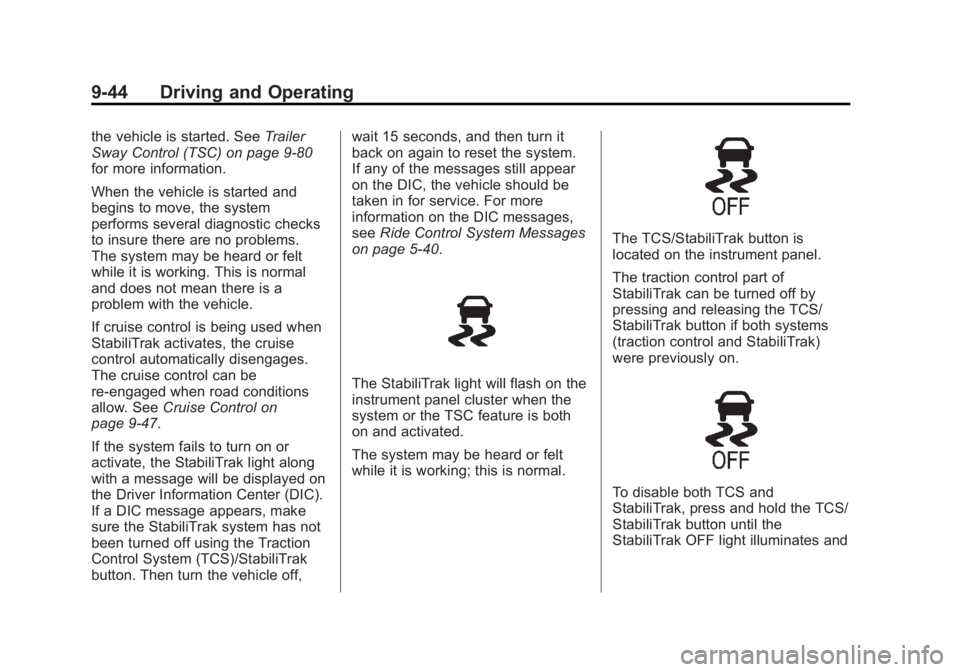
The StabiliTrak light will flash on the
instrument panel cluster when the
system or the TSC feature is both
on and activated.
The system may be heard or felt
while it is working; this is normal.
The TCS/StabiliTrak button is
located on the instrument panel.
The traction control part of
StabiliTrak can be turned off by
pressing and releasing the TCS/
StabiliTrak button if both systems
(traction control and StabiliTrak)
were previously on.
To disable both TCS and
StabiliTrak, press and hold the TCS/
StabiliTrak button until the
StabiliTrak OFF light illuminates and
Page 310 of 510
Black plate (46,1)GMC Yukon/Yukon XL Owner Manual - 2013 - CRC 2nd edition - 8/15/12
9-46 Driving and Operating
The TCS may activate on dry or
rough roads or under conditions
such as heavy acceleration while
turning or abrupt upshifts/downshifts
of the transmission. When this
happens, a reduction in acceleration
may be noticed, or a noise or
vibration may be heard. This is
normal.
If cruise control is being used when
the system activates, the StabiliTrak
light will flash and cruise control will
automatically disengage. Cruise
control may be reengaged when
road conditions allow. SeeCruise
Control on page 9‑47.
StabiliTrak may also turn off
automatically if it determines that a
problem exists with the system.
If the problem does not clear itself
after restarting the vehicle, see your
dealer for service.
Non-hybrid vehicles with StabiliTrak
have a Trailer Sway Control (TSC)
feature. See Trailer Sway Control
(TSC) on page 9‑80. Non-hybrid vehicles with StabiliTrak
have a Hill Start Assist (HSA)
feature. See
Hill Start Assist (HSA)
on page 9‑43.
Adding non-dealer accessories can
affect the vehicle's performance.
See Accessories and Modifications
on page 10‑3.
Locking Rear Axle
Vehicles with a locking rear axle can
give more traction on snow, mud,
ice, sand, or gravel. It works like a
standard axle most of the time, but
when traction is low, this feature will
allow the rear wheel with the most
traction to move the vehicle.
Continuous Damping
Control (CDC)
This vehicle may have a continuous
damping control system called
Autoride
®or MagneRide™. With
this feature, improved vehicle ride
and handling is provided under a
variety of passenger and loading
conditions. Autoride and MagneRide are fully
automatic and use a computer
controller to continuously monitor
vehicle speed, wheel to body
position, lift/dive and steering
position of the vehicle. The
controller then sends signals to
each shock absorber to
independently adjust the damping
level to provide the optimum
vehicle ride.
Autoride and MagneRide also
interact with the tow/haul mode that,
when activated, will provide
additional control of the shock
absorbers. This additional control
results in better ride and handling
characteristics when the vehicle is
loaded or towing a trailer. See
“Tow/
Haul Mode” underTrailer Towing on
page 9‑66.
Page 315 of 510
Black plate (51,1)GMC Yukon/Yukon XL Owner Manual - 2013 - CRC 2nd edition - 8/15/12
Driving and Operating 9-51
PARK ASSIST OFF:This message
occurs if the driver disables the
system or if the vehicle is driven
above 8 km/h (5 mph) in
R (Reverse).
PARK ASST BLOCKED SEE
OWNERS MANUAL: This
message can occur under the
following conditions:
.The ultrasonic sensors are not
clean. Keep the rear bumper
free of mud, dirt, snow, ice,
slush, and frost. The message
may not clear until frost or ice
has melted all around and inside
the sensor.
.A trailer is attached to the
vehicle, or a bicycle or an object
hanging out of the liftgate during
the current or last drive cycle.
URPA will return to normal
operation after it is determined
the object is removed. This
could take a few drive cycles.
.A tow bar is attached to the
vehicle. Other conditions may affect system
performance, such as vibrations
from a jackhammer or the
compression of air brakes on a very
large truck.
Side Blind Zone
Alert (SBZA)
If available, the Side Blind Zone
Alert system is a lane changing aid
that assists drivers with avoiding
crashes that occur with vehicles in
the side blind zones.
{WARNING
SBZA does not detect vehicles
rapidly approaching outside of the
side blind zones, pedestrians,
bicyclists, or animals. Failure to
use proper care when changing
lanes may result in injury, death,
or vehicle damage. Before
making a lane change, always
(Continued)
WARNING (Continued)
check mirrors, glance over your
shoulder, and use the turn
signals.
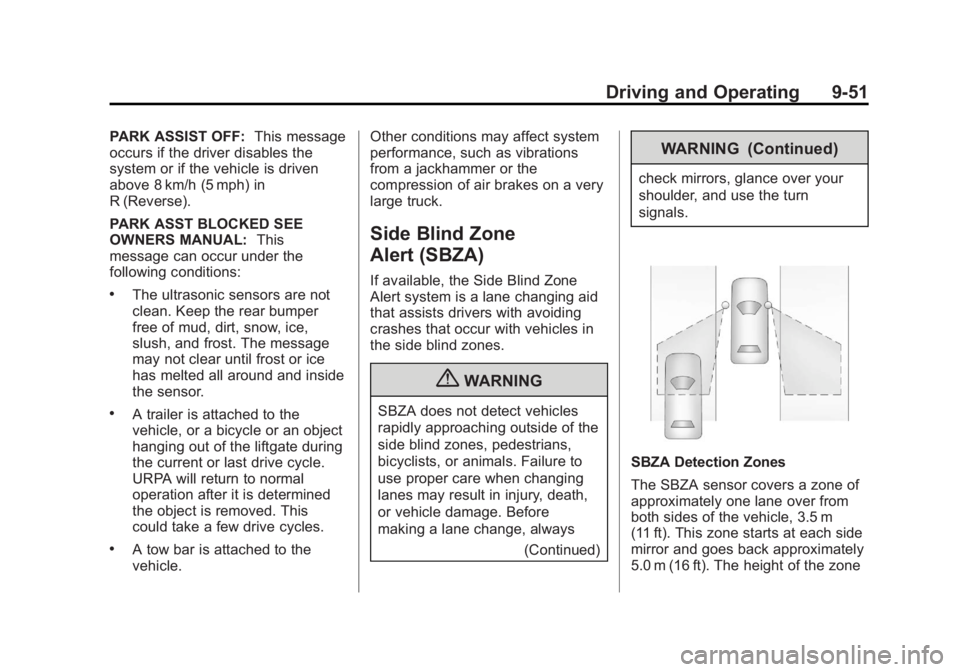
SBZA Detection Zones
The SBZA sensor covers a zone of
approximately one lane over from
both sides of the vehicle, 3.5 m
(11 ft). This zone starts at each side
mirror and goes back approximately
5.0 m (16 ft). The height of the zone
Page 316 of 510
Black plate (52,1)GMC Yukon/Yukon XL Owner Manual - 2013 - CRC 2nd edition - 8/15/12
9-52 Driving and Operating
is approximately between
0.5 m (1.5 ft) and 2.0 m (6 ft) off the
ground.
Use caution while changing lanes
when towing a trailer, as the SBZA
detection zones do not change
when a trailer is towed.
How the System Works
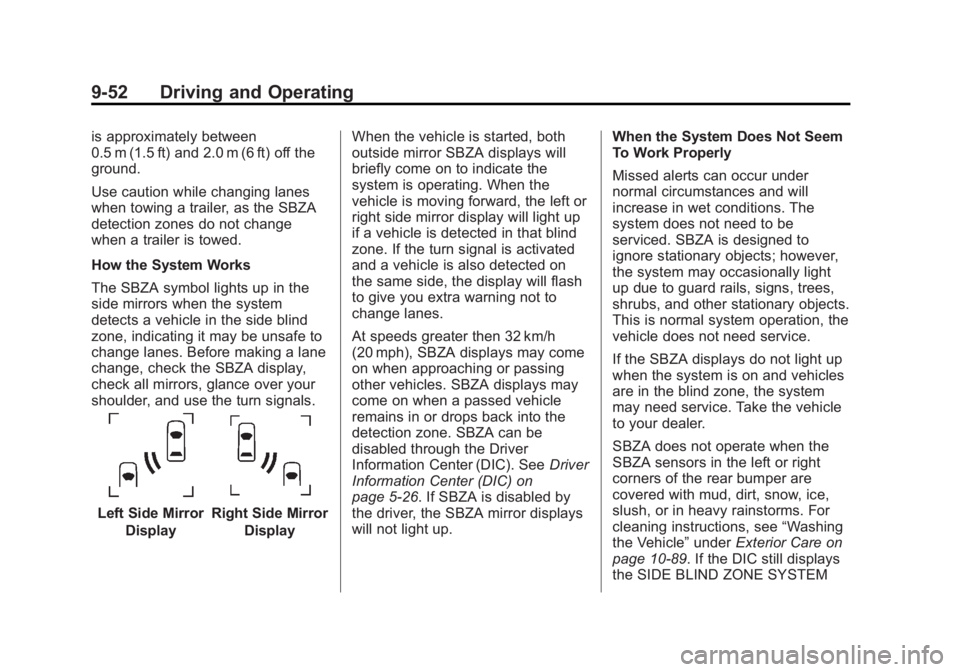
The SBZA symbol lights up in the
side mirrors when the system
detects a vehicle in the side blind
zone, indicating it may be unsafe to
change lanes. Before making a lane
change, check the SBZA display,
check all mirrors, glance over your
shoulder, and use the turn signals.
Left Side MirrorDisplayRight Side Mirror Display When the vehicle is started, both
outside mirror SBZA displays will
briefly come on to indicate the
system is operating. When the
vehicle is moving forward, the left or
right side mirror display will light up
if a vehicle is detected in that blind
zone. If the turn signal is activated
and a vehicle is also detected on
the same side, the display will flash
to give you extra warning not to
change lanes.
At speeds greater then 32 km/h
(20 mph), SBZA displays may come
on when approaching or passing
other vehicles. SBZA displays may
come on when a passed vehicle
remains in or drops back into the
detection zone. SBZA can be
disabled through the Driver
Information Center (DIC). See
Driver
Information Center (DIC) on
page 5‑26. If SBZA is disabled by
the driver, the SBZA mirror displays
will not light up. When the System Does Not Seem
To Work Properly
Missed alerts can occur under
normal circumstances and will
increase in wet conditions. The
system does not need to be
serviced. SBZA is designed to
ignore stationary objects; however,
the system may occasionally light
up due to guard rails, signs, trees,
shrubs, and other stationary objects.
This is normal system operation, the
vehicle does not need service.
If the SBZA displays do not light up
when the system is on and vehicles
are in the blind zone, the system
may need service. Take the vehicle
to your dealer.
SBZA does not operate when the
SBZA sensors in the left or right
corners of the rear bumper are
covered with mud, dirt, snow, ice,
slush, or in heavy rainstorms. For
cleaning instructions, see
“Washing
the Vehicle” underExterior Care on
page 10‑89. If the DIC still displays
the SIDE BLIND ZONE SYSTEM
Page 317 of 510
Black plate (53,1)GMC Yukon/Yukon XL Owner Manual - 2013 - CRC 2nd edition - 8/15/12
Driving and Operating 9-53
UNAVAILABLE message after
cleaning the bumper, see your
dealer.
The SBZA displays may remain on
if a trailer is attached to the vehicle,
or a bicycle or object is extending
out to either side of the vehicle.
When SBZA is disabled for any
reason other than the driver turning
it off, it cannot be turned back on.
The SIDE BLIND ZONE ALERT ON
option will not be selectable if the
conditions for normal system
operation are not met.
SBZA Error Messages
The following messages may
appear in the DIC:
SIDE BLIND ZONE ALERT
SYSTEM OFF:This message
indicates that the driver has turned
the system off.
SIDE BLIND ZONE SYSTEM
UNAVAILABLE: This message
indicates that the SBZA system is
disabled either because the sensor
is blocked and cannot detect vehicles in your blind zone, or the
vehicle is passing through an open
field of view area, such as the
desert, where there is insufficient
data for operation. This message
may also activate during heavy rain
or due to road spray. The vehicle
does not need service. For cleaning,
see
“Washing the Vehicle” under
Exterior Care on page 10‑89.
SERVICE SIDE BLIND ZONE
ALERT SYSTEM: If this message
appears, both SBZA displays will
remain on indicating there is a
problem with the SBZA system.
If these displays remain on after
continued driving, the system needs
service. Take the vehicle to your
dealer.
FCC Information
See Radio Frequency Statement on
page 13‑21 for information
regarding Part 15 of the Federal
Communications Commission (FCC)
rules and Industry Canada
Standards RSS-GEN/210/220/310.
Rear Vision
Camera (RVC)
If available, the Rear Vision Camera
(RVC) system displays part of the
scene behind the vehicle.
{WARNING
The RVC system does not display
children, pedestrians, bicyclists,
animals, or any other object
located outside the camera's field
of view, below the bumper,
or under the vehicle. Perceived
distances may be different from
actual distances. Do not back the
vehicle using only the RVC
screen, during longer, higher
speed backing maneuvers,
or where there could be cross
traffic. Failure to use proper care
before backing may result in
injury, death, or vehicle damage.
Always check behind and around
the vehicle before backing.