brake GMC YUKON XL 2018 User Guide
[x] Cancel search | Manufacturer: GMC, Model Year: 2018, Model line: YUKON XL, Model: GMC YUKON XL 2018Pages: 425, PDF Size: 7.37 MB
Page 123 of 425
GMC Yukon/Yukon XL/Denali Owner Manual (GMNA-Localizing-U.S./
Canada/Mexico-11349262) - 2018 - crc - 6/20/17
122 Instruments and Controls
Instruments and
Controls Controls Steering Wheel Adjustment . . . 123
Steering Wheel Controls . . . . . . 123
Heated Steering Wheel . . . . . . . 123
Horn . . . . . . . . . . . . . . . . . . . . . . . . . . 123
Windshield Wiper/Washer . . . . 123
Rear Window Wiper/
Washer . . . . . . . . . . . . . . . . . . . . . 125
Compass . . . . . . . . . . . . . . . . . . . . . 126
Clock . . . . . . . . . . . . . . . . . . . . . . . . . 126
Power Outlets . . . . . . . . . . . . . . . . 127
Wireless Charging . . . . . . . . . . . . 129
Warning Lights, Gauges, and
Indicators Warning Lights, Gauges, and
Indicators . . . . . . . . . . . . . . . . . . . 132
Instrument Cluster . . . . . . . . . . . . 133
Speedometer . . . . . . . . . . . . . . . . . 136
Odometer . . . . . . . . . . . . . . . . . . . . . 136
Trip Odometer . . . . . . . . . . . . . . . . 136
Tachometer . . . . . . . . . . . . . . . . . . . 136
Fuel Gauge . . . . . . . . . . . . . . . . . . . 137
Engine Oil Pressure
Gauge . . . . . . . . . . . . . . . . . . . . . . 137 Engine Coolant Temperature
Gauge . . . . . . . . . . . . . . . . . . . . . . 138
Transmission Temperature
Gauge . . . . . . . . . . . . . . . . . . . . . . 139
Voltmeter Gauge . . . . . . . . . . . . . 140
Seat Belt Reminders . . . . . . . . . 140
Airbag Readiness Light . . . . . . . 141
Passenger Airbag Status
Indicator . . . . . . . . . . . . . . . . . . . . 142
Charging System Light . . . . . . . 142
Malfunction Indicator Lamp
(Check Engine Light) . . . . . . . . 143
Brake System Warning
Light . . . . . . . . . . . . . . . . . . . . . . . . 145
Antilock Brake System (ABS)
Warning Light . . . . . . . . . . . . . . . 145
Four-Wheel-Drive Light . . . . . . . 146
Tow/Haul Mode Light . . . . . . . . . 146
Lane Keep Assist (LKA)
Light . . . . . . . . . . . . . . . . . . . . . . . . 146
Vehicle Ahead Indicator . . . . . . 146
Traction Off Light . . . . . . . . . . . . . 147
StabiliTrak OFF Light . . . . . . . . . 147
Traction Control System (TCS)/
StabiliTrak Light . . . . . . . . . . . . . 147
Engine Coolant Temperature
Warning Light . . . . . . . . . . . . . . . 148
Tire Pressure Light . . . . . . . . . . . 148
Engine Oil Pressure Light . . . . 149
Low Fuel Warning Light . . . . . . 149
Security Light . . . . . . . . . . . . . . . . . 149 High-Beam On Light . . . . . . . . . . 149
Front Fog Lamp Light . . . . . . . . . 150
Lamps On Reminder . . . . . . . . . 150
Cruise Control Light . . . . . . . . . . 150
Door Ajar Light . . . . . . . . . . . . . . . 150
Information Displays Driver Information
Center (DIC) . . . . . . . . . . . . . . . . 151
Head-Up Display (HUD) . . . . . . 154
Vehicle Messages Vehicle Messages . . . . . . . . . . . . 157
Engine Power Messages . . . . . 158
Vehicle Speed Messages . . . . . 158
Vehicle Personalization Vehicle Personalization . . . . . . . 158
Universal Remote System Universal Remote System . . . . 166
Universal Remote System
Programming . . . . . . . . . . . . . . . 166
Universal Remote System
Operation . . . . . . . . . . . . . . . . . . . 168
Page 146 of 425
GMC Yukon/Yukon XL/Denali Owner Manual (GMNA-Localizing-U.S./
Canada/Mexico-11349262) - 2018 - crc - 6/20/17
Instruments and Controls 145
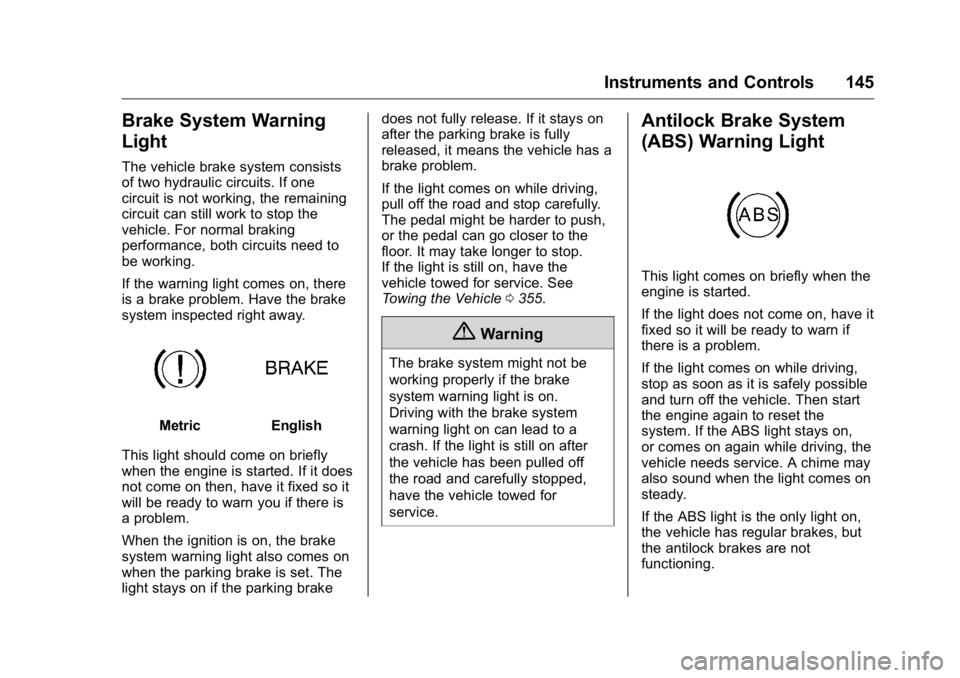
Brake System Warning
Light The vehicle brake system consists
of two hydraulic circuits. If one
circuit is not working, the remaining
circuit can still work to stop the
vehicle. For normal braking
performance, both circuits need to
be working.
If the warning light comes on, there
is a brake problem. Have the brake
system inspected right away.
Metric English
This light should come on briefly
when the engine is started. If it does
not come on then, have it fixed so it
will be ready to warn you if there is
a problem.
When the ignition is on, the brake
system warning light also comes on
when the parking brake is set. The
light stays on if the parking brake does not fully release. If it stays on
after the parking brake is fully
released, it means the vehicle has a
brake problem.
If the light comes on while driving,
pull off the road and stop carefully.
The pedal might be harder to push,
or the pedal can go closer to the
floor. It may take longer to stop.
If the light is still on, have the
vehicle towed for service. See
Towing the Vehicle 0 355 .
{ WarningThe brake system might not be
working properly if the brake
system warning light is on.
Driving with the brake system
warning light on can lead to a
crash. If the light is still on after
the vehicle has been pulled off
the road and carefully stopped,
have the vehicle towed for
service. Antilock Brake System
(ABS) Warning Light
This light comes on briefly when the
engine is started.
If the light does not come on, have it
fixed so it will be ready to warn if
there is a problem.
If the light comes on while driving,
stop as soon as it is safely possible
and turn off the vehicle. Then start
the engine again to reset the
system. If the ABS light stays on,
or comes on again while driving, the
vehicle needs service. A chime may
also sound when the light comes on
steady.
If the ABS light is the only light on,
the vehicle has regular brakes, but
the antilock brakes are not
functioning.
Page 147 of 425
GMC Yukon/Yukon XL/Denali Owner Manual (GMNA-Localizing-U.S./
Canada/Mexico-11349262) - 2018 - crc - 6/20/17
146 Instruments and Controls If both the ABS and the brake
system warning light are on, the
vehicle's antilock brakes are not
functioning and there is a problem
with the regular brakes. See your
dealer for service.
See Brake System Warning Light
0 145 .
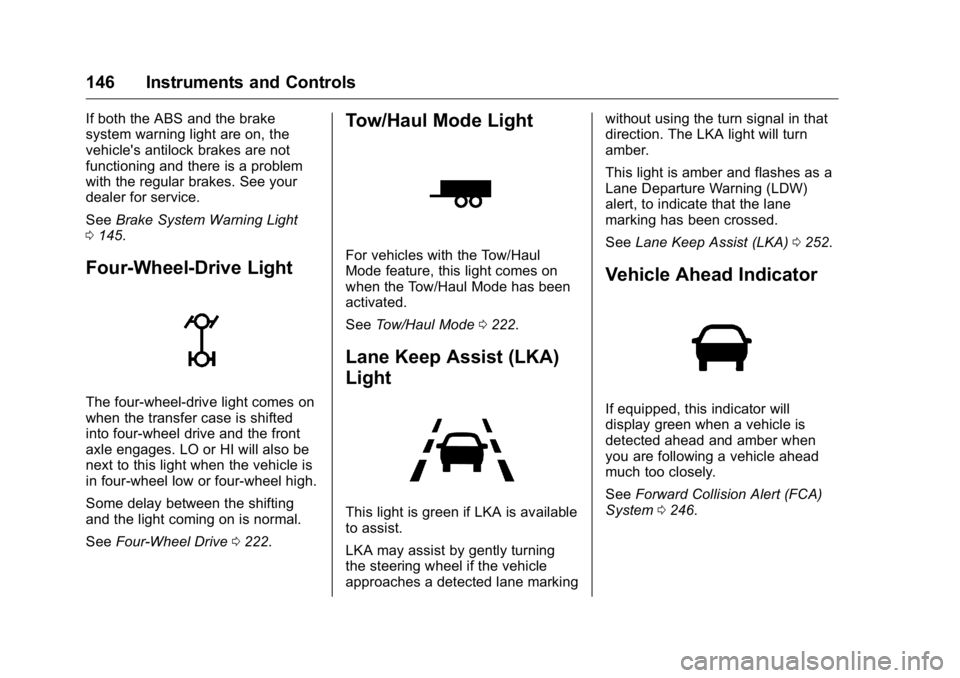
Four-Wheel-Drive Light
The four-wheel-drive light comes on
when the transfer case is shifted
into four-wheel drive and the front
axle engages. LO or HI will also be
next to this light when the vehicle is
in four-wheel low or four-wheel high.
Some delay between the shifting
and the light coming on is normal.
See Four-Wheel Drive 0 222 .Tow/Haul Mode Light For vehicles with the Tow/Haul
Mode feature, this light comes on
when the Tow/Haul Mode has been
activated.
See Tow/Haul Mode 0 222 .
Lane Keep Assist (LKA)
Light
This light is green if LKA is available
to assist.
LKA may assist by gently turning
the steering wheel if the vehicle
approaches a detected lane marking without using the turn signal in that
direction. The LKA light will turn
amber.
This light is amber and flashes as a
Lane Departure Warning (LDW)
alert, to indicate that the lane
marking has been crossed.
See Lane Keep Assist (LKA) 0 252 .
Vehicle Ahead Indicator
If equipped, this indicator will
display green when a vehicle is
detected ahead and amber when
you are following a vehicle ahead
much too closely.
See Forward Collision Alert (FCA)
System 0 246 .
Page 154 of 425
GMC Yukon/Yukon XL/Denali Owner Manual (GMNA-Localizing-U.S./
Canada/Mexico-11349262) - 2018 - crc - 6/20/17
Instruments and Controls 153hold
V for several seconds while
the Oil Life display is active. See
Engine Oil Life System 0 285 .
Tire Pressure : Shows the
approximate pressures of all four
tires. Tire pressure is displayed in
either kilopascal (kPa) or in pounds
per square inch (psi). If the pressure
is low, the value for that tire is
shown in amber.
See Tire Pressure Monitor System
0 329 and Tire Pressure Monitor
Operation 0 330 .
Best Fuel Economy : Displays
average fuel economy, the best fuel
economy over the selected
distance, and a bar graph showing
instantaneous fuel economy.
Press
p to change the selected
distance. Press and hold
V while
this display is active to reset the
best fuel economy and average fuel
economy. This display can also be
reset by selecting reset in the menu.
Top Consumers : Shows a list of
the features that are currently
impacting the fuel economy, in order from highest to lowest. If a feature is
turned off, it will be removed from
the list.
Economy Trend : Shows history of
the Average Fuel Economy from the
last 50 km (30 mi). Each bar
represents about 5 km (3 mi) of
driving. During driving the bars will
shift to always reflect the most
recent distance on the right side.
Press and hold
V to clear the graph
or press
p to reset through
the menu.
ECO Index : Provides feedback on
the efficiency of current driving
behavior. The bar graph shows a
value that is based on current fuel
consumption compared to what is
expected from the vehicle with good
and bad driving habits. It also shows
if the Active Fuel Management is
active and in V4 mode, or inactive
and in V8 mode. See Active Fuel
Management 0 214 .
Engine Hours : Shows the total
number of hours the engine has run.
This display also shows the engine
idle hours. Trailer Brake : Displays on vehicles
with the Integrated Trailer Brake
Control (ITBC) system.
TRAILER GAIN shows the trailer
gain setting.
OUTPUT shows the power output to
the trailer any time a trailer with
electric brakes is connected. Output
is displayed in 0 to 10 bars. Dashes
may appear in the OUTPUT display
if a trailer is not connected.
Speed Signs : Shows sign
information, which comes from a
roadway database in the onboard
navigation.
Off Road : Displays vehicle pitch
and roll information, road wheel
angle, and four-wheel drive (4WD)
status.
Following Distance : Used to
select the alert timing for the
Forward Collision Alert (FCA). See
Forward Collision Alert (FCA)
System 0 246 .
Blank Page : Shows no
information.
Page 159 of 425
GMC Yukon/Yukon XL/Denali Owner Manual (GMNA-Localizing-U.S./
Canada/Mexico-11349262) - 2018 - crc - 6/20/17
158 Instruments and Controls .
Brakes
.
Ride Control Systems
.
Driver Assistance Systems
.
Cruise Control
.
Lighting and Bulb Replacement
.
Wiper/Washer Systems
.
Doors and Windows
.
Seat Belts
.
Airbag Systems
.
Engine and Transmission
.
Tire Pressure
.
Battery
Engine Power Messages ENGINE POWER IS REDUCED This message displays when the
vehicle's propulsion power is
reduced. Reduced propulsion power
can affect the vehicle's ability to
accelerate. If this message is on,
but there is no observed reduction
in performance, proceed to your
destination. The performance may
be reduced the next time the vehicle
is driven. The vehicle may be driven while this message is on, but
maximum acceleration and speed
may be reduced. Anytime this
message stays on, or displays
repeatedly, the vehicle should be
taken to your dealer for service as
soon as possible.
Vehicle Speed Messages SPEED LIMITED TO
XXX KM/H (MPH) This message shows that the
vehicle speed has been limited to
the speed displayed. The limited
speed is a protection for various
propulsion and vehicle systems,
such as lubrication, thermal,
suspension, Teen Driver if
equipped, or tires. Vehicle
Personalization Use the audio system controls to
access the personalization menus
for customizing vehicle features.
The following are all possible
personalization features. Depending
on the vehicle, some may not be
available.
Radio Audio System Controls
1. Touch the desired feature to
display a list of available
options.
2. Select the desired feature
setting.
3. Press
o BACK on the center
stack or touch
0 to return to
the previous menu or exit.
Turn the vehicle on to access the
Settings menu, then select
SETTINGS from the Home Page on
the infotainment display.
Page 162 of 425
GMC Yukon/Yukon XL/Denali Owner Manual (GMNA-Localizing-U.S./
Canada/Mexico-11349262) - 2018 - crc - 6/20/17
Instruments and Controls 161Auto Rear Defog
If equipped, this feature will
automatically turn on the rear
window defogger when the vehicle
is first started in cold weather and
turn off when the vehicle is warmed.
Select Off or On.
Collision/Detection Systems Select and the following may
display:
.
Alert Type
.
Forward Collision System
.
Adaptive Cruise Go Notifier
.
Park Assist
.
Side Blind Zone Alert
.
Rear Cross Traffic Alert
Alert Type
This feature will set crash alerts to
beeps or seat vibrations. This
setting affects all crash alerts
including Forward Collision Alert,
Lane Departure Warning, and Park
Assist alerts.
Select Beeps or Safety Alert Seat. Forward Collision System
This feature will turn on or off
Forward Collision Alert (FCA) and
Forward Automatic Braking (FAB).
The Off setting disables all FCA and
FAB functions. With the Alert and
Brake setting, both FCA and FAB
are available. The Alert setting
disables FAB. See Forward
Automatic Braking (FAB) 0 248 .
Select Off, Alert and Brake, or Alert.
Adaptive Cruise Go Notifier
This feature will give a reminder that
Adaptive Cruise Control provides
when it has brought the vehicle to a
complete stop behind another
stopping vehicle, and then that
vehicle drives on.
Select Off or On.
Park Assist
This allows the feature to be turned
on or off. See Assistance Systems
for Parking or Backing 0 243 .
Select Off, On, or On with Towbar
Attached. Side Blind Zone Alert
This allows the feature to be turned
on or off. See Side Blind Zone Alert
(SBZA) 0 250 .
Select Off or On.
Rear Cross Traffic Alert
This allows the feature to be turned
on or off. See Assistance Systems
for Parking or Backing 0 243 .
Select Off or On.
Comfort and Convenience Select and the following may
display:
.
Auto Memory Recall
.
Easy Exit Options
.
Chime Volume
.
Hands Free Liftgate Control
.
Reverse Tilt Mirror
.
Auto Mirror Folding
.
Auto Wipe in Reverse Gear
Page 189 of 425
GMC Yukon/Yukon XL/Denali Owner Manual (GMNA-Localizing-U.S./
Canada/Mexico-11349262) - 2018 - crc - 6/21/17
188 Driving and Operating
Driving and
Operating Driving Information Distracted Driving . . . . . . . . . . . . 189
Defensive Driving . . . . . . . . . . . . . 190
Drunk Driving . . . . . . . . . . . . . . . . . 190
Control of a Vehicle . . . . . . . . . . . 190
Braking . . . . . . . . . . . . . . . . . . . . . . . 190
Steering . . . . . . . . . . . . . . . . . . . . . . 191
Off-Road Recovery . . . . . . . . . . . 191
Loss of Control . . . . . . . . . . . . . . . 192
Off-Road Driving . . . . . . . . . . . . . 192
Driving on Wet Roads . . . . . . . . 197
Hill and Mountain Roads . . . . . 198
Winter Driving . . . . . . . . . . . . . . . . 198
If the Vehicle Is Stuck . . . . . . . . 200
Vehicle Load Limits . . . . . . . . . . . 200
Starting and Operating New Vehicle Break-In . . . . . . . . . 204
Adjustable Throttle and Brake
Pedal . . . . . . . . . . . . . . . . . . . . . . . 205
Ignition Positions (Keyless
Access) . . . . . . . . . . . . . . . . . . . . . 205
Ignition Positions (Key
Access) . . . . . . . . . . . . . . . . . . . . . 207
Starting the Engine . . . . . . . . . . . 209
Engine Heater . . . . . . . . . . . . . . . . 210 Retained Accessory
Power (RAP) . . . . . . . . . . . . . . . . 212
Shifting Into Park . . . . . . . . . . . . . 212
Shifting out of Park . . . . . . . . . . . 213
Parking over Things
That Burn . . . . . . . . . . . . . . . . . . . 214
Active Fuel Management . . . . . 214
Extended Parking . . . . . . . . . . . . 214
Engine Exhaust Engine Exhaust . . . . . . . . . . . . . . 215
Running the Vehicle While
Parked . . . . . . . . . . . . . . . . . . . . . . 215
Automatic Transmission Automatic Transmission . . . . . . 216
Manual Mode . . . . . . . . . . . . . . . . . 218
Tow/Haul Mode . . . . . . . . . . . . . . . 222
Drive Systems Four-Wheel Drive . . . . . . . . . . . . . 222
Brakes Antilock Brake
System (ABS) . . . . . . . . . . . . . . . 227
Parking Brake . . . . . . . . . . . . . . . . 228
Brake Assist . . . . . . . . . . . . . . . . . . 228
Hill Start Assist (HSA) . . . . . . . . 229
Ride Control Systems
Traction Control/Electronic
Stability Control . . . . . . . . . . . . . 229 Hill Descent Control (HDC) . . . 231
Magnetic Ride Control . . . . . . . . 232
Locking Rear Axle . . . . . . . . . . . . 232
Automatic Level Control . . . . . . 232
Cruise Control Cruise Control . . . . . . . . . . . . . . . . 233
Adaptive Cruise Control . . . . . . 235
Driver Assistance Systems Driver Assistance Systems . . . 242
Assistance Systems for
Parking or Backing . . . . . . . . . . 243
Assistance Systems for
Driving . . . . . . . . . . . . . . . . . . . . . . 246
Forward Collision Alert (FCA)
System . . . . . . . . . . . . . . . . . . . . . . 246
Forward Automatic
Braking (FAB) . . . . . . . . . . . . . . . 248
Side Blind Zone
Alert (SBZA) . . . . . . . . . . . . . . . . 250
Lane Change Alert (LCA) . . . . . 250
Lane Departure
Warning (LDW) . . . . . . . . . . . . . 252
Lane Keep Assist (LKA) . . . . . . 252
Fuel Fuel . . . . . . . . . . . . . . . . . . . . . . . . . . 254
California Fuel
Requirements . . . . . . . . . . . . . . . 255
Fuels in Foreign Countries . . . 255
Fuel Additives . . . . . . . . . . . . . . . . 255
Page 191 of 425
GMC Yukon/Yukon XL/Denali Owner Manual (GMNA-Localizing-U.S./
Canada/Mexico-11349262) - 2018 - crc - 6/21/17
190 Driving and Operating Refer to the infotainment section for
more information on using that
system and the navigation system,
if equipped, including pairing and
using a cell phone.
Defensive Driving Defensive driving means “ always
expect the unexpected. ” The first
step in driving defensively is to wear
the seat belt. See Seat Belts 0 76 .
.
Assume that other road users
(pedestrians, bicyclists, and
other drivers) are going to be
careless and make mistakes.
Anticipate what they might do
and be ready.
.
Allow enough following distance
between you and the driver in
front of you.
.
Focus on the task of driving.
Drunk Driving Death and injury associated with
drinking and driving is a global
tragedy. { WarningDrinking and then driving is very
dangerous. Your reflexes,
perceptions, attentiveness, and
judgment can be affected by even
a small amount of alcohol. You
can have a serious — or even
fatal — collision if you drive after
drinking.
Do not drink and drive or ride with
a driver who has been drinking.
Ride home in a cab; or if you are
with a group, designate a driver
who will not drink.
Control of a Vehicle Braking, steering, and accelerating
are important factors in helping to
control a vehicle while driving.
Braking Braking action involves perception
time and reaction time. Deciding to
push the brake pedal is perception
time. Actually doing it is
reaction time. Average driver reaction time is
about three-quarters of a second. In
that time, a vehicle moving at
100 km/h (60 mph) travels 20 m
(66 ft), which could be a lot of
distance in an emergency.
Helpful braking tips to keep in mind
include:
.
Keep enough distance between
you and the vehicle in front
of you.
.
Avoid needless heavy braking.
.
Keep pace with traffic.
If the engine ever stops while the
vehicle is being driven, brake
normally but do not pump the
brakes. Doing so could make the
pedal harder to push down. If the
engine stops, there will be some
power brake assist but it will be
used when the brake is applied.
Once the power assist is used up, it
can take longer to stop and the
brake pedal will be harder to push.
Page 192 of 425
GMC Yukon/Yukon XL/Denali Owner Manual (GMNA-Localizing-U.S./
Canada/Mexico-11349262) - 2018 - crc - 6/21/17
Driving and Operating 191
Steering Electric Power Steering This vehicle has electric power
steering. It does not have power
steering fluid. Regular maintenance
is not required.
If power steering assist is lost due
to a system malfunction, the vehicle
can be steered, but may require
increased effort.
See your dealer if there is a
problem.
If the steering assist is used for an
extended period of time while the
vehicle is not moving, power assist
may be reduced.
If the steering wheel is turned until it
reaches the end of its travel, and is
held in that position for an extended
period of time, power steering assist
may be reduced.
Normal use of the power steering
assist should return when the
system cools down.
See your dealer if there is a
problem. Curve Tips .
Take curves at a reasonable
speed.
.
Reduce speed before entering a
curve.
.
Maintain a reasonable steady
speed through the curve.
.
Wait until the vehicle is out of
the curve before accelerating
gently into the straightaway.
Steering in Emergencies .
There are some situations when
steering around a problem may
be more effective than braking.
.
Holding both sides of the
steering wheel allows you to turn
180 degrees without removing
a hand.
.
Antilock Brake System (ABS)
allows steering while braking. Off-Road Recovery
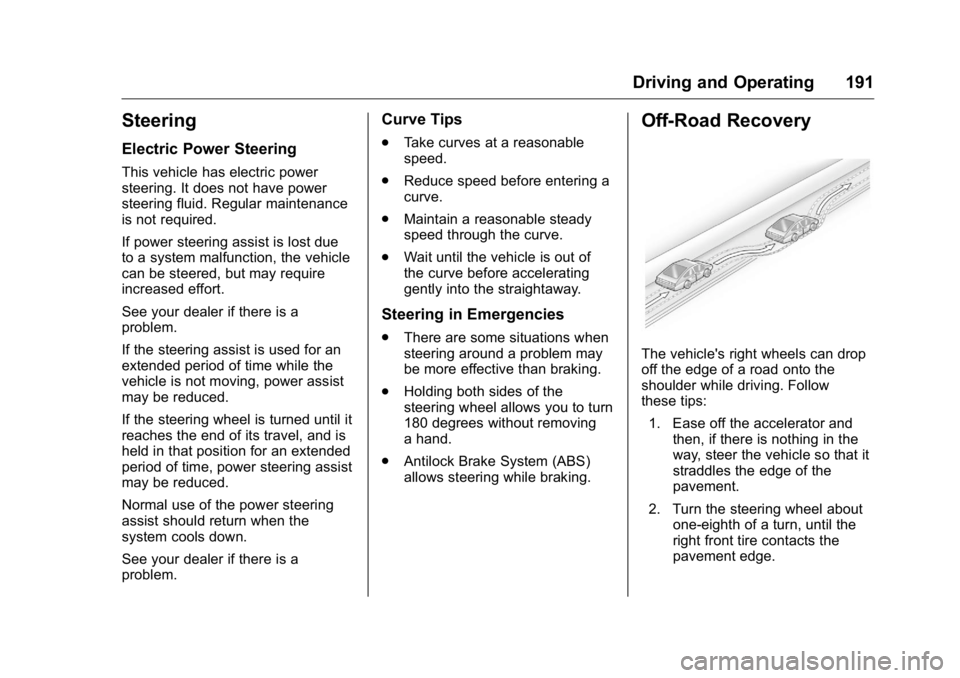
The vehicle's right wheels can drop
off the edge of a road onto the
shoulder while driving. Follow
these tips:
1. Ease off the accelerator and
then, if there is nothing in the
way, steer the vehicle so that it
straddles the edge of the
pavement.
2. Turn the steering wheel about
one-eighth of a turn, until the
right front tire contacts the
pavement edge.
Page 193 of 425
GMC Yukon/Yukon XL/Denali Owner Manual (GMNA-Localizing-U.S./
Canada/Mexico-11349262) - 2018 - crc - 6/21/17
192 Driving and Operating 3. Turn the steering wheel to go
straight down the roadway.
Loss of Control Skidding There are three types of skids that
correspond to the vehicle's three
control systems:
.
Braking Skid — wheels are not
rolling.
.
Steering or Cornering Skid —
too much speed or steering in a
curve causes tires to slip and
lose cornering force.
.
Acceleration Skid — too much
throttle causes the driving
wheels to spin.
Defensive drivers avoid most skids
by taking reasonable care suited to
existing conditions, and by not
overdriving those conditions. But
skids are always possible.
If the vehicle starts to slide, follow
these suggestions:
.
Ease your foot off the
accelerator pedal and steer the
way you want the vehicle to go. The vehicle may straighten out.
Be ready for a second skid if it
occurs.
.
Slow down and adjust your
driving according to weather
conditions. Stopping distance
can be longer and vehicle
control can be affected when
traction is reduced by water,
snow, ice, gravel, or other
material on the road. Learn to
recognize warning clues — such
as enough water, ice, or packed
snow on the road to make a
mirrored surface — and slow
down when you have any doubt.
.
Try to avoid sudden steering,
acceleration, or braking,
including reducing vehicle speed
by shifting to a lower gear. Any
sudden changes could cause
the tires to slide.
Remember: Antilock brakes help
avoid only the braking skid.
Off-Road Driving Four-wheel-drive vehicles can be
used for off-road driving. Vehicles
without four-wheel drive and vehicles not equipped with All
Terrain (AT) or On-Off Road (OOR)
tires must not be driven off-road
except on a level, solid surface. For
contact information about the
original equipment tires, see the
warranty manual.
One of the best ways for successful
off-road driving is to control the
speed.
{ WarningWhen driving off-road, bouncing
and quick changes in direction
can easily throw you out of
position. This could cause you to
lose control and crash. You and
your passengers should always
wear seat belts.
Before Driving Off-Road
.
Have all necessary maintenance
and service work completed.
.
Fuel the vehicle, fill fluid levels,
and check inflation pressure in
all tires, including the spare,
if equipped.