key GMC YUKON XL 2018 Service Manual
[x] Cancel search | Manufacturer: GMC, Model Year: 2018, Model line: YUKON XL, Model: GMC YUKON XL 2018Pages: 425, PDF Size: 7.37 MB
Page 67 of 425
GMC Yukon/Yukon XL/Denali Owner Manual (GMNA-Localizing-U.S./
Canada/Mexico-11349262) - 2018 - crc - 6/20/17
66 Seats and Restraints 1 or 2 corresponds to the driver
number. See “ Identifying Driver
Number ” in this section.
5. Repeat Steps 1 – 4 for a second
driver using 1 or 2.
To save positions for
B and easy
exit features, repeat Steps 1 – 4
using
B . This stores the positions
for getting out of the vehicle.
Save preferred memory feature
positions to both 1 and 2 if you are
the only driver.
Manually Recalling Memory
Positions
Press and hold 1, 2, or
B to recall
the previously stored memory
positions.
To stop manual recall movement,
release 1, 2, or
B . Recall can also
be stopped by pressing a power
seat, SET, power mirror control,
power steering wheel control,
or adjustable pedal control,
if memory equipped. The driver or
passenger side mirror must be
selected. Auto Memory Recall
The vehicle identifies the number of
the current driver ’ s RKE transmitter
(1 – 8).
See Remote Keyless Entry (RKE)
System Operation (Key Access)
0 31 or Remote Keyless Entry
(RKE) System Operation (Keyless
Access) 0 33 . If the RKE transmitter
is 1 or 2, and Auto Memory Recall is
programmed on in vehicle
personalization, the positions saved
to the same memory button number
1 or 2 are automatically recalled
when the ignition is turned on,
or turned from off to ACC/
ACCESSORY. RKE transmitters 3 – 8
will not provide automatic memory
recalls.
To turn Auto Memory Recall on or
off, see "Vehicle Personalization
Settings" previously in this section
and Vehicle Personalization 0 158 .
The transmission must be in
P (Park) to initiate Auto Memory
Recall. Auto Memory Recall will
complete if the vehicle is shifted out
of P (Park) prior to reaching the
stored memory position. To stop Auto Memory Recall
movement, turn the ignition off or
press any of the following memory
controls:
.
Power seat
.
Memory SET, 1, 2, or
B .
Power mirror, with the driver or
passenger side mirror selected
.
Power steering wheel,
if equipped
.
Adjustable pedals, if equipped
If the stored memory seat position
does not automatically recall or
recalls to the wrong positions, the
driver ’ s RKE transmitter number (1
or 2) may not match the memory
button number that positions were
saved to. Try storing the position to
the other memory button or try the
other RKE transmitter.
Easy Exit Recall
Easy Exit Recall is not linked to an
RKE transmitter. The position stored
to
B is used for all drivers. To turn
Easy Exit Recall on or off, see
Page 75 of 425
GMC Yukon/Yukon XL/Denali Owner Manual (GMNA-Localizing-U.S./
Canada/Mexico-11349262) - 2018 - crc - 6/20/17
74 Seats and Restraints To return the seat to the sitting
position from the tumbled position:
1. Pull the seat down until both
sides of the seat are latched to
the floor. Make sure the seat is
securely latched to the floor
before raising the seatback.
If both sides are not latched to
the floor, the seatback will not
raise.
2. Lift the seatback and push it
rearward. Push and pull on the
seatback to make sure it is
locked.
Third Row Seats Folding the Seatback
Caution
Folding a rear seat with the seat
belts still fastened may cause
damage to the seat or the seat
belts. Always unbuckle the seat
belts and return them to their
normal stowed position before
folding a rear seat. The transmission must be in
P (Park) for this feature to work.
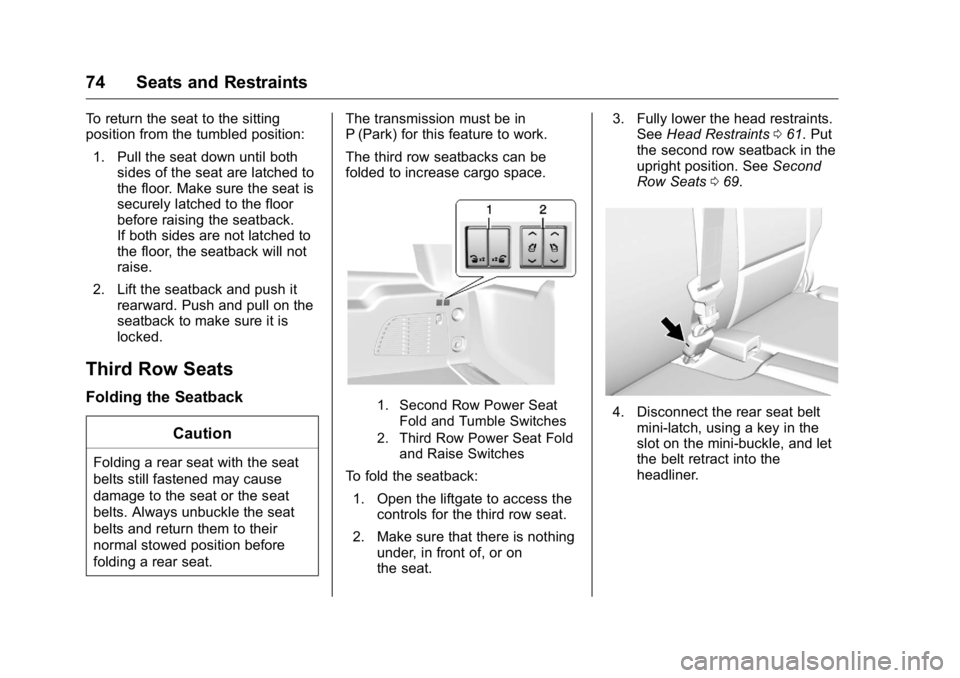
The third row seatbacks can be
folded to increase cargo space.
1. Second Row Power Seat
Fold and Tumble Switches
2. Third Row Power Seat Fold
and Raise Switches
To fold the seatback:
1. Open the liftgate to access the
controls for the third row seat.
2. Make sure that there is nothing
under, in front of, or on
the seat. 3. Fully lower the head restraints.
See Head Restraints 0 61 . Put
the second row seatback in the
upright position. See Second
Row Seats 0 69 .
4. Disconnect the rear seat belt
mini-latch, using a key in the
slot on the mini-buckle, and let
the belt retract into the
headliner.
Page 83 of 425
GMC Yukon/Yukon XL/Denali Owner Manual (GMNA-Localizing-U.S./
Canada/Mexico-11349262) - 2018 - crc - 6/20/17
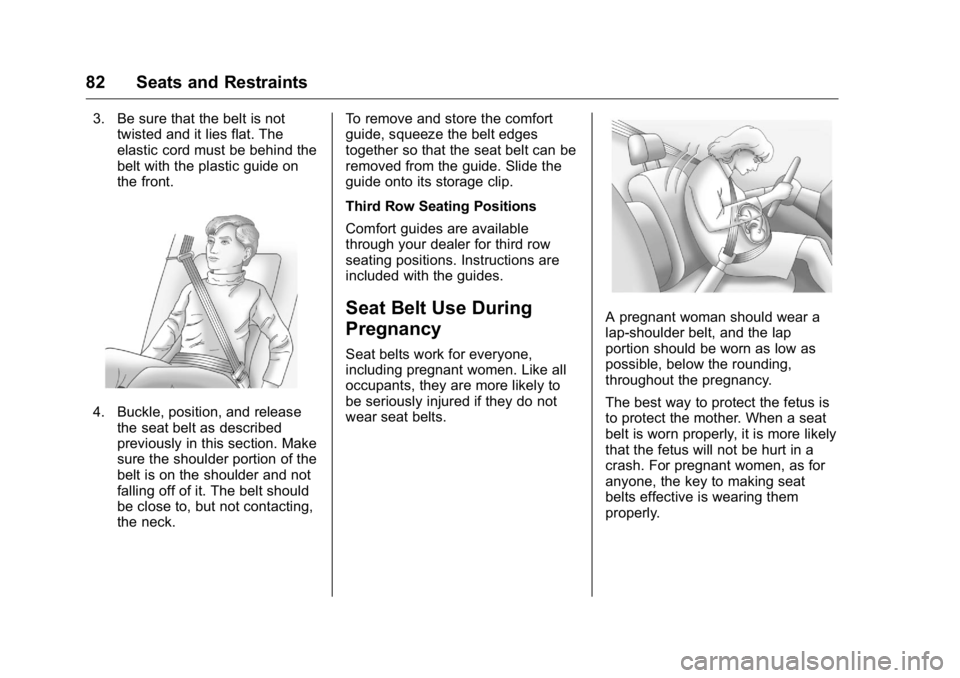
82 Seats and Restraints 3. Be sure that the belt is not
twisted and it lies flat. The
elastic cord must be behind the
belt with the plastic guide on
the front.
4. Buckle, position, and release
the seat belt as described
previously in this section. Make
sure the shoulder portion of the
belt is on the shoulder and not
falling off of it. The belt should
be close to, but not contacting,
the neck. To remove and store the comfort
guide, squeeze the belt edges
together so that the seat belt can be
removed from the guide. Slide the
guide onto its storage clip.
Third Row Seating Positions
Comfort guides are available
through your dealer for third row
seating positions. Instructions are
included with the guides.
Seat Belt Use During
Pregnancy Seat belts work for everyone,
including pregnant women. Like all
occupants, they are more likely to
be seriously injured if they do not
wear seat belts. A pregnant woman should wear a
lap-shoulder belt, and the lap
portion should be worn as low as
possible, below the rounding,
throughout the pregnancy.
The best way to protect the fetus is
to protect the mother. When a seat
belt is worn properly, it is more likely
that the fetus will not be hurt in a
crash. For pregnant women, as for
anyone, the key to making seat
belts effective is wearing them
properly.
Page 119 of 425
GMC Yukon/Yukon XL/Denali Owner Manual (GMNA-Localizing-U.S./
Canada/Mexico-11349262) - 2018 - crc - 6/21/17
118 Storage
Storage Storage Compartments Storage Compartments . . . . . . . 118
Instrument Panel Storage . . . . . 118
Glove Box . . . . . . . . . . . . . . . . . . . . 118
Cupholders . . . . . . . . . . . . . . . . . . . 118
Sunglasses Storage . . . . . . . . . . 119
Armrest Storage . . . . . . . . . . . . . . 119
Rear Storage . . . . . . . . . . . . . . . . . 119
Center Console Storage . . . . . . 120
Additional Storage Features Cargo Tie-Downs . . . . . . . . . . . . . 120
Convenience Net . . . . . . . . . . . . . 120
Roof Rack System Roof Rack System . . . . . . . . . . . 120 Storage
Compartments
{ WarningDo not store heavy or sharp
objects in storage compartments.
In a crash, these objects may
cause the cover to open and
could result in injury.
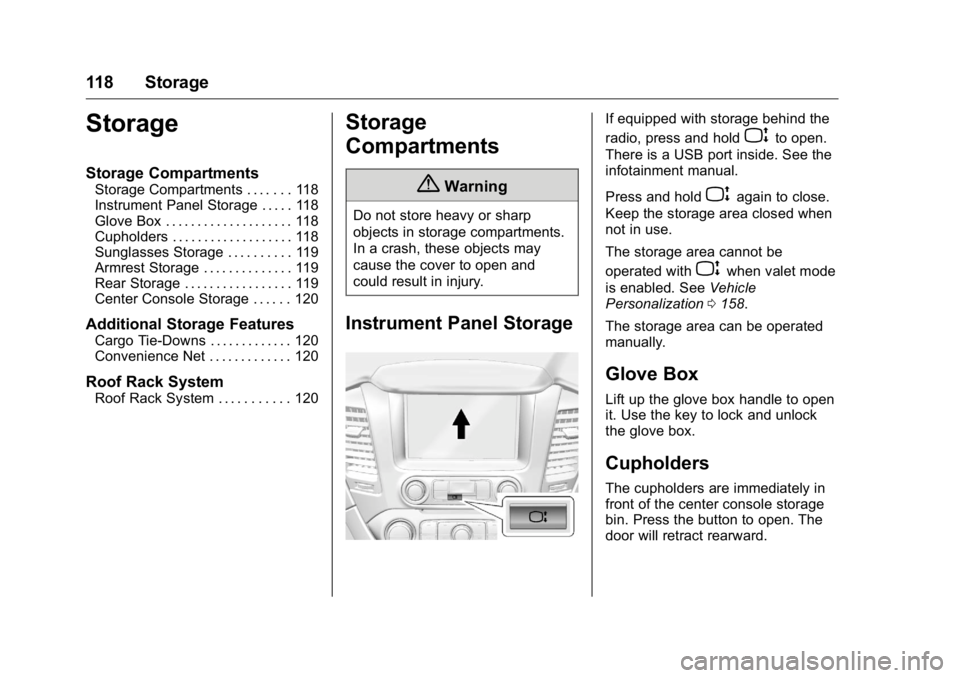
Instrument Panel Storage If equipped with storage behind the
radio, press and hold
P to open.
There is a USB port inside. See the
infotainment manual.
Press and hold
P again to close.
Keep the storage area closed when
not in use.
The storage area cannot be
operated with
P when valet mode
is enabled. See Vehicle
Personalization 0 158 .
The storage area can be operated
manually.
Glove Box Lift up the glove box handle to open
it. Use the key to lock and unlock
the glove box.
Cupholders The cupholders are immediately in
front of the center console storage
bin. Press the button to open. The
door will retract rearward.
Page 129 of 425

GMC Yukon/Yukon XL/Denali Owner Manual (GMNA-Localizing-U.S./
Canada/Mexico-11349262) - 2018 - crc - 6/20/17
128 Instruments and Controls .
One in the third row seat on the
driver side
.
One in the rear cargo area on
the passenger side
Vehicles with Bench Seats
.
One on the center stack below
the climate control system
.
One in the storage area on the
bench seat
.
One on the rear of the center
armrest storage
.
One in the third row seat area on
the driver side
.
One in the rear cargo area on
the passenger side
Lift the cover to access and replace
when not in use.
The accessory power outlets are
powered as follows:
.
The power outlet near the
cupholders for vehicles with a
center console or on the center
stack for vehicles with bench
seats, can be configured to
operate using Retained
Accessory Power (RAP) or battery power modes. If these
power outlets are used while in
the battery power mode, this
could cause interference
between the Remote Keyless
Entry (RKE) transmitter and the
vehicle, and the vehicle may not
start.
See Ignition Positions (Key
Access) 0 207 or Ignition
Positions (Keyless Access)
0 205 .
.
The power outlets in the third
row seat area or in the rear
cargo area are powered at all
times. The power outlets inside
the storage area, on the rear of
the console, or on the bench
seat are only powered when the
ignition is on or in ACC/
ACCESSORY, or when RAP is
active.
{ Warning
Power is always supplied to the
outlet, if configured accordingly.
Do not leave electrical equipment
(Continued) Warning (Continued) plugged in when the vehicle is not
in use because the vehicle could
catch fire and cause injury or
death.
CautionLeaving electrical equipment
plugged in for an extended period
of time while the ignition is off will
drain the battery. Always unplug
electrical equipment when not in
use and do not plug in equipment
that exceeds the maximum
15 amp rating.
Certain power accessory plugs may
not be compatible with the
accessory power outlet and could
overload vehicle or adapter fuses.
If a problem is experienced, see
your dealer.
Page 131 of 425
GMC Yukon/Yukon XL/Denali Owner Manual (GMNA-Localizing-U.S./
Canada/Mexico-11349262) - 2018 - crc - 6/20/17
130 Instruments and Controls To check for phone or other device
compatibility:
.
In the U.S., see my.gmc.com/
learn.
.
In Canada, see
gmtotalconnect.ca.
.
Or, see your dealer for details.
{ WarningWireless charging can affect the
operation of an implanted
pacemaker or other medical
devices. If you have one, it is
recommended to consult with
your doctor before using the
wireless charging system.
The vehicle must be on, in ACC/
ACCESSORY, or Retained
Accessory Power (RAP) must be
active. The wireless charging
feature may not correctly indicate
charging when the vehicle is in RAP.
See Retained Accessory Power
(RAP) 0 212 . The operating temperature is − 20 °C
( − 4 °F) to 60 °C (140 °F) for the
charging system and 0 °C (32 °F) to
35 °C (95 °F) for the phone.
{ WarningRemove all objects from the
charging pad before charging
your mobile device. Objects, such
as coins, keys, rings, paper clips,
or cards, between the phone and
charging pad will become very
hot. On the rare occasion that the
charging system does not detect
an object, and the object gets
wedged between the phone and
charger, remove the phone and
allow the object to cool before
removing it from the charging
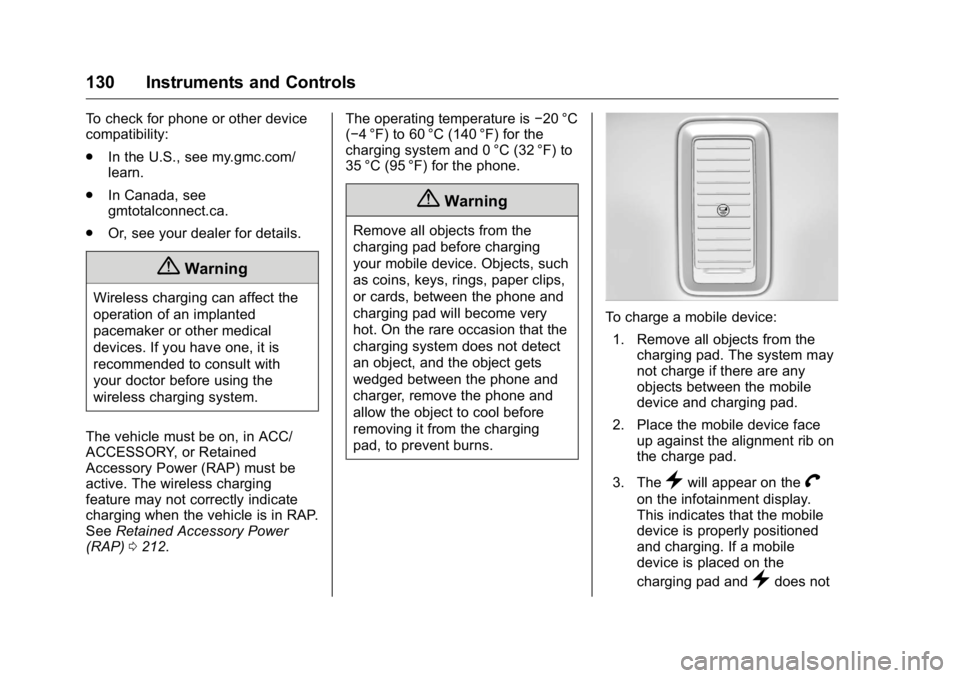
pad, to prevent burns. To charge a mobile device:
1. Remove all objects from the
charging pad. The system may
not charge if there are any
objects between the mobile
device and charging pad.
2. Place the mobile device face
up against the alignment rib on
the charge pad.
3. The
} will appear on the
V on the infotainment display.
This indicates that the mobile
device is properly positioned
and charging. If a mobile
device is placed on the
charging pad and
} does not
Page 144 of 425
GMC Yukon/Yukon XL/Denali Owner Manual (GMNA-Localizing-U.S./
Canada/Mexico-11349262) - 2018 - crc - 6/20/17
Instruments and Controls 143system. Have it checked by your
dealer. Driving while this light is on
could drain the battery.
When this light comes on, or is
flashing, the Driver Information
Center (DIC) also displays a
message.
If a short distance must be driven
with the light on, be sure to turn off
all accessories, such as the radio
and air conditioner.
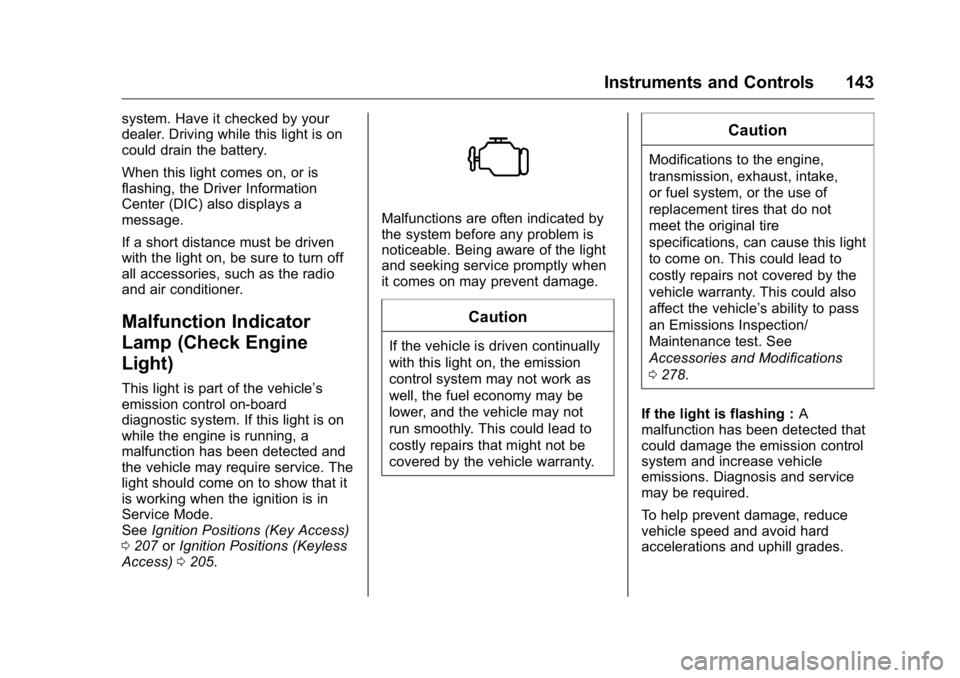
Malfunction Indicator
Lamp (Check Engine
Light) This light is part of the vehicle ’ s
emission control on-board
diagnostic system. If this light is on
while the engine is running, a
malfunction has been detected and
the vehicle may require service. The
light should come on to show that it
is working when the ignition is in
Service Mode.
See Ignition Positions (Key Access)
0 207 or Ignition Positions (Keyless
Access) 0 205 . Malfunctions are often indicated by
the system before any problem is
noticeable. Being aware of the light
and seeking service promptly when
it comes on may prevent damage.
CautionIf the vehicle is driven continually
with this light on, the emission
control system may not work as
well, the fuel economy may be
lower, and the vehicle may not
run smoothly. This could lead to
costly repairs that might not be
covered by the vehicle warranty. CautionModifications to the engine,
transmission, exhaust, intake,
or fuel system, or the use of
replacement tires that do not
meet the original tire
specifications, can cause this light
to come on. This could lead to
costly repairs not covered by the
vehicle warranty. This could also
affect the vehicle ’ s ability to pass
an Emissions Inspection/
Maintenance test. See
Accessories and Modifications
0 278 .
If the light is flashing : A
malfunction has been detected that
could damage the emission control
system and increase vehicle
emissions. Diagnosis and service
may be required.
To help prevent damage, reduce
vehicle speed and avoid hard
accelerations and uphill grades.
Page 160 of 425
GMC Yukon/Yukon XL/Denali Owner Manual (GMNA-Localizing-U.S./
Canada/Mexico-11349262) - 2018 - crc - 6/20/17
Instruments and Controls 159Personalization Menus
The following list of menu items may
be available:
.
Time and Date
.
Language
.
Rear Seat Reminder
.
Video Voice-Over
.
Teen Driver
.
Valet Mode
.
Radio
.
Vehicle
.
Bluetooth
.
Apple CarPlay
.
Android Auto
.
Voice
.
Display
.
Rear Camera
.
Return to Factory Settings
.
Software Information
.
Wi-Fi
Detailed information for each menu
follows. Time and Date Manually set the time and date. See
Clock 0 126 .
Language Select Language, then select from
the available language(s).
The selected language will display
on the system, and voice
recognition (if equipped) will reflect
the selected language.
Rear Seat Reminder This allows for a chime and a
message when the rear door has
been opened before or during
operation of the vehicle.
Select Off or On.
Video Voice-Over When activated, the RSI will read
aloud menu titles, menu listings,
pop-ups, alerts, and file titles from
audio and video media.
Select Off or On. Teen Driver See “ Teen Driver ” under “ Settings ”
in the infotainment manual.
Valet Mode This will lock the infotainment
system and steering wheel controls.
It may also limit access to vehicle
storage locations, if equipped.
To enable valet mode:
1. Enter a four-digit code on the
keypad.
2. Select Enter to go to the
confirmation screen.
3. Re-enter the four-digit code.
Touch LOCK or UNLOCK to lock or
unlock the system. Touch Back to
go back to the previous menu.
Radio
Select and the following may
display:
.
Manage Favorites
.
Number of Favorites Shown
.
Audible Touch Feedback
.
Bose AudioPilot
Page 163 of 425
GMC Yukon/Yukon XL/Denali Owner Manual (GMNA-Localizing-U.S./
Canada/Mexico-11349262) - 2018 - crc - 6/20/17
162 Instruments and Controls Auto Memory Recall
This feature automatically recalls
the current driver ’ s previously stored
1 or 2 button positions when the
ignition is changed from off to on or
ACC/ACCESSORY. See Memory
Seats 0 64 .
Select On or Off.
Easy Exit Options
This feature automatically recalls
the previously stored Exit button
position when exiting the vehicle.
See Memory Seats 0 64 .
Select On or Off.
Chime Volume
This allows the selection of the
chime volume level.
Touch + or − to adjust the volume.
Hands Free Liftgate Control
The liftgate may be operated with a
kicking motion under the rear
bumper. See Liftgate 0 43 .
Select Off, On-Open and Close,
or On-Open Only. Reverse Tilt Mirror
When on, the driver and/or
passenger mirrors will tilt downward
when the vehicle is shifted to
R (Reverse) to improve visibility of
the ground near the rear wheels.
See Reverse Tilt Mirrors 0 55 .
Select Off, On - Driver and
Passenger, On - Driver, or On -
Passenger.
Auto Mirror Folding
When on, the outside mirrors will
automatically fold or unfold when
the Remote Keyless Entry (RKE)
transmitter
Q or
K button is
pressed and held. See Folding
Mirrors 0 53 .
Select Off or On.
Auto Wipe in Reverse Gear
When on and the front wiper is on
and wiping, the rear wiper will
automatically activate when the
vehicle is shifted to R (Reverse).
Select Off or On. Lighting Select the Lighting menu and the
following may display:
.
Vehicle Locator Lights
.
Exit Lighting
Vehicle Locator Lights
This feature will flash the exterior
lamps and allows some of the
exterior lamps and most of the
interior lamps to turn on briefly when
K on the Remote Keyless Entry
(RKE) transmitter is pressed to
locate the vehicle.
Select On or Off.
Exit Lighting
This allows the selection of how
long the exterior lamps stay on
when leaving the vehicle when it is
dark outside.
Select Off, 30 Seconds, 60 Seconds,
or 120 Seconds.
Power Door Locks
Select Power Door Locks and the
following may display:
.
Unlocked Door Anti-Lockout
Page 164 of 425
GMC Yukon/Yukon XL/Denali Owner Manual (GMNA-Localizing-U.S./
Canada/Mexico-11349262) - 2018 - crc - 6/20/17
Instruments and Controls 163.
Auto Door Unlock
.
Delayed Door Lock
Unlocked Door Anti-Lockout
When on, this feature will keep the
driver door from locking when the
door is open and the key is in the
ignition. If Off is selected, the
Delayed Door Lock menu will be
available.
Select On or Off.
Auto Door Unlock
This allows selection of which of the
doors will automatically unlock when
the vehicle is shifted into P (Park).
Select Off, All Doors, or Driver Door.
Delayed Door Lock
When on, this feature will delay the
locking of the doors. To override the
delay, press the power door lock
switch on the door.
Select On or Off.
Remote Lock, Unlock, Start
Select and the following may
display: .
Remote Unlock Light Feedback
.
Remote Lock Feedback
.
Remote Door Unlock
.
Remote Start Auto Cool Seats
.
Remote Start Auto Heat Seats
.
Passive Door Unlock
.
Passive Door Lock
.
Remote Left in Vehicle Alert
Remote Unlock Light Feedback
When on, the exterior lamps will
flash when unlocking the vehicle
with the RKE transmitter.
Select Off or Flash Lights.
Remote Lock Feedback
This allows selection of what type of
feedback is given when locking the
vehicle with the RKE transmitter.
Select Off, Lights and Horn, Lights
Only, or Horn Only.
Remote Door Unlock
This allows selection of which doors
will unlock when pressing
K on the
RKE transmitter. Select All Doors or Driver Door.
Remote Start Auto Cool Seats
If turned on, this feature will turn the
ventilated seats on when using
remote start on warm days.
Select Off or On.
Remote Start Auto Heat Seats
If turned on, this feature will turn the
heated seats on when using remote
start on cold days.
Select Off or On.
Passive Door Unlock
This allows the selection of what
doors will unlock when using the
button on the driver door to unlock
the vehicle.
Select All Doors or Driver Door.
Passive Door Lock
This allows passive locking to be
turned on or off and selects
feedback.