garage door opener GMC YUKON XL 2018 Owners Manual
[x] Cancel search | Manufacturer: GMC, Model Year: 2018, Model line: YUKON XL, Model: GMC YUKON XL 2018Pages: 425, PDF Size: 7.37 MB
Page 24 of 425
GMC Yukon/Yukon XL/Denali Owner Manual (GMNA-Localizing-U.S./
Canada/Mexico-11349262) - 2018 - crc - 6/20/17
In Brief 23
Universal Remote System
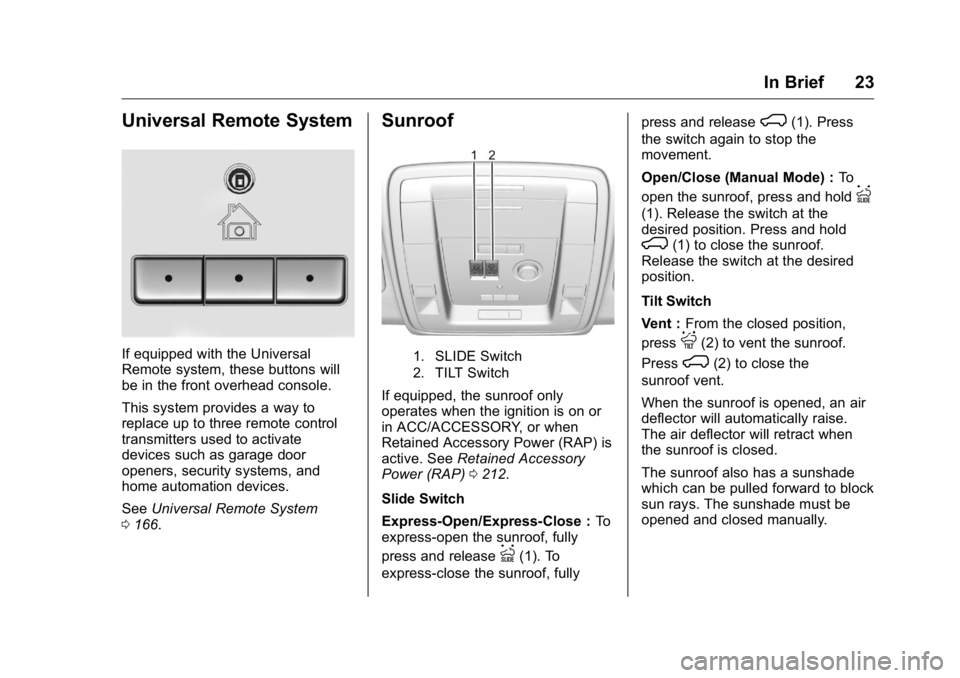
If equipped with the Universal
Remote system, these buttons will
be in the front overhead console.
This system provides a way to
replace up to three remote control
transmitters used to activate
devices such as garage door
openers, security systems, and
home automation devices.
See Universal Remote System
0 166 . Sunroof
1. SLIDE Switch
2. TILT Switch
If equipped, the sunroof only
operates when the ignition is on or
in ACC/ACCESSORY, or when
Retained Accessory Power (RAP) is
active. See Retained Accessory
Power (RAP) 0 212 .
Slide Switch
Express-Open/Express-Close : To
express-open the sunroof, fully
press and release
I (1). To
express-close the sunroof, fully press and release
K (1). Press
the switch again to stop the
movement.
Open/Close (Manual Mode) : To
open the sunroof, press and hold
I(1). Release the switch at the
desired position. Press and hold
K (1) to close the sunroof.
Release the switch at the desired
position.
Tilt Switch
Vent : From the closed position,
press
J (2) to vent the sunroof.
Press
K (2) to close the
sunroof vent.
When the sunroof is opened, an air
deflector will automatically raise.
The air deflector will retract when
the sunroof is closed.
The sunroof also has a sunshade
which can be pulled forward to block
sun rays. The sunshade must be
opened and closed manually.
Page 167 of 425
GMC Yukon/Yukon XL/Denali Owner Manual (GMNA-Localizing-U.S./
Canada/Mexico-11349262) - 2018 - crc - 6/20/17
166 Instruments and Controls Select Restore or Cancel.
Software Information Select to view the infotainment
system current software information.
Wi-Fi Select and the following may
display:
.
Wi-Fi
.
Manage Wi-Fi Networks
Wi-Fi
This feature allows Wi-Fi networks
to be turned off or on.
Select Off or On.
Manage Wi-Fi Networks
Select to manage Wi-Fi networks.
Wi-Fi must be on for this feature to
be accessed. Universal Remote
System See Radio Frequency Statement
0 396 .
Universal Remote System
Programming
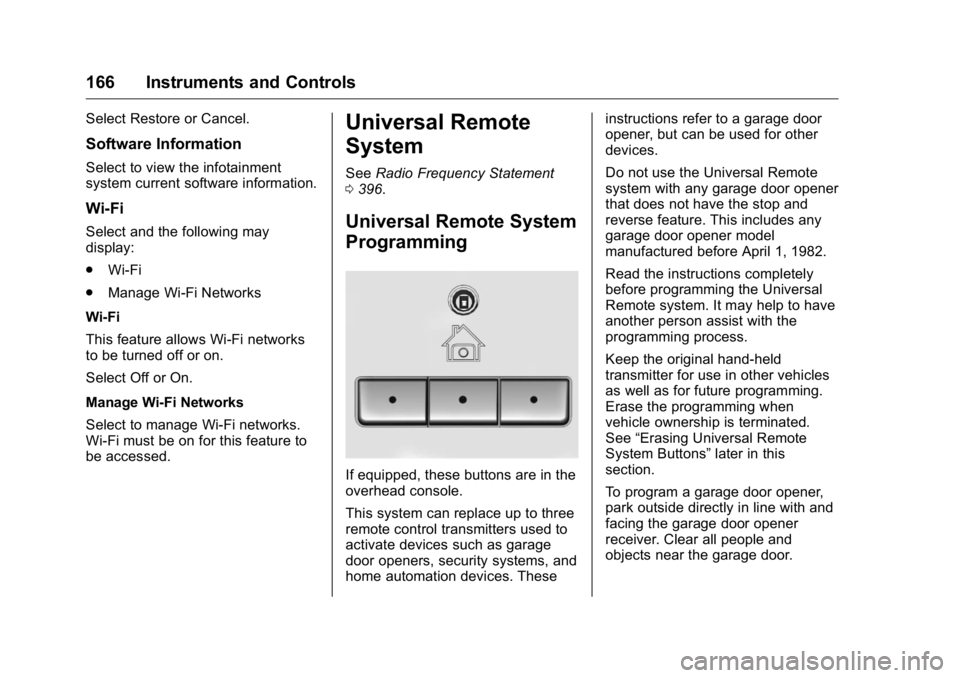
If equipped, these buttons are in the
overhead console.
This system can replace up to three
remote control transmitters used to
activate devices such as garage
door openers, security systems, and
home automation devices. These instructions refer to a garage door
opener, but can be used for other
devices.
Do not use the Universal Remote
system with any garage door opener
that does not have the stop and
reverse feature. This includes any
garage door opener model
manufactured before April 1, 1982.
Read the instructions completely
before programming the Universal
Remote system. It may help to have
another person assist with the
programming process.
Keep the original hand-held
transmitter for use in other vehicles
as well as for future programming.
Erase the programming when
vehicle ownership is terminated.
See “ Erasing Universal Remote
System Buttons ” later in this
section.
To program a garage door opener,
park outside directly in line with and
facing the garage door opener
receiver. Clear all people and
objects near the garage door.
Page 168 of 425
GMC Yukon/Yukon XL/Denali Owner Manual (GMNA-Localizing-U.S./
Canada/Mexico-11349262) - 2018 - crc - 6/20/17
Instruments and Controls 167Make sure the hand-held transmitter
has a new battery for quick and
accurate transmission of the
radio-frequency signal.
Programming the Universal
Remote System For questions or programming help,
see www.homelink.com/gm or call
1-800-355-3515.
Programming involves
time-sensitive actions, and may time
out causing the procedure to be
repeated.
To program up to three devices:
1. Hold the end of the hand-held
transmitter about 3 to 8 cm (1
to 3 in) away from the
Universal Remote system
buttons with the indicator light
in view. The hand-held
transmitter was supplied by the
manufacturer of the garage
door opener receiver.
2. At the same time, press and
hold both the hand-held
transmitter button and one of
the three Universal Remote
system buttons to be used to operate the garage door. Do
not release either button until
the indicator light goes from a
slow to a rapid flashing light.
Then release both buttons.
Some garage door openers
may require substitution of
Step 2 with the procedure
under “ Radio Signals for
Canada and Some Gate
Operators ” later in this section.
3. Press and hold the newly
programmed Universal Remote
system button for five seconds
while watching the indicator
light and garage door
activation.
.
If the indicator light stays on
continuously or the garage
door moves when the
button is pressed, then
programming is complete.
There is no need to
complete Steps 4 – 6.
.
If the indicator light does
not come on or the garage
door does not move, a
second button press may
be required. For a second time, press and hold the
newly programmed button
for five seconds. If the light
stays on or the garage door
moves, programming is
complete.
.
If the indicator light blinks
rapidly for two seconds,
then changes to a solid light
and the garage door does
not move, continue with
programming Steps 4 – 6.
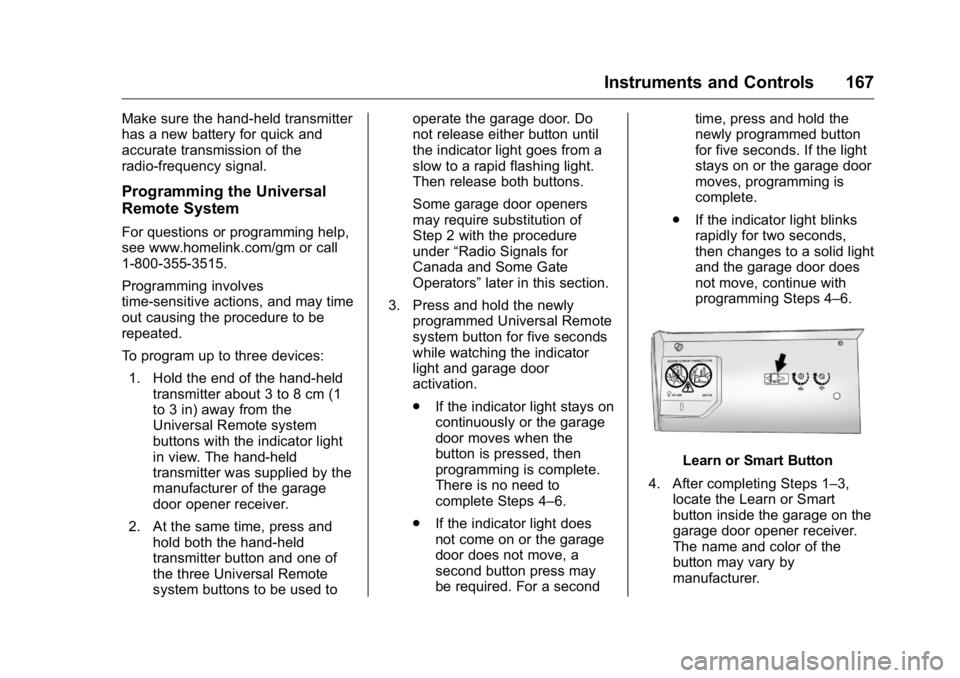
Learn or Smart Button
4. After completing Steps 1 – 3,
locate the Learn or Smart
button inside the garage on the
garage door opener receiver.
The name and color of the
button may vary by
manufacturer.
Page 169 of 425
GMC Yukon/Yukon XL/Denali Owner Manual (GMNA-Localizing-U.S./
Canada/Mexico-11349262) - 2018 - crc - 6/20/17
168 Instruments and Controls 5. Press and release the Learn or
Smart button. Step 6 must be
completed within 30 seconds of
pressing this button.
6. Inside the vehicle, press and
hold the newly programmed
Universal Remote system
button for two seconds and
then release it. If the garage
door does not move or the
lamp on the garage door
opener receiver does not flash,
press and hold the same
button a second time for
two seconds, then release it.
Again, if the door does not
move or the garage door lamp
does not flash, press and hold
the same button a third time for
two seconds, then release it.
The Universal Remote system
should now activate the
garage door.
Repeat the process for
programming the two remaining
buttons. Radio Signals for Canada and
Some Gate Operators For questions or programming help,
see www.homelink.com/gm or call
1-800-355-3515.
Canadian radio-frequency laws and
some U.S. gate operators require
transmitter signals to time out or quit
after several seconds of
transmission. This may not be long
enough for the Universal Remote
system to pick up the signal during
programming.
If the programming did not work,
replace Step 2 under “ Programming
the Universal Remote System ” with
the following:
Press and hold the Universal
Remote system button while
pressing and releasing the
hand-held transmitter button every
two seconds until the signal has
been successfully accepted by the
Universal Remote system. The
Universal Remote system indicator
light will flash slowly at first and then
rapidly. Proceed with Step 3 under
“ Programming the Universal Remote
System ” to complete. Universal Remote System
Operation Using the Universal Remote
System Press and hold the appropriate
Universal Remote system button for
at least one-half second. The
indicator light will come on while the
signal is being transmitted.
Erasing Universal Remote
System Buttons Erase all programmed buttons when
vehicle ownership is terminated.
To erase:
1. Press and hold the two outside
buttons until the indicator light
begins to flash. This should
take about 10 seconds.
2. Release both buttons.
Page 316 of 425
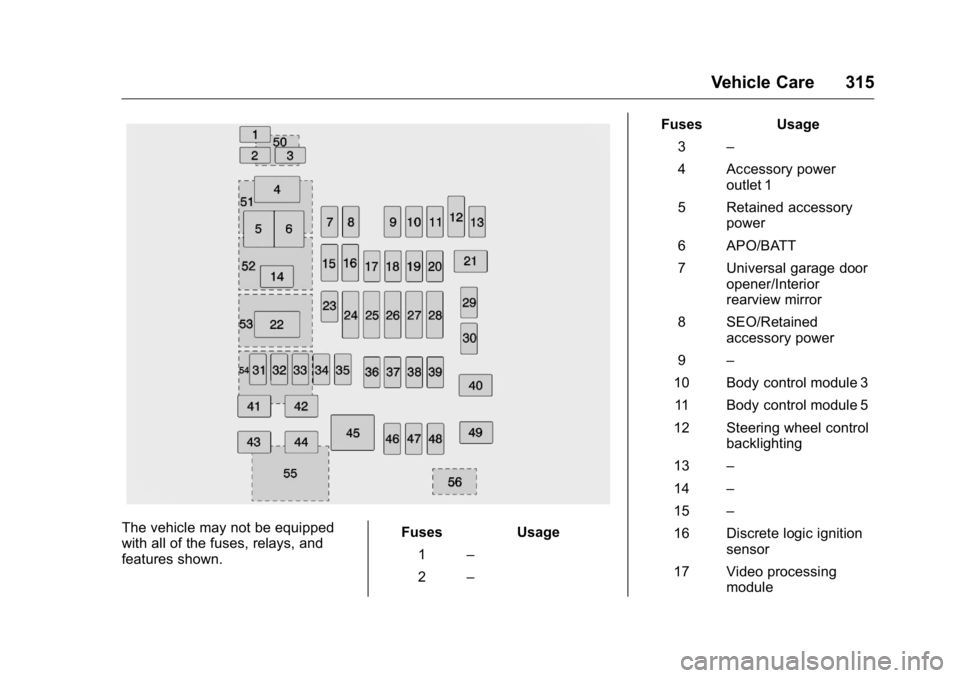
GMC Yukon/Yukon XL/Denali Owner Manual (GMNA-Localizing-U.S./
Canada/Mexico-11349262) - 2018 - crc - 6/20/17
Vehicle Care 315
The vehicle may not be equipped
with all of the fuses, relays, and
features shown. Fuses Usage
1 –
2 – Fuses Usage
3 –
4 Accessory power
outlet 1
5 Retained accessory
power
6 APO/BATT
7 Universal garage door
opener/Interior
rearview mirror
8 SEO/Retained
accessory power
9 –
10 Body control module 3
11 Body control module 5
12 Steering wheel control
backlighting
13 –
14 –
15 –
16 Discrete logic ignition
sensor
17 Video processing
module
Page 417 of 425

GMC Yukon/Yukon XL/Denali Owner Manual (GMNA-Localizing-U.S./
Canada/Mexico-11349262) - 2018 - crc - 6/21/17
416 Index Folding Mirrors . . . . . . . . . . . . . . . . . . 53
Forward Automatic Braking . . . . . 248
Forward Collision Alert
(FCA) System . . . . . . . . . . . . . . . . . 246
Four-Wheel Drive . . . . . . . . . . 222, 299
Four-Wheel-Drive Light . . . . . . . . . 146
Frequency Statement
Radio . . . . . . . . . . . . . . . . . . . . . . . . . 396
Front Axle . . . . . . . . . . . . . . . . . . . . . . 300
Front Fog Lamp
Light . . . . . . . . . . . . . . . . . . . . . . . . . . 150
Front Seats
Heated and Ventilated . . . . . . . . . . 67
Fuel . . . . . . . . . . . . . . . . . . . . . . . . . . . . 254
Additives . . . . . . . . . . . . . . . . . . . . . 255
Economy Driving . . . . . . . . . . . . . . . 26
Filling a Portable Fuel
Container . . . . . . . . . . . . . . . . . . . 258
Filling the Tank . . . . . . . . . . . . . . . 256
Foreign Countries . . . . . . . . . . . . 255
Gauge . . . . . . . . . . . . . . . . . . . . . . . . 137
Low Fuel Warning Light . . . . . . . 149
Management, Active . . . . . . . . . . 214
Requirements, California . . . . . 255
Full-Size Spare Tire . . . . . . . . . . . . 350
Fuses
Engine Compartment Fuse
Block . . . . . . . . . . . . . . . . . . . . . . . . 310 Fuses (cont'd)
Fuses and Circuit Breakers . . . 309
Instrument Panel Fuse
Block . . . . . . . . . . . . . . . . . . . 314, 317
Rear Compartment Fuse
Block . . . . . . . . . . . . . . . . . . . . . . . . 319
G Garage Door Opener . . . . . . . . . . . 166
Programming . . . . . . . . . . . . . . . . . 166
Gas Strut(s) . . . . . . . . . . . . . . . . . . . . 305
Gauges
Engine Coolant
Temperature . . . . . . . . . . . . . . . . 138
Engine Oil Pressure . . . . . . . . . . 137
Fuel . . . . . . . . . . . . . . . . . . . . . . . . . . 137
Odometer . . . . . . . . . . . . . . . . . . . . . 136
Speedometer . . . . . . . . . . . . . . . . . 136
Tachometer . . . . . . . . . . . . . . . . . . . 136
Transmission Temperature . . . . 139
Trip Odometer . . . . . . . . . . . . . . . . 136
Voltmeter . . . . . . . . . . . . . . . . . . . . . 140
Warning Lights and
Indicators . . . . . . . . . . . . . . . . . . . 132
General Information
Service and Maintenance . . . . . 369
Towing . . . . . . . . . . . . . . . . . . . . . . . . 259
Vehicle Care . . . . . . . . . . . . . . . . . . 277
Glass Replacement . . . . . . . . . . . . . 304 Glove Box . . . . . . . . . . . . . . . . . . . . . . 118
GM Mobility Reimbursement
Program . . . . . . . . . . . . . . . . . . . . . . . 390
H Hazard Warning Flashers . . . . . . . 174
Head Restraints . . . . . . . . . . . . . . . . . 61
Head-up Display . . . . . . . . . . . . . . . . 154
Headlamps
Aiming . . . . . . . . . . . . . . . . . . . . . . . . 306
Automatic . . . . . . . . . . . . . . . . . . . . . 173
Bulb Replacement . . . . . . . . . . . . 306
Daytime Running
Lamps (DRL) . . . . . . . . . . . . . . . . 173
Flash-to-Pass . . . . . . . . . . . . . . . . . 172
High Intensity Discharge
(HID) Lighting . . . . . . . . . . . . . . . 306
High-Beam On Light . . . . . . . . . . 149
High/Low Beam Changer . . . . . 172
Lamps On Reminder . . . . . . . . . 150
Heated
Rear Seats . . . . . . . . . . . . . . . . . . . . . 69
Steering Wheel . . . . . . . . . . . . . . . 123
Heated and Ventilated Front
Seats . . . . . . . . . . . . . . . . . . . . . . . . . . 67
Heated Mirrors . . . . . . . . . . . . . . . . . . . 54
Heater
Engine . . . . . . . . . . . . . . . . . . . . . . . . 210
Heating . . . . . . . . . . . . . . . . . . . . 180, 184