turn signal GMC YUKON XL 2018 Owners Manual
[x] Cancel search | Manufacturer: GMC, Model Year: 2018, Model line: YUKON XL, Model: GMC YUKON XL 2018Pages: 425, PDF Size: 7.37 MB
Page 8 of 425

GMC Yukon/Yukon XL/Denali Owner Manual (GMNA-Localizing-U.S./
Canada/Mexico-11349262) - 2018 - crc - 6/20/17
In Brief 71. Air Vents 0 185 .
2. Head-Up Display (HUD) 0 154
(If Equipped).
3.
g Traction Control/Electronic
Stability Control 0 229 .
j Power Assist Steps 0 48 (If
Equipped).
X Parking Assist Button (If
Equipped). See Assistance
Systems for Parking or Backing
0 243 .
A Lane Departure Warning
(LDW) 0 252 (If Equipped).
0 Pedal Adjust Switch (If
Equipped). See Adjustable
Throttle and Brake Pedal
0 205 .
4. Turn Signal Lever. See Turn
and Lane-Change Signals
0 174 .
Windshield Wiper/Washer
0 123 . 5. Favorite Switches (Out of
View). See “ Steering Wheel
Controls ” in the infotainment
manual.
Volume Switches (Out of View).
See “ Steering Wheel Controls ”
in the infotainment manual.
6. Hazard Warning Flashers
0 174 .
7. Instrument Cluster 0 133 .
8. Shift Lever. See Automatic
Transmission 0 216 .
Tow/Haul Selector Button. See
Tow/Haul Mode 0 222 .
Range Selection Mode (If
Equipped). See Manual Mode
0 218 .
9. Light Sensor. See Automatic
Headlamp System 0 173 .
10. Infotainment 0 179 .
11. Dual Automatic Climate Control
System 0 180 .
12. Heated and Ventilated Front
Seats 0 67 . 13. Rear Climate Control Buttons.
See Rear Climate Control
System 0 184 .
14. Ignition Positions (Key Access)
0 207 or Ignition Positions
(Keyless Access) 0 205 .
15. Steering Wheel Controls. See
the infotainment manual.
16. Horn 0 123 .
17. Steering Wheel Adjustment
0 123 .
18. Hood Release. See Hood
0 279 .
19. Cruise Control 0 233 .
Adaptive Cruise Control 0 235
(If Equipped).
Forward Collision Alert (FCA)
System 0 246 (If Equipped).
Heated Steering Wheel 0 123 .
20. Trailer Brake Control Panel (If
Equipped). See Towing
Equipment 0 267 .
21. Data Link Connector (DLC)
(Out of View). See Malfunction
Indicator Lamp (Check Engine
Light) 0 143 .
Page 10 of 425
GMC Yukon/Yukon XL/Denali Owner Manual (GMNA-Localizing-U.S./
Canada/Mexico-11349262) - 2018 - crc - 6/20/17
In Brief 9
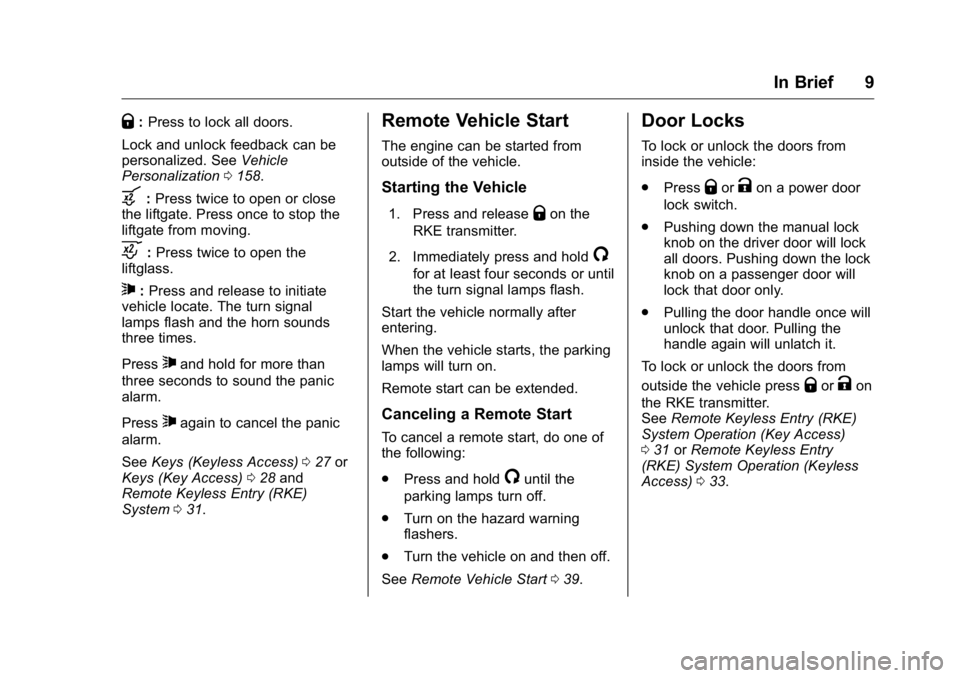
Q : Press to lock all doors.
Lock and unlock feedback can be
personalized. See Vehicle
Personalization 0 158 .
b : Press twice to open or close
the liftgate. Press once to stop the
liftgate from moving.
c : Press twice to open the
liftglass.
7 : Press and release to initiate
vehicle locate. The turn signal
lamps flash and the horn sounds
three times.
Press
7 and hold for more than
three seconds to sound the panic
alarm.
Press
7 again to cancel the panic
alarm.
See Keys (Keyless Access) 0 27 or
Keys (Key Access) 0 28 and
Remote Keyless Entry (RKE)
System 0 31 . Remote Vehicle Start The engine can be started from
outside of the vehicle.
Starting the Vehicle 1. Press and release
Q on the
RKE transmitter.
2. Immediately press and hold
/for at least four seconds or until
the turn signal lamps flash.
Start the vehicle normally after
entering.
When the vehicle starts, the parking
lamps will turn on.
Remote start can be extended.
Canceling a Remote Start To cancel a remote start, do one of
the following:
.
Press and hold
/ until the
parking lamps turn off.
.
Turn on the hazard warning
flashers.
.
Turn the vehicle on and then off.
See Remote Vehicle Start 0 39 .Door Locks To lock or unlock the doors from
inside the vehicle:
.
Press
Q or
K on a power door
lock switch.
.
Pushing down the manual lock
knob on the driver door will lock
all doors. Pushing down the lock
knob on a passenger door will
lock that door only.
.
Pulling the door handle once will
unlock that door. Pulling the
handle again will unlatch it.
To lock or unlock the doors from
outside the vehicle press
Q or
K on
the RKE transmitter.
See Remote Keyless Entry (RKE)
System Operation (Key Access)
0 31 or Remote Keyless Entry
(RKE) System Operation (Keyless
Access) 0 33 .
Page 18 of 425
GMC Yukon/Yukon XL/Denali Owner Manual (GMNA-Localizing-U.S./
Canada/Mexico-11349262) - 2018 - crc - 6/20/17
In Brief 17The exterior lamp control is on the
instrument panel to the left of the
steering wheel.
There are four positions.
O : Turns off the automatic
headlamps and Daytime Running
Lamps (DRL). Turn the headlamp
control to
O again to turn the
automatic headlamps or DRL
back on.
For vehicles first sold in Canada,
the off position will only work when
the vehicle is shifted into P (Park).
AUTO : Automatically turns on the
headlamps, parking lamps,
taillamps, instrument panel lights,
roof marker lamps (if equipped), and
license plate lamps.
; : Turns on the parking lamps
including all lamps, except the
headlamps.
5 : Turns on the headlamps with
the parking lamps and instrument
panel lights.
See:
.
Exterior Lamp Controls 0 170 .
Fog Lamps 0 175
Windshield Wiper/Washer
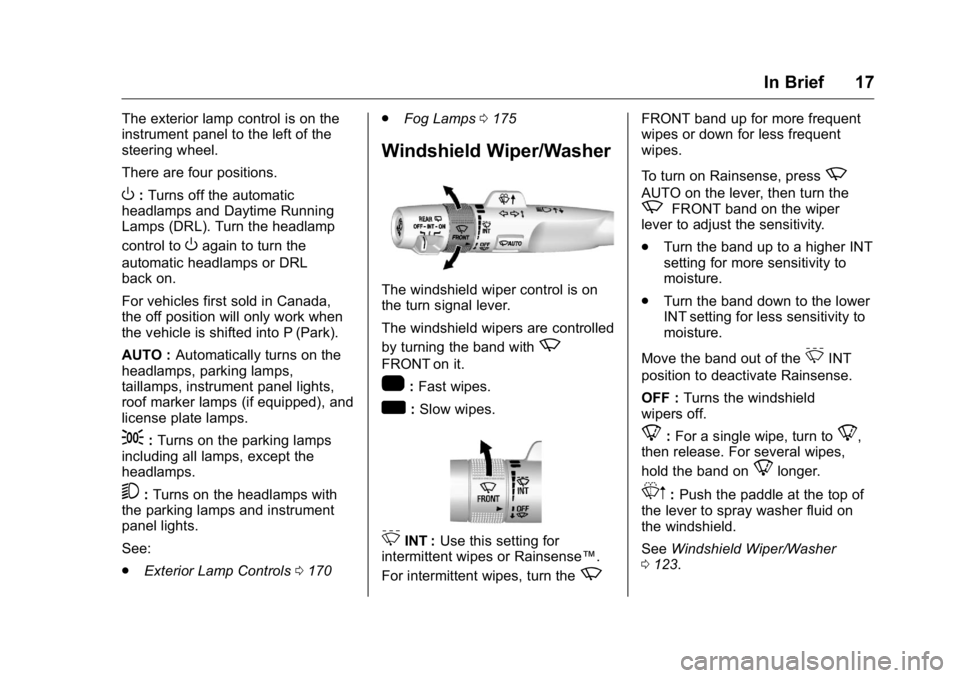
The windshield wiper control is on
the turn signal lever.
The windshield wipers are controlled
by turning the band with
zFRONT on it.
1 : Fast wipes.
w : Slow wipes.
3 INT : Use this setting for
intermittent wipes or Rainsense ™ .
For intermittent wipes, turn the
z FRONT band up for more frequent
wipes or down for less frequent
wipes.
To turn on Rainsense, press
z AUTO on the lever, then turn the
z FRONT band on the wiper
lever to adjust the sensitivity.
.
Turn the band up to a higher INT
setting for more sensitivity to
moisture.
.
Turn the band down to the lower
INT setting for less sensitivity to
moisture.
Move the band out of the
3 INT
position to deactivate Rainsense.
OFF : Turns the windshield
wipers off.
8 : For a single wipe, turn to
8 ,
then release. For several wipes,
hold the band on
8 longer.
L m : Push the paddle at the top of
the lever to spray washer fluid on
the windshield.
See Windshield Wiper/Washer
0 123 .
Page 22 of 425
GMC Yukon/Yukon XL/Denali Owner Manual (GMNA-Localizing-U.S./
Canada/Mexico-11349262) - 2018 - crc - 6/20/17
In Brief 21
o or
p : Press to move between
the interactive display zones in the
cluster.
V : Press to open a menu or select
a menu item. Press and hold to
reset values on certain screens.
See Driver Information Center (DIC)
0 151 .
Forward Collision Alert
(FCA) System If equipped, FCA may help avoid or
reduce the harm caused by
front-end crashes. FCA provides a
green indicator,
V , when a vehicle
is detected ahead. This indicator
displays amber if you follow a
vehicle too closely. When
approaching a vehicle ahead too
quickly, FCA provides a flashing red
alert on the windshield and rapidly
beeps or pulses the driver seat.
See Forward Collision Alert (FCA)
System 0 246 . Forward Automatic
Braking (FAB) If the vehicle has Forward Collision
Alert (FCA), it also has FAB, which
includes Intelligent Brake
Assist (IBA). When the system
detects a vehicle ahead in your path
that is traveling in the same
direction that you may be about to
crash into, it can provide a boost to
braking or automatically brake the
vehicle. This can help avoid or
lessen the severity of crashes when
driving in a forward gear.
See Forward Automatic Braking
(FAB) 0 248 .
Lane Keep Assist (LKA) If equipped, LKA may help avoid
crashes due to unintentional lane
departures. It may assist by gently
turning the steering wheel if the
vehicle approaches a detected lane
marking without using a turn signal
in that direction. It may also provide
a Lane Departure Warning (LDW)
alert as the lane marking is crossed.
The system will not assist or alert if it detects that you are actively
steering. Override LKA by turning
the steering wheel. LKA uses a
camera to detect lane markings
between 60 km/h (37 mph) and
180 km/h (112 mph).
See Lane Departure Warning (LDW)
0 252 and Lane Keep Assist (LKA)
0 252 .
Lane Change Alert (LCA) If equipped, the LCA system is a
lane-changing aid that assists
drivers with avoiding lane change
crashes that occur with moving
vehicles in the side blind zone (or
spot) areas or with vehicles rapidly
approaching these areas from
behind. The LCA warning display
will light up in the corresponding
outside mirror and will flash if the
turn signal is on. The Side Blind
Zone Alert (SBZA) system is
included as part of the LCA system.
See Side Blind Zone Alert (SBZA)
0 250 and Lane Change Alert (LCA)
0 250 .
Page 32 of 425
GMC Yukon/Yukon XL/Denali Owner Manual (GMNA-Localizing-U.S./
Canada/Mexico-11349262) - 2018 - crc - 6/20/17
Keys, Doors, and Windows 315. Repeat Steps 2 – 4 two more
times. After the third time, turn
the ignition on; the key is
learned and all previously
known keys will no longer work
with the vehicle.
6. To learn the second key, turn
the ignition off, insert the
second key to be learned, and
turn the ignition on without
starting the engine.
After the two keys are learned,
remaining keys can be learned by
following the procedure in
“ Programming with Two Recognized
Keys (Key Vehicles Only). ”
The key has a bar-coded key tag
that the dealer or qualified locksmith
can use to make new keys. Store
this information in a safe place, not
in the vehicle.
See your dealer if a replacement
key or additional key is needed.
If it becomes difficult to turn a key,
inspect the key blade for debris.
Periodically clean with a brush
or pick. If locked out of the vehicle, see
Roadside Assistance Program
0 390 .
With an active OnStar service plan,
an OnStar Advisor may remotely
unlock the vehicle. See OnStar
Overview 0 400 .
Remote Keyless Entry
(RKE) System See Radio Frequency Statement
0 396 .
If there is a decrease in the Remote
Keyless Entry (RKE) operating
range:
.
Check the distance. The
transmitter may be too far from
the vehicle.
.
Check the location. Other
vehicles or objects may be
blocking the signal.
.
Check the transmitter's battery.
See “ Battery Replacement ” later
in this section. .
If the transmitter is still not
working correctly, see your
dealer or a qualified technician
for service.
Remote Keyless Entry
(RKE) System Operation
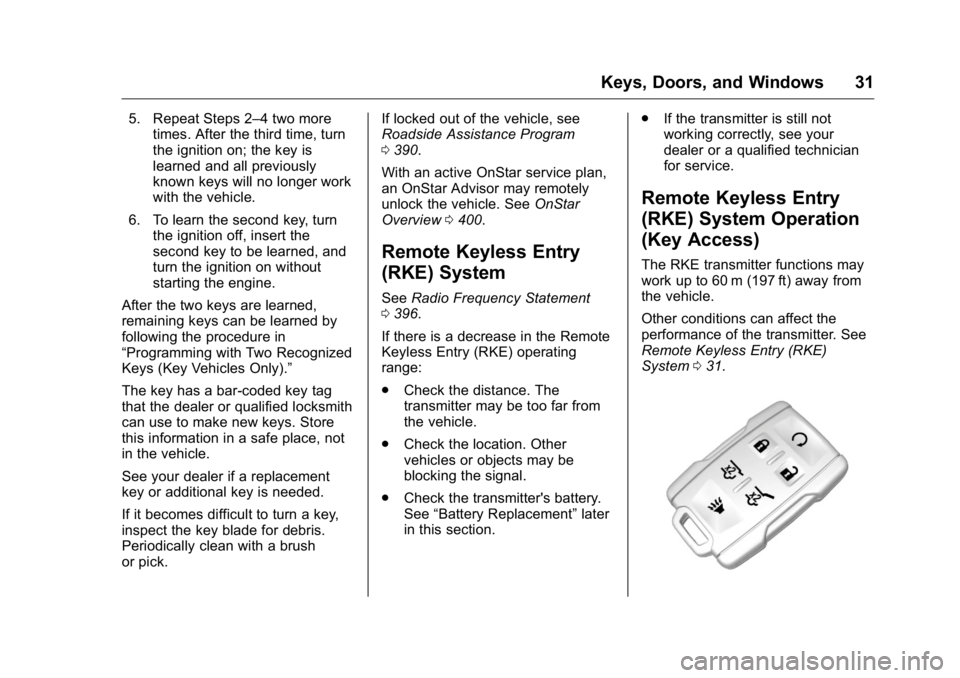
(Key Access) The RKE transmitter functions may
work up to 60 m (197 ft) away from
the vehicle.
Other conditions can affect the
performance of the transmitter. See
Remote Keyless Entry (RKE)
System 0 31 .
Page 33 of 425
GMC Yukon/Yukon XL/Denali Owner Manual (GMNA-Localizing-U.S./
Canada/Mexico-11349262) - 2018 - crc - 6/20/17
32 Keys, Doors, and Windows
/ : Press and release
Q , then
immediately press and hold
/ until
the turn signal lamps flash or for at
least four seconds. The engine may
be started from outside the vehicle
using the RKE transmitter. See
Remote Vehicle Start 0 39 .
Q : Press to lock all doors.
If enabled, the turn signal lamps
flash once to indicate locking has
occurred. If enabled, the horn chirps
when
Q is pressed again within
three seconds. See Vehicle
Personalization 0 158 .
Pressing
Q arms the alarm system.
See Vehicle Alarm System 0 49 .
If equipped with auto mirror folding,
pressing and holding
Q for
one second will fold the mirrors,
if enabled. See Vehicle
Personalization 0 158 .
K : Press once to unlock only the
driver door. If
K is pressed again
within three seconds, all remaining
doors unlock. The interior lamps may come on and stay on for
20 seconds or until the ignition is
turned on.
If enabled, the turn signal lamps
flash twice to indicate unlocking has
occurred. If enabled, the exterior
lamps may turn on. See Vehicle
Personalization 0 158 .
Pressing
K on the RKE transmitter
disarms the alarm system. See
Vehicle Alarm System 0 49 .
If equipped with auto mirror folding,
pressing and holding
K for
one second will unfold the mirrors,
if enabled. See Vehicle
Personalization 0 158 .
Press and hold
K until the windows
fully open, if enabled. See Vehicle
Personalization 0 158 .
b : Press twice to open or close
the liftgate. Press once to stop the
liftgate from moving.
c : Press twice to open the
liftglass. 7 : Press and release to initiate the
vehicle locator. The turn signal
lamps flash and the horn sounds
three times.
Press and hold
7 for more than
three seconds to activate the panic
alarm. The turn signal lamps flash
and the horn sounds repeatedly for
30 seconds. The alarm turns off
when the ignition is turned on or
7is pressed again. The ignition must
be off for the panic alarm to work.
Programming Transmitters to
the Vehicle Only RKE transmitters programmed
to this vehicle will work. If a
transmitter is lost or stolen, a
replacement can be purchased and
programmed through your dealer.
Each vehicle can have up to
eight transmitters programmed to it.
See your dealer for transmitter
programming.
Page 35 of 425
GMC Yukon/Yukon XL/Denali Owner Manual (GMNA-Localizing-U.S./
Canada/Mexico-11349262) - 2018 - crc - 6/20/17
34 Keys, Doors, and Windows
/ : Press and release
Q , then
immediately press and hold
/ until
the turn signal lamps flash or for at
least four seconds. The engine may
be started from outside the vehicle
using the RKE transmitter. See
Remote Vehicle Start 0 39 .
Q : Press to lock all doors.
If enabled, the turn signal lamps
flash once on the second press to
indicate locking has occurred.
If enabled, the horn chirps when
Qis pressed again within
three seconds. See Vehicle
Personalization 0 158 .
If the driver door is open when
Q is
pressed, all doors will lock and then
the driver door will immediately
unlock, if enabled. See Vehicle
Personalization 0 158 .
If the passenger door is open when
Q is pressed, all doors lock.
Pressing
Q arms the alarm system.
See Vehicle Alarm System 0 49 . If equipped with auto mirror folding,
pressing and holding
Q for
one second will fold the mirrors,
if enabled. See Vehicle
Personalization 0 158 .
K : Press once to unlock only the
driver door. If
K is pressed again
within three seconds, all remaining
doors unlock. The interior lamps
may come on and stay on for
20 seconds or until the ignition is
turned on.
If enabled, the turn signal lamps
flash twice to indicate unlocking has
occurred. If enabled, the exterior
lamps may turn on. See Vehicle
Personalization 0 158 .
Pressing
K on the RKE transmitter
disarms the alarm system. See
Vehicle Alarm System 0 49 .
If equipped with auto mirror folding,
pressing and holding
K for
one second will unfold the mirrors,
if enabled. See Vehicle
Personalization 0 158 . Press and hold
K until the windows
fully open, if remote window
operation is enabled. See Vehicle
Personalization 0 158 .
b : Press twice to open or close
the liftgate. Press once to stop the
liftgate from moving.
c : Press twice to open the
liftglass.
7 : Press and release to initiate
vehicle locate. The turn signal
lamps flash and the horn sounds
three times.
Press and hold
7 for more than
three seconds to activate the panic
alarm. The turn signal lamps flash
and the horn sounds repeatedly for
30 seconds. The alarm turns off
when the ignition is turned on or
7is pressed again. The ignition must
be off for the panic alarm to work.
Keyless Access Operation
The Keyless Access system allows
for doors and the liftgate to be
accessed without pressing the RKE
transmitter button. The RKE
transmitter must be within 1 m (3 ft)
Page 39 of 425
GMC Yukon/Yukon XL/Denali Owner Manual (GMNA-Localizing-U.S./
Canada/Mexico-11349262) - 2018 - crc - 6/20/17
38 Keys, Doors, and Windows 3. Wait for 10 minutes until the
DIC displays PRESS ENGINE
START BUTTON TO LEARN,
then press ENGINE
START/STOP.
The DIC will again display
REMOTE LEARN PENDING,
PLEASE WAIT.
4. Repeat Step 3 two additional
times. After the third time all
previously known transmitters
will no longer work with the
vehicle. Remaining transmitters
can be relearned during the
next steps.
The DIC display should now
show READY FOR REMOTE
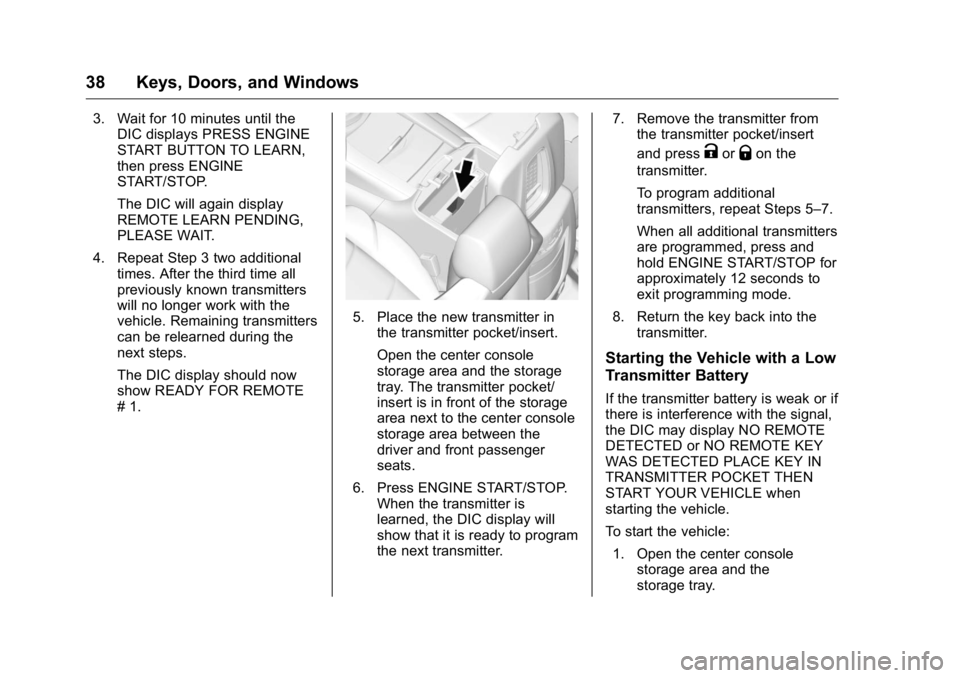
# 1. 5. Place the new transmitter in
the transmitter pocket/insert.
Open the center console
storage area and the storage
tray. The transmitter pocket/
insert is in front of the storage
area next to the center console
storage area between the
driver and front passenger
seats.
6. Press ENGINE START/STOP.
When the transmitter is
learned, the DIC display will
show that it is ready to program
the next transmitter. 7. Remove the transmitter from
the transmitter pocket/insert
and press
K or
Q on the
transmitter.
To program additional
transmitters, repeat Steps 5 – 7.
When all additional transmitters
are programmed, press and
hold ENGINE START/STOP for
approximately 12 seconds to
exit programming mode.
8. Return the key back into the
transmitter.
Starting the Vehicle with a Low
Transmitter Battery If the transmitter battery is weak or if
there is interference with the signal,
the DIC may display NO REMOTE
DETECTED or NO REMOTE KEY
WAS DETECTED PLACE KEY IN
TRANSMITTER POCKET THEN
START YOUR VEHICLE when
starting the vehicle.
To start the vehicle:
1. Open the center console
storage area and the
storage tray.
Page 41 of 425
GMC Yukon/Yukon XL/Denali Owner Manual (GMNA-Localizing-U.S./
Canada/Mexico-11349262) - 2018 - crc - 6/20/17
40 Keys, Doors, and Windows The rear defog and heated and
ventilated seats may also come on.
See Heated and Ventilated Front
Seats 0 67 and Vehicle
Personalization 0 158 .
Laws in some communities may
restrict the use of remote starters.
Check local regulations for any
requirements on remote starting of
vehicles.
Do not use remote start if the
vehicle is low on fuel.
The vehicle cannot be remote
started if:
.
The key is in the ignition (Key
Access) or the RKE transmitter
is in the vehicle (Keyless
Access).
.
The hood is not closed.
.
There is an emission control
system malfunction and the
malfunction indicator lamp is on.
The engine will turn off during a
remote vehicle start if:
.
The coolant temperature gets
too high.
.
The oil pressure gets low. The RKE transmitter range may be
reduced while the vehicle is running.
Other conditions can affect the
performance of the transmitter.
See Remote Keyless Entry (RKE)
System 0 31 or Vehicle
Personalization 0 158 .
Starting the Engine Using Remote
Start
1. Press and release
Q .
2. Immediately press and hold
/until the turn signal lamps flash
or for at least four seconds.
When the vehicle starts, the
parking lamps will turn on. The
doors will be locked and the
climate control system may
come on.
The engine will continue to run
for 10 minutes. Repeat
Steps 1 and 2 for a 10-minute
time extension.
Turn the ignition on to operate the
vehicle. Extending Engine Run Time
The engine run time can be
extended by 10 minutes, for a total
of 20 minutes, if during the first
10 minutes Steps 1 and 2 are
repeated while the engine is still
running. An extension can be
requested, 30 seconds after
starting.
A maximum of two remote starts,
or a single start with an extension,
is allowed between ignition cycles.
The vehicle's ignition must be
turned on and then back off to use
remote start again.
Canceling a Remote Start
To cancel a remote start, do one of
the following:
.
Press and hold
/ until the
parking lamps turn off.
.
Turn on the hazard warning
flashers.
.
Turn the ignition on and then off.
Page 48 of 425
GMC Yukon/Yukon XL/Denali Owner Manual (GMNA-Localizing-U.S./
Canada/Mexico-11349262) - 2018 - crc - 6/20/17
Keys, Doors, and Windows 47sensor, the liftgate will reverse
direction and stop at a partially open
position. The liftgate will remain
open until it is activated again or
closed manually.
Setting the 3/4 Mode To change the position the liftgate
stops at when opening:
1. Select MAX or 3/4 mode and
open the liftgate.
2. Stop the liftgate movement at
the desired height by pressing
any liftgate button. Manually
adjust the liftgate position if
needed.
3. Press and hold
l on the
bottom edge of the liftgate next
to the latch on the outside of
the liftgate until the turn signals
flash and a beep sounds. This
indicates the setting has been
recorded.
The liftgate cannot be set below a
minimum programmable height.
If there is no light flash or sound,
then the height adjustment may be
too low. Manual Operation Select OFF to manually operate the
liftgate. See “ Manual Liftgate ” at the
beginning of this section.
CautionAttempting to move the liftgate
too quickly and with excessive
force may result in damage to the
vehicle.
Operate the liftgate manually with a
smooth motion and moderate
speed. The system includes a
feature which limits the manual
closing speed to protect the
components.
Hands-Free Operation If equipped with Hands-Free Vehicle
Access, the liftgate may be
operated with a kicking motion
under the rear bumper.
The liftgate will not operate if the
RKE transmitter is not within
1 m (3 ft). The hands-free feature will not work
while the liftgate is moving. To stop
the liftgate while in motion use one
of the liftgate switches.