light HONDA ACCORD 2015 9.G User Guide
[x] Cancel search | Manufacturer: HONDA, Model Year: 2015, Model line: ACCORD, Model: HONDA ACCORD 2015 9.GPages: 593
Page 50 of 593
Continued
49
uuAirbags uAirbag System Indicators
Safe Driving
■When side curtain airbags de ploy in a frontal collision
One or both side curtain airbags may inflate in a moderate-to-severe angled frontal collision.
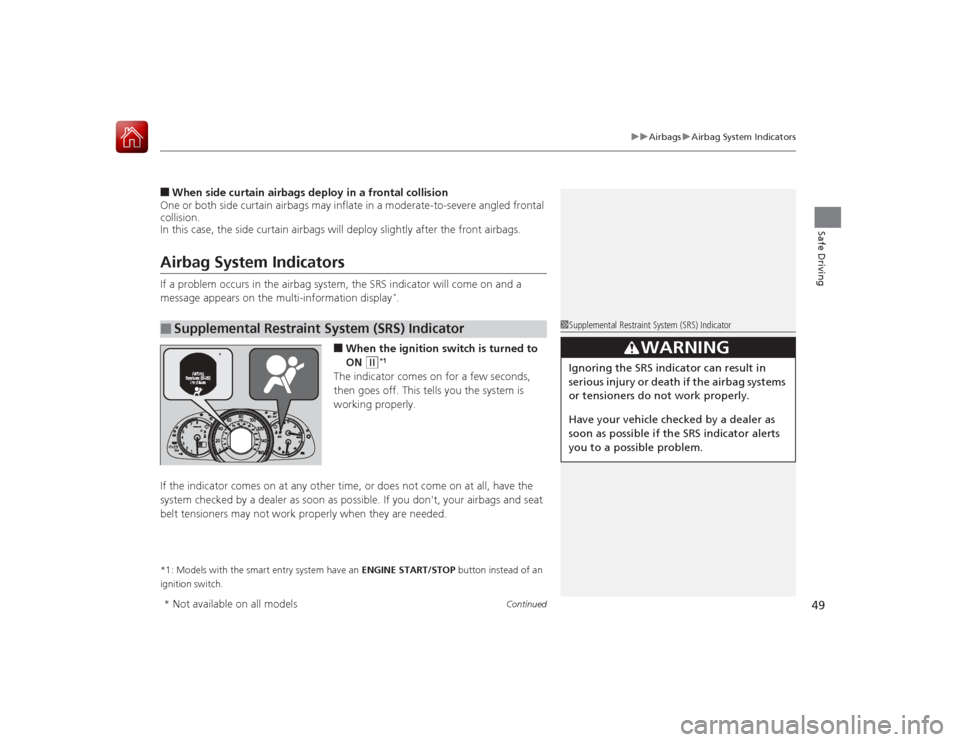
In this case, the side curtain airbags will deploy slightly after the front airbags.Airbag System IndicatorsIf a problem occurs in the airbag system, the SRS indicator will come on and a
message appears on the multi-information display
*.
■When the ignition switch is turned to
ON
(w
*1
The indicator comes on for a few seconds,
then goes off. This tells you the system is
working properly.
If the indicator comes on at any other time, or does not come on at all, have the
system checked by a dealer as soon as possible. If you don't, your airbags and seat
belt tensioners may not work properly when they are needed.
*1: Models with the smart entry system have an ENGINE START/STOP button instead of an
ignition switch.■
Supplemental Restraint System (SRS) Indicator
1Supplemental Restraint System (SRS) Indicator
3
WARNING
Ignoring the SRS indicator can result in
serious injury or death if the airbag systems
or tensioners do not work properly.
Have your vehicle checked by a dealer as
soon as possible if the SRS indicator alerts
you to a possible problem.
*
* Not available on all models
Page 77 of 593
76
uuIndicators u
Instrument Panel
*1:Models with the smart entry system have an ENGINE START/STOP button instead of an ignition switch.Indicator
Name
On/Blinking
Explanation
Message
*
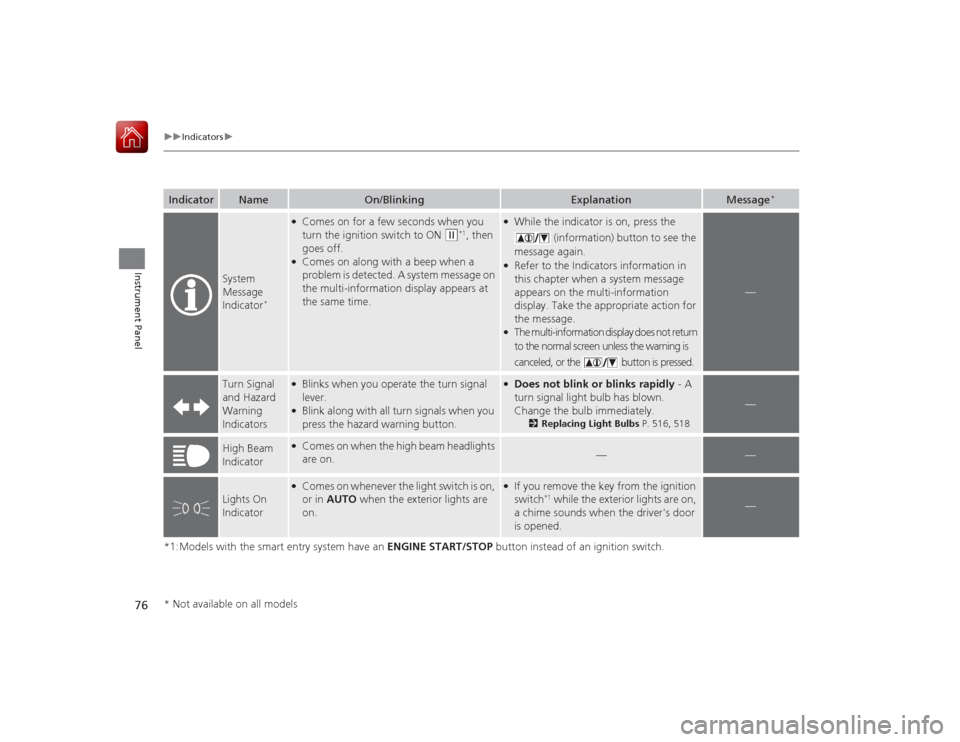
System
Message
Indicator
*
●Comes on for a few seconds when you
turn the ignition switch to ON
(w
*1, then
goes off.
●Comes on along with a beep when a
problem is detected. A system message on
the multi-information display appears at
the same time.
●While the indicator is on, press the
(information) button to see the
message again.●Refer to the Indicators information in
this chapter when a system message
appears on the multi-information
display. Take the appropriate action for
the message.●The multi-information display does not return
to the normal screen unless the warning is
canceled, or the button is pressed.
—
Turn Signal
and Hazard
Warning
Indicators
●Blinks when you operate the turn signal
lever.●Blink along with all turn signals when you
press the hazard warning button.
●Does not blink or blinks rapidly - A
turn signal light bulb has blown.
Change the bulb immediately.
2 Replacing Light Bulbs P. 516, 518
—
High Beam
Indicator
●Comes on when the high beam headlights
are on.
—
—
Lights On
Indicator
●Comes on whenever the light switch is on,
or in AUTO when the exterior lights are
on.
●If you remove the key from the ignition
switch
*1 while the exterior lights are on,
a chime sounds when the driver's door
is opened.
—
* Not available on all models
Page 78 of 593
77
uuIndicators u
Continued
Instrument Panel
*1:Models with the smart entry system have an ENGINE START/STOP button instead of an ignition switch.Indicator
Name
On/Blinking
Explanation
Message
*
Fog Light
Indicator
*
●Comes on when the fog lights are
on.
—
—
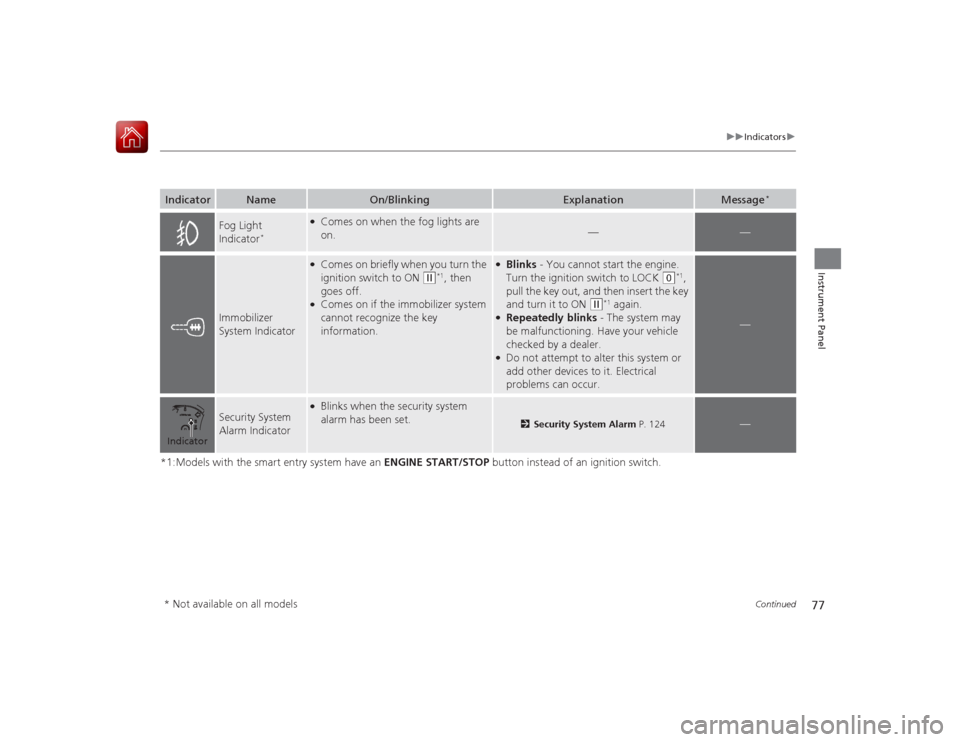
Immobilizer
System Indicator
●Comes on briefly when you turn the
ignition switch to ON
(w
*1, then
goes off.
●Comes on if the immobilizer system
cannot recognize the key
information.
●Blinks - You cannot start the engine.
Turn the ignition switch to LOCK
(0
*1,
pull the key out, and then insert the key
and turn it to ON
(w
*1 again.
●Repeatedly blinks - The system may
be malfunctioning. Have your vehicle
checked by a dealer.●Do not attempt to alter this system or
add other devices to it. Electrical
problems can occur.
—
Security System
Alarm Indicator
●Blinks when the security system
alarm has been set.
2 Security System Alarm P. 124
—
Indicator* Not available on all models
Page 82 of 593
81
uuIndicators u
Instrument Panel
*1:Models with the smart entry system have an ENGINE START/STOP button instead of an ignition switch.Indicator
Name
On/Blinking
Explanation
Message
*
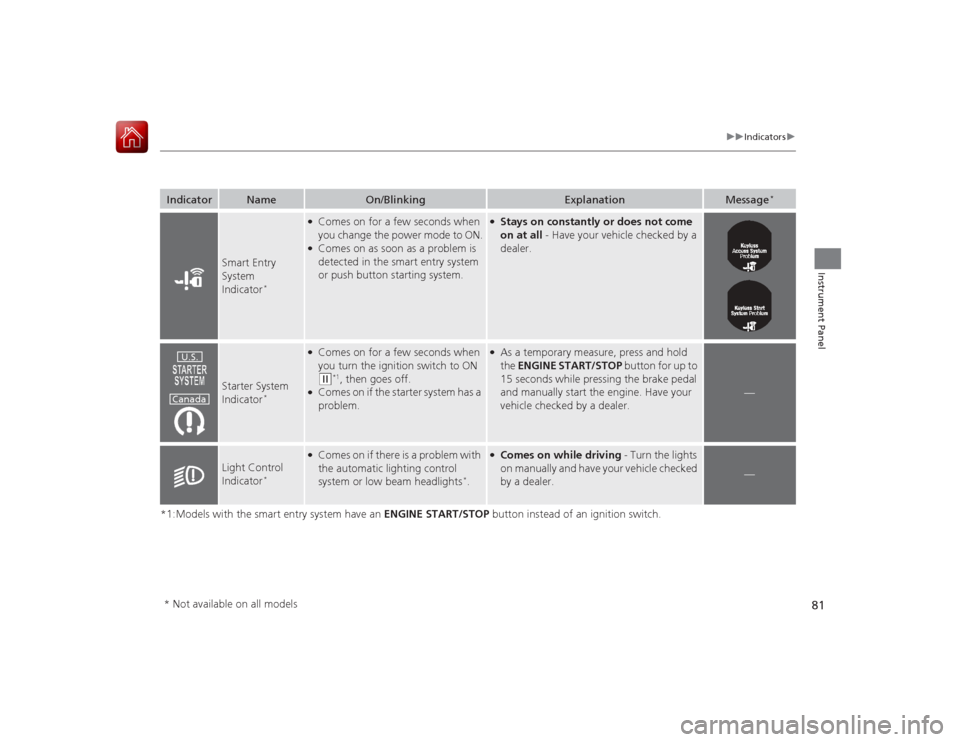
Smart Entry
System
Indicator
*
●Comes on for a few seconds when
you change the power mode to ON.●Comes on as soon as a problem is
detected in the smart entry system
or push button starting system.
●Stays on constantly or does not come
on at all - Have your vehicle checked by a
dealer.
Starter System
Indicator
*
●Comes on for a few seconds when
you turn the ignition switch to ON (w
*1, then goes off.
●Comes on if the starter system has a
problem.
●As a temporary measure, press and hold
the ENGINE START/STOP button for up to
15 seconds while pressing the brake pedal
and manually start the engine. Have your
vehicle checked by a dealer.
—
Light Control
Indicator
*
●Comes on if there is a problem with
the automatic lighting control
system or low beam headlights
*.
●Comes on while driving - Turn the lights
on manually and have your vehicle checked
by a dealer.
—
U.S.
Canada
* Not available on all models
Page 85 of 593
84
uuIndicators uMulti-Information Display Warn ing and Information Messages
*
Instrument Panel
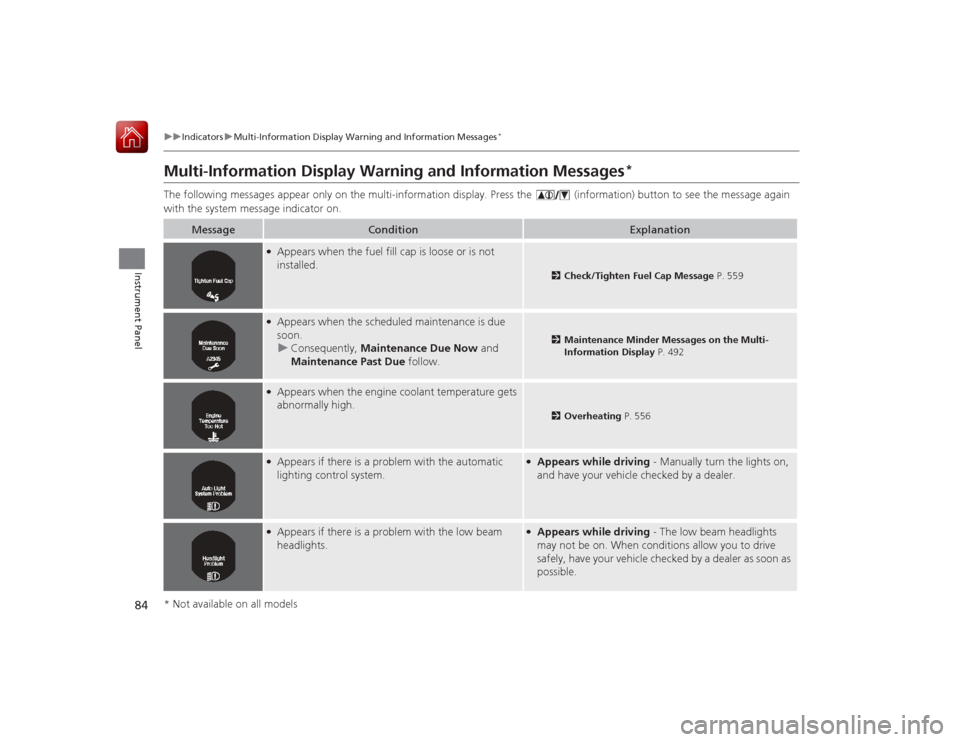
Multi-Information Display Warning and Information Messages
*
The following messages appear only on the multi-information display. Pres s the (information) button to see the message again
with the system message indicator on.
Message
Condition
Explanation
●Appears when the fuel fill cap is loose or is not
installed.
2 Check/Tighten Fuel Cap Message P. 559
●Appears when the scheduled maintenance is due
soon.
u Consequently, Maintenance Due Now and
Maintenance Past Due follow.
2Maintenance Minder Messages on the Multi-
Information Display P. 492
●Appears when the engine coolant temperature gets
abnormally high.
2Overheating P. 556
●Appears if there is a problem with the automatic
lighting control system.
●Appears while driving - Manually turn the lights on,
and have your vehicle checked by a dealer.
●Appears if there is a problem with the low beam
headlights.
●Appears while driving - The low beam headlights
may not be on. When conditions allow you to drive
safely, have your vehicle checked by a dealer as soon as
possible.
* Not available on all models
Page 99 of 593
98
uuGauges and Displays uMulti-Information Display
*
Instrument Panel
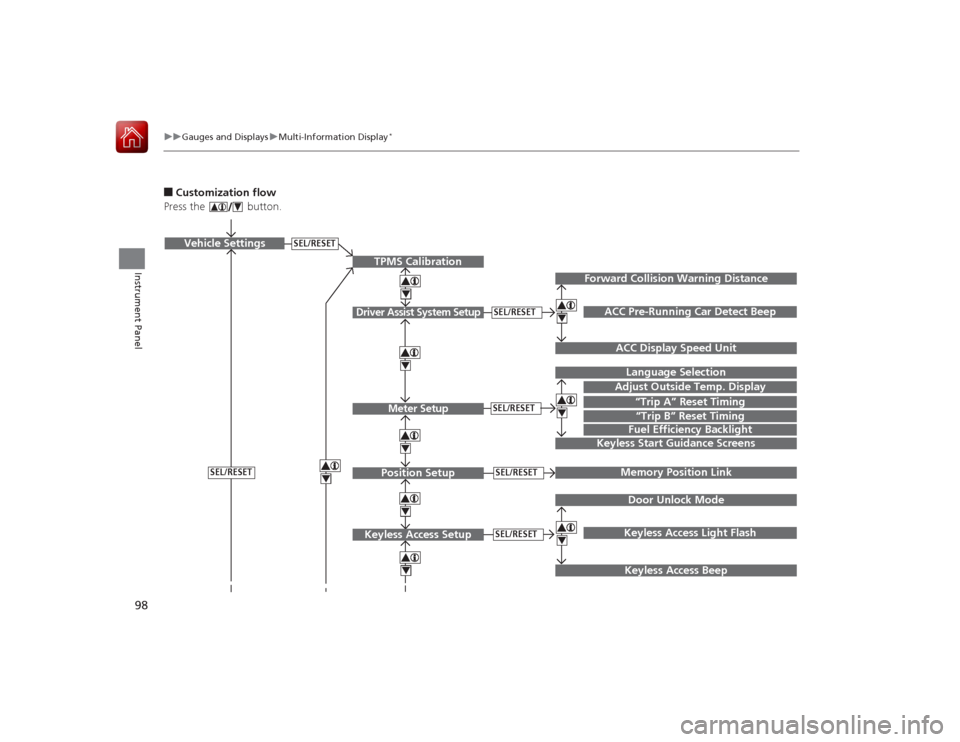
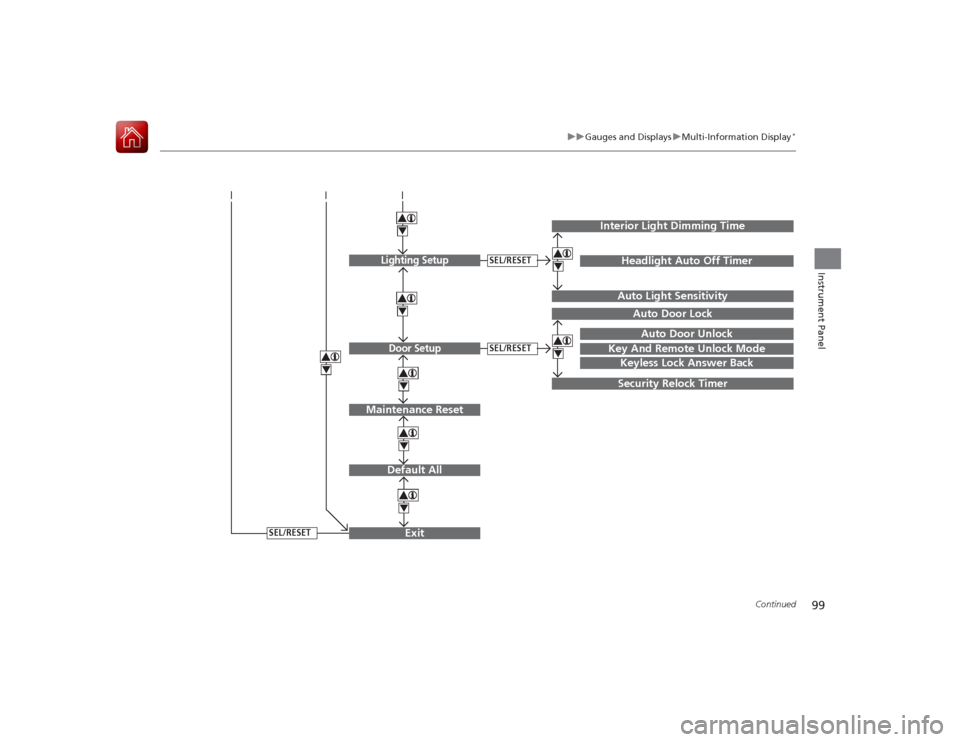
■Customization flow
Press the button.
SEL/RESET
Vehicle Settings
“Trip A” Reset TimingLanguage SelectionAdjust Outside Temp. DisplayMemory Position LinkDoor Unlock ModeKeyless Access Light Flash
4444
TPMS Calibration
Driver Assist System Setup
Meter SetupPosition Setup
Keyless Access Setup
SEL/RESETSEL/RESETSEL/RESETSEL/RESET
Page 100 of 593
99
uuGauges and Displays uMulti-Information Display
*
Continued
Instrument Panel
Exit444Door Setup
Maintenance Reset
Default All
SEL/RESET
4
SEL/RESET
4
Lighting Setup
SEL/RESET
4
Key And Remote Unlock Mode
Auto Door LockAuto Door Unlock
Keyless Lock Answer BackSecurity Relock Timer
Interior Light Dimming Time
Headlight Auto Off TimerAuto Light Sensitivity
44
Page 101 of 593
100
uuGauges and Displays uMulti-Information Display
*
Instrument Panel
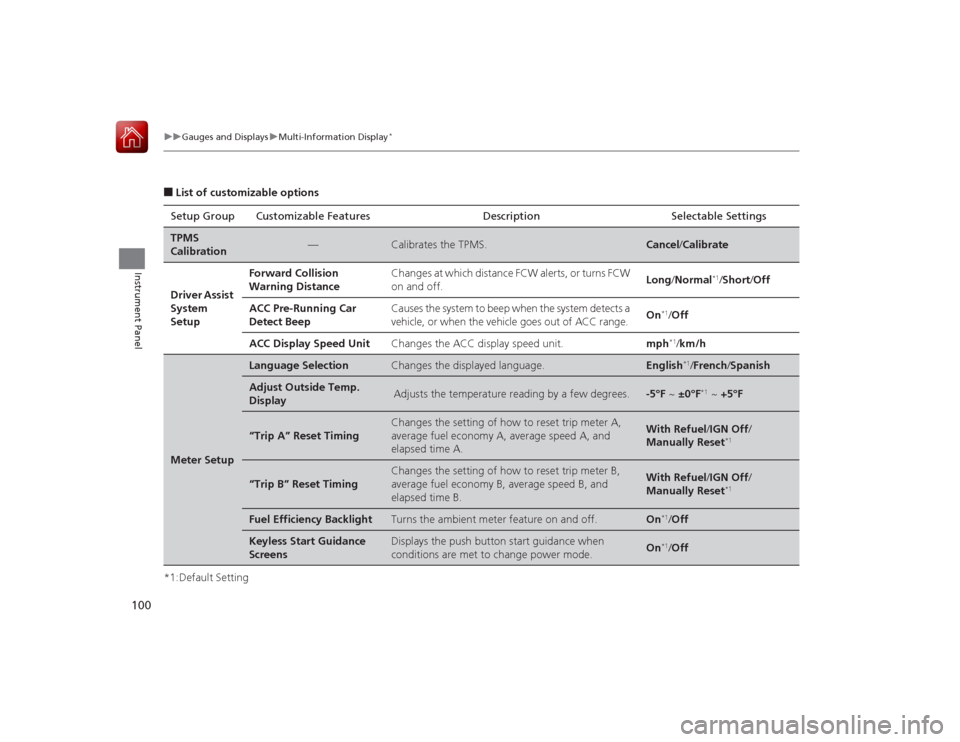
■List of customizable options
*1:Default Setting Setup Group Customizable Features Description Selectable SettingsTPMS
Calibration
—
Calibrates the TPMS.
Cancel
/Calibrate
Driver Assist
System
Setup
Forward Collision
Warning Distance
Changes at which distance FCW alerts, or turns FCW
on and off.
Long /Normal
*1/Short /Off
ACC Pre-Running Car
Detect Beep
Causes the system to beep when the system detects a
vehicle, or when the vehicle goes out of ACC range.
On
*1/Off
ACC Display Speed Unit
Changes the ACC display speed unit.
mph
*1/km/h
Meter Setup
Language Selection
Changes the displayed language.
English
*1/French /Spanish
Adjust Outside Temp.
Display
Adjusts the temperature reading by a few degrees.
-5°F ~ ±0°F
*1 ~ +5°F
“Trip A” Reset Timing
Changes the setting of how to reset trip meter A,
average fuel economy A, average speed A, and
elapsed time A.
With Refuel /IGN Off /
Manually Reset
*1
“Trip B” Reset Timing
Changes the setting of how to reset trip meter B,
average fuel economy B, average speed B, and
elapsed time B.
With Refuel /IGN Off /
Manually Reset
*1
Fuel Efficiency Backlight
Turns the ambient meter feature on and off.
On
*1/ Off
Keyless Start Guidance
Screens
Displays the push button start guidance when
conditions are met to change power mode.
On
*1/ Off
Page 102 of 593
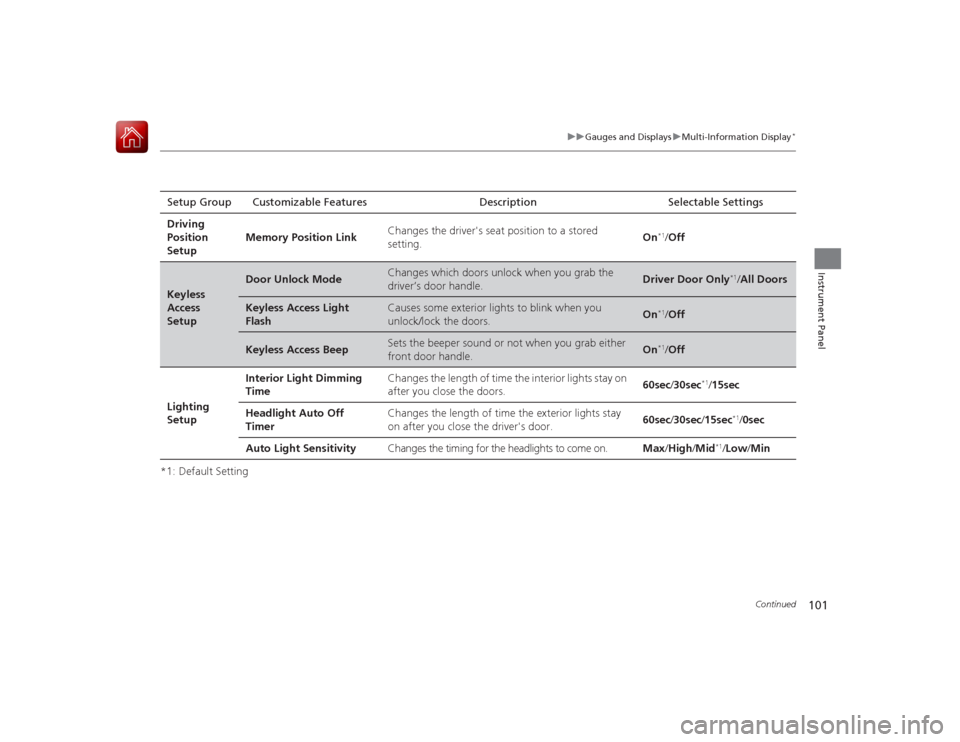
101
uuGauges and Displays uMulti-Information Display
*
Continued
Instrument Panel
*1: Default SettingSetup Group Customizable Features Description Selectable Settings
Driving
Position
Setup Memory Position Link
Changes the driver's seat position to a stored
setting.
On
*1/
Off
Keyless
Access
Setup
Door Unlock Mode
Changes which doors unlock when you grab the
driver’s door handle.
Driver Door Only
*1/All Doors
Keyless Access Light
Flash
Causes some exterior lights to blink when you
unlock/lock the doors.
On
*1/ Off
Keyless Access Beep
Sets the beeper sound or not when you grab either
front door handle.
On
*1/Off
Lighting
Setup Interior Light Dimming
Time
Changes the length of time the interior lights stay on
after you close the doors.
60sec
/30sec
*1/15sec
Headlight Auto Off
Timer Changes the length of time the exterior lights stay
on after you close the driver's door.
60sec
/30sec /15sec
*1/ 0sec
Auto Light Sensitivity Changes the timing for the headlights to come on. Max/High /Mid
*1/Low /Min
Page 103 of 593
102
uuGauges and Displays uMulti-Information Display
*
Instrument Panel
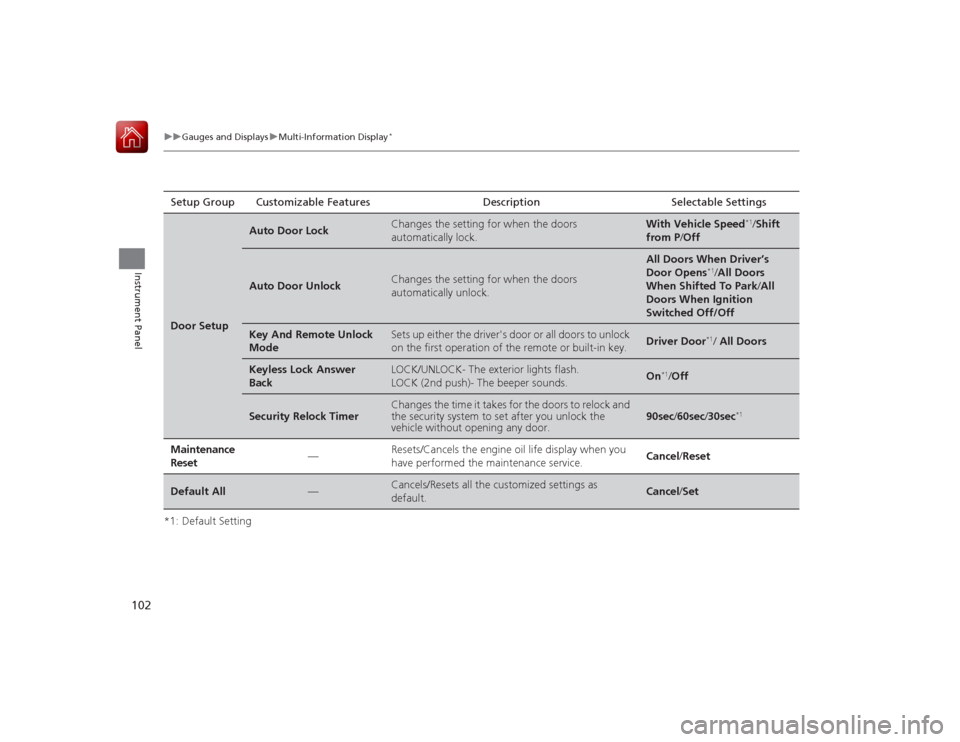
*1: Default SettingSetup Group Customizable Features Description Selectable SettingsDoor Setup
Auto Door Lock
Changes the setting for when the doors
automatically lock.
With Vehicle Speed
*1/
Shift
from P /Off
Auto Door Unlock
Changes the setting for when the doors
automatically unlock.
All Doors When Driver’s
Door Opens
*1/All Doors
When Shifted To Park /All
Doors When Ignition
Switched Off/Off
Key And Remote Unlock
Mode
Sets up either the driver's door or all doors to unlock
on the first operation of the remote or built-in key.
Driver Door
*1/ All Doors
Keyless Lock Answer
Back
LOCK/UNLOCK- The exterior lights flash.
LOCK (2nd push)- The beeper sounds.
On
*1/ Off
Security Relock Timer
Changes the time it takes for the doors to relock and
the security system to set after you unlock the
vehicle without opening any door.
90sec /60sec /30sec
*1
Maintenance
Reset
—
Resets/Cancels the engine oil life display when you
have performed the maintenance service.
Cancel /Reset
Default All
—
Cancels/Resets all the customized settings as
default.
Cancel /Set