service HONDA ACCORD 2015 9.G User Guide
[x] Cancel search | Manufacturer: HONDA, Model Year: 2015, Model line: ACCORD, Model: HONDA ACCORD 2015 9.GPages: 593
Page 229 of 593
uuAudio System Basic Operation uPlaying Internet Radio
228Features
You can operate some of the Pandora® menu items from your vehicle’s audio
system. The available items are:
• Like (Thumbs-up)
• Dislike (Thumbs-down)
• Station List
• Change Source
• Bookmark Track
• Bookmark Artist
• Play/Pause
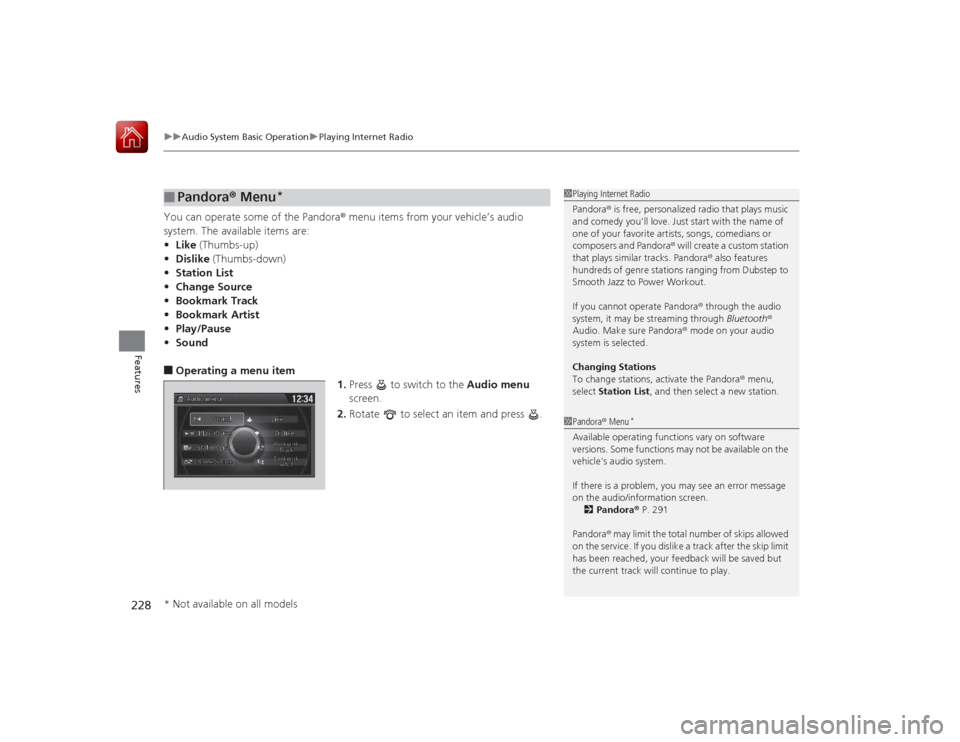
• Sound■Operating a menu item
1.Press to switch to the Audio menu
screen.
2. Rotate to select an item and press .■
Pandora® Menu
*
1Playing Internet Radio
Pandora ® is free, personalized radio that plays music
and comedy you'll love. Just start with the name of
one of your favorite artists, songs, comedians or
composers and Pandora ® will create a custom station
that plays similar tracks. Pandora ® also features
hundreds of genre stations ranging from Dubstep to
Smooth Jazz to Power Workout.
If you cannot operate Pandora ® through the audio
system, it may be streaming through Bluetooth®
Audio. Make sure Pandora ® mode on your audio
system is selected.
Changing Stations
To change stations, activate the Pandora ® menu,
select Station List , and then select a new station.1Pandora ® Menu
*
Available operating functions vary on software
versions. Some functions may not be available on the
vehicle's audio system.
If there is a problem, you may see an error message
on the audio/information screen.
2 Pandora ® P. 291
Pandora ® may limit the total number of skips allowed
on the service. If you dislike a track after the skip limit
has been reached, your feedback will be saved but
the current track will continue to play.
* Not available on all models
Page 230 of 593
229
uuAudio System Basic Operation uPlaying Internet Radio
Features
You can operate some of the Aha
TM menu items from your vehicle’s audio system.
The available items are:
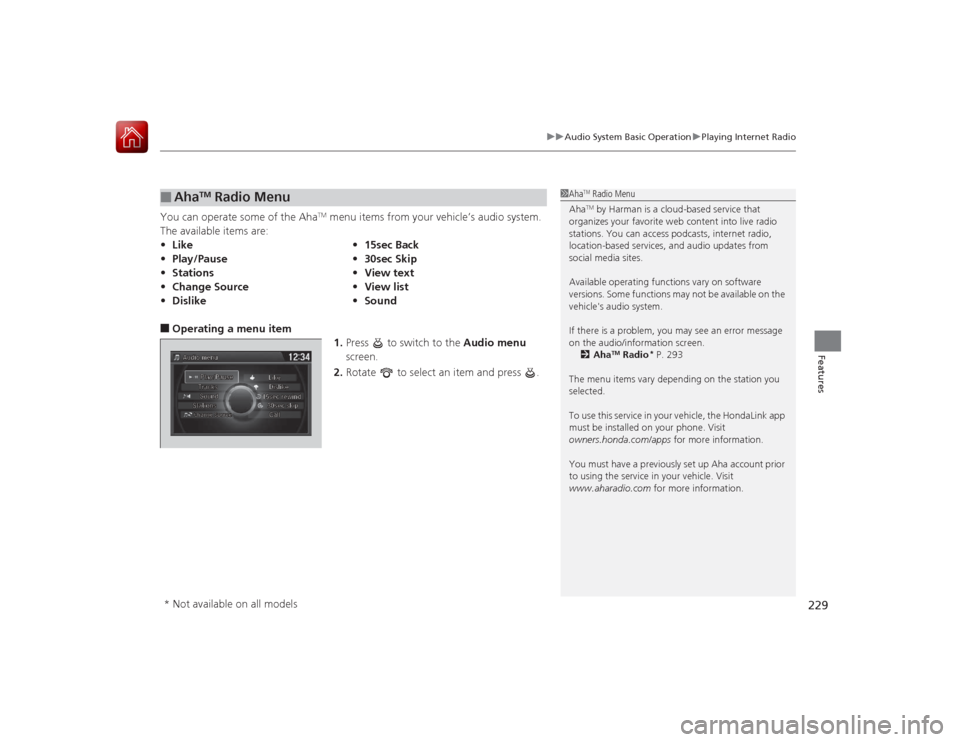
■Operating a menu item 1.Press to switch to the Audio menu
screen.
2. Rotate to select an item and press .■
Aha
TM Radio Menu
•Like •15sec Back
• Play/Pause •30sec Skip
• Stations •View text
• Change Source •View list
• Dislike •Sound
1Aha
TM Radio Menu
AhaTM by Harman is a cloud-based service that
organizes your favorite web content into live radio
stations. You can access podcasts, internet radio,
location-based services, and audio updates from
social media sites.
Available operating functions vary on software
versions. Some functions may not be available on the
vehicle's audio system.
If there is a problem, you may see an error message
on the audio/information screen.
2 Aha
TM Radio
* P. 293
The menu items vary depending on the station you
selected.
To use this service in your vehicle, the HondaLink app
must be installed on your phone. Visit
owners.honda.com/apps for more information.
You must have a previously set up Aha account prior
to using the service in your vehicle. Visit
www.aharadio.com for more information.
* Not available on all models
Page 250 of 593
249
uuAudio System Basic Operation uVoice Control Operation
Continued
Features
■Pandora ® commands
*
The system accepts these commands while
the Pandora® is playing.
• Pandora play
• Pandora skip forward
• Pandora station up
• Pandora station down
• Pandora pause
• Pandora resume
• Pandora thumbs up
• Pandora thumbs down
■Aha
TM Radio commands
The system accepts these commands while
the AhaTM is playing.
• Aha radio play
• Aha radio skip forward
• Aha radio skip back
• Aha radio station up
• Aha radio station down
• Aha radio resume
• Aha radio pause
• Aha radio like
• Aha radio dislike
■Internet service commands
• Internet service play
• Internet service skip forward
*1
•Internet service skip back
*1
•Internet service station up
*1
•Internet service station down
*1
•Internet service resume
*1
•Internet service pause
*1
•Internet service like
*1
•Internet service dislike
*1
*1: The system accepts these commands
while the Internet service is playing.
* Not available on all models
Page 281 of 593
280
uuAudio System Basic Operation uPlaying Internet Radio
Features
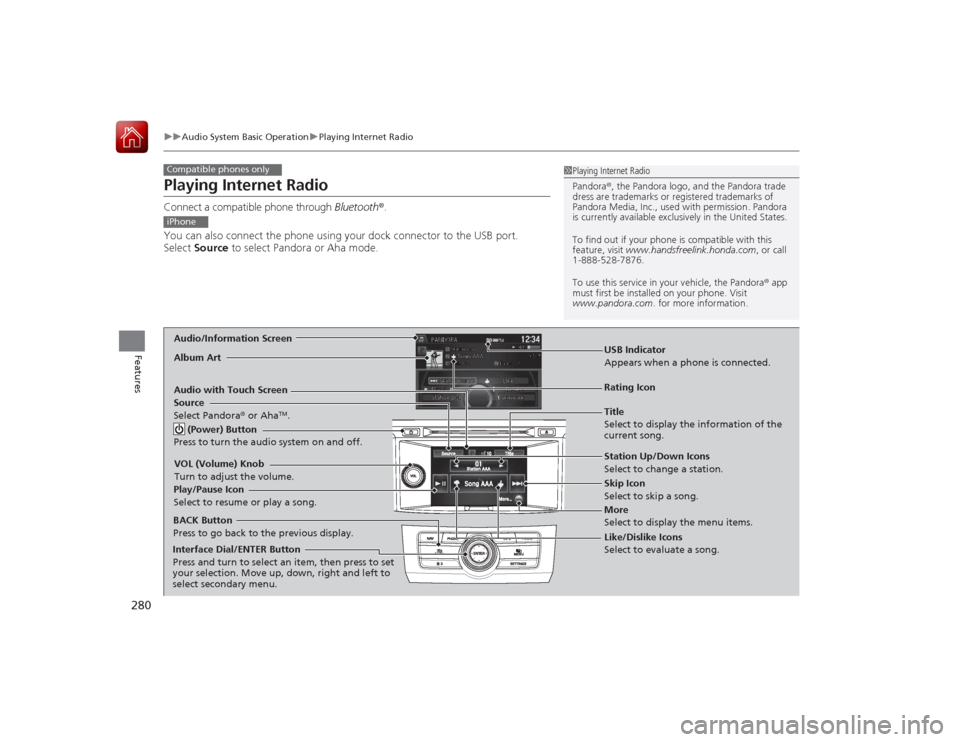
Playing Internet RadioConnect a compatible phone through Bluetooth®.
You can also connect the phone using your dock connector to the USB port.
Select Source to select Pandora or Aha mode.Compatible phones only
1Playing Internet Radio
Pandora ®, the Pandora logo, and the Pandora trade
dress are trademarks or regi stered trademarks of
Pandora Media, Inc., used with permission. Pandora
is currently available exclusively in the United States.
To find out if your phone is compatible with this
feature, visit www.handsfreelink.honda.com , or call
1-888-528-7876.
To use this service in your vehicle, the Pandora ® app
must first be installed on your phone. Visit
www.pandora.com . for more information.
iPhoneAudio/Information ScreenAlbum Art
USB Indicator
Appears when a phone is connected.Rating Icon
Audio with Touch Screen
BACK Button
Press to go back to the previous display.
Skip Icon
Select to skip a song.
More
Select to display the menu items. Station Up/Down Icons
Select to change a station.
Source
Select Pandora
® or Aha
TM.
Play/Pause Icon
Select to resume or play a song.
Like/Dislike Icons
Select to evaluate a song.
(Power) Button
Press to turn the audio system on and off.
VOL (Volume) Knob
Turn to adjust the volume.Interface Dial/ENTER Button
Press and turn to select an item, then press to set
your selection. Move up, down, right and left to
select secondary menu.
Title
Select to display the information of the
current song.
Page 282 of 593
Continued
281
uuAudio System Basic Operation uPlaying Internet Radio
Features
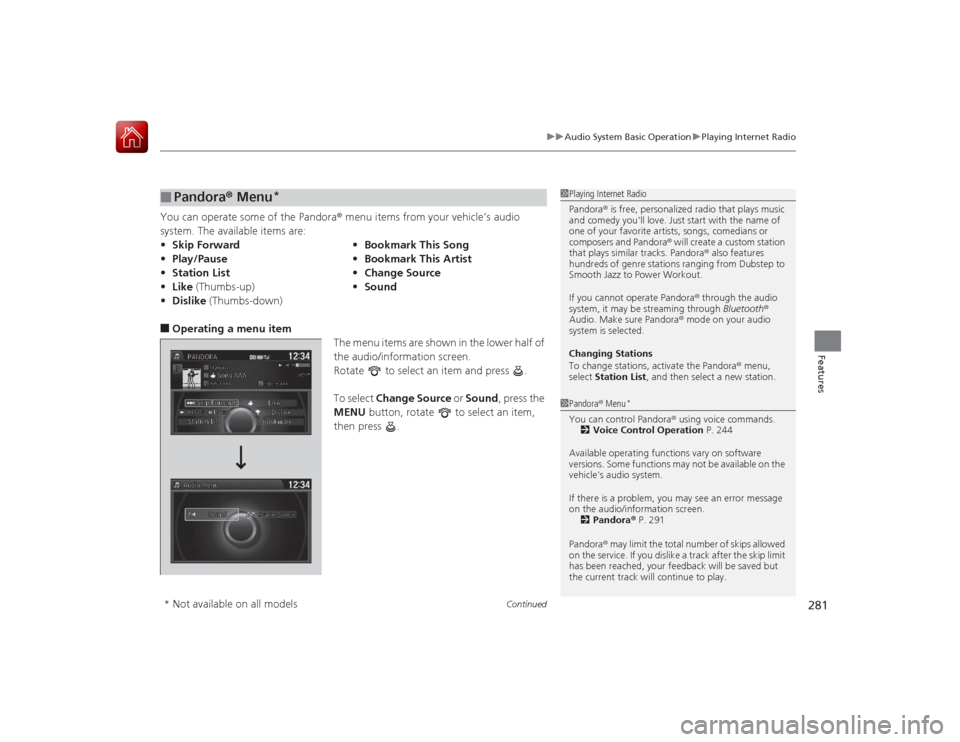
You can operate some of the Pandora ® menu items from your vehicle’s audio
system. The available items are:■Operating a menu item The menu items are shown in the lower half of
the audio/information screen.
Rotate to select an item and press .
To select Change Source or Sound , press the
MENU button, rotate to select an item,
then press .■
Pandora ® Menu
*
• Skip Forward •Bookmark This Song
• Play/Pause •Bookmark This Artist
• Station List •Change Source
• Like (Thumbs-up) •Sound
• Dislike (Thumbs-down)
1Playing Internet Radio
Pandora ® is free, personalized radio that plays music
and comedy you'll love. Just start with the name of
one of your favorite artists, songs, comedians or
composers and Pandora ® will create a custom station
that plays similar tracks. Pandora ® also features
hundreds of genre stations ranging from Dubstep to
Smooth Jazz to Power Workout.
If you cannot operate Pandora ® through the audio
system, it may be streaming through Bluetooth®
Audio. Make sure Pandora ® mode on your audio
system is selected.
Changing Stations
To change stations, activate the Pandora ® menu,
select Station List , and then select a new station.1Pandora ® Menu
*
You can control Pandora ® using voice commands.
2 Voice Control Operation P. 244
Available operating functions vary on software
versions. Some functions may not be available on the
vehicle's audio system.
If there is a problem, you may see an error message
on the audio/information screen. 2 Pandora ® P. 291
Pandora ® may limit the total number of skips allowed
on the service. If you dislike a track after the skip limit
has been reached, your feedback will be saved but
the current track will continue to play.
* Not available on all models
Page 283 of 593
uuAudio System Basic Operation uPlaying Internet Radio
282Features
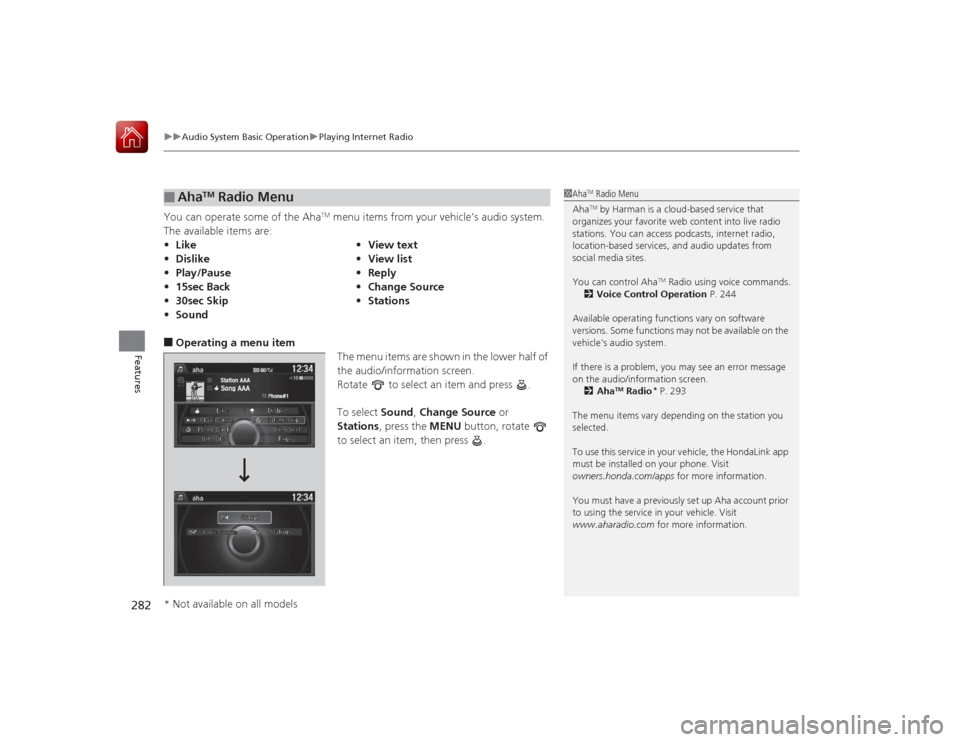
You can operate some of the Aha
TM menu items from your vehicle’s audio system.
The available items are:
■Operating a menu item The menu items are shown in the lower half of
the audio/information screen.
Rotate to select an item and press .
To select Sound, Change Source or
Stations , press the MENU button, rotate
to select an item, then press .■
Aha
TM Radio Menu
• Like •View text
• Dislike •View list
• Play/Pause •Reply
• 15sec Back •Change Source
• 30sec Skip •Stations
• Sound
1Aha
TM Radio Menu
AhaTM by Harman is a cloud-based service that
organizes your favorite web content into live radio
stations. You can access podcasts, internet radio,
location-based services, and audio updates from
social media sites.
You can control Aha
TM Radio using voice commands.
2 Voice Control Operation P. 244
Available operating functions vary on software
versions. Some functions may not be available on the
vehicle's audio system.
If there is a problem, you may see an error message
on the audio/information screen. 2 Aha
TM Radio
* P. 293
The menu items vary depending on the station you
selected.
To use this service in your vehicle, the HondaLink app
must be installed on your phone. Visit
owners.honda.com/apps for more information.
You must have a previously set up Aha account prior
to using the service in your vehicle. Visit
www.aharadio.com for more information.
* Not available on all models
Page 295 of 593
294Features
General Information on the Audio SystemSiriusXM® Radio Service
*
1. You need your radio ID ready before registering for subscription. To see the ID in
the display: Turn the selector knob or the interface dial until 0 appears.
2. Have your radio ID and credit card number ready, and either call or visit the
SiriusXM ® website to subscribe.
Switch to the SiriusXM ® mode by using the SOURCE button, or through the audio
with touch screen, and stay in this mode for about 30 minutes until the service is
activated. Make sure your vehicle is in an open area with good reception.
Loading:
SiriusXM ® is loading the audio or program information.
Ch off air:
The channel is not currently broadcasting.
Ch unauthorized:
SiriusXM ® radio is receiving information update from the network.
No signal:
The signal is too weak in the current location.
Ch unavailable:
No such channel exists, the channel is not part of your subscription, or the artist or
title information is unavailable.
Check antenna:
There is a problem with the SiriusXM ® antenna. Contact a dealer.■
Subscribing to SiriusXM® Radio
■
Receiving SiriusXM® Radio
■
SiriusXM® Radio Display Messages
1 Subscribing to SiriusXM ® Radio
Contact Information for SiriusXM ® Radio:
US: SiriusXM ® Radio at www.siriusxm.com or (800)
852-9696
Canada: SiriusXM ® Canada at www.xmradio.ca , or
(877) 209-00791 Receiving SiriusXM ® Radio
The SiriusXM ® satellites are in orbit over the equator;
therefore, objects south of the vehicle may cause
satellite reception interruptions. Satellite signals are
more likely to be blocked by tall buildings and
mountains the farther north you travel from the
equator.
You may experience reception problems under the
following circumstances:•In a location with an obstruction to the south of
your vehicle.•In tunnels•On the lower level of a multi-tiered road•Large items carried on the roof rack
* Not available on all models
Page 310 of 593
309
uuCustomized Features u
Continued
Features
*1:Default Setting
*2:Automatic transmission/CVT modelsSetup
Group Customizable Features Description Selectable Settings
Vehicle
Settings Door
SetupAuto Door Lock
Changes the setting for when the doors
automatically lock. With Vehicle Speed
*1/
Shift from P
*2/ Off
Auto Door Unlock Changes the setting for when the doors
automatically unlock. All Doors When
Driver’s Door Opens
*1/
All Doors When
Shifted to Park
*2/ All
Doors When Ignition
Switched Off /Off
Key And Remote Unlock
Mode Sets up either the driver's door or all doors to
unlock on the first push of the remote. Driver Door
*1/
All
Doors
Keyless Lock Answer Back LOCK/UNLOCK- The exterior lights flash.
LOCK (2nd push)- The beeper sounds.
On
*1/
Off
Security Relock Timer Changes the time it takes for the doors to relock
and the security system to set after you unlock
the vehicle without opening any door. 90seconds
/
60seconds /
30seconds
*1
Mainte-
nance
Info. Maintenance Reset
Resets the engine oil life display when you have
performed the maintenance service. —
Default Cancels/Resets all customized items in the
Vehicle Settings group as default. Yes
/No
Page 328 of 593
327
uuCustomized Features u
Continued
Features
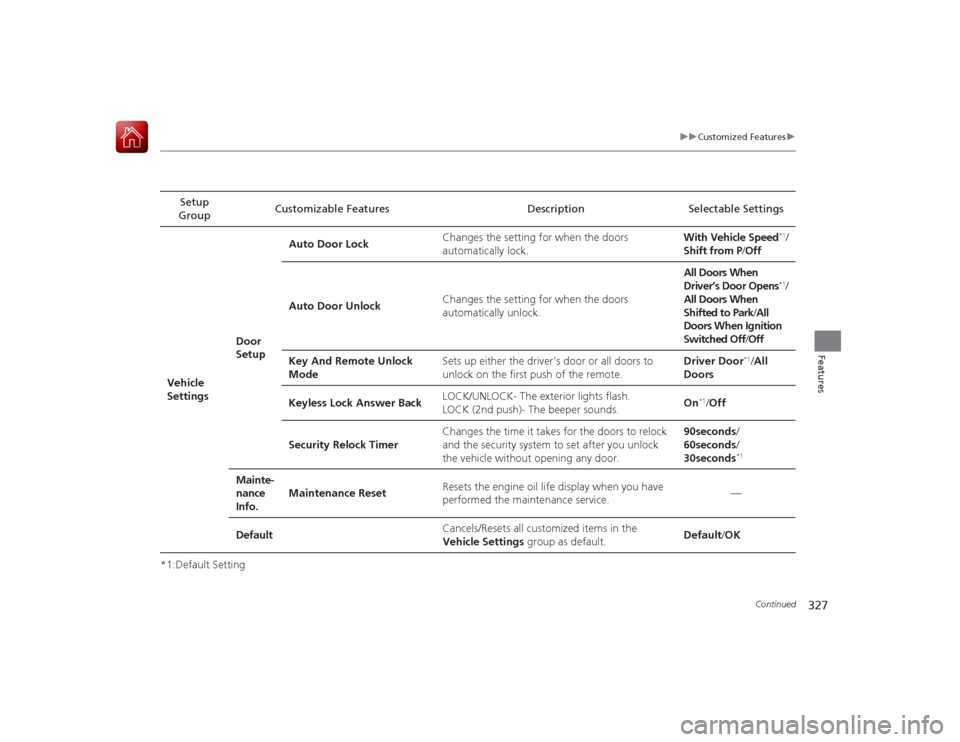
*1:Default SettingSetup
Group Customizable Features Description Selectable Settings
Vehicle
Settings Door
SetupAuto Door Lock
Changes the setting for when the doors
automatically lock. With Vehicle Speed
*1/
Shift from P /Off
Auto Door Unlock Changes the setting for when the doors
automatically unlock. All Doors When
Driver’s Door Opens*1/
All Doors When
Shifted to Park /All
Doors When Ignition
Switched Off /Off
Key And Remote Unlock
Mode Sets up either the driver's door or all doors to
unlock on the first push of the remote. Driver Door
*1/
All
Doors
Keyless Lock Answer Back LOCK/UNLOCK- The exterior lights flash.
LOCK (2nd push)- The beeper sounds.
On
*1/
Off
Security Relock Timer Changes the time it takes for the doors to relock
and the security system to set after you unlock
the vehicle without opening any door. 90seconds
/
60seconds /
30seconds
*1
Mainte-
nance
Info. Maintenance Reset
Resets the engine oil life display when you have
performed the maintenance service. —
Default Cancels/Resets all customized items in the
Vehicle Settings group as default. Default/
OK
Page 424 of 593
423
uuTowing a Trailer uDriving Safely with a Trailer
Continued
Driving
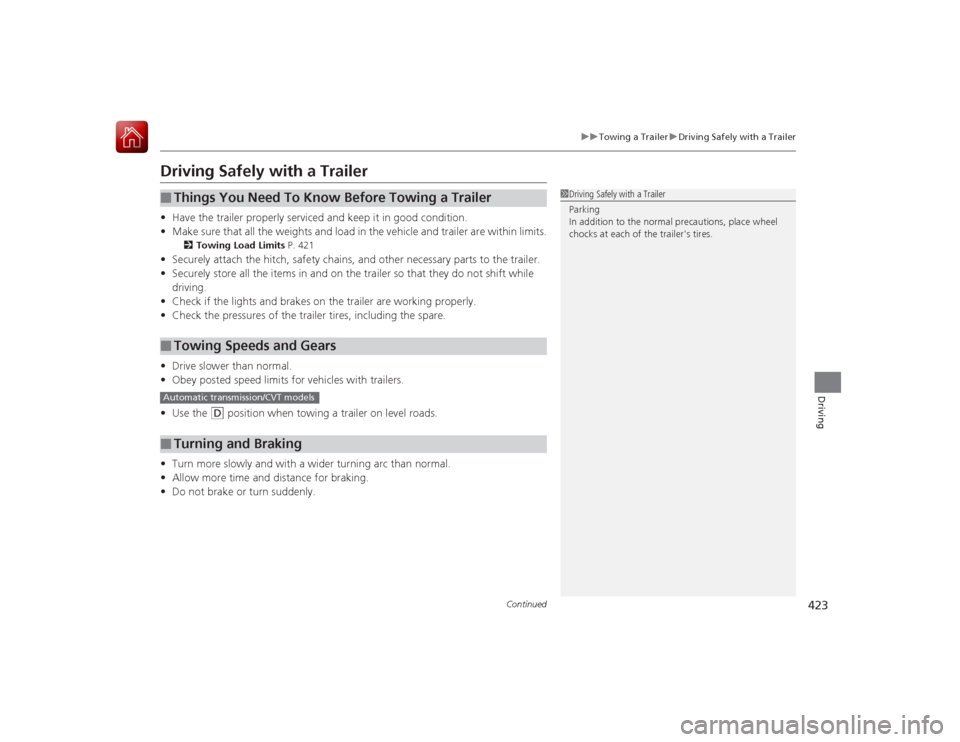
Driving Safely with a Trailer• Have the trailer properly serviced and keep it in good condition.
• Make sure that all the weights and load in the vehicle and trailer are within limits.
2 Towing Load Limits P. 421
•Securely attach the hitch, safety chains, and other necessary parts to the trailer.
• Securely store all the items in and on the trailer so that they do not shift while
driving.
• Check if the lights and brakes on the trailer are working properly.
• Check the pressures of the trailer tires, including the spare.
• Drive slower than normal.
• Obey posted speed limits for vehicles with trailers.
• Use the
(D
position when towing a trailer on level roads.
• Turn more slowly and with a wider turning arc than normal.
• Allow more time and distance for braking.
• Do not brake or turn suddenly.
■
Things You Need To Know Before Towing a Trailer
■
Towing Speeds and Gears
■
Turning and Braking
1Driving Safely with a Trailer
Parking
In addition to the normal precautions, place wheel
chocks at each of the trailer's tires.
Automatic transmission/CVT models