transmission HONDA ACCORD 2015 9.G User Guide
[x] Cancel search | Manufacturer: HONDA, Model Year: 2015, Model line: ACCORD, Model: HONDA ACCORD 2015 9.GPages: 593
Page 134 of 593
Continued
133
uuOperating the Switches Around the Steering Wheel uENGINE START/STOP Button
*
Controls
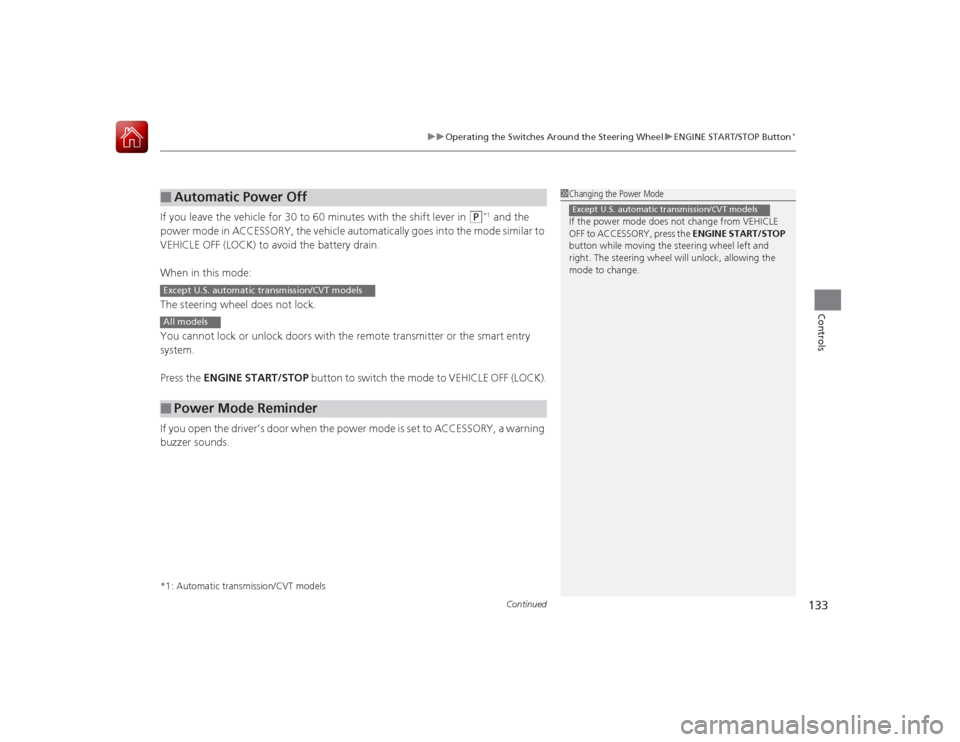
If you leave the vehicle for 30 to 60 minutes with the shift lever in
(P
*1 and the
power mode in ACCESSORY, the vehicle automatically goes into the mode similar to
VEHICLE OFF (LOCK) to avoid the battery drain.
When in this mode:
The steering wheel does not lock.
You cannot lock or unlock doors with the remote transmitter or the smart entry
system.
Press the ENGINE START/STOP button to switch the mode to VEHICLE OFF (LOCK).
If you open the driver’s door when the power mode is set to ACCESSORY, a warning
buzzer sounds.
*1: Automatic transmission/CVT models■
Automatic Power Off
■
Power Mode Reminder
1 Changing the Power Mode
If the power mode does not change from VEHICLE
OFF to ACCESSORY, press the ENGINE START/STOP
button while moving the steering wheel left and
right. The steering wheel will unlock, allowing the
mode to change.Except U.S. automatic transmission/CVT models
Except U.S. automatic transmission/CVT modelsAll models
Page 136 of 593
135
uuOperating the Switches Around the Steering Wheel uIgnition Switch and Power Mode Comparison
Controls
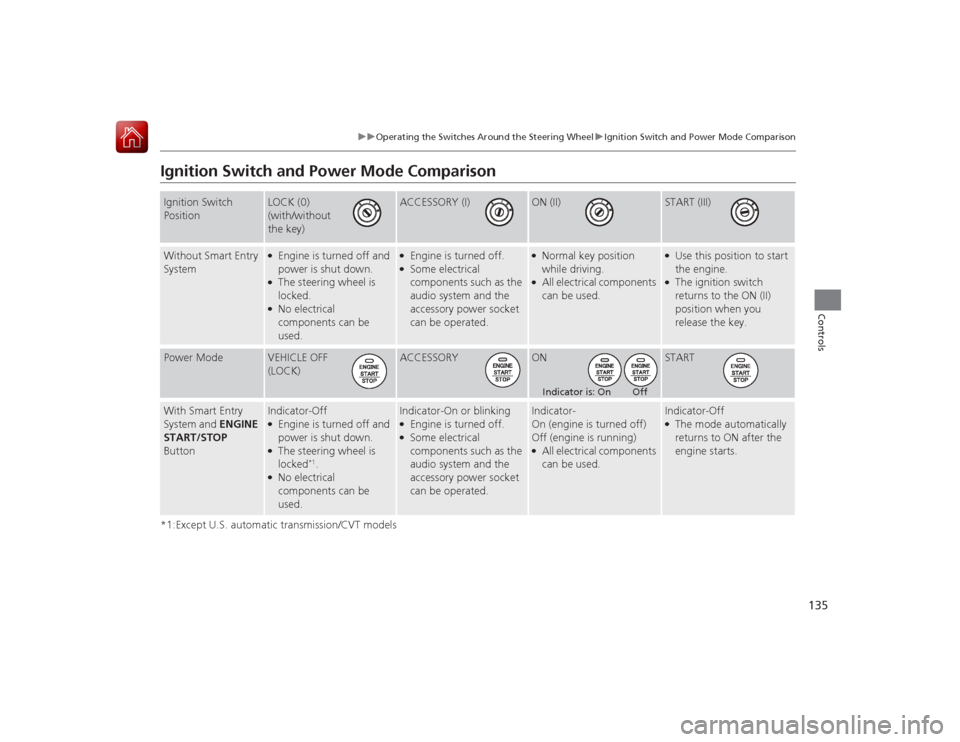
Ignition Switch and Power Mode Comparison*1:Except U.S. automatic transmission/CVT modelsIgnition Switch
Position
LOCK (0)
(with/without
the key)
ACCESSORY (I)
ON (II)
START (III)
Without Smart Entry
System
●Engine is turned off and
power is shut down.●The steering wheel is
locked.●No electrical
components can be
used.
●Engine is turned off.●Some electrical
components such as the
audio system and the
accessory power socket
can be operated.
●Normal key position
while driving.●All electrical components
can be used.
●Use this position to start
the engine.●The ignition switch
returns to the ON (II)
position when you
release the key.
Power Mode
VEHICLE OFF
(LOCK)
ACCESSORY
ON
START
With Smart Entry
System and ENGINE
START/STOP
Button
Indicator-Off●Engine is turned off and
power is shut down.●The steering wheel is
locked
*1.
●No electrical
components can be
used.
Indicator-On or blinking●Engine is turned off.●Some electrical
components such as the
audio system and the
accessory power socket
can be operated.
Indicator-
On (engine is turned off)
Off (engine is running)●All electrical components
can be used.
Indicator-Off●The mode automatically
returns to ON after the
engine starts.
Indicator is: On Off
Page 145 of 593
uuOperating the Switches Around the Steering Wheel uDriving Position Memory System
*
144Controls
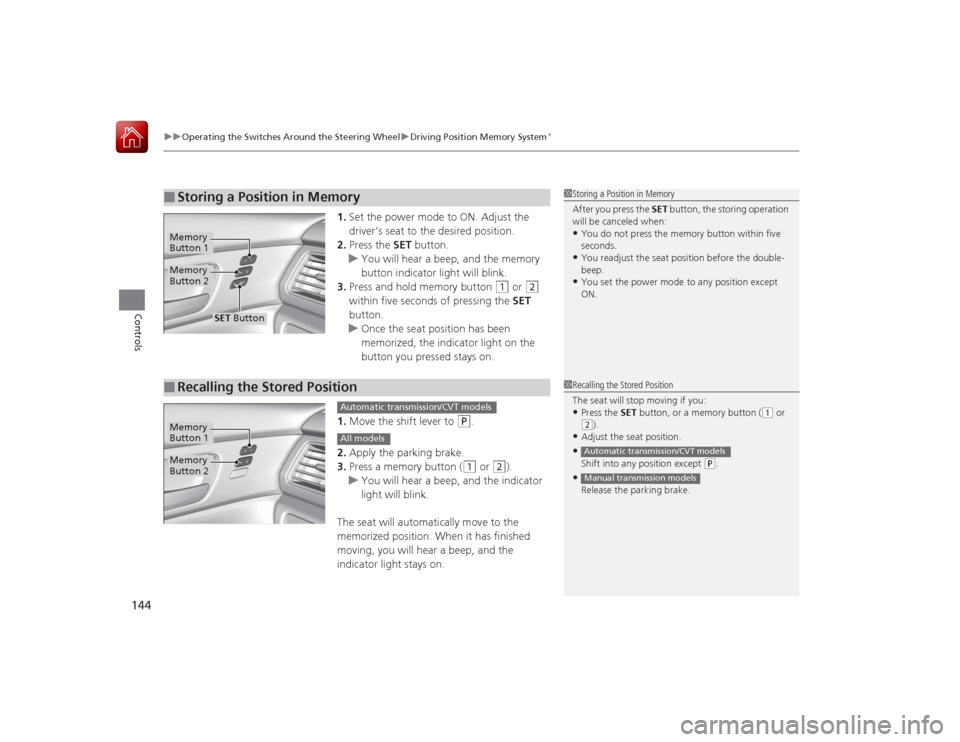
1. Set the power mode to ON. Adjust the
driver’s seat to the desired position.
2. Press the SET button.
u You will hear a beep, and the memory
button indicator light will blink.
3. Press and hold memory button
(1
or
(2
within five seconds of pressing the SET
button.
u Once the seat position has been
memorized, the indicator light on the
button you pressed stays on.
1. Move the shift lever to
(P
.
2. Apply the parking brake.
3. Press a memory button ((1
or
(2
).
u You will hear a beep, and the indicator
light will blink.
The seat will automatically move to the
memorized position. When it has finished
moving, you will hear a beep, and the
indicator light stays on.
■
Storing a Position in Memory
1 Storing a Position in Memory
After you press the SET button, the storing operation
will be canceled when: •You do not press the memory button within five
seconds.•You readjust the seat position before the double-
beep.•You set the power mode to any position except
ON.
Memory
Button 1Memory
Button 2
SET Button
■
Recalling the Stored Position
1 Recalling the Stored Position
The seat will stop moving if you: •Press the SET button, or a memory button (
(1 or
(2).
•Adjust the seat position.•Shift into any position except
( P.
•Release the parking brake.Automatic transmission/CVT modelsManual transmission models
Memory
Button 1Memory
Button 2
Automatic transmission/CVT modelsAll models
Page 299 of 593
298Features
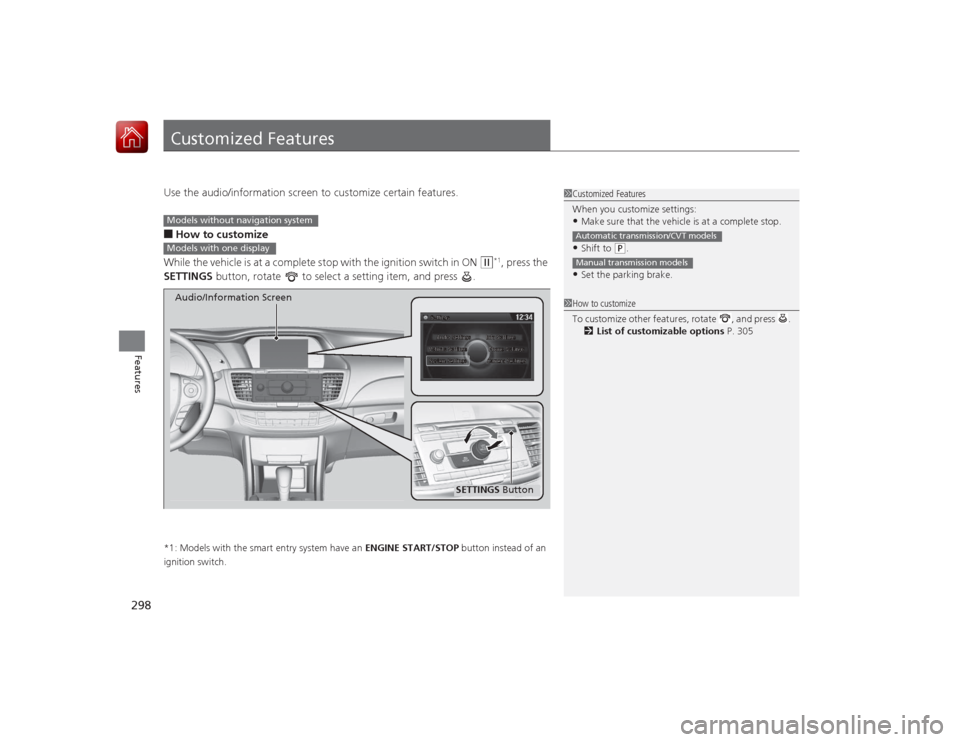
Customized FeaturesUse the audio/information screen to customize certain features.■How to customize
While the vehicle is at a complete stop with the ignition switch in ON
(w
*1, press the
SETTINGS button, rotate to select a setting item, and press .
*1: Models with the smart entry system have an ENGINE START/STOP button instead of an
ignition switch.
1 Customized Features
When you customize settings:•Make sure that the vehicle is at a complete stop.•Shift to
(P.
•Set the parking brake.Automatic transmission/CVT modelsManual transmission models1 How to customize
To customize other features, rotate , and press .
2 List of customizable options P. 305
Models without navigation systemModels with one display
SETTINGS Button
Audio/Information Screen
Page 310 of 593
309
uuCustomized Features u
Continued
Features
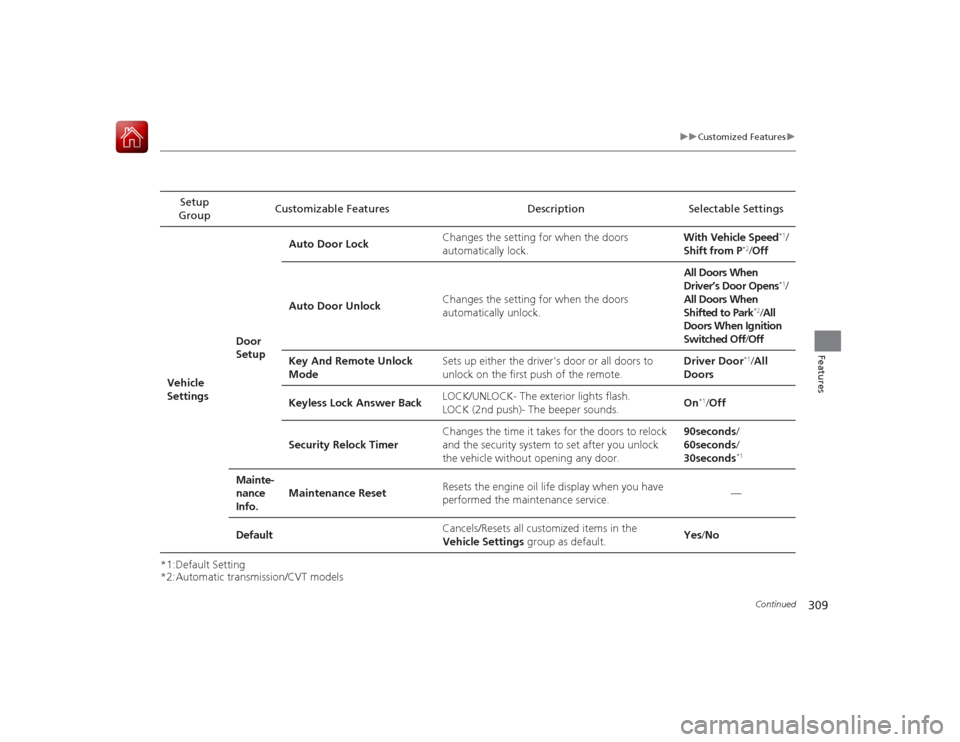
*1:Default Setting
*2:Automatic transmission/CVT modelsSetup
Group Customizable Features Description Selectable Settings
Vehicle
Settings Door
SetupAuto Door Lock
Changes the setting for when the doors
automatically lock. With Vehicle Speed
*1/
Shift from P
*2/ Off
Auto Door Unlock Changes the setting for when the doors
automatically unlock. All Doors When
Driver’s Door Opens
*1/
All Doors When
Shifted to Park
*2/ All
Doors When Ignition
Switched Off /Off
Key And Remote Unlock
Mode Sets up either the driver's door or all doors to
unlock on the first push of the remote. Driver Door
*1/
All
Doors
Keyless Lock Answer Back LOCK/UNLOCK- The exterior lights flash.
LOCK (2nd push)- The beeper sounds.
On
*1/
Off
Security Relock Timer Changes the time it takes for the doors to relock
and the security system to set after you unlock
the vehicle without opening any door. 90seconds
/
60seconds /
30seconds
*1
Mainte-
nance
Info. Maintenance Reset
Resets the engine oil life display when you have
performed the maintenance service. —
Default Cancels/Resets all customized items in the
Vehicle Settings group as default. Yes
/No
Page 416 of 593
415
Driving
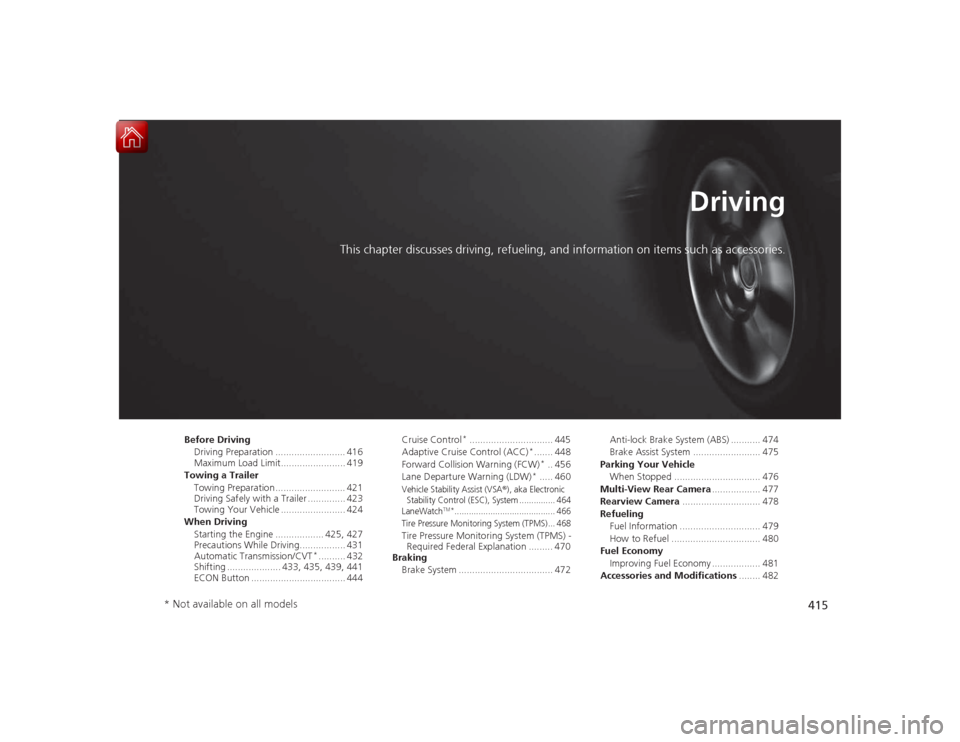
This chapter discusses driving, refueling, and information on items such as accessories.
Before DrivingDriving Preparation .......................... 416
Maximum Load Limit........................ 419
Towing a Trailer Towing Preparation .......................... 421
Driving Safely with a Trailer .............. 423
Towing Your Vehicle ........................ 424
When Driving Starting the Engine .................. 425, 427
Precautions While Driving................. 431
Automatic Transmission/CVT
*.......... 432
Shifting .................... 433, 435, 439, 441
ECON Button ................................... 444 Cruise Control
*............................... 445
Adaptive Cruise Control (ACC)
*....... 448
Forward Collision Warning (FCW)*.. 456
Lane Departure Warning (LDW)
*..... 460
Vehicle Stability Assist (VSA
®), aka Electronic
Stability Control (ESC), System ............... 464
LaneWatch
TM*.......................................... 466
Tire Pressure Monitoring System (TPMS) ... 468
Tire Pressure Monitoring System (TPMS) - Required Federal Explanation ......... 470
Braking
Brake System ................................... 472 Anti-lock Brake System (ABS) ........... 474
Brake Assist System ......................... 475
Parking Your Vehicle When Stopped ................................ 476
Multi-View Rear Camera .................. 477
Rearview Camera ............................. 478
Refueling Fuel Information .............................. 479
How to Refuel ................................. 480
Fuel Economy Improving Fuel Economy .................. 481
Accessories and Modifications ........ 482
* Not available on all models
Page 424 of 593
423
uuTowing a Trailer uDriving Safely with a Trailer
Continued
Driving
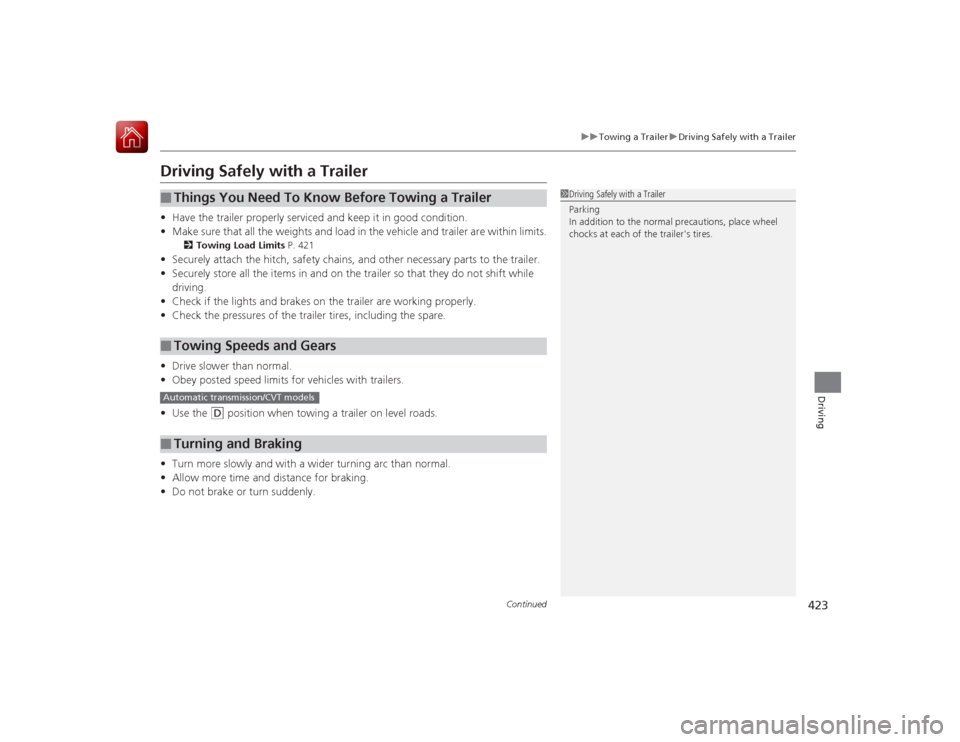
Driving Safely with a Trailer• Have the trailer properly serviced and keep it in good condition.
• Make sure that all the weights and load in the vehicle and trailer are within limits.
2 Towing Load Limits P. 421
•Securely attach the hitch, safety chains, and other necessary parts to the trailer.
• Securely store all the items in and on the trailer so that they do not shift while
driving.
• Check if the lights and brakes on the trailer are working properly.
• Check the pressures of the trailer tires, including the spare.
• Drive slower than normal.
• Obey posted speed limits for vehicles with trailers.
• Use the
(D
position when towing a trailer on level roads.
• Turn more slowly and with a wider turning arc than normal.
• Allow more time and distance for braking.
• Do not brake or turn suddenly.
■
Things You Need To Know Before Towing a Trailer
■
Towing Speeds and Gears
■
Turning and Braking
1Driving Safely with a Trailer
Parking
In addition to the normal precautions, place wheel
chocks at each of the trailer's tires.
Automatic transmission/CVT models
Page 425 of 593
424
uuTowing a Trailer uTowing Your Vehicle
Driving
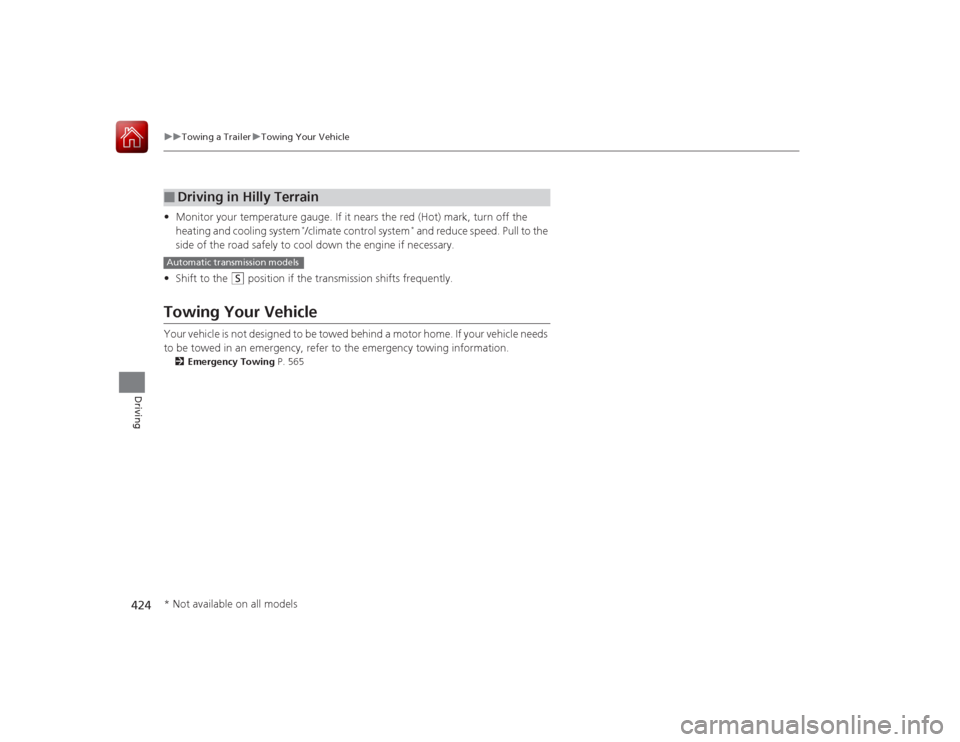
• Monitor your temperature gauge. If it nears the red (Hot) mark, turn off the
heating and cooling system
*/climate control system
* and reduce speed. Pull to the
side of the road safely to cool down the engine if necessary.
• Shift to the
(S
position if the transmission shifts frequently.
Towing Your VehicleYour vehicle is not designed to be towed behind a motor home. If your vehicle needs
to be towed in an emergency, refer to the emergency towing information.2 Emergency Towing P. 565■
Driving in Hilly TerrainAutomatic transmission models* Not available on all models
Page 426 of 593
425
Continued
Driving
When DrivingStarting the Engine
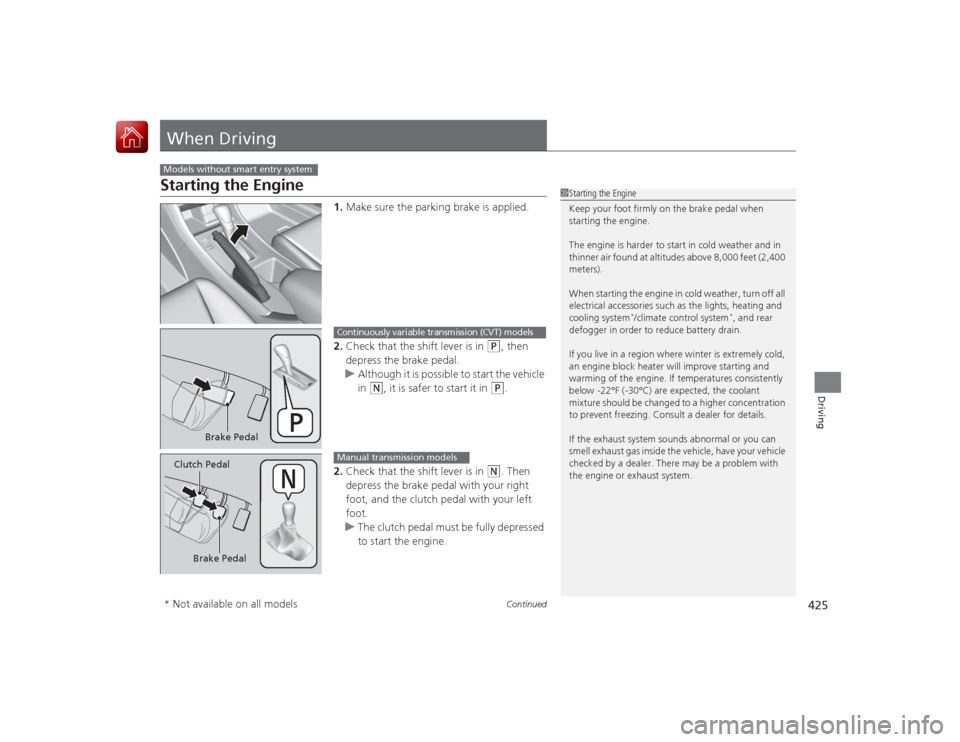
1.Make sure the parking brake is applied.
2. Check that the shift lever is in
(P
, then
depress the brake pedal.
u Although it is possible to start the vehicle
in
(N
, it is safer to start it in
(P
.
2. Check that the shift lever is in
(N
. Then
depress the brake pedal with your right
foot, and the clutch pedal with your left
foot.
u The clutch pedal must be fully depressed
to start the engine.
Models without smart entry system
1Starting the Engine
Keep your foot firmly on the brake pedal when
starting the engine.
The engine is harder to start in cold weather and in
thinner air found at altitudes above 8,000 feet (2,400
meters).
When starting the engine in cold weather, turn off all
electrical accessories such as the lights, heating and
cooling system
*/climate control system
*, and rear
defogger in order to reduce battery drain.
If you live in a region where winter is extremely cold,
an engine block heater will improve starting and
warming of the engine. If temperatures consistently
below -22°F (-30°C) are expected, the coolant
mixture should be changed to a higher concentration
to prevent freezing. Consult a dealer for details.
If the exhaust system sounds abnormal or you can
smell exhaust gas inside the vehicle, have your vehicle
checked by a dealer. There may be a problem with
the engine or exhaust system.
Brake Pedal
Continuously variable transmission (CVT) models
Brake Pedal
Clutch Pedal
Manual transmission models
* Not available on all models
Page 427 of 593
uuWhen Driving uStarting the Engine
426Driving
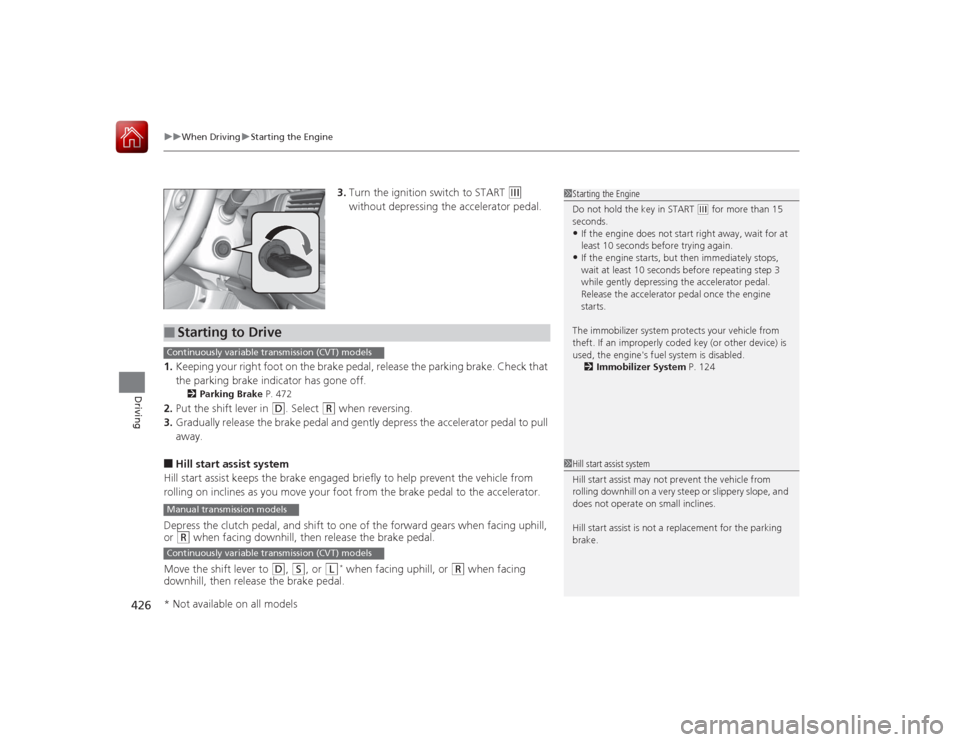
3. Turn the ignition switch to START
(e
without depressing the accelerator pedal.
1. Keeping your right foot on the brake pedal, release the parking brake. Check that
the parking brake indicat or has gone off.
2Parking Brake P. 472
2.Put the shift lever in
(D
. Select
(R
when reversing.
3. Gradually release the brake pedal and gently depress the accelerator pedal to pull
away.
■Hill start assist system
Hill start assist keeps the brake engaged briefly to help prevent the vehicle from
rolling on inclines as you move your foot from the brake pedal to the accelerator.
Depress the clutch pedal, and shift to one of the forward gears when facing uphill,
or (R
when facing downhill, then release the brake pedal.
Move the shift lever to
(D
, (S
, or
(L
* when facing uphill, or
(R
when facing
downhill, then release the brake pedal.
1 Starting the Engine
Do not hold the key in START
(e for more than 15
seconds.
•If the engine does not start right away, wait for at
least 10 seconds before trying again.•If the engine starts, but then immediately stops,
wait at least 10 seconds before repeating step 3
while gently depressing the acce lerator pedal.
Release the accelerator pedal once the engine
starts.
The immobilizer system protects your vehicle from
theft. If an improperly coded key (or other device) is
used, the engine's fuel system is disabled. 2 Immobilizer System P. 124
■
Starting to DriveContinuously variable transmission (CVT) modelsManual transmission modelsContinuously variable transmission (CVT) models
1Hill start assist system
Hill start assist may not prevent the vehicle from
rolling downhill on a very steep or slippery slope, and
does not operate on small inclines.
Hill start assist is not a replacement for the parking
brake.
* Not available on all models