audio HONDA ACCORD 2017 9.G Owner's Manual
[x] Cancel search | Manufacturer: HONDA, Model Year: 2017, Model line: ACCORD, Model: HONDA ACCORD 2017 9.GPages: 613
Page 189 of 613
188
uuAudio System uAuxiliary Input Jack*
Features
Auxiliary Input Jack*
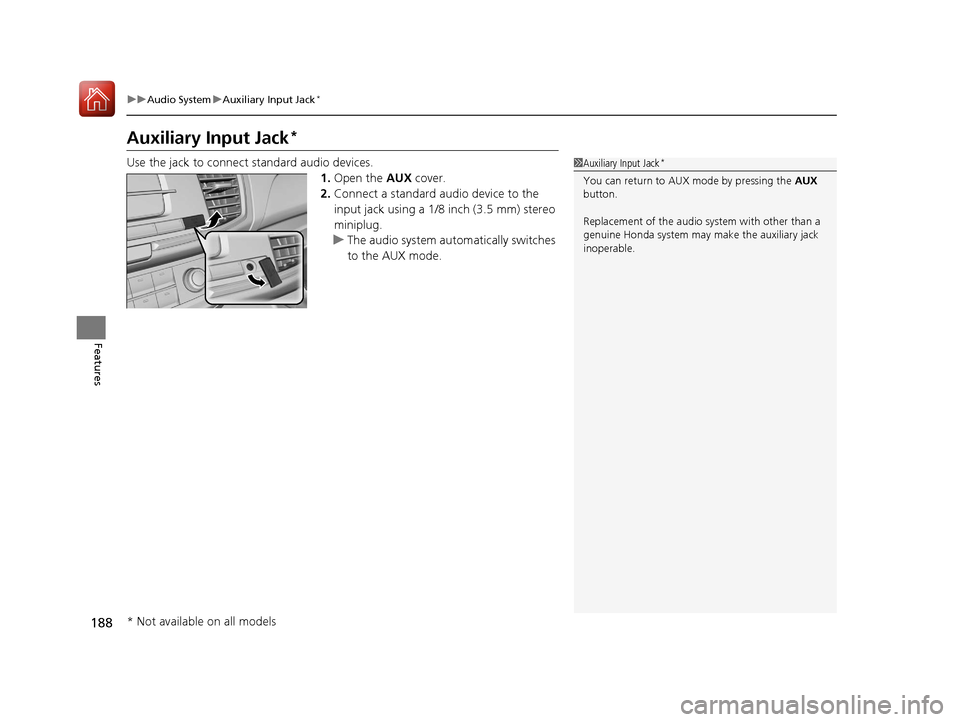
Use the jack to connect standard audio devices.
1.Open the AUX cover.
2. Connect a standard audio device to the
input jack using a 1/8 inch (3.5 mm) stereo
miniplug.
u The audio system automatically switches
to the AUX mode.1Auxiliary Input Jack*
You can return to AUX mode by pressing the AUX
button.
Replacement of the audio sy stem with other than a
genuine Honda system may make the auxiliary jack
inoperable.
* Not available on all models
17 ACCORD 4D GAS-31T2A6400.book 188 ページ 2016年6月7日 火曜日 午後5時6分
Page 190 of 613
189
uuAudio System uAudio System Theft Protection*
Features
Audio System Theft Protection*
The audio system is disabled when it is disconnected from the power source, such as
when the battery is disconnected or goes dead. In certain conditions, the system
may display a code entry screen. If this occurs, reactivate the audio system.
■Reactivating the audio system
1. Turn the ignition switch to ON
(w*1.
2. Turn on the audio system.
3. Press and hold the audio system powe r button for more than two seconds.
u The audio system is reac tivated when the audio co ntrol unit establishes a
connection with the vehicl e control unit. If the control unit fails to recognize
the audio unit, you must go to a deal er and have the audio unit checked.
*1: Models with the smart entry system have an ENGINE START/STOP button instead of an
ignition switch.
* Not available on all models
17 ACCORD 4D GAS-31T2A6400.book 189 ページ 2016年6月7日 火曜日 午後5時6分
Page 191 of 613
190
uuAudio System uAudio Remote Controls
Features
Audio Remote Controls
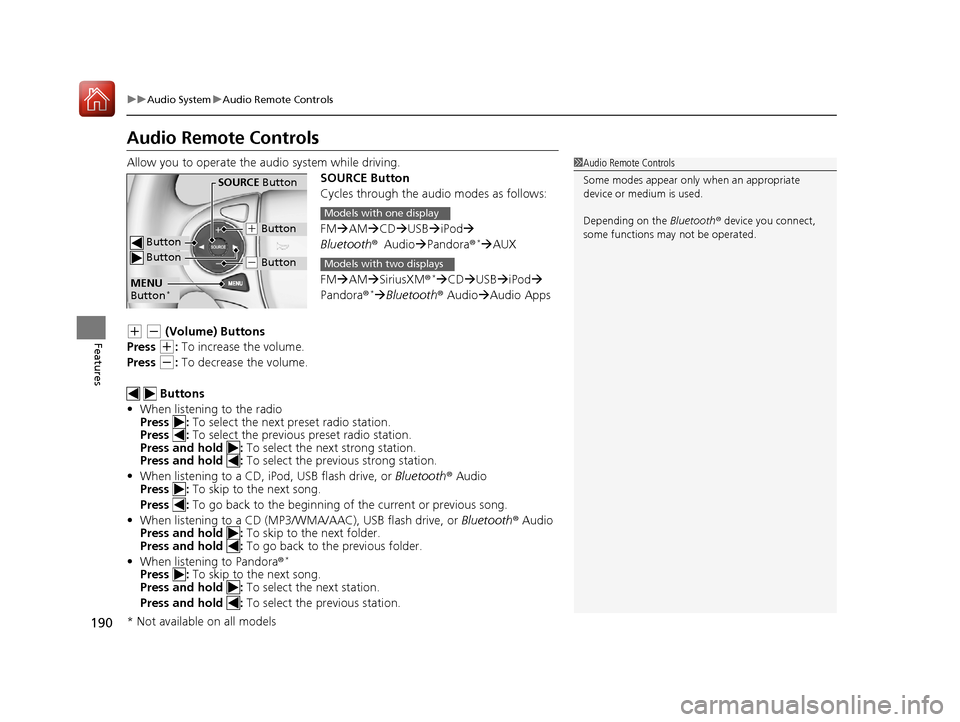
Allow you to operate the au dio system while driving.
SOURCE Button
Cycles through the audio modes as follows:
FMAM CD USBiPod
Bluetooth ®Audio Pandora ®
*AUX
FM AM SiriusXM ®
*CD USBiPod
Pandora®* Bluetooth ® Audio Audio Apps
(+ (- (Volume) Buttons
Press
(+: To increase the volume.
Press
(-: To decrease the volume.
Buttons
• When listening to the radio
Press : To select the next preset radio station.
Press : To select the previous preset radio station.
Press and hold : To select the next strong station.
Press and hold : To select the previous strong station.
• When listening to a CD, iPod, USB flash drive, or Bluetooth® Audio
Press : To skip to the next song.
Press : To go back to the beginning of the current or previous song.
• When listening to a CD (MP3/W MA/AAC), USB flash drive, or Bluetooth® Audio
Press and hold : To skip to the next folder.
Press and hold : To go back to the previous folder.
• When listening to Pandora ®
*
Press : To skip to the next song.
Press and hold : To select the next station.
Press and hold : To select the previous station.
1Audio Remote Controls
Some modes appear only when an appropriate
device or medium is used.
Depending on the Bluetooth® device you connect,
some functions ma y not be operated.
Button
SOURCE Button
Button
(+ Button
(- Button
MENU
Button*
Models with one display
Models with two displays
* Not available on all models
17 ACCORD 4D GAS-31T2A6400.book 190 ページ 2016年6月7日 火曜日 午後5時6分
Page 192 of 613
191
uuAudio System uAudio Remote Controls
Features
Steering Wheel MENU Button
To choose options for the current audio device, press MENU, Audio Menu , and
then SOURCE .
Options available to you for each audio device:
• Radio: You can select Scan, Auto Select , Save Preset , Seek Up , or Seek
Down .
• HD Radio
TM *: You can select Scan, Auto Select, Save Preset, Seek Up, or Seek
Down .
• SiriusXM ®
*: You can select Scan, Save Preset , Channel Up , Channel Down ,
Category Up , or Category Down .
• CD or USB flash drive: You can select Scan Folders, Scan Tracks, Repeat
Folder, Repeat Track , Random in Folder , or Random All Tracks .
• iPod: You can select Play/Pause, Repeat Song, Shuffle Albums, or Shuffle All
Songs .
• Bluetooth ® Audio: You can select Pause or Play .
• Pandora ®
*: You can select Like, Dislike , Bookmark, or Play/Pause .
To choose options for the navigation system while it is in operation, press MENU,
select Navigation Menu , and then SOURCE.
2Refer to the Navigation System Manual
To choose options for HFL, press MENU, select Phone Menu , and then SOURCE.
You can select Speed Dial, Call History , or Redial.
To choose options for the display setting, press MENU, select Display Setting , and
then SOURCE .
You can select Brightness, Contrast, or Black Level .
1Audio Remote Controls
The MENU button is available only when the audio
mode is FM, AM, SiriusXM ®
*, CD, USB, iPod,
Pandora ®*, or Bluetooth® Audio.
Models with two displays
* Not available on all models
17 ACCORD 4D GAS-31T2A6400.book 191 ページ 2016年6月7日 火曜日 午後5時6分
Page 193 of 613
192
Features
Audio System Basic Operation
To use the audio system function, the ignition switch must be in ACCESSORY (q or
ON
(w*1.
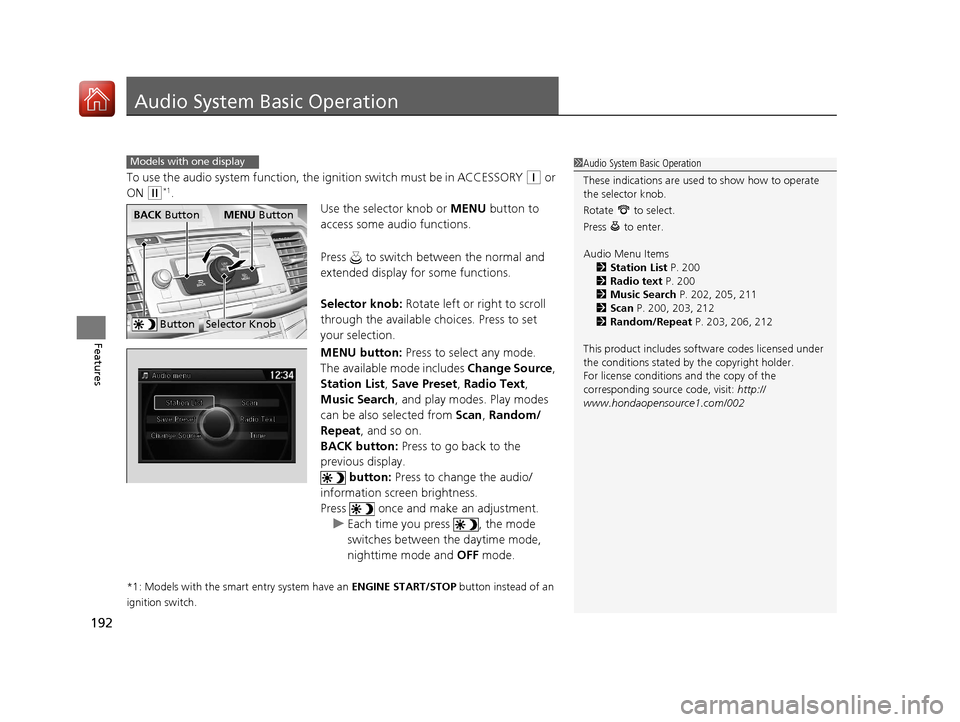
Use the selector knob or MENU button to
access some audio functions.
Press to switch between the normal and
extended display fo r some functions.
Selector knob: Rotate left or right to scroll
through the available choices. Press to set
your selection.
MENU button: Press to select any mode.
The available mode includes Change Source,
Station List , Save Preset , Radio Text ,
Music Search, and play modes. Play modes
can be also selected from Scan, Random/
Repeat , and so on.
BACK button: Press to go back to the
previous display.
button: Press to change the audio/
information screen brightness.
Press once and make an adjustment. u Each time you press , the mode
switches between the daytime mode,
nighttime mode and OFF mode.
*1: Models with the smart entry system have an ENGINE START/STOP button instead of an
ignition switch.
Models with one display1 Audio System Basic Operation
These indications are used to show how to operate
the selector knob.
Rotate to select.
Press to enter.
Audio Menu Items
2 Station List P. 200
2 Radio text P. 200
2 Music Search P. 202, 205, 211
2 Scan P. 200, 203, 212
2 Random/Repeat P. 203, 206, 212
This product includes softw are codes licensed under
the conditions stated by the copyright holder.
For license conditions and the copy of the
corresponding source code, visit: http://
www.hondaopensource1.com/002
ButtonSelector Knob
MENU ButtonBACK Button
17 ACCORD 4D GAS-31T2A6400.book 192 ページ 2016年6月7日 火曜日 午後5時6分
Page 194 of 613
193
uuAudio System Basic Operation uAudio/Information Screen
Continued
Features
Audio/Information Screen
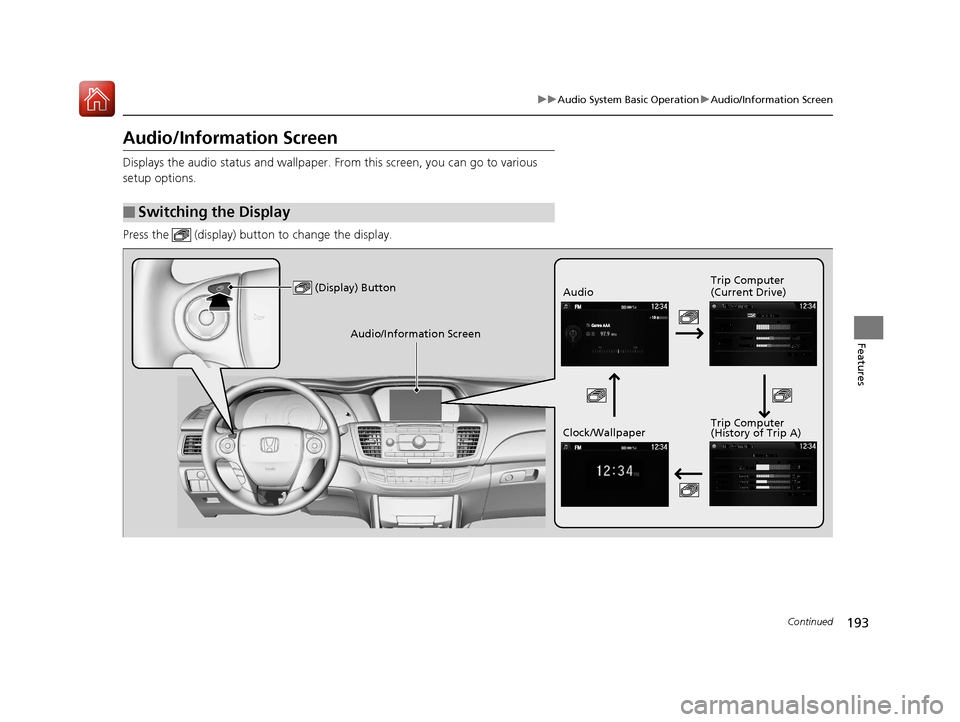
Displays the audio status and wallpaper. From this screen, you can go to various
setup options.
Press the (display) butt on to change the display.
■Switching the Display
(Display) ButtonAudio Trip Computer
(Current Drive)
Clock/Wallpaper Trip Computer
(History of Trip A)
Audio/Information Screen
17 ACCORD 4D GAS-31T2A6400.book 193 ページ 2016年6月7日 火曜日 午後5時6分
Page 195 of 613
194
uuAudio System Basic Operation uAudio/Information Screen
Features
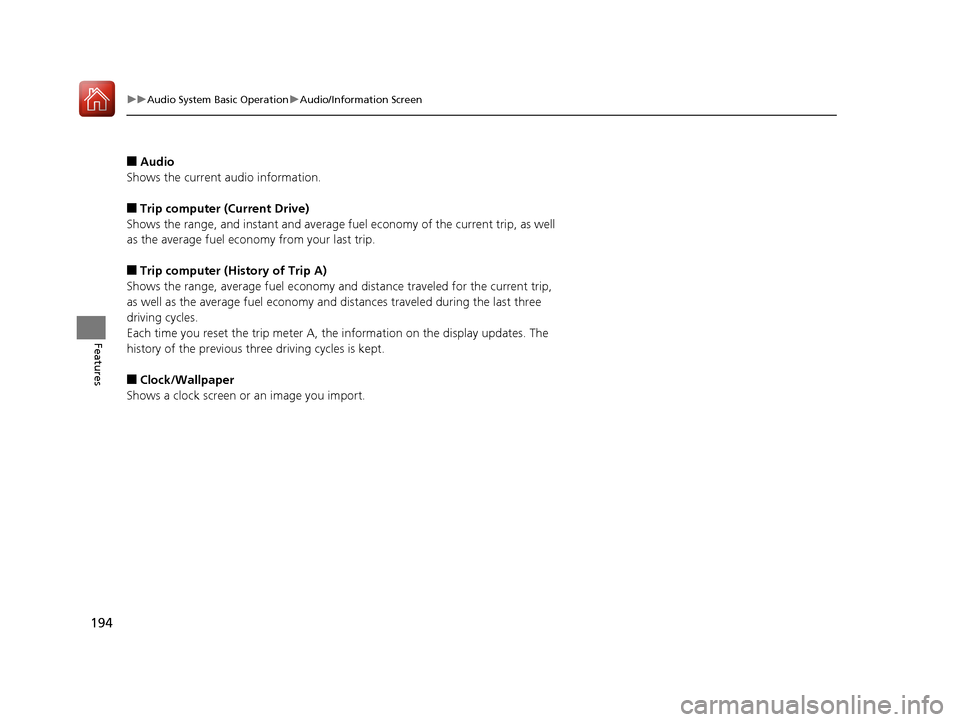
■Audio
Shows the current audio information.
■Trip computer (Current Drive)
Shows the range, and instant and average fu el economy of the current trip, as well
as the average fuel economy from your last trip.
■Trip computer (History of Trip A)
Shows the range, average fuel economy an d distance traveled for the current trip,
as well as the average fuel economy and distances traveled during the last three
driving cycles.
Each time you reset the trip meter A, the information on the display updates. The
history of the previous th ree driving cycles is kept.
■Clock/Wallpaper
Shows a clock screen or an image you import.
17 ACCORD 4D GAS-31T2A6400.book 194 ページ 2016年6月7日 火曜日 午後5時6分
Page 196 of 613
Continued195
uuAudio System Basic Operation uAudio/Information Screen
Features
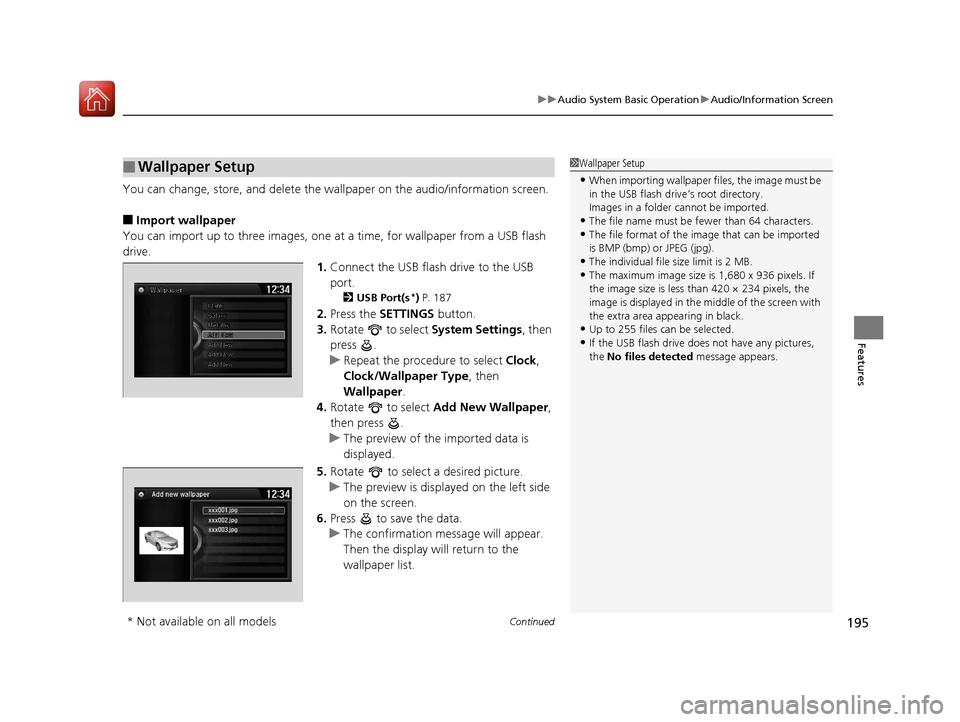
You can change, store, and delete the wa llpaper on the audio/information screen.
■Import wallpaper
You can import up to three images, one at a time, for wallpaper from a USB flash
drive.
1.Connect the USB flash drive to the USB
port.
2 USB Port(s*) P. 187
2. Press the SETTINGS button.
3. Rotate to select System Settings, then
press .
u Repeat the procedure to select Clock,
Clock/Wallpaper Type , then
Wallpaper .
4. Rotate to select Add New Wallpaper ,
then press .
u The preview of the imported data is
displayed.
5. Rotate to select a desired picture.
u The preview is displayed on the left side
on the screen.
6. Press to save the data.
u The confirmation message will appear.
Then the display will return to the
wallpaper list.
■Wallpaper Setup1Wallpaper Setup
•When importing wallpaper files, the image must be
in the USB flash drive’s root directory.
Images in a folder cannot be imported.
•The file name must be fewer than 64 characters.•The file format of the im age that can be imported
is BMP (bmp) or JPEG (jpg).
•The individual file size limit is 2 MB.•The maximum image size is 1,680 x 936 pixels. If
the image size is less than 420 × 234 pixels, the
image is displayed in the middle of the screen with
the extra area appearing in black.
•Up to 255 files can be selected.
•If the USB flash drive doe s not have any pictures,
the No files detected message appears.
xxx001.jpg
Add new wallpaper
xxx002.jpg
xxx003.jpg
* Not available on all models
17 ACCORD 4D GAS-31T2A6400.book 195 ページ 2016年6月7日 火曜日 午後5時6分
Page 197 of 613
uuAudio System Basic Operation uAudio/Information Screen
196
Features
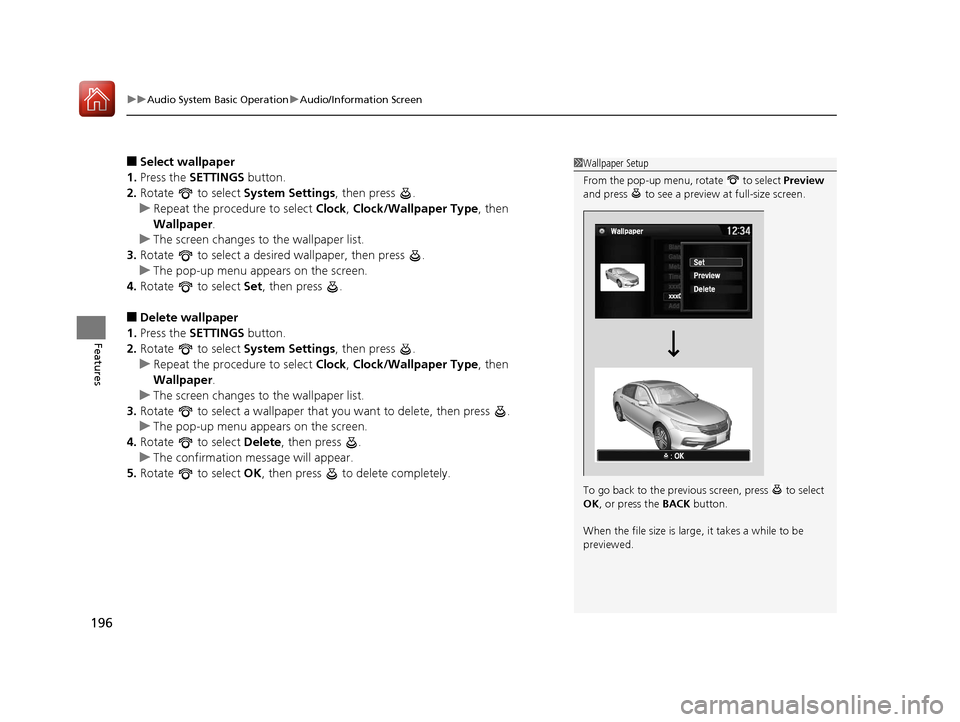
■Select wallpaper
1. Press the SETTINGS button.
2. Rotate to select System Settings, then press .
u Repeat the procedure to select Clock, Clock/Wallpaper Type , then
Wallpaper .
u The screen changes to the wallpaper list.
3. Rotate to select a desired wallpaper, then press .
u The pop-up menu appears on the screen.
4. Rotate to select Set, then press .
■Delete wallpaper
1. Press the SETTINGS button.
2. Rotate to select System Settings, then press .
u Repeat the procedure to select Clock, Clock/Wallpaper Type , then
Wallpaper .
u The screen changes to the wallpaper list.
3. Rotate to select a wallpaper that you want to delete, then press .
u The pop-up menu appears on the screen.
4. Rotate to select Delete, then press .
u The confirmation message will appear.
5. Rotate to select OK, then press to delete completely.
1Wallpaper Setup
From the pop-up menu, rotate to select Preview
and press to see a preview at full-size screen.
To go back to the previous screen, press to select
OK , or press the BACK button.
When the file size is large, it takes a while to be
previewed.
17 ACCORD 4D GAS-31T2A6400.book 196 ページ 2016年6月7日 火曜日 午後5時6分
Page 198 of 613
197
uuAudio System Basic Operation uAdjusting the Sound
Features
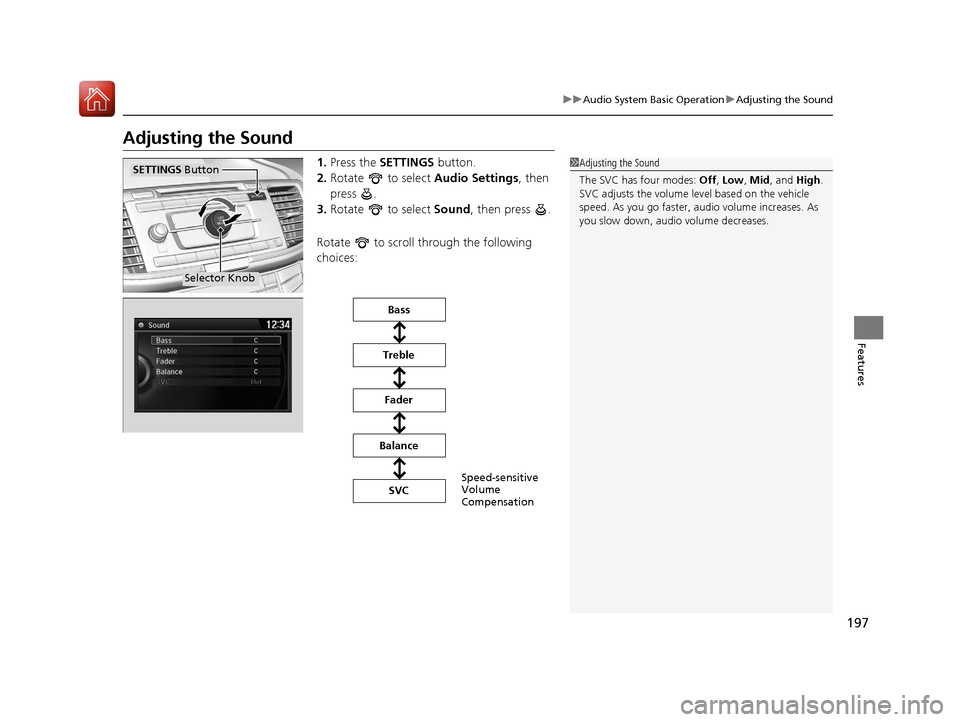
Adjusting the Sound
1. Press the SETTINGS button.
2. Rotate to select Audio Settings, then
press .
3. Rotate to select Sound, then press .
Rotate to scroll through the following
choices:1 Adjusting the Sound
The SVC has four modes: Off, Low , Mid, and High.
SVC adjusts the volume level based on the vehicle
speed. As you go faster, audio volume increases. As
you slow down, audi o volume decreases.
Selector Knob
SETTINGS Button
Speed-sensitive
Volume
Compensation
Bass
Treble Fader
Balance SVC
17 ACCORD 4D GAS-31T2A6400.book 197 ページ 2016年6月7日 火曜日 午後5時6分