Camera HONDA ACCORD 2017 9.G Owners Manual
[x] Cancel search | Manufacturer: HONDA, Model Year: 2017, Model line: ACCORD, Model: HONDA ACCORD 2017 9.GPages: 613
Page 9 of 613
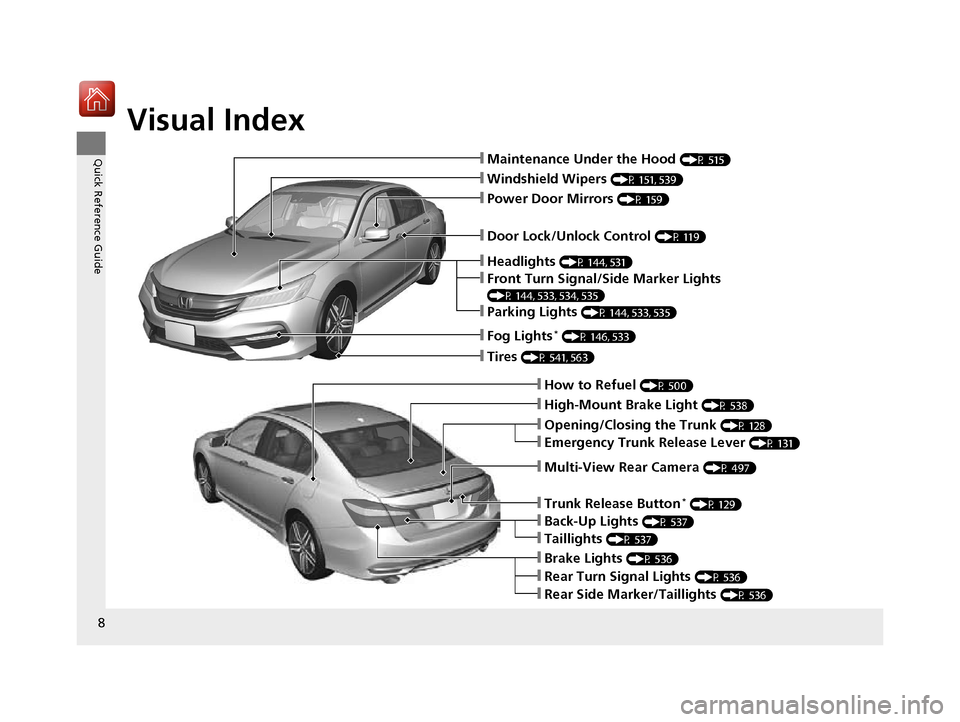
Visual Index
8
Quick Reference Guide❙Maintenance Under the Hood (P 515)
❙Windshield Wipers (P 151, 539)
❙Tires (P 541, 563)
❙Door Lock/Unlock Control (P 119)
❙Power Door Mirrors (P 159)
❙Headlights (P 144, 531)
❙How to Refuel (P 500)
❙High-Mount Brake Light (P 538)
❙Emergency Trunk Release Lever (P 131)
❙Opening/Closing the Trunk (P 128)
❙Parking Lights (P 144, 533, 535)
❙Front Turn Signal/Side Marker Lights
(P 144, 533, 534, 535)
❙Fog Lights* (P 146, 533)
❙Multi-View Rear Camera (P 497)
❙Trunk Release Button* (P 129)
❙Brake Lights (P 536)
❙Back-Up Lights (P 537)
❙Taillights (P 537)
❙Rear Side Marker/Taillights (P 536)
❙Rear Turn Signal Lights (P 536)
17 ACCORD 4D GAS-31T2A6400.book 8 ページ 2016年6月7日 火曜日 午後5時6分
Page 81 of 613
80
uuIndicators u
Instrument Panel
*1:Models with the smart entry system have an ENGINE START/STOP button instead of an ignition switch.
IndicatorNameOn/BlinkingExplanationMessage*
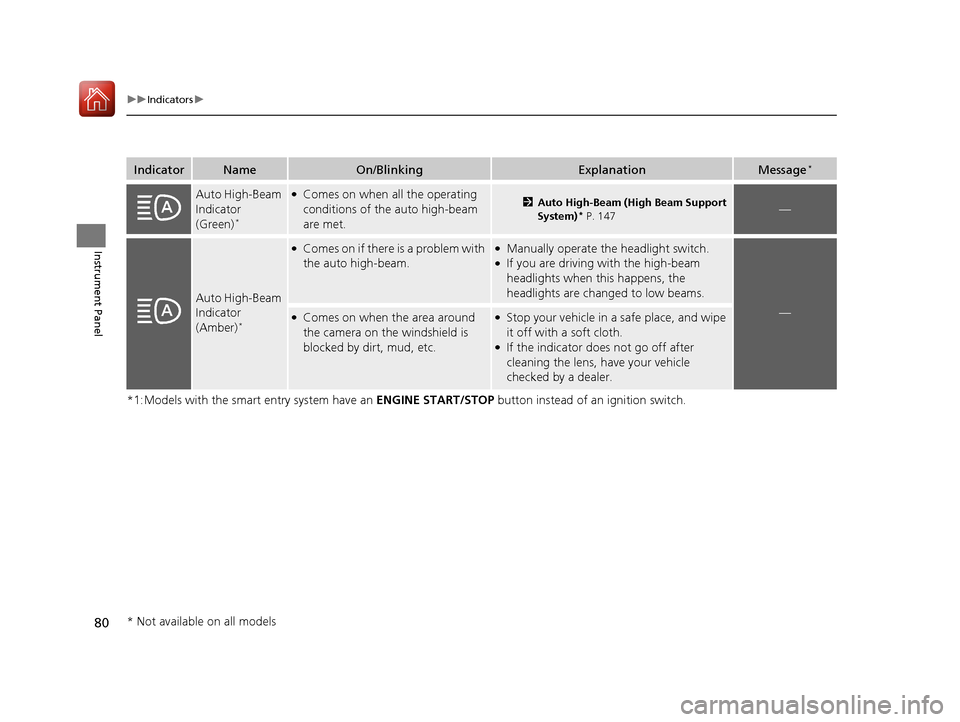
Auto High-Beam
Indicator
(Green)
*
●Comes on when all the operating
conditions of the auto high-beam
are met.2Auto High-Beam (High Beam Support
System)* P. 147—
Auto High-Beam
Indicator
(Amber)
*
●Comes on if there is a problem with
the auto high-beam.●Manually operate the headlight switch.●If you are driving with the high-beam
headlights when th is happens, the
headlights are changed to low beams.
—●Comes on when the area around
the camera on the windshield is
blocked by dirt, mud, etc.●Stop your vehicle in a safe place, and wipe
it off with a soft cloth.
●If the indicator does not go off after
cleaning the lens, have your vehicle
checked by a dealer.
* Not available on all models
17 ACCORD 4D GAS-31T2A6400.book 80 ページ 2016年6月7日 火曜日 午後5時6分
Page 82 of 613
81
uuIndicators u
Continued
Instrument Panel
*1:Models with the smart entry system have an ENGINE START/STOP button instead of an ignition switch.
IndicatorNameOn/BlinkingExplanationMessage*
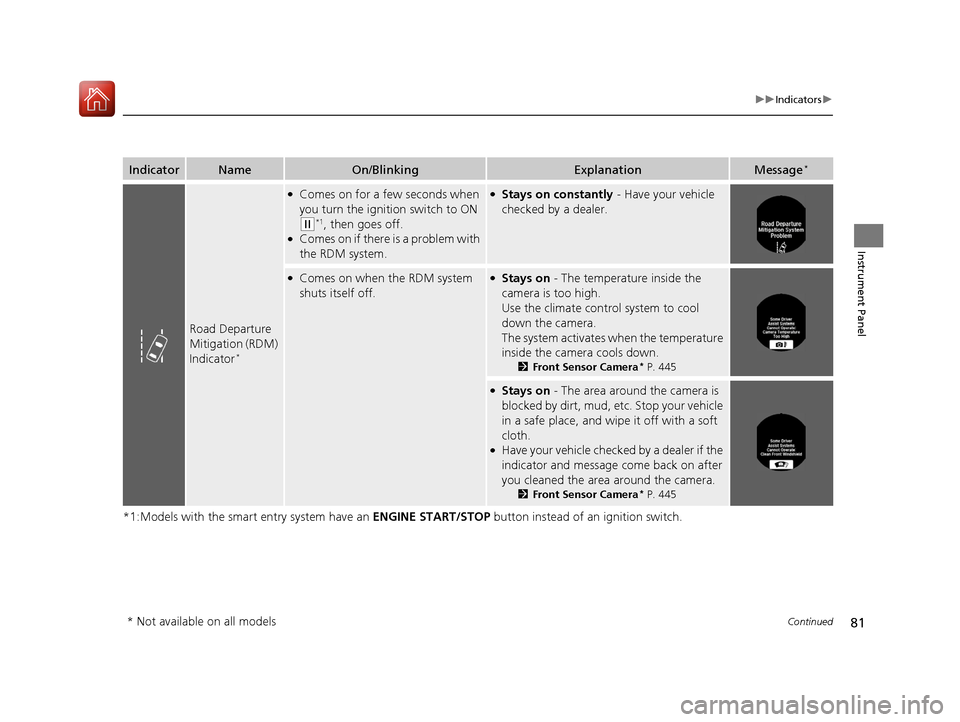
Road Departure
Mitigation (RDM)
Indicator
*
●Comes on for a few seconds when
you turn the ignition switch to ON
(w*1, then goes off.●Comes on if there is a problem with
the RDM system.
●Stays on constantly - Have your vehicle
checked by a dealer.
●Comes on when the RDM system
shuts itself off.●Stays on - The temperature inside the
camera is too high.
Use the climate contro l system to cool
down the camera.
The system activates when the temperature
inside the camera cools down.
2 Front Sensor Camera* P. 445
●Stays on - The area around the camera is
blocked by dirt, mud, etc. Stop your vehicle
in a safe place, and wi pe it off with a soft
cloth.
●Have your vehicle checked by a dealer if the
indicator and message come back on after
you cleaned the area around the camera.
2 Front Sensor Camera* P. 445
* Not available on all models
17 ACCORD 4D GAS-31T2A6400.book 81 ページ 2016年6月7日 火曜日 午後5時6分
Page 83 of 613
82
uuIndicators u
Instrument Panel
*1:Models with the smart entry system have an ENGINE START/STOP button instead of an ignition switch.
IndicatorNameOn/BlinkingExplanationMessage*
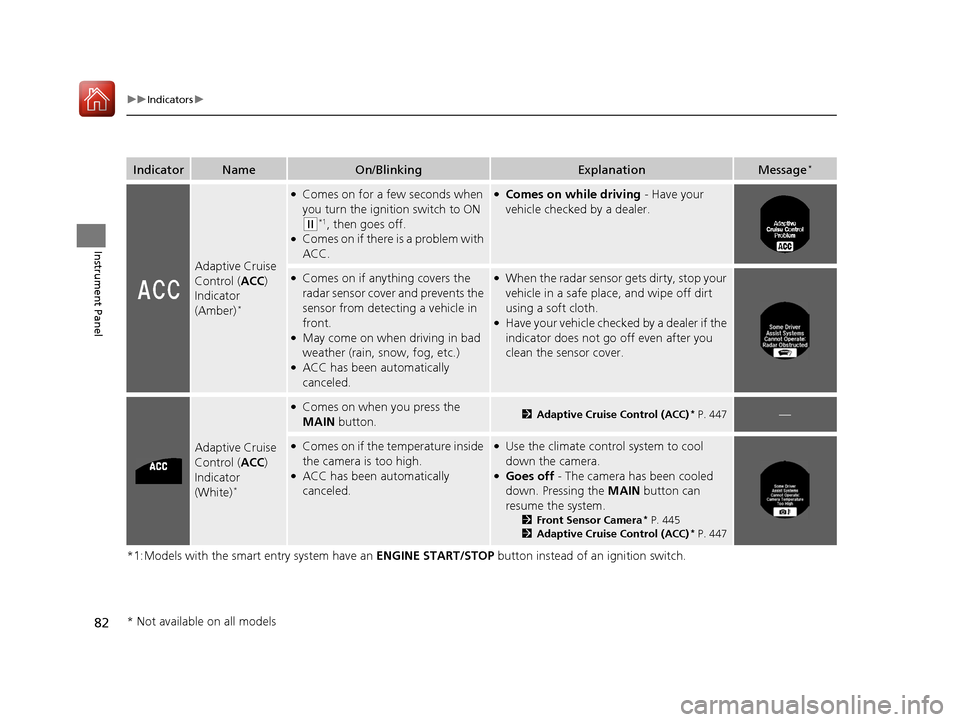
Adaptive Cruise
Control (ACC)
Indicator
(Amber)
*
●Comes on for a few seconds when
you turn the ignition switch to ON
(w*1, then goes off.●Comes on if there is a problem with
ACC.
●Comes on while driving - Have your
vehicle checked by a dealer.
●Comes on if anything covers the
radar sensor cover and prevents the
sensor from detecting a vehicle in
front.
●May come on when driving in bad
weather (rain, snow, fog, etc.)
●ACC has been automatically
canceled.
●When the radar sensor gets dirty, stop your
vehicle in a safe place, and wipe off dirt
using a soft cloth.
●Have your vehicle checked by a dealer if the
indicator does not go off even after you
clean the sensor cover.
Adaptive Cruise
Control ( ACC)
Indicator
(White)
*
●Comes on when you press the
MAIN button.2Adaptive Cruise Control (ACC)* P. 447—
●Comes on if the temperature inside
the camera is too high.
●ACC has been automatically
canceled.
●Use the climate control system to cool
down the camera.
●Goes off - The camera has been cooled
down. Pressing the MAIN button can
resume the system.
2 Front Sensor Camera* P. 445
2 Adaptive Cruise Control (ACC)* P. 447
* Not available on all models
17 ACCORD 4D GAS-31T2A6400.book 82 ページ 2016年6月7日 火曜日 午後5時6分
Page 85 of 613
84
uuIndicators u
Instrument Panel
*1:Models with the smart entry system have an ENGINE START/STOP button instead of an ignition switch.
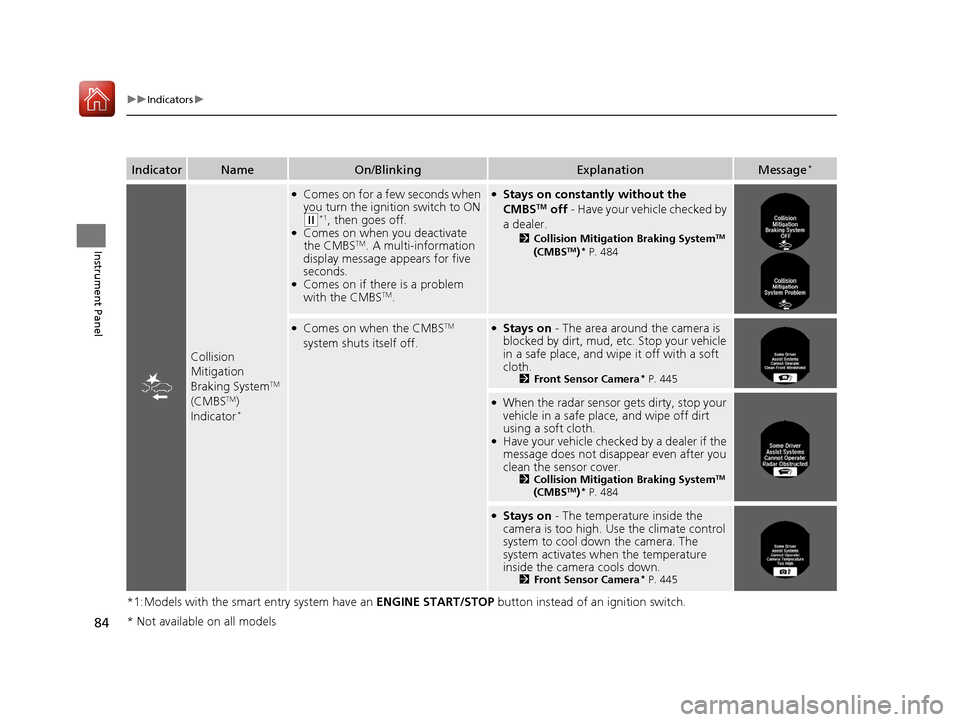
IndicatorNameOn/BlinkingExplanationMessage*
Collision
Mitigation
Braking System
TM
(CMBSTM)
Indicator*
●Comes on for a few seconds when
you turn the ignition switch to ON
(w*1, then goes off.●Comes on when you deactivate
the CMBSTM. A multi-information
display message appears for five
seconds.
●Comes on if there is a problem
with the CMBSTM.
●Stays on constantly without the
CMBSTM off - Have your vehicle checked by
a dealer.
2 Collision Mitigation Braking SystemTM
(CMBSTM)* P. 484
●Comes on when the CMBSTM
system shuts itself off.●Stays on - The area around the camera is
blocked by dirt, mud, etc. Stop your vehicle
in a safe place, and wipe it off with a soft
cloth.
2 Front Sensor Camera* P. 445
●When the radar sensor gets dirty, stop your
vehicle in a safe place, and wipe off dirt
using a soft cloth.
●Have your vehicle checked by a dealer if the
message does not disa ppear even after you
clean the sensor cover.
2 Collision Mitigation Braking SystemTM
(CMBSTM)* P. 484
●Stays on - The temperature inside the
camera is too high. Us e the climate control
system to cool down the camera. The
system activates when the temperature
inside the camera cools down.
2 Front Sensor Camera* P. 445
* Not available on all models
17 ACCORD 4D GAS-31T2A6400.book 84 ページ 2016年6月7日 火曜日 午後5時6分
Page 89 of 613
88
uuIndicators uMulti-Information Display Warn ing and Information Messages*
Instrument Panel
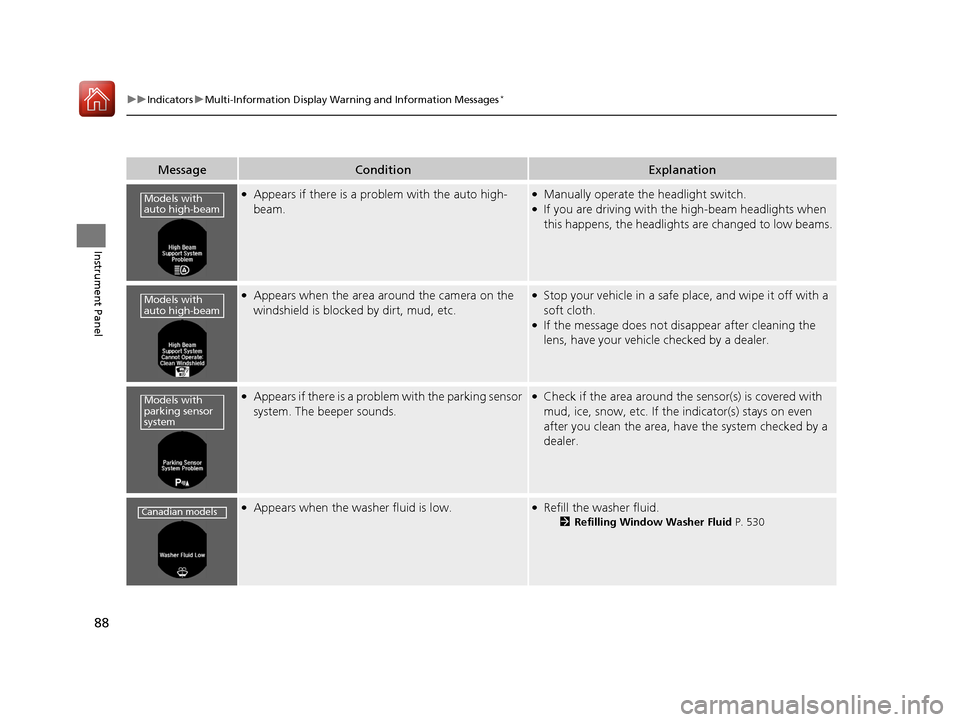
MessageConditionExplanation
●Appears if there is a problem with the auto high-
beam.●Manually operate the headlight switch.●If you are driving with th e high-beam headlights when
this happens, the headlights are changed to low beams.
●Appears when the area around the camera on the
windshield is blocked by dirt, mud, etc.●Stop your vehicle in a safe pl ace, and wipe it off with a
soft cloth.
●If the message does not disappear after cleaning the
lens, have your vehicle checked by a dealer.
●Appears if there is a problem with the parking sensor
system. The beeper sounds.●Check if the area around the sensor(s) is covered with
mud, ice, snow, etc. If the indicator(s) stays on even
after you clean the area, have the system checked by a
dealer.
●Appears when the washer fluid is low.●Refill the washer fluid.
2 Refilling Window Washer Fluid P. 530
Models with
auto high-beam
Models with
auto high-beam
Models with
parking sensor
system
Canadian models
17 ACCORD 4D GAS-31T2A6400.book 88 ページ 2016年6月7日 火曜日 午後5時6分
Page 94 of 613
93
uuIndicators uMulti-Information Display Warn ing and Information Messages*
Continued
Instrument Panel
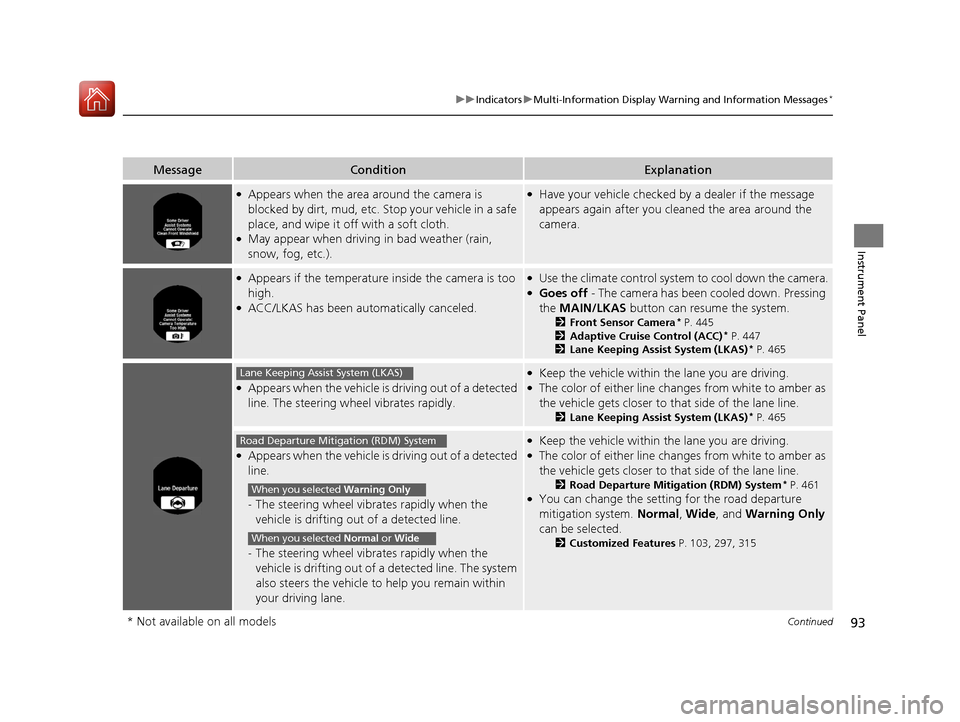
MessageConditionExplanation
●Appears when the area around the camera is
blocked by dirt, mud, etc. Stop your vehicle in a safe
place, and wipe it off with a soft cloth.
●May appear when driving in bad weather (rain,
snow, fog, etc.).
●Have your vehicle checked by a dealer if the message
appears again after you cleaned the area around the
camera.
●Appears if the temperature inside the camera is too
high.
●ACC/LKAS has been automatically canceled.
●Use the climate control system to cool down the camera.●Goes off - The camera has been cooled down. Pressing
the MAIN/LKAS button can resume the system.
2Front Sensor Camera* P. 445
2 Adaptive Cruise Control (ACC)* P. 447
2 Lane Keeping Assist System (LKAS)* P. 465
●Appears when the vehicle is driving out of a detected
line. The steering wheel vibrates rapidly.
●Keep the vehicle within the lane you are driving.●The color of either line changes from white to amber as
the vehicle gets closer to that side of the lane line.
2Lane Keeping Assist System (LKAS)* P. 465
●Appears when the vehicle is driving out of a detected
line.
- The steering wheel vibr ates rapidly when the
vehicle is drifting out of a detected line.
- The steering wheel vibr ates rapidly when the
vehicle is drifting out of a detected line. The system
also steers the vehicle to help you remain within
your driving lane.
●Keep the vehicle within the lane you are driving.●The color of either line changes from white to amber as
the vehicle gets closer to that side of the lane line.
2Road Departure Mitigation (RDM) System* P. 461●You can change the setting for the road departure
mitigation system. Normal, Wide , and Warning Only
can be selected.
2 Customized Features P. 103, 297, 315
Lane Keeping Assist System (LKAS)
Road Departure Mitigation (RDM) System
When you selected Warning Only
When you selected Normal or Wide
* Not available on all models
17 ACCORD 4D GAS-31T2A6400.book 93 ページ 2016年6月7日 火曜日 午後5時6分
Page 148 of 613
147
uuOperating the Switches Around the Steering Wheel uAuto High-Beam (High Beam Support System)*
Continued
Controls
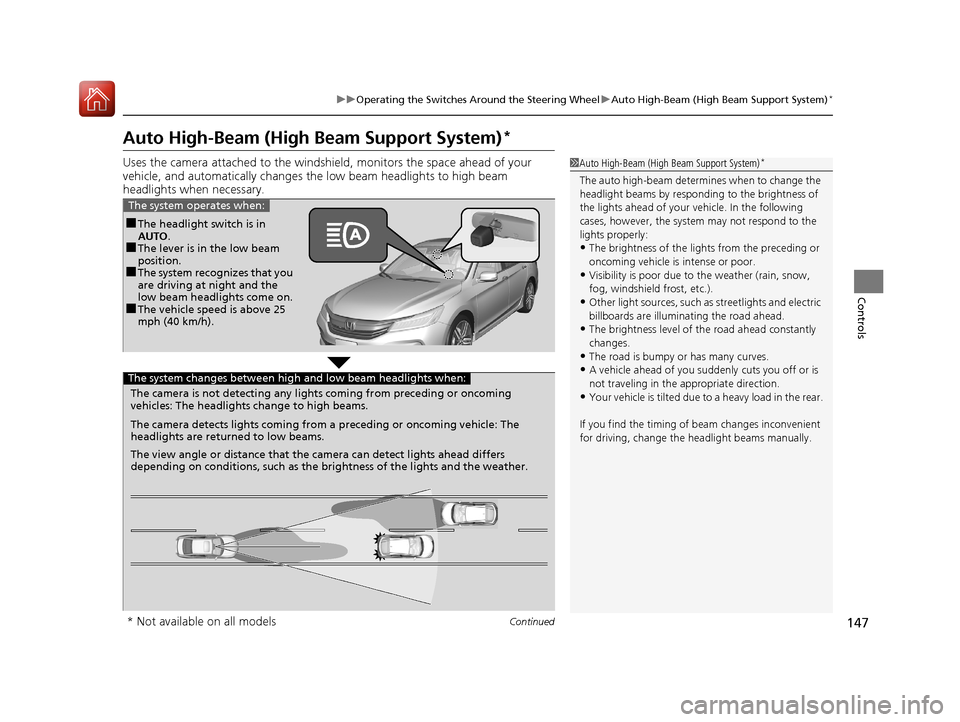
Auto High-Beam (High Beam Support System)*
Uses the camera attached to the windsh ield, monitors the space ahead of your
vehicle, and automatically changes th e low beam headlights to high beam
headlights when necessary.1 Auto High-Beam (High Beam Support System)*
The auto high-beam determines when to change the
headlight beams by responding to the brightness of
the lights ahead of your vehicle. In the following
cases, however, the system may not respond to the
lights properly:
•The brightness of the lights from the preceding or
oncoming vehicle is intense or poor.
•Visibility is poor due to the weather (rain, snow,
fog, windshield frost, etc.).
•Other light sources, such as streetlights and electric
billboards are illumina ting the road ahead.
•The brightness level of th e road ahead constantly
changes.
•The road is bumpy or has many curves.
•A vehicle ahead of you suddenly cuts you off or is
not traveling in the a ppropriate direction.
•Your vehicle is tilted due to a heavy load in the rear.
If you find the timing of beam changes inconvenient
for driving, change the headlight beams manually.
■The headlight switch is in
AUTO.
■The lever is in the low beam
position.
■The system recognizes that you
are driving at night and the
low beam headlights come on.
■The vehicle speed is above 25
mph (40 km/h).
The system operates when:
The camera is not detecting any lights coming from preceding or oncoming
vehicles: The headlights change to high beams.
The camera detects lights coming from a preceding or oncoming vehicle: The
headlights are return ed to low beams.
The view angle or distance that the camera can detect lights ahead differs
depending on conditions, such as the brightness of the lights and the weather.
The system changes between high and low beam headlights when:
* Not available on all models
17 ACCORD 4D GAS-31T2A6400.book 147 ページ 2016年6月7日 火曜日 午後5時6分
Page 149 of 613
uuOperating the Switches Around the Steering Wheel uAuto High-Beam (High Beam Support System)*
148
Controls
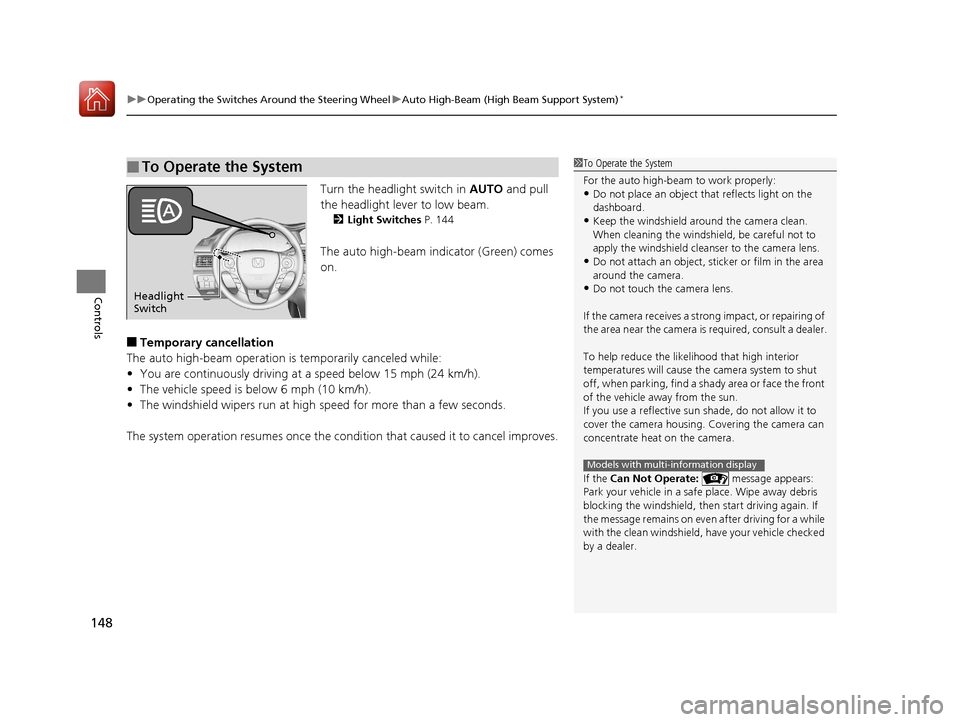
Turn the headlight switch in AUTO and pull
the headlight lever to low beam.
2 Light Switches P. 144
The auto high-beam indicator (Green) comes
on.
■Temporary cancellation
The auto high-beam operation is temporarily canceled while:
• You are continuously driving at a speed below 15 mph (24 km/h).
• The vehicle speed is below 6 mph (10 km/h).
• The windshield wipers run at high speed for more than a few seconds.
The system operation resumes once the condit ion that caused it to cancel improves.
■To Operate the System1To Operate the System
For the auto high-beam to work properly:
•Do not place an object that reflects light on the
dashboard.
•Keep the windshield around the camera clean.
When cleaning the windshield, be careful not to
apply the windshield cleanser to the camera lens.
•Do not attach an object, sticker or film in the area
around the camera.
•Do not touch the camera lens.
If the camera receives a st rong impact, or repairing of
the area near the camera is required, consult a dealer.
To help reduce the likel ihood that high interior
temperatures will cause the camera system to shut
off, when parking, find a sh ady area or face the front
of the vehicle away from the sun.
If you use a reflective sun shade, do not allow it to
cover the camera housing. Covering the camera can
concentrate heat on the camera.
If the Can Not Operate: message appears:
Park your vehicle in a safe place. Wipe away debris
blocking the windshield, then start driving again. If
the message remains on even after driving for a while
with the clean windshield, have your vehicle checked
by a dealer.
Models with multi-information display
Headlight
Switch
17 ACCORD 4D GAS-31T2A6400.book 148 ページ 2016年6月7日 火曜日 午後5時6分
Page 303 of 613
302
uuCustomized Features u
Features
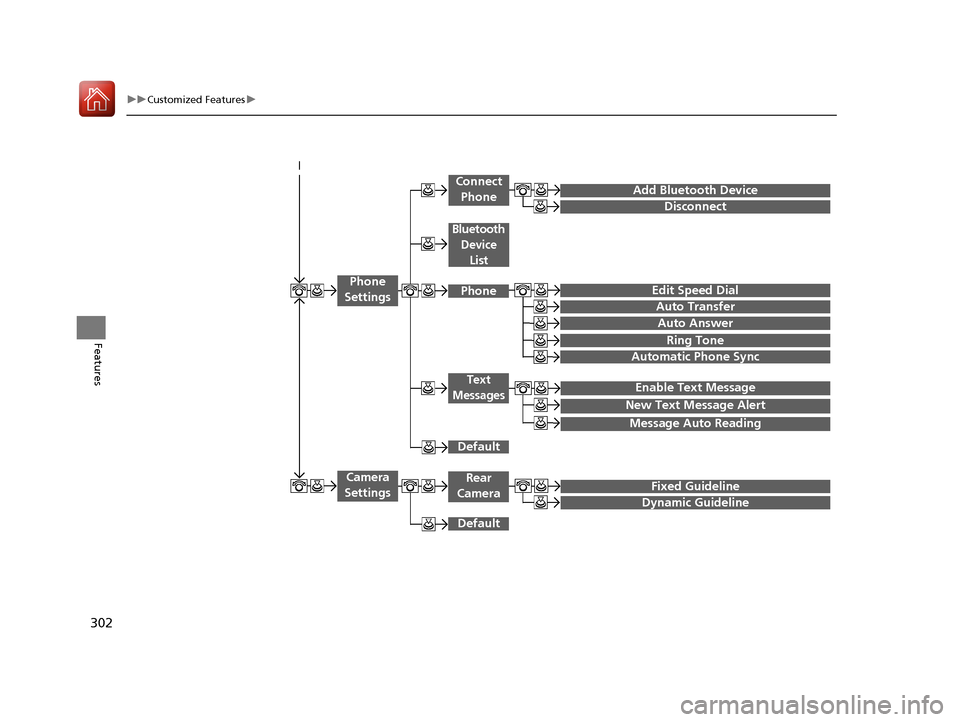
Add Bluetooth Device
Disconnect
Edit Speed Dial
Auto Transfer
Auto Answer
Ring Tone
Automatic Phone Sync
Default
Enable Text Message
Message Auto Reading
New Text Message Alert
Phone
Settings
Connect Phone
Text
Messages
Bluetooth Device List
Phone
Default
Fixed Guideline
Dynamic Guideline
Camera
SettingsRear
Camera
17 ACCORD 4D GAS-31T2A6400.book 302 ページ 2016年6月7日 火曜日 午後5時6分