wipers HONDA ACCORD 2022 User Guide
[x] Cancel search | Manufacturer: HONDA, Model Year: 2022, Model line: ACCORD, Model: HONDA ACCORD 2022Pages: 657, PDF Size: 11.42 MB
Page 490 of 657
uuHonda Sensing ®u Lane Keeping Assist System (LKAS)
488
Driving
The system can be used when the following conditions are met.
• The lane in which you are driving has dete ctable lane markers on both sides, and
your vehicle is in the center of the lane.
• The vehicle is traveling between about 45 and 90 mph (72 and 145 km/h).
• You are driving on a straight or slightly curved road.
• The turn signals are off.
• The brake pedal is not depressed.
• The wipers are not in high speed operation.
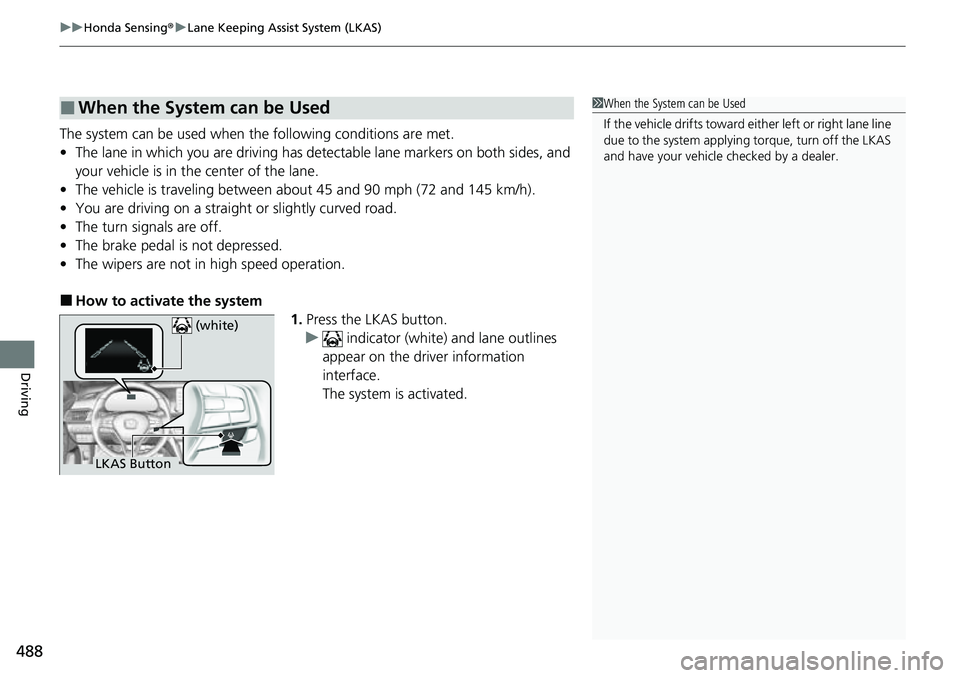
■How to activate the system
1.Press the LKAS button.
u indicator (white) and lane outlines
appear on the driver information
interface.
The system is activated.
■When the System can be Used1 When the System can be Used
If the vehicle drifts toward ei ther left or right lane line
due to the system applying torque, turn off the LKAS
and have your vehicle checked by a dealer.
LKAS Button (white)
Page 492 of 657
uuHonda Sensing ®u Lane Keeping Assist System (LKAS)
490
Driving
■The system operation is suspended if
you:
• Set the wipers to high speed.
u Turning the wipers off, setting it to LO,
or the wipers are operating intermittently
resumes the LKAS.
• Decrease the vehicle speed to about 40 mph
(64 km/h) or less.
u Increasing the vehicle speed to about
45 mph (72 km/h) or more resumes the
LKAS.
• Depress the brake pedal.
u The LKAS resumes and starts detecting
the lane lines again once you release the
brake pedal.
• Your vehicle is driving to the right or the left
of the lane.
■The LKAS may be automa tically suspended when:
• The system fails to detect lane lines.
• The steering wheel is quickly turned.
• You fail to steer the vehicle.
• Driving through a sharp curve.
• Driving at a speed in excess of approximately 90 mph (145 km/h).
Once these conditions no longer exis t, the LKAS automatically resumes.
1The system operation is suspended if you:
You can change the setting for the LKAS.
LKAS suspended beep ON and OFF can be selected.
2 Customized Features P. 351
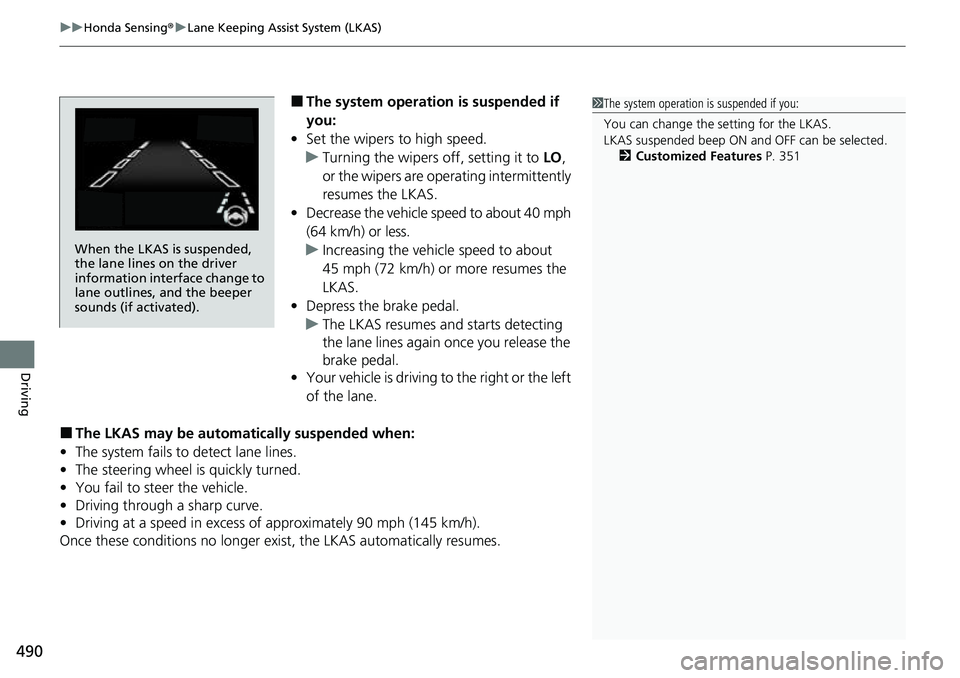
When the LKAS is suspended,
the lane lines on the driver
information interface change to
lane outlines, and the beeper
sounds (if activated).
Page 497 of 657
Continued495
uuHonda Sensing ®u Road Departure Mitigation (RDM) System
Driving
The system activates when all the following conditions are met:
• The vehicle is traveling between about 45 and 90 mph (72 and 145 km/h).
• The vehicle is on a straight or slightly curved road.
• The turn signals are off.
• The brake pedal is not depressed.
• The wipers are not in high speed operation.
• The system makes a determination that th e driver is not actively accelerating,
braking, or steering.
■How the System Activates1 Road Departure Mitigation (RDM) System
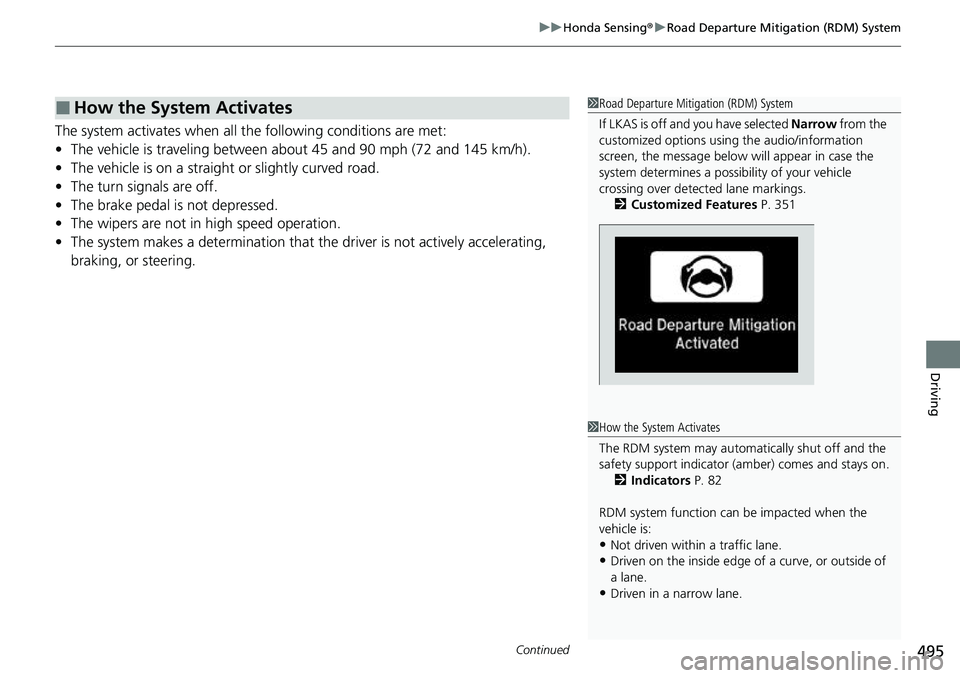
If LKAS is off and you have selected Narrow from the
customized options using the audio/information
screen, the message below will appear in case the
system determines a possibility of your vehicle
crossing over detect ed lane markings.
2 Customized Features P. 351
1How the System Activates
The RDM system may automa tically shut off and the
safety support indicator (a mber) comes and stays on.
2 Indicators P. 82
RDM system function can be impacted when the
vehicle is:
•Not driven within a traffic lane.
•Driven on the inside edge of a curve, or outside of
a lane.
•Driven in a narrow lane.
Page 552 of 657
550
uuMaintenance Under the Hood uOpening the Hood
Maintenance
Opening the Hood
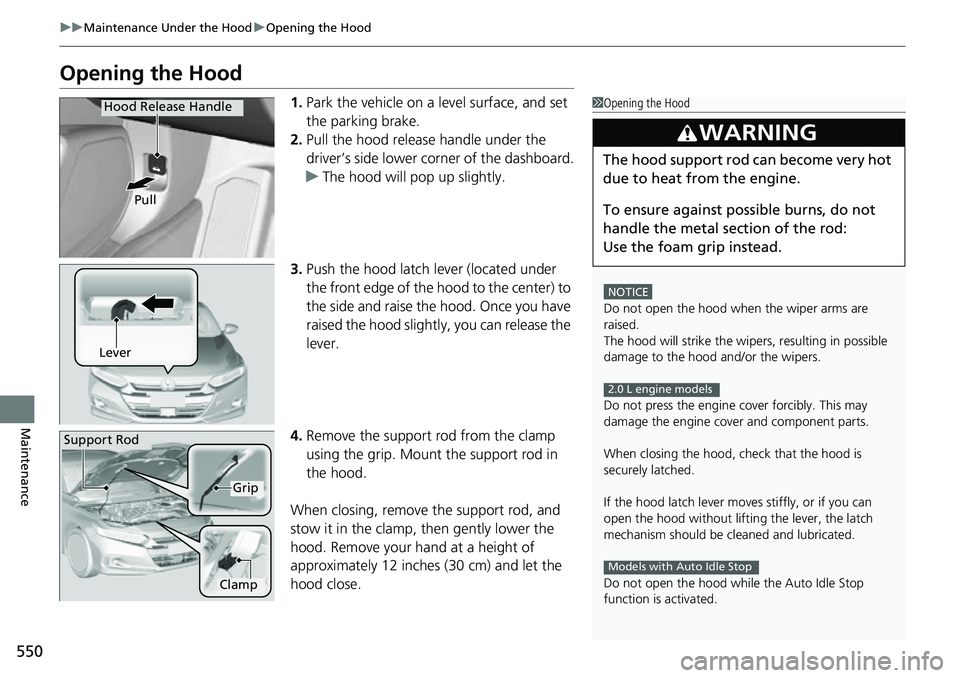
1. Park the vehicle on a level surface, and set
the parking brake.
2. Pull the hood release handle under the
driver’s side lower corner of the dashboard.
u The hood will pop up slightly.
3. Push the hood latch lever (located under
the front edge of the hood to the center) to
the side and raise the hood. Once you have
raised the hood slightly, you can release the
lever.
4. Remove the support rod from the clamp
using the grip. Mount the support rod in
the hood.
When closing, remove the support rod, and
stow it in the clamp, then gently lower the
hood. Remove your hand at a height of
approximately 12 inches (30 cm) and let the
hood close.1 Opening the Hood
NOTICE
Do not open the hood when the wiper arms are
raised.
The hood will strike the wipe rs, resulting in possible
damage to the hood and/or the wipers.
Do not press the engine cover forcibly. This may
damage the engine cover and component parts.
When closing the hood, check that the hood is
securely latched.
If the hood latch lever moves stiffly, or if you can
open the hood without lifti ng the lever, the latch
mechanism should be cl eaned and lubricated.
Do not open the hood while the Auto Idle Stop
function is activated.
3WARNING
The hood support rod can become very hot
due to heat fr om the engine.
To ensure against po ssible burns, do not
handle the metal section of the rod:
Use the foam grip instead.
2.0 L engine models
Models with Auto Idle Stop
Hood Release Handle
Pull
Lever
Support Rod
Grip
Clamp
Page 592 of 657
590
uuCleaning uExterior Care
Maintenance
Exterior Care
Dust off the vehicle body after you drive.
Regularly inspect your vehi cle for scratches on painted surfaces. A scratch on a
painted surface can result in body rust. If you find a scratch, promptly repair it.
Wash the vehicle regularly. Wash more frequently when driving in the following
conditions:
• If driving on roads with road salt.
• If driving in coastal areas.
• If tar, soot, bird droppings, insects, or tree sap are stuck to painted surfaces.
• Make sure to follow the instructions indicated on the automated car wash.
• Fold in the door mirrors.
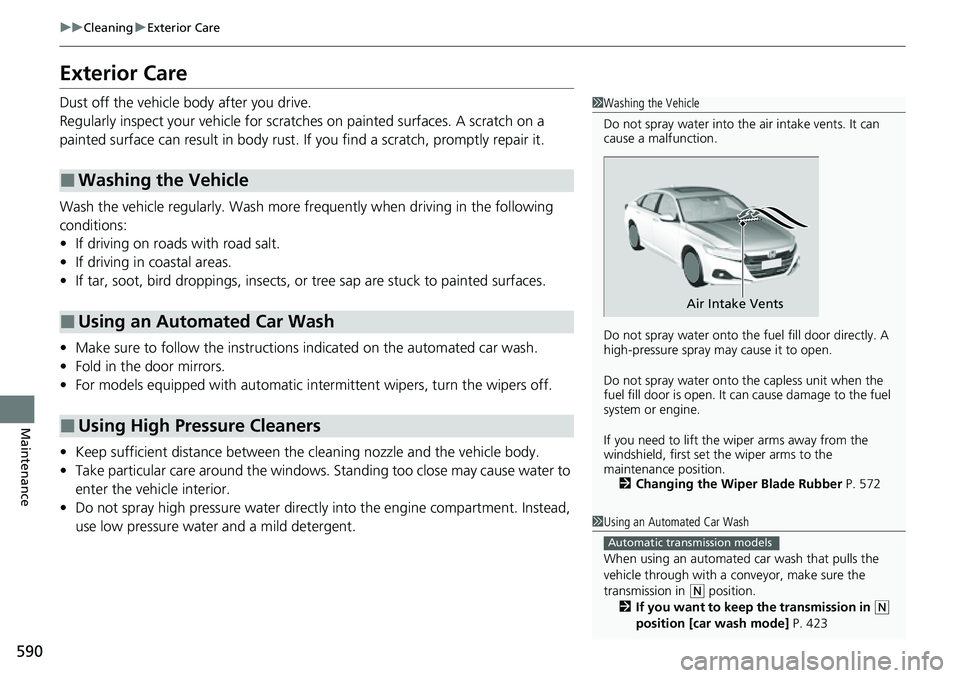
• For models equipped with automatic inte rmittent wipers, turn the wipers off.
• Keep sufficient distance between the cleaning nozzl e and the vehicle body.
• Take particular care around the windows. St anding too close may cause water to
enter the vehicle interior.
• Do not spray high pressure water directly into the engine compartment. Instead,
use low pressure water and a mild detergent.
■Washing the Vehicle
■Using an Automated Car Wash
■Using High Pressure Cleaners
1 Washing the Vehicle
Do not spray water into the air intake vents. It can
cause a malfunction.
Do not spray water onto the fuel fill door directly. A
high-pressure spray ma y cause it to open.
Do not spray water onto the capless unit when the
fuel fill door is open. It ca n cause damage to the fuel
system or engine.
If you need to lift the wiper arms away from the
windshield, first set the wiper arms to the
maintenance position. 2 Changing the Wiper Blade Rubber P. 572
Air Intake Vents
1Using an Automated Car Wash
When using an automated car wash that pulls the
vehicle through with a c onveyor, make sure the
transmission in
( N position.
2 If you want to keep the transmission in (N
position [car wash mode] P. 423
Automatic transmission models
Page 648 of 657
Index
646
Index
Index
Numbers
7-Speed Manual Shift Mode.................... 431
Operation ................................................ 432
A
ABS (Anti-lock Brake System) ................... 516
Accessories and Modifications ................. 593
Accessory Power Sockets .......................... 231
Adaptive Cruise Control (ACC) with Low
Speed Follow ........................... 103, 104, 470
Adaptive Damper System ......................... 440
Additives
Coolant ................................................... 559
Engine Oil ................................................ 551
Washer .................................................... 563
Additives, Engine Oil ................................ 551
Adjusting
Armrest ................................................... 222
Front Seats .............................................. 212
Head Restraints........................................ 219
Mirrors .................................................... 210
Rear Seats................................................ 216
Steering Wheel ........................................ 209
Agile Handling Assist ................................ 443
Air Conditioning System (Climate Control System) ........................ 240
Changing the Mode ................................ 240
Defrosting the Windshield and Windows ............................................... 241
Dust and Pollen Filter ............................... 587 Recirculation/Fresh Air Mode ................... 240
Sensors ................................................... 243
Synchronized Mode................................. 242
Using Automatic Climate Control ............ 240
Air Pressure ............................... 576, 633, 635
Airbags ........................................................ 46
Advanced Airbags ..................................... 52
After a Collision ........................................ 49
Airbag Care............................................... 63
Event Data Recorder .................................... 0
Front Airbags (SRS) .................................... 49
Indicator.............................................. 60, 93
Knee Airbags............................................. 54
Passenger Airbag Off Indicator .................. 61
Sensors ..................................................... 46
Side Airbags .............................................. 57
Side Curtain Airbags.................................. 59
AM/FM Radio ............................................ 278
Android Auto ........................................... 320
Anti-lock Brake System (ABS) .................. 516
Indicator.................................................... 93
Apple CarPlay ........................................... 313
Armrest ..................................................... 222
AT&T Hotspot ........................................... 311
Audio Remote Controls ........................... 250
Audio System ............................................ 246
Adjusting the Sound................................ 272
Audio/Information Screen........................ 254
Display Setup .......................................... 273
Error Messages ........................................ 327
General Information ................................ 329 Home Screen .......................................... 259
How to Update Wirelessly ....................... 266
How to Update with a USB Device .......... 270
How to use Siri Eyes Free ........................ 312
iPod ........................................................ 293
Limitations for Manual Operation ............ 274
MP3/WMA/AAC ..................................... 296
Reactivating ............................................ 249
Remote Controls ..................................... 250
Security Code ......................................... 249
Selecting an Audio Source ...................... 274
Status Area ............................................. 264
System Updates ...................................... 266
Theft Protection ...................................... 249
USB Flash Drives.............................. 296, 330
USB Ports ................................................ 247
Wallpaper Setup ..................................... 257
Audio/Information Screen ....................... 254
Authorized Manuals ................................ 644
Auto Door Locking/Unlocking ................ 180
Customize .............................................. 368
Auto High-Beam ...................................... 199
Indicator ................................................... 94
Auto Idle Stop .......................................... 435
Auto Idle Stop OFF Button ...................... 436
Automatic Brake Hold ............................. 513
Indicator ........................................... 86, 513
Automatic Brake Hold System
Indicator ........................................... 86, 513
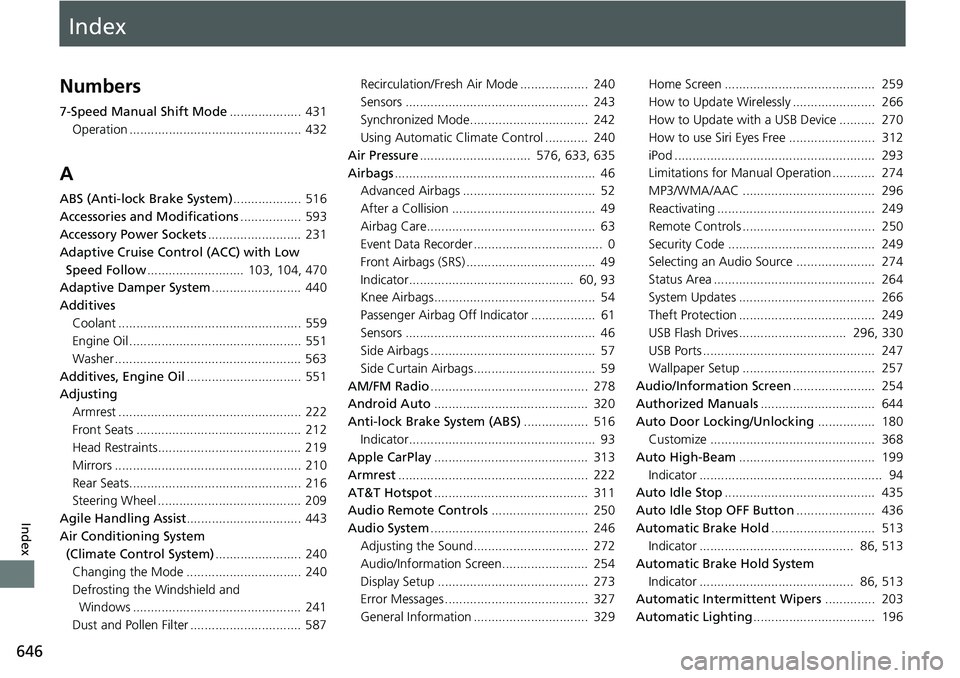
Automatic Intermittent Wipers .............. 203
Automatic Lighting .................................. 196
Page 656 of 657
654
Index
Unable to Open ....................................... 628
Turbo Engine Vehicle ............................... 535
Turn Signals ............................................... 194
Indicators (Instrum ent Panel) ...................... 97
Turn-by-Turn Directions ................... 148, 163
U
Unlocking the Doors................................. 170
Unlocking the Front Doors
from the Inside ........................................ 178
USB Flash Drives ................................ 296, 330
USB Ports ................................................... 247
Using the Keyless Acce ss System with Push
Button Start System ................................ 170
V
Vanity Mirrors............................................... 9
Vehicle Identification Number ................. 636
Vehicle Speed ............................................ 162
Vehicle Stability Assist
TM (VSA® )............... 441
Off Button ............................................... 442
Off Indicator .............................................. 95
System Indicator ........................................ 94
Ventilation ........................................ 238, 240
Viscosity (Oil) ............................. 551, 633, 635
Voice Control Operation .......................... 275
Voice Portal Screen .................................. 276
Voice Recognition .................................... 275
VSA ® (Vehicle Stability Assist
TM)............... 441
W
Wallpaper ................................................. 257
Warning and Information Messages ....... 109
Warning Indicator On/Blinking ............... 613
Warning Labels ........................................... 79
Warnings ................................................... 149
Warranties (Warranty Manual provided separately) .............................................. 641
Watts ................................................. 632, 634
Wear Indicators (Tire) .............................. 580
Wheel Nut Wrench (Jack Handle) ... 596, 600
Wi-Fi Connection ...................................... 310
Window Washers ..................................... 202
Adding/Refilling Fluid .............................. 563
Switch ..................................................... 202
Windows (Opening and Closing) ............ 187
Windshield
Cleaning ......................................... 588, 591
Defrosting/Defogging .............................. 241
Washer Fluid ........................................... 563
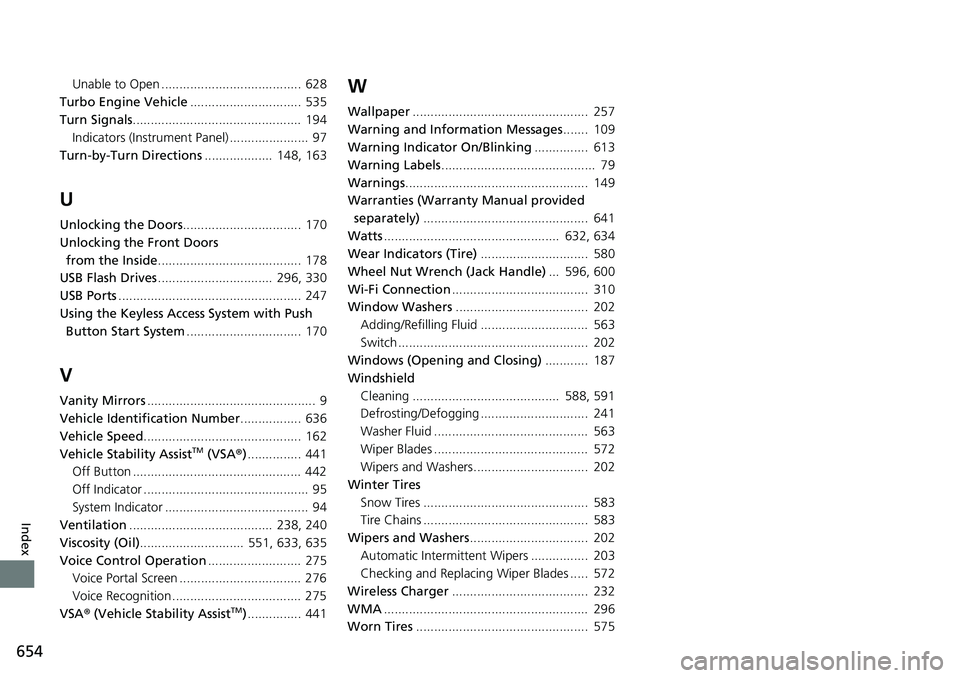
Wiper Blades ........................................... 572
Wipers and Washers................................ 202
Winter Tires Snow Tires .............................................. 583
Tire Chains .............................................. 583
Wipers and Washers ................................. 202
Automatic Intermi ttent Wipers ................ 203
Checking and Replacing Wiper Blades ..... 572
Wireless Charger ...................................... 232
WMA ......................................................... 296
Worn Tires ................................................ 575