keyless HONDA ACCORD 2022 Owner's Manual
[x] Cancel search | Manufacturer: HONDA, Model Year: 2022, Model line: ACCORD, Model: HONDA ACCORD 2022Pages: 657, PDF Size: 11.42 MB
Page 195 of 657
193
uuOperating the Switches Around the Steering Wheel uENGINE START/STOP Button
Controls
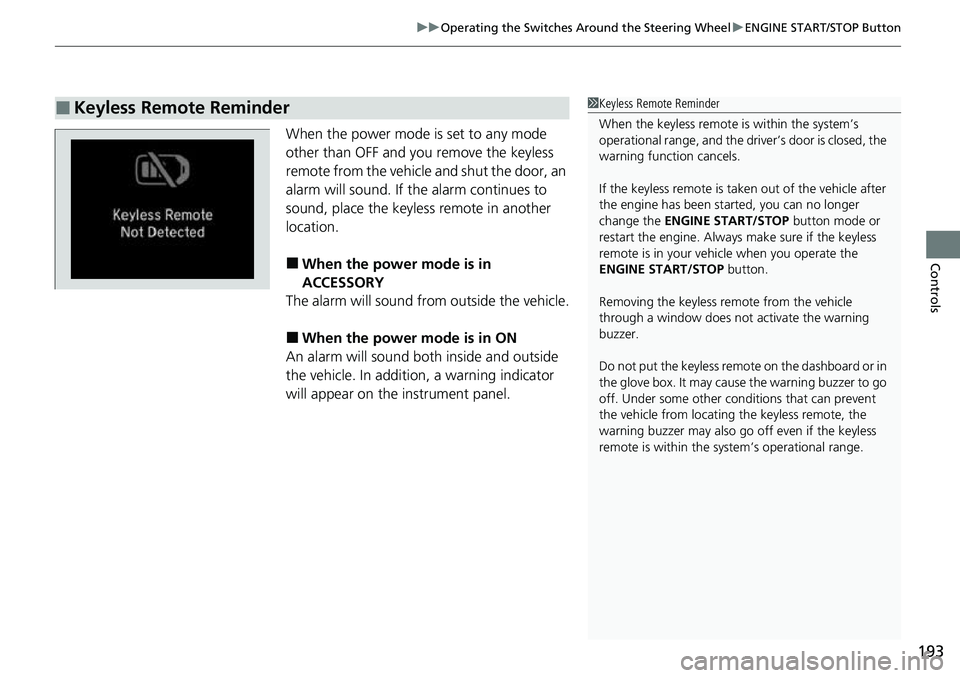
When the power mode is set to any mode
other than OFF and yo u remove the keyless
remote from the vehicle and shut the door, an
alarm will sound. If the alarm continues to
sound, place the keyless remote in another
location.
■When the power mode is in
ACCESSORY
The alarm will sound from outside the vehicle.
■When the power mode is in ON
An alarm will sound both inside and outside
the vehicle. In additi on, a warning indicator
will appear on the instrument panel.
■Keyless Remote Reminder1 Keyless Remote Reminder
When the keyless remote is within the system’s
operational range, and the driv er’s door is closed, the
warning function cancels.
If the keyless remote is taken out of the vehicle after
the engine has been st arted, you can no longer
change the ENGINE START/STOP button mode or
restart the engine. Always make sure if the keyless
remote is in your vehi cle when you operate the
ENGINE START/STOP button.
Removing the keyless remote from the vehicle
through a window does not activate the warning
buzzer.
Do not put the keyless remo te on the dashboard or in
the glove box. It may cause the warning buzzer to go
off. Under some other cond itions that can prevent
the vehicle from locating the keyless remote, the
warning buzzer may also go off even if the keyless
remote is within the system’s operational range.
Page 199 of 657
197
uuOperating the Switches Around the Steering Wheel uFog Lights*
Controls
The headlights automatically come on when th e wipers are used several times within
a certain number of intervals with the headlight switch in AUTO.
The headlights automatically go off a few mi nutes later if the wipers are stopped.
The headlights, all other exterior lights, and the instrument panel lights turn off 15
seconds after you set the power mode to VEHICLE OFF, take the keyless remote with
you, and close the driver’s door.
If you set the power mode to VEHICLE OFF with the headlight switch on, but do not
open the door, the lights turn off after 10 minutes (three minutes, if the switch is in
the AUTO position).
The lights turn on again when you unlock or open the driver’s door. If you unlock
the door, but do not open it within 15 seconds, the lights go off. If you open the
driver’s door, you will hear a reminder chime alerting you that the lights are on.
Fog Lights*
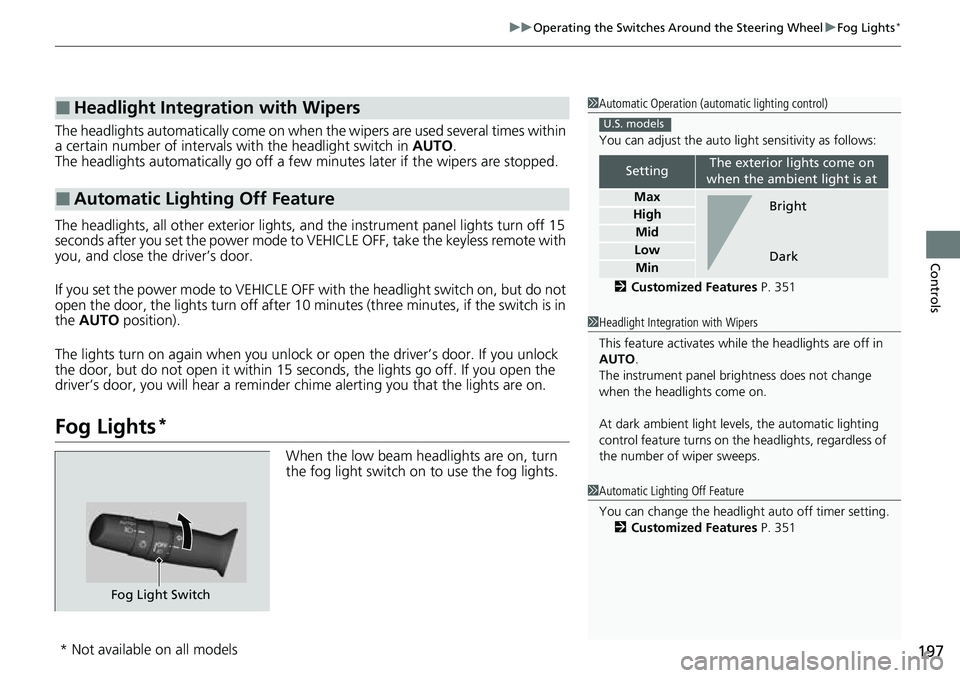
When the low beam headlights are on, turn
the fog light switch on to use the fog lights.
■Headlight Integration with Wipers
■Automatic Lighting Off Feature
1 Automatic Operation (aut omatic lighting control)
You can adjust the auto li ght sensitivity as follows:
2 Customized Features P. 351
SettingThe exterior lights come on
when the ambient light is at
Max
High
Mid
Low
Min
U.S. models
Bright
Dark
1 Headlight Integration with Wipers
This feature activates while the headlights are off in
AUTO .
The instrument panel br ightness does not change
when the headlights come on.
At dark ambient light leve ls, the automatic lighting
control feature turns on the headlights, regardless of
the number of wiper sweeps.
1 Automatic Lighting Off Feature
You can change the headlight auto off timer setting.
2 Customized Features P. 351
Fog Light Switch
* Not available on all models
Page 209 of 657
207
uuOperating the Switches Around the Steering Wheel uDriving Position Memory System*
Continued
Controls
Driving Position Memory System*
You can store two driver’s seat positions (except for power lumbar) with the driving
position memory system.
When you unlock and open the driver’s door with a remote transmitter or keyless
access system, the seat adjust automatica lly to one of the two preset positions.
When you enter the vehicle, the driver in formation interface briefly shows you which
remote transmitter you used to unlock the vehicle.
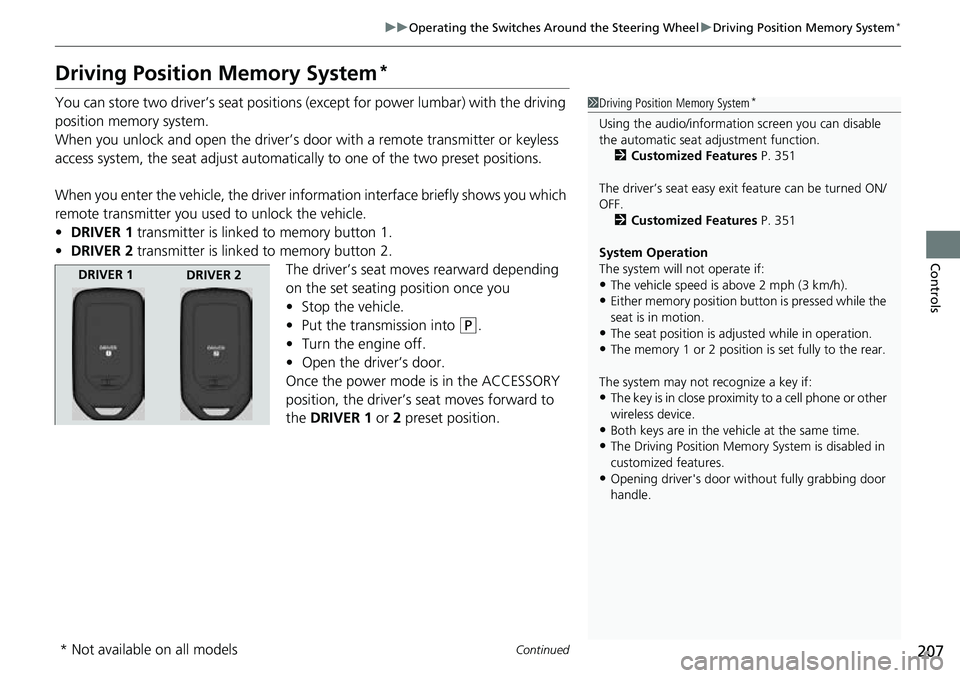
• DRIVER 1 transmitter is linked to memory button 1.
• DRIVER 2 transmitter is linked to memory button 2.
The driver’s seat moves rearward depending
on the set seating position once you
•Stop the vehicle.
• Put the transmission into
(P.
• Turn the engine off.
• Open the driv er’s door.
Once the power mode is in the ACCESSORY
position, the driver’s seat moves forward to
the DRIVER 1 or 2 preset position.
1 Driving Position Memory System*
Using the audio/informati on screen you can disable
the automatic seat adjustment function. 2 Customized Features P. 351
The driver’s seat easy exit feature can be turned ON/
OFF. 2 Customized Features P. 351
System Operation
The system will not operate if:
•The vehicle speed is above 2 mph (3 km/h).
•Either memory position button is pressed while the
seat is in motion.
•The seat position is adju sted while in operation.
•The memory 1 or 2 position is set fully to the rear.
The system may not recognize a key if:
•The key is in close proximity to a cell phone or other
wireless device.
•Both keys are in the vehicle at the same time.
•The Driving Position Memory System is disabled in
customized features.
•Opening driver's door wi thout fully grabbing door
handle.
DRIVER 1 DRIVER 2
* Not available on all models
Page 237 of 657
Continued235
uuInterior Convenience Items uOther Interior Convenience Items
Controls
1Wireless Charger*
Charging may be briefl y interrupted when:•All the doors and the trunk are closed
- to avoid interference with the proper functioning
of the keyless access system.
•The position of the device is altered.
Do not charge more than one device at a time on a
charging area.
If the device becomes too hot and its battery
protection function activa tes, it may charge
extremely slowly or no longer charge.
The temperature at which the battery protection
function activates de pends on the device.
* Not available on all models
Page 309 of 657
Continued307
uuAudio System Basic Operation uHondaLink® Service*
Features
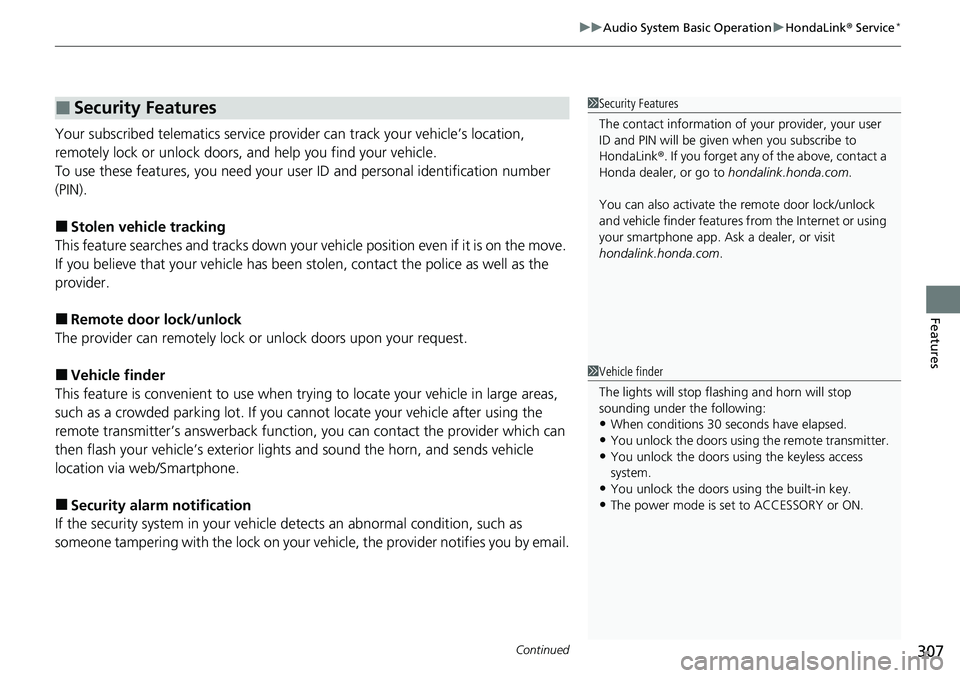
Your subscribed telematics service prov ider can track your vehicle’s location,
remotely lock or unlock doors, and help you find your vehicle.
To use these features, you n eed your user ID and personal identification number
(PIN).
■Stolen vehicle tracking
This feature searches and tracks down your vehicle position even if it is on the move.
If you believe that your vehicle has been stolen, contact the police as well as the
provider.
■Remote door lock/unlock
The provider can remotely lock or unlock doors upon your request.
■Vehicle finder
This feature is convenient to use when trying to locate your vehicle in large areas,
such as a crowded parking lot. If you cannot locate your vehicle after using the
remote transmitter’s answerback function, you can contact the provider which can
then flash your vehicle’s exterior light s and sound the horn, and sends vehicle
location via web/Smartphone.
■Security alarm notification
If the security system in your vehicl e detects an abnormal condition, such as
someone tampering with the lock on your vehicle, the provider notifies you by email.
■Security Features1Security Features
The contact information of your provider, your user
ID and PIN will be given when you subscribe to
HondaLink ®. If you forget any of the above, contact a
Honda dealer, or go to hondalink.honda.com.
You can also activate the remote door lock/unlock
and vehicle finder features from the Internet or using
your smartphone app. As k a dealer, or visit
hondalink.honda.com .
1Vehicle finder
The lights will stop flas hing and horn will stop
sounding under the following:
•When conditions 30 seconds have elapsed.
•You unlock the doors using the remote transmitter.
•You unlock the doors using the keyless access
system.
•You unlock the doors us ing the built-in key.
•The power mode is set to ACCESSORY or ON.
Page 311 of 657
309
uuAudio System Basic Operation uHondaLink® Service*
Features
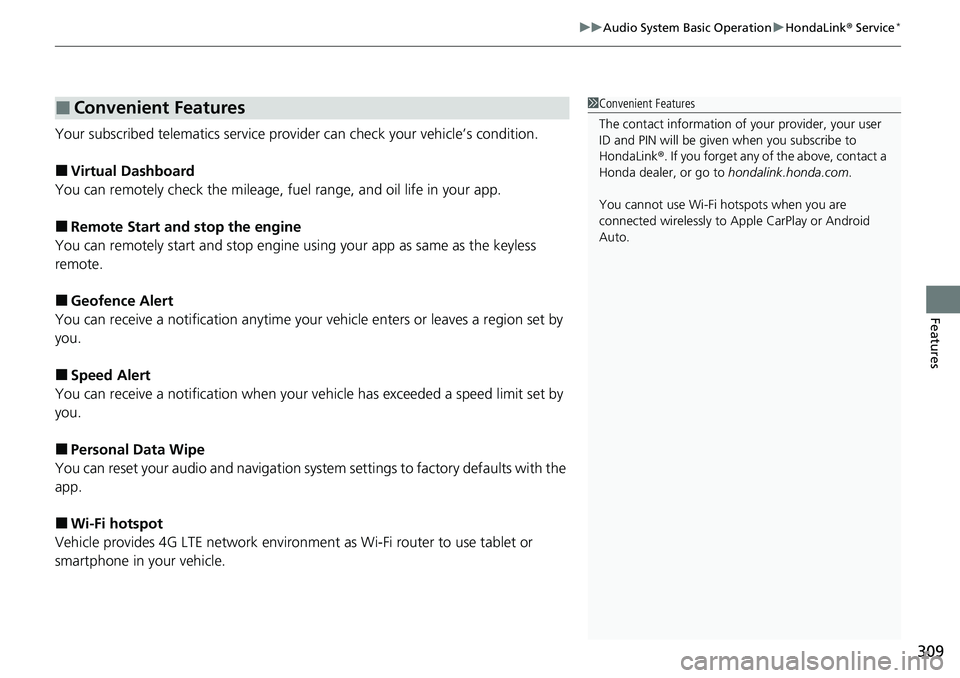
Your subscribed telematics service prov ider can check your vehicle’s condition.
■Virtual Dashboard
You can remotely check the mileage, fuel range, and oil life in your app.
■Remote Start and stop the engine
You can remotely start and stop engine using your app as same as the keyless
remote.
■Geofence Alert
You can receive a notification anytime your ve hicle enters or leaves a region set by
you.
■Speed Alert
You can receive a notification when your ve hicle has exceeded a speed limit set by
you.
■Personal Data Wipe
You can reset your audio and navigation system settings to factory defaults with the
app.
■Wi-Fi hotspot
Vehicle provides 4G LTE ne twork environment as Wi-Fi router to use tablet or
smartphone in your vehicle.
■Convenient Features1 Convenient Features
The contact information of your provider, your user
ID and PIN will be given when you subscribe to
HondaLink ®. If you forget any of the above, contact a
Honda dealer, or go to hondalink.honda.com.
You cannot use Wi-Fi hotspots when you are
connected wirelessly to Apple CarPlay or Android
Auto.
Page 358 of 657
356
uuCustomized Features u
Features
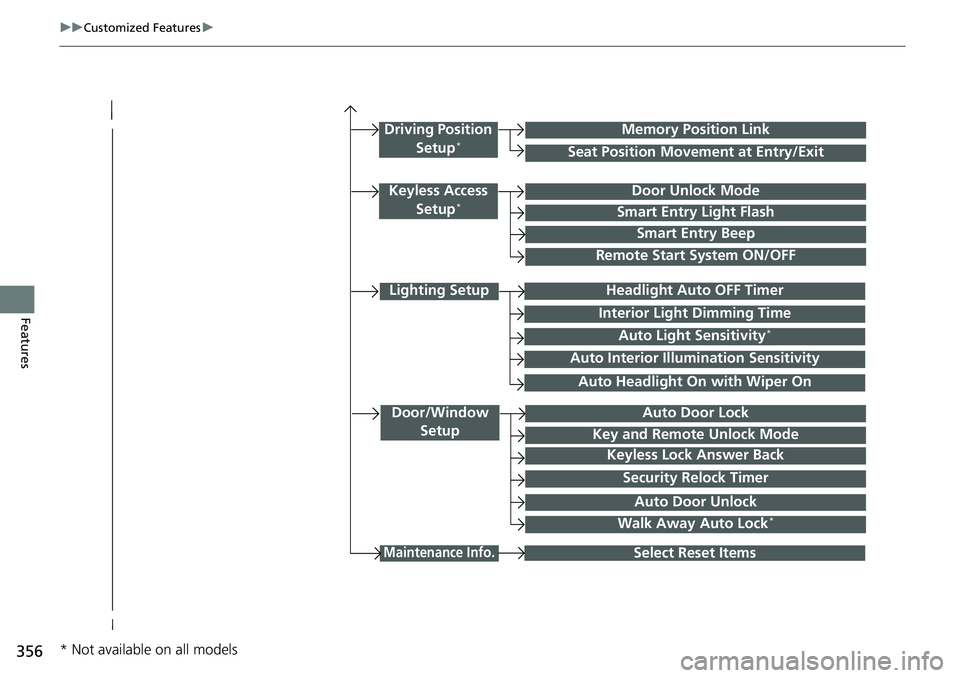
Lighting Setup
Interior Light Dimming Time
Headlight Auto OFF Timer
Auto Light Sensitivity*
Door/Window
SetupAuto Door Lock
Auto Door Unlock
Key and Remote Unlock Mode
Keyless Lock Answer Back
Security Relock Timer
Maintenance Info.Select Reset Items
Walk Away Auto Lock*
Driving Position
Setup*Seat Position Movement at Entry/Exit
Memory Position Link
Keyless Access Setup*Door Unlock Mode
Smart Entry Light Flash
Smart Entry Beep
Remote Start System ON/OFF
Auto Headlight On with Wiper On
Auto Interior Illu mination Sensitivity
* Not available on all models
Page 368 of 657
366
uuCustomized Features u
Features
*1:Default SettingSetup
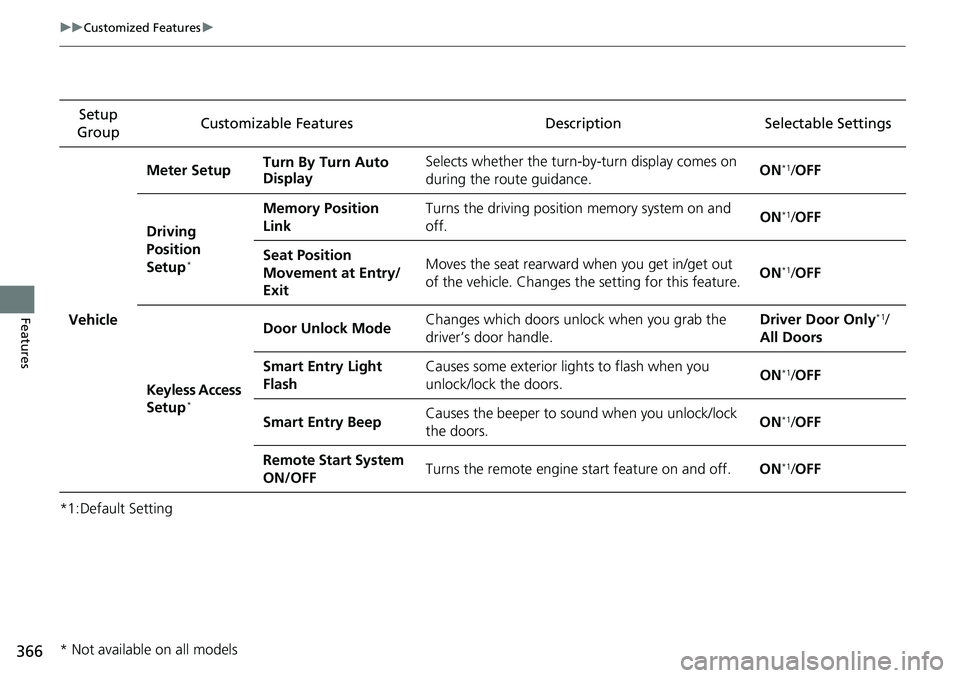
Group Customizable Features Description Selectable Settings
Vehicle Meter Setup
Turn By Turn Auto
Display Selects whether the turn-b
y-turn display comes on
during the route guidance. ON
*1/
OFF
Driving
Position
Setup
*
Memory Position
Link Turns the driving position
memory system on and
off. ON*1/
OFF
Seat Position
Movement at Entry/
Exit Moves the seat rearward when you get in/get out
of the vehicle. Changes the setting for this feature.
ON
*1/
OFF
Keyless Access
Setup
*
Door Unlock Mode Changes which doors unlock when you grab the
driver’s door handle. Driver Door Only*1/
All Doors
Smart Entry Light
Flash Causes some exterior lights to flash when you
unlock/lock the doors.
ON
*1/
OFF
Smart Entry Beep Causes the beeper to sound when you unlock/lock
the doors. ON
*1/
OFF
Remote Start System
ON/OFF Turns the remote engine start feature on and off.
ON
*1/OFF
* Not available on all models
Page 370 of 657
368
uuCustomized Features u
Features
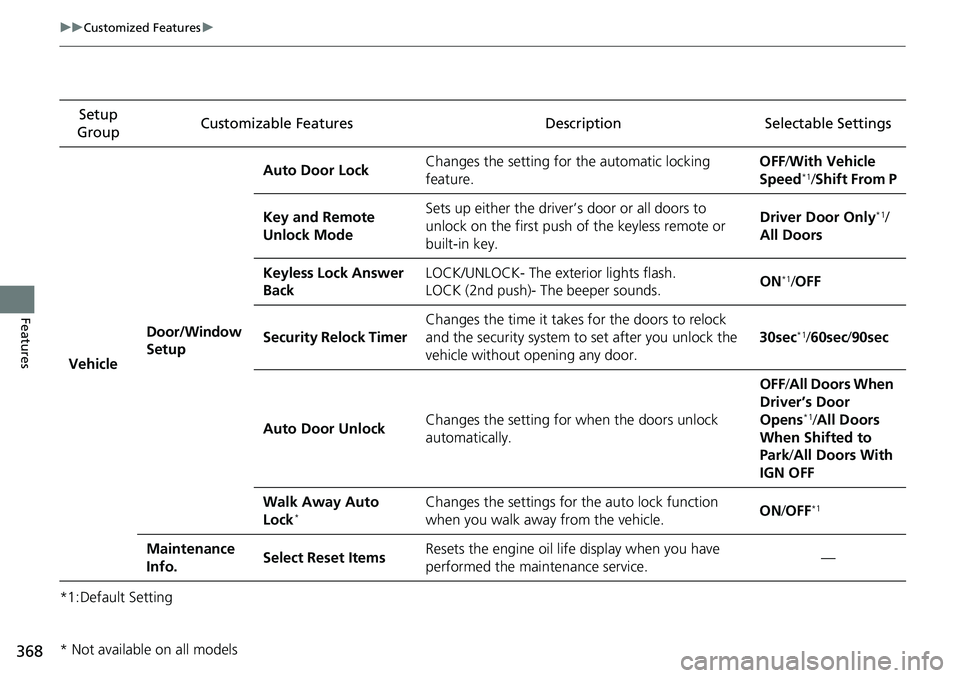
*1:Default SettingSetup
Group Customizable Features Description Selectable Settings
Vehicle Door/Window
Setup Auto Door Lock
Changes the setting for
the automatic locking
feature. OFF
/With Vehicle
Speed
*1/ Shift From P
Key and Remote
Unlock Mode Sets up either the driver’s door or all doors to
unlock on the first push of
the keyless remote or
built-in key. Driver Door Only
*1/
All Doors
Keyless Lock Answer
Back LOCK/UNLOCK- The exterior lights flash.
LOCK (2nd push)- The beeper sounds.
ON
*1/
OFF
Security Relock Timer Changes the time it takes for the doors to relock
and the security system to set after you unlock the
vehicle without opening any door. 30sec
*1/
60sec /90sec
Auto Door Unlock Changes the setting for when the doors unlock
automatically. OFF
/All Doors When
Driver’s Door
Opens
*1/ All Doors
When Shifted to
Park /All Doors With
IGN OFF
Walk Away Auto
Lock
*Changes the settings for the auto lock function
when you walk away from the vehicle. ON
/OFF*1
Maintenance
Info. Select Reset Items
Resets the engine oil life display when you have
performed the maintenance service. —
* Not available on all models
Page 415 of 657
Continued413
uuWhen Driving uStarting the Engine
Driving
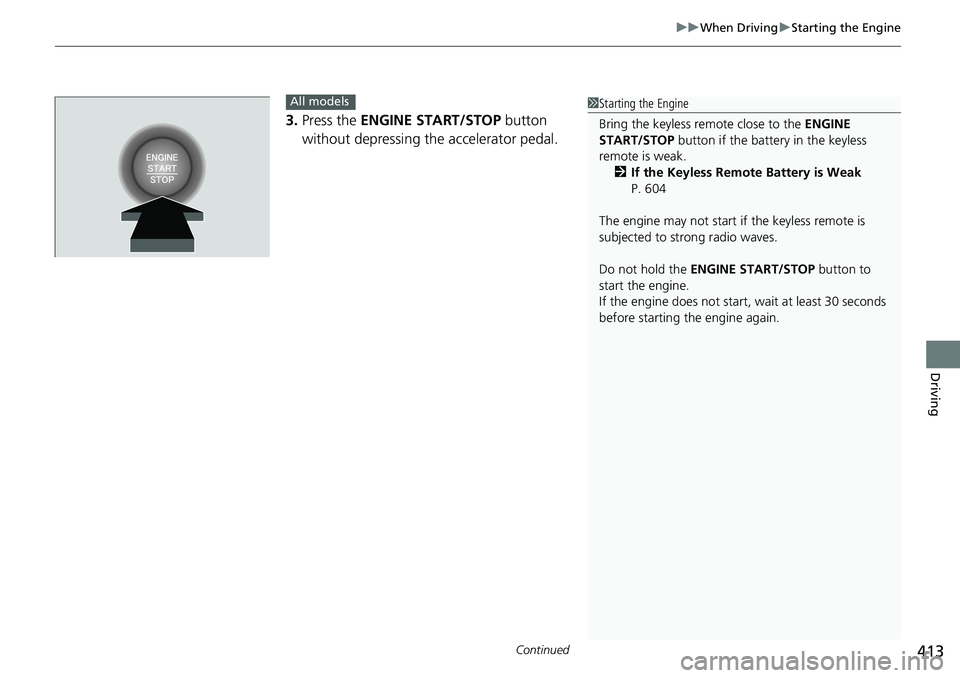
3. Press the ENGINE START/STOP button
without depressing the accelerator pedal.
All models1 Starting the Engine
Bring the keyless remote close to the ENGINE
START/STOP button if the batte ry in the keyless
remote is weak. 2 If the Keyless Remote Battery is Weak
P. 604
The engine may not start if the keyless remote is
subjected to strong radio waves.
Do not hold the ENGINE START/STOP button to
start the engine.
If the engine does not start, wait at least 30 seconds
before starting the engine again.