spec HONDA ACCORD 2023 Owner's Guide
[x] Cancel search | Manufacturer: HONDA, Model Year: 2023, Model line: ACCORD, Model: HONDA ACCORD 2023Pages: 533, PDF Size: 20.09 MB
Page 257 of 533
255
uuGeneral Information on the Audio System uLicense Information
Continued
Features
License Information
The Bluetooth® word mark and logos are register ed trademarks owned by Bluetooth
SIG, Inc. and any use of such marks by MITSUBISHI ELECTRIC is under license.
Other trademarks and trade names are those of their respective owners.
https://www.bluetooth.com/develop- with-bluetooth/marketing-branding/
This product is protected by certain intellectual property rights of Microsoft. Use or
distribution of such technology outside of this product is prohibited without a
license from Microsoft.
■Bluetooth
■Windows Media
23 ACCORD 4D US PET MAP-3130A6000_01.book 255 ページ 2022年10月19日 水曜日 午前11時49分
Page 258 of 533
256
uuGeneral Information on the Audio System uLicense Information
Features
“Made for iPod,” and “Made for iPhone,” mean that an electronic accessory has
been designed to connect specifically to iPod, or iPhone, respectively, and has been
certified by the developer to meet Appl e performance standards. Apple is not
responsible for the operation of this devi ce or its compliance with safety and
regulatory standards. Please note that the use of this accessory with iPod, or iPhone,
may affect wireless performance.
Apple, the Apple Logo, iPhone, iPod touch are trademarks of Apple Inc., registered
in the U.S. and other countries. Apple CarPlay, iPod, iPhone, iTunes, Siri and
Lightning are trademarks of Apple Inc. App Store is a service mark of Apple Inc.
■Apple
23 ACCORD 4D US PET MAP-3130A6000_01.book 256 ページ 2022年10月19日 水曜日 午前11時49分
Page 267 of 533
265Continued
Features
Bluetooth® HandsFreeLink ®
Bluetooth® HandsFreeLink ® (HFL) allows you to place and receive phone calls using
your vehicle’s audio system, without handling your cell phone.
Using HFL
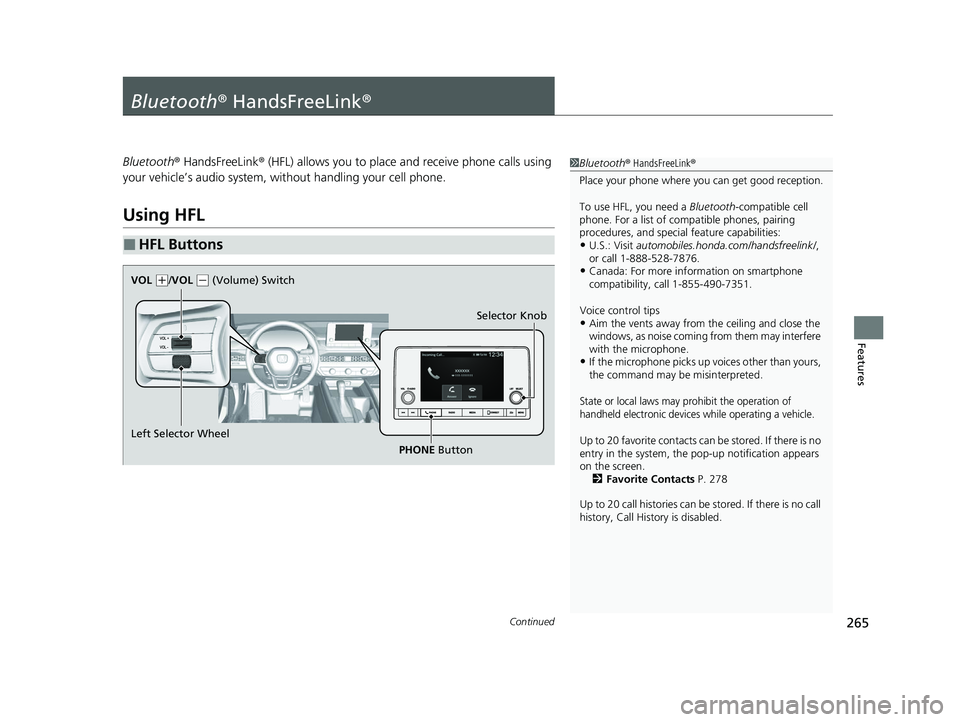
■HFL Buttons
1 Bluetooth ® HandsFreeLink ®
Place your phone where y ou can get good reception.
To use HFL, you need a Bluetooth-compatible cell
phone. For a list of compatible phones, pairing
procedures, and special feature capabilities:
•U.S.: Visit automobiles.honda.com/handsfreelink/ ,
or call 1-888-528-7876.
•Canada: For more info rmation on smartphone
compatibility, call 1-855-490-7351.
Voice control tips
•Aim the vents away from the ceiling and close the
windows, as noise coming from them may interfere
with the microphone.
•If the microphone picks up vo ices other than yours,
the command may be misinterpreted.
State or local laws may pr ohibit the operation of
handheld electronic devices while operating a vehicle.
Up to 20 favorite contacts ca n be stored. If there is no
entry in the system, the pop-up notification appears
on the screen. 2 Favorite Contacts P. 278
Up to 20 call histories can be stored. If there is no call
history, Call History is disabled.
Selector Knob
Left Selector Wheel PHONE Button
VOL
(
+/VOL (- (Volume) Switch
23 ACCORD 4D US PET MAP-3130A6000_01.book 265 ページ 2022年10月19日 水曜日 午前11時49分
Page 268 of 533
uuBluetooth ® HandsFreeLink ®u Using HFL
266
Features
Left Selector Wheel: While receiving a call, the incoming call screen is displayed on
the driver information interface. You can pi ck up the call using the left selector
wheel.
2 Receiving a Call P. 283
PHONE button: Press to go directly to the Phone screen.
Selector knob: Rotate to select an item on the screen, then press .
1 Bluetooth ® HandsFreeLink ®
Bluetooth ® Wireless Technology
The Bluetooth ® word mark and logos are registered
trademarks owned by Bluetooth SIG, Inc., and any
use of such marks by Honda Motor Co., Ltd., is under
license. Other trademarks and trade names are those
of their respective owners.
HFL Limitations
An incoming call on HFL will interrupt the audio
system when it is playing. It will resume when the call
is ended.
23 ACCORD 4D US PET MAP-3130A6000_01.book 266 ページ 2022年10月19日 水曜日 午前11時49分
Page 292 of 533
290
Driving
Before Driving
Driving Preparation
Check the following items before you start driving.
• Make sure there are no obstructions on the windows, door mirrors, exterior
lights, or other parts of the vehicle.
u Remove any frost, snow, or ice.
u Remove any snow on the roof, as this can slip down and obstruct your field of
vision while driving. If frozen solid , remove ice once it has softened.
u When removing ice from around the wheels, be sure not to damage the wheel
or wheel components.
• Make sure the hood is securely closed.
u If the hood opens while driving, your front view will be blocked.
• Make sure the tires are in good condition.
u Check air pressures, and check for damage and excessive wear.
2Checking and Maintaining Tires P. 451
•Make sure there are no people or ob jects behind or around the vehicle.
u There are blind spots from the inside.
■Exterior Checks1Exterior Checks
NOTICE
When doors are frozen s hut, use warm water around
the door edges to melt any ice. Do not try to force
them open, as this can damage the rubber trim
around the doors. When done, wipe dry to avoid
further freezing.
Do not pour warm water into the key cylinder.
You will be unable to insert the key if the water
freezes in the hole.
Heat from the engine and exhaust can ignite
flammable material s left under the hood, causing a
fire. If you’ve parked y our vehicle for an extended
period, inspect and remove any debris that may have
collected, such as dried grass and leaves that have
fallen or have been carried in for use as a nest by a
small animal. Also, check under the hood for leftover
flammable materials after you or someone else has
performed maintenance on your vehicle.
23 ACCORD 4D US PET MAP-3130A6000_01.book 290 ページ 2022年10月19日 水曜日 午前11時49分
Page 295 of 533
293
uuBefore Driving uMaximum Load Limit
Continued
Driving
Maximum Load Limit
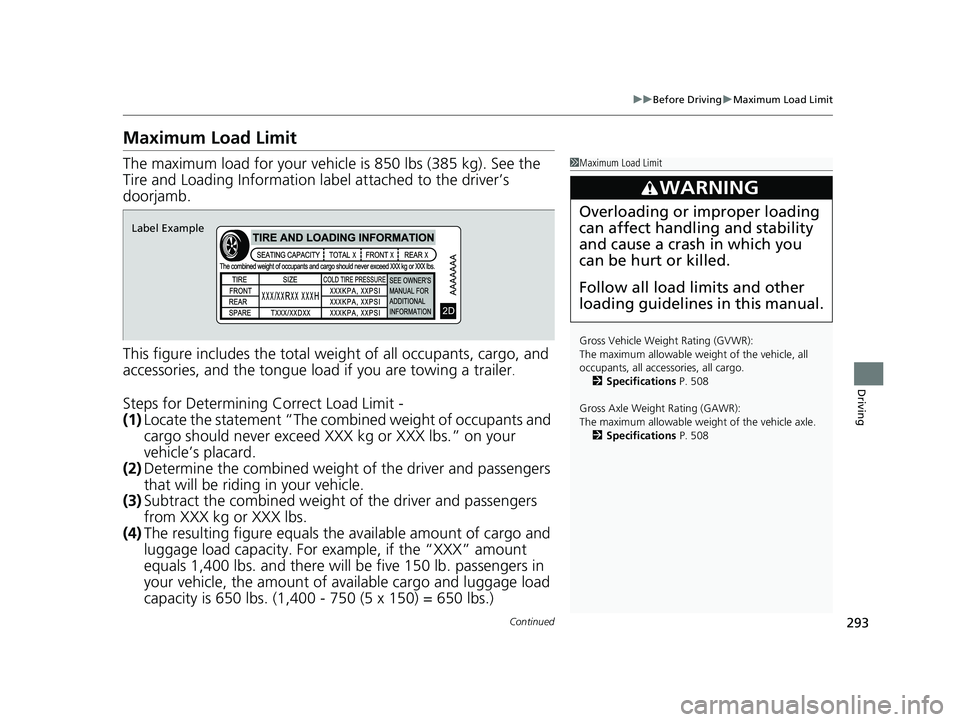
The maximum load for your vehicl e is 850 lbs (385 kg). See the
Tire and Loading Information la bel attached to the driver’s
doorjamb.
This figure includes the total weig ht of all occupants, cargo, and
accessories, and the tongue load if you are towing a trailer
.
Steps for Determining Correct Load Limit -
(1) Locate the statement “The combined weight of occupants and
cargo should never exceed XXX kg or XXX lbs.” on your
vehicle’s placard.
(2) Determine the combined weight of the driver and passengers
that will be riding in your vehicle.
(3) Subtract the combined weight of the driver and passengers
from XXX kg or XXX lbs.
(4) The resulting figure equals the available amount of cargo and
luggage load capacity. For example, if the “XXX” amount
equals 1,400 lbs. and there will be five 150 lb. passengers in
your vehicle, the am ount of available cargo and luggage load
capacity is 650 lbs. (1,400 - 750 (5 x 150) = 650 lbs.)
1 Maximum Load Limit
Gross Vehicle Weight Rating (GVWR):
The maximum allowable weight of the vehicle, all
occupants, all acce ssories, all cargo.
2 Specifications P. 508
Gross Axle Weight Rating (GAWR):
The maximum allowable weight of the vehicle axle. 2 Specifications P. 508
3WARNING
Overloading or improper loading
can affect handling and stability
and cause a crash in which you
can be hurt or killed.
Follow all load limits and other
loading guidelines in this manual.
Label Example
23 ACCORD 4D US PET MAP-3130A6000_01.book 293 ページ 2022年10月19日 水曜日 午前11時49分
Page 309 of 533
307
uuWhen Driving uAuto Idle Stop
Continued
Driving
Auto Idle Stop
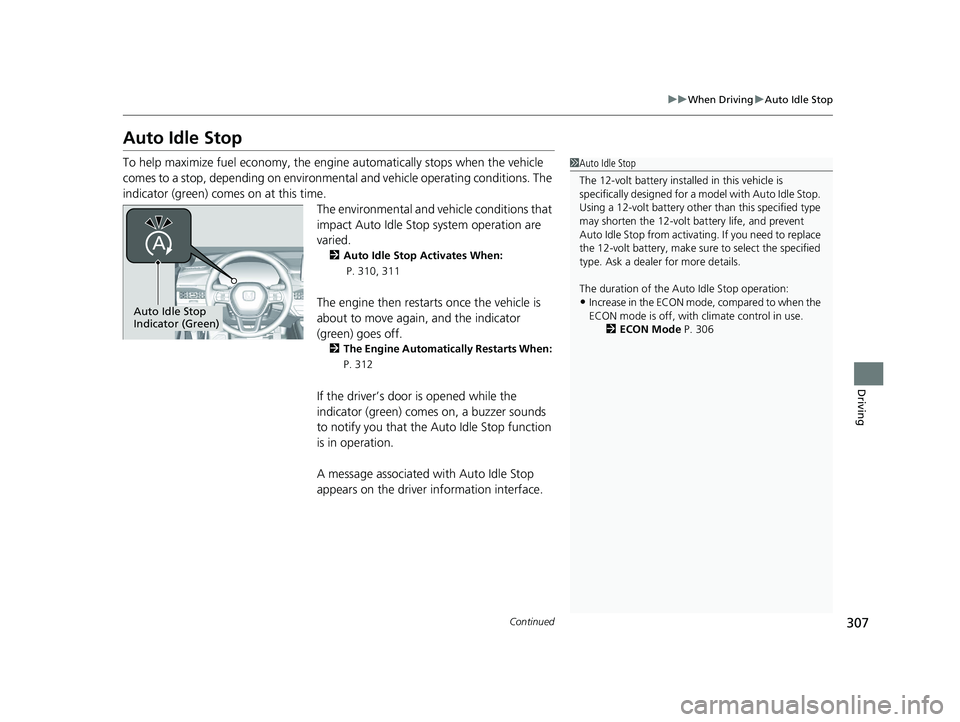
To help maximize fuel economy, the engine automatically stops when the vehicle
comes to a stop, depending on environmental and vehicle operating conditions. The
indicator (green) comes on at this time.
The environmental and vehicle conditions that
impact Auto Idle Stop system operation are
varied.
2Auto Idle Stop Activates When:
P. 310, 311
The engine then restarts once the vehicle is
about to move again, and the indicator
(green) goes off.
2The Engine Automatically Restarts When:
P. 312
If the driver’s door is opened while the
indicator (green) come s on, a buzzer sounds
to notify you that the Auto Idle Stop function
is in operation.
A message associated with Auto Idle Stop
appears on the driver information interface.
1 Auto Idle Stop
The 12-volt battery insta lled in this vehicle is
specifically designed for a m odel with Auto Idle Stop.
Using a 12-volt battery other than this specified type
may shorten the 12-volt ba ttery life, and prevent
Auto Idle Stop from activati ng. If you need to replace
the 12-volt battery, make sure to select the specified
type. Ask a dealer for more details.
The duration of the Au to Idle Stop operation:
•Increase in the ECON mode, compared to when the
ECON mode is off, with climate control in use.
2 ECON Mode P. 306Auto Idle Stop
Indicator (Green)
23 ACCORD 4D US PET MAP-3130A6000_01.book 307 ページ 2022年10月19日 水曜日 午前11時49分
Page 315 of 533
313
uuWhen Driving uVehicle Stability AssistTM (VSA ®), aka Electronic Stability Control (ESC), System
Continued
Driving
Vehicle Stability AssistTM (VSA ®), aka Electronic
Stability Control (ESC), System
VSA ® helps stabilize the vehicle during cornering if the vehicle turns more or less
than what was intended. It also assists in maintaining traction on slippery surfaces.
It does so by regulating engine ou tput and selectively applying the brakes.
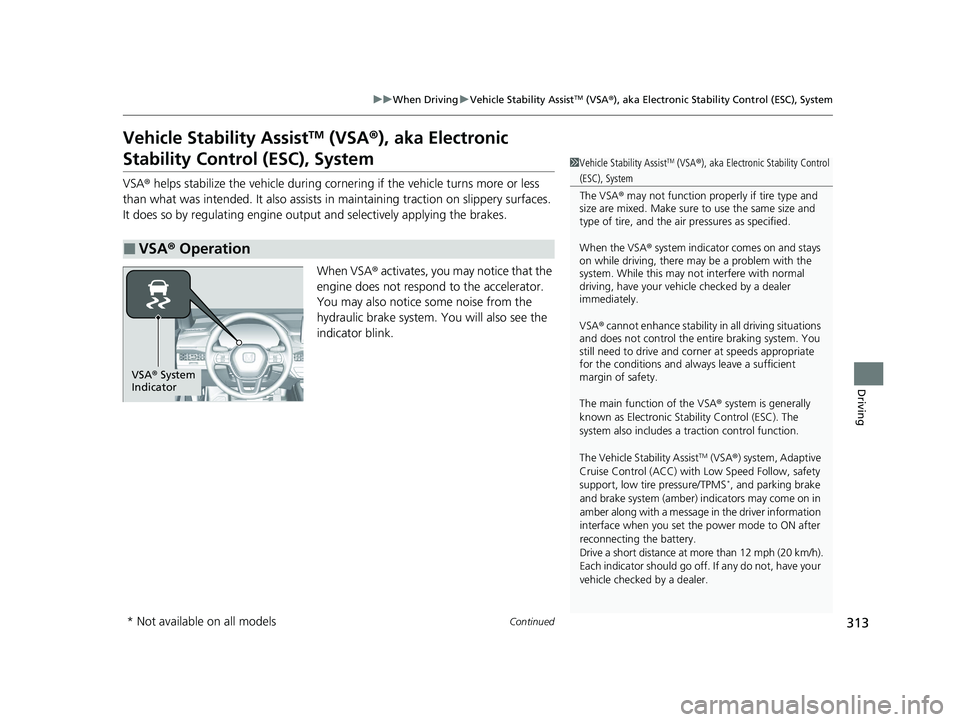
When VSA ® activates, you may notice that the
engine does not respond to the accelerator.
You may also notice some noise from the
hydraulic brake system. You will also see the
indicator blink.
■VSA ® Operation
1 Vehicle Stability AssistTM (VSA® ), aka Electronic Stability Control
(ESC), System
The VSA ® may not function properl y if tire type and
size are mixed. Make sure to use the same size and
type of tire, and the air pressures as specified.
When the VSA ® system indicator comes on and stays
on while driving, there ma y be a problem with the
system. While this may not interfere with normal
driving, have your vehi cle checked by a dealer
immediately.
VSA ® cannot enhance stability in all driving situations
and does not control the entire braking system. You
still need to drive and corner at speeds appropriate
for the conditions and always leave a sufficient
margin of safety.
The main function of the VSA ® system is generally
known as Electronic Stability Control (ESC). The
system also includes a traction control function.
The Vehicle Stability Assist
TM (VSA ®) system, Adaptive
Cruise Control (ACC) with Low Speed Follow, safety
support, low tire pressure/TPMS
*, and parking brake
and brake system (amber) indicators may come on in
amber along with a message in the driver information
interface when you set the power mode to ON after
reconnecting the battery.
Drive a short distance at more than 12 mph (20 km/h).
Each indicator should go off. If any do not, have your
vehicle checked by a dealer.
VSA ® System
Indicator
* Not available on all models
23 ACCORD 4D US PET MAP-3130A6000_01.book 313 ページ 2022年10月19日 水曜日 午前11時49分
Page 321 of 533
Continued319
uuWhen Driving uTire Pressure Monitoring System (TPMS)*
Driving
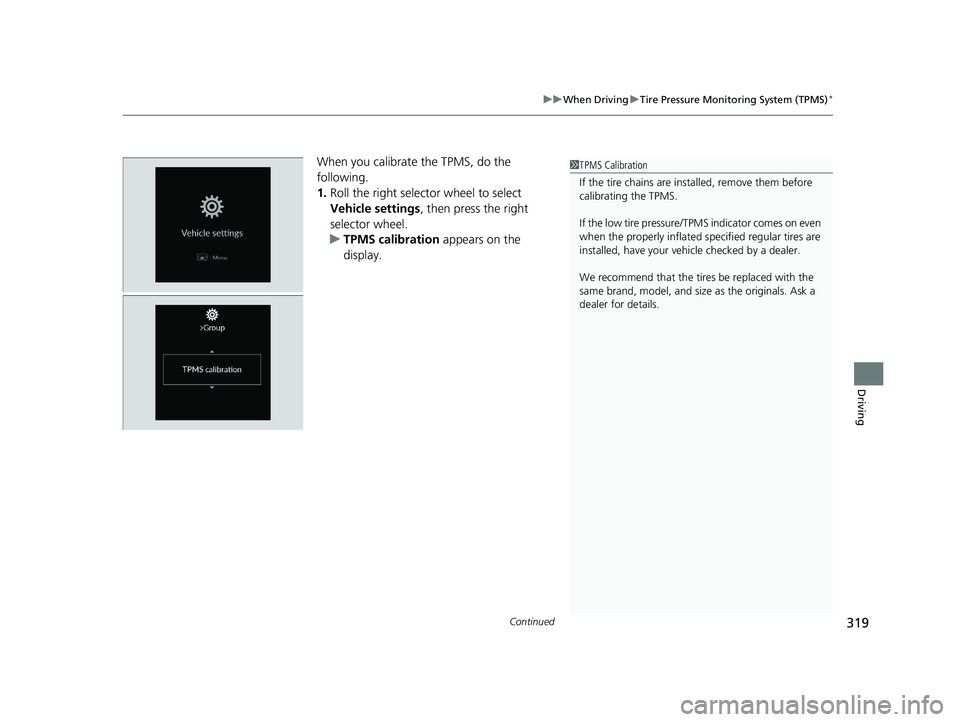
When you calibrate the TPMS, do the
following.
1. Roll the right selector wheel to select
Vehicle settings , then press the right
selector wheel.
u TPMS calibration appears on the
display.1TPMS Calibration
If the tire chains are installed, remove them before
calibrating the TPMS.
If the low tire pressure/TPMS indicator comes on even
when the properly inflated specified regular tires are
installed, have your vehi cle checked by a dealer.
We recommend that the tires be replaced with the
same brand, model, and size as the originals. Ask a
dealer for details.
23 ACCORD 4D US PET MAP-3130A6000_01.book 319 ページ 2022年10月19日 水曜日 午前11時49分
Page 339 of 533
Continued337
uuHonda Sensing ®u Collision Mitigation Braking SystemTM (CMBSTM)
Driving
■Examples of limitations on the correc t detection of the camera due to the
condition of the vehicle ahead of you, oncoming vehicles, pedestrians, or
moving bicycles
• The distance between your vehicle and the vehicle ahead of you, oncoming
vehicle, pedestrian, or moving bicycle ahead of you is too short.
• The vehicle ahead of you, oncoming vehicle, pedestrian, or moving bicycle
suddenly cuts in front of or jumps out in front of you.
• The bicycle is stopped.
• The oncoming vehicle or vehicle ahead of you is sideways or facing diagonally.
• When the vehicle ahead of you, oncoming vehicle, pedestrian, or moving bicycle
blends in with the background, preventing the system from recognizing it.
• When several pedestrians are moving ahead of you in a group.
• When several bicycles are movi ng ahead of you in a group.
• When a pedestrian or moving bicy cle crosses the road too quickly.
• A pedestrian or moving bicycle approaches from the opposite direction.
• The headlights of the vehicle ahead of you or oncoming vehicle are lit on one side
or not lit on either side in a dark place.
• When part of a pedestrian (heads, limbs, etc.) is hidden by a load.
• When a pedestrian is bent over or squatting, when their hands are raised, or they
are running.
• When the pedestrian is shorte r than about 3.3 feet (1 meter) or taller than about
6.6 feet (2 meters) in height.
• When the pedestrian is push ing a stroller or bicycle.1Collision Mitigation Braking SystemTM (CMBSTM)
Make sure that all the tires are of the same specified
size, type and brand, and that they are evenly worn.
If you use tires of different sizes, types, brands, or
degree of wear, the syst em may not work properly.
Do not modify the suspensi on. Altering the height of
the vehicle may prevent the system from working
properly.
23 ACCORD 4D US PET MAP-3130A6000_01.book 337 ページ 2022年10月19日 水曜日 午前11時49分