light HONDA ACCORD 2023 Service Manual
[x] Cancel search | Manufacturer: HONDA, Model Year: 2023, Model line: ACCORD, Model: HONDA ACCORD 2023Pages: 533, PDF Size: 20.09 MB
Page 173 of 533
171
uuOperating the Switches Around the Steering Wheel uDaytime Running Lights
Controls
Daytime Running Lights
The parking/daytime running lights come on when the following conditions have
been met:
• The power mode is in ON.
• The headlight switch is in AUTO, or .
• The parking brake is released.
The lights remain on even if you set th e parking brake. Setting the power mode to
VEHICLE OFF will turn off the daytime running lights.
The daytime running lights are off once the h eadlight switch is turned on, or when
the head light switch is in AUTO and it is getting darker outside.
23 ACCORD 4D US PET MAP-3130A6000_01.book 171 ページ 2022年10月19日 水曜日 午前11時49分
Page 174 of 533
172
uuOperating the Switches Around the Steering Wheel uAuto High-Beam
Controls
Auto High-Beam
The front sensor camera detects the light sources ahead of the vehicle such as the
lights of a preceding or oncoming vehicle, or street lights. When you are driving at
night, the system automatically switches the headlights between low beam and high
beam depending on the situation.
■Activating the system
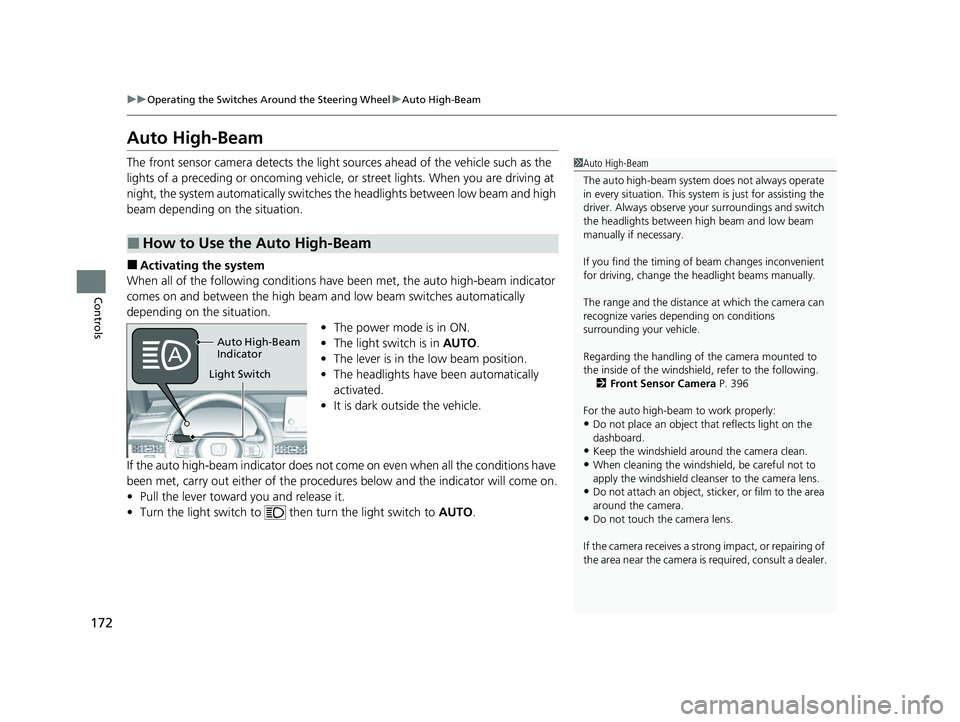
When all of the following conditions have been met, the auto high-beam indicator
comes on and between the high beam and low beam switches automatically
depending on the situation. •The power mode is in ON.
• The light switch is in AUTO.
• The lever is in the low beam position.
• The headlights have been automatically
activated.
• It is dark outside the vehicle.
If the auto high-beam indicator does not co me on even when all the conditions have
been met, carry out either of the proced ures below and the indicator will come on.
• Pull the lever toward you and release it.
• Turn the light switch to th en turn the light switch to AUTO.
■How to Use the Auto High-Beam
1Auto High-Beam
The auto high-beam system does not always operate
in every situation. This syst em is just for assisting the
driver. Always observe your surroundings and switch
the headlights between high beam and low beam
manually if necessary.
If you find the timing of beam changes inconvenient
for driving, change the headlight beams manually.
The range and the distance at which the camera can
recognize varies de pending on conditions
surrounding your vehicle.
Regarding the handling of the camera mounted to
the inside of the windshiel d, refer to the following.
2 Front Sensor Camera P. 396
For the auto high-beam to work properly:
•Do not place an object that reflects light on the
dashboard.
•Keep the windshield around the camera clean.
•When cleaning the windshield, be careful not to
apply the windshield cleans er to the camera lens.
•Do not attach an object, sticker, or film to the area
around the camera.
•Do not touch the camera lens.
If the camera receives a st rong impact, or repairing of
the area near the camera is required, consult a dealer.
Auto High-Beam
Indicator
Light Switch
23 ACCORD 4D US PET MAP-3130A6000_01.book 172 ページ 2022年10月19日 水曜日 午前11時49分
Page 175 of 533
Continued173
uuOperating the Switches Around the Steering Wheel uAuto High-Beam
Controls
■Automatic switching between high-beam and low-beam
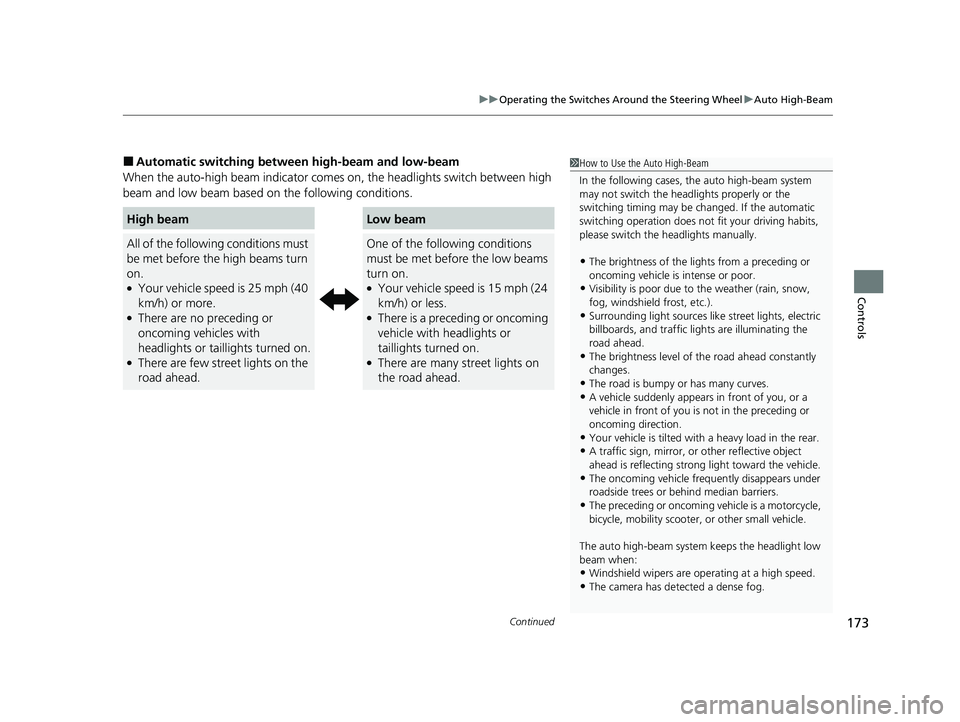
When the auto-high beam indicator comes on, the headlights switch between high
beam and low beam based on the following conditions.
High beamLow beam
All of the following conditions must
be met before the high beams turn
on.
●Your vehicle speed is 25 mph (40
km/h) or more.
●There are no preceding or
oncoming vehicles with
headlights or taillights turned on.
●There are few street lights on the
road ahead.
One of the following conditions
must be met before the low beams
turn on.
●Your vehicle speed is 15 mph (24
km/h) or less.
●There is a preceding or oncoming
vehicle with headlights or
taillights turned on.
●There are many street lights on
the road ahead.
1 How to Use the Auto High-Beam
In the following cases, th e auto high-beam system
may not switch the head lights properly or the
switching timing may be ch anged. If the automatic
switching operation does not fit your driving habits,
please switch the headlights manually.
•The brightness of the ligh ts from a preceding or
oncoming vehicle is intense or poor.
•Visibility is poor due to the weather (rain, snow,
fog, windshield frost, etc.).
•Surrounding light sources like street lights, electric
billboards, and tr affic lights are illuminating the
road ahead.
•The brightness level of th e road ahead constantly
changes.
•The road is bumpy or has many curves.•A vehicle suddenly appears in front of you, or a
vehicle in front of you is not in the preceding or
oncoming direction.
•Your vehicle is tilted with a heavy load in the rear.•A traffic sign, mirror, or other reflective object
ahead is reflecting strong light toward the vehicle.
•The oncoming vehicle freq uently disappears under
roadside trees or be hind median barriers.
•The preceding or oncoming vehicle is a motorcycle,
bicycle, mobility scooter, or other small vehicle.
The auto high-beam system keeps the headlight low
beam when:
•Windshield wipers are op erating at a high speed.
•The camera has detected a dense fog.
23 ACCORD 4D US PET MAP-3130A6000_01.book 173 ページ 2022年10月19日 水曜日 午前11時49分
Page 176 of 533
uuOperating the Switches Around the Steering Wheel uAuto High-Beam
174
Controls
■Manual switching between high-beam and low-beam
If you want to manually switch the headlights between high beam and low beam,
follow either of the proced ures below. Note that when you do this, the auto high-
beam indicator will turn off and the auto high-beam will be deactivated.
Using the lever:
Pull the lever toward you for flashi ng the high beams then release it.
u To reactivate the auto high-beam, follo w either of the procedures below and
the auto high-beam indicator will come on.
• Pull the lever towards you and release it.
• Turn the light switch to and then to AUTO when the lever is in the low beam
position.
Using the light switch:
Turn the light switch to . u To reactivate the auto high-be am, turn the light switch to AUTO when the
lever is in the low beam position, and the auto high-beam indicator will come
on.1 How to Use the Auto High-Beam
How to turn off the Auto High-Beam System
You can turn the auto high- beam system on and off.
2 Vehicle Settings P. 126
If the Some driver assist systems cannot operate:
Camera temperature too high message appears:
•Use the climate control system to cool down the
interior and, if necessary, also use defroster mode
with the airflow directed toward the camera.
•Start driving the vehicle to lower the windshield
temperature, which cool s down the area around
the camera.
If the Some driver assist systems cannot operate:
Clean front windshield or poor viewing
condition. message appears:
•Park your vehicle in a safe place, and make sure the
windshield is clean.
Clean the windshield if it is dirty. If the message
does not disappear after dr iven for a while, have
your vehicle checked by a dealer.
23 ACCORD 4D US PET MAP-3130A6000_01.book 174 ページ 2022年10月19日 水曜日 午前11時49分
Page 181 of 533
179
Controls
Mirrors
Interior Rearview Mirror
Adjust the angle of the rearview mirror when you are sitting in the correct driving
position.
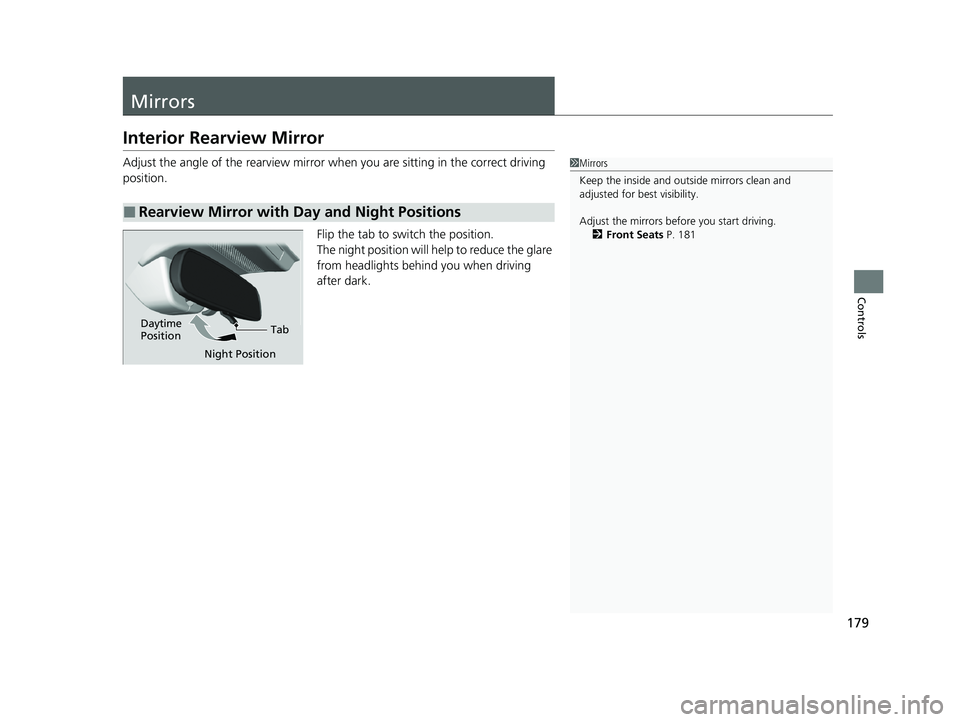
Flip the tab to switch the position.
The night position will help to reduce the glare
from headlights behind you when driving
after dark.
■Rearview Mirror with Day and Night Positions
1Mirrors
Keep the inside and out side mirrors clean and
adjusted for best visibility.
Adjust the mirrors before you start driving. 2 Front Seats P. 181
Tab
Daytime
Position
Night Position
23 ACCORD 4D US PET MAP-3130A6000_01.book 179 ページ 2022年10月19日 水曜日 午前11時49分
Page 192 of 533
190
Controls
Interior Convenience Items
Interior Lights
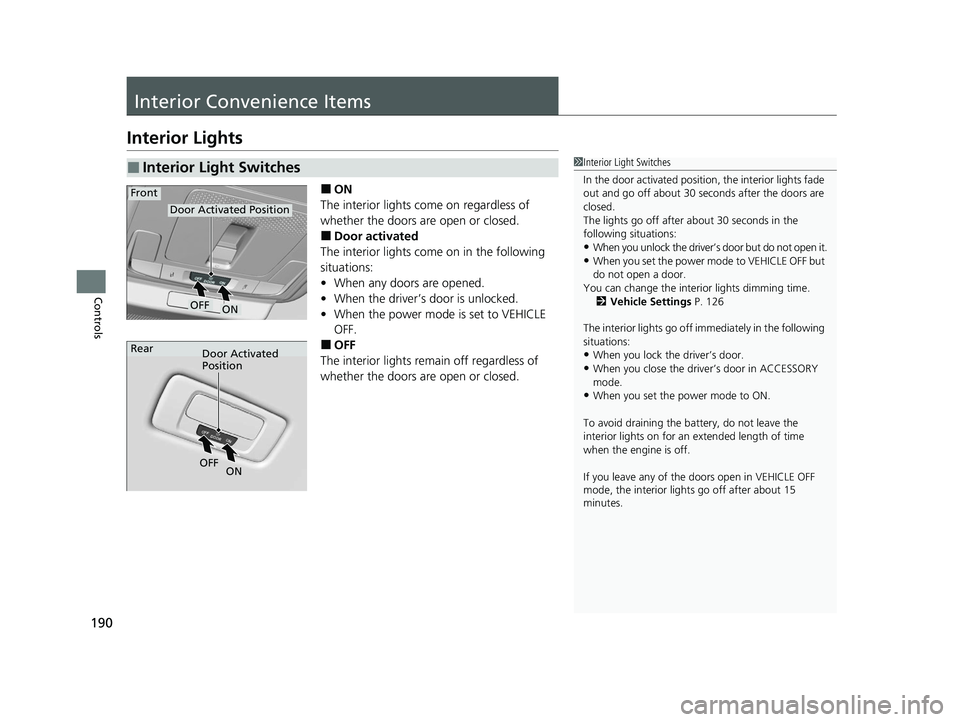
■ON
The interior lights come on regardless of
whether the doors are open or closed.
■Door activated
The interior lights come on in the following
situations:
• When any doors are opened.
• When the driver’s door is unlocked.
• When the power mode is set to VEHICLE
OFF.
■OFF
The interior lights remain off regardless of
whether the doors are open or closed.
■Interior Light Switches1 Interior Light Switches
In the door activated position, the interior lights fade
out and go off about 30 seconds after the doors are
closed.
The lights go off after about 30 seconds in the
following situations:
•When you unlock the driver’s door but do not open it.
•When you set the power mode to VEHICLE OFF but
do not open a door.
You can change the interi or lights dimming time.
2 Vehicle Settings P. 126
The interior lights go off im mediately in the following
situations:
•When you lock the driver’s door.
•When you close the driver’s door in ACCESSORY
mode.
•When you set the power mode to ON.
To avoid draining the ba ttery, do not leave the
interior lights on for an extended length of time
when the engine is off.
If you leave any of the doors open in VEHICLE OFF
mode, the interior light s go off after about 15
minutes.
Door Activated Position
ON
Front
OFF
Door Activated
Position
Rear
ON
OF
F
23 ACCORD 4D US PET MAP-3130A6000_01.book 190 ページ 2022年10月19日 水曜日 午前11時49分
Page 193 of 533
191
uuInterior Convenience Items uInterior Lights
Controls
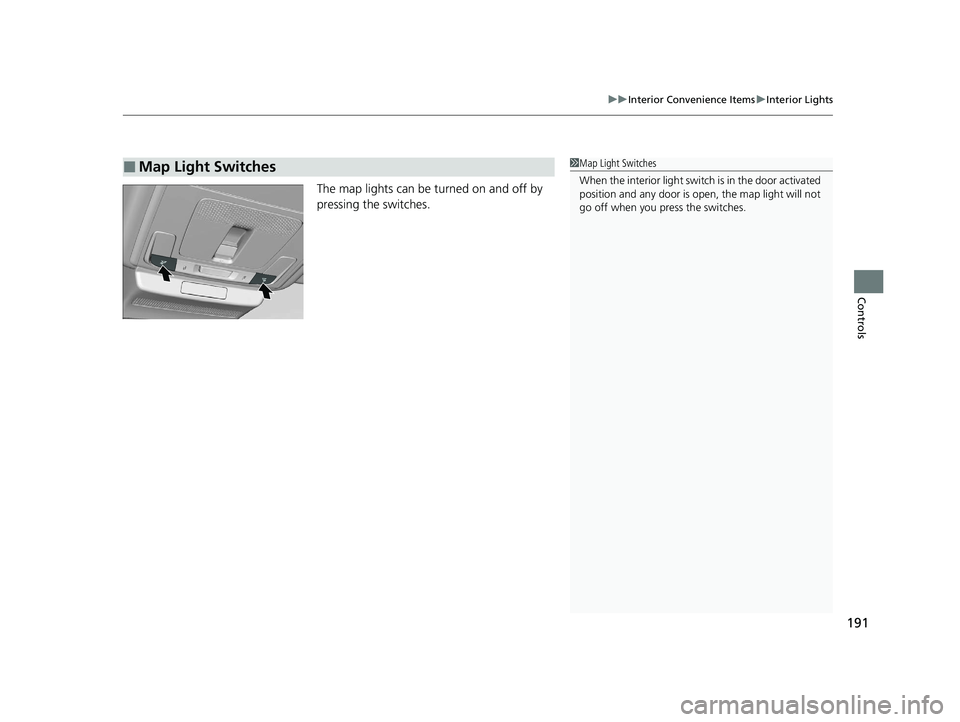
The map lights can be turned on and off by
pressing the switches.
■Map Light Switches1Map Light Switches
When the interior light swit ch is in the door activated
position and any door is open, the map light will not
go off when you press the switches.
23 ACCORD 4D US PET MAP-3130A6000_01.book 191 ページ 2022年10月19日 水曜日 午前11時49分
Page 199 of 533
197
uuInterior Convenience Items uOther Interior Convenience Items
Continued
Controls
Other Interior Convenience Items
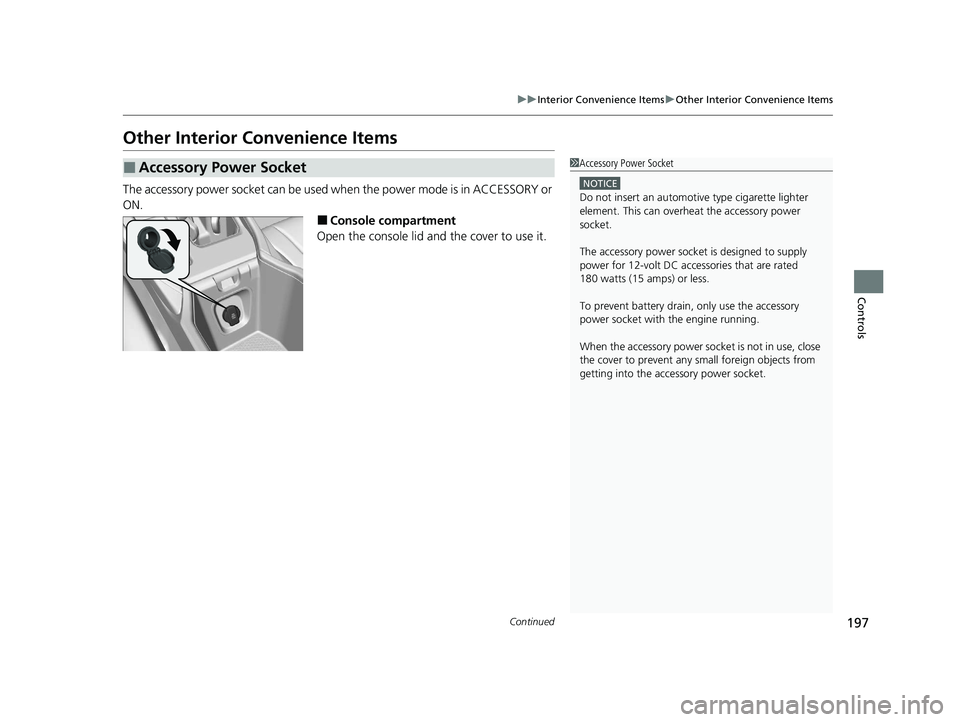
The accessory power socket can be used when the power mode is in ACCESSORY or
ON.
■Console compartment
Open the console lid and the cover to use it.
■Accessory Power Socket1 Accessory Power Socket
NOTICE
Do not insert an automotive type cigarette lighter
element. This can overheat the accessory power
socket.
The accessory power socket is designed to supply
power for 12-volt DC accessories that are rated
180 watts (15 amps) or less.
To prevent battery drain, only use the accessory
power socket with the engine running.
When the accessory power soc ket is not in use, close
the cover to prevent any small foreign objects from
getting into the accessory power socket.
23 ACCORD 4D US PET MAP-3130A6000_01.book 197 ページ 2022年10月19日 水曜日 午前11時49分
Page 209 of 533
207
uuAudio System uUSB Ports
Features
USB Ports
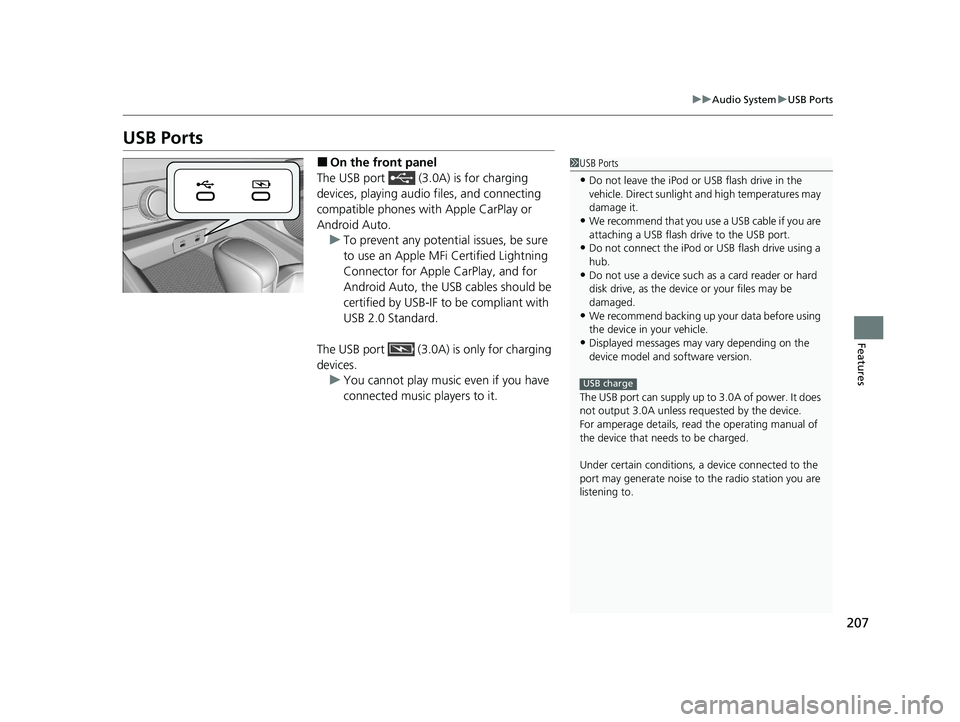
■On the front panel
The USB port (3.0A) is for charging
devices, playing audio files, and connecting
compatible phones with Apple CarPlay or
Android Auto. u To prevent any potenti al issues, be sure
to use an Apple MFi Certified Lightning
Connector for Apple CarPlay, and for
Android Auto, the USB cables should be
certified by USB-IF to be compliant with
USB 2.0 Standard.
The USB port (3.0A) is only for charging
devices. u You cannot play music even if you have
connected music players to it.1USB Ports
•Do not leave the iPod or USB flash drive in the
vehicle. Direct sunlight and high temperatures may
damage it.
•We recommend that you us e a USB cable if you are
attaching a USB flash drive to the USB port.
•Do not connect the iPod or USB flash drive using a
hub.
•Do not use a device such as a card reader or hard
disk drive, as the device or your files may be
damaged.
•We recommend backing up yo ur data before using
the device in your vehicle.
•Displayed messages may vary depending on the
device model and software version.
The USB port can supply up to 3.0A of power. It does
not output 3.0A unless requested by the device.
For amperage details, read the operating manual of
the device that ne eds to be charged.
Under certain condi tions, a device connected to the
port may generate noise to the radio station you are
listening to.
USB charge
23 ACCORD 4D US PET MAP-3130A6000_01.book 207 ページ 2022年10月19日 水曜日 午前11時49分
Page 241 of 533
239
Features
General Information on the Audio System
Compatible iPod, iPhone , and USB Flash Drives
•A USB flash drive of 256 MB or higher is recommended.
• Some digital audio players may not be compatible.
• Some USB flash drives (e.g., a device with security lockout) may not work.
• Some software files may not allow for audio play or text data display.
• Some versions of MP3, WMA, AAC, FLAC, or WAV formats may be unsupported.
■iPod and iPhone Model Compatibility
Model
Made for iPod touch (6th to 7th generation) released between 2015 and 2019
Made for iPhone 5s/iPhone 6/iPhone 6 Plus/iPhone 6S/iPhone 6S Plus/iPhone SE/
iPhone 7/iPhone 7 Plus/iPhone 8/iPhone 8 Plus/iPhone X/iPhone XS/iPhone XS Max/
iPhone XR/iPhone 11/iPhone 11 Pro/iPhone 11 Pro Max /iPhone SE (2nd
generation)/iPhone 12 mini/iPhone 12/iP hone 12 Pro/iPhone 12 Pro Max/iPhone 13
mini/iPhone 13/iPhone 13 Pro/iPhone 13 Pro Max
1 iPod and iPhone Model Compatibility
This system may not work with all software versions
of these devices.
The Lightning connector wo rks with iPhone 5s,
iPhone 6, iPhone 6 Plus, iPhone 6S, iPhone 6S Plus,
iPhone SE, iPhone 7, iPhone 7 Plus, iPhone 8, iPhone
8 Plus, iPhone X, iPhone XS, iPhone XS Max, iPhone
XR, iPhone 11, iPhone 11 Pro, iPhone 11 Pro Max,
iPhone SE (2nd generation), iPhone 12 mini, iPhone
12, iPhone 12 Pro, iPhone 12 Pro Max, iPhone 13
mini, iPhone 13, iPhone 13 Pro, iPhone 13 Pro Max,
iPod touch (6th, 7th generation).
USB works with, iPhone 5s, iPhone 6, iPhone 6 Plus,
iPhone 6S, iPhone 6S Plus, iPhone SE, iPhone 7,
iPhone 7 Plus, iPhone 8, iPhone 8 Plus, iPhone X,
iPhone XS, iPhone XS Ma x, iPhone XR, iPhone 11,
iPhone 11 Pro, iPhone 11 Pr o Max, iPhone SE (2nd
generation), iPhone 12 mi ni, iPhone 12, iPhone 12
Pro, iPhone 12 Pro Max, iPhone 13 mini, iPhone 13,
iPhone 13 Pro, iPhone 13 Pro Max, iPod touch (6th,
7th generation).
■USB Flash Drives1 USB Flash Drives
Files on the USB flash drive are played in their stored
order. This order may be different from the order
displayed on your PC or device.
23 ACCORD 4D US PET MAP-3130A6000_01.book 239 ページ 2022年10月19日 水曜日 午前11時49分