rear HONDA ACCORD 2023 Service Manual
[x] Cancel search | Manufacturer: HONDA, Model Year: 2023, Model line: ACCORD, Model: HONDA ACCORD 2023Pages: 533, PDF Size: 20.09 MB
Page 157 of 533
155
uuOpening and Closing the Trunk uTrunk Main Switch*
Controls
Trunk Main Switch*
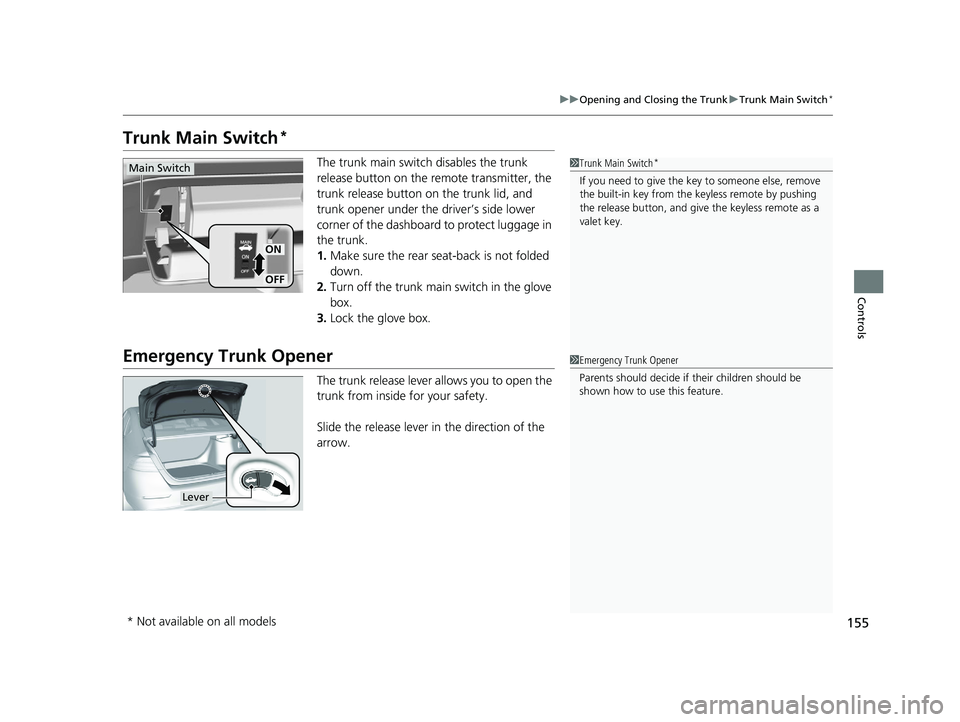
The trunk main switch disables the trunk
release button on the remote transmitter, the
trunk release button on the trunk lid, and
trunk opener under the driver’s side lower
corner of the dashboard to protect luggage in
the trunk.
1. Make sure the rear seat-back is not folded
down.
2. Turn off the trunk main switch in the glove
box.
3. Lock the glove box.
Emergency Trunk Opener
The trunk release lever allows you to open the
trunk from inside for your safety.
Slide the release lever in the direction of the
arrow.
1Trunk Main Switch*
If you need to give the ke y to someone else, remove
the built-in key from the keyless remote by pushing
the release button, and give the keyless remote as a
valet key.
ON
OFF
Main Switch
1 Emergency Trunk Opener
Parents should deci de if their children should be
shown how to use this feature.
Lever
* Not available on all models
23 ACCORD 4D US PET MAP-3130A6000_01.book 155 ページ 2022年10月19日 水曜日 午前11時49分
Page 170 of 533
168
uuOperating the Switches Around the Steering Wheel uLight Switches
Controls
Light Switches
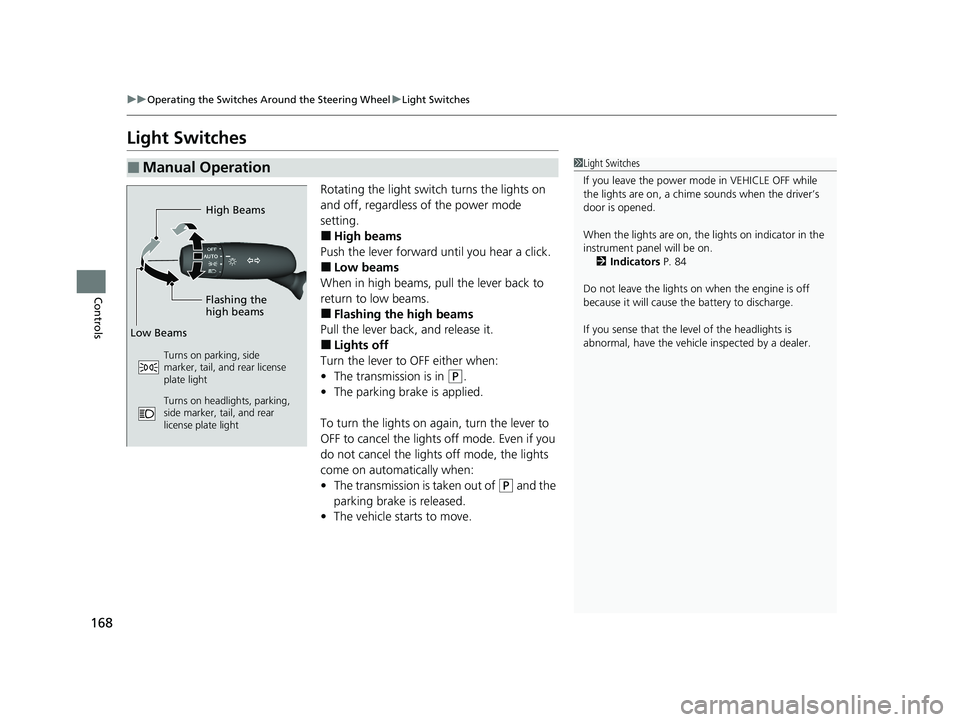
Rotating the light switch turns the lights on
and off, regardless of the power mode
setting.
■High beams
Push the lever forward until you hear a click.
■Low beams
When in high beams, pull the lever back to
return to low beams.
■Flashing the high beams
Pull the lever back, and release it.
■Lights off
Turn the lever to OFF either when:
• The transmission is in
(P.
• The parking brake is applied.
To turn the lights on again, turn the lever to
OFF to cancel the lights off mode. Even if you
do not cancel the lights off mode, the lights
come on automatically when:
• The transmission is taken out of
(P and the
parking brake is released.
• The vehicle starts to move.
■Manual Operation1Light Switches
If you leave the power mode in VEHICLE OFF while
the lights are on, a chime sounds when the driver’s
door is opened.
When the lights are on, the lights on indicator in the
instrument pane l will be on.
2 Indicators P. 84
Do not leave the lights on when the engine is off
because it will cause the battery to discharge.
If you sense that the le vel of the headlights is
abnormal, have the vehicl e inspected by a dealer.
High Beams
Flashing the
high beams
Low Beams
Turns on parking, side
marker, tail, and rear license
plate light
Turns on headlights, parking,
side marker, tail, and rear
license plate light
23 ACCORD 4D US PET MAP-3130A6000_01.book 168 ページ 2022年10月19日 水曜日 午前11時49分
Page 175 of 533
Continued173
uuOperating the Switches Around the Steering Wheel uAuto High-Beam
Controls
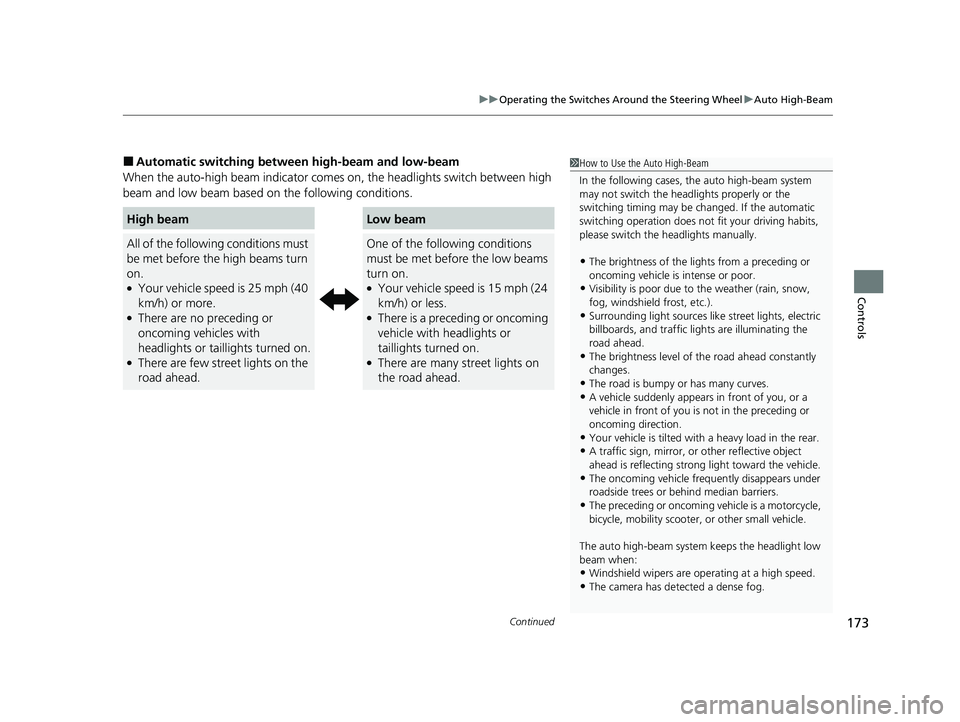
■Automatic switching between high-beam and low-beam
When the auto-high beam indicator comes on, the headlights switch between high
beam and low beam based on the following conditions.
High beamLow beam
All of the following conditions must
be met before the high beams turn
on.
●Your vehicle speed is 25 mph (40
km/h) or more.
●There are no preceding or
oncoming vehicles with
headlights or taillights turned on.
●There are few street lights on the
road ahead.
One of the following conditions
must be met before the low beams
turn on.
●Your vehicle speed is 15 mph (24
km/h) or less.
●There is a preceding or oncoming
vehicle with headlights or
taillights turned on.
●There are many street lights on
the road ahead.
1 How to Use the Auto High-Beam
In the following cases, th e auto high-beam system
may not switch the head lights properly or the
switching timing may be ch anged. If the automatic
switching operation does not fit your driving habits,
please switch the headlights manually.
•The brightness of the ligh ts from a preceding or
oncoming vehicle is intense or poor.
•Visibility is poor due to the weather (rain, snow,
fog, windshield frost, etc.).
•Surrounding light sources like street lights, electric
billboards, and tr affic lights are illuminating the
road ahead.
•The brightness level of th e road ahead constantly
changes.
•The road is bumpy or has many curves.•A vehicle suddenly appears in front of you, or a
vehicle in front of you is not in the preceding or
oncoming direction.
•Your vehicle is tilted with a heavy load in the rear.•A traffic sign, mirror, or other reflective object
ahead is reflecting strong light toward the vehicle.
•The oncoming vehicle freq uently disappears under
roadside trees or be hind median barriers.
•The preceding or oncoming vehicle is a motorcycle,
bicycle, mobility scooter, or other small vehicle.
The auto high-beam system keeps the headlight low
beam when:
•Windshield wipers are op erating at a high speed.
•The camera has detected a dense fog.
23 ACCORD 4D US PET MAP-3130A6000_01.book 173 ページ 2022年10月19日 水曜日 午前11時49分
Page 179 of 533
177
uuOperating the Switches Around the Steering Wheel uRear Defogger/Heated Door Mirror* Button
Controls
Rear Defogger/Heated Door Mirror* Button
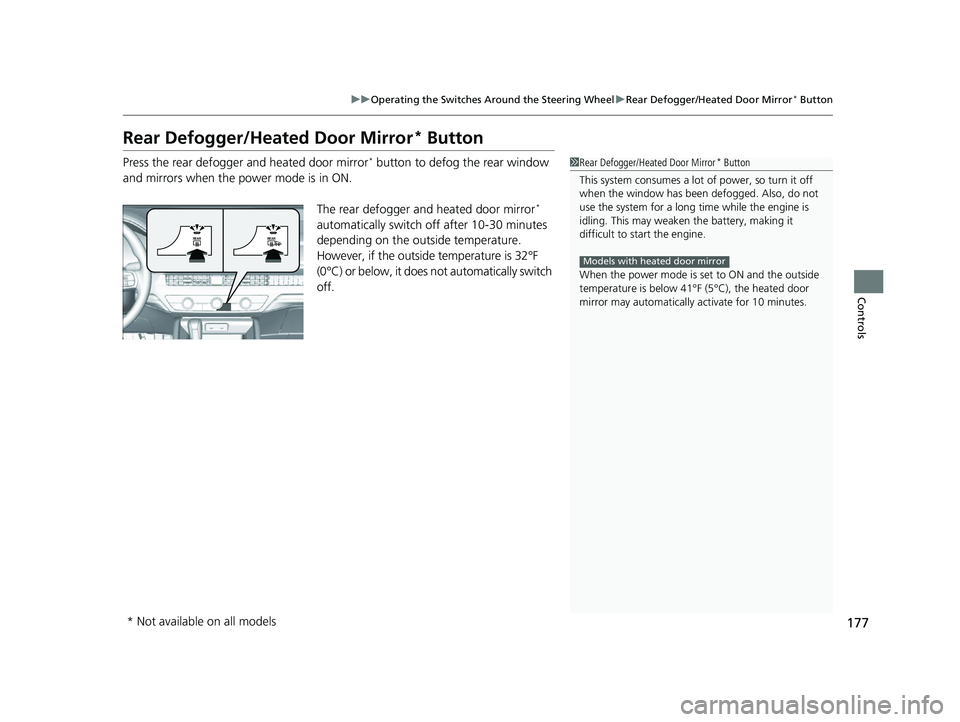
Press the rear defogger and heated door mirror* button to defog the rear window
and mirrors when the power mode is in ON.
The rear defogger and heated door mirror
*
automatically switch of f after 10-30 minutes
depending on the outside temperature.
However, if the outside temperature is 32°F
(0°C) or below, it does not automatically switch
off.
1 Rear Defogger/Heated Door Mirror* Button
This system consumes a lot of power, so turn it off
when the window has been defogged. Also, do not
use the system for a long ti me while the engine is
idling. This may weaken the battery, making it
difficult to start the engine.
When the power mode is se t to ON and the outside
temperature is below 41°F (5°C), the heated door
mirror may automatically activate for 10 minutes.
Models with heated door mirror
* Not available on all models
23 ACCORD 4D US PET MAP-3130A6000_01.book 177 ページ 2022年10月19日 水曜日 午前11時49分
Page 181 of 533
179
Controls
Mirrors
Interior Rearview Mirror
Adjust the angle of the rearview mirror when you are sitting in the correct driving
position.
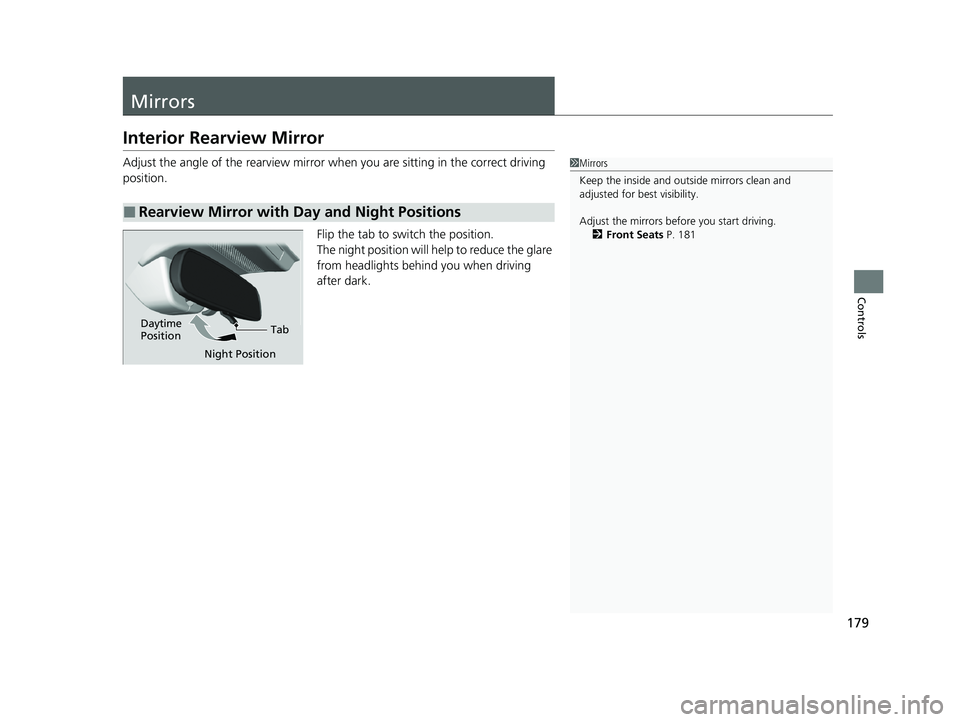
Flip the tab to switch the position.
The night position will help to reduce the glare
from headlights behind you when driving
after dark.
■Rearview Mirror with Day and Night Positions
1Mirrors
Keep the inside and out side mirrors clean and
adjusted for best visibility.
Adjust the mirrors before you start driving. 2 Front Seats P. 181
Tab
Daytime
Position
Night Position
23 ACCORD 4D US PET MAP-3130A6000_01.book 179 ページ 2022年10月19日 水曜日 午前11時49分
Page 186 of 533
184
uuSeats uRear Seats
Controls
Rear Seats
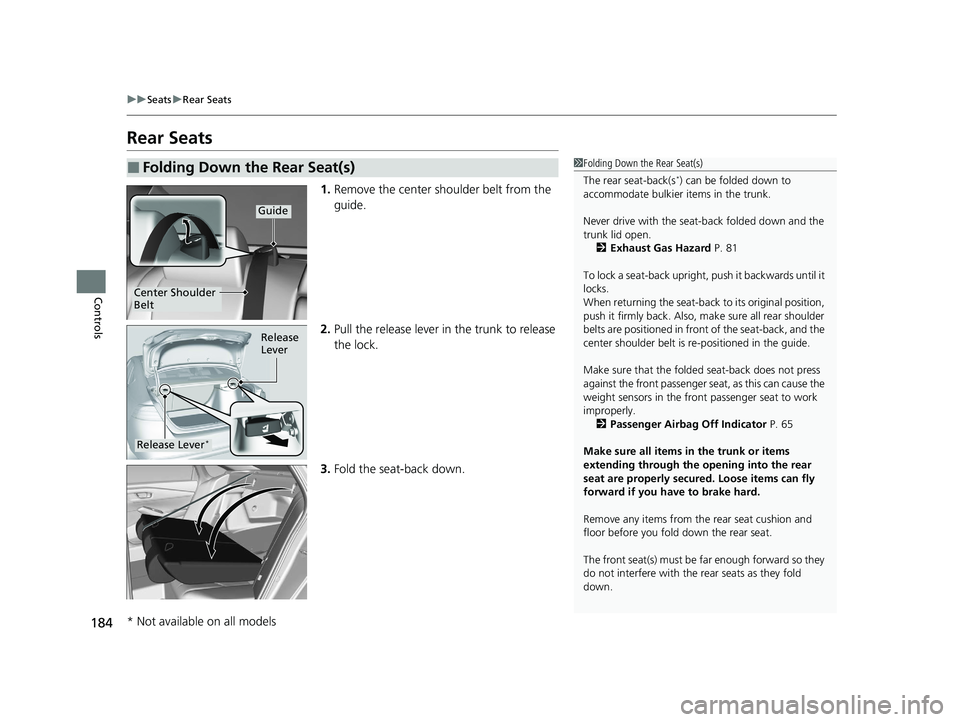
1. Remove the center shoulder belt from the
guide.
2. Pull the release lever in the trunk to release
the lock.
3. Fold the seat-back down.
■Folding Down the Rear Seat(s)1Folding Down the Rear Seat(s)
The rear seat-back(s
*) can be folded down to
accommodate bulkier items in the trunk.
Never drive with the seat-back folded down and the
trunk lid open.
2 Exhaust Gas Hazard P. 81
To lock a seat-back upright, push it backwards until it
locks.
When returning the seat-back to its original position,
push it firmly back. Also, m ake sure all rear shoulder
belts are positioned in front of the seat-back, and the
center shoulder belt is re -positioned in the guide.
Make sure that the folded seat-back does not press
against the front passenger seat, as this can cause the
weight sensors in the front passenger seat to work
improperly. 2 Passenger Airbag Off Indicator P. 65
Make sure all items in the trunk or items
extending through the opening into the rear
seat are properly secured. Loose items can fly
forward if you have to brake hard.
Remove any items from th e rear seat cushion and
floor before you fold down the rear seat.
The front seat(s) must be far enough forward so they
do not interfere with the rear seats as they fold
down.
Guide
Center Shoulder
Belt
Release
Lever
Release Lever*
* Not available on all models
23 ACCORD 4D US PET MAP-3130A6000_01.book 184 ページ 2022年10月19日 水曜日 午前11時49分
Page 187 of 533
185
uuSeats uRear Seats
Controls
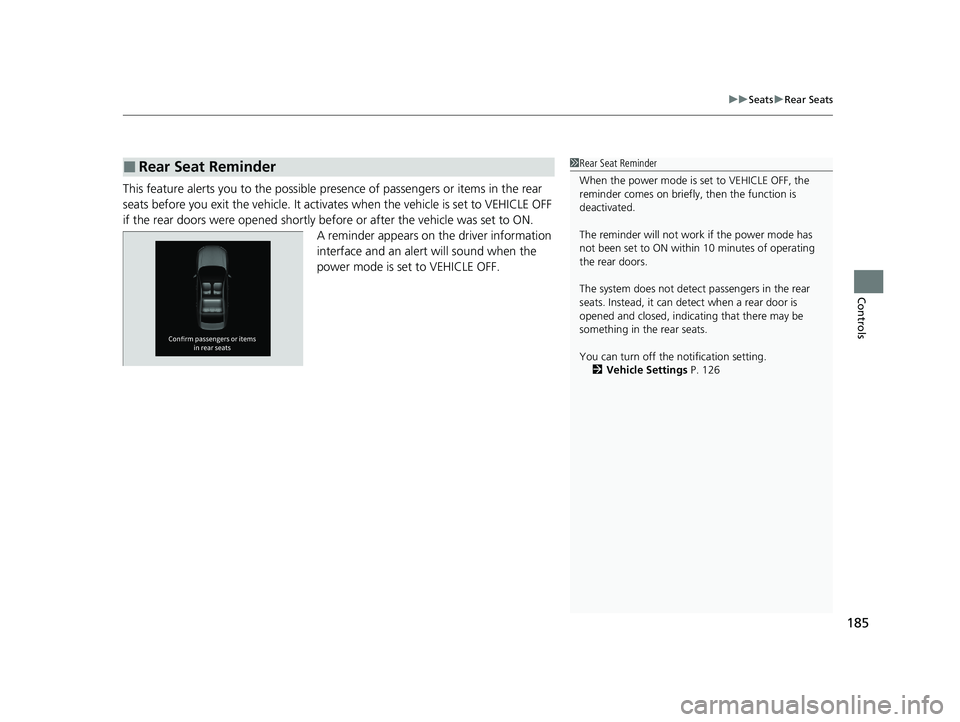
This feature alerts you to the possible pres ence of passengers or items in the rear
seats before you exit the vehicle. It activates when the vehicle is set to VEHICLE OFF
if the rear doors were opened shortly before or after the vehicle was set to ON. A reminder appears on the driver information
interface and an alert will sound when the
power mode is set to VEHICLE OFF.
■Rear Seat Reminder1Rear Seat Reminder
When the power mode is set to VEHICLE OFF, the
reminder comes on briefly, then the function is
deactivated.
The reminder will not work if the power mode has
not been set to ON within 10 minutes of operating
the rear doors.
The system does not detect passengers in the rear
seats. Instead, it can detect when a rear door is
opened and closed, indica ting that there may be
something in the rear seats.
You can turn off the notification setting. 2 Vehicle Settings P. 126
23 ACCORD 4D US PET MAP-3130A6000_01.book 185 ページ 2022年10月19日 水曜日 午前11時49分
Page 189 of 533
187
uuSeats uHead Restraints
Continued
Controls
Head Restraints
Your vehicle is equipped with head restraints in all seating positions.
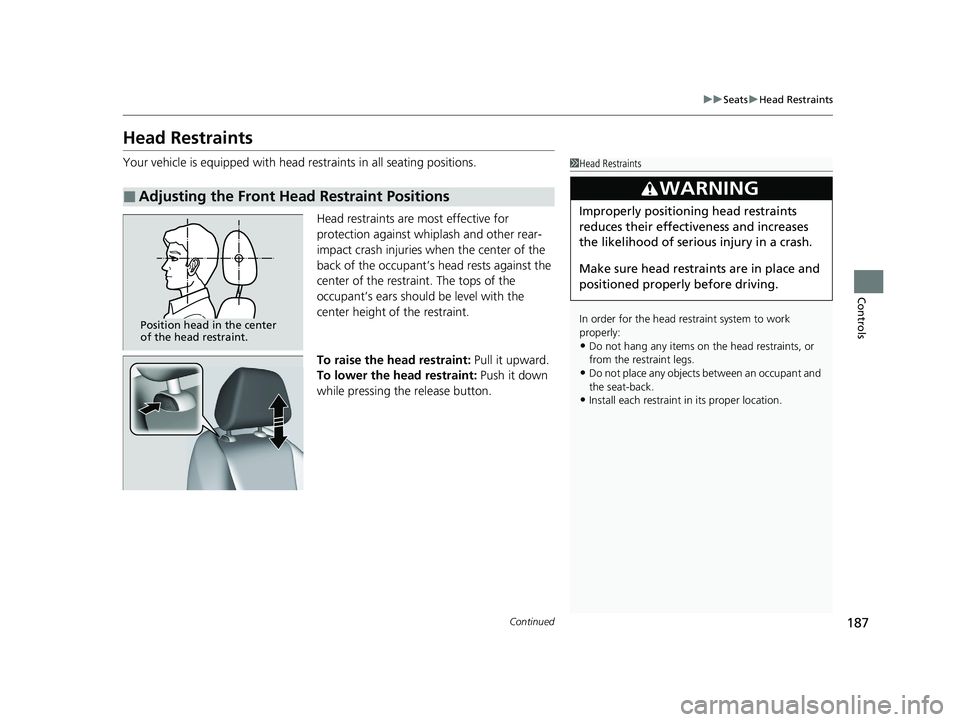
Head restraints are most effective for
protection against whiplash and other rear-
impact crash injuries when the center of the
back of the occupant’s head rests against the
center of the restraint. The tops of the
occupant’s ears should be level with the
center height of the restraint.
To raise the head restraint: Pull it upward.
To lower the head restraint: Push it down
while pressing the release button.
■Adjusting the Front Head Restraint Positions
1 Head Restraints
In order for the head restraint system to work
properly:
•Do not hang any items on the head restraints, or
from the restraint legs.
•Do not place any objects between an occupant and
the seat-back.
•Install each restraint in its proper location.
3WARNING
Improperly positioning head restraints
reduces their effectiveness and increases
the likelihood of serious injury in a crash.
Make sure head restraints are in place and
positioned properly before driving.
Position head in the center
of the head restraint.
23 ACCORD 4D US PET MAP-3130A6000_01.book 187 ページ 2022年10月19日 水曜日 午前11時49分
Page 191 of 533
189
uuSeats uArmrest
Controls
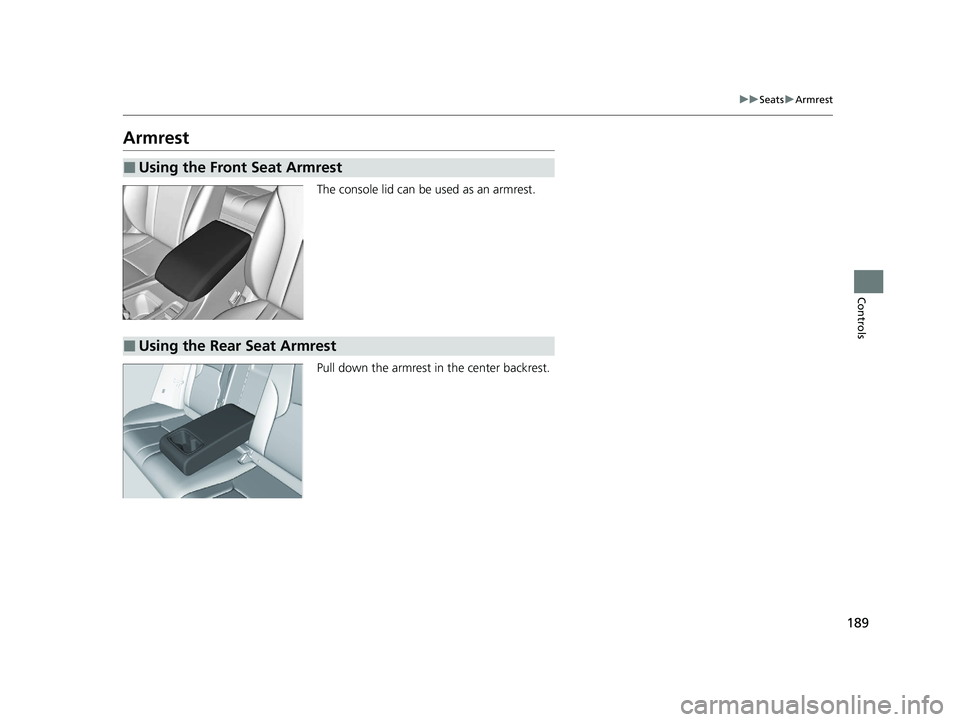
Armrest
The console lid can be used as an armrest.
Pull down the armrest in the center backrest.
■Using the Front Seat Armrest
■Using the Rear Seat Armrest
23 ACCORD 4D US PET MAP-3130A6000_01.book 189 ページ 2022年10月19日 水曜日 午前11時49分
Page 192 of 533
190
Controls
Interior Convenience Items
Interior Lights
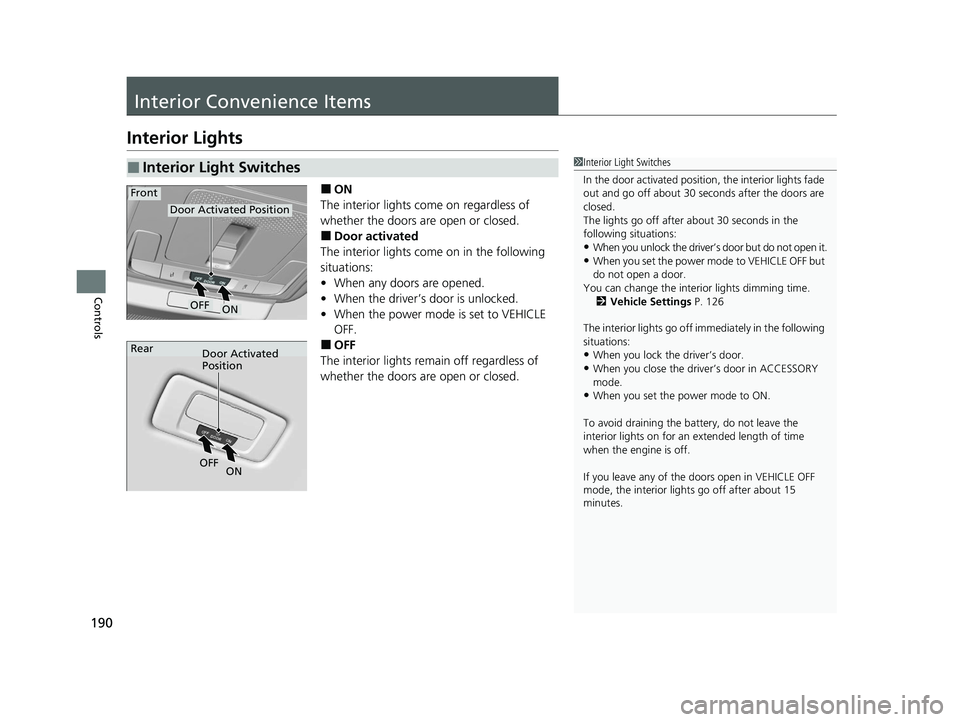
■ON
The interior lights come on regardless of
whether the doors are open or closed.
■Door activated
The interior lights come on in the following
situations:
• When any doors are opened.
• When the driver’s door is unlocked.
• When the power mode is set to VEHICLE
OFF.
■OFF
The interior lights remain off regardless of
whether the doors are open or closed.
■Interior Light Switches1 Interior Light Switches
In the door activated position, the interior lights fade
out and go off about 30 seconds after the doors are
closed.
The lights go off after about 30 seconds in the
following situations:
•When you unlock the driver’s door but do not open it.
•When you set the power mode to VEHICLE OFF but
do not open a door.
You can change the interi or lights dimming time.
2 Vehicle Settings P. 126
The interior lights go off im mediately in the following
situations:
•When you lock the driver’s door.
•When you close the driver’s door in ACCESSORY
mode.
•When you set the power mode to ON.
To avoid draining the ba ttery, do not leave the
interior lights on for an extended length of time
when the engine is off.
If you leave any of the doors open in VEHICLE OFF
mode, the interior light s go off after about 15
minutes.
Door Activated Position
ON
Front
OFF
Door Activated
Position
Rear
ON
OF
F
23 ACCORD 4D US PET MAP-3130A6000_01.book 190 ページ 2022年10月19日 水曜日 午前11時49分