Shift HONDA ACCORD 2023 Owners Manual
[x] Cancel search | Manufacturer: HONDA, Model Year: 2023, Model line: ACCORD, Model: HONDA ACCORD 2023Pages: 533, PDF Size: 20.09 MB
Page 9 of 533
Contents
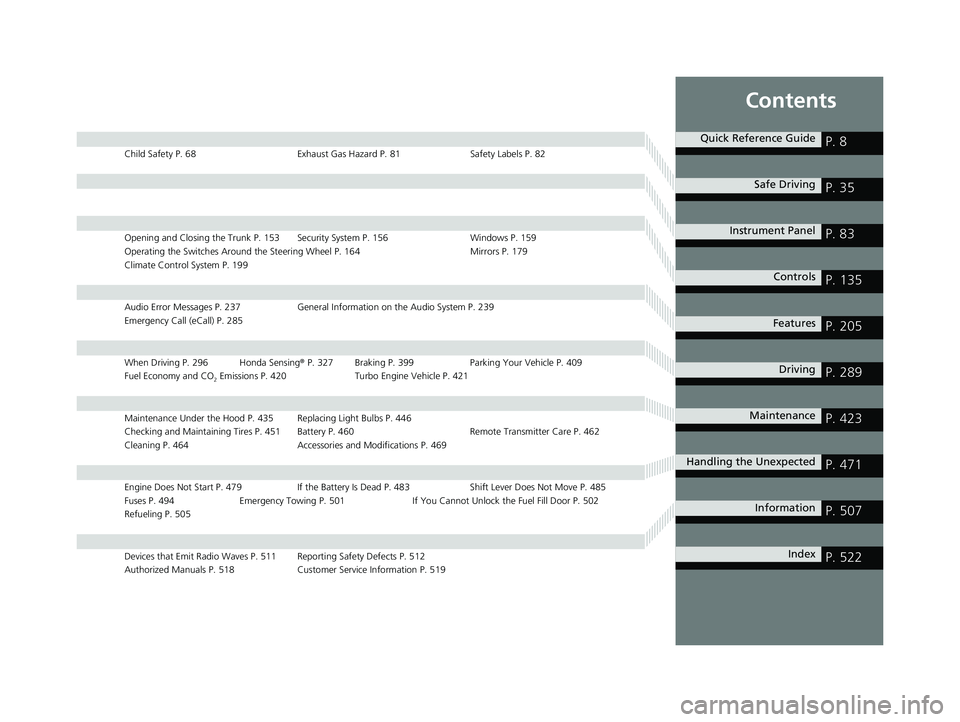
Child Safety P. 68Exhaust Gas Hazard P. 81Safety Labels P. 82
Opening and Closing the Trunk P. 153 Security System P. 156 Windows P. 159
Operating the Switches Around the Steering Wheel P. 164 Mirrors P. 179
Climate Control System P. 199
Audio Error Messages P. 237 General Information on the Audio System P. 239
Emergency Call (eCall) P. 285
When Driving P. 296 Honda Sensing ® P. 327 Braking P. 399 Parki ng Your Vehicle P. 409
Fuel Economy and CO
2 Emissions P. 420 Turbo Engine Vehicle P. 421
Maintenance Under the Hood P. 435 Replacing Light Bulbs P. 446
Checking and Maintaining Tires P. 451 Battery P. 460 Remote Transmitter Care P. 462
Cleaning P. 464 Accessories and Modifications P. 469
Engine Does Not Start P. 479 If the Battery Is Dead P. 483 Shift Lever Does Not Move P. 485
Fuses P. 494 Emergency Towing P. 501 If You Cannot Unlock the Fuel Fill Door P. 502
Refueling P. 505
Devices that Emit Radio Waves P. 511 Reporting Safety Defects P. 512
Authorized Manuals P. 518 Customer Service Information P. 519
Quick Reference GuideP. 8
Safe DrivingP. 35
Instrument PanelP. 83
ControlsP. 135
FeaturesP. 205
DrivingP. 289
MaintenanceP. 423
Handling the UnexpectedP. 471
InformationP. 507
IndexP. 522
23 ACCORD 4D US PET MAP-3130A6000_01.book 7 ページ 2022年10月19日 水曜日 午前11時49分
Page 12 of 533
Visual Index
10
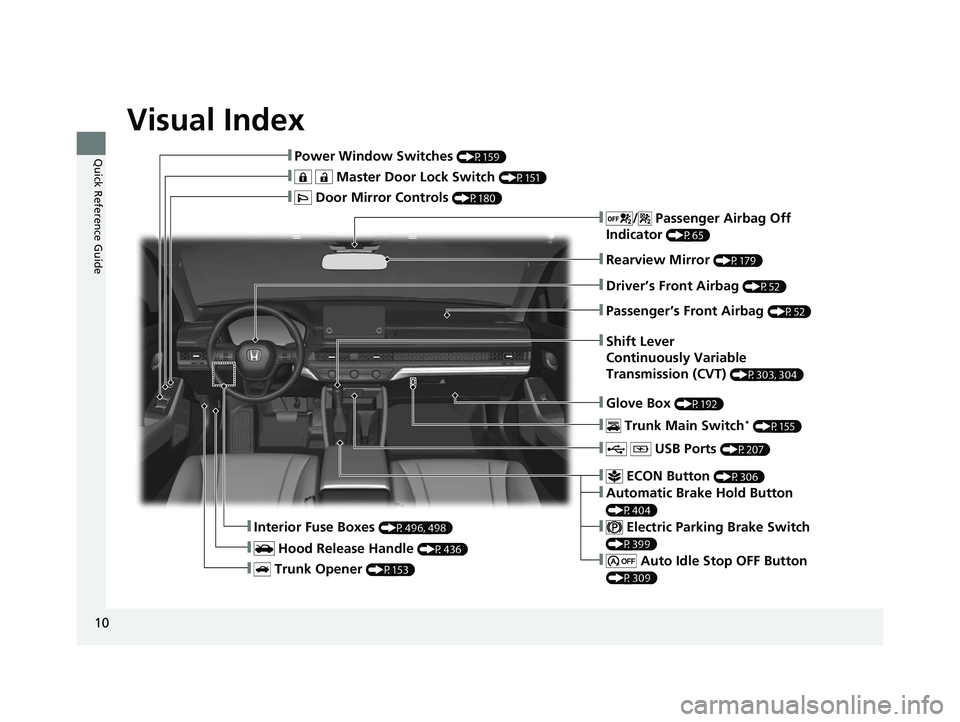
Quick Reference Guide❚Power Window Switches (P159)
❚ Master Door Lock Switch (P151)
❚ Door Mirror Controls (P180)
❚ Trunk Opener (P153)
❚Interior Fuse Boxes (P496, 498)
❚ Hood Release Handle (P436)
❚Driver’s Front Airbag (P52)
❚Rearview Mirror (P179)
❚Passenger’s Front Airbag (P52)
❚ USB Ports (P207)
❚ Trunk Main Switch* (P155)
❚ ECON Button (P306)
❚Automatic Brake Hold Button
(P404)
❚ Electric Parking Brake Switch
(P399)
❚ Auto Idle Stop OFF Button
(P309)
❚/ Passenger Airbag Off
Indicator
(P65)
❚Glove Box (P192)
❚Shift Lever
Continuously Variable
Transmission (CVT)
(P303, 304)
23 ACCORD 4D US PET MAP-3130A6000_01.book 10 ページ 2022年10月19日 水曜日 午前11時49分
Page 18 of 533
16
Quick Reference Guide
Instrument Panel (P 83)
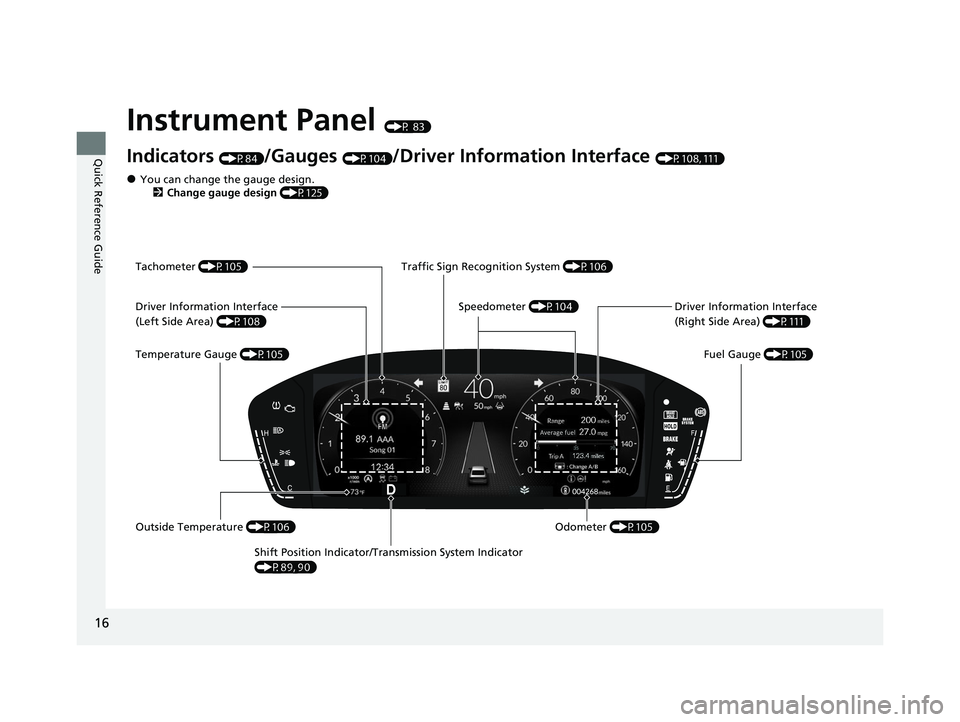
Indicators (P84)/Gauges (P104)/Driver Information Interface (P108, 111)
Shift Position Indicator/Tr ansmission System Indicator
(P89, 90) Fuel Gauge
(P105)
Driver Information Interface
(Right Side Area)
(P111)
Tachometer
(P105)
Speedometer (P104)
Traffic Sign Recognition System
(P106)
Odometer (P105)
Temperature Gauge
(P105)
Driver Information Interface
(Left Side Area)
(P108)
Outside Temperature (P106)
●You can change the gauge design.
2 Change gauge design (P125)
23 ACCORD 4D US PET MAP-3130A6000_01.book 16 ページ 2022年10月19日 水曜日 午前11時49分
Page 27 of 533
25
Quick Reference Guide
Driving (P289)
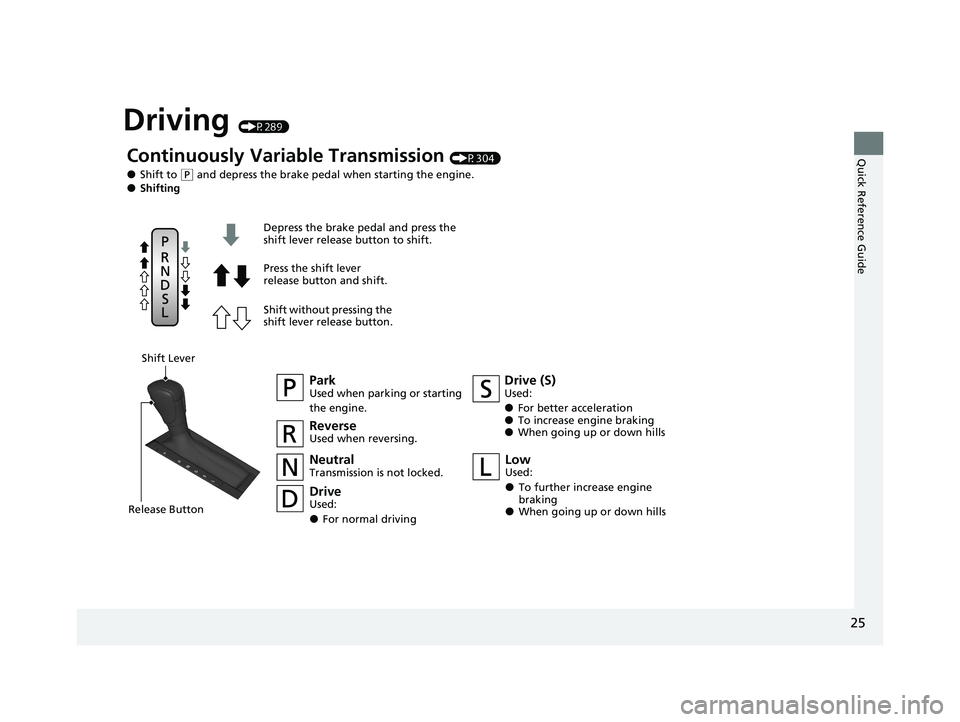
Continuously Variable Transmission (P304)
●Shift to (P and depress the brake pedal when starting the engine.●Shifting
ParkUsed when parking or starting
the engine.
NeutralTransmission is not locked.
Drive (S)Used:
●For better acceleration●To increase engine braking●When going up or down hills
Depress the brake pedal and press the
shift lever release button to shift.
Press the shift lever
release button and shift.
Shift without pressing the
shift lever release button.
ReverseUsed when reversing.
DriveUsed:
●For normal driving
LowUsed:
●To further increase engine
braking
●When going up or down hills
Shift Lever
Release Button
23 ACCORD 4D US PET MAP-3130A6000_01.book 25 ページ 2022年10月19日 水曜日 午前11時49分
Page 33 of 533
31
Quick Reference Guide
What to Do If
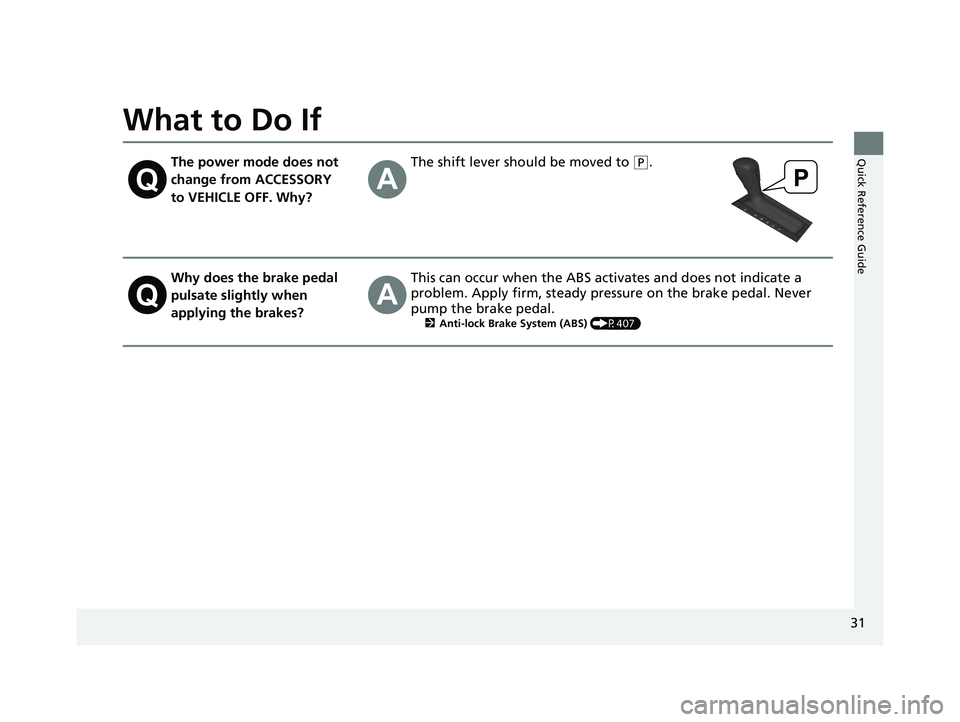
The power mode does not
change from ACCESSORY
to VEHICLE OFF. Why?The shift lever should be moved to (P.
Why does the brake pedal
pulsate slightly when
applying the brakes?This can occur when the ABS activates and does not indicate a
problem. Apply firm, steady pressure on the brake pedal. Never
pump the brake pedal.
2Anti-lock Brake System (ABS) (P407)
23 ACCORD 4D US PET MAP-3130A6000_01.book 31 ページ 2022年10月19日 水曜日 午前11時49分
Page 86 of 533
84
Instrument Panel
Indicators
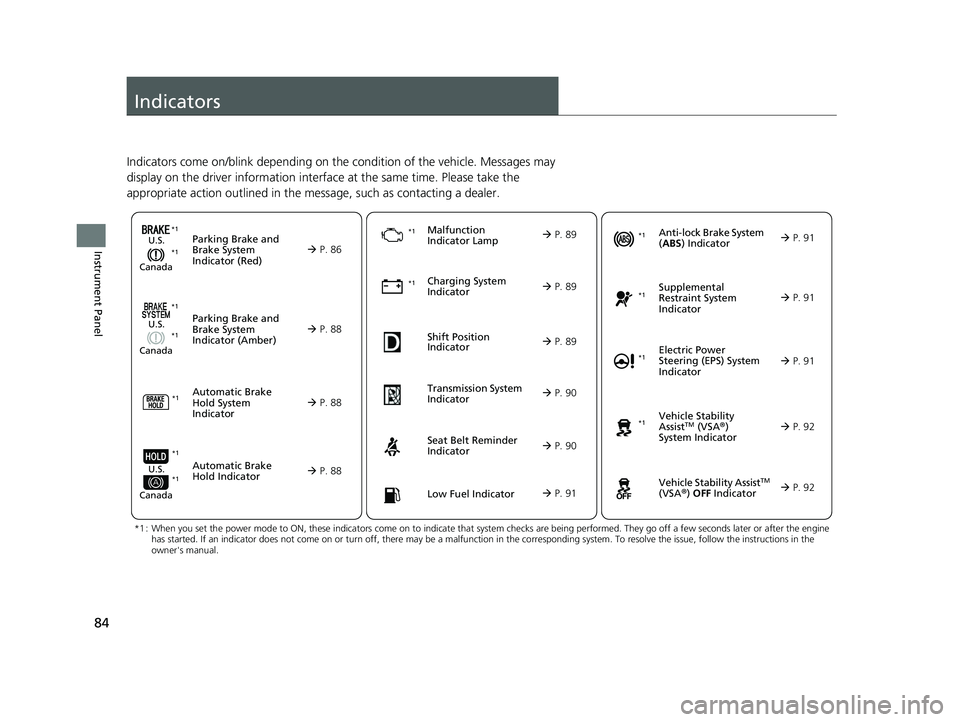
Indicators come on/blink depending on the condition of the vehicle. Messages may
display on the driver information interface at the same time. Please take the
appropriate action outlined in the message, such as contacting a dealer.
Parking Brake and
Brake System
Indicator (Red)
Parking Brake and
Brake System
Indicator (Amber)U.S.
Canada
U.S.
Canada
Automatic Brake
Hold System
Indicator
Automatic Brake
Hold IndicatorU.S.
Canada
*1 : When you set the power mode to ON, these indicators come on to indicate that system checks are being performed. They go off a few seconds later or after the engine
has started. If an indicator does not come on or turn off, ther e may be a malfunction in the corresponding system. To resolve the issue, follow the instructions in the
owner's manual.
P. 86
*1Malfunction
Indicator Lamp
Charging System
Indicator
Seat Belt Reminder
Indicator
Low Fuel Indicator
P. 88
P.
88
P. 88
P. 89
P. 89
*1 *1
*1
Shift Position
Indicator
P. 89
Tr
ansmission System
Indicat
or
P. 90
P. 90
P. 91
*1
Anti-lock Brake System
(ABS ) Indicator
Vehicle Stability
AssistTM (VSA®)
System Indicator
Vehicle Stability Assist
TM
(VSA®) OFF Indicator
Supplemental
Restraint System
Indicator
Electric Power
Steering (EPS) System
Indicator
*1
P. 91
P. 91
P. 92*1
*1
P. 92
*1 P. 91
*1 *1
*1 *1
23 ACCORD 4D US PET MAP-3130A6000_01.book 84 ページ 2022年10月19日 水曜日 午前11時49分
Page 91 of 533
89
uuIndicators u
Continued
Instrument Panel
IndicatorNameOn/BlinkingExplanation
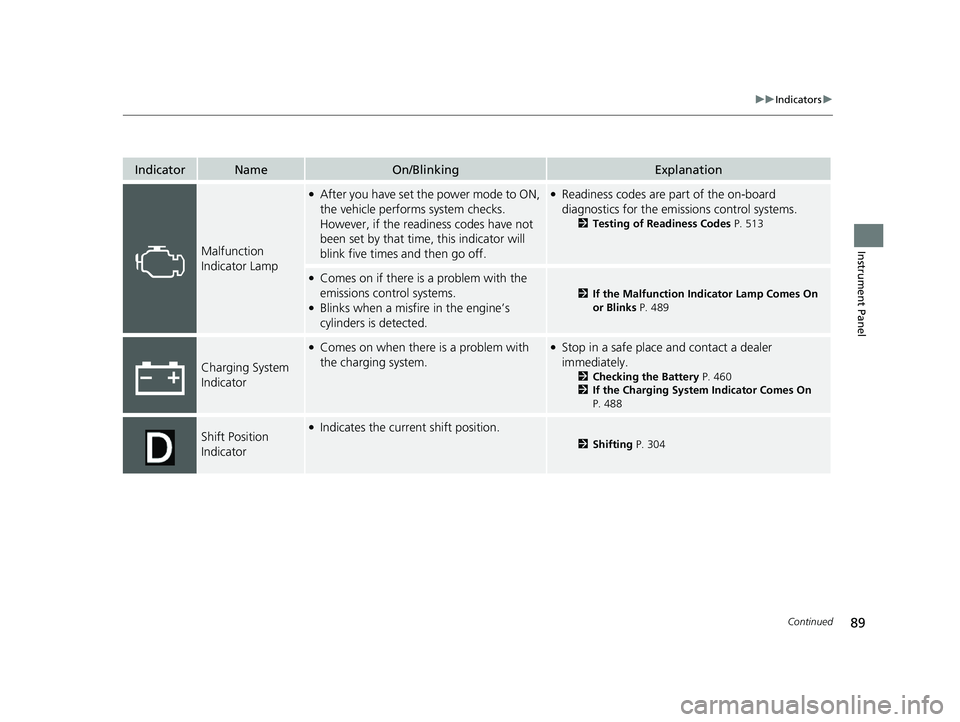
Malfunction
Indicator Lamp
●After you have set the power mode to ON,
the vehicle performs system checks.
However, if the readiness codes have not
been set by that time, this indicator will
blink five times and then go off.●Readiness codes are part of the on-board
diagnostics for the emissions control systems.
2Testing of Readiness Codes P. 513
●Comes on if there is a problem with the
emissions control systems.
●Blinks when a misfire in the engine’s
cylinders is detected.
2If the Malfunction Indicator Lamp Comes On
or Blinks P. 489
Charging System
Indicator
●Comes on when there is a problem with
the charging system.●Stop in a safe place and contact a dealer
immediately.
2Checking the Battery P. 460
2 If the Charging System Indicator Comes On
P. 488
Shift Position
Indicator●Indicates the current shift position.
2 Shifting P. 304
23 ACCORD 4D US PET MAP-3130A6000_01.book 89 ページ 2022年10月19日 水曜日 午前11時49分
Page 111 of 533
Continued109
uuGauges and Driver Information Interface uDriver Information Interface (Left Side Area)
Instrument Panel
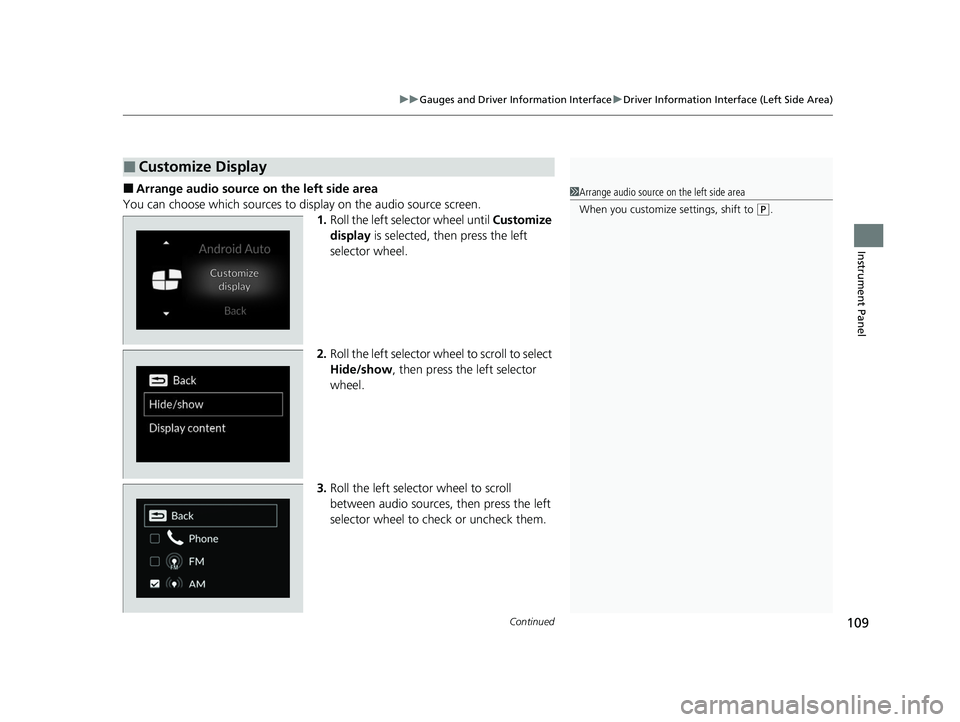
■Arrange audio source on the left side area
You can choose which sources to display on the audio source screen. 1.Roll the left selector wheel until Customize
display is selected, then press the left
selector wheel.
2. Roll the left selector wheel to scroll to select
Hide/show , then press the left selector
wheel.
3. Roll the left selector wheel to scroll
between audio sources, then press the left
selector wheel to check or uncheck them.
■Customize Display
1Arrange audio source on the left side area
When you customize settings, shift to
(P.
23 ACCORD 4D US PET MAP-3130A6000_01.book 109 ページ 2022年10月19日 水曜日 午前11時49分
Page 126 of 533
uuGauges and Driver Information Interface uDriver Information Interface (Right Side Area)
124
Instrument Panel
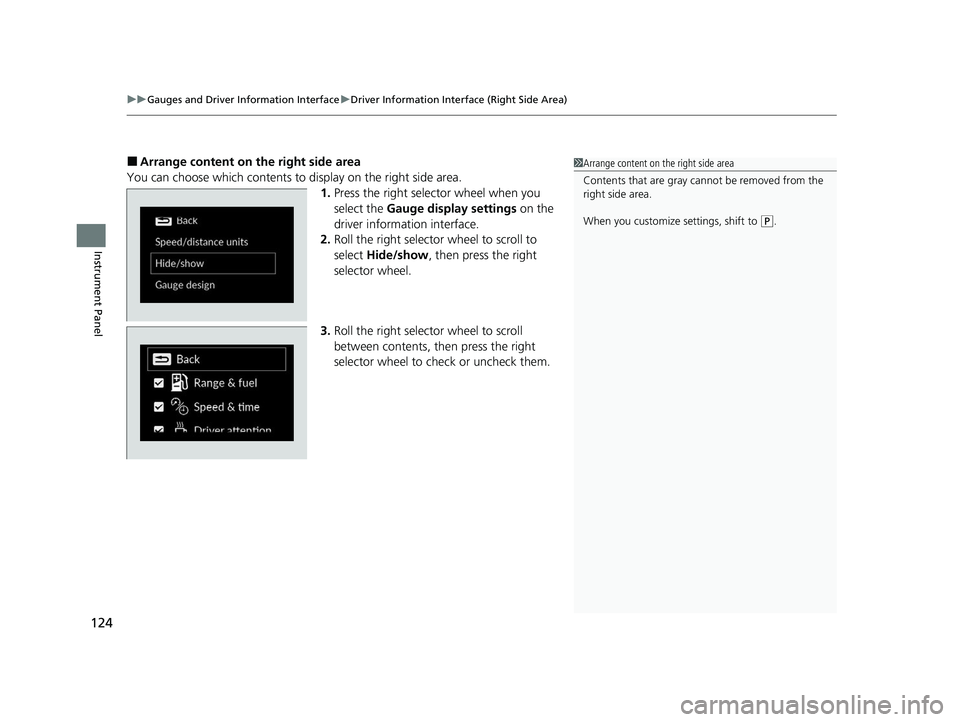
■Arrange content on the right side area
You can choose which contents to display on the right side area. 1.Press the right selector wheel when you
select the Gauge display settings on the
driver information interface.
2. Roll the right selector wheel to scroll to
select Hide/show , then press the right
selector wheel.
3. Roll the right selector wheel to scroll
between contents, th en press the right
selector wheel to check or uncheck them.1 Arrange content on the right side area
Contents that are gray ca nnot be removed from the
right side area.
When you customize settings, shift to
( P.
23 ACCORD 4D US PET MAP-3130A6000_01.book 124 ページ 2022年10月19日 水曜日 午前11時49分
Page 128 of 533
uuGauges and Driver Information Interface uDriver Information Interface (Right Side Area)
126
Instrument Panel
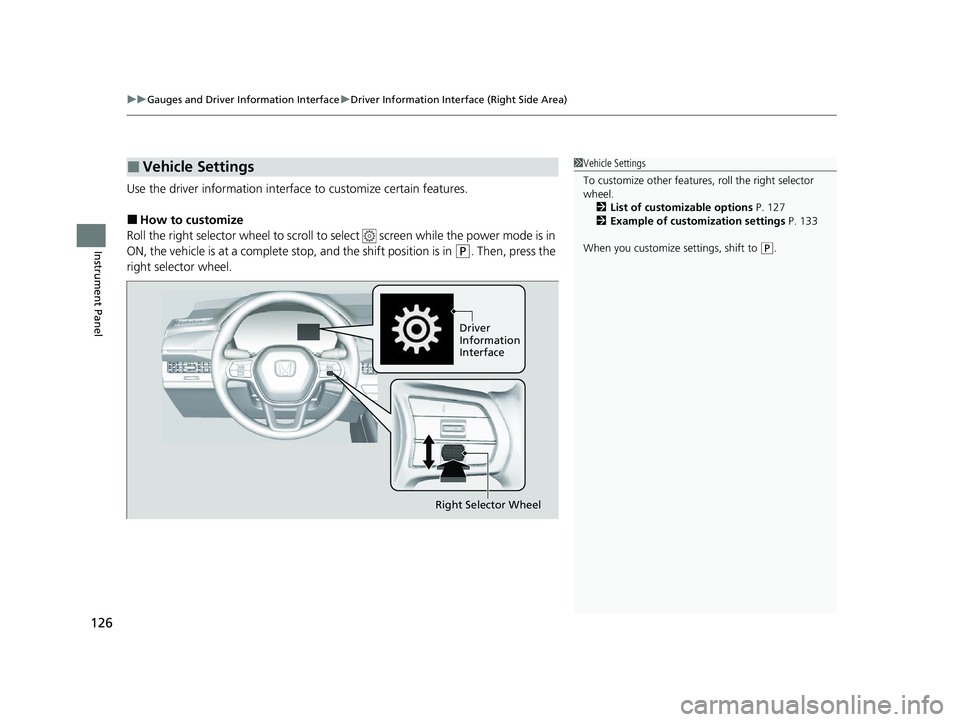
Use the driver information interfac e to customize certain features.
■How to customize
Roll the right selector wheel to scroll to se lect screen while the power mode is in
ON, the vehicle is at a complete stop, and the shift position is in
(P. Then, press the
right selector wheel.
■Vehicle Settings1 Vehicle Settings
To customize other features , roll the right selector
wheel.
2 List of customizable options P. 127
2 Example of customization settings P. 133
When you customize settings, shift to
( P.
Driver
Information
Interface
Right Selector Wheel
23 ACCORD 4D US PET MAP-3130A6000_01.book 126 ページ 2022年10月19日 水曜日 午前11時49分