lights HONDA ACCORD SEDAN 2020 (in English) Owner's Guide
[x] Cancel search | Manufacturer: HONDA, Model Year: 2020, Model line: ACCORD SEDAN, Model: HONDA ACCORD SEDAN 2020Pages: 728, PDF Size: 34.06 MB
Page 224 of 728
222
Controls
Interior Lights/Interior Convenience Items
Interior Lights
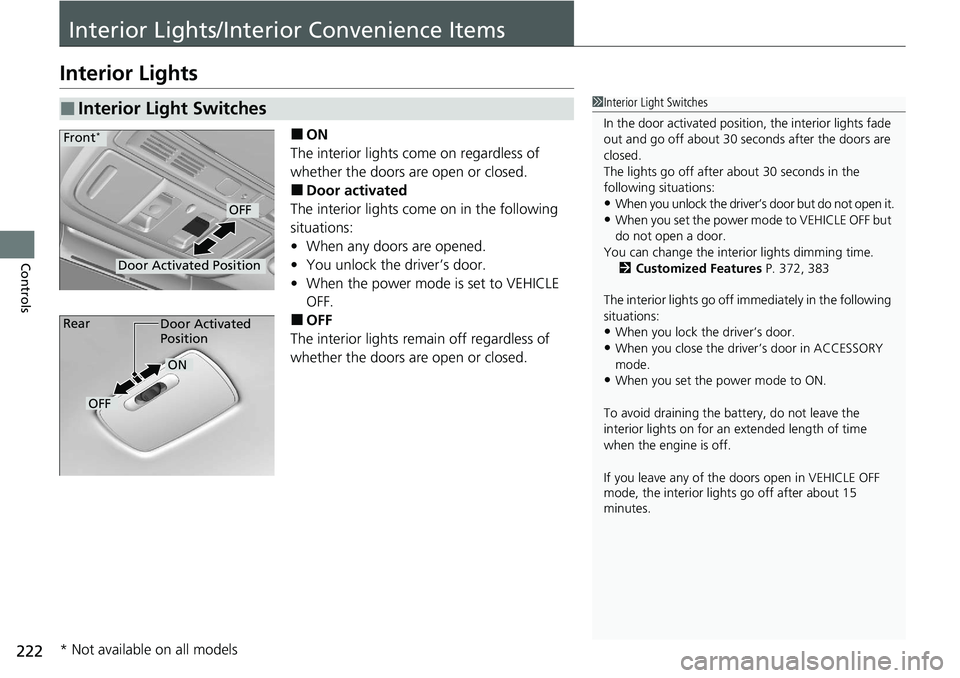
■ON
The interior lights come on regardless of
whether the doors are open or closed.
■Door activated
The interior lights come on in the following
situations:
• When any doors are opened.
• You unlock the driver’s door.
• When the power mode is set to VEHICLE
OFF.
■OFF
The interior lights remain off regardless of
whether the doors are open or closed.
■Interior Light Switches1 Interior Light Switches
In the door activated position, the interior lights fade
out and go off about 30 se conds after the doors are
closed.
The lights go off after about 30 seconds in the
following situations:
•When you unlock the driver’s door but do not open it.
•When you set the power mode to VEHICLE OFF but
do not open a door.
You can change the interi or lights dimming time.
2 Customized Features P. 372, 383
The interior lights go off im mediately in the following
situations:
•When you lock the driver’s door.
•When you close the driver’s door in ACCESSORY
mode.
•When you set the power mode to ON.
To avoid draining the ba ttery, do not leave the
interior lights on for an extended length of time
when the engine is off.
If you leave any of the doors open in VEHICLE OFF
mode, the interior light s go off after about 15
minutes.
Door Activated Position
OFF
Front*
Door Activated
Position
ON
OFF
Rear
* Not available on all models
Page 225 of 728
223
uuInterior Lights/Interior Convenience Items uInterior Lights
Controls
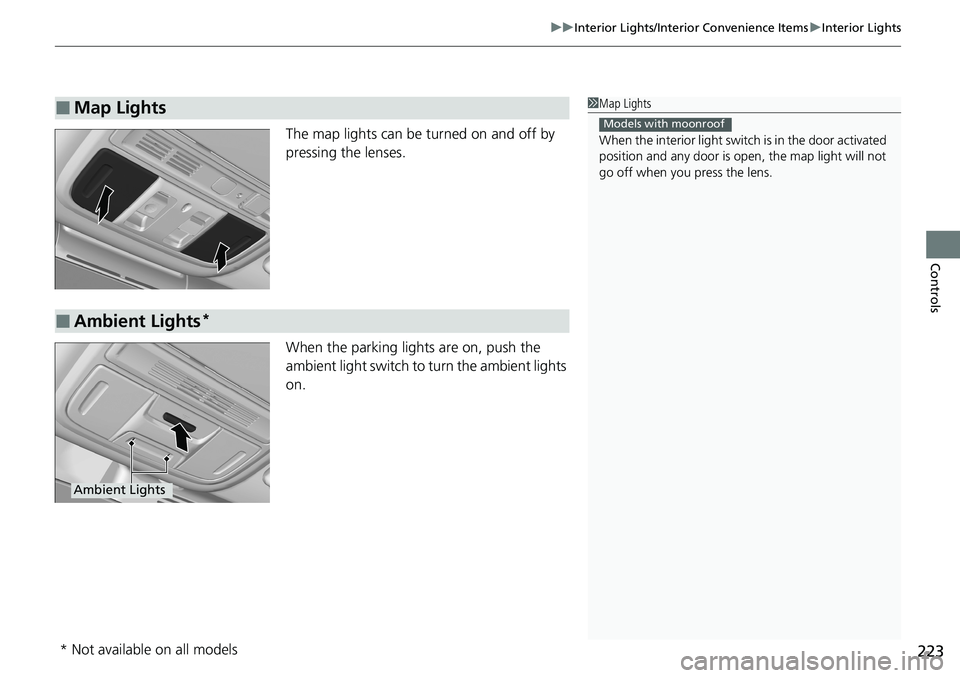
The map lights can be turned on and off by
pressing the lenses.
When the parking light s are on, push the
ambient light switch to turn the ambient lights
on.
■Map Lights1 Map Lights
When the interior light swit ch is in the door activated
position and any door is open, the map light will not
go off when you press the lens.
Models with moonroof
■Ambient Lights*
Ambient Lights
* Not available on all models
Page 226 of 728
224
uuInterior Lights/Interior Convenience Items uInterior Convenience Items
Controls
Interior Convenience Items
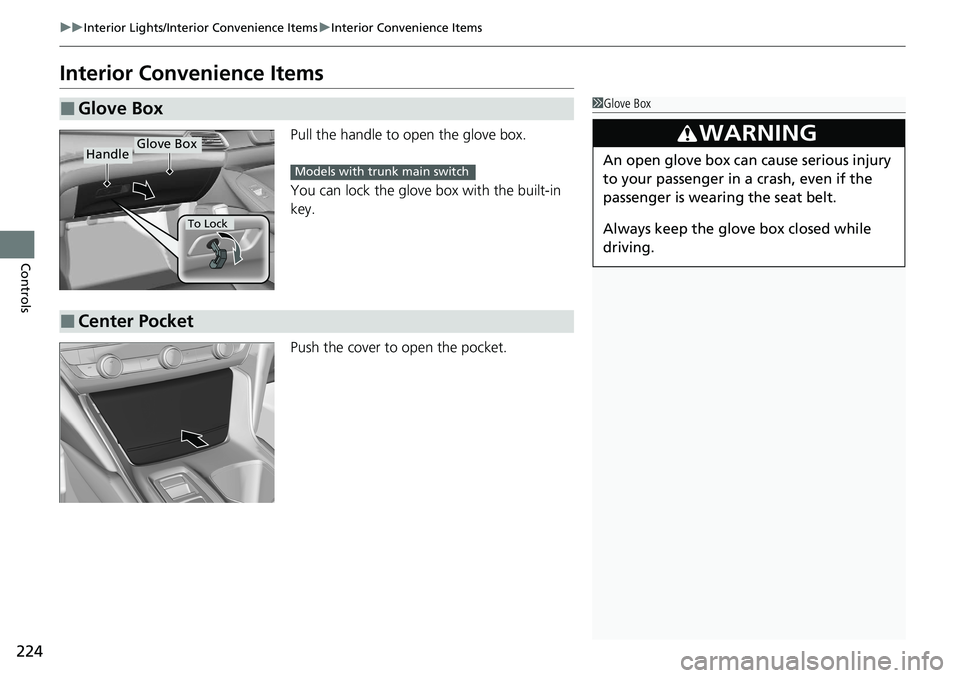
Pull the handle to open the glove box.
You can lock the glove box with the built-in
key.
Push the cover to open the pocket.
■Glove Box1Glove Box
3WARNING
An open glove box can cause serious injury
to your passenger in a crash, even if the
passenger is wearing the seat belt.
Always keep the glove box closed while
driving.
Glove BoxHandle
To Lock
Models with trunk main switch
■Center Pocket
Page 227 of 728
225
uuInterior Lights/Interior Convenience Items uInterior Convenience Items
Continued
Controls
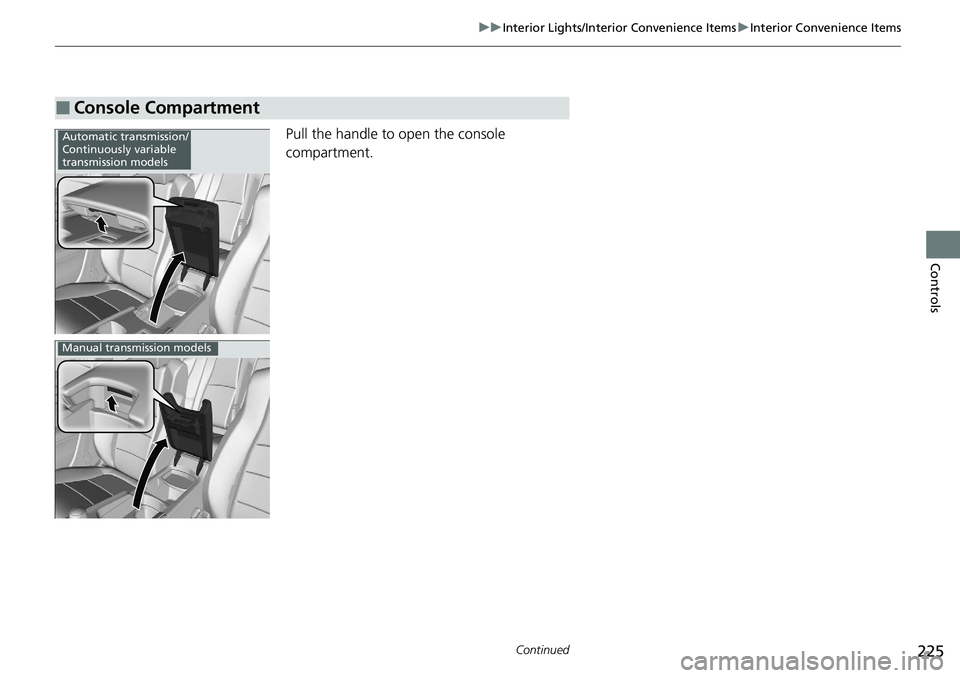
Pull the handle to open the console
compartment.
■Console Compartment
Automatic transmission/
Continuously variable
transmission models
Manual transmission models
Page 228 of 728
226
uuInterior Lights/Interior Convenience Items uInterior Convenience Items
Controls
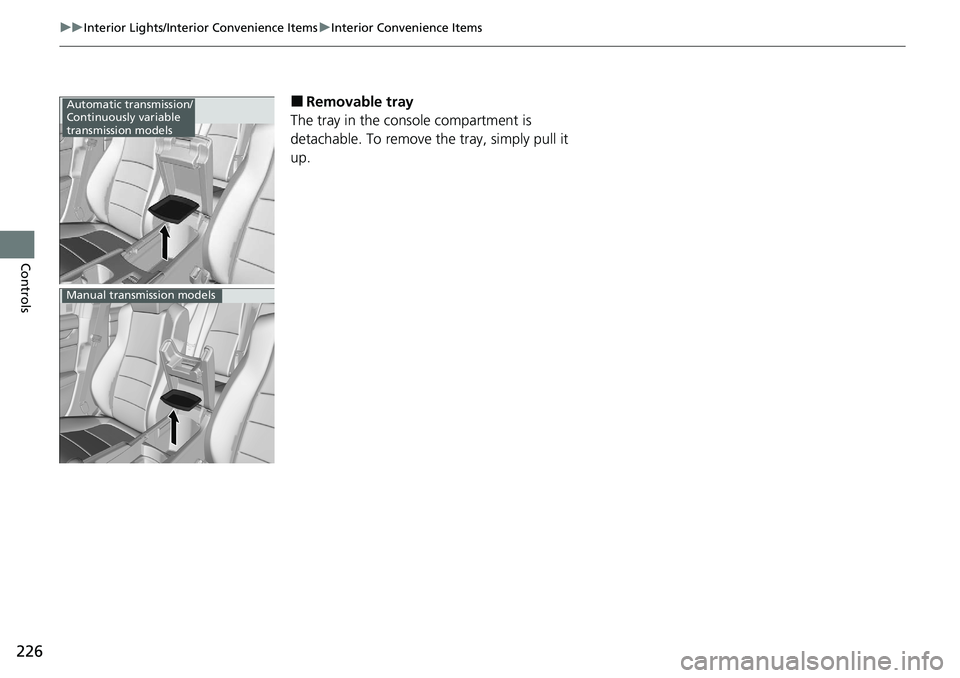
■Removable tray
The tray in the console compartment is
detachable. To remove th e tray, simply pull it
up.Automatic transmission/
Continuously variable
transmission models
Manual transmission models
Page 229 of 728
Continued227
uuInterior Lights/Interior Convenience Items uInterior Convenience Items
Controls
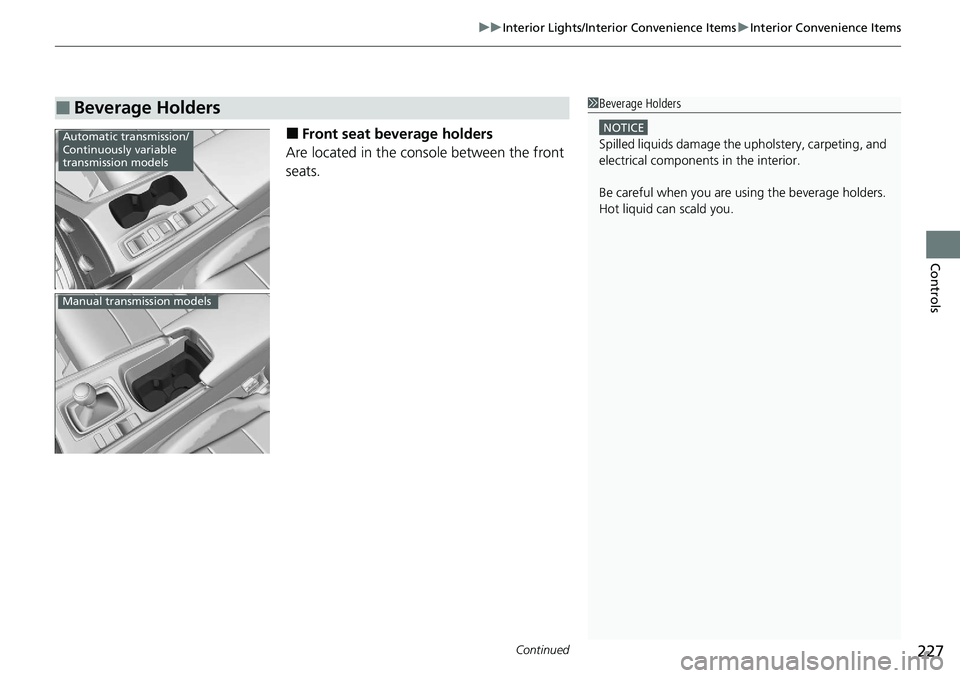
■Front seat beverage holders
Are located in the console between the front
seats.
■Beverage Holders1 Beverage Holders
NOTICE
Spilled liquids damage the upholstery, carpeting, and
electrical components in the interior.
Be careful when you are us ing the beverage holders.
Hot liquid can scald you.Automatic transmission/
Continuously variable
transmission models
Manual transmission models
Page 230 of 728
228
uuInterior Lights/Interior Convenience Items uInterior Convenience Items
Controls
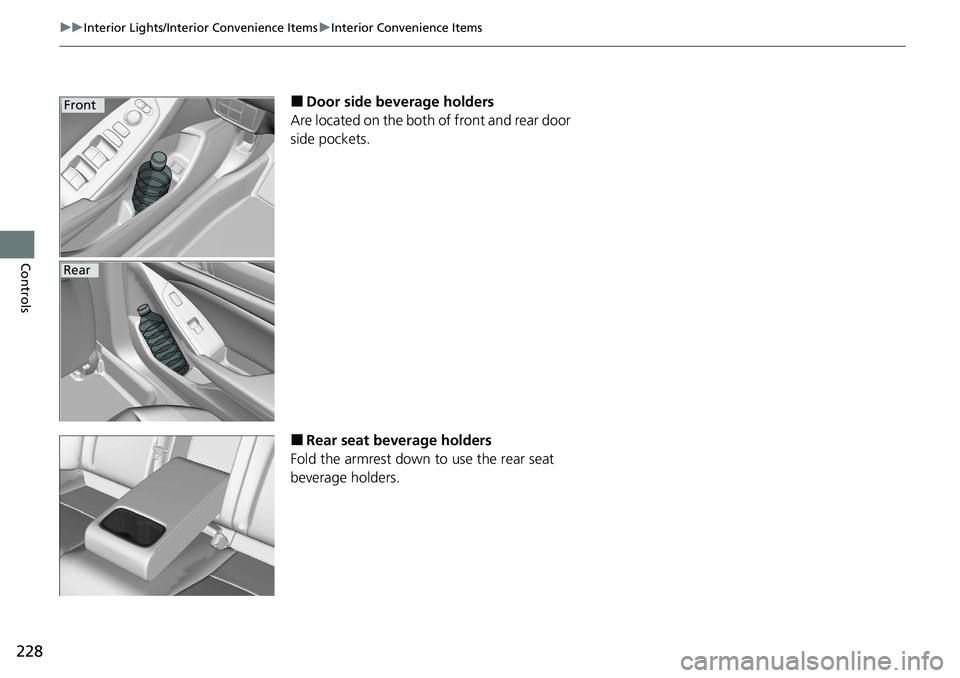
■Door side beverage holders
Are located on the both of front and rear door
side pockets.
■Rear seat beverage holders
Fold the armrest down to use the rear seat
beverage holders.
Front
Rear
Page 231 of 728
Continued229
uuInterior Lights/Interior Convenience Items uInterior Convenience Items
Controls
The accessory power sockets can be used when the power mode is in ACCESSORY
or ON.
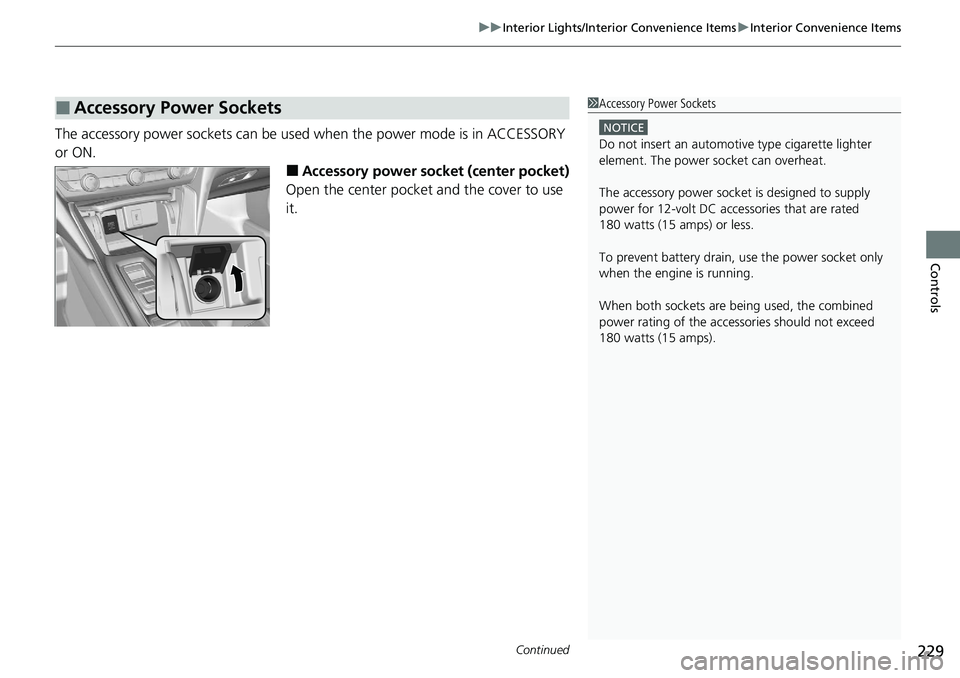
■Accessory power socket (center pocket)
Open the center pocket and the cover to use
it.
■Accessory Power Sockets1 Accessory Power Sockets
NOTICE
Do not insert an automotive type cigarette lighter
element. The power socket can overheat.
The accessory power socket is designed to supply
power for 12-volt DC accessories that are rated
180 watts (15 amps) or less.
To prevent battery drain, use the power socket only
when the engine is running.
When both sockets are being used, the combined
power rating of the accesso ries should not exceed
180 watts (15 amps).
Page 232 of 728
230
uuInterior Lights/Interior Convenience Items uInterior Convenience Items
Controls
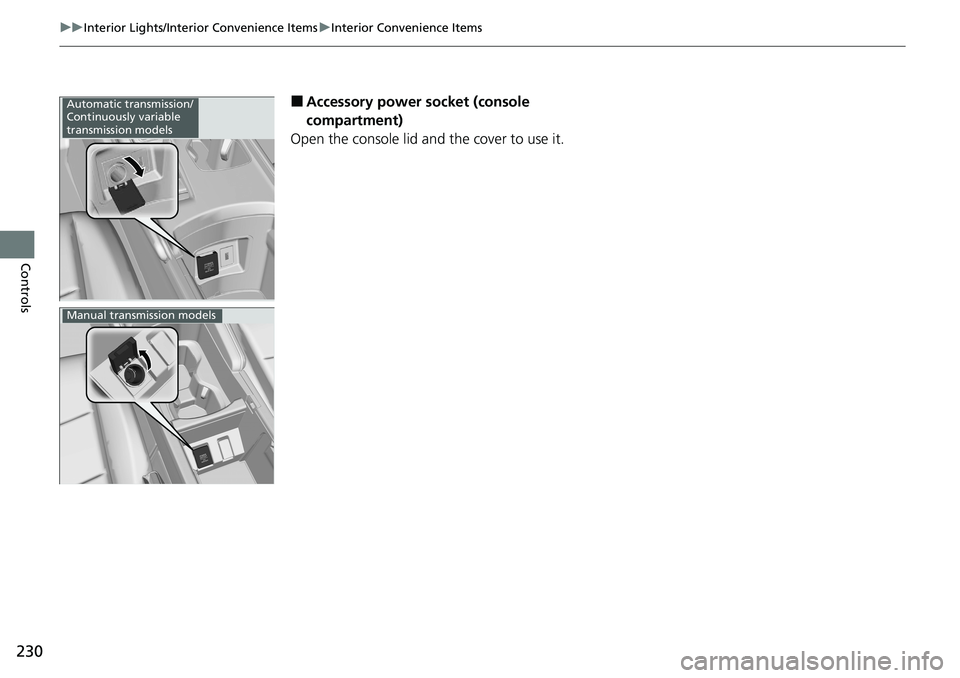
■Accessory power socket (console
compartment)
Open the console lid and the cover to use it.Automatic transmission/
Continuously variable
transmission models
Manual transmission models
Page 233 of 728
Continued231
uuInterior Lights/Interior Convenience Items uInterior Convenience Items
Controls
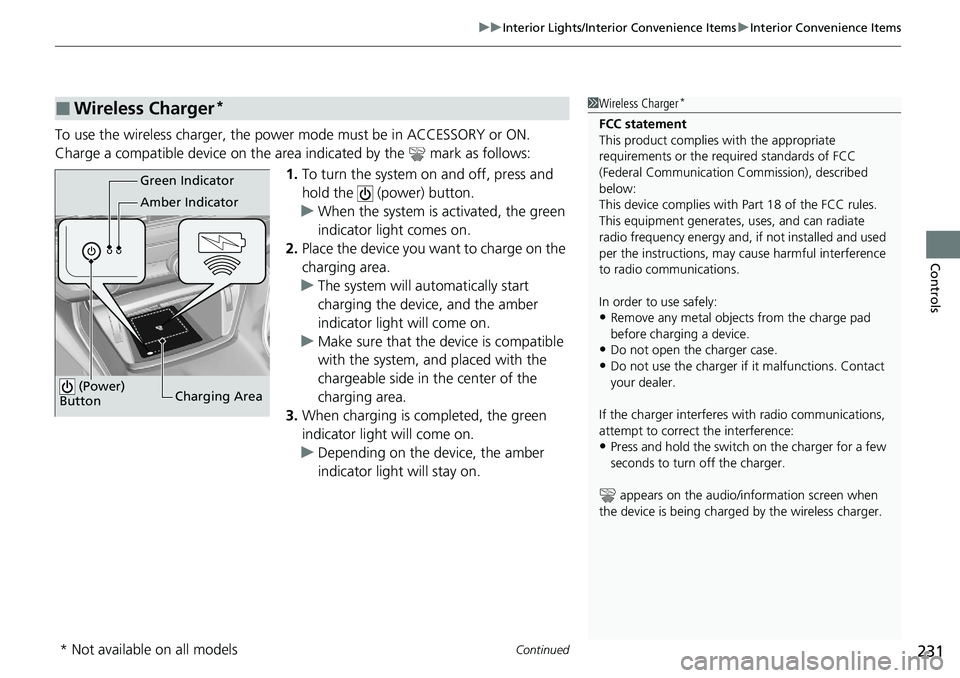
To use the wireless charger, the power mode must be in ACCESSORY or ON.
Charge a compatible device on the ar ea indicated by the mark as follows:
1. To turn the system on and off, press and
hold the (power) button.
u When the system is activated, the green
indicator light comes on.
2. Place the device you want to charge on the
charging area.
u The system will au tomatically start
charging the device, and the amber
indicator light will come on.
u Make sure that the device is compatible
with the system, and placed with the
chargeable side in the center of the
charging area.
3. When charging is completed, the green
indicator light will come on.
u Depending on the device, the amber
indicator light will stay on.
■Wireless Charger*1Wireless Charger*
FCC statement
This product complies with the appropriate
requirements or the requ ired standards of FCC
(Federal Communication Commission), described
below:
This device complies with Part 18 of the FCC rules.
This equipment generates, uses, and can radiate
radio frequency energy and, if not installed and used
per the instructions, may cause harmful interference
to radio communications.
In order to use safely:
•Remove any metal objects from the charge pad
before charging a device.
•Do not open the charger case.
•Do not use the charger if it malfunctions. Contact
your dealer.
If the charger interferes with radio communications,
attempt to correct the interference:
•Press and hold the switch on the charger for a few
seconds to turn off the charger.
appears on the audio/information screen when
the device is being charge d by the wireless charger.
Green Indicator
Amber Indicator
Charging Area
(Power)
Button
* Not available on all models