change time HONDA CIVIC 2010 8.G Owner's Guide
[x] Cancel search | Manufacturer: HONDA, Model Year: 2010, Model line: CIVIC, Model: HONDA CIVIC 2010 8.GPages: 387, PDF Size: 6.47 MB
Page 281 of 387

on loose or
uneven surf aces, such as gravel or
snow, than a vehicle without anti-
lock.
It only helps with the
steering control during braking.
such as trying to take a
corner too f ast or making a sudden
lane change. Always drive at a safe
speed f or the road and weather
conditions.
Always steer moderately
when you are braking hard. Severe
or sharp steering wheel movement
can still cause your vehicle to veer
into oncoming traffic or off the road.
If the ABS indicator and the brake
system indicator come on together,
and the parking brake is f ully
released, the EBD system may also
be shut down.
Test your brakes as instructed on
page . If the brakes f eel normal,
drive slowly and have your vehicle
repaired by your dealer as soon as
possible. Avoid sudden hard braking
which could cause the rear wheels to
lock up and possibly lead to a loss of
control.
The VSA indicator will come on
alongwiththeABSindicator.
341
On vehicles with VSA system
A vehicle with A BS may require a
longer distance to stop
A BS does not reduce the time or
distance it takes to stop the
vehicle.
Important Saf ety Reminders
A BS will not prevent a skid that
results f rom changing direction
abruptly,
A BS cannot prevent a loss of
stability.
Anti-lock Brakes (ABS)
Driving
267
Table de matières
Page 288 of 387

To achieve a proper tongue load,
start by loading 60% of the load
toward the front of the trailer and
40% toward the rear, then re-adjust
the load as needed.The best way to conf irm that vehicle
and trailer weights are within limits
is to have them checked at a public
scale.
Using a suitable scale or a special
tongue load gauge, check the tongue
load the f irst time you set up a
towing combination (a f ully-loaded
vehicle and trailer), then recheck the
tongue load whenever the conditions
change.
The maximum allowable weight of
the vehicle, all occupants, all
accessories, all cargo, and the
tongue load is: The maximum allowable weight of
the vehicle, all occupants, all
accessories, all cargo, and the
tongue load must not exceed:
on the f ront axle
on the f ront axle
on the rear axle
on the rear axle
on the rear axle
on the f ront axle
(Si) (Si)
(DX, U.S. LX, LX-S, Canadian
DX-G)
(EX-L, U.S. EX, Canadian Sport) (DX, U.S. LX, LX-S, Canadian
DX-G)
(EX-L, U.S. EX, Canadian Sport) Checking L oads
Gross Vehicle Weight Rating
(GVWR): Gross Axle Weight Rating
(GA WR):
Towing a Trailer
274
3,671 lbs (1,665 kg)
1,731 lbs (785 kg)
1,940 lbs (880 kg)
3,737 lbs (1,695 kg)
3,924 lbs (1,780 kg) 1,973 lbs (895 kg)
1,764 lbs (800 kg)
2,094 lbs (950 kg)
1,830 lbs (830 kg)
Table de matières
Page 297 of 387
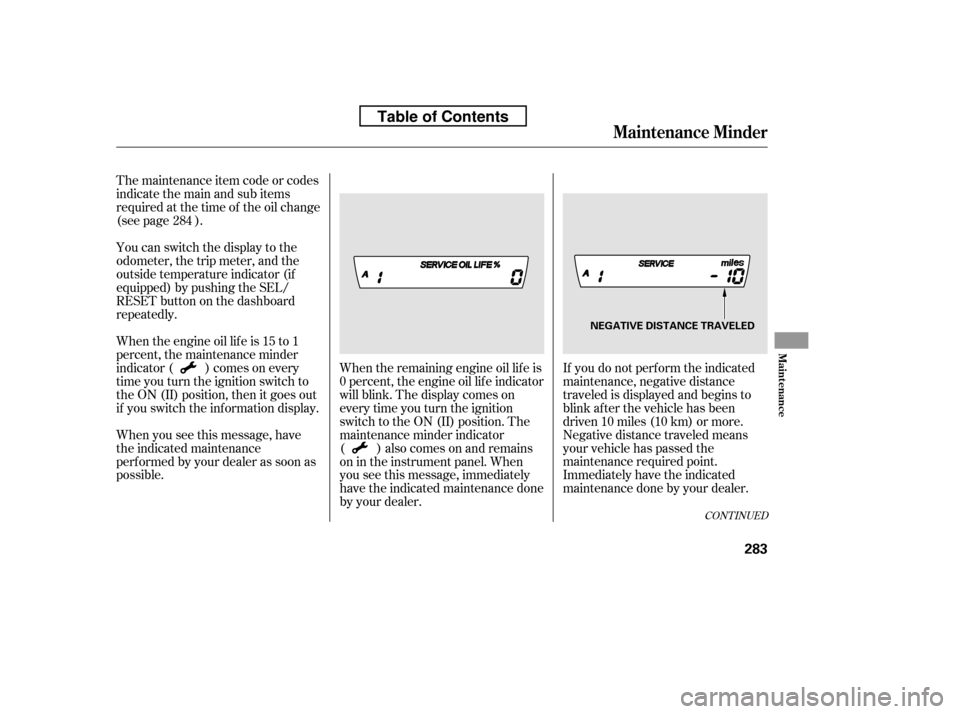
If you do not perf orm the indicated
maintenance, negative distance
traveled is displayed and begins to
blink af ter the vehicle has been
driven 10 miles (10 km) or more.
Negative distance traveled means
your vehicle has passed the
maintenance required point.
Immediately have the indicated
maintenance done by your dealer.
When the remaining engine oil lif e is
0 percent, the engine oil lif e indicator
will blink. The display comes on
everytimeyouturntheignition
switch to the ON (II) position. The
maintenance minder indicator
( ) also comes on and remains
on in the instrument panel. When
you see this message, immediately
have the indicated maintenance done
by your dealer.
The maintenance item code or codes
indicate the main and sub items
required at the time of the oil change
(see page ).
You can switch the display to the
odometer, the trip meter, and the
outside temperature indicator (if
equipped) by pushing the SEL/
RESET button on the dashboard
repeatedly.
Whentheengineoillifeis15to1
percent, the maintenance minder
indicator ( ) comes on every
time you turn the ignition switch to
the ON (II) position, then it goes out
if you switch the inf ormation display.
When you see this message, have
the indicated maintenance
perf ormed by your dealer as soon as
possible.
284
CONT INUED
Maintenance Minder
Maint enance
283
NEGATIVE DISTANCE TRAVELED
Table of Contents
Page 298 of 387
Your dealer will reset the display
af ter completing the required
maintenance service. You will see
‘‘OIL LIFE 100%’’ on the inf ormation
display the next time you turn the
ignition switch to the ON (II)
position.
If maintenance service is done by
someone other than your dealer,
reset the maintenance minder as
f ollows:Turn the ignition switch to the ON
(II) position.
Press the SEL/RESET button
repeatedly until the engine oil lif e
indicator is displayed.
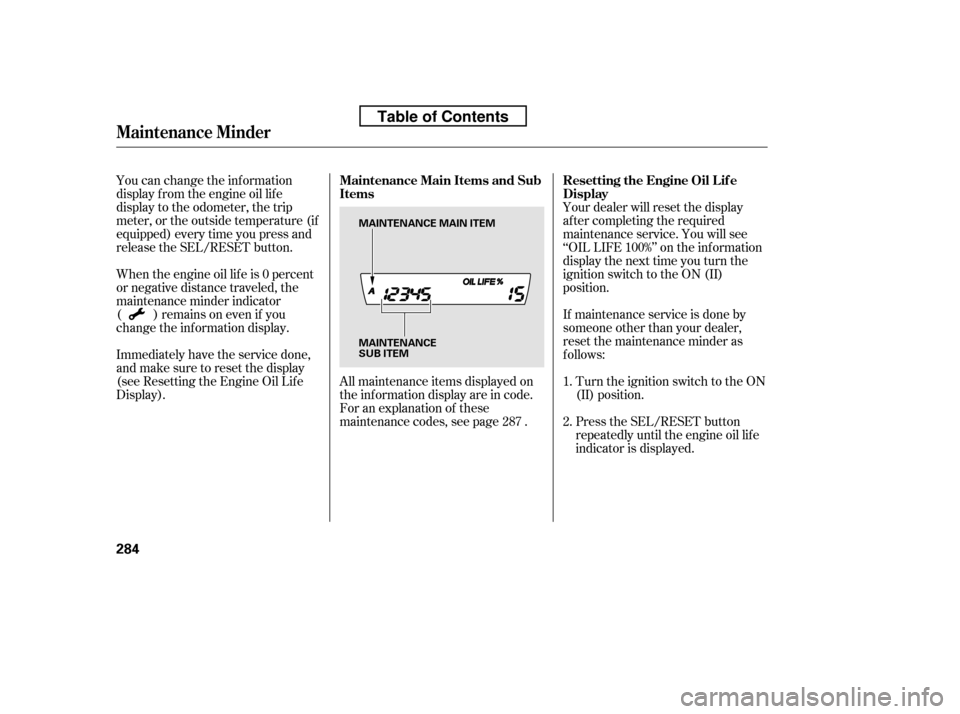
All maintenance items displayed on
the inf ormation display are in code.
For an explanation of these
maintenance codes, see page .
You can change the inf ormation
display f rom the engine oil lif e
display to the odometer, the trip
meter, or the outside temperature (if
equipped) every time you press and
release the SEL/RESET button.
When the engine oil lif e is 0 percent
or negative distance traveled, the
maintenance minder indicator
( )remainsonevenif you
change the inf ormation display.
Immediately have the service done,
andmakesuretoresetthedisplay
(see Resetting the Engine Oil Lif e
Display).
1. 2.
287
Maintenance Minder
Resetting the Engine Oil Lif e
Display
Maintenance Main Items and Sub
Items
284
MAINTENANCE
SUB ITEM
MAINTENANCE MAIN ITEM
Table of Contents