Settings HONDA CIVIC 2012 9.G User Guide
[x] Cancel search | Manufacturer: HONDA, Model Year: 2012, Model line: CIVIC, Model: HONDA CIVIC 2012 9.GPages: 345, PDF Size: 9.02 MB
Page 158 of 345
157
uuAudio System Basic Operation*uAdjusting the Sound
Features
Adjusting the Sound
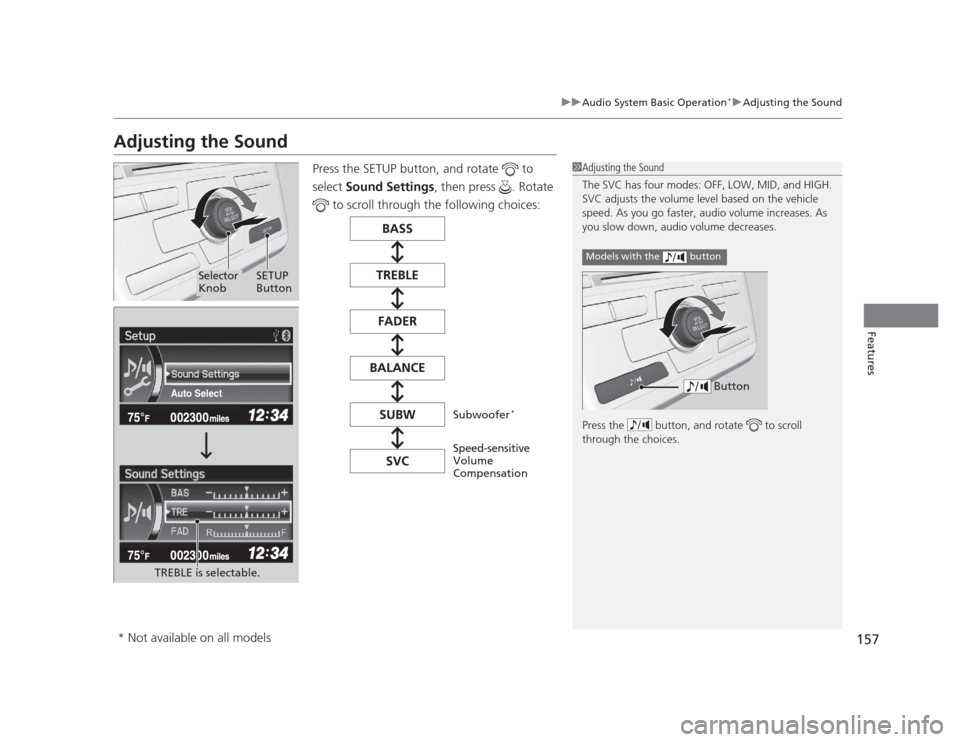
Press the SETUP button, and rotate to
select Sound Settings , then press . Rotate
to scroll through the following choices:
1Adjusting the Sound
The SVC has four modes: OFF, LOW, MID, and HIGH.
SVC adjusts the volume level based on the vehicle
speed. As you go faster, audio volume increases. As
you slow down, audio volume decreases.
Press the button, and rotate to scroll
through the choices.
Models with the button
ButtonAuto Select
TREBLE is selectable.
Selector Knob SETUP
Button
Speed-sensitive
Volume
Compensation
Subwoofer
*
* Not available on all models
Page 160 of 345
Continued159
uuAudio System Basic Operation*uPlaying the AM/FM Radio
Features
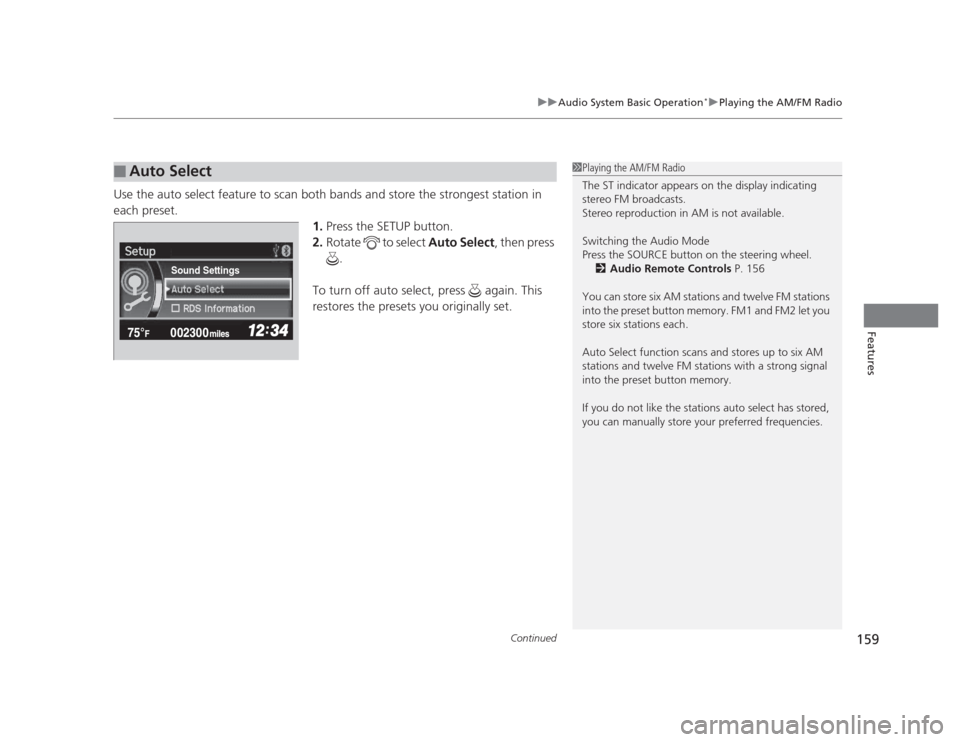
Use the auto select feature to scan both bands and store the strongest station in each preset.
1.Press the SETUP button.
2. Rotate to select Auto Select, then press
.
To turn off auto select, press again. This
restores the presets you originally set.
■Auto Select1Playing the AM/FM Radio
The ST indicator appears on the display indicating
stereo FM broadcasts.
Stereo reproduction in AM is not available.
Switching the Audio Mode
Press the SOURCE button on the steering wheel. 2 Audio Remote Controls P. 156
You can store six AM stations and twelve FM stations
into the preset button memory. FM1 and FM2 let you
store six stations each.
Auto Select function scans and stores up to six AM
stations and twelve FM stations with a strong signal
into the preset button memory.
If you do not like the stations auto select has stored,
you can manually store your preferred frequencies.
Sound Settings
Page 164 of 345
163
uuAudio System Basic Operation*uPlaying a CD
Features
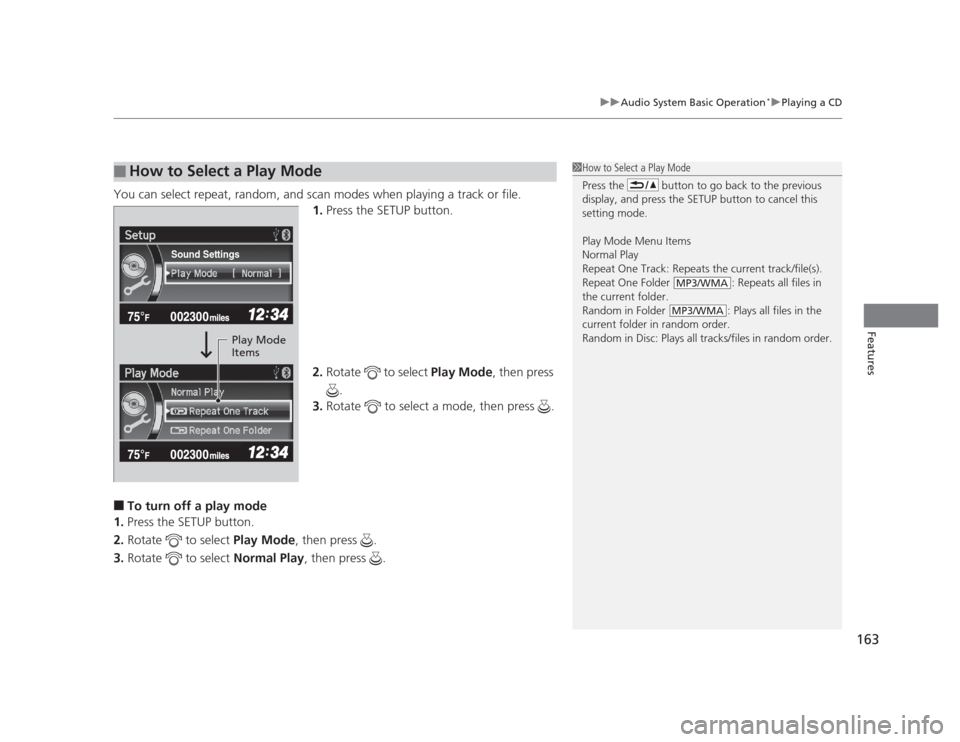
You can select repeat, random, and scan modes when playing a track or file.
1.Press the SETUP button.
2. Rotate to select Play Mode, then press
.
3. Rotate to select a mode, then press .
■ To turn off a play mode
1. Press the SETUP button.
2. Rotate to select Play Mode, then press .
3. Rotate to select Normal Play, then press .
■How to Select a Play Mode1How to Select a Play Mode
Press the button to go back to the previous
display, and press the SETUP button to cancel this
setting mode. Play Mode Menu Items
Normal Play
Repeat One Track: Repeats the current track/file(s).
Repeat One Folder : Repeats all files in
the current folder.
Random in Folder : Plays all files in the
current folder in random order.
Random in Disc: Plays all tracks/files in random order.
MP3/WMA
MP3/WMA
Sound Settings
Play Mode
Items
Page 167 of 345
uuAudio System Basic Operation*uPlaying an iPod®
166
Features
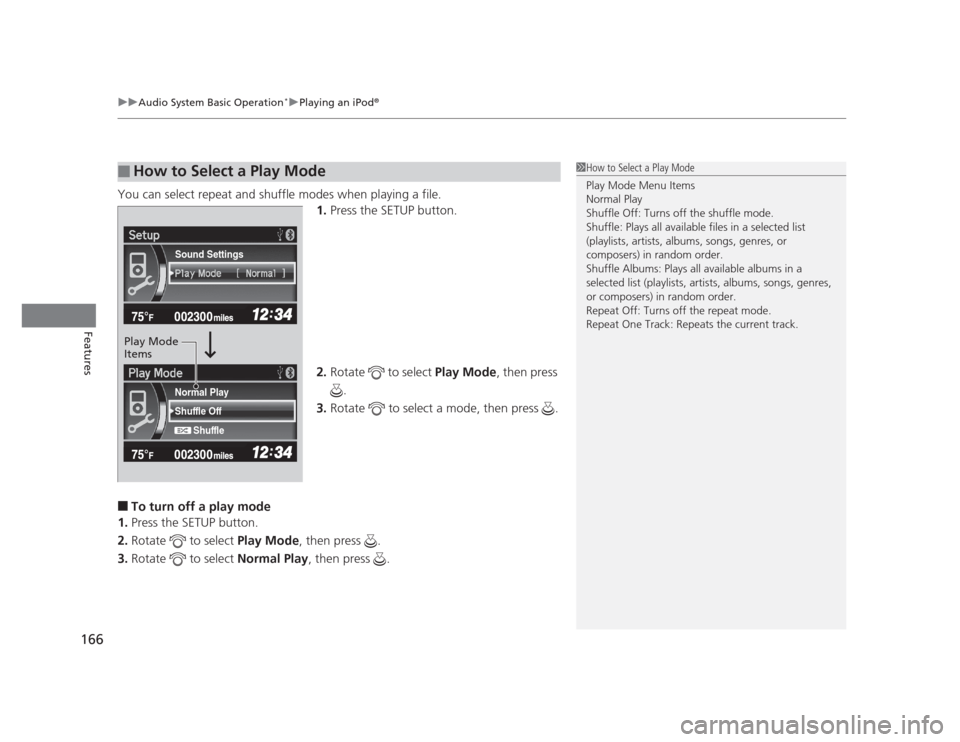
You can select repeat and shuffle modes when playing a file. 1.Press the SETUP button.
2. Rotate to select Play Mode, then press
.
3. Rotate to select a mode, then press .
■ To turn off a play mode
1. Press the SETUP button.
2. Rotate to select Play Mode, then press .
3. Rotate to select Normal Play, then press .
■How to Select a Play Mode1How to Select a Play Mode Play Mode Menu Items
Normal Play
Shuffle Off: Turns off the shuffle mode.
Shuffle: Plays all ava ilable files in a selected list
(playlists, artists, albums, songs, genres, or
composers) in random order.
Shuffle Albums: Plays all available albums in a
selected list (playlists, artists, albums, songs, genres, or composers) in random order.
Repeat Off: Turns off the repeat mode.
Repeat One Track: Repeats the current track.
Shuffle Off
Shuffle
Normal Play
Sound Settings
Play Mode Items
Page 170 of 345
169
uuAudio System Basic Operation*uPlaying a USB Flash Drive
Features
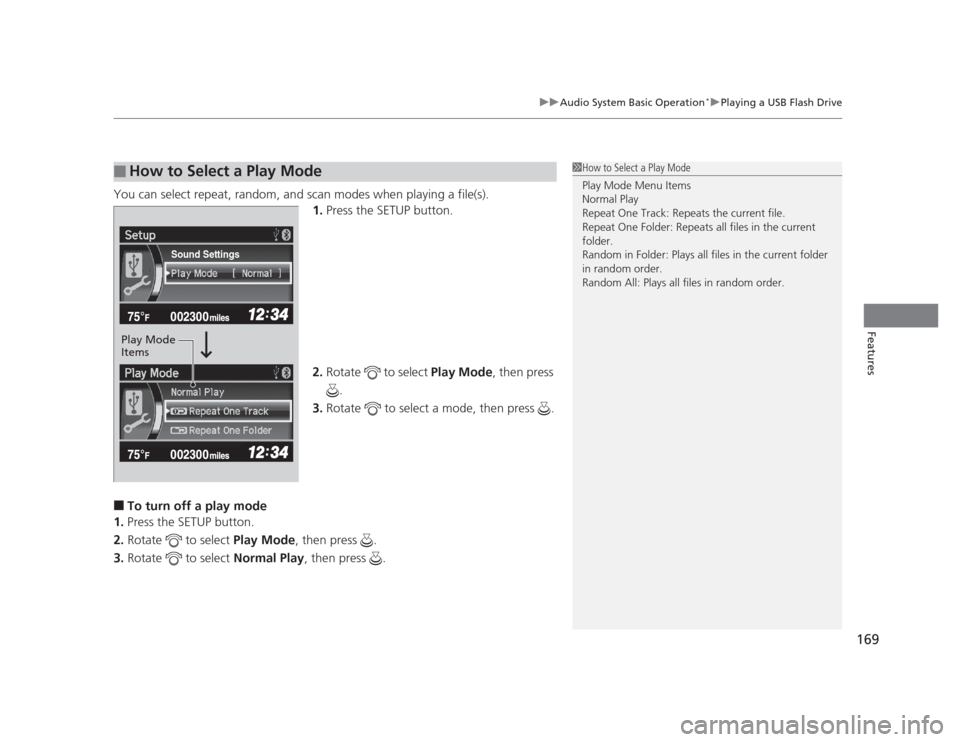
You can select repeat, random,
and scan modes when playing a file(s).
1. Press the SETUP button.
2. Rotate to select Play Mode, then press
.
3. Rotate to select a mode, then press .
■ To turn off a play mode
1. Press the SETUP button.
2. Rotate to select Play Mode, then press .
3. Rotate to select Normal Play, then press .
■How to Select a Play Mode1How to Select a Play Mode Play Mode Menu Items
Normal Play
Repeat One Track: Repeats the current file.
Repeat One Folder: Repeats all files in the current folder.
Random in Folder: Plays all files in the current folder
in random order.
Random All: Plays all files in random order.
Sound Settings
Play Mode Items
Page 172 of 345
171
uuAudio System Basic Operation*uPlaying
Bluetooth ®
Audio
Features
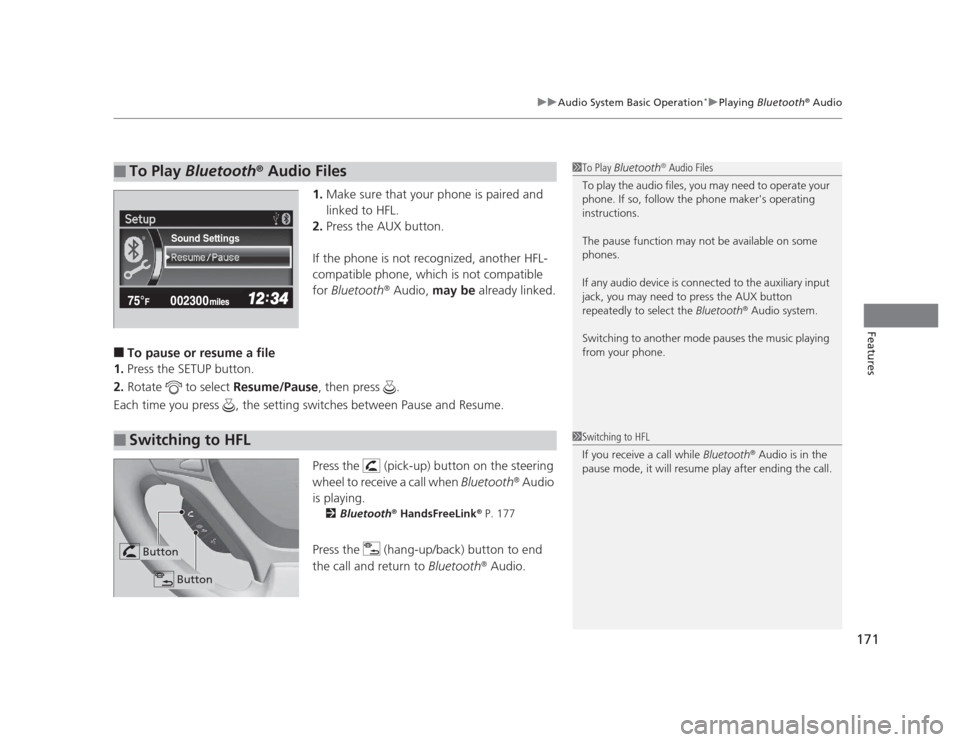
1. Make sure that your phone is paired and
linked to HFL.
2. Press the AUX button.
If the phone is not recognized, another HFL-
compatible phone, which is not compatible
for Bluetooth ®
Audio, may be already linked.
■ To pause or resume a file
1. Press the SETUP button.
2. Rotate to select Resume/Pause, then press .
Each time you press , the setting switches between Pause and Resume.
Press the (pick-up) button on the steering
wheel to receive a call when Bluetooth®
Audio
is playing. 2 Bluetooth ®
HandsFreeLink ®
P. 177
Press the (hang-up/back) button to end
the call and return to Bluetooth®
Audio.
■To Play Bluetooth ®
Audio Files1To Play Bluetooth ®
Audio Files
To play the audio files, you may need to operate your
phone. If so, follow the phone maker's operating instructions.
The pause function may not be available on some
phones.
If any audio device is connected to the auxiliary input
jack, you may need to press the AUX button
repeatedly to select the Bluetooth®
Audio system.
Switching to another mode pauses the music playing
from your phone.
Sound Settings
■Switching to HFL1Switching to HFL
If you receive a call while Bluetooth®
Audio is in the
pause mode, it will resume play after ending the call.
Button
Button