sensor HONDA CIVIC 2012 9.G User Guide
[x] Cancel search | Manufacturer: HONDA, Model Year: 2012, Model line: CIVIC, Model: HONDA CIVIC 2012 9.GPages: 345, PDF Size: 9.02 MB
Page 50 of 345
49
uuAirbagsuAirbag Care
Safe Driving
Airbag Care
You do not need to, and should not, perform any maintenance on or replace any
airbag system components yourself. However, you should have your vehicle
inspected by a dealer in the following situations: ■When the airbags have deployed
If an airbag has inflated, the control unit and other related parts must be replaced.
Similarly, once an automatic seat belt tensioner has been activated, it must be
replaced. ■ When the vehicle has been in a moderate-to-severe collision
Even if the airbags did not inflate, have your dealer inspect the following: the driver’s
seat position sensor, weight sensors in the passenger’s seat, front seat belt
tensioners, and each seat belt that was worn during the crash. ■ Do not remove or modify a front seat without consulting a dealer
This would likely disable the driver's seat position sensor or the weight sensors in the
passenger's seat. If it is necessary to remove or modify a front seat to accommodate
a person with disabilities, contact a Honda dealer, or for U.S. vehicles, American
Honda Automobile Customer Service at 800-999-1009 and for Canadian vehicles,
Honda Canada Customer Relations at 888-9-HONDA-9.
1Airbag Care
We recommend against the use of salvaged airbag
system components, including the airbag, tensioners, sensors, and control unit.
Page 75 of 345
74
uuIndicatorsu
Instrument Panel
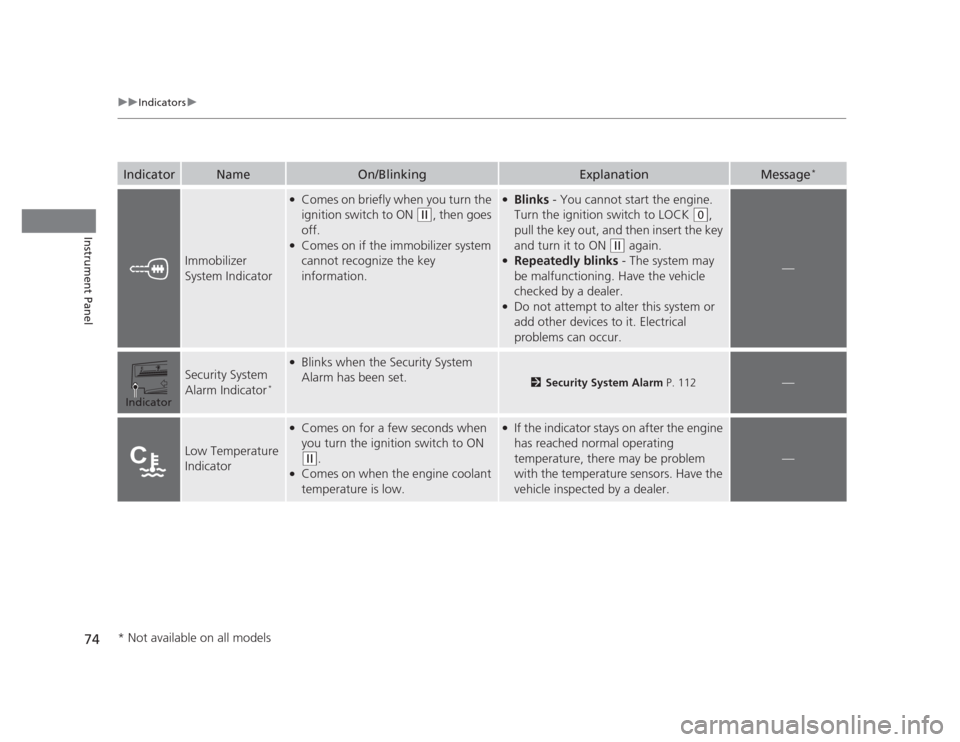
IndicatorNameOn/BlinkingExplanationMessage*
Immobilizer
System Indicator
●
Comes on briefly when you turn the
ignition switch to ON
(w , then goes
off.
● Comes on if the immobilizer system
cannot recognize the key
information.
●Blinks - You cannot start the engine.
Turn the ignition switch to LOCK
(0 ,
pull the key out, and then insert the key
and turn it to ON
(w again.
● Repeatedly blinks - The system may
be malfunctioning. Have the vehicle
checked by a dealer.
● Do not attempt to alter this system or
add other devices to it. Electrical
problems can occur.
—
Security System
Alarm Indicator *
●
Blinks when the Security System
Alarm has been set.
2 Security System Alarm P. 112—
Low Temperature
Indicator
●
Comes on for a few seconds when
you turn the ignition switch to ON
(w .
● Comes on when the engine coolant
temperature is low.
●If the indicator stays on after the engine
has reached normal operating
temperature, there may be problem
with the temperature sensors. Have the
vehicle inspected by a dealer.
—
Indicator
* Not available on all models
Page 86 of 345
Continued85
uuGauges and DisplaysuMulti-Information Display*
Instrument Panel
Shows the outside temperature in Fahrenheit (U.S.) or Celsius (Canada). ■
Adjusting the outside temperature display
Adjust the temperature reading up to ±5°F or ±3°C if the temperature reading seems incorrect.
Use the multi-information display's customized features to correct the temperature. 2 Customized Features P. 86
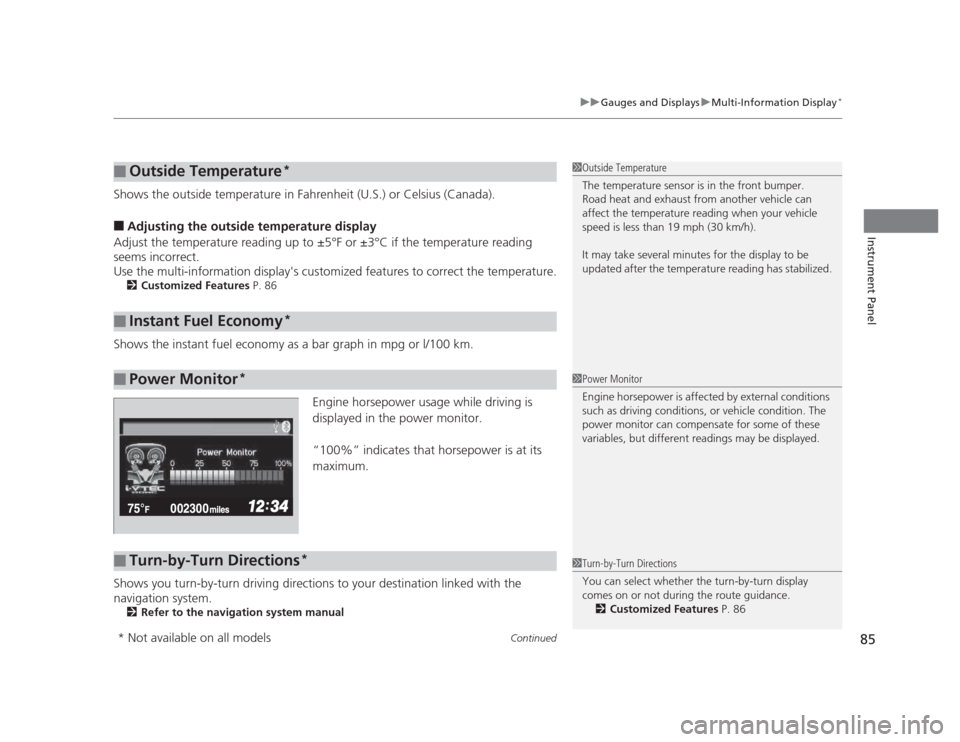
Shows the instant fuel economy as a bar graph in mpg or l/100 km. Engine horsepower usage while driving is
displayed in the power monitor.
“100%” indicates that horsepower is at its maximum.
Shows you turn-by-turn driving directions to your destination linked with the
navigation system. 2 Refer to the navigation system manual
■Outside Temperature *
■Instant Fuel Economy *
■Power Monitor*
1Outside Temperature
The temperature sensor is in the front bumper.
Road heat and exhaust from another vehicle can
affect the temperature reading when your vehicle
speed is less than 19 mph (30 km/h).
It may take several minutes for the display to be
updated after the temperature reading has stabilized.
1Power Monitor
Engine horsepower is affected by external conditions
such as driving conditions, or vehicle condition. The
power monitor can compensate for some of these
variables, but different readings may be displayed.
■Turn-by-Turn Directions
*1Turn-by-Turn Directions
You can select whether the turn-by-turn display
comes on or not during the route guidance.
2 Customized Features P. 86
* Not available on all models
Page 120 of 345
119
uuOperating the Switches Around the Steering WheeluLight Switches
Controls
Automatic lighting control can be used when
the ignition switch is in ON
(w.
When you turn the light switch to
#Y , the
headlights and other exterior lights will switch
on and off automatically depending on the
ambient brightness.
The headlights, all other exterior lights, and the instrument panel lights turn off
within 15 seconds after you remove the key and close the driver's door.
If you turn the ignition switch to LOCK
(0 with the headlight switch on, but do not
open the door, the lights turn off after 10 minutes (3 minutes, if the switch is in the
#Y position).
The lights turn on again when you unlock or open the driver's door. If you unlock
the door, but do not open it within 15 seconds, the lights go off. If you open the
driver's door, you will hear a lights on reminder chime.
■Automatic Lighting Control *1Automatic Lighting Control
We recommend that you turn on the lights manually
when driving at night, in a dense fog, or in dark areas
such as long tunnels or parking facilities.
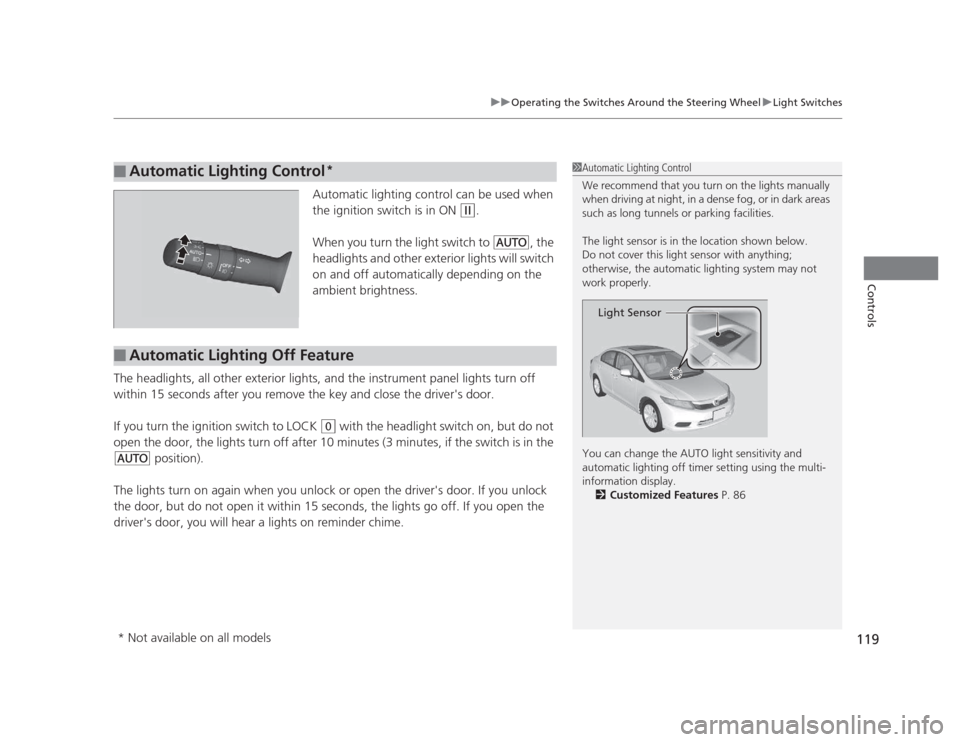
The light sensor is in the location shown below.
Do not cover this light sensor with anything;
otherwise, the automatic lighting system may not
work properly.
You can change the AUTO light sensitivity and
automatic lighting off timer setting using the multi-
information display.
2 Customized Features P. 86
Light Sensor
■Automatic Lighting Off Feature
* Not available on all models
Page 133 of 345
132
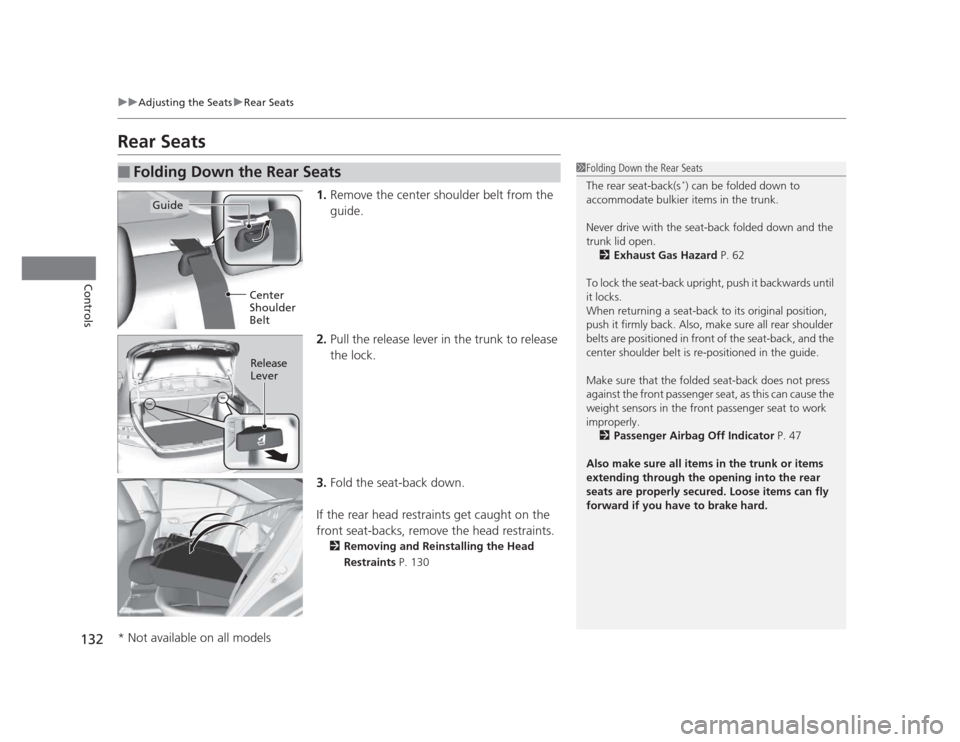
uuAdjusting the SeatsuRear Seats
Controls
Rear Seats1.Remove the center shoulder belt from the
guide.
2. Pull the release lever in the trunk to release
the lock.
3. Fold the seat-back down.
If the rear head restraints get caught on the
front seat-backs, remove the head restraints. 2 Removing and Reinstalling the Head
Restraints P. 130
■Folding Down the Rear Seats1Folding Down the Rear Seats
The rear seat-back(s *
) can be folded down to
accommodate bulkier items in the trunk.
Never drive with the seat-back folded down and the
trunk lid open.
2 Exhaust Gas Hazard P. 62
To lock the seat-back upright, push it backwards until
it locks.
When returning a seat-back to its original position,
push it firmly back. Also, make sure all rear shoulder
belts are positioned in front of the seat-back, and the
center shoulder belt is re-positioned in the guide.
Make sure that the folded seat-back does not press against the front passenger seat, as this can cause the
weight sensors in the front passenger seat to work
improperly. 2 Passenger Airbag Off Indicator P. 47
Also make sure all items in the trunk or items
extending through the opening into the rear
seats are properly secured. Loose items can fly
forward if you have to brake hard.
Guide
Center
Shoulder
Belt
Release Lever
* Not available on all models
Page 205 of 345
204
uuBefore DrivinguDriving Preparation
Driving
•Be sure items placed on the floor behind the front seats cannot roll under the seats.
uThey can interfere with the driver's ability to operate the pedals, the operation
of the seats, or the operation of the sensors under the seats.
• Everyone in the vehicle must fasten their seat belt.
2 Fastening a Seat Belt P. 31
• Make sure that the indicators in the instrument panel come on when you start the
vehicle, and go off soon after.
uAlways have a dealer check the vehicle if a problem is indicated.
2 Indicators P. 66
Page 300 of 345
299
Continued
Handling the Unexpected
If a Tire Goes Flat
Changing a Flat Tire
If a tire goes flat while driving, grasp the steering wheel firmly, and brake gradually
to reduce speed. Then, stop in a safe place. Replace the flat tire with a compact
spare tire. Go to a dealer as soon as possible to have the full size tire repaired or
replaced. 1.
Park the vehicle on firm, level, and non-slippery ground.
2. Put the shift lever in
(P .
2. Put the shift lever in
(R .
3. Set the parking brake.
4. Turn on the hazard warning lights and turn the ignition switch to LOCK
(0.
1Changing a Flat Tire
Periodically check the tire pressure of the compact
spare. It should be set to the specified pressure.
Specified Pressure: 60 psi (420 kPa, 4.2 kgf/cm 2
)
When driving with the compact spare tire, keep the
vehicle speed under 50 mph (80 km/h). Replace with
a full size tire as soon as possible.
The compact spare tire and wheel in your vehicle are
specifically for this model.
Do not use them with another vehicle.
Do not use another type of compact spare tire or
wheel with your vehicle.
Do not mount tire chains on a compact spare tire.
If a chain-mounted front tire goes flat, remove one of
the full-size rear tires and replace it with the compact
spare tire. Remove the flat front tire and replace it
with the full size tire that was removed from the rear.
Mount the tire chains on the front tire.
Do not use a puncture-repairing agent on a flat tire,
as it can damage the tire pressure sensor.
U.S. models only
Automatic transmission models
Manual transmission models
All models
Page 306 of 345
305
uuIf a Tire Goes FlatuChanging a Flat Tire
Handling the Unexpected
If you replace a flat tire with the spare tire, the low tire pressure indicator comes on
while you are driving. After driving for a few miles (kilometers), the indicator will go
off and the TPMS indicator comes on, but this is normal.
If you replace the tire with a specified regular tire, the low tire pressure or TPMS
indicator will go off after a few miles (kilometers).
If you replace a flat tire with the spare tire, the low tire pressure/TPMS indicator
comes on while you are driving. After driving for a few miles (kilometers), the
indicator will start blinking for a short time and then stay on. "CHECK TPMS
SYSTEM" appears on the multi-information display, but this is normal.
If you replace the tire with a specified regular tire, the warning message on the
multi-information display and the TPMS indicator will go off after a few miles
(kilometers).
■TPMS and the Spare Tire1TPMS and the Spare Tire
The system cannot monitor the pressure of the spare
tire. Manually check the spare tire pressure to be sure
that it is correct.
Use TPMS specific wheels. Each is equipped with a
tire pressure sensor mounted inside the tire behind
the valve stem.
U.S. models with information display
U.S. models with multi-information display
Page 338 of 345
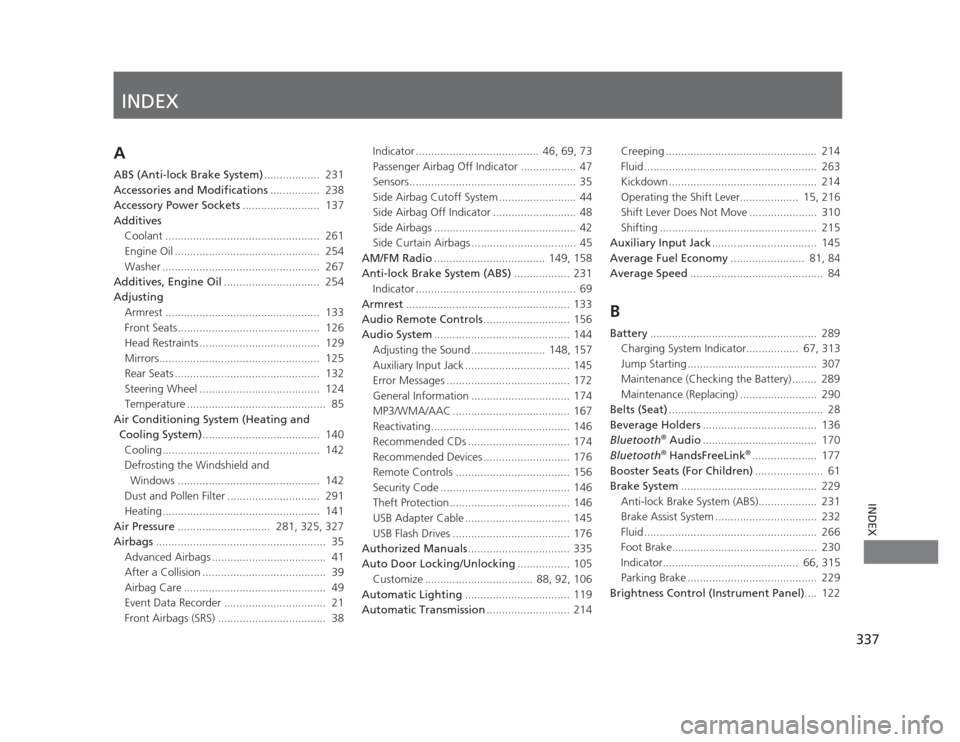
INDEX
337
INDEX
INDEX
A
ABS (Anti-lock Brake System).................. 231
Accessories and Modifications ................ 238
Accessory Power Sockets ......................... 137
Additives Coolant .................................................. 261
Engine Oil ............................................... 254
Washer ................................................... 267
Additives, Engine Oil ............................... 254
Adjusting
Armrest .................................................. 133
Front Seats.............................................. 126
Head Restraints ....................................... 129
Mirrors.................................................... 125
Rear Seats ............................................... 132
Steering Wheel ....................................... 124
Temperature ............................................. 85
Air Conditioning System (Heating and Cooling System) ...................................... 140
Cooling................................................... 142
Defrosting the Windshield and Windows .............................................. 142
Dust and Pollen Filter .............................. 291
Heating................................................... 141
Air Pressure .............................. 281, 325, 327
Airbags ....................................................... 35
Advanced Airbags ..................................... 41
After a Collision ........................................ 39
Airbag Care .............................................. 49
Event Data Recorder ................................. 21
Front Airbags (SRS) ................................... 38 Indicator ........................................ 46, 69, 73
Passenger Airbag Off Indicator .................. 47
Sensors...................................................... 35
Side Airbag Cutoff System ......................... 44
Side Airbag Off Indicator ........................... 48
Side Airbags .............................................. 42
Side Curtain Airbags .................................. 45
AM/FM Radio .................................... 149, 158
Anti-lock Brake System (ABS) .................. 231
Indicator .................................................... 69
Armrest ..................................................... 133
Audio Remote Controls ............................ 156
Audio System ............................................ 144
Adjusting the Sound ........................ 148, 157
Auxiliary Input Jack .................................. 145
Error Messages ........................................ 172
General Information ................................ 174
MP3/WMA/AAC ...................................... 167
Reactivating............................................. 146
Recommended CDs ................................. 174
Recommended Devices ............................ 176
Remote Controls ..................................... 156
Security Code .......................................... 146
Theft Protection....................................... 146
USB Adapter Cable .................................. 145
USB Flash Drives ...................................... 176
Authorized Manuals ................................. 335
Auto Door Locking/Unlocking ................. 105
Customize ................................... 88, 92, 106
Automatic Lighting .................................. 119
Automatic Transmission ........................... 214 Creeping ................................................. 214
Fluid ........................................................ 263
Kickdown ................................................ 214
Operating the Shift Lever................... 15, 216
Shift Lever Does Not Move ...................... 310
Shifting ................................................... 215
Auxiliary Input Jack .................................. 145
Average Fuel Economy ........................ 81, 84
Average Speed ........................................... 84
B
Battery ...................................................... 289
Charging System Indicator................. 67, 313
Jump Starting .......................................... 307
Maintenance (Checking the Battery) ........ 289
Maintenance (Replacing) ......................... 290
Belts (Seat) .................................................. 28
Beverage Holders ..................................... 136
Bluetooth ®
Audio ..................................... 170
Bluetooth ®
HandsFreeLink ®
..................... 177
Booster Seats (For Children) ...................... 61
Brake System ............................................ 229
Anti-lock Brake System (ABS)................... 231
Brake Assist System ................................. 232
Fluid ........................................................ 266
Foot Brake............................................... 230
Indicator............................................ 66, 315
Parking Brake .......................................... 229
Brightness Control (Instrument Panel) .... 122
Page 344 of 345
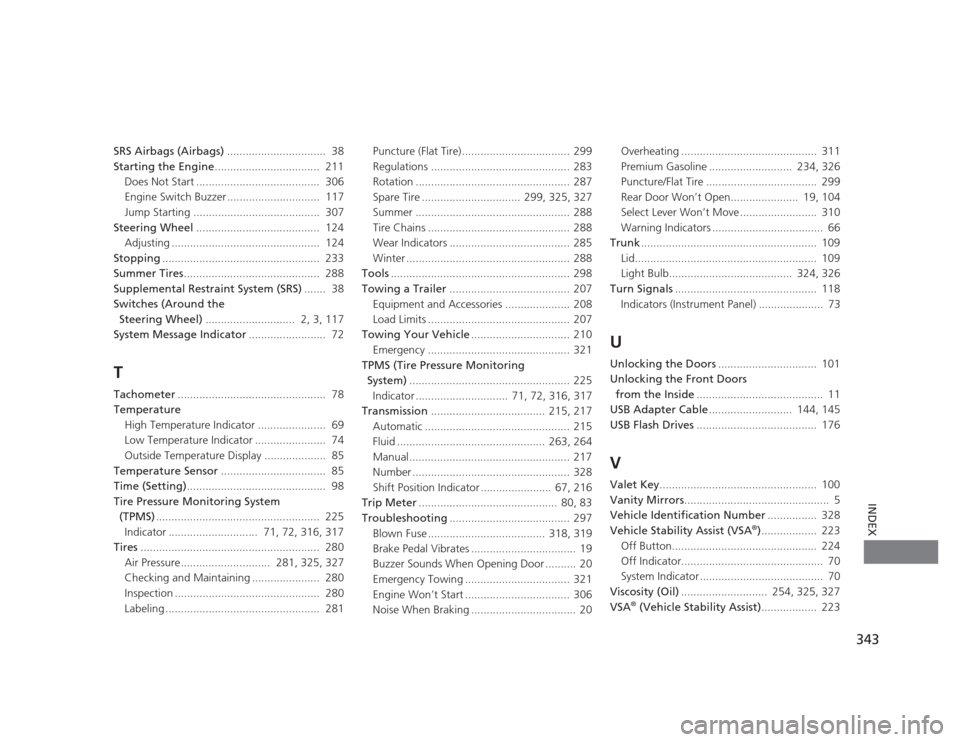
343
INDEX
SRS Airbags (Airbags)................................ 38
Starting the Engine .................................. 211
Does Not Start ........................................ 306
Engine Switch Buzzer .............................. 117
Jump Starting ......................................... 307
Steering Wheel ........................................ 124
Adjusting ................................................ 124
Stopping ................................................... 233
Summer Tires ............................................ 288
Supplemental Restraint System (SRS) ....... 38
Switches (Around the Steering Wheel) ............................. 2, 3, 117
System Message Indicator ......................... 72
T
Tachometer ................................................ 78
Temperature
High Temperature Indicator ....... ............... 69
Low Temperature Indicator ....................... 74
Outside Temperature Display .................... 85
Temperature Sensor .................................. 85
Time (Setting) ............................................. 98
Tire Pressure Monitoring System
(TPMS) ..................................................... 225
Indicator ............................. 71, 72, 316, 317
Tires .......................................................... 280
Air Pressure............................. 281, 325, 327 Checking and Maintaining ...................... 280
Inspection ............................................... 280
Labeling .................................................. 281 Puncture (Flat Tire)................................... 299
Regulations ............................................. 283
Rotation .................................................. 287
Spare Tire ................................ 299, 325, 327
Summer .................................................. 288
Tire Chains .............................................. 288
Wear Indicators ....................................... 285
Winter ..................................................... 288
Tools .......................................................... 298
Towing a Trailer ....................................... 207
Equipment and Accessories ..................... 208
Load Limits .............................................. 207
Towing Your Vehicle ................................ 210
Emergency .............................................. 321
TPMS (Tire Pressure Monitoring
System) .................................................... 225
Indicator .............................. 71, 72, 316, 317
Transmission ..................................... 215, 217
Automatic ............................................... 215
Fluid ................................................ 263, 264
Manual.................................................... 217
Number ................................................... 328
Shift Position Indicator ....................... 67, 216
Trip Meter ............................................. 80, 83
Troubleshooting ....................................... 297
Blown Fuse ...................................... 318, 319
Brake Pedal Vibrates .................................. 19
Buzzer Sounds When Opening Door .......... 20
Emergency Towing .................................. 321
Engine Won’t Start .................................. 306
Noise When Braking .................................. 20 Overheating ............................................ 311
Premium Gasoline ........................... 234, 326
Puncture/Flat Tire .................................... 299
Rear Door Won’t Open...................... 19, 104
Select Lever Won’t Move ......................... 310
Warning Indicators .................................... 66
Trunk ......................................................... 109
Lid........................................................... 109
Light Bulb........................................ 324, 326
Turn Signals .............................................. 118
Indicators (Instrument Panel) ..................... 73
U
Unlocking the Doors ................................ 101
Unlocking the Front Doors from the Inside ......................................... 11
USB Adapter Cable ........................... 144, 145
USB Flash Drives ....................................... 176
VValet Key ................................................... 100
Vanity Mirrors ............................................... 5
Vehicle Identification Number ................ 328
Vehicle Stability Assist (VSA ®
).................. 223
Off Button............................................... 224
Off Indicator.............................................. 70
System Indicator ........................................ 70
Viscosity (Oil) ............................ 254, 325, 327
VSA ®
(Vehicle Stability Assist) .................. 223