Display HONDA CIVIC 2012 9.G Owner's Guide
[x] Cancel search | Manufacturer: HONDA, Model Year: 2012, Model line: CIVIC, Model: HONDA CIVIC 2012 9.GPages: 345, PDF Size: 9.02 MB
Page 95 of 345
94
uuGauges and DisplaysuMulti-Information Display*
Instrument Panel
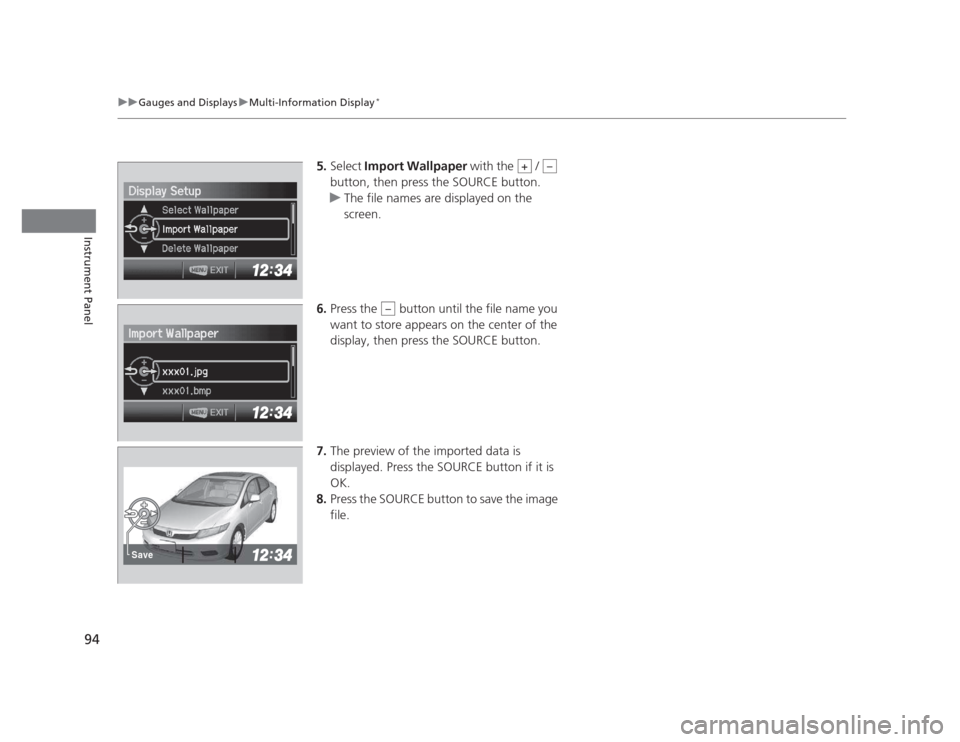
5.
Select Import Wallpaper with the /
button, then press the SOURCE button.
uThe file names are displayed on the screen.
6. Press the button until the file name you
want to store appears on the center of the display, then press the SOURCE button.
7. The preview of the imported data is
displayed. Press the SOURCE button if it is
OK.
8. Press the SOURCE button to save the image file.
+–
–
Save
Page 96 of 345
95
uuGauges and DisplaysuMulti-Information Display*
Continued
Instrument Panel
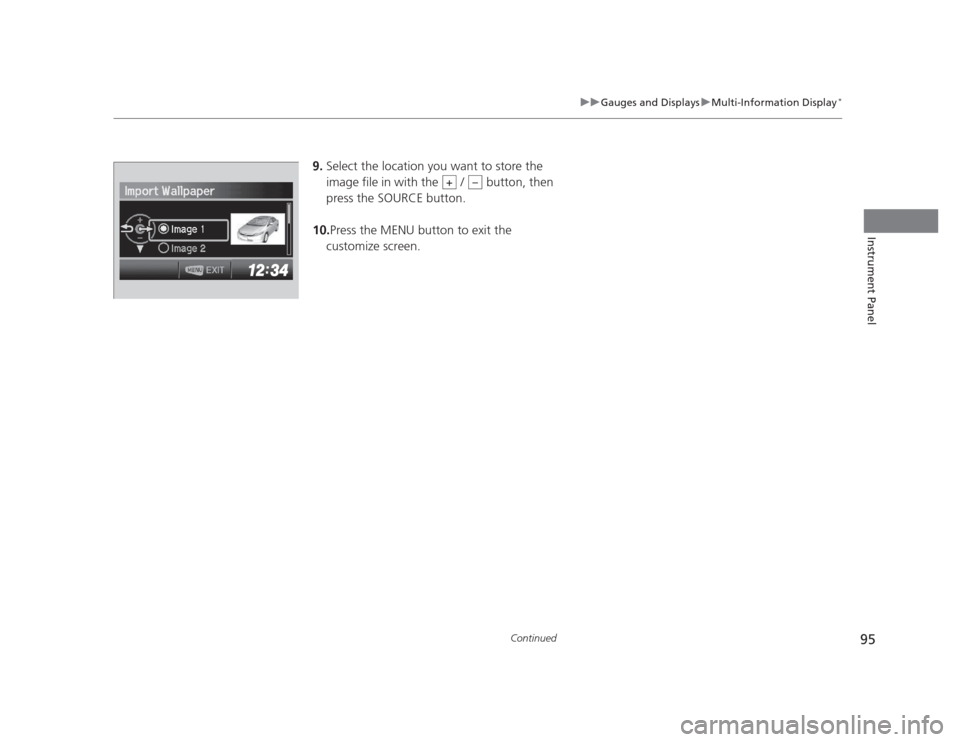
9.
Select the location you want to store the
image file in with the / button, then
press the SOURCE button.
10. Press the MENU button to exit the
customize screen.
+–
Page 97 of 345
96
uuGauges and DisplaysuMulti-Information Display*
Instrument Panel
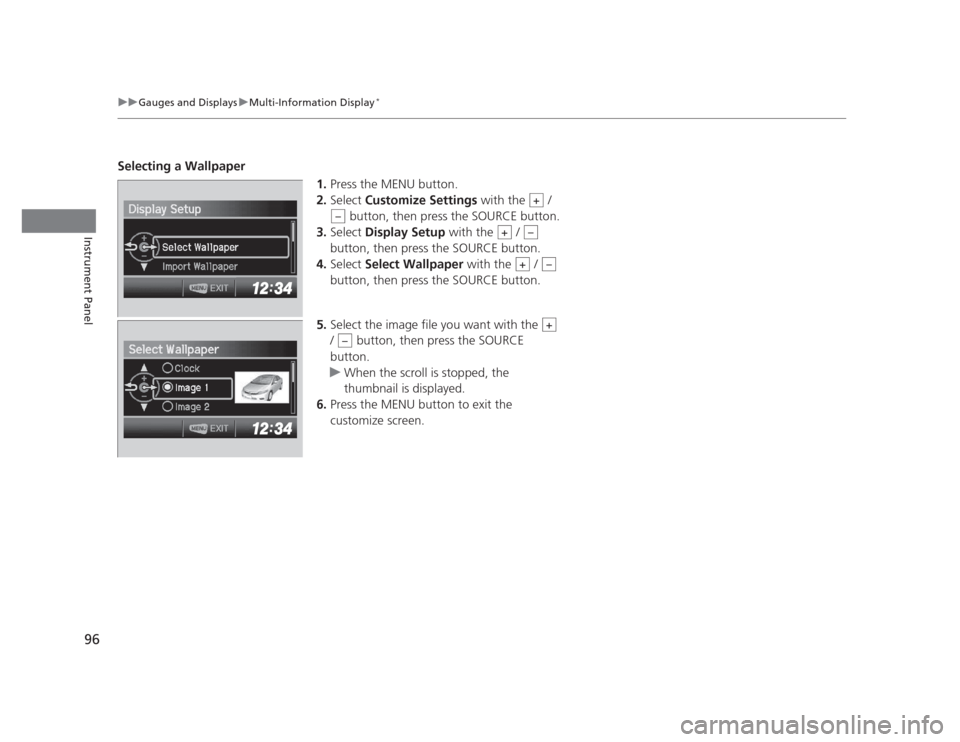
Selecting a Wallpaper
1.Press the MENU button.
2. Select Customize Settings with the /
button, then press the SOURCE button.
3. Select Display Setup with the /
button, then press the SOURCE button.
4. Select Select Wallpaper with the /
button, then press the SOURCE button.
5. Select the image file you want with the
/ button, then press the SOURCE
button.
uWhen the scroll is stopped, the
thumbnail is displayed.
6. Press the MENU button to exit the
customize screen.
+
–
+–
+–
+
–
Page 99 of 345
98
Controls
Setting the Clock
Clock
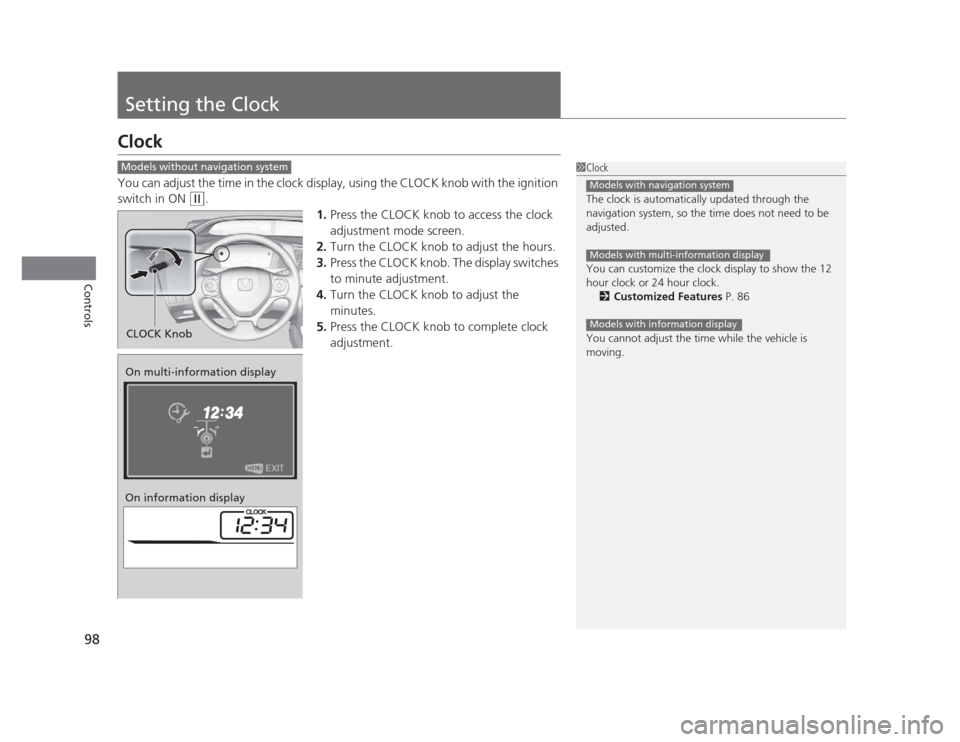
You can adjust the time in the clock display, using the CLOCK knob with the ignition
switch in ON
(w.
1.Press the CLOCK knob to access the clock
adjustment mode screen.
2. Turn the CLOCK knob to adjust the hours.
3. Press the CLOCK knob. The display switches
to minute adjustment.
4. Turn the CLOCK knob to adjust the
minutes.
5. Press the CLOCK knob to complete clock
adjustment.
1Clock
The clock is automatically updated through the
navigation system, so the time does not need to be
adjusted.
You can customize the clock display to show the 12
hour clock or 24 hour clock.
2 Customized Features P. 86
You cannot adjust the time while the vehicle is
moving.
Models with navigation system
Models with multi-information display
Models with information display
Models without navigation system
CLOCK Knob
On multi-information display
On information display
Page 102 of 345
101
uuLocking and Unlocking the DoorsuLocking/Unlocking the Doors from the Outside
Continued
Controls
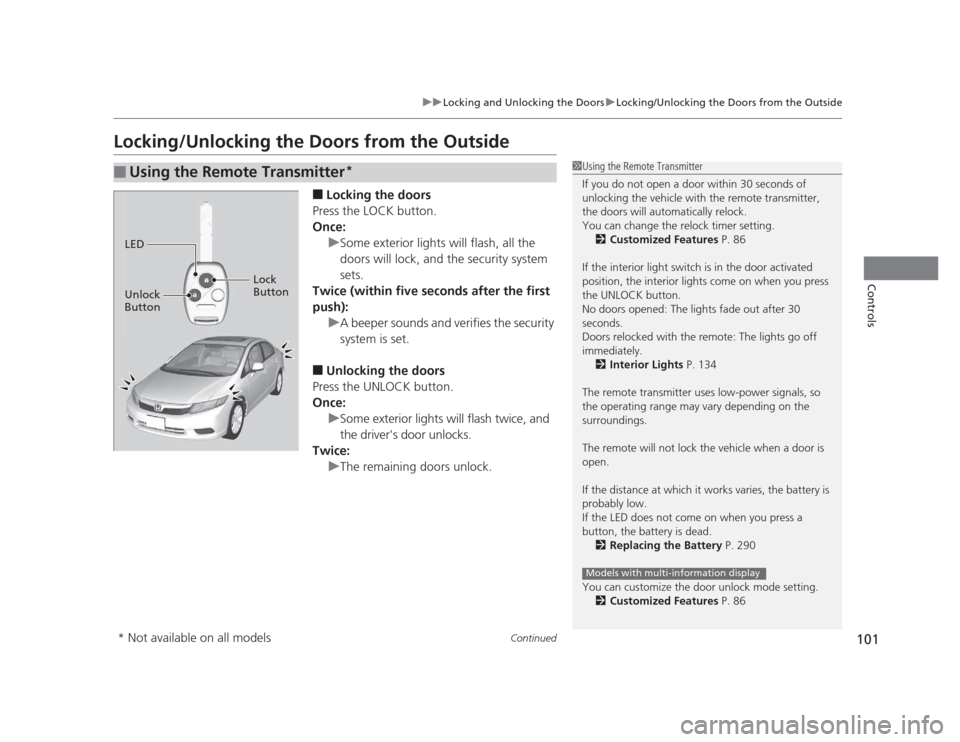
Locking/Unlocking the Doors from the Outside■Locking the doors
Press the LOCK button.
Once:
uSome exterior lights will flash, all the
doors will lock, and the security system sets.
Twice (within five seconds after the first
push):
uA beeper sounds and verifies the security
system is set.
■ Unlocking the doors
Press the UNLOCK button.
Once:
uSome exterior lights will flash twice, and
the driver's door unlocks.
Twice:
uThe remaining doors unlock.
■Using the Remote Transmitter *1Using the Remote Transmitter
If you do not open a door within 30 seconds of
unlocking the vehicle with the remote transmitter,
the doors will automatically relock.
You can change the relock timer setting.
2 Customized Features P. 86
If the interior light switch is in the door activated
position, the interior lights come on when you press
the UNLOCK button.
No doors opened: The lights fade out after 30
seconds.
Doors relocked with the remote: The lights go off immediately. 2 Interior Lights P. 134
The remote transmitter uses low-power signals, so
the operating range may vary depending on the
surroundings.
The remote will not lock the vehicle when a door is open.
If the distance at which it works varies, the battery is probably low.
If the LED does not come on when you press a
button, the battery is dead. 2 Replacing the Battery P. 290
You can customize the door unlock mode setting. 2 Customized Features P. 86
Models with multi-information display
LED
Unlock
Button Lock
Button
* Not available on all models
Page 103 of 345
uuLocking and Unlocking the DoorsuLocking/Unlocking the Doors from the Outside
102
Controls
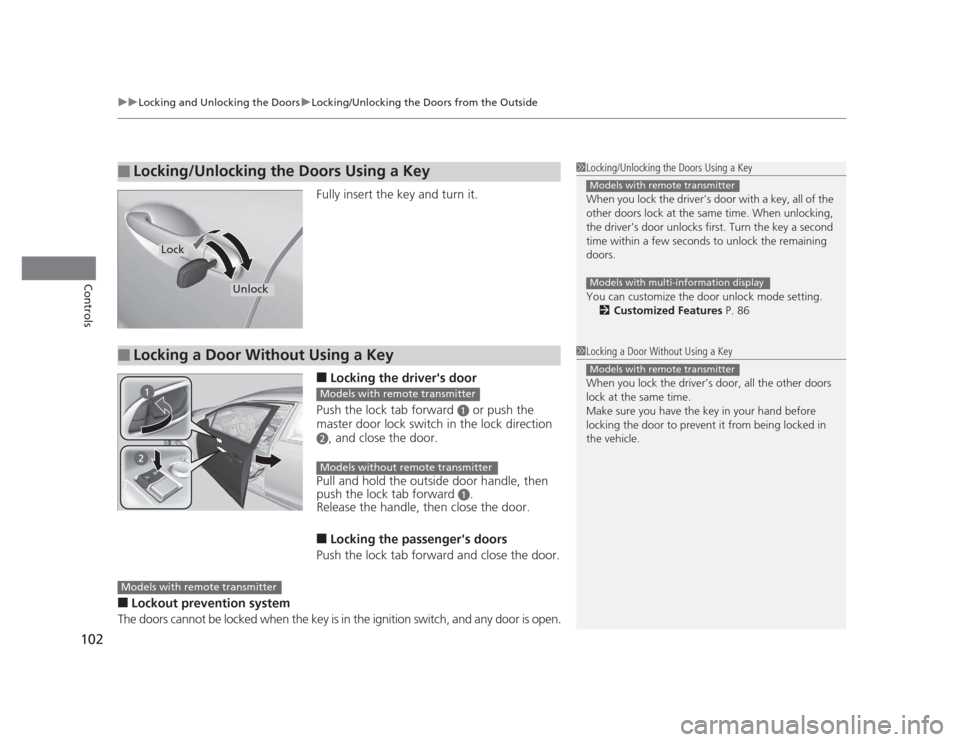
Fully insert the key and turn it. ■ Locking the driver's door
Push the lock tab forward
a or push the
master door lock switch in the lock direction
b, and close the door.
Pull and hold the outside door handle, then
push the lock tab forward
a.
Release the handle, then close the door.
■ Locking the passenger's doors
Push the lock tab forward and close the door.
■ Lockout prevention system
The doors cannot be locked when the key is in the ignition switch, and any door is open.
■Locking/Unlocking the Doors Using a Key1Locking/Unlocking the Doors Using a Key
When you lock the driver's door with a key, all of the
other doors lock at the same time. When unlocking,
the driver's door unlocks first. Turn the key a second
time within a few seconds to unlock the remaining doors.
You can customize the door unlock mode setting. 2 Customized Features P. 86
Models with remote transmitter
Models with multi-information display
Lock
Unlock
■Locking a Door Without Using a Key1Locking a Door Without Using a Key
When you lock the driver's door, all the other doors
lock at the same time.
Make sure you have the key in your hand before
locking the door to prevent it from being locked in the vehicle.
Models with remote transmitter
Models with remote transmitter
Models without remote transmitter
Models with remote transmitter
Page 106 of 345
105
uuLocking and Unlocking the DoorsuAuto Door Locking/Unlocking*
Controls
Auto Door Locking/Unlocking *
Your vehicle locks all doors and unlo cks the driver’s door automatically when a
certain condition is met. ■ Drive lock mode
All doors lock when the vehicle’s speed reaches about 10 mph (15 km/h). ■ Park unlock mode
The driver’s door unlocks when the shift lever is moved into
(P with the brake pedal
depressed.
■ Ignition switch unlock mode
The driver’s door unlocks when the ignition switch is moved out of ON
(w .
The settings can be changed to unlock all doors.
■Auto Door Locking
■Auto Door Unlocking
1Auto Door Locking/Unlocking
You can turn off or change to another auto door
locking/unlocking setting using the master door lock
switch. 2 Customizing the Auto Door Locking/
Unlocking Setting P. 106
You can turn off or change to another auto door
locking/unlocking setting using the multi-information
display. 2 Customized Features P. 86
Models without multi-information display
Models with multi-information display
Models with automatic transmission
Models with manual transmission
* Not available on all models
Page 118 of 345
117
Controls
Operating the Switches Around the Steering Wheel
Ignition Switch
1Ignition Switch
You cannot take the key out unless the shift lever is in
(P.
If you open the driver's door when the key is in LOCK
(0 or ACCESSORY (q, a warning buzzer will sound
to remind you to take the key out.
When this happens, the following messages appear
on the multi-information display *
:
• In LOCK
(0 : "REMOVE KEY."
• In ACCESSORY
(q : "RETURN IGNITION SWITCH
TO LOCK (0) POSITION" The buzzer will stop when
you take the key out.
If the key won't turn from LOCK
(0 to ACCESSORY
(q , turn the key while moving the steering wheel left
and right. The steering wheel will unlock, allowing
the key to turn.
3WARNING
Removing the key from the ignition switch
while driving locks the steering. This can
cause you to lose control of the vehicle.
Remove the key from the ignition switch
only when parked.
Manual transmission models
Automatic transmission models
All models
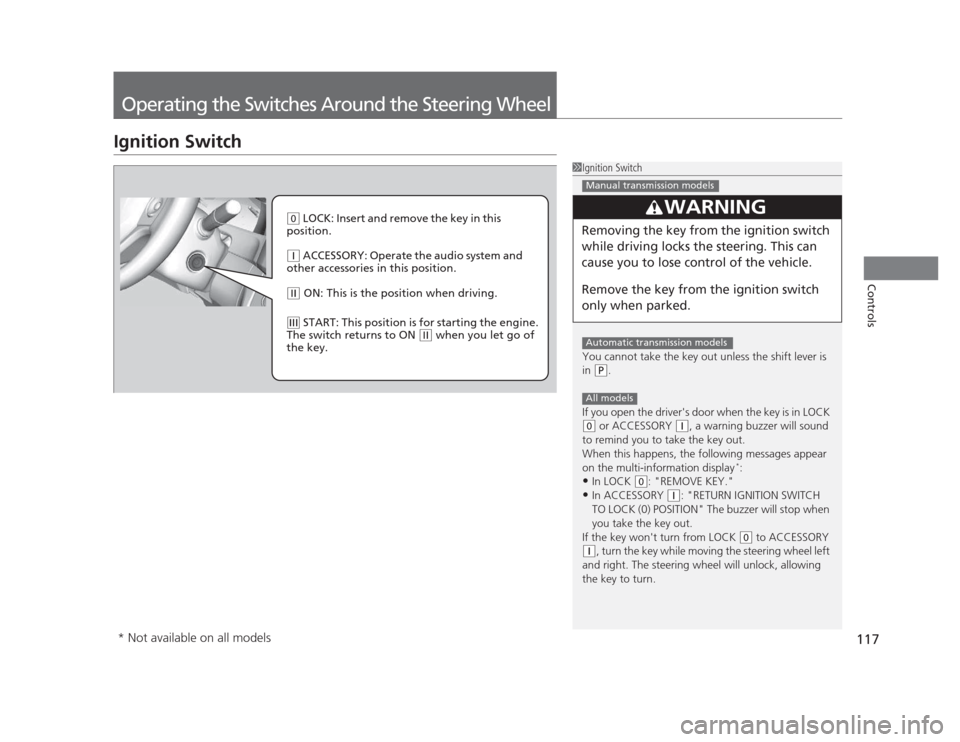
(0 LOCK: Insert and remove the key in this
position.
(q ACCESSORY: Operate the audio system and
other accessories in this position.
(w ON: This is the position when driving.
(e START: This position is for starting the engine.
The switch returns to ON
(w when you let go of
the key.
* Not available on all models
Page 120 of 345
119
uuOperating the Switches Around the Steering WheeluLight Switches
Controls
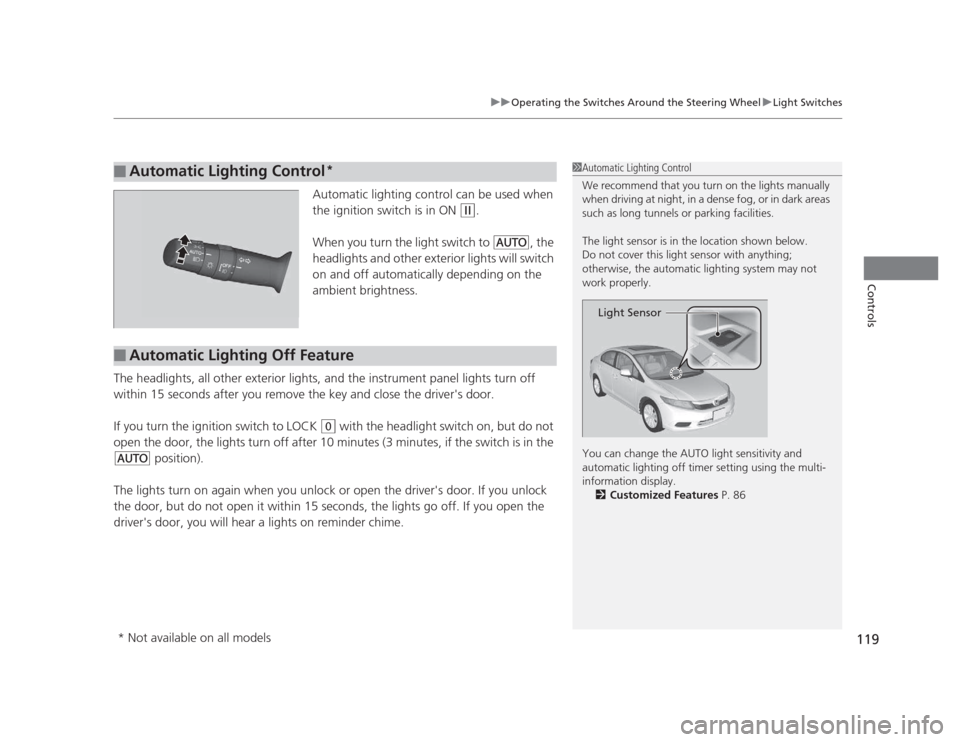
Automatic lighting control can be used when
the ignition switch is in ON
(w.
When you turn the light switch to
#Y , the
headlights and other exterior lights will switch
on and off automatically depending on the
ambient brightness.
The headlights, all other exterior lights, and the instrument panel lights turn off
within 15 seconds after you remove the key and close the driver's door.
If you turn the ignition switch to LOCK
(0 with the headlight switch on, but do not
open the door, the lights turn off after 10 minutes (3 minutes, if the switch is in the
#Y position).
The lights turn on again when you unlock or open the driver's door. If you unlock
the door, but do not open it within 15 seconds, the lights go off. If you open the
driver's door, you will hear a lights on reminder chime.
■Automatic Lighting Control *1Automatic Lighting Control
We recommend that you turn on the lights manually
when driving at night, in a dense fog, or in dark areas
such as long tunnels or parking facilities.
The light sensor is in the location shown below.
Do not cover this light sensor with anything;
otherwise, the automatic lighting system may not
work properly.
You can change the AUTO light sensitivity and
automatic lighting off timer setting using the multi-
information display.
2 Customized Features P. 86
Light Sensor
■Automatic Lighting Off Feature
* Not available on all models
Page 123 of 345
122
uuOperating the Switches Around the Steering WheeluBrightness Control
Controls
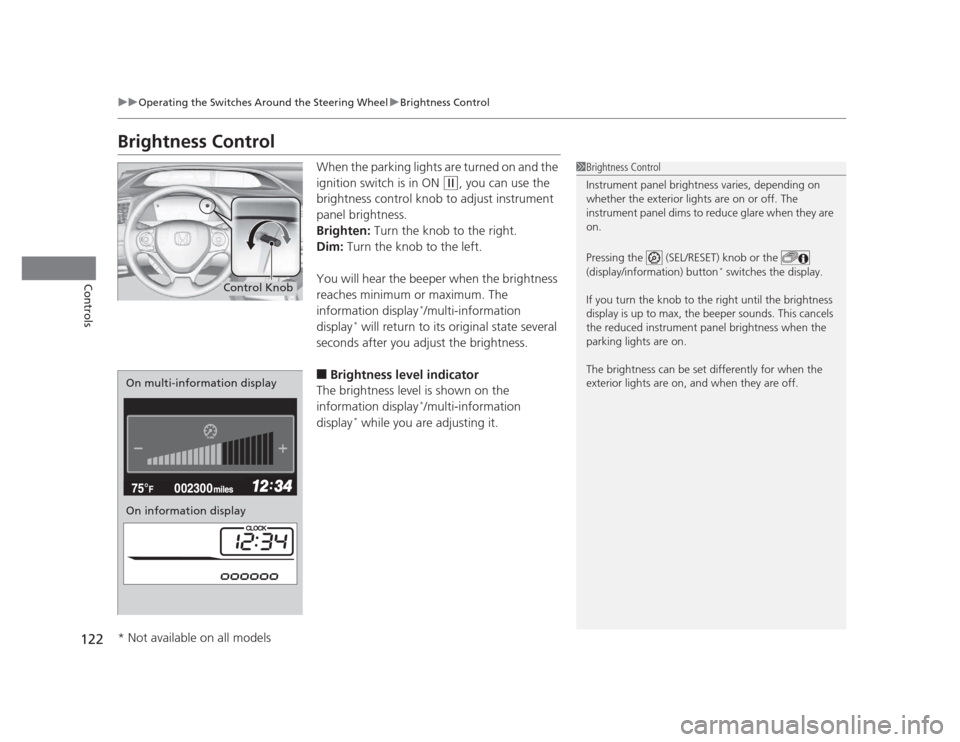
Brightness ControlWhen the parking lights are turned on and the
ignition switch is in ON
(w, you can use the
brightness control knob to adjust instrument
panel brightness.
Brighten: Turn the knob to the right.
Dim: Turn the knob to the left.
You will hear the beeper when the brightness
reaches minimum or maximum. The
information display *
/multi-information
display *
will return to its original state several
seconds after you adjust the brightness. ■ Brightness level indicator
The brightness level is shown on the
information display *
/multi-information
display *
while you are adjusting it.
1Brightness Control
Instrument panel brightness varies, depending on
whether the exterior lights are on or off. The
instrument panel dims to reduce glare when they are on.
Pressing the (SEL/RESET) knob or the
(display/information) button *
switches the display.
If you turn the knob to the right until the brightness
display is up to max, the beeper sounds. This cancels
the reduced instrument panel brightness when the
parking lights are on.
The brightness can be set differently for when the
exterior lights are on, and when they are off.
Control Knob
On multi-information display
On information display
* Not available on all models