engine HONDA CIVIC 2013 9.G User Guide
[x] Cancel search | Manufacturer: HONDA, Model Year: 2013, Model line: CIVIC, Model: HONDA CIVIC 2013 9.GPages: 367, PDF Size: 8.43 MB
Page 68 of 367
67
uuIndicators u
Continued
Instrument Panel
Indicator
Name
On/Blinking
Explanation
Message
*
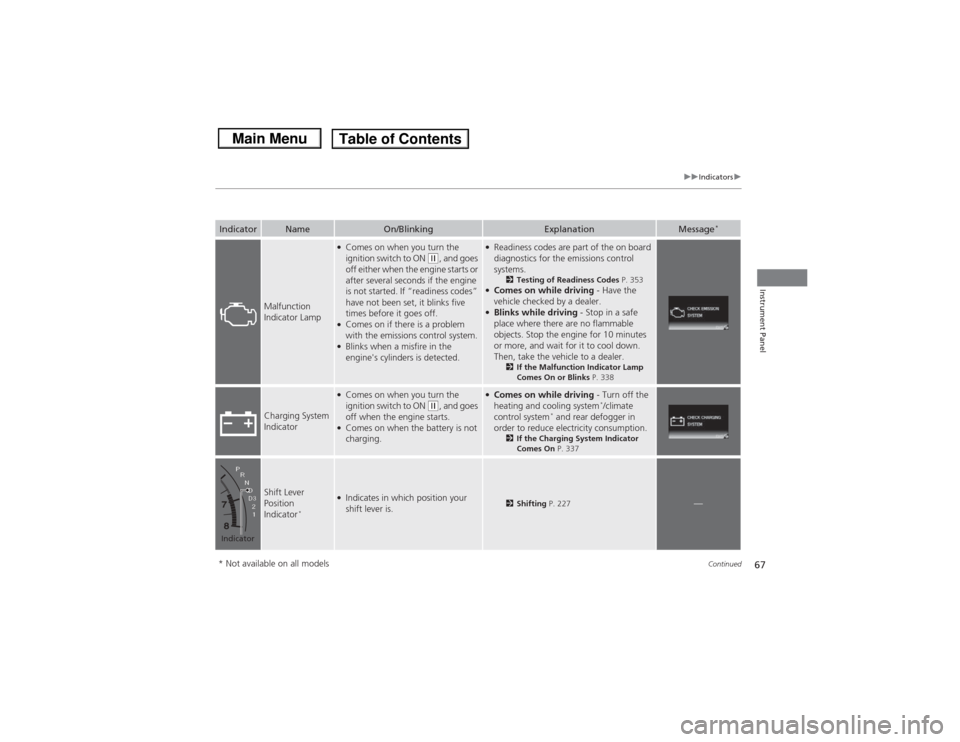
Malfunction
Indicator Lamp
●Comes on when you turn the
ignition switch to ON
(w, and goes
off either when the engine starts or
after several seconds if the engine
is not started. If “readiness codes”
have not been set, it blinks five
times before it goes off.
●Comes on if there is a problem
with the emissions control system.●Blinks when a misfire in the
engine's cylinders is detected.
●Readiness codes are part of the on board
diagnostics for the emissions control
systems.
2 Testing of Readiness Codes P. 353
●Comes on while driving - Have the
vehicle checked by a dealer.●Blinks while driving - Stop in a safe
place where there are no flammable
objects. Stop the engine for 10 minutes
or more, and wait for it to cool down.
Then, take the vehicle to a dealer.
2 If the Malfunction Indicator Lamp
Comes On or Blinks P. 338
Charging System
Indicator
●Comes on when you turn the
ignition switch to ON
(w, and goes
off when the engine starts.
●Comes on when the battery is not
charging.
●Comes on while driving - Turn off the
heating and cooling system
*/climate
control system
* and rear defogger in
order to reduce electricity consumption.
2 If the Charging System Indicator
Comes On P. 337
Shift Lever
Position
Indicator
*
●Indicates in which position your
shift lever is.
2Shifting P. 227
—
Indicator* Not available on all models
Page 70 of 367
69
uuIndicators u
Continued
Instrument Panel
Indicator
Name
On/Blinking
Explanation
Message
*
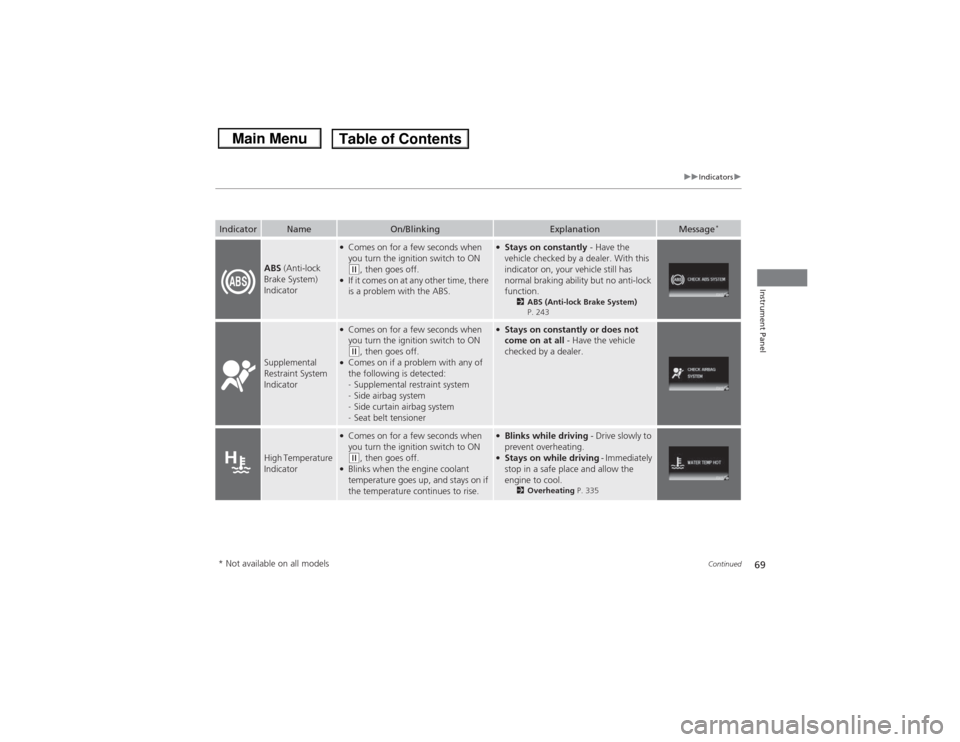
ABS (Anti-lock
Brake System)
Indicator
●Comes on for a few seconds when
you turn the ignition switch to ON (w, then goes off.
●If it comes on at any other time, there
is a problem with the ABS.
●Stays on constantly - Have the
vehicle checked by a dealer. With this
indicator on, your vehicle still has
normal braking ability but no anti-lock
function.
2 ABS (Anti-lock Brake System)
P. 243
Supplemental
Restraint System
Indicator
●Comes on for a few seconds when
you turn the ignition switch to ON (w, then goes off.
●Comes on if a problem with any of
the following is detected:
- Supplemental restraint system
- Side airbag system
- Side curtain airbag system
- Seat belt tensioner
●Stays on constantly or does not
come on at all - Have the vehicle
checked by a dealer.
High Temperature
Indicator
●Comes on for a few seconds when
you turn the ignition switch to ON (w, then goes off.
●Blinks when the engine coolant
temperature goes up, and stays on if
the temperature continues to rise.
●Blinks while driving - Drive slowly to
prevent overheating.●Stays on while driving - Immediately
stop in a safe place and allow the
engine to cool.
2 Overheating P. 335
* Not available on all models
Page 72 of 367
71
uuIndicators u
Continued
Instrument Panel
Indicator
Name
On/Blinking
Explanation
Message
*
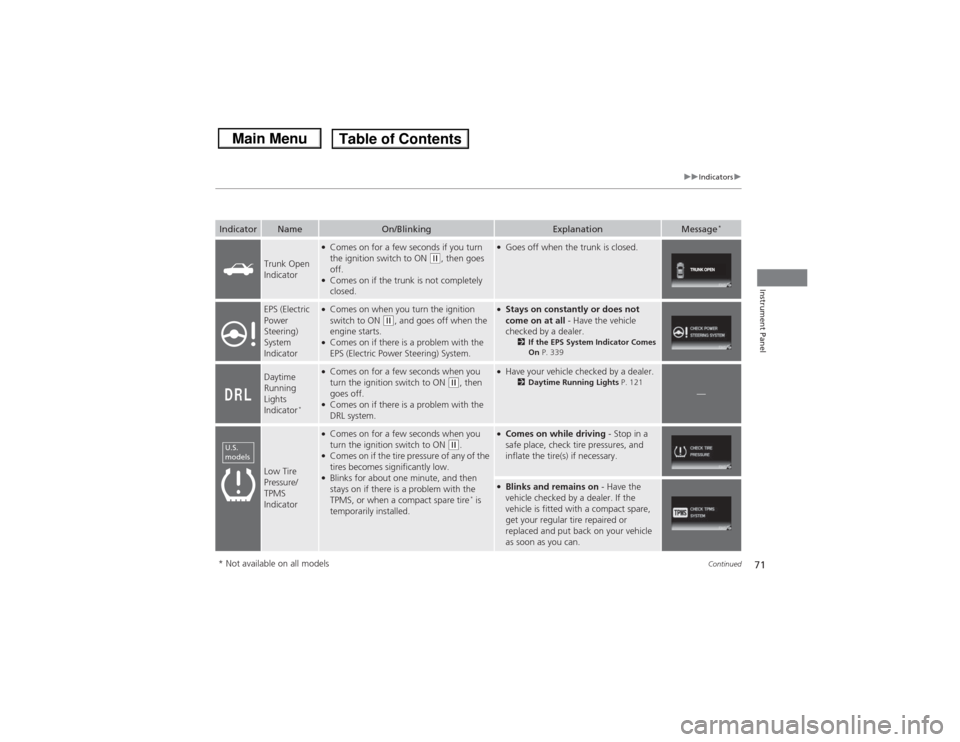
Trunk Open
Indicator
●Comes on for a few seconds if you turn
the ignition switch to ON
(w, then goes
off.
●Comes on if the trunk is not completely
closed.
●Goes off when the trunk is closed.
EPS (Electric
Power
Steering)
System
Indicator
●Comes on when you turn the ignition
switch to ON
(w, and goes off when the
engine starts.
●Comes on if there is a problem with the
EPS (Electric Power Steering) System.
●Stays on constantly or does not
come on at all - Have the vehicle
checked by a dealer.
2 If the EPS System Indicator Comes
On P. 339
Daytime
Running
Lights
Indicator
*
●Comes on for a few seconds when you
turn the ignition switch to ON
(w, then
goes off.
●Comes on if there is a problem with the
DRL system.
●Have your vehicle checked by a dealer.
2 Daytime Running Lights P. 121
—
Low Tire
Pressure/
TPMS
Indicator
●Comes on for a few seconds when you
turn the ignition switch to ON
(w.
●Comes on if the tire pressure of any of the
tires becomes significantly low.●Blinks for about one minute, and then
stays on if there is a problem with the
TPMS, or when a compact spare tire
* is
temporarily installed.
●Comes on while driving - Stop in a
safe place, check tire pressures, and
inflate the tire(s) if necessary.●Blinks and remains on - Have the
vehicle checked by a dealer. If the
vehicle is fitted with a compact spare,
get your regular tire repaired or
replaced and put back on your vehicle
as soon as you can.
U.S.
models* Not available on all models
Page 74 of 367
73
uuIndicators u
Continued
Instrument Panel
Indicator
Name
On/Blinking
Explanation
Message
*
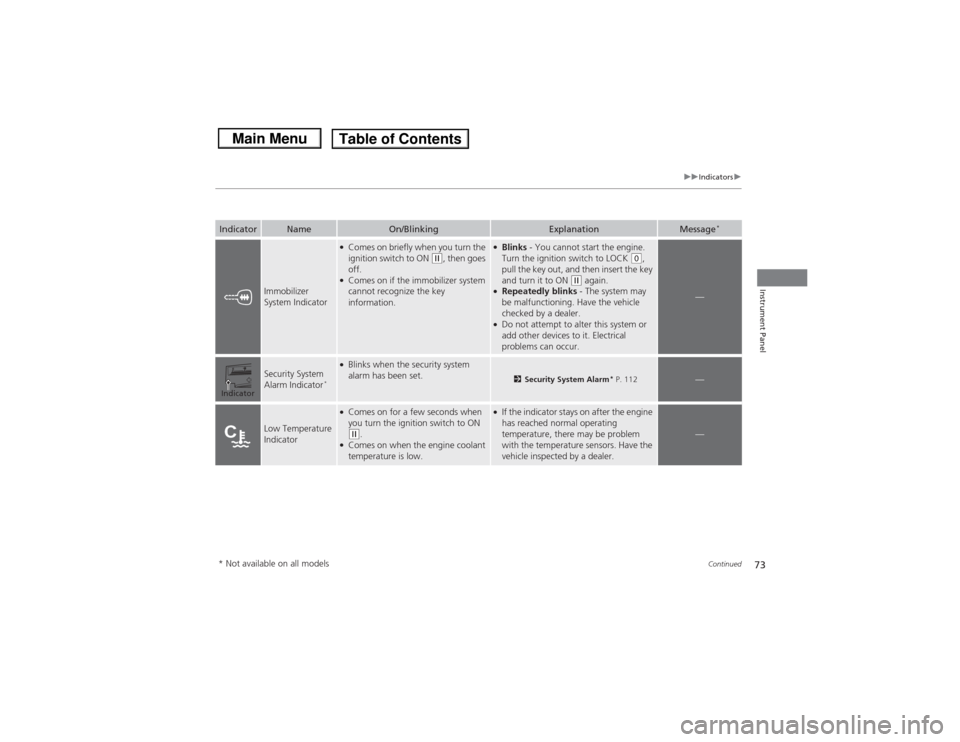
Immobilizer
System Indicator
●Comes on briefly when you turn the
ignition switch to ON
(w, then goes
off.
●Comes on if the immobilizer system
cannot recognize the key
information.
●Blinks - You cannot start the engine.
Turn the ignition switch to LOCK
(0,
pull the key out, and then insert the key
and turn it to ON
(w again.
●Repeatedly blinks - The system may
be malfunctioning. Have the vehicle
checked by a dealer.●Do not attempt to alter this system or
add other devices to it. Electrical
problems can occur.
—
Security System
Alarm Indicator
*
●Blinks when the security system
alarm has been set.
2 Security System Alarm
* P. 112
—
Low Temperature
Indicator
●Comes on for a few seconds when
you turn the ignition switch to ON (w.
●Comes on when the engine coolant
temperature is low.
●If the indicator stays on after the engine
has reached normal operating
temperature, there may be problem
with the temperature sensors. Have the
vehicle inspected by a dealer.
—
Indicator* Not available on all models
Page 75 of 367
74
uuIndicators u
Instrument Panel
Indicator
Name
On/Blinking
Explanation
Message
*
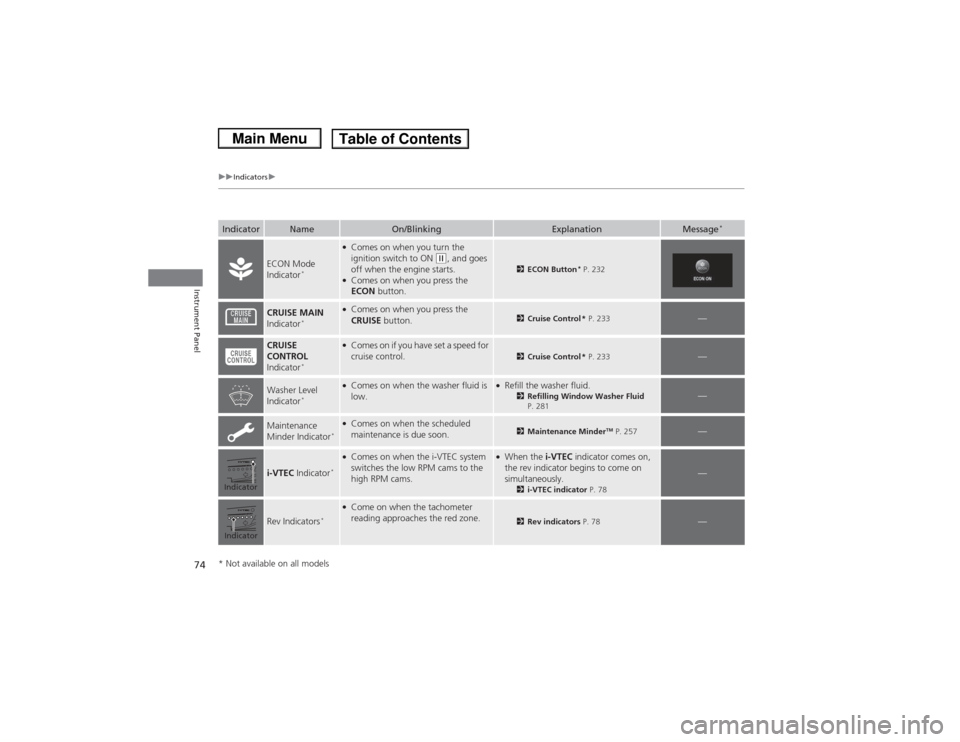
ECON Mode
Indicator
*
●Comes on when you turn the
ignition switch to ON
(w, and goes
off when the engine starts.
●Comes on when you press the
ECON button.
2ECON Button
* P. 232
CRUISE MAIN
Indicator
*
●Comes on when you press the
CRUISE button.
2Cruise Control * P. 233
—
CRUISE
CONTROL
Indicator
*
●Comes on if you have set a speed for
cruise control.
2 Cruise Control * P. 233
—
Washer Level
Indicator
*
●Comes on when the washer fluid is
low.
●Refill the washer fluid.
2Refilling Window Washer Fluid
P. 281
—
Maintenance
Minder Indicator
*●Comes on when the scheduled
maintenance is due soon.
2 Maintenance Minder
TM P. 257
—
i-VTEC Indicator
*●Comes on when the i-VTEC system
switches the low RPM cams to the
high RPM cams.
●When the i-VTEC indicator comes on,
the rev indicator begins to come on
simultaneously.
2 i-VTEC indicator P. 78
—
Rev Indicators
*
●Come on when the tachometer
reading approaches the red zone.
2Rev indicators P. 78
—
IndicatorIndicator* Not available on all models
Page 78 of 367
77
Continued
Instrument Panel
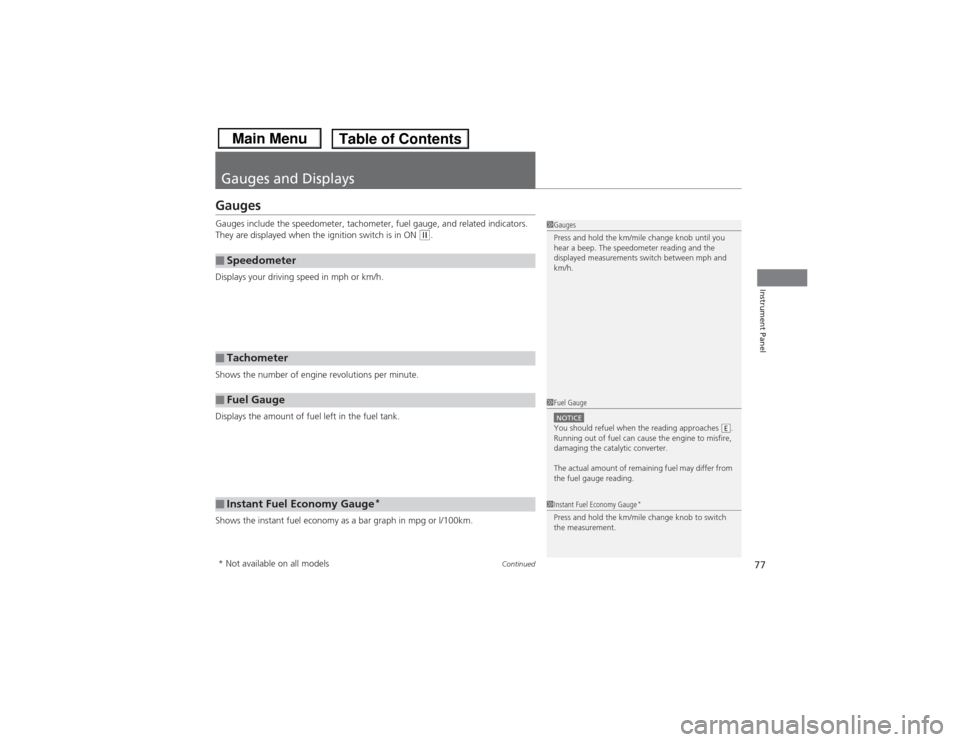
Gauges and DisplaysGaugesGauges include the speedometer, tachometer, fuel gauge, and related indicators.
They are displayed when the ignition switch is in ON
(w.
Displays your driving speed in mph or km/h.
Shows the number of engine revolutions per minute.
Displays the amount of fuel left in the fuel tank.
Shows the instant fuel economy as a bar graph in mpg or l/100km.
■Speedometer■Tachometer■Fuel Gauge■Instant Fuel Economy Gauge
*
1 Gauges
Press and hold the km/mile change knob until you
hear a beep. The speedometer reading and the
displayed measurements switch between mph and
km/h.1Fuel GaugeNOTICEYou should refuel when the reading approaches .
Running out of fuel can cause the engine to misfire,
damaging the catalytic converter.
The actual amount of remaining fuel may differ from
the fuel gauge reading.
E
1Instant Fuel Economy Gauge
*
Press and hold the km/mile change knob to switch
the measurement.
* Not available on all models
Page 79 of 367
uuGauges and Displays uGauges
78Instrument Panel
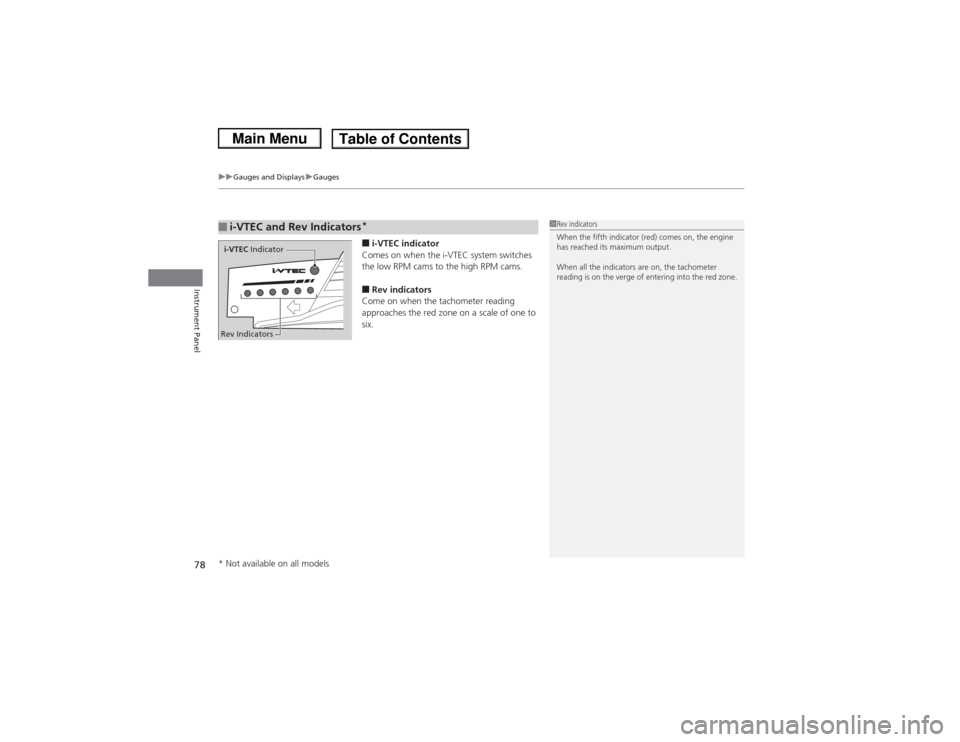
■i-VTEC indicator
Comes on when the i-VTEC system switches
the low RPM cams to the high RPM cams.■Rev indicators
Come on when the tachometer reading
approaches the red zone on a scale of one to
six.
■i-VTEC and Rev Indicators
*
1 Rev indicators
When the fifth indicator (red) comes on, the engine
has reached its maximum output.
When all the indicators are on, the tachometer
reading is on the verge of entering into the red zone.
i-VTEC Indicator
Rev Indicators* Not available on all models
Page 80 of 367
79
uuGauges and Displays uInformation Display
*
Continued
Instrument Panel
Information Display
*
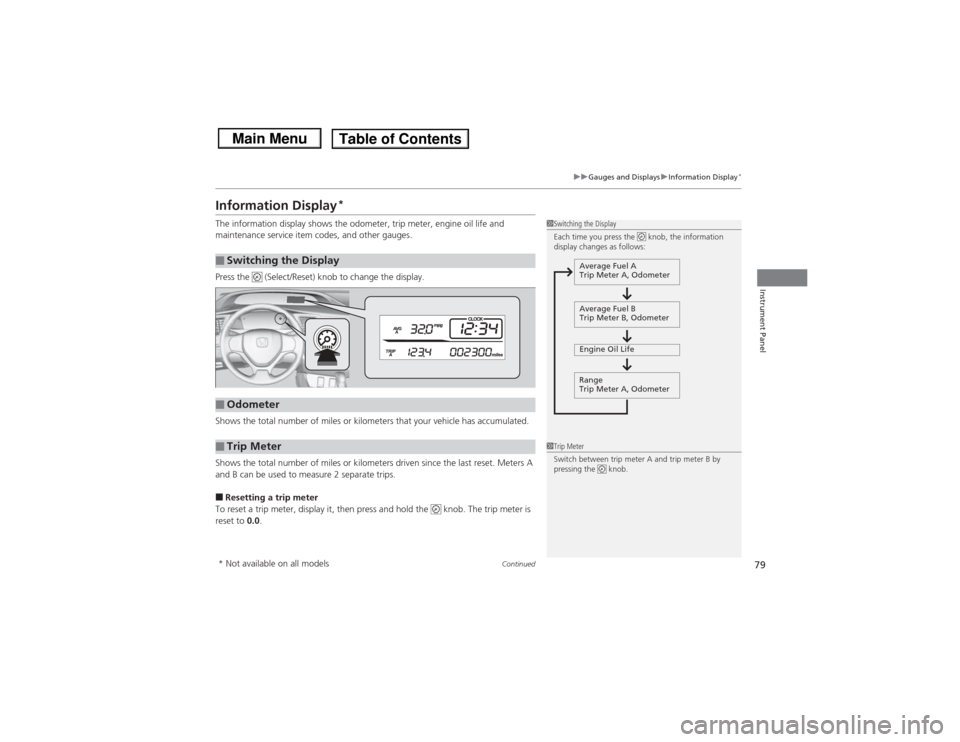
The information display shows the odometer, trip meter, engine oil life and
maintenance service item codes, and other gauges.
Press the (Select/Reset) knob to change the display.
Shows the total number of miles or kilometers that your vehicle has accumulated.
Shows the total number of miles or kilometers driven since the last reset. Meters A
and B can be used to measure 2 separate trips.■Resetting a trip meter
To reset a trip meter, display it, then press and hold the knob. The trip meter is
reset to 0.0.■Switching the Display
1Switching the Display
Each time you press the knob, the information
display changes as follows:
Average Fuel A
Trip Meter A, Odometer
Average Fuel B
Trip Meter B, Odometer
Engine Oil Life
Range
Trip Meter A, Odometer
■Odometer■Trip Meter
1 Trip Meter
Switch between trip meter A and trip meter B by
pressing the knob.
* Not available on all models
Page 81 of 367
80
uuGauges and Displays uInformation Display
*
Instrument Panel
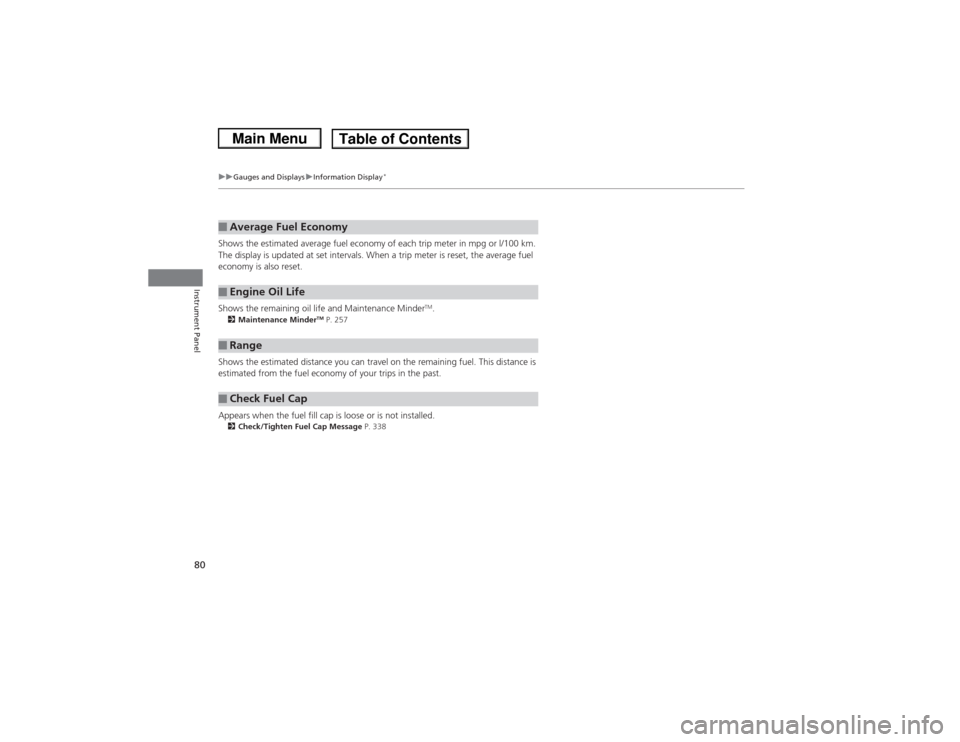
Shows the estimated average fuel economy of each trip meter in mpg or l/100 km.
The display is updated at set intervals. When a trip meter is reset, the average fuel
economy is also reset.
Shows the remaining oil life and Maintenance Minder
TM.
2 Maintenance Minder
TM P. 257
Shows the estimated distance you can travel on the remaining fuel. This distance is
estimated from the fuel economy of your trips in the past.
Appears when the fuel fill cap is loose or is not installed.2Check/Tighten Fuel Cap Message P. 338■Average Fuel Economy■Engine Oil Life■Range■Check Fuel Cap
Page 84 of 367
Continued
83
uuGauges and Displays uintelligent Multi-Info rmation Display (i-MID)
*
Instrument Panel
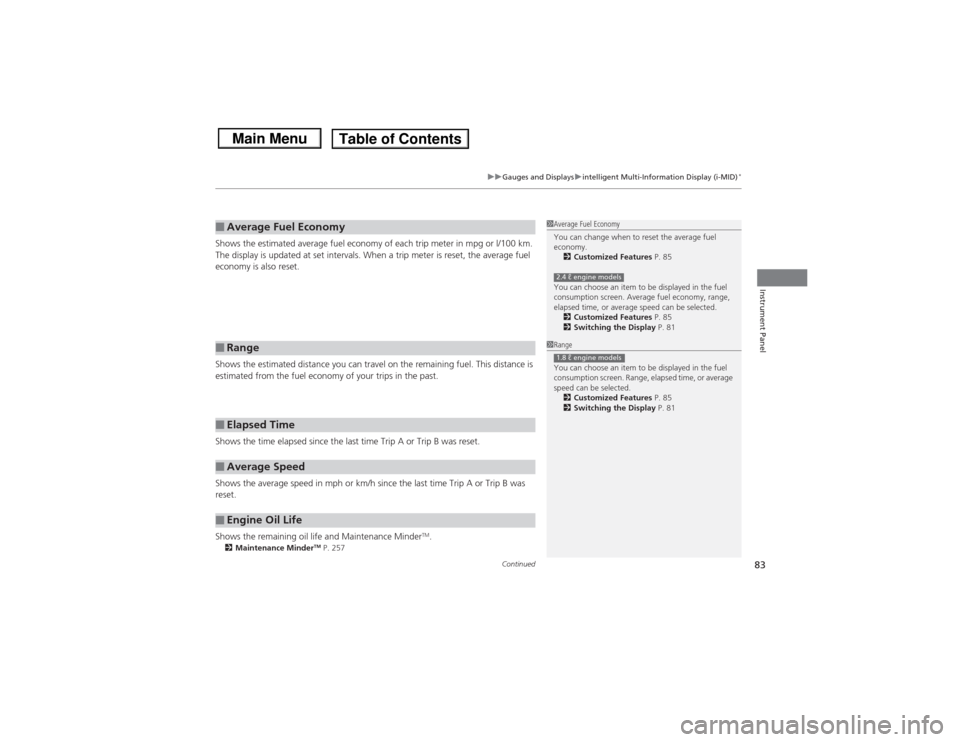
Shows the estimated average fuel economy of each trip meter in mpg or l/100 km.
The display is updated at set intervals. When a trip meter is reset, the average fuel
economy is also reset.
Shows the estimated distance you can travel on the remaining fuel. This distance is
estimated from the fuel economy of your trips in the past.
Shows the time elapsed since the last time Trip A or Trip B was reset.
Shows the average speed in mph or km/h since the last time Trip A or Trip B was
reset.
Shows the remaining oil life and Maintenance Minder
TM.
2Maintenance Minder
TM P. 257
■Average Fuel Economy■Range■Elapsed Time■Average Speed■Engine Oil Life
1Average Fuel Economy
You can change when to reset the average fuel
economy.
2 Customized Features P. 85
You can choose an item to be displayed in the fuel
consumption screen. Average fuel economy, range,
elapsed time, or average speed can be selected. 2 Customized Features P. 85
2 Switching the Display P. 812.4 ℓ engine models1Range
You can choose an item to be displayed in the fuel
consumption screen. Range, elapsed time, or average
speed can be selected.
2 Customized Features P. 85
2 Switching the Display P. 811.8 ℓ engine models