remote start HONDA CIVIC 2014 9.G User Guide
[x] Cancel search | Manufacturer: HONDA, Model Year: 2014, Model line: CIVIC, Model: HONDA CIVIC 2014 9.GPages: 469, PDF Size: 17.32 MB
Page 126 of 469
125
Continued
Controls
Security SystemImmobilizer SystemThe immobilizer system prevents a key that has not been pre-registered from
starting the engine. Each key contains electronic transmitters that use electronic
signals to verify the key.
Pay attention to the following when inserting the key into the ignition switch or
pressing the ENGINE START/STOP button:
• Do not allow objects that emit strong radio waves near the ignition switch or the
ENGINE START/STOP button.
• Make sure the key is not covered by or touching a metal object.
• Do not bring a key from another vehicle's immobilizer system near the ignition
switch.Security System Alarm
*
The security system alarm activates when the trunk, hood or doors are forcibly
opened. The alarm does not go off if the trunk or doors are opened with the key,
remote transmitter or smart entry system.
However, the alarm goes off when a door is opened with the key, then the shift
lever is moved out of
(P
(automatic transmission/CVT models) or the hood is
opened before the ignition switch is turned to ON
( w
*1.
■When the security system alarm activates
The horn sounds intermittently and all the exterior lights flash.■To deactivate the security system alarm
Unlock the vehicle using remote transmitter, or smart entry system. The system,
along with the horn and flashing lights, is deactivated.*1: Models with the smart entry system have an ENGINE START/STOP button instead of an
ignition switch.
1 Immobilizer SystemNOTICELeaving the ignition key in the vehicle can result in
theft or accidental movement of the vehicle.
Always take the ignition key with you whenever you
leave the vehicle unattended.
Do not alter the system or add other devices to it.
Doing so may damage the system and make your
vehicle inoperable.1Security System Alarm
*
The security alarm continues for a maximum of two
minutes until the security system deactivates.
* Not available on all models
Page 127 of 469
uuSecurity System uSecurity System Alarm
*
126Controls
■Setting the security system alarm
The security system alarm automatically sets when the following conditions have
been met:
• The ignition switch is in LOCK
(0
*1, and the key has been removed from the
ignition switch.
• The hood and trunk are closed.
• All doors are locked with the key, the remote transmitter, or smart entry system.
■When the security system alarm sets
The security system indicator in the instrument panel blinks. When the blinking
interval changes after about 15 seconds, the security system is set.■To cancel the security system alarm
The security system is canceled when the vehicle is unlocked using the remote
transmitter, smart entry system, or the ignition switch is turned to ON
(w
*1. The
security system indicator goes off at the same time.
*1: Models with the smart entry system have an ENGINE START/STOP button instead of an
ignition switch.
1 Security System Alarm
*
Do not set the security system alarm when someone
is in the vehicle or a window is open. The system can
accidentally activate when:•Unlocking the door with the lock tab.•Opening the trunk with the trunk release or the
emergency trunk opener.•Opening the hood with the hood release.•Moving the shift lever out of
(P.
If the battery goes dead after you have set the
security system alarm, the security alarm may go off
once the battery is recharged or replaced.
If this occurs, deactivate the security system alarm by
unlocking a door using the remote transmitter.
Do not attempt to alter this system or add another
device to it.
Automatic transmission/CVT models
* Not available on all models
Page 128 of 469
127
uuSecurity System uSecurity System Alarm
*
Controls
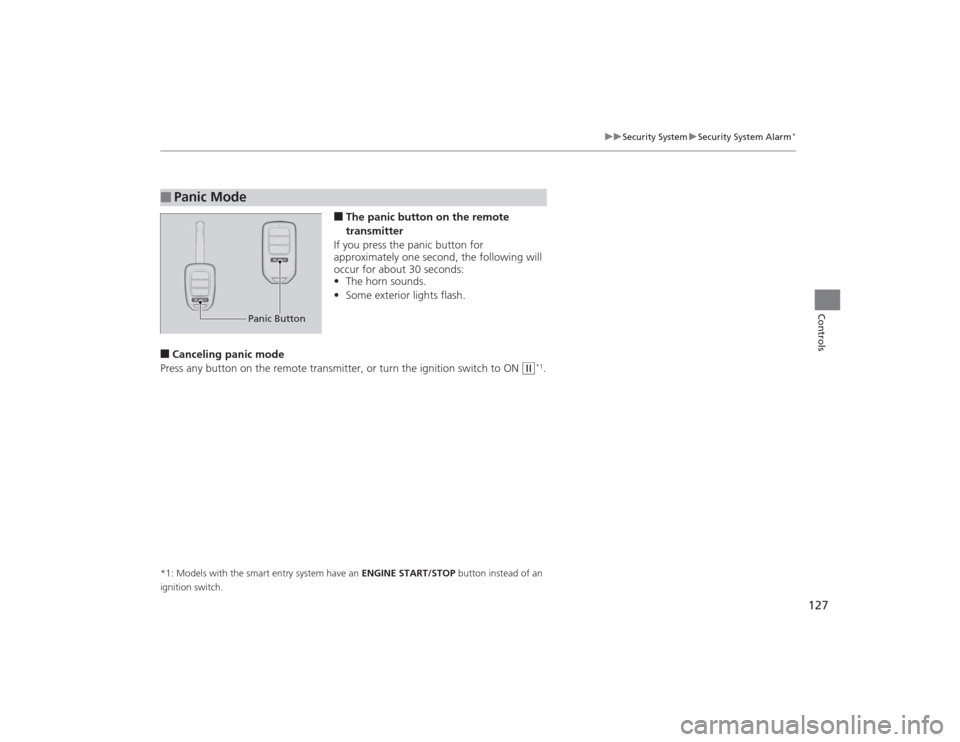
■The panic button on the remote
transmitter
If you press the panic button for
approximately one second, the following will
occur for about 30 seconds:
• The horn sounds.
• Some exterior lights flash.
■Canceling panic mode
Press any button on the remote transmitter, or turn the ignition switch to ON
(w
*1.
*1: Models with the smart entry system have an ENGINE START/STOP button instead of an
ignition switch.■
Panic Mode
Panic Button
Page 133 of 469
132
uuOperating the Switches Around the Steering Wheel uENGINE START/STOP Button
*
Controls
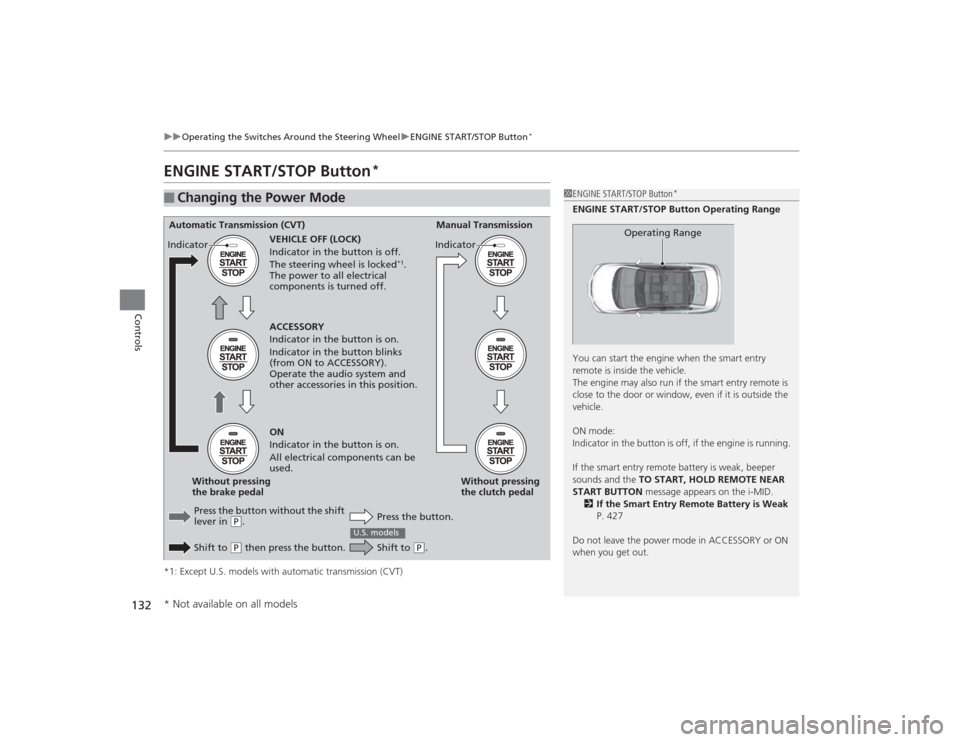
ENGINE START/STOP Button
*
*1: Except U.S. models with automatic transmission (CVT)■
Changing the Power Mode
1ENGINE START/STOP Button
*
ENGINE START/STOP Button Operating Range
You can start the engine when the smart entry
remote is inside the vehicle.
The engine may also run if the smart entry remote is
close to the door or window, even if it is outside the
vehicle.
ON mode:
Indicator in the button is off, if the engine is running.
If the smart entry remote battery is weak, beeper
sounds and the TO START, HOLD REMOTE NEAR
START BUTTON message appears on the i-MID.
2 If the Smart Entry Remote Battery is Weak
P. 427
Do not leave the power mode in ACCESSORY or ON
when you get out.
Operating Range
Automatic Transmission (CVT) Manual Transmission
VEHICLE OFF (LOCK)
Indicator in the button is off.
The steering wheel is locked
*1.
The power to all electrical
components is turned off.
Press the button without the shift
lever in
( P.
Shift to ( P then press the button. Press the button.Without pressing
the clutch pedal
Without pressing
the brake pedal ACCESSORY
Indicator in the button is on.
Indicator in the button blinks
(from ON to ACCESSORY).
Operate the audio system and
other accessories in this position.
ON
Indicator in the button is on.
All electrical components can be
used.
Indicator
Indicator
Shift to
(
P.
U.S. models
* Not available on all models
Page 134 of 469
133
uuOperating the Switches Around the Steering Wheel uENGINE START/STOP Button
*
Continued
Controls
If you leave the vehicle for 30 to 60 minutes with the shift lever in
(P
*1 and the
power mode in ACCESSORY, the vehicle automatically goes into the mode similar to
VEHICLE OFF (LOCK) to avoid the battery drain.
When in this mode:
The steering wheel does not lock.
You cannot lock or unlo ck doors with the remote transmitter or the smart entry
system.
Press the ENGINE START/STOP button twice to switch the mode to VEHICLE OFF
(LOCK).
*1: Automatic transmission (CVT) models■
Automatic Power Off
Page 135 of 469
uuOperating the Switches Around the Steering Wheel uENGINE START/STOP Button
*
134Controls
If you open the driver’s door when the power mode is set to ACCESSORY, a warning
buzzer sounds.
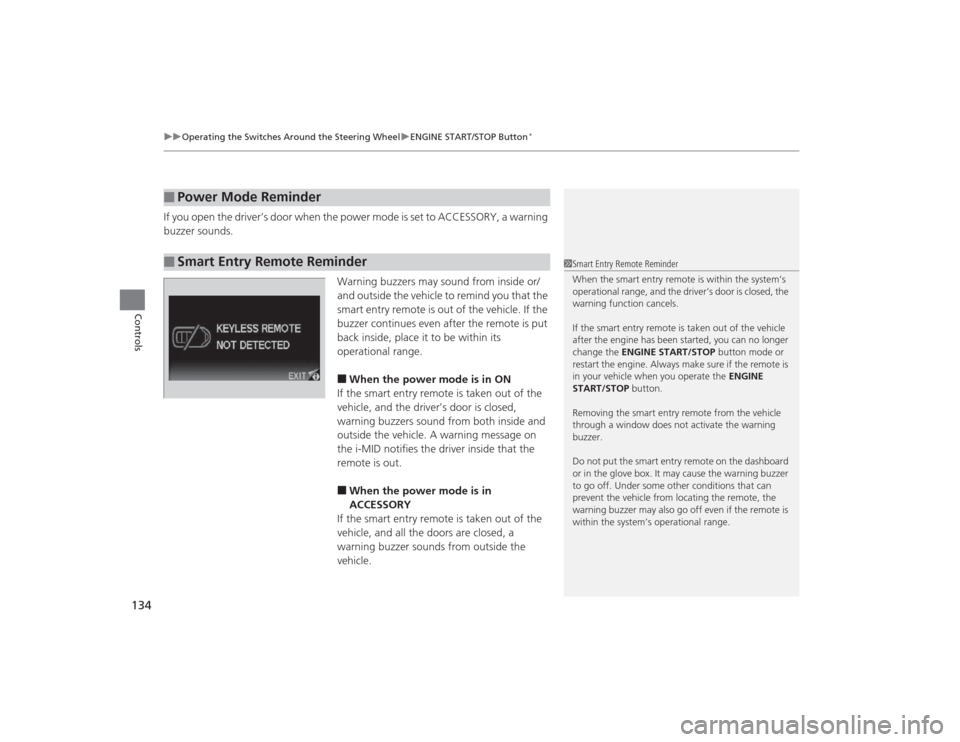
Warning buzzers may sound from inside or/
and outside the vehicle to remind you that the
smart entry remote is out of the vehicle. If the
buzzer continues even after the remote is put
back inside, place it to be within its
operational range.
■When the power mode is in ON
If the smart entry remote is taken out of the
vehicle, and the driver’s door is closed,
warning buzzers sound from both inside and
outside the vehicle. A warning message on
the i-MID notifies the driver inside that the
remote is out.■When the power mode is in
ACCESSORY
If the smart entry remote is taken out of the
vehicle, and all the doors are closed, a
warning buzzer sounds from outside the
vehicle.
■
Power Mode Reminder
■
Smart Entry Remote Reminder
1 Smart Entry Remote Reminder
When the smart entry remote is within the system’s
operational range, and the driver’s door is closed, the
warning function cancels.
If the smart entry remote is taken out of the vehicle
after the engine has been started, you can no longer
change the ENGINE START/STOP button mode or
restart the engine. Al ways make sure if the remote is
in your vehicle when you operate the ENGINE
START/STOP button.
Removing the smart entry re mote from the vehicle
through a window does not activate the warning
buzzer.
Do not put the smart entry remote on the dashboard
or in the glove box. It may cause the warning buzzer
to go off. Under some other conditions that can
prevent the vehicle from locating the remote, the
warning buzzer may also go off even if the remote is
within the system’s operational range.
Page 139 of 469
uuOperating the Switches Around the Steering Wheel uLight Switches
138Controls
The headlights automatically come on when the wipers are used several times within
a certain number of intervals with the headlight switch in AUTO.
The headlights automatically go off a few minutes later if the wipers are stopped.
The headlights, all other exterior lights, and the instrument panel lights turn off 15
seconds after you remove the key or set the power mode to VEHICLE OFF (LOCK),
take the remote with you, and close the driver's door. u You can change the headlight auto off timer setting.
2 Customized Features P. 90
If you turn the ignition switch to LOCK
(0
*1 with the headlight switch on, but do
not open the door, the lights turn off after 10 minutes (three minutes, if the switch
is in the AUTO position).
The lights turn on again when you unlock or open th e driver's door. If you unlock
the door, but do not open it within 15 seconds, the lights go off. If you open the
driver's door, you will hear a lights on reminder chime.
*1: Models with the smart entry system have an ENGINE START/STOP button instead of an
ignition switch.■
Headlight Integration with Wipers
*
■
Automatic Lighting Off Feature
1 Headlight Integration with Wipers
*
This feature activates while the headlights are off in
AUTO .
The instrument panel brightness does not change
when the headlights come on.
At dark ambient light levels, the automatic lighting
control feature turns on the headlights, regardless of
the number of wiper sweeps.
* Not available on all models
Page 180 of 469
179Features
Audio System Basic OperationTo use the audio system function, the ignition switch must be in ACCESSORY
(q
or
ON
(w
*1.
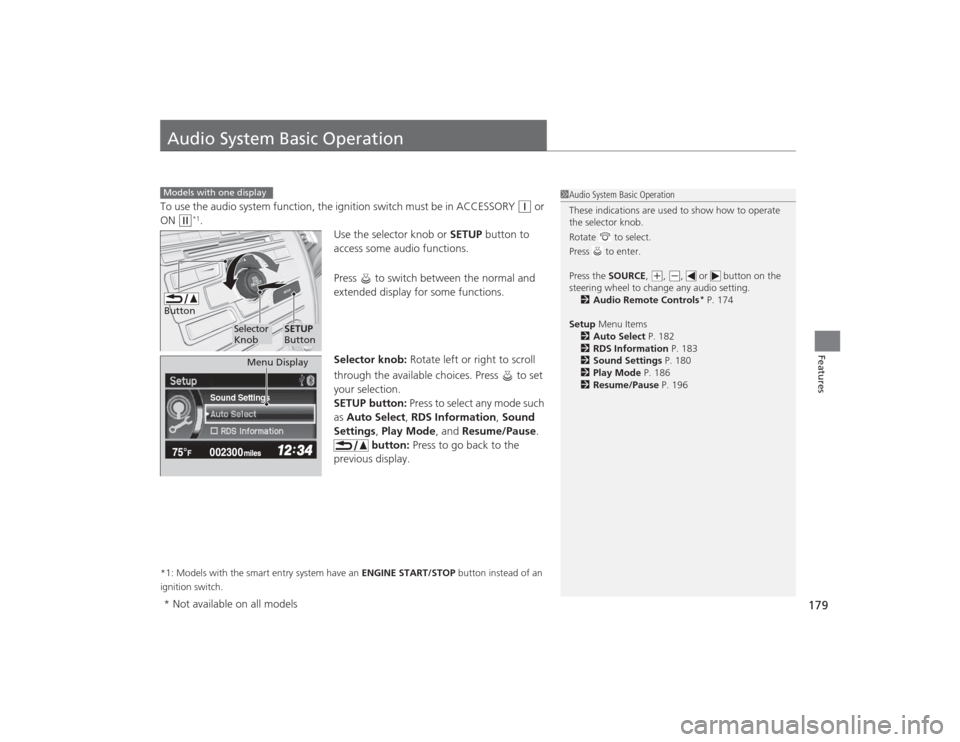
Use the selector knob or SETUP button to
access some audio functions.
Press to switch between the normal and
extended display for some functions.
Selector knob: Rotate left or right to scroll
through the available choices. Press to set
your selection.
SETUP button: Press to select any mode such
as Auto Select , RDS Information , Sound
Settings , Play Mode , and Resume/Pause.
button: Press to go back to the
previous display.
*1: Models with the smart entry system have an ENGINE START/STOP button instead of an
ignition switch.Models with one display
1 Audio System Basic Operation
These indications are used to show how to operate
the selector knob.
Rotate to select.
Press to enter.
Press the SOURCE ,
(+, (-, or button on the
steering wheel to change any audio setting. 2 Audio Remote Controls
* P. 174
Setup Menu Items
2 Auto Select P. 182
2 RDS Information P. 183
2 Sound Settings P. 180
2 Play Mode P. 186
2 Resume/Pause P. 196
Button
Selector
Knob
SETUP
Button
Sound Settings
Menu Display
* Not available on all models
Page 317 of 469
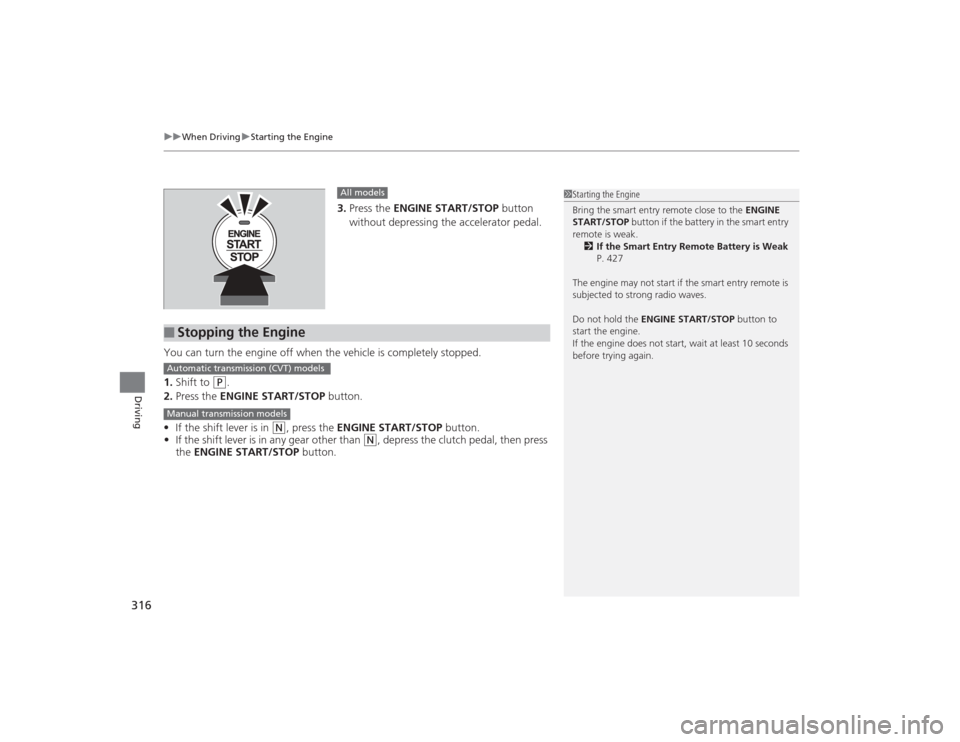
uuWhen Driving uStarting the Engine
316Driving
3. Press the ENGINE START/STOP button
without depressing the accelerator pedal.
You can turn the engine off when the vehicle is completely stopped.
1. Shift to
(P
.
2. Press the ENGINE START/STOP button.
• If the shift lever is in
(N
, press the ENGINE START/STOP button.
• If the shift lever is in any gear other than
(N
, depress the clutch pedal, then press
the ENGINE START/STOP button.
All models
■
Stopping the Engine
1Starting the Engine
Bring the smart entry remote close to the ENGINE
START/STOP button if the battery in the smart entry
remote is weak. 2 If the Smart Entry Remote Battery is Weak
P. 427
The engine may not start if the smart entry remote is
subjected to strong radio waves.
Do not hold the ENGINE START/STOP button to
start the engine.
If the engine does not start, wait at least 10 seconds
before trying again.
Automatic transmission (CVT) modelsManual transmission models
Page 410 of 469

409
Handling the Unexpected
This chapter explains how to handle unexpected troubles.
Tools
Types of Tools .................................. 410
If a Tire Goes Flat Changing a Flat Tire ......................... 411
Temporarily Repairing a Flat Tire....... 418
Engine Does Not Start Checking the Engine ........................ 426If the Smart Entry Remote Battery is Weak .......................................... 427Emergency Engine Stop ................... 428
Jump Starting .................................... 429
Shift Lever Does Not Move .............. 432Overheating
How to Handle Overheating............. 433
Indicator, Coming On/Blinking
If the Low Oil Pressure Indicator Comes On ............................................. 435If the Charging System Indicator Comes
On ................................................. 435
If the Malfunction Indicator Lamp Comes On or Blinks ................................... 436If the Brake System Indicator (Red) Comes On .................................................... 437
If the Electric Power Steering (EPS) System
Indicator Comes On ............................. 437If the Low Tire Pressure/TPMS Indicator Comes On or Blinks ....................... 438
Fuses Fuse Locations ................................. 439
Inspecting and Changing Fuses ........ 441
Emergency Towing ........................... 442