trunk HONDA CIVIC 2014 9.G User Guide
[x] Cancel search | Manufacturer: HONDA, Model Year: 2014, Model line: CIVIC, Model: HONDA CIVIC 2014 9.GPages: 469, PDF Size: 17.32 MB
Page 109 of 469
108
uuLocking and Unlocking the Doors uLow Smart Entry Remote Signal Strength
*
Controls
Low Smart Entry Remote Signal Strength
*
The vehicle transmits radio waves to locate the smart entry remote when locking/
unlocking the doors, opening the trunk, or to start the engine.
In the following cases, locking/unlocking the doors, opening the trunk, or starting
the engine may be inhibited or operation may be unstable:
• Strong radio waves are being transmitted by nearby equipment.
• You are carrying the smart entry remote together with telecommunications
equipment, laptop computers, cell phones, or wireless devices.
• A metallic object is touching or covering the smart entry remote.
1Low Smart Entry Remote Signal Strength
*
Communication between the smart entry remote and
the vehicle consumes the smart entry remote’s
battery.
Battery life is about two years, but this varies
depending on regularity of use.
The battery is consumed whenever the smart entry
remote is receiving strong radio waves. Avoid placing
it near electrica l appliances such as televisions and
personal computers.
* Not available on all models
Page 112 of 469
Continued
111
uuLocking and Unlocking the Doors uLocking/Unlocking the Doors from the Outside
Controls
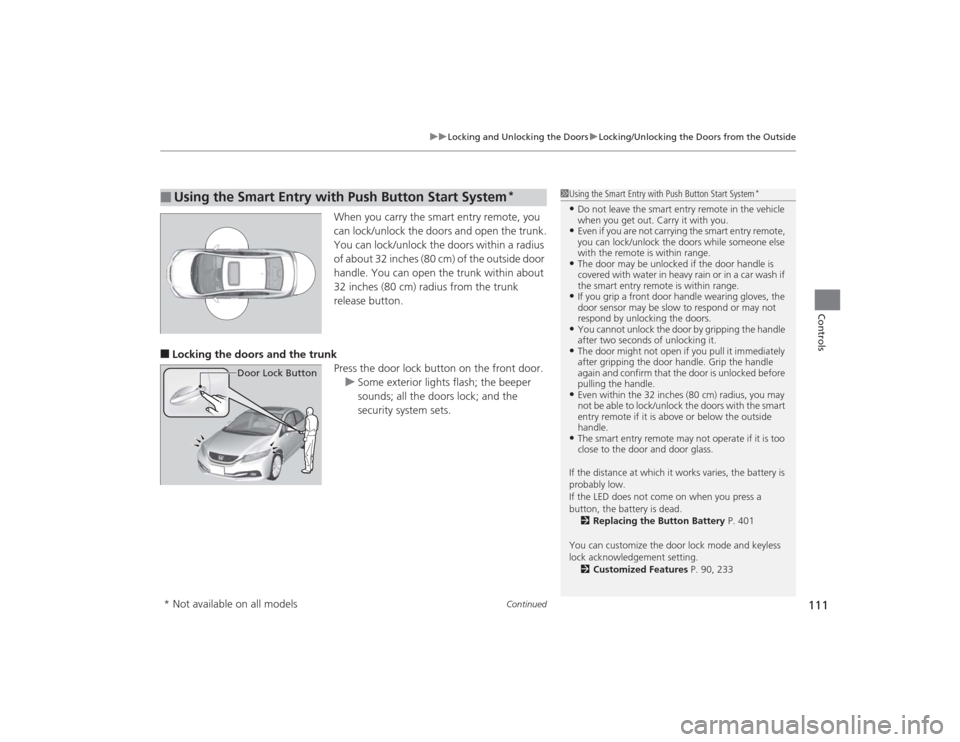
When you carry the smart entry remote, you
can lock/unlock the doors and open the trunk.
You can lock/unlock the doors within a radius
of about 32 inches (80 cm) of the outside door
handle. You can open the trunk within about
32 inches (80 cm) radius from the trunk
release button.
■Locking the doors and the trunk
Press the door lock button on the front door.u Some exterior lights flash; the beeper
sounds; all the doors lock; and the
security system sets.■
Using the Smart Entry with Push Button Start System
*
Door Lock Button
1Using the Smart Entry with Push Button Start System
*
•Do not leave the smart entry remote in the vehicle
when you get out. Carry it with you.•Even if you are not carrying the smart entry remote,
you can lock/unlock the doors while someone else
with the remote is within range.•The door may be unlocked if the door handle is
covered with water in heavy rain or in a car wash if
the smart entry remot e is within range.•If you grip a front door handle wearing gloves, the
door sensor may be slow to respond or may not
respond by unlocking the doors.•You cannot unlock the door by gripping the handle
after two seconds of unlocking it.•The door might not open if you pull it immediately
after gripping the door handle. Grip the handle
again and confirm that the door is unlocked before
pulling the handle.•Even within the 32 inches (80 cm) radius, you may
not be able to lock/unlock the doors with the smart
entry remote if it is above or below the outside
handle.•The smart entry remote may not operate if it is too
close to the door and door glass.
If the distance at which it works varies, the battery is
probably low.
If the LED does not come on when you press a
button, the battery is dead. 2 Replacing the Button Battery P. 401
You can customize the door lock mode and keyless
lock acknowledgement setting. 2 Customized Features P. 90, 233
* Not available on all models
Page 113 of 469
uuLocking and Unlocking the Doors uLocking/Unlocking the Doors from the Outside
112Controls
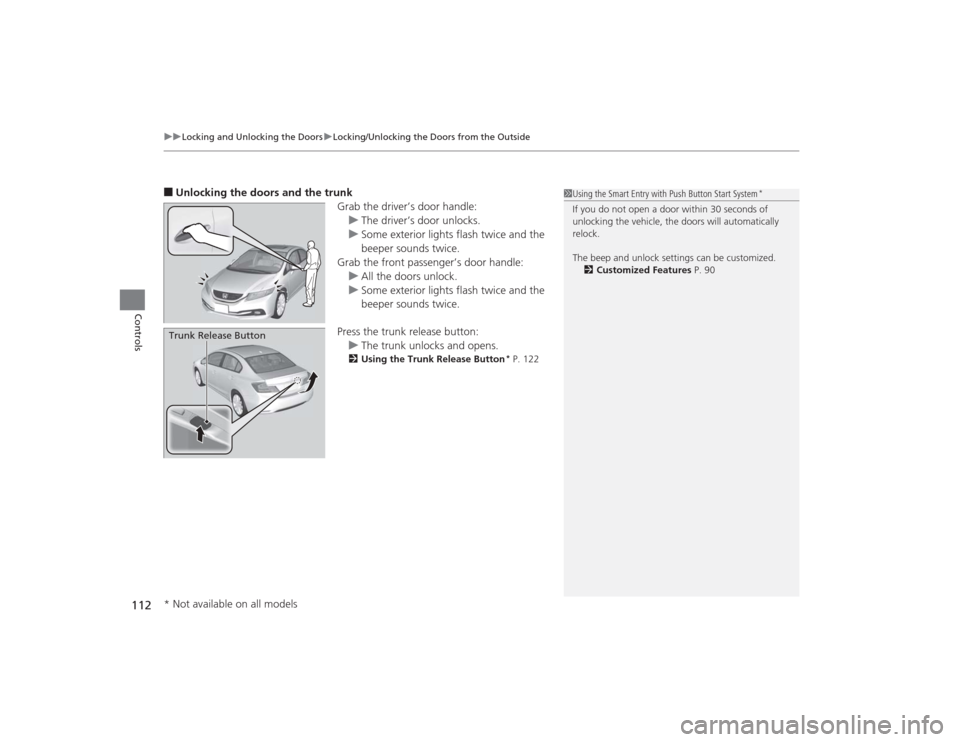
■Unlocking the doors and the trunk
Grab the driver’s door handle:u The driver’s door unlocks.
u Some exterior lights flash twice and the
beeper sounds twice.
Grab the front passen ger’s door handle:
u All the doors unlock.
u Some exterior lights flash twice and the
beeper sounds twice.
Press the trunk release button: u The trunk unlocks and opens.
2 Using the Trunk Release Button
* P. 122
Trunk Release Button
1Using the Smart Entry with Push Button Start System
*
If you do not open a door within 30 seconds of
unlocking the vehicle, the doors will automatically
relock.
The beep and unlock settings can be customized.
2 Customized Features P. 90
* Not available on all models
Page 122 of 469
121
Continued
Controls
Opening and Closing the TrunkPrecautions for Opening/Closing the Trunk■Opening the trunk
Open the trunk all the way. u If it is not fully opened, the trunk lid may begin to close under its own weight.■Closing the trunk
Keep the trunk lid closed while driving to:
u Avoid possible damage.
u Prevent exhaust gas from leaking into the vehicle.2 Exhaust Gas Hazard P. 64Using the Trunk Opener
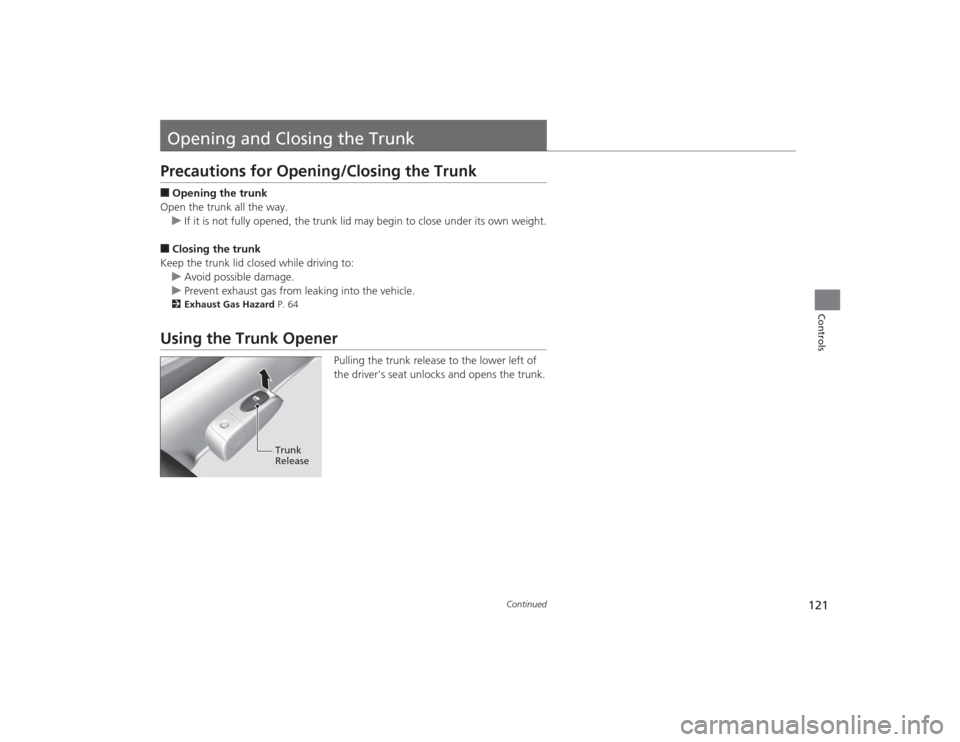
Pulling the trunk release to the lower left of
the driver's seat unlocks and opens the trunk.
Trunk
Release
Page 123 of 469
uuOpening and Closing the Trunk uUsing the Trunk Release Button
*
122Controls
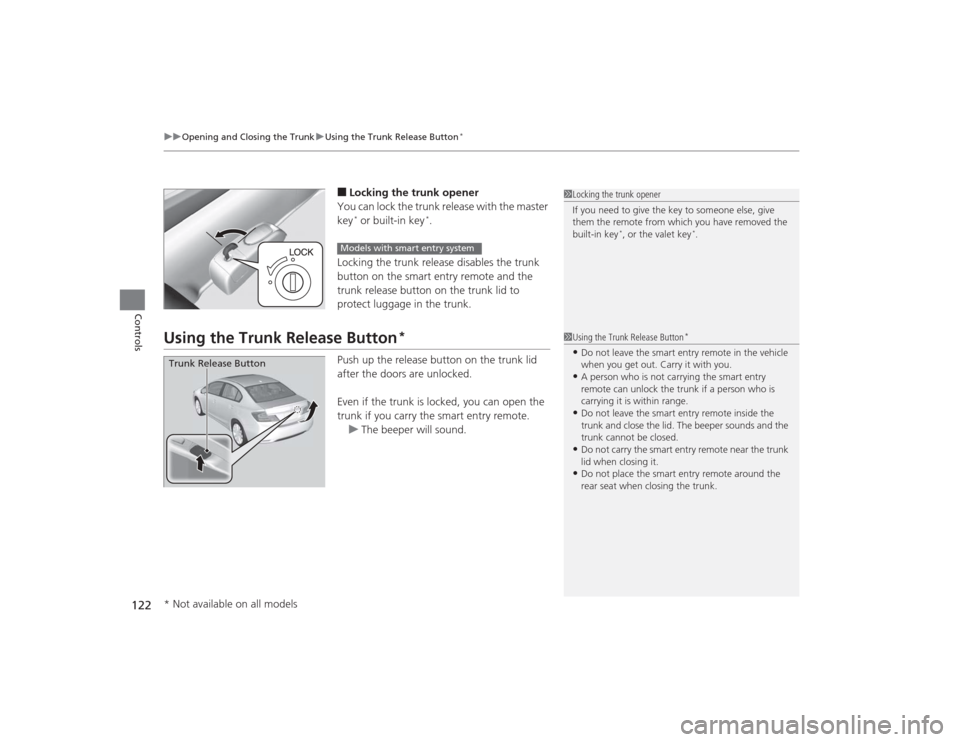
■Locking the trunk opener
You can lock the trunk release with the master
key* or built-in key
*.
Locking the trunk release disables the trunk
button on the smart entry remote and the
trunk release button on the trunk lid to
protect luggage in the trunk.
Using the Trunk Release Button
*
Push up the release button on the trunk lid
after the doors are unlocked.
Even if the trunk is locked, you can open the
trunk if you carry the smart entry remote. u The beeper will sound.
1Locking the trunk opener
If you need to give the key to someone else, give
them the remote from which you have removed the
built-in key
*, or the valet key
*.
Models with smart entry system
1Using the Trunk Release Button
*
•Do not leave the smart entry remote in the vehicle
when you get out. Carry it with you.•A person who is not carrying the smart entry
remote can unlock the trunk if a person who is
carrying it is within range.•Do not leave the smart entry remote inside the
trunk and close the lid. The beeper sounds and the
trunk cannot be closed.•Do not carry the smart entry remote near the trunk
lid when closing it.•Do not place the smart entry remote around the
rear seat when closing the trunk.
Trunk Release Button* Not available on all models
Page 124 of 469
123
uuOpening and Closing the Trunk uUsing the Master key
*
Controls
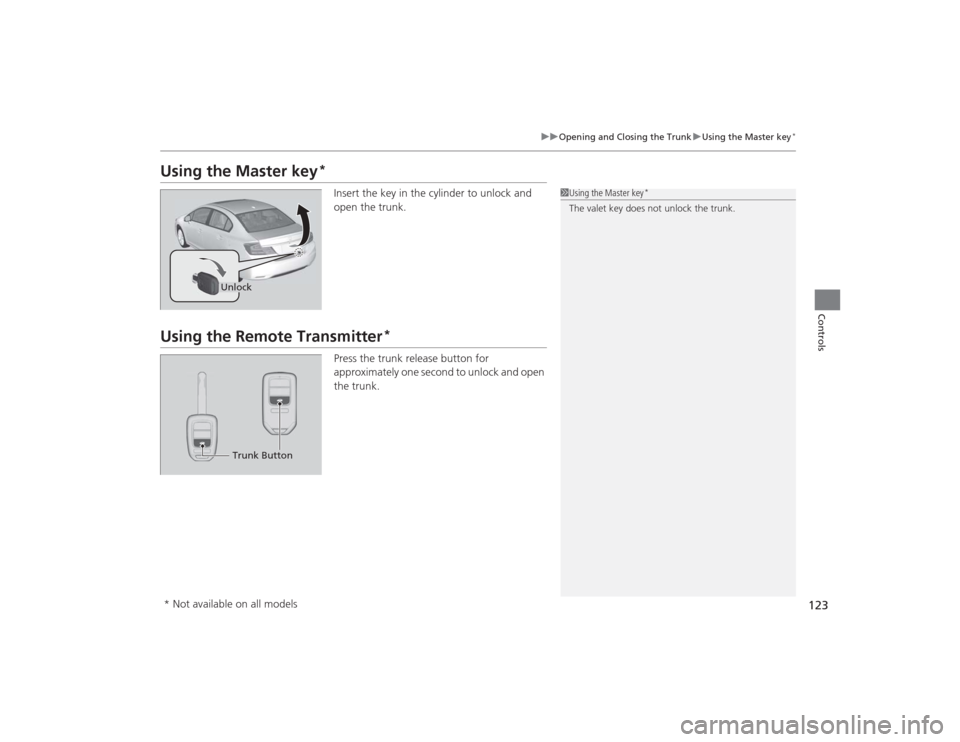
Using the Master key
*
Insert the key in the cylinder to unlock and
open the trunk.
Using the Remote Transmitter
*
Press the trunk release button for
approximately one second to unlock and open
the trunk.
1Using the Master key
*
The valet key does not unlock the trunk.
UnlockTrunk Button
* Not available on all models
Page 125 of 469
124
uuOpening and Closing the Trunk uEmergency Trunk Opener
Controls
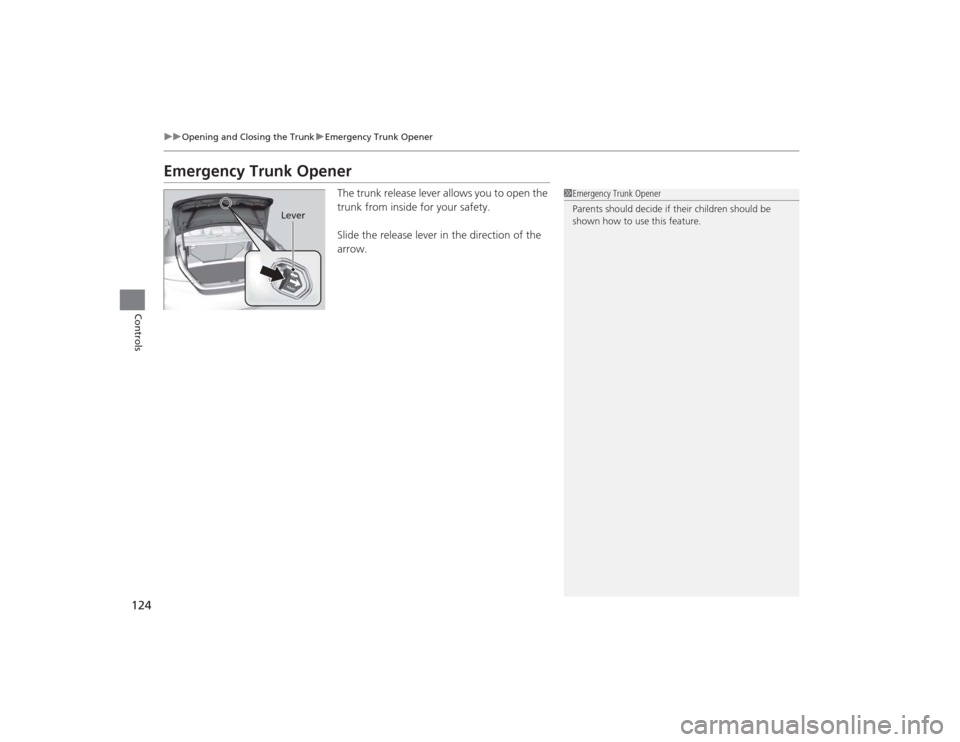
Emergency Trunk Opener
The trunk release lever allows you to open the
trunk from inside for your safety.
Slide the release lever in the direction of the
arrow.
1Emergency Trunk Opener
Parents should decide if their children should be
shown how to use this feature.
Lever
Page 126 of 469
125
Continued
Controls
Security SystemImmobilizer SystemThe immobilizer system prevents a key that has not been pre-registered from
starting the engine. Each key contains electronic transmitters that use electronic
signals to verify the key.
Pay attention to the following when inserting the key into the ignition switch or
pressing the ENGINE START/STOP button:
• Do not allow objects that emit strong radio waves near the ignition switch or the
ENGINE START/STOP button.
• Make sure the key is not covered by or touching a metal object.
• Do not bring a key from another vehicle's immobilizer system near the ignition
switch.Security System Alarm
*
The security system alarm activates when the trunk, hood or doors are forcibly
opened. The alarm does not go off if the trunk or doors are opened with the key,
remote transmitter or smart entry system.
However, the alarm goes off when a door is opened with the key, then the shift
lever is moved out of
(P
(automatic transmission/CVT models) or the hood is
opened before the ignition switch is turned to ON
( w
*1.
■When the security system alarm activates
The horn sounds intermittently and all the exterior lights flash.■To deactivate the security system alarm
Unlock the vehicle using remote transmitter, or smart entry system. The system,
along with the horn and flashing lights, is deactivated.*1: Models with the smart entry system have an ENGINE START/STOP button instead of an
ignition switch.
1 Immobilizer SystemNOTICELeaving the ignition key in the vehicle can result in
theft or accidental movement of the vehicle.
Always take the ignition key with you whenever you
leave the vehicle unattended.
Do not alter the system or add other devices to it.
Doing so may damage the system and make your
vehicle inoperable.1Security System Alarm
*
The security alarm continues for a maximum of two
minutes until the security system deactivates.
* Not available on all models
Page 127 of 469
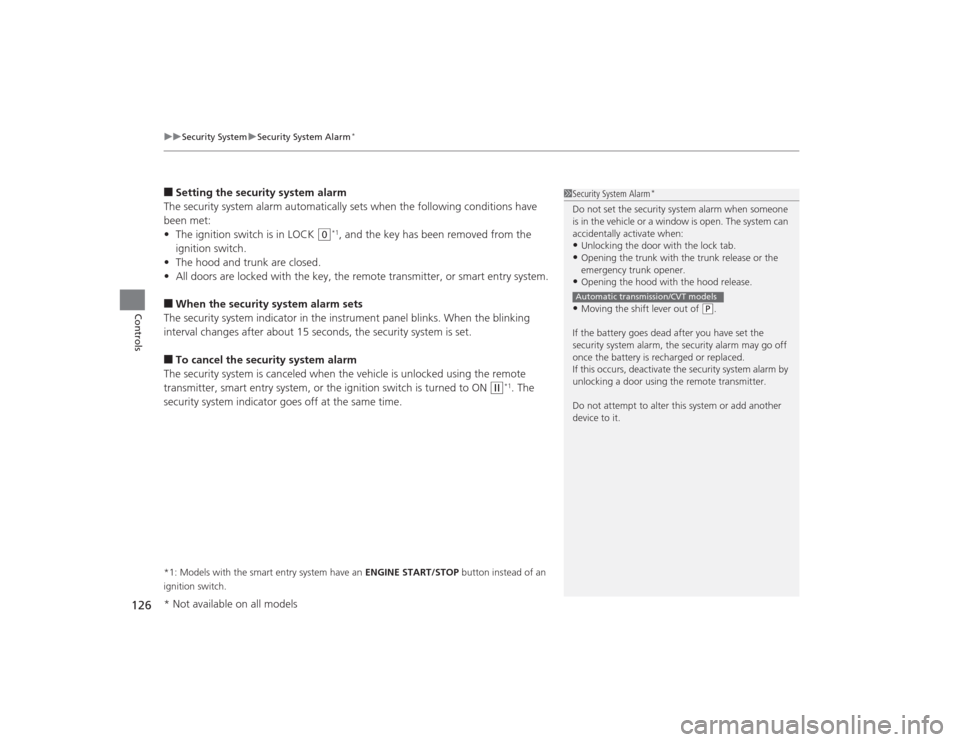
uuSecurity System uSecurity System Alarm
*
126Controls
■Setting the security system alarm
The security system alarm automatically sets when the following conditions have
been met:
• The ignition switch is in LOCK
(0
*1, and the key has been removed from the
ignition switch.
• The hood and trunk are closed.
• All doors are locked with the key, the remote transmitter, or smart entry system.
■When the security system alarm sets
The security system indicator in the instrument panel blinks. When the blinking
interval changes after about 15 seconds, the security system is set.■To cancel the security system alarm
The security system is canceled when the vehicle is unlocked using the remote
transmitter, smart entry system, or the ignition switch is turned to ON
(w
*1. The
security system indicator goes off at the same time.
*1: Models with the smart entry system have an ENGINE START/STOP button instead of an
ignition switch.
1 Security System Alarm
*
Do not set the security system alarm when someone
is in the vehicle or a window is open. The system can
accidentally activate when:•Unlocking the door with the lock tab.•Opening the trunk with the trunk release or the
emergency trunk opener.•Opening the hood with the hood release.•Moving the shift lever out of
(P.
If the battery goes dead after you have set the
security system alarm, the security alarm may go off
once the battery is recharged or replaced.
If this occurs, deactivate the security system alarm by
unlocking a door using the remote transmitter.
Do not attempt to alter this system or add another
device to it.
Automatic transmission/CVT models
* Not available on all models
Page 153 of 469
152
uuAdjusting the Seats uRear Seats
Controls
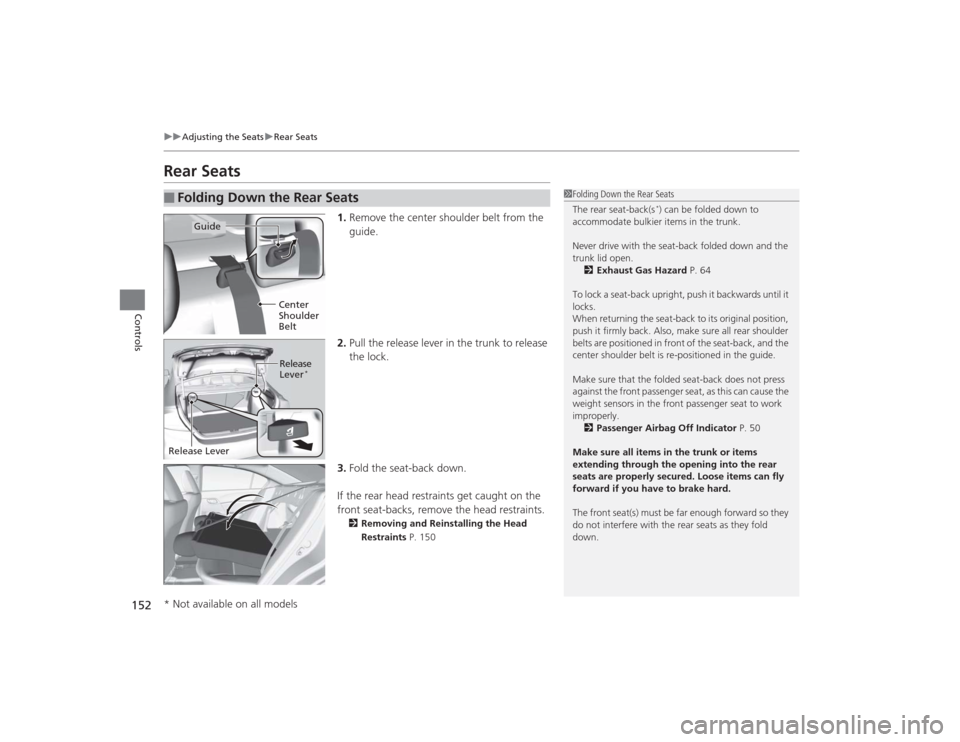
Rear Seats
1. Remove the center shoulder belt from the
guide.
2. Pull the release lever in the trunk to release
the lock.
3. Fold the seat-back down.
If the rear head restraints get caught on the
front seat-backs, remove the head restraints.2 Removing and Reinstalling the Head
Restraints P. 150
■
Folding Down the Rear Seats
1Folding Down the Rear Seats
The rear seat-back(s
*) can be folded down to
accommodate bulkier items in the trunk.
Never drive with the seat-back folded down and the
trunk lid open. 2 Exhaust Gas Hazard P. 64
To lock a seat-back upright, push it backwards until it
locks.
When returning the seat-back to its original position,
push it firmly back. Also, make sure all rear shoulder
belts are positioned in front of the seat-back, and the
center shoulder belt is re-positioned in the guide.
Make sure that the folded seat-back does not press
against the front passenger seat, as this can cause the
weight sensors in the front passenger seat to work
improperly. 2 Passenger Airbag Off Indicator P. 50
Make sure all items in the trunk or items
extending through the opening into the rear
seats are properly secured. Loose items can fly
forward if you have to brake hard.
The front seat(s) must be far enough forward so they
do not interfere with the rear seats as they fold
down.
Guide
Center
Shoulder
BeltRelease
Lever
*
Release Lever* Not available on all models