transmission HONDA CIVIC 2014 9.G Service Manual
[x] Cancel search | Manufacturer: HONDA, Model Year: 2014, Model line: CIVIC, Model: HONDA CIVIC 2014 9.GPages: 469, PDF Size: 17.32 MB
Page 362 of 469
361
Continued
Maintenance
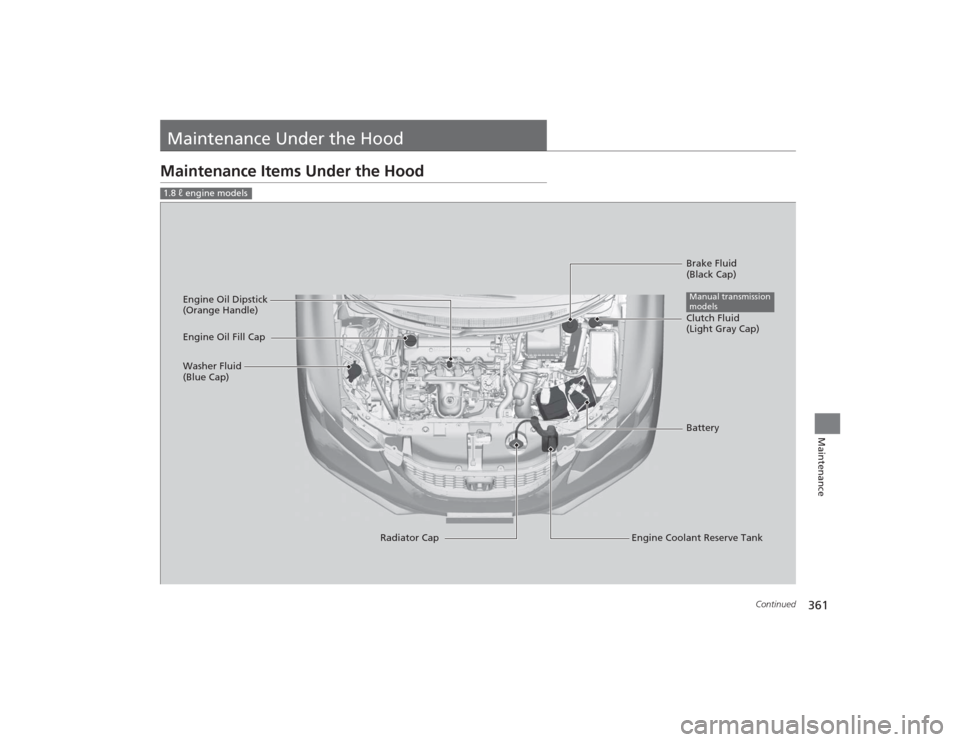
Maintenance Under the HoodMaintenance Items Under the Hood1.8 ℓ engine models
Brake Fluid
(Black Cap)
Engine Coolant Reserve Tank
Radiator Cap
Washer Fluid
(Blue Cap)
Engine Oil Dipstick
(Orange Handle)
Clutch Fluid
(Light Gray Cap)
Engine Oil Fill Cap
BatteryManual transmission
models
Page 374 of 469
373
uuMaintenance Under the Hood uTransmission Fluid
Maintenance
Transmission FluidHave a dealer check the fluid level and replace if necessary.
Have a dealer check the fluid level and replace if necessary.■
Continuously Variable Transmission (CVT) FluidSpecified fluid: HCF-2■
Manual Transmission FluidSpecified fluid: Honda Manual Transmission Fluid (MTF)Models with automatic transmission (CVT)
1Continuously Variable Transmission (CVT) FluidNOTICEDo not mix HCF-2 with other transmission fluids.
Using a transmission fluid other than HCF-2 may
adversely affect the operation and durability of your
vehicle's transmission, and damage the transmission.
Any damage caused by using a transmission fluid that
is not equivalent to HCF-2 is not covered by Honda's
new vehicle warranty.
Models with manual transmission
1 Manual Transmission Fluid
If Honda MTF is not available, you may use the API
certificated SAE 0 W-20 or 5 W-20 viscosity motor oil
as a temporary measure.
Replace with MTF as soon as possible. Motor oil does
not contain the proper additives for the transmission
and continued use can cause decreased shifting
performance and lead to transmission damage.
Page 375 of 469
374
uuMaintenance Under the Hood uBrake/Clutch Fluid
Maintenance
Brake/Clutch FluidUse the same fluid for both the brakes and clutch.
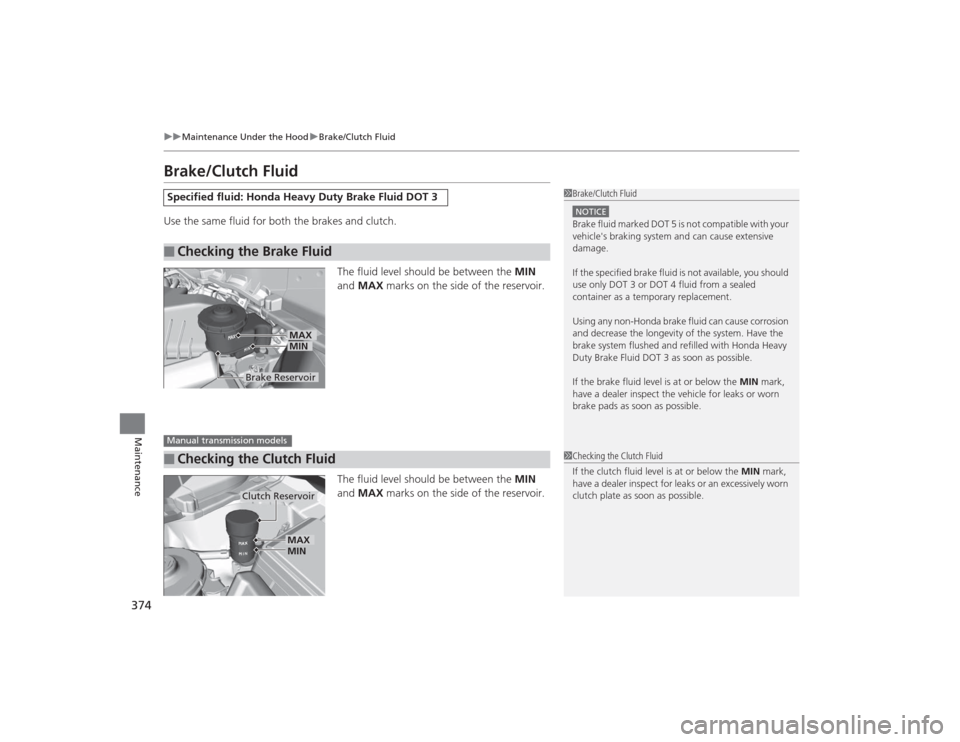
The fluid level should be between the MIN
and MAX marks on the side of the reservoir.
The fluid level should be between the MIN
and MAX marks on the side of the reservoir.Specified fluid: Honda Heavy Duty Brake Fluid DOT 3■
Checking the Brake Fluid
1Brake/Clutch FluidNOTICEBrake fluid marked DOT 5 is not compatible with your
vehicle's braking system and can cause extensive
damage.
If the specified brake fluid is not available, you should
use only DOT 3 or DOT 4 fluid from a sealed
container as a temporary replacement.
Using any non-Honda brake fluid can cause corrosion
and decrease the longevity of the system. Have the
brake system flushed and refilled with Honda Heavy
Duty Brake Fluid DOT 3 as soon as possible.
If the brake fluid level is at or below the MIN mark,
have a dealer inspect the vehicle for leaks or worn
brake pads as soon as possible.
Brake Reservoir
MINMAX
■
Checking the Clutch FluidManual transmission models
1 Checking the Clutch Fluid
If the clutch fluid level is at or below the MIN mark,
have a dealer inspect for leaks or an excessively worn
clutch plate as soon as possible.
Clutch Reservoir
MIN
MAX
Page 412 of 469
411
Continued
Handling the Unexpected
If a Tire Goes FlatChanging a Flat TireIf a tire goes flat while driving, grasp the steering wheel firmly, and brake gradually
to reduce speed. Then, stop in a safe place. Replace the flat tire with a compact
spare tire. Go to a dealer as soon as possible to have the full-size tire repaired or
replaced.
1.Park the vehicle on firm, level, and non-slippery surface, and apply the parking
brake.
2. Put the shift lever in
(P
.
2. Put the shift lever in
(R
.
3. Turn on the hazard warning lights and turn the ignition switch to LOCK
(0
*1.
*1: Models with the smart entry system have an ENGINE START/STOP button instead of an
ignition switch.Models with compact spare tire
1 Changing a Flat Tire
Periodically check the tire pressure of the compact
spare. It should be set to the specified pressure.
Specified Pressure: 60 psi (420 kPa, 4.2 kgf/cm
2)
When driving with the compact spare tire, keep the
vehicle speed under 50 mph (80 km/h). Replace with
a full-size tire as soon as possible.
The compact spare tire and wheel in your vehicle are
specifically for this model. Do not use them with
another vehicle. Do not use another type of compact
spare tire or wheel with your vehicle.
Do not mount tire chains on a compact spare tire.
If a chain-mounted front tire goes flat, remove one of
the full-size rear tires and replace it with the compact
spare tire. Remove the flat front tire and replace it
with the full-size tire that was removed from the rear.
Mount the tire chains on the front tire.
Automatic transmission (CVT) modelsManual transmission modelsAll models
Page 428 of 469
427
uuEngine Does Not Start uIf the Smart Entry Remote Battery is Weak
Handling the Unexpected
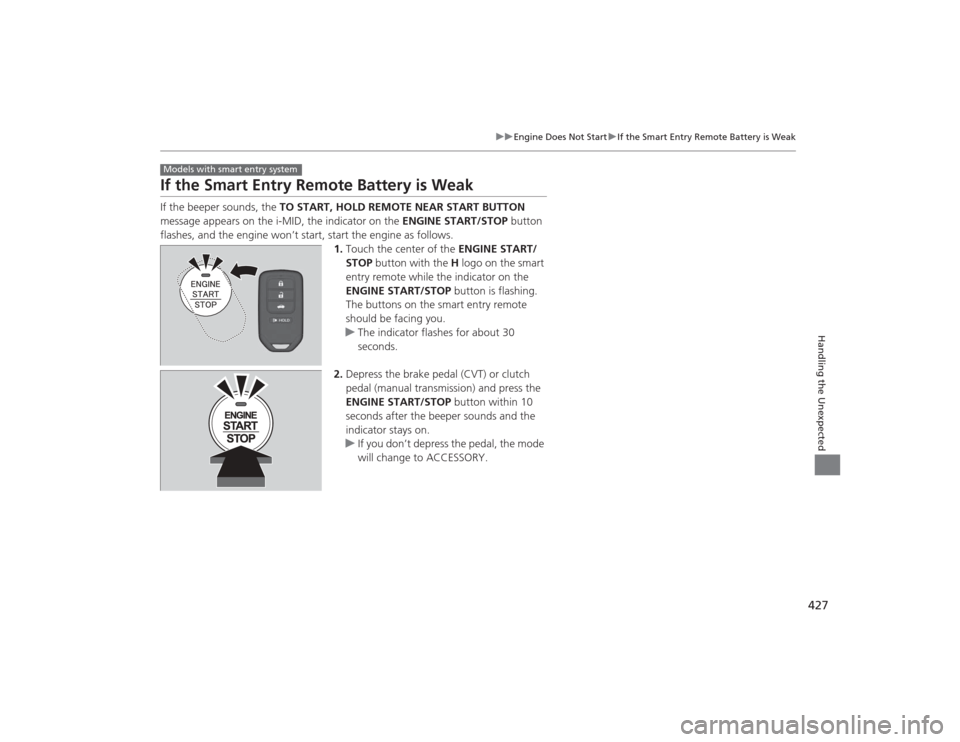
If the Smart Entry Remote Battery is WeakIf the beeper sounds, the TO START, HOLD REMOTE NEAR START BUTTON
message appears on the i-MID, the indicator on the ENGINE START/STOP button
flashes, and the engine won’t start, start the engine as follows. 1.Touch the center of the ENGINE START/
STOP button with the H logo on the smart
entry remote while the indicator on the
ENGINE START/STOP button is flashing.
The buttons on the smart entry remote
should be facing you.
u The indicator flashes for about 30
seconds.
2. Depress the brake pedal (CVT) or clutch
pedal (manual transmission) and press the
ENGINE START/STOP button within 10
seconds after the beeper sounds and the
indicator stays on.
u If you don’t depress the pedal, the mode
will change to ACCESSORY.Models with smart entry system
Page 429 of 469
428
uuEngine Does Not Start uEmergency Engine Stop
Handling the Unexpected
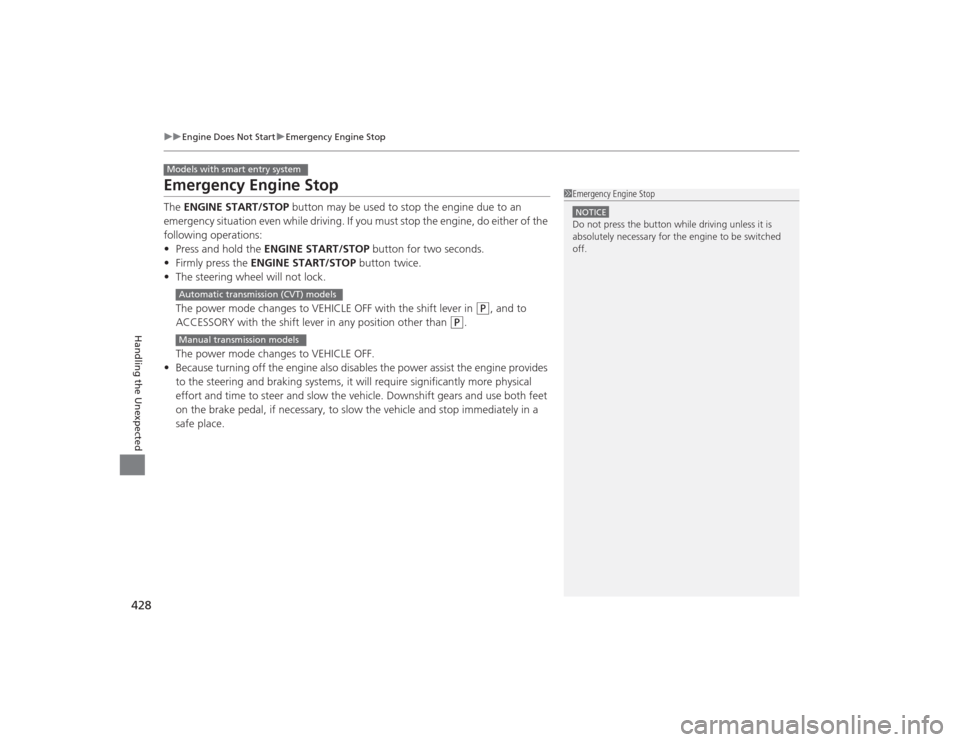
Emergency Engine StopThe ENGINE START/STOP button may be used to stop the engine due to an
emergency situation even while driving. If you mus t stop the engine, do either of the
following operations:
• Press and hold the ENGINE START/STOP button for two seconds.
• Firmly press the ENGINE START/STOP button twice.
• The steering wheel will not lock.
The power mode changes to VEHICLE OFF with the shift lever in
(P
, and to
ACCESSORY with the shift lever in any position other than
(P
.
The power mode changes to VEHICLE OFF.
• Because turning off the engine also disables the power assist the engine provides
to the steering and braking systems, it will require significantly more physical
effort and time to steer and slow the vehicle. Downshift gears and use both feet
on the brake pedal, if necessary, to slow the vehicle and stop immediately in a
safe place.
Models with smart entry system
1Emergency Engine StopNOTICEDo not press the button while driving unless it is
absolutely necessary for the engine to be switched
off.
Automatic transmission (CVT) modelsManual transmission models
Page 433 of 469
432Handling the Unexpected
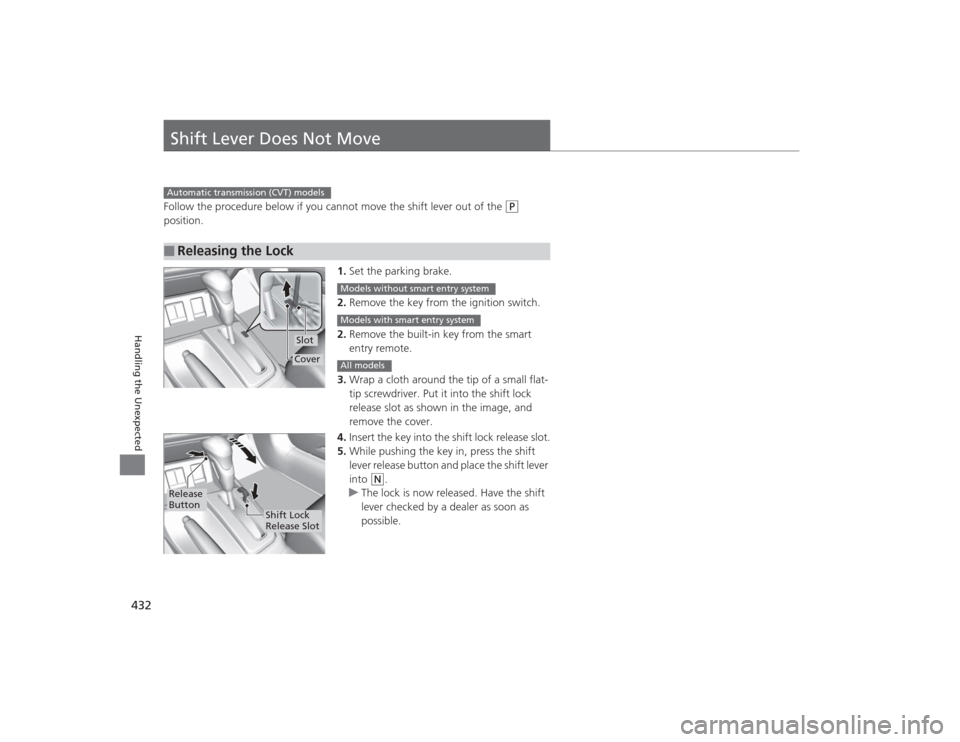
Shift Lever Does Not MoveFollow the procedure below if you cannot move the shift lever out of the
(P
position.
1.Set the parking brake.
2. Remove the key from the ignition switch.
2. Remove the built-in key from the smart
entry remote.
3. Wrap a cloth around the tip of a small flat-
tip screwdriver. Put it into the shift lock
release slot as shown in the image, and
remove the cover.
4. Insert the key into the shift lock release slot.
5. While pushing the key in, press the shift
lever release button and place the shift lever
into
(N
.
u The lock is now released. Have the shift
lever checked by a dealer as soon as
possible.
■
Releasing the LockAutomatic transmission (CVT) models
SlotCover
Models without smart entry systemModels with smart entry systemAll models
Release
Button
Shift Lock
Release Slot
Page 438 of 469
437
uuIndicator, Coming On/Blinking uIf the Brake System Indicator (Red) Comes On
Handling the Unexpected
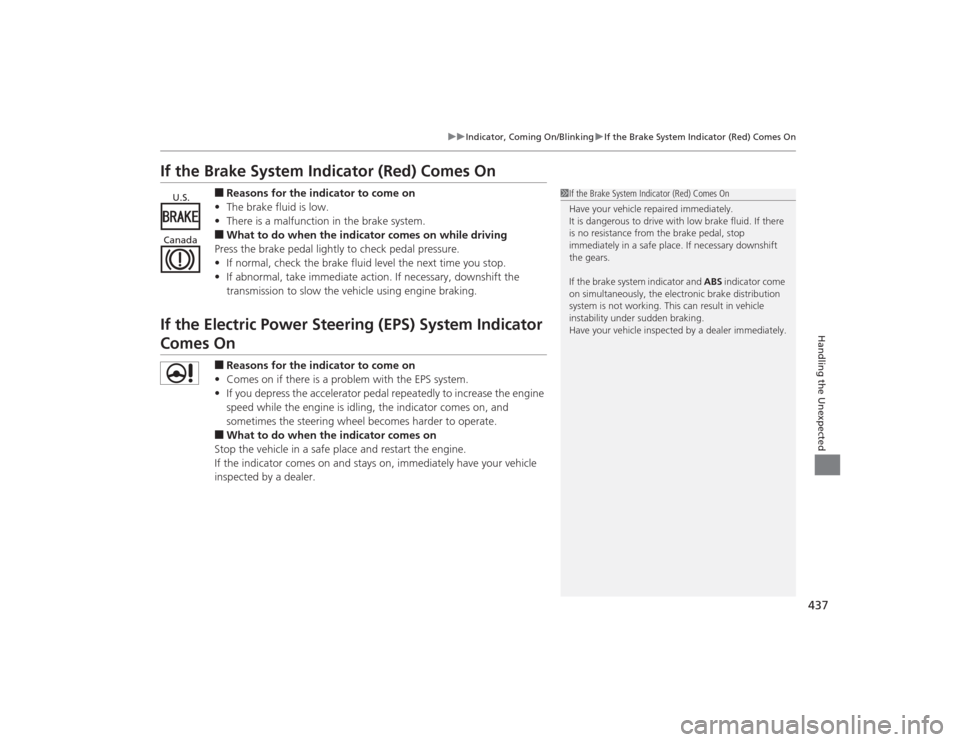
If the Brake System Indicator (Red) Comes On
■Reasons for the indicator to come on
• The brake fluid is low.
• There is a malfunction in the brake system.■What to do when the indicator comes on while driving
Press the brake pedal lightly to check pedal pressure.
• If normal, check the brake fluid level the next time you stop.
• If abnormal, take immediate action. If necessary, downshift the
transmission to slow the vehicle using engine braking.
If the Electric Power Steering (EPS) System Indicator Comes On
■Reasons for the indicator to come on
• Comes on if there is a problem with the EPS system.
• If you depress the accelerator pedal repeatedly to increase the engine
speed while the engine is idling, the indicator comes on, and
sometimes the steering wheel becomes harder to operate.■What to do when the indicator comes on
Stop the vehicle in a safe place and restart the engine.
If the indicator comes on and stays on, immediately have your vehicle
inspected by a dealer.
1 If the Brake System Indicator (Red) Comes On
Have your vehicle repaired immediately.
It is dangerous to drive with low brake fluid. If there
is no resistance from the brake pedal, stop
immediately in a safe place. If necessary downshift
the gears.
If the brake system indicator and ABS indicator come
on simultaneously, the electronic brake distribution
system is not working. This can result in vehicle
instability under sudden braking.
Have your vehicle inspected by a dealer immediately.
U.S.
Canada
Page 443 of 469
442Handling the Unexpected
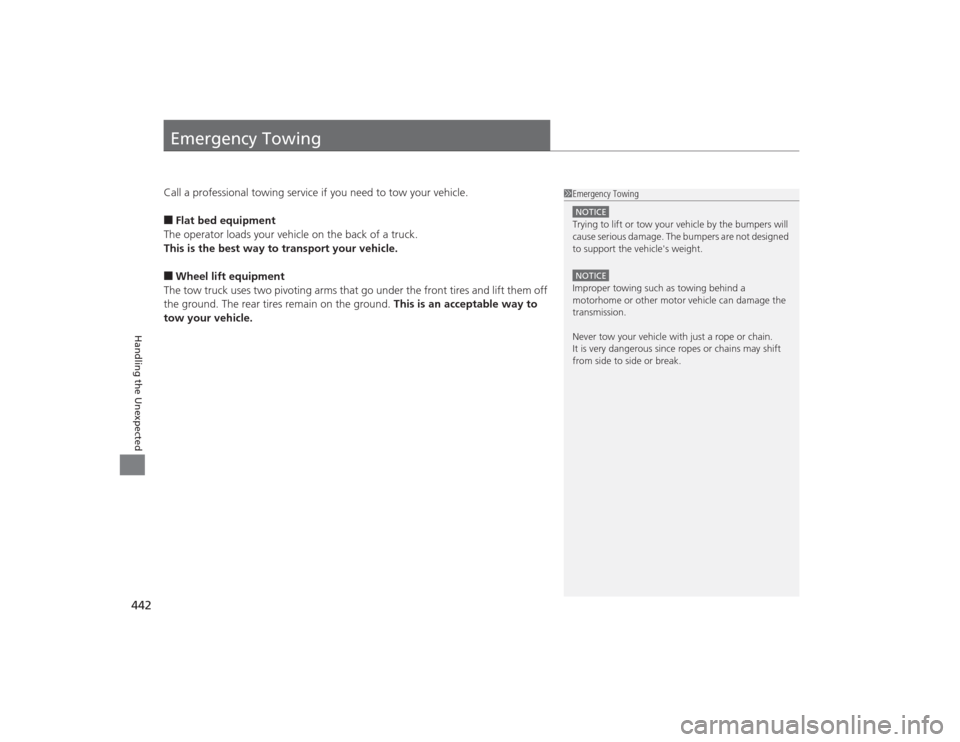
Emergency TowingCall a professional towing service if you need to tow your vehicle.■Flat bed equipment
The operator loads your vehicle on the back of a truck.
This is the best way to transport your vehicle.■Wheel lift equipment
The tow truck uses two pivoting arms that go under the front tires and lift them off
the ground. The rear tires remain on the ground. This is an acceptable way to
tow your vehicle.
1 Emergency TowingNOTICETrying to lift or tow your vehicle by the bumpers will
cause serious damage. The bumpers are not designed
to support the vehicle's weight.NOTICEImproper towing such as towing behind a
motorhome or other motor vehicle can damage the
transmission.
Never tow your vehicle with just a rope or chain.
It is very dangerous since ropes or chains may shift
from side to side or break.
Page 444 of 469
443
Information
This chapter includes your vehicle's specifications, locations of identification numbers, and other
information required by regulation.
Specifications .................................... 444
Identification NumbersVehicle Identification Number (VIN)...... 448Engine Number and Transmission Number...................................... 448Devices that Emit Radio Waves ....... 449
Reporting Safety Defects ................. 450Emissions Testing
Testing of Readiness Codes.............. 451
Warranty Coverages ........................ 453
Authorized Manuals ......................... 455
Customer Service Information ......... 456